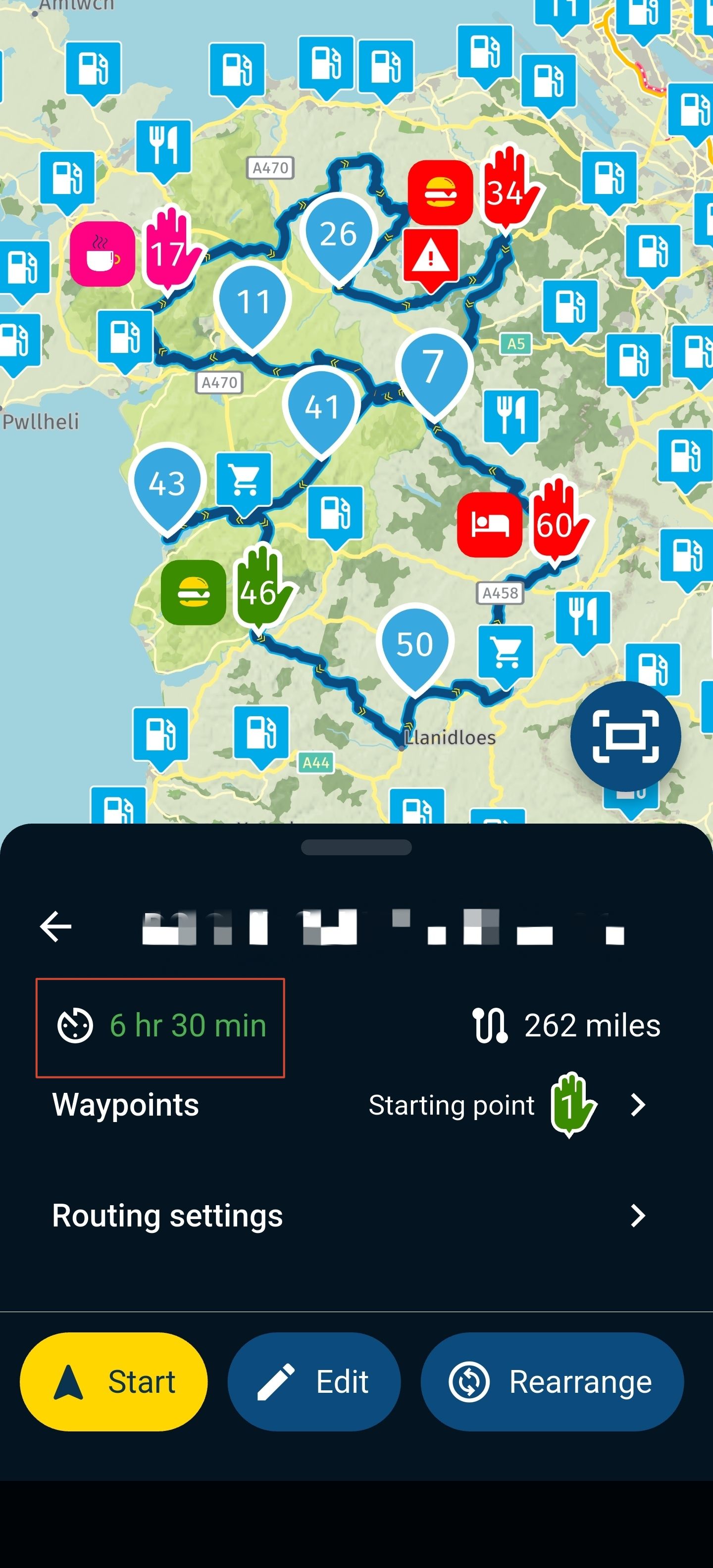
MRA CarPlay mit Remotek One
-

Zu Para, ich Chatte mit ihm weil er sich die Remotek One gekauft hat, er Testet viel, und nutzt intensiv die MyRouteApp.
Er will am Montag das R7M testen im Zusammenspiel mit CarPlay und Remotek One, bei den anderen bekannten Displays geht +/- Zoomen und WP überspringen wie in meinem Test beschrieben…!
—-
To Para, I chat with him because he bought the Remotek One, he tests a lot, and uses the MyRouteApp intensively.
He wants to test the R7M on Monday in combination with CarPlay and Remotek One, with the other well-known displays +/- zoom and skip WP as described in my test...!
VG Hubert
Beta Test "Next App" dazu die Hardware .
iPad 9. Gen iOS 26.7/ iPhone 16e iOS 26.7/ Navi iPhone Xr iOS 18.7.10 / PC mit MS Win11 /❗️MyRoute-App im Cradel und Remotek-One❗️ Info zu MRA & Remotek One -
@Huibertus I think it‘s user „Para“
-
Zu Para, ich Chatte mit ihm weil er sich die Remotek One gekauft hat, er Testet viel, und nutzt intensiv die MyRouteApp.
Er will am Montag das R7M testen im Zusammenspiel mit CarPlay und Remotek One, bei den anderen bekannten Displays geht +/- Zoomen und WP überspringen wie in meinem Test beschrieben…!
—-
To Para, I chat with him because he bought the Remotek One, he tests a lot, and uses the MyRouteApp intensively.
He wants to test the R7M on Monday in combination with CarPlay and Remotek One, with the other well-known displays +/- zoom and skip WP as described in my test...!

@Hubert-Thoring
Hallo, ich kann Para nicht finden, deshalb bitte ich Sie, die unten stehende Nachricht an ihn weiterzuleiten.Im Supportbereich unter „Bluetooth-Controller“ habe ich auf der Remotek One-Website gelesen, dass in Firmware-Version 2.X mehrere Funktionen entfernt wurden. Konkret handelt es sich um „Menü öffnen“ (Code K) und „Angezeigte Ankunftszeit ändern (Ende, Via oder Formation)“ (Code N). Das würde bedeuten, dass diese Funktionen nicht mehr nutzbar sind. Dies wird auch auf der Remotek-Website mehr oder weniger bestätigt. Dort heißt es jedoch auch: „Neue Funktion in Version 2.1.0:
Doppelklick auf Pfeil nach oben = sendet den Tastendruck „N“. Doppelklick auf Pfeil nach unten = sendet den Tastendruck „K“.“ Dies dürften die fehlenden Codes sein, die nun anscheinend wieder enthalten sind. Bedeutet das, dass die Funktionen in der neuen Firmware-Version enthalten sind? Könnten Sie bitte überprüfen, ob diese Funktionen in der neuen Version funktionieren? -
@Huibertus I think it‘s user „Para“
-
VG Hubert
Beta Test "Next App" dazu die Hardware .
iPad 9. Gen iOS 26.7/ iPhone 16e iOS 26.7/ Navi iPhone Xr iOS 18.7.10 / PC mit MS Win11 /❗️MyRoute-App im Cradel und Remotek-One❗️ Info zu MRA & Remotek One -
@silberfuchs67 Thnx

@Huibertus said in MRA CarPlay mit Remotek One:
@silberfuchs67 Thnx
Was genau heißt das jetzt, bitte etwas erklären

-
@Huibertus : kennst den Bericht schon über die Remotek One Erfahrungen, ich selbst nutze keine Bedienung des Menü, Untermenü da zu gefährlich bei der Fahrt.
Die allgemeine Info siehe hier Link zum Erfahrungsaustausch
VG Hubert
Beta Test "Next App" dazu die Hardware .
iPad 9. Gen iOS 26.7/ iPhone 16e iOS 26.7/ Navi iPhone Xr iOS 18.7.10 / PC mit MS Win11 /❗️MyRoute-App im Cradel und Remotek-One❗️ Info zu MRA & Remotek One -
@Huibertus : kennst den Bericht schon über die Remotek One Erfahrungen, ich selbst nutze keine Bedienung des Menü, Untermenü da zu gefährlich bei der Fahrt.
Die allgemeine Info siehe hier Link zum Erfahrungsaustausch
@Hubert-Thoring This is about version V1.1.2 The latest version is V2.x
-
@Hubert-Thoring I will see if I can do that. I am not subscibed in that forum
-
@Hubert-Thoring This is about version V1.1.2 The latest version is V2.x
@Huibertus said in MRA CarPlay mit Remotek One:
@Hubert-Thoring This is about version V1.1.2 The latest version is V2.x
@Huibertus der @silberfuchs67 benutzt die neuste Version, vielleicht tauscht ihr euch mal aus ! VG Hubert
-
Thanks, Con. I've tried to read up on the various options, and I'm aware that the MRA app needs to be open. I don't think it's a huge problem. For me, the advantages of the CP far outweigh this. However, there aren't many options that support iOS. I can only find the Barbuttons (a bit crude in design) and the Remotek 1. I want to compare the latter two again.

@Huibertus, Controllers from Silverfox just work with iOS and need no software at all to work with MRA.
https://www.silverfoxcontrollers.com/product-page/silverfox-h1-home-one-plus-navigation-controllerBarButtons is really nice, but I believe the project is in slowmotion at the moment. I have been building multiple of these units. If you are interested in one of them, send me a DM.
-
Dear Con,
Thank you for your reply. I think the Silverfox is a very nice, but quite expensive device. However, if everything works well and it can handle the right apps, I'll make the switch. However, I'd already written it off because I can't find anywhere that it's compatible with iOS, not even on the Silverfox website. -
Dear Con,
Thank you for your reply. I think the Silverfox is a very nice, but quite expensive device. However, if everything works well and it can handle the right apps, I'll make the switch. However, I'd already written it off because I can't find anywhere that it's compatible with iOS, not even on the Silverfox website. -

take a look here: click
-
That's what I was looking for. Thanks. Now I'm wondering what's better. I have an iPhone with a Carpuride that I'm very happy with. Should I stick with IOS and accept the lesser number of apps, or should I switch to Android and keep the iPhone in my jacket? The Carpuride also runs on Android, although I'm not happy with two different operating systems.
-
@Huibertus, The lesser number of apps is ONLY a problem when you need to use one of those others
If you are happy with the Carpuride, just stick to it. If you are buying an Android, you might as well pick one with military specs, and a bright screen (Motorola Edge 50 Neo for example) and use that INSTEAD of your carpuride to get the full native app on your handlebar. Then you can sell the carpuride and get a decent mount and charger for it. -
Dear Con,
Thank you for your reply. I think the Silverfox is a very nice, but quite expensive device. However, if everything works well and it can handle the right apps, I'll make the switch. However, I'd already written it off because I can't find anywhere that it's compatible with iOS, not even on the Silverfox website.
@Huibertus said in MRA CarPlay mit Remotek One:
I'd already written it off because I can't find anywhere that it's compatible with iOS, not even on the Silverfox website.
Don’t write off Silverfox.
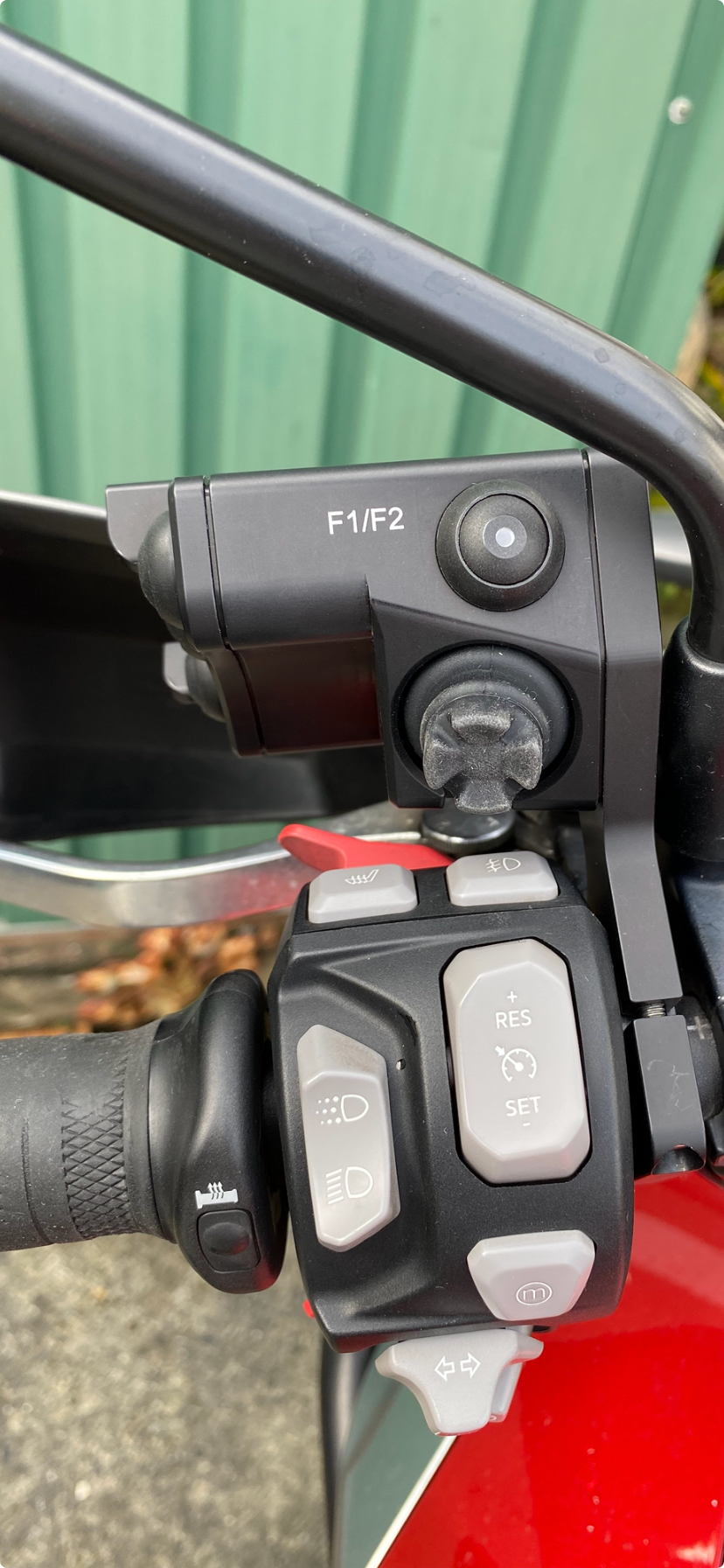
I’ve been using a Silverfox controller for over 2 years. You won’t find another controller to match the quality of Silverfox. I use an iPhone 11 and like the iPhone, the Silverfox works faultlessly. If you look in the Apps section of the Silverfox website you will see that they work with iOS in a number of apps.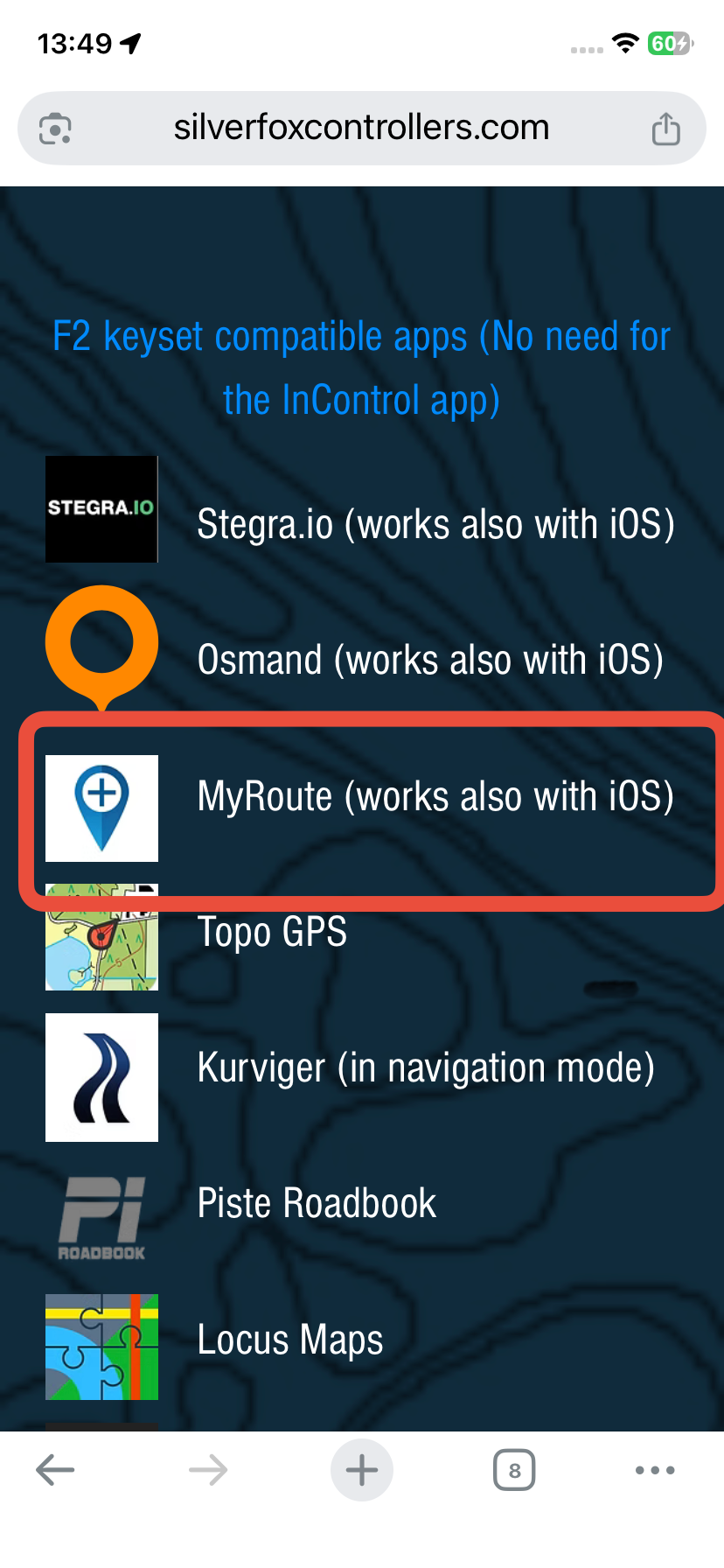
Fitted to my Triumph Tiger
-
I still find it a difficult choice. The Silverfox stands out in terms of design, but also in price. Unfortunately, it doesn't support Google Maps and Wave (I mean this one, @Con-Hennekens ). I find Barbuttons affordable, but a bit "clunky" and currently difficult to obtain, as I understand from Con. The Remotek is also not bad in terms of design and seems to have the same functions as the Barbuttons and the Silverfox. After many trips, I've become very attached to the iPhone and the Carpuride and don't want to lose them at this time, even though I'm now seeing some nice options. If I'm certain that the Remotek One works well and has all the options I want, it's definitely still a contender. It remains difficult... I will wait for the reaction of @CD130
-
I still find it a difficult choice. The Silverfox stands out in terms of design, but also in price. Unfortunately, it doesn't support Google Maps and Wave (I mean this one, @Con-Hennekens ). I find Barbuttons affordable, but a bit "clunky" and currently difficult to obtain, as I understand from Con. The Remotek is also not bad in terms of design and seems to have the same functions as the Barbuttons and the Silverfox. After many trips, I've become very attached to the iPhone and the Carpuride and don't want to lose them at this time, even though I'm now seeing some nice options. If I'm certain that the Remotek One works well and has all the options I want, it's definitely still a contender. It remains difficult... I will wait for the reaction of @CD130
@Huibertus, of course you can try to buy a BarButtons at https://jaxeadv.com/barbuttons/ but from what I hear he is not very responsive anymore. I have been in contact in the past and have build multiple BBs myself. I would be happy to sell you one (send me a DM if you want to). Yes it is a bit clunky, but it works fine and the buttons are a great fit to gloved fingers.
On the other hand, it seems counterintuitive to have your phone open, running the MRA app on your handlebar just to be able to operate the carpuride. I think you are better of with a AA/CP device that has a controller, or a phone to replace your carpuride, and a BT controller along with it.

Hello! It looks like you're interested in this conversation, but you don't have an account yet.
Getting fed up of having to scroll through the same posts each visit? When you register for an account, you'll always come back to exactly where you were before, and choose to be notified of new replies (either via email, or push notification). You'll also be able to save bookmarks and upvote posts to show your appreciation to other community members.
With your input, this post could be even better 💗
Register Login


-
0769
-
 09167
09167
-
 122488
-
0585
-
010149
-
 010233
-
1333
-
0327