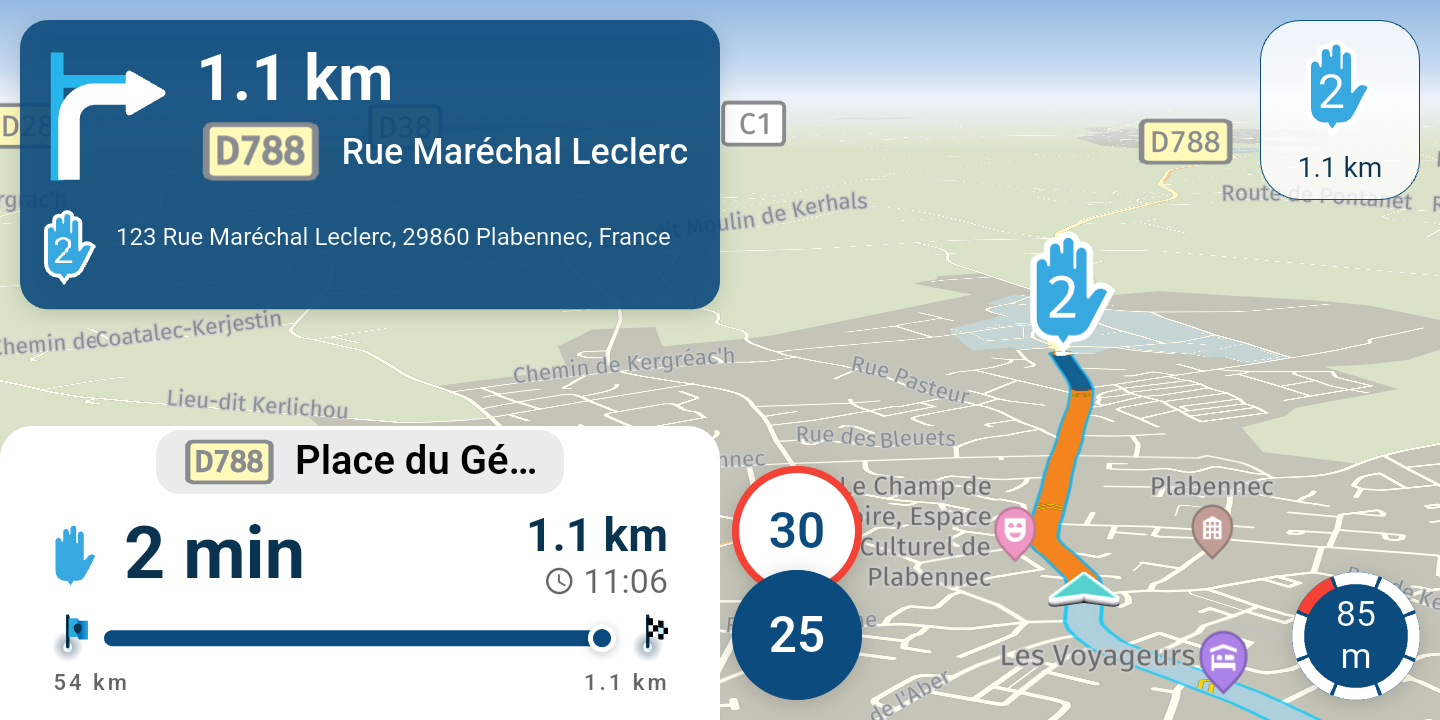
MRA CarPlay mit Remotek One
-
Das wechseln zwischen der A und B Funktion mit DC oben … geht nur wenn die Tastatursteuerung Ein ist = eingeschaltet ist. Dem A und B kann man dann Apps zuordnen… das ist eine Remotek One / iOS Handy Einstellung und hat nichts mit der MyRouteApp zutun.
Bei eingeschalteter Tastatursteuerung stürzt bei mir aber immer die MyRouteApp ab. Warum ist ungeklärt, alle anderen Apps wie GuRuMaps, Kurviger … usw. haben das Problem nicht.
Ich fahre mit „Tastatursteuerung Aus“ und bin so wie es ist zufrieden, ich stelle die iOS Kurzbefehle des Handy so ein das beim koppeln des Handy mit dem Motorrad TFT die Apps automatisch starten und dann kann ich Audio des Radio oder Spotify dann über das TFT steuern …
Vieles geht, man muss so einigest testen und für sich das beste daraus machen.
VG

@TheRedBlitz
Switching between the A and B function with DC at the top ... is only possible if the keyboard control is on = is on. You can then assign apps to the A and B... this is a Remotek One / iOS mobile phone setting and has nothing to do with the MyRouteApp.
When the keyboard control is on, however, the MyRouteApp always crashes for me. Why is unclear, all other apps such as GuRuMaps, Kurviger ... etc. do not have the problem.
I drive with "keyboard control off" and am satisfied as it is, I set the iOS shortcuts of the mobile phone so that when pairing the mobile phone with the motorcycle TFT automatically starts the apps and then I can control the audio of the radio or Spotify via the TFT ...
A lot is possible, you have to test a lot and make the best of it for yourself.
VG

@Hubert-Thoring I was talking about Android and RemotekOne application, IOs is completely different case.
-

It doesn't work with the Carplay, it controls directly and only the mobile phone, if the mobile phone display is open in a shelf you control it and you see that on the display like zooming +/-
——
Es geht nicht mit dem Carplay, es steuert direkt und nur das Handy, ist das Handy Display offen in einer Ablage steuerst Du es und das siehst Du auf dem Display wie das Zoomen +/-
-
What I would like to know is whether the Remotek One works with the Apple CarPlay. Can anyone tell me that?

Es bietet Ihnen begrenzte Funktionalität mit CarPlay, solange Sie das Telefon mit aktivem MRA eingeschaltet lassen (wie @Hubert-Thoring sagte). So arbeite ich mit dem gedimmten Telefonbildschirm, um Strom mit dem Telefon in der Ladetasche meines Fahrrads zu sparen. Die Funktionen, die Sie auf CarPlay haben, sind Doppelklick (DC) links (Zoom und Ausrichtung - drei Optionen); DC Rechts (Überspringen Sie den nächsten Wegpunkt); DC Down (Änderung ETA - nächster Formpunkt, Über Punkt oder Ende); sowie manueller Zoom mit + und -; verwenden Sie DC links, um zur dynamischen Ansicht zurückzukehren usw. Funktioniert ein Genuss für mich und gibt mir genug Funktionalität. unkt, Über Punkt oder Ende); sowie manueller Zoom mit + und -. Funktioniert ein Genuss für mich und gibt mir genug Funktionalität.
It will give you limited functionality with CarPlay as long as you keep the phone on with MRA active (as @Hubert-Thoring said). This is how I work with the phone screen dimmed to save power with the phone in the charging pocket on my bike. The functions you have on CarPlay will be Double Click (DC) left (Zoom and Orientation - three options); DC Right (Skip Next Waypoint); DC Down (Change ETA - next shaping point, Via point or finish); as well as manual zoom with + and -; use DC left to revert to dynamic view etc. Works a treat for me and gives me enough functionality.
-
@Dave-J-0
 Genau so habe ich mir das gedacht mit der Handy - CarPlay Kopplung, habe zwar kein CarPlay, konnte es somit auch nicht rundum testen, aber das Erlebnis habe ich 1:1 an meinem iPhone Xr Display am Motorrad. Also auch so mit CarPlay eine gute einfache Lösung.
——
That's exactly what I thought with the mobile phone - CarPlay coupling, I don't have CarPlay, so I couldn't test it all around, but I have the experience 1:1 on my iPhone Xr display on the motorcycle. So also with CarPlay a good simple solution. -
I'm still very interested in the Remotek 1 because of its price, size, and the fact that it's truly wireless (battery). However, I'm worried that there's no iPhone app for it and because of the text on the Remotek website that says, "Important: This (or any) remote controller does not work properly with most apps in CarPlay or Android Auto." Is it still true that Google Maps and Waze can't be controlled with the Remotek? Does your Remotek works still good with the MRA app?
-
So, my Remotek One still works perfectly with MRA, zoom +/-, and skipping WP, etc. There's also an app for Apple users, which is mentioned on the website, but this app is only for downloading a firmware update. All other information is also available in the manual on the website.
A friend has confirmed it's available for CarPlay, User, "Papa" im GS-Forum.com
VG Hubert
Beta Test "Next App" dazu die Hardware .
iPad 9. Gen iOS 27.0.1/ iPhone 16e iOS 27.0.1/ Navi iPhone Xr iOS 18.7.10 / PC mit MS Win11 /❗️MyRoute-App im Cradel und Remotek-One❗️ Info zu MRA & Remotek One -
I'm still very interested in the Remotek 1 because of its price, size, and the fact that it's truly wireless (battery). However, I'm worried that there's no iPhone app for it and because of the text on the Remotek website that says, "Important: This (or any) remote controller does not work properly with most apps in CarPlay or Android Auto." Is it still true that Google Maps and Waze can't be controlled with the Remotek? Does your Remotek works still good with the MRA app?

@Huibertus, it ( like any other controller attached to your phone) will control your phone, not your Carplay device. Most functions however will be replicated by the app to your Carplay device. Like if you zoom on your phone, your carplays screen also zooms. However when your phone lays idle, or app is not in focus, nothing will happen on your carplay screen.
-
Thanks, Con. I've tried to read up on the various options, and I'm aware that the MRA app needs to be open. I don't think it's a huge problem. For me, the advantages of the CP far outweigh this. However, there aren't many options that support iOS. I can only find the Barbuttons (a bit crude in design) and the Remotek 1. I want to compare the latter two again.
-
So, my Remotek One still works perfectly with MRA, zoom +/-, and skipping WP, etc. There's also an app for Apple users, which is mentioned on the website, but this app is only for downloading a firmware update. All other information is also available in the manual on the website.
A friend has confirmed it's available for CarPlay, User, "Papa" im GS-Forum.com
@Hubert-Thoring Thnx Hubert. I will visit the links you send me. I am very curious.
-
So, my Remotek One still works perfectly with MRA, zoom +/-, and skipping WP, etc. There's also an app for Apple users, which is mentioned on the website, but this app is only for downloading a firmware update. All other information is also available in the manual on the website.
A friend has confirmed it's available for CarPlay, User, "Papa" im GS-Forum.com
@Hubert-Thoring
Hi Hubert,
I've had a quick look but can't find "Papa's" entry. I can find your twin brother, "MS_MagnaR43."
-
Zu Para, ich Chatte mit ihm weil er sich die Remotek One gekauft hat, er Testet viel, und nutzt intensiv die MyRouteApp.
Er will am Montag das R7M testen im Zusammenspiel mit CarPlay und Remotek One, bei den anderen bekannten Displays geht +/- Zoomen und WP überspringen wie in meinem Test beschrieben…!
—-
To Para, I chat with him because he bought the Remotek One, he tests a lot, and uses the MyRouteApp intensively.
He wants to test the R7M on Monday in combination with CarPlay and Remotek One, with the other well-known displays +/- zoom and skip WP as described in my test...!
VG Hubert
Beta Test "Next App" dazu die Hardware .
iPad 9. Gen iOS 27.0.1/ iPhone 16e iOS 27.0.1/ Navi iPhone Xr iOS 18.7.10 / PC mit MS Win11 /❗️MyRoute-App im Cradel und Remotek-One❗️ Info zu MRA & Remotek One -
@Huibertus I think it‘s user „Para“
-
Zu Para, ich Chatte mit ihm weil er sich die Remotek One gekauft hat, er Testet viel, und nutzt intensiv die MyRouteApp.
Er will am Montag das R7M testen im Zusammenspiel mit CarPlay und Remotek One, bei den anderen bekannten Displays geht +/- Zoomen und WP überspringen wie in meinem Test beschrieben…!
—-
To Para, I chat with him because he bought the Remotek One, he tests a lot, and uses the MyRouteApp intensively.
He wants to test the R7M on Monday in combination with CarPlay and Remotek One, with the other well-known displays +/- zoom and skip WP as described in my test...!
@Hubert-Thoring
Hallo, ich kann Para nicht finden, deshalb bitte ich Sie, die unten stehende Nachricht an ihn weiterzuleiten.Im Supportbereich unter „Bluetooth-Controller“ habe ich auf der Remotek One-Website gelesen, dass in Firmware-Version 2.X mehrere Funktionen entfernt wurden. Konkret handelt es sich um „Menü öffnen“ (Code K) und „Angezeigte Ankunftszeit ändern (Ende, Via oder Formation)“ (Code N). Das würde bedeuten, dass diese Funktionen nicht mehr nutzbar sind. Dies wird auch auf der Remotek-Website mehr oder weniger bestätigt. Dort heißt es jedoch auch: „Neue Funktion in Version 2.1.0:
Doppelklick auf Pfeil nach oben = sendet den Tastendruck „N“. Doppelklick auf Pfeil nach unten = sendet den Tastendruck „K“.“ Dies dürften die fehlenden Codes sein, die nun anscheinend wieder enthalten sind. Bedeutet das, dass die Funktionen in der neuen Firmware-Version enthalten sind? Könnten Sie bitte überprüfen, ob diese Funktionen in der neuen Version funktionieren? -
@Huibertus I think it‘s user „Para“
-
VG Hubert
Beta Test "Next App" dazu die Hardware .
iPad 9. Gen iOS 27.0.1/ iPhone 16e iOS 27.0.1/ Navi iPhone Xr iOS 18.7.10 / PC mit MS Win11 /❗️MyRoute-App im Cradel und Remotek-One❗️ Info zu MRA & Remotek One -
@silberfuchs67 Thnx

@Huibertus said in MRA CarPlay mit Remotek One:
@silberfuchs67 Thnx
Was genau heißt das jetzt, bitte etwas erklären

-
@Huibertus : kennst den Bericht schon über die Remotek One Erfahrungen, ich selbst nutze keine Bedienung des Menü, Untermenü da zu gefährlich bei der Fahrt.
Die allgemeine Info siehe hier Link zum Erfahrungsaustausch
VG Hubert
Beta Test "Next App" dazu die Hardware .
iPad 9. Gen iOS 27.0.1/ iPhone 16e iOS 27.0.1/ Navi iPhone Xr iOS 18.7.10 / PC mit MS Win11 /❗️MyRoute-App im Cradel und Remotek-One❗️ Info zu MRA & Remotek One -
@Huibertus : kennst den Bericht schon über die Remotek One Erfahrungen, ich selbst nutze keine Bedienung des Menü, Untermenü da zu gefährlich bei der Fahrt.
Die allgemeine Info siehe hier Link zum Erfahrungsaustausch
@Hubert-Thoring This is about version V1.1.2 The latest version is V2.x
Hello! It looks like you're interested in this conversation, but you don't have an account yet.
Getting fed up of having to scroll through the same posts each visit? When you register for an account, you'll always come back to exactly where you were before, and choose to be notified of new replies (either via email, or push notification). You'll also be able to save bookmarks and upvote posts to show your appreciation to other community members.
With your input, this post could be even better 💗
Register Login



-
 01257
01257
-
 1211115
-
 013208
-
0636
-
 1639
1639
-
16108
-
0732
-
 15151
15151