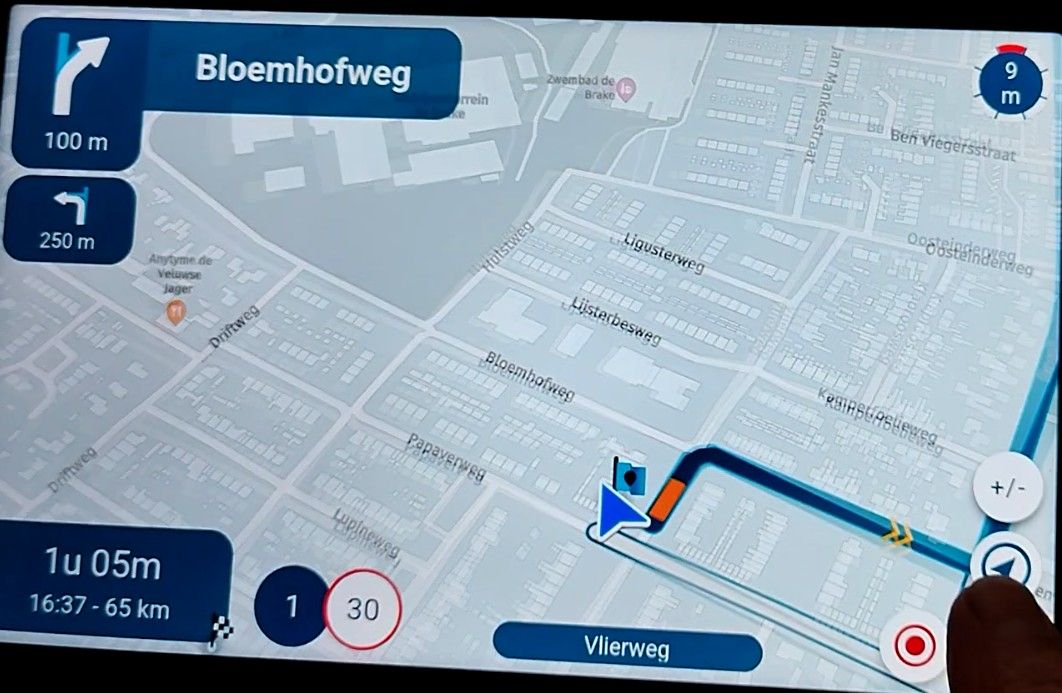
MyRoute-App - worst navigation experience ever
-
@cvlmtg said in MyRoute-App - worst navigation experience ever:
Can't think of any situation where I need a switch to tell the app not to use the internet because there is no internet.
That switch is there to prevent data usage when there actually IS an internet connection. Also to prevent the app from accidentally using internet data when you don't want that. It's not that difficult...

@Con-Hennekens said in MyRoute-App - worst navigation experience ever:
That switch is there to prevent data usage when there actually IS an internet connection. Also to prevent the app from accidentally using internet data when you don't want that. It's not that difficult...
- I had to switch that setting otherwise the app would not calculate a route when I had no internet connection, so no, it is not there just to prevent using internet data. And this is the reason why I talk about smarter apps
- if you don't want to use internet data when there is internet connection, you can just put the phone in airplane mode. on ios there is also a setting to switch off just the data connection. or disable roaming so it is off only when abroad. there are plenty of possibilities without the need to put such an option in the MRA app which, IMHO, makes just the app more difficult to use and learn
-
@M-Schrijver
The connection is made via Bluetooth.
@Thomas-Piechocki
If possible. Did you try it wired?
Normally wireless should work. But just to rule out issues, try it wired also.(I use MRA Next only on Android Auto. Every comment, suggestion, etc will be based on my usage with Android Auto)
-
@Thomas-Piechocki
If possible. Did you try it wired?
Normally wireless should work. But just to rule out issues, try it wired also.
@M-Schrijver
Yes, of course. I tried four different USB cables, all supposedly AA-capable, but none of them really worked properly with AA, even though the vehicle system (2023) was supposed to support it. Connected via Bluetooth, I have no problems at all with AA, with the exception of MRA.
-
Hi Im having the same issue with my newly installed Aoocci using AA. The phone works well and tracks/guides me on a route however the Aoocci C6 Pro Ive installed initially opens the map with the triangle illustrating my location, but after that the navigation doesn't work.
Pulling my hair out
-
Hi Im having the same issue with my newly installed Aoocci using AA. The phone works well and tracks/guides me on a route however the Aoocci C6 Pro Ive installed initially opens the map with the triangle illustrating my location, but after that the navigation doesn't work.
Pulling my hair out

@Stephen-Holmes The developers are aware of this and I believe this issue will be resolved in the next update.
Always willing to help if I can.
Triumph Tiger 1200 XRT called Tina.
MRA Navigation Next and SilverFox BJ8 -
@Stephen-Holmes The developers are aware of this and I believe this issue will be resolved in the next update.
@Nick-Carthew thanks for coming back so swiftly. Have you seen this in writing anywhere/how do you know? How sure are you that they are committed and any idea of timescales? Much appreciated.
-
@Nick-Carthew thanks for coming back so swiftly. Have you seen this in writing anywhere/how do you know? How sure are you that they are committed and any idea of timescales? Much appreciated.

@Stephen-Holmes I confirmed to be working on it

I am hoping to put something in beta next week!
Minor public update in ~2 weeks? -
Ik heb hetzelfde probleem. MRA navigeert de routes van de routeplanner nooit zonder problemen of fouten. Maar mijn probleem is opgelost vandaag. Heb route van MRA van 260 km gereden op de motor via app Osmand op CarPlay. Niet te geloven maar van de eerste keer foutloos !!! Heb ik na bijna 2 jaar MRA Navigation niet voor mekaar gekregen. Dus het ligt niet aan de motor en niet aan de iPhone en niet aan de verbinding, maar aan MRA! Hoe leg je dit uit ?
-
Routes gemaakt in MRA kunnen echt wel foutloos gereden worden. Carplay en Android Auto kunnen het inderdaad complexer maken.
Ben nu in Ierland en heb nu 5 dagen achter elkaar (zo lang ben ik hier) MRA op Android Auto volledig foutloos en zonder problemen gebruikt. Versie 5.2 -
Ik heb hetzelfde probleem. MRA navigeert de routes van de routeplanner nooit zonder problemen of fouten. Maar mijn probleem is opgelost vandaag. Heb route van MRA van 260 km gereden op de motor via app Osmand op CarPlay. Niet te geloven maar van de eerste keer foutloos !!! Heb ik na bijna 2 jaar MRA Navigation niet voor mekaar gekregen. Dus het ligt niet aan de motor en niet aan de iPhone en niet aan de verbinding, maar aan MRA! Hoe leg je dit uit ?

@pvspike als je routes in MRA nooit foutloos verlopen en in Osmand wel foutloos zou ik bijna zeggen dat je de routes in MRA met de OSM kaart hebt gemaakt ipv met de Here kaart.
Ik heb inmiddels al ruim 15000 km met MRA routes gereden. De laatste 2 jaar, zeg maar 10000 km nagenoeg foutloos met MRA next. Daar waar het in het verleden niet goed ging bleek dat proefondervindelijk aan mijn eigen in de route gemaakte fouten te hebben gelegen.
Dus als al jouw routes niet goed gaan moet je ff in de spiegel kijken.
Tip er zijn echt heel veel goede instructie filmpjes te zien hoe je de routes wel goed kunt maken. Ook kun je je inschrijven voor de gratis online cursussen die frequent worden aangeboden.
Bij problemen kun je ook dit forum raadplegen en dan gaan we je zeker van goed advies voorzien zodat je routes rijden weer fijn gaat worden op. Ergernis
Have funHonda Goldwing GL1500,
Honda Silverwing GL 650
DMD2 T865X 8 inch Android tablet using MRA next for navigation
Garmin XT sold
Samsung S24FE mounted on a Quadlock and using Android Auto in my car -
@pvspike als je routes in MRA nooit foutloos verlopen en in Osmand wel foutloos zou ik bijna zeggen dat je de routes in MRA met de OSM kaart hebt gemaakt ipv met de Here kaart.
Ik heb inmiddels al ruim 15000 km met MRA routes gereden. De laatste 2 jaar, zeg maar 10000 km nagenoeg foutloos met MRA next. Daar waar het in het verleden niet goed ging bleek dat proefondervindelijk aan mijn eigen in de route gemaakte fouten te hebben gelegen.
Dus als al jouw routes niet goed gaan moet je ff in de spiegel kijken.
Tip er zijn echt heel veel goede instructie filmpjes te zien hoe je de routes wel goed kunt maken. Ook kun je je inschrijven voor de gratis online cursussen die frequent worden aangeboden.
Bij problemen kun je ook dit forum raadplegen en dan gaan we je zeker van goed advies voorzien zodat je routes rijden weer fijn gaat worden op. Ergernis
Have fun
@Marinus-van-Deudekom
Ik zeg niet dat ik misschien geen fout maak, maar ik heb al mijn route opgestuurd naar MRA en de route bleek foutloos te zijn. Ik heb al twee online cursussen gevolgd en heb mij al serieus verdiept in MRA. De routeplanner is top, maar het rijden gaat fout. Ik rijd met een iPhone 12 op een Honda NT 1100 en gebruik CarPlay op het Honda scherm. ik deed gisteren hetzelfde met Osmand en het ging van de eerste keer perfect. Dus het zal niet aan de motor liggen of aan het CarPlay scherm of aan de bekabelde verbinding of weet ik veel. Dus wat gaat er fout? -
De route op jouw CarPlay scherm is identiek aan die welke in je telefoon op het scherm komt.
Wel is het een bekend probleem, dat nog verder onderzocht wordt, de combinatie van sommige telefoons en CP of AA niet lekker verloopt.
Kun je aangeven wat er fout gaat zodat we je dat misschien mee kunnen helpen
Als we het probleem kunnen isoleren, kunnen we het in de regel ook oplossen.
De beperkingen die door Apple en Google zijn opgelegd zien niet op het navigeren zelf. Alleen op wat je op je CP scherm te zien kunt krijgen. Dat heeft op zich niks te maken met het navigeren zelf.
Stuur me anders en link naar een van die routes, dan kijk ik daar naar om je te helpen met het isoleren van het probleem -
Gebruik je de originele kabel of een Apple Certified kabel. Dit kan absoluut invloed hebben op de stabiliteit.
Daarnaast moet je tijd wennen aan een stuk software. Ze namelijk allemaal bepaalde eigenaardigheden. Die moet je doorgronden -
@Marinus-van-Deudekom
Ik zeg niet dat ik misschien geen fout maak, maar ik heb al mijn route opgestuurd naar MRA en de route bleek foutloos te zijn. Ik heb al twee online cursussen gevolgd en heb mij al serieus verdiept in MRA. De routeplanner is top, maar het rijden gaat fout. Ik rijd met een iPhone 12 op een Honda NT 1100 en gebruik CarPlay op het Honda scherm. ik deed gisteren hetzelfde met Osmand en het ging van de eerste keer perfect. Dus het zal niet aan de motor liggen of aan het CarPlay scherm of aan de bekabelde verbinding of weet ik veel. Dus wat gaat er fout?
@pvspike I've been using MyRoute app as my primary navigation tool for the past 15 months despite having a Garmin Zumo XT. (Earlier testing is on this thread) two years ago. I have a 2021 MY Honda Africa twin with Android Auto and was using a wired connection until October 2025 until the wired connection to my phone got wet on tour (In Scotland) and I had to revert to my ZumoXT. I now use it with a wireless dongle. I have found the app very stable for over a year and have used it on 5 multi day trips in that period leading up to eight other riders. I have a lifetime gold subscription and the 5.2 iteration of the app is very good for me as I often design my routes with optional "Loops" so that they can be bypassed so I can now select a forward waypoint to bypass loops as required. I also use OSMand+ from time to time for off road tracks and hill walking. But it's much less user friendly than MRA for motorcycle navigation and creating Via points with information and skipping optional parts of routes is much more difficult as the navigation is Track based.
I keep my XT as a backup these days and for proximity alerted POI's which neither MRA or OSMand+ do.
-

I am not saying @thomas-piechocki has no problems, but I have to say I am overall satisfied+ regarding MRA Navigation App. I rode Scotland with it on a €60 6,25" Wireless AA display from our Chinese friends. And Yes: every sometimes connection is lost. I thought I could reduce that to having a less good GPS signal, resulting in a position calculation error, which resulted in restart of the communication: BT connect, WiFi connect and on it goes; automaticly. Sometimes 5 times aday sometimes ten. This reaction might be dependent of the used AA display. Other improvement point, which is far more anoying, is the behaviour wg\hen you come to a standstill. suddenly the screen starts rotating, preferably in the opposite direction from where you came. If you have a bad direction-antenna like me, you are constantly turning arround because MRA tells you so. Look fairly simple to solve using the speed: under 5 kmh, no updates needed. edit: Meanwhile noticed: the "Map Spinning" issue.
For @thomas-piechocki: I use a S25 android phone with offline navigation as much as I can. This saves a lot battery and data. My phone is in the tankbag and is connected to a powerbank: always a stable supply. Hope this helps you a bit.
-
Ik heb het zelfde meegemaakt, Met MRA Carplay er moet een Software fout in zitten. Vanaf de 5.2 update
Met de ander apps geen probleem, zoals Osmand en Kurvinger
ik zou zeggen duik daar eens in .
Gr Jan -
Ik ben net terug van een 4 weken vakantie UK (Wales en lake District).
Ik heb al mijn zelfgemaakte routes, die hoofdzakelijk over de smalste wegen gaan, met de auto perfect kunnen rijden.
Routepunten moeten soms handmatig worden overgeslagen door wegafzettingen etc, maar dat gaat eigenlijk feilloos.
Ik heb al de mooie passen in Wales en lake Districht gereden (o.a Honnister Pass, Wrynose Pass, Kirkstone Pass, Hardknott Pass etc).
De combinatie Iphone 14+,IOS 26.5, Apple Carplay Ford Puma icm wireles adapter Carlikit 2 air en tevens een hele goedkope Ali adapter werkten gewoonweg feilloos.
De Online en daarnaast in enkele gevallen ook de Offline mode gebruikt.
Ik heb geen issues kunnen ontdekken.
Dus complimenten voor MRA! -
I am having a lot of issues with Android auto:
Switch on bike/nav after a stop & it just spins for minutes before I give up
After a stop it sometimes does allow me to resume, but often doesn't and I have to restart the route which it doesn't skip waypoints on to my current position
Erratic behaviour where it doesn't think I've moved from where I switched on and draws straight lines for my track
I have written to support to see if it's something I'm doing wrong, but I will not use it again unless there is a clear explanation.
It feels like the focus is on new features rather than a 100% reliable navigator. -
I am having a lot of issues with Android auto:
Switch on bike/nav after a stop & it just spins for minutes before I give up
After a stop it sometimes does allow me to resume, but often doesn't and I have to restart the route which it doesn't skip waypoints on to my current position
Erratic behaviour where it doesn't think I've moved from where I switched on and draws straight lines for my track
I have written to support to see if it's something I'm doing wrong, but I will not use it again unless there is a clear explanation.
It feels like the focus is on new features rather than a 100% reliable navigator.
am having a lot of issues with Android auto:
Although I use MRA without Android Auto, I've read several times that you should disable location sharing in the Android Auto app settings—maybe you should try that this time.
Regarding your comment that the system doesn't recognize your location, you can adjust this in the routing settings when starting a route
“Start at the nearest waypoint”
“Use current location”If you decide to use MRA via Android Auto, it's important to use the correct settings.
This has been discussed several times here in the forum...please use the search function to get to this threads.
The MRA support page also explains which settings have which effects.
Please enter “Android Auto” in the search function there and check whether your settings are correct.
BMW R 1250 GS
MRA Navigation & SilverFox C1 Controller
DMD-NOR7E 7"
SPC Universal mount
Motorola Edge 40 "offline"
Sena SLR 3
Sena 50 R -
am having a lot of issues with Android auto:
Although I use MRA without Android Auto, I've read several times that you should disable location sharing in the Android Auto app settings—maybe you should try that this time.
Regarding your comment that the system doesn't recognize your location, you can adjust this in the routing settings when starting a route
“Start at the nearest waypoint”
“Use current location”If you decide to use MRA via Android Auto, it's important to use the correct settings.
This has been discussed several times here in the forum...please use the search function to get to this threads.
The MRA support page also explains which settings have which effects.
Please enter “Android Auto” in the search function there and check whether your settings are correct.

“Start at the nearest waypoint”
“Use current location”These settings aren’t accessible or functional if you restart the route from Android Auto – and I imagine the same applies to CarPlay. If I’m already on the route and need to start or restart it, I do so via the app and then switch on the motorbike, which in turn activates Android Auto.
Hello! It looks like you're interested in this conversation, but you don't have an account yet.
Getting fed up of having to scroll through the same posts each visit? When you register for an account, you'll always come back to exactly where you were before, and choose to be notified of new replies (either via email, or push notification). You'll also be able to save bookmarks and upvote posts to show your appreciation to other community members.
With your input, this post could be even better 💗
Register Login







-
0443.5k
-
025191
-
 010176
-
 0310
0310
-
16325
-
09191
-
0226
-
0230