Creating POI lists with MRA
-
@Don-Stauffer
My understanding so far:-
POI collections in <Search> are available for all users in all new (and existing) routes.
-
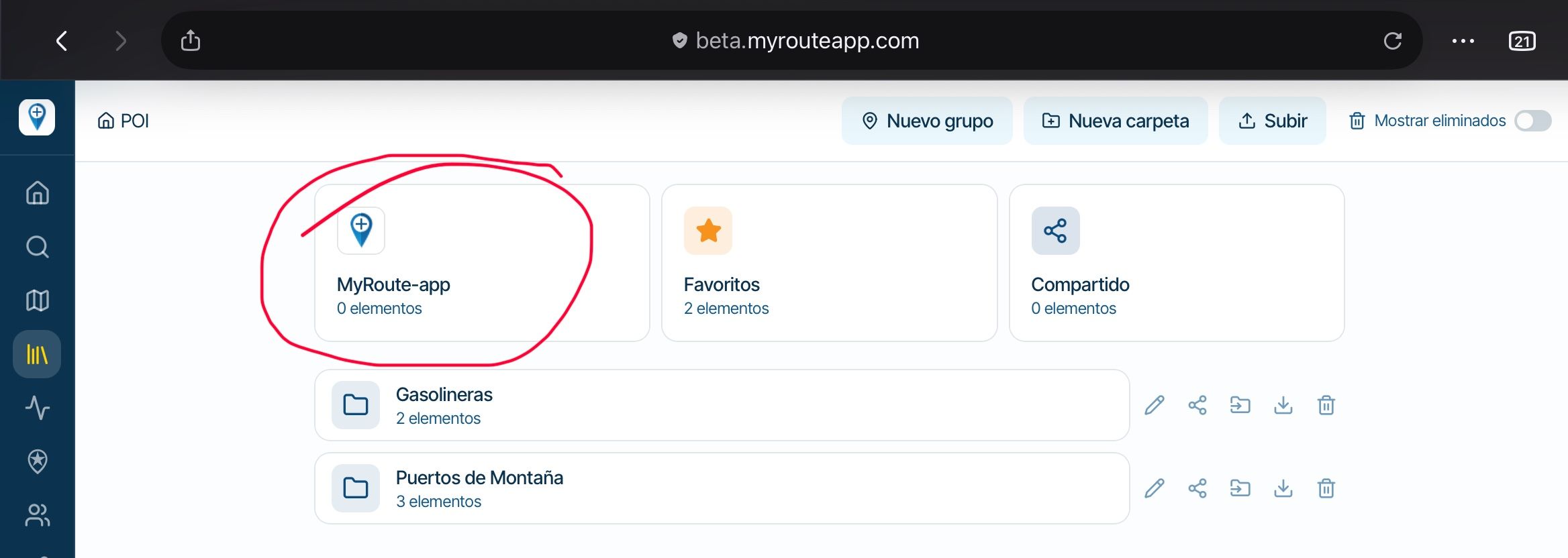
POIs in <Library> are also available in all routes, but only for the user who added the collection with upload.
-
POIs in <Manage>, on the other hand, are bound to exactly this route.
So when you create a new route, you can access the POIs in 1. and 2. but not in 3. (from other routes)
Therefore my idea: I create a route as a template for a trip and add all POIs there that I want to visit and that are not included in 1. or 2. When I then plan individual routes, I do not create new routes but always copy the template.
The way you described should work and the POIs in <Library> should be visible. Maybe you have to zoom in a bit more.

@Martin-W
In general you are right.
Additional information can be found in this support article.
Manual POI's
I don't think my description to make your own POI list is included -
-
When I plan a motorbike trip, I first make a list of POIs that I (probably) want to visit.
In the second step, I plan individual routes in which I add the corresponding POIs as Viapoints. In the process, of course, I sometimes discover more POIs that I want to add to my list.However, I cannot create a POI list within MRA Route Planner.
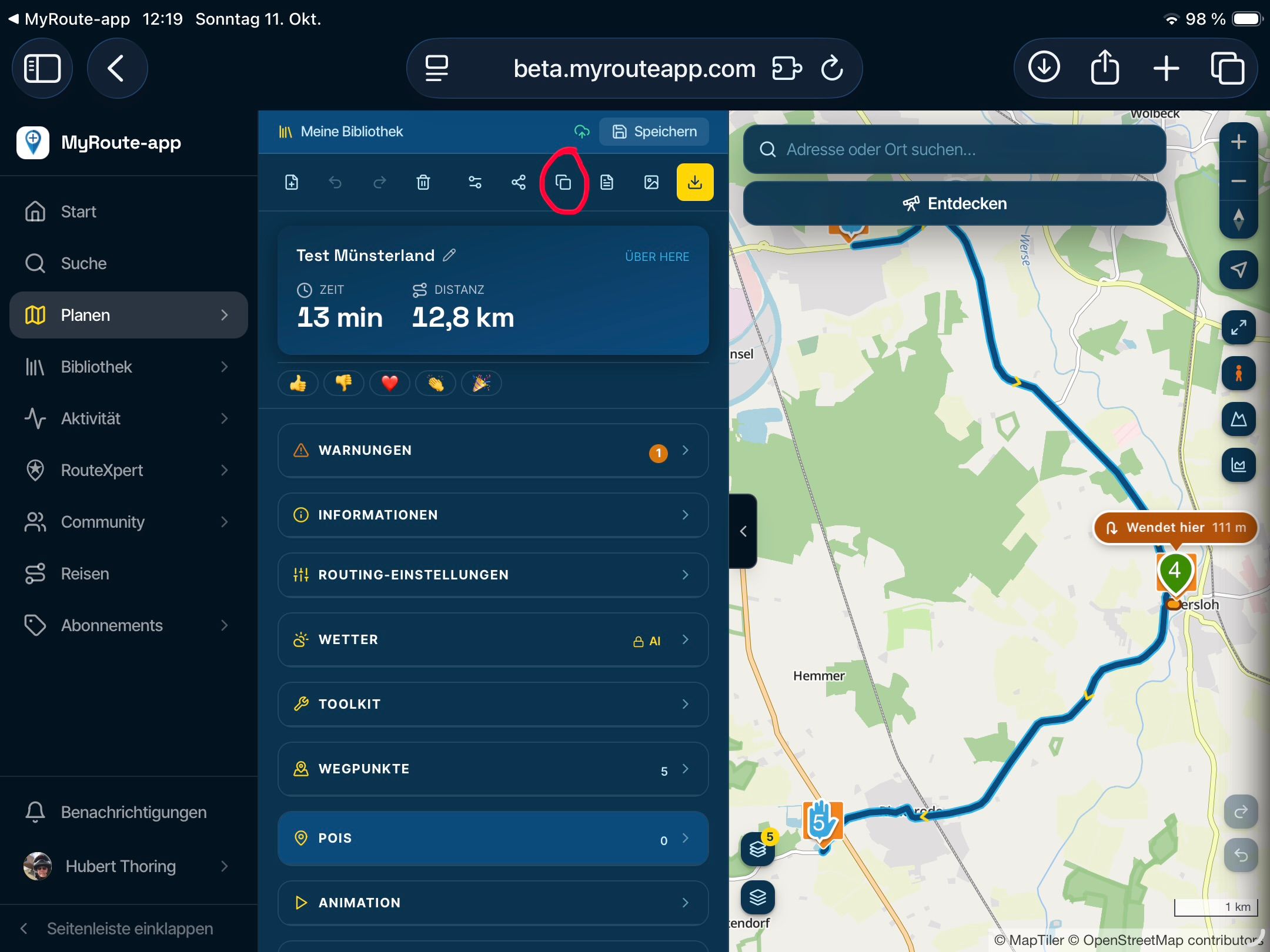
The only way I can think of is to plan a dummy route in which I collect the various POIs together. If a certain point is already included in an existing POI collection (either the lists included in MRA or one of my own uploaded list), I can add it as a POI to the route. I can then split or copy the dummy route into individual routes to plan my day trips.
If I want to add POIs that are not already in a collection, I have to create favourites instead - which I don't want to do because I use favourites for a different purpose.
All in all, it's not really a smooth way.Alternatively, I could create my POI list with another app and then load it into MRA. That works fine - but of course I would like to do everything with MRA

Any ideas for a better workflow?
@Martin-W
I think that the whole POI/Favorites aspect in the routeplanner could use a serious update. And now that we have Next, the limitations of other GPS devices are less important.
In myview, POI and Favorites are largely the same.
Maybe I write a "suggestion" on this topic
It is not difficult, it is easy, it's a hobby
-
@Martin-W
I think that the whole POI/Favorites aspect in the routeplanner could use a serious update. And now that we have Next, the limitations of other GPS devices are less important.
In myview, POI and Favorites are largely the same.
Maybe I write a "suggestion" on this topic
@Drabslab said in Creating POI lists with MRA:
In myview, POI and Favorites are largely the same.
This can lead to long and endless discussions
But I agree. If I had a way to manage "my own POIs" well, I would not need "favorites".
After all, the topic is already on the MRA Routeplanner roadmap. I am a new user, so my question is: Is there typically information available in advance about a planned new or changed feature, so that users can contribute their ideas?
-
@Drabslab said in Creating POI lists with MRA:
In myview, POI and Favorites are largely the same.
This can lead to long and endless discussions
But I agree. If I had a way to manage "my own POIs" well, I would not need "favorites".
After all, the topic is already on the MRA Routeplanner roadmap. I am a new user, so my question is: Is there typically information available in advance about a planned new or changed feature, so that users can contribute their ideas?
@Martin-W said in Creating POI lists with MRA:
my question is: Is there typically information available in advance about a planned new or changed feature, so that users can contribute their ideas?
You can take a look at the The road to MRA Routeplanner point 1.9
-
@Martin-W
You can create your own POI list. It is laborious.
Open a new route - go to <Points of interest> in the left column and choose the middle tab <Manage> - Click "Add" and place your POI, name it. Repeat with all the POIs you want to create.
Then go to the menu at the top of the screen and choose <Save as>. There you will find the option for POI.
Then go to <Routlab> and choose <Upload> and in the next window "POI". Follow the clue.
Your POI list is now listed under the "Library" tab
@Jack-van-Tilburg said in Creating POI lists with MRA:
Open a new route - go to <Points of interest> in the left column and choose the middle tab <Manage> - Click "Add" and place your POI, name it. Repeat with all the POIs you want to create.
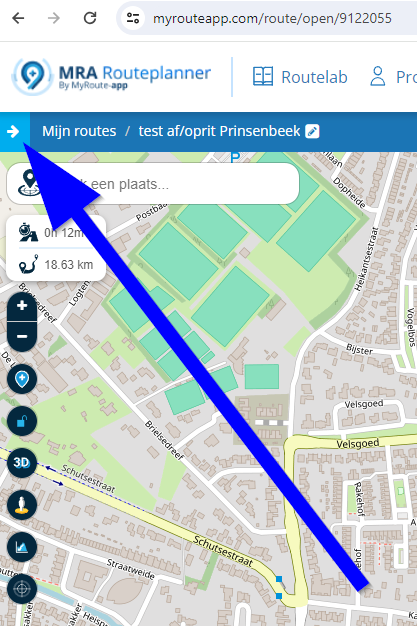
Hi, this may sound stupid but I cant find <Points of interest> in the left column. In fact, I cant see a left column on my screen.
-
@Jack-van-Tilburg said in Creating POI lists with MRA:
Open a new route - go to <Points of interest> in the left column and choose the middle tab <Manage> - Click "Add" and place your POI, name it. Repeat with all the POIs you want to create.
Hi, this may sound stupid but I cant find <Points of interest> in the left column. In fact, I cant see a left column on my screen.

@Nigel-Ralphson, click this arrow:
I am just an enthusiastic MRA user, and hope you will be one too!
Most motorcycle problems are caused by the nut that connects the handlebar to the saddle.
Check out RideSleepRepeat.eu, a biker community for sharing stays across Europe
-
@Nigel-Ralphson, click this arrow:
@Con-Hennekens Aaahhhh thank you!! Told you I was stupid!!

-
@Con-Hennekens Aaahhhh thank you!! Told you I was stupid!!

@Nigel-Ralphson said in Creating POI lists with MRA:
@Con-Hennekens Aaahhhh thank you!! Told you I was stupid!!
No, you’re not stupid, a stupid person wouldn’t ask for help

Always willing to help if I can.
Triumph Tiger 1200 XRT called Tina.
MRA Navigation Next and SilverFox BJ8 -
@Nigel-Ralphson said in Creating POI lists with MRA:
@Con-Hennekens Aaahhhh thank you!! Told you I was stupid!!
No, you’re not stupid, a stupid person wouldn’t ask for help
@Nick-Carthew said in Creating POI lists with MRA:
a stupid person wouldn’t ask for help
Exactly!
@Nigel-Ralphson, I wish all questions were this easy to answer
-
When I plan a motorbike trip, I first make a list of POIs that I (probably) want to visit.
In the second step, I plan individual routes in which I add the corresponding POIs as Viapoints. In the process, of course, I sometimes discover more POIs that I want to add to my list.However, I cannot create a POI list within MRA Route Planner.
The only way I can think of is to plan a dummy route in which I collect the various POIs together. If a certain point is already included in an existing POI collection (either the lists included in MRA or one of my own uploaded list), I can add it as a POI to the route. I can then split or copy the dummy route into individual routes to plan my day trips.
If I want to add POIs that are not already in a collection, I have to create favourites instead - which I don't want to do because I use favourites for a different purpose.
All in all, it's not really a smooth way.Alternatively, I could create my POI list with another app and then load it into MRA. That works fine - but of course I would like to do everything with MRA
Any ideas for a better workflow?
@Martin-Wilcke I browsed the forum to see if others already suggested enabling a more natural way in MRA for planning multiday trips. You suggestion comes close to my wish:
I create a new folder and would like it to contain the POI's and routes for a series of days. I first want to enter all overnight stays as POI's, so I can use them as endpoint for a day trip and use it again as a starting point the next day.
A workaround is to define all trip POI's as Favourites but this means various multiday trips share alle POI's, unless you remove them from the list again afterwards.I read here that new POI functionality is coming. My suggestion is enable POI's for a series of routes to be put in a folder just like the routes itself.
Hello! It looks like you're interested in this conversation, but you don't have an account yet.
Getting fed up of having to scroll through the same posts each visit? When you register for an account, you'll always come back to exactly where you were before, and choose to be notified of new replies (either via email, or push notification). You'll also be able to save bookmarks and upvote posts to show your appreciation to other community members.
With your input, this post could be even better 💗
Register Login

-
 01248
01248
-
 0412
0412
-
039
-
 1323
1323
-
 0427
0427
-
0320
-
 0455
0455
-
0296