Skip to content
  • Categories
  • Recent
  • Popular
  • Support
  • MyRoute-app
Collapse
Brand Logo

MRA Community Forum

  1. Home
  2. The MyRoute-app
  3. [App] Announcements
  4. New update! (4.3.7) - Track navigation improvements and CP / AA zooming

New update! (4.3.7) - Track navigation improvements and CP / AA zooming
Scheduled Pinned Locked Moved [App] Announcements
42 Posts 14 Posters 24.8k Views 6 Watching
  • Oldest to Newest
  • Newest to Oldest
  • Most Votes
Reply
  • Reply as topic
Log in to reply
This topic has been deleted. Only users with topic management privileges can see it.
  • Gaetano 9 Offline
    Gaetano 9 Offline
    Gaetano 9
    wrote on last edited by
    #20

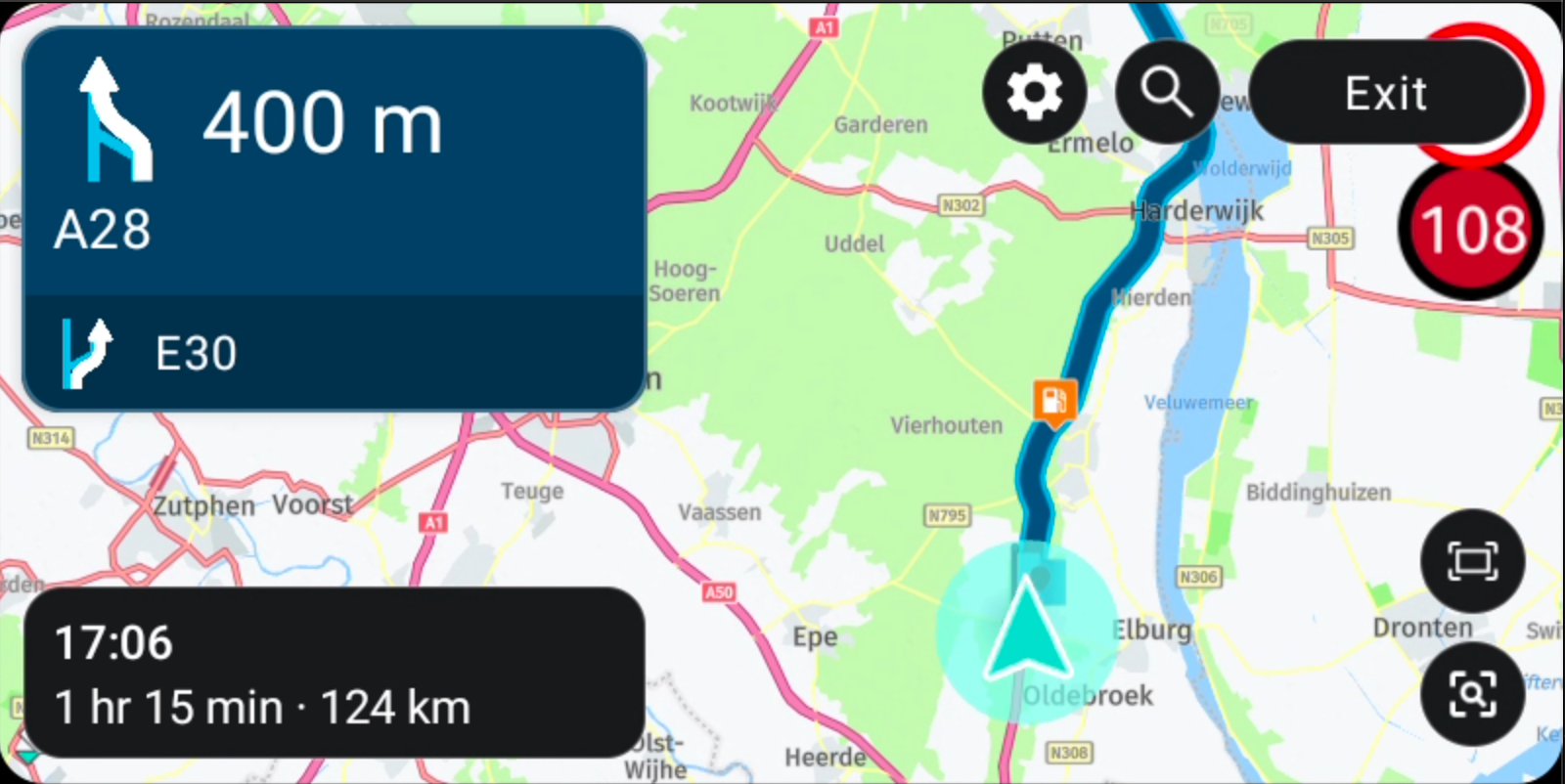
    I confirm... The zoom only works manually, not in relation to speed or intersections. Yet it is active in the options. It should be fixed to avoid zooming manually on a motorcycle. I would add that there is not always a warning of major slowdowns on the highways. It even recommends detours, for major slowdowns, where there are none. Still needs to be fixed a bit.

    Google traslate.. 😊

    1 Reply Last reply
    0
    • Nick Carthew Online
      Nick Carthew Online
      Nick Carthew
      RouteXpert
      wrote on last edited by
      #21

      @M-Schrijver @Gaetano-9 What camera view are you using? Automatic zoom does not work with top down view. Adjust the camera view by tapping the compass.

      Always willing to help if I can.
      Triumph Tiger 1200 XRT called Tina.
      MRA Navigation Next and SilverFox BJ8

      Gaetano 9 1 Reply Last reply
      0
      • M. Schrijver Offline
        M. Schrijver Offline
        M. Schrijver
        Valued contributor
        wrote on last edited by
        #22

        What camera should i use?
        I do not think i use top down

        (I use MRA Next only on Android Auto. Every comment, suggestion, etc will be based on my usage with Android Auto)

        Nick Carthew 1 Reply Last reply
        0
        • M. Schrijver M. Schrijver

          What camera should i use?
          I do not think i use top down

          Nick Carthew Online
          Nick Carthew Online
          Nick Carthew
          RouteXpert
          wrote on last edited by
          #23

          @M-Schrijver North up and dynamic both have automatic zoom.

          Always willing to help if I can.
          Triumph Tiger 1200 XRT called Tina.
          MRA Navigation Next and SilverFox BJ8

          1 Reply Last reply
          0
          • M. Schrijver Offline
            M. Schrijver Offline
            M. Schrijver
            Valued contributor
            wrote on last edited by
            #24

            Than it does not work in Android Auto.

            In the settings are 4 options:

            • Off
            • Speed related
            • Direction related
            • Both

            I use "Both" with dynamic zoom.

            (I use MRA Next only on Android Auto. Every comment, suggestion, etc will be based on my usage with Android Auto)

            Nick Carthew 1 Reply Last reply
            0
            • M. Schrijver M. Schrijver

              Than it does not work in Android Auto.

              In the settings are 4 options:

              • Off
              • Speed related
              • Direction related
              • Both

              I use "Both" with dynamic zoom.

              Nick Carthew Online
              Nick Carthew Online
              Nick Carthew
              RouteXpert
              wrote on last edited by
              #25

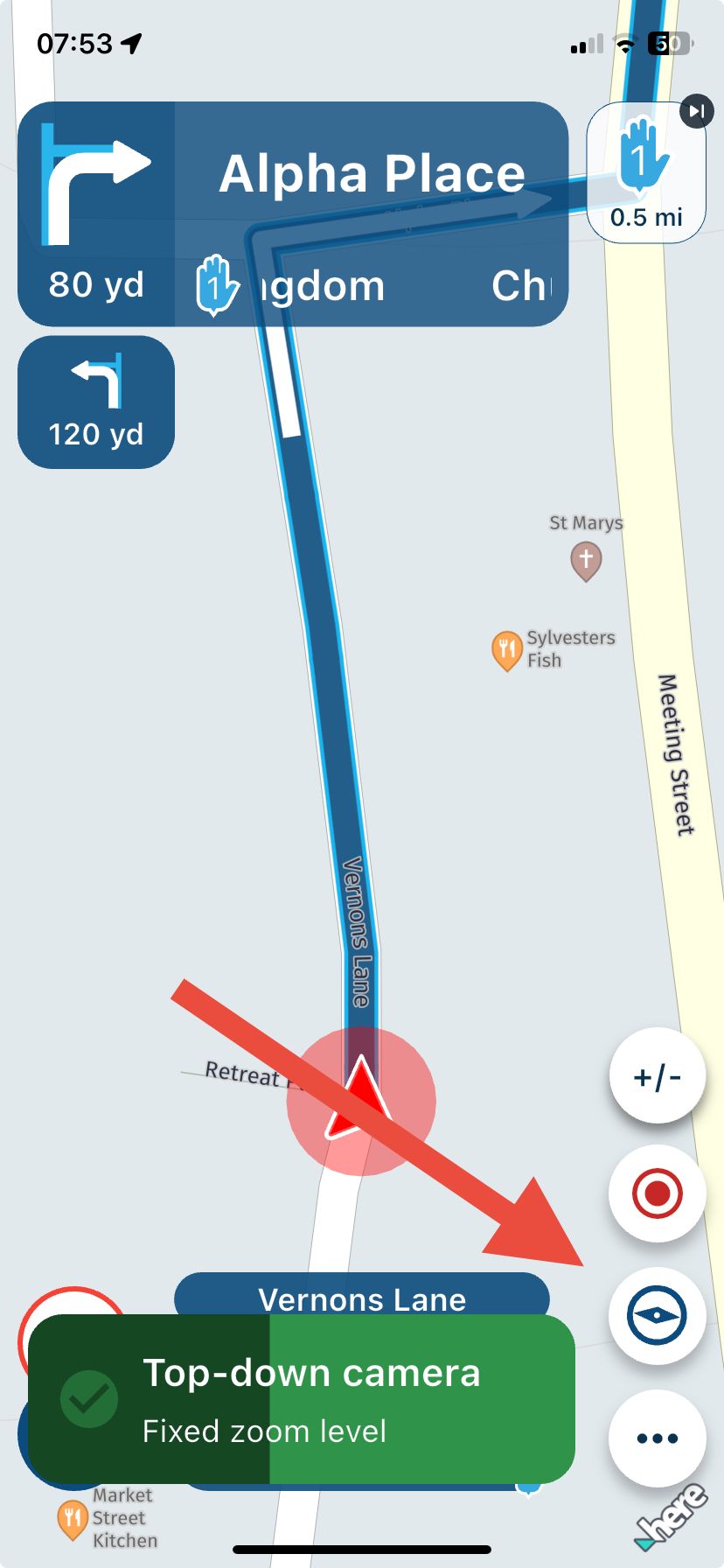
              @M-Schrijver Camera view has 3 options. Top down, north up and dynamic. You adjust the camera view by tapping the compass, it is not in the settings. Your camera view choice is stored and will be used next time until you change it.
              You see a notification each time you tap the compass that tell you which camera view is active and what zoom is available. My example shows top down is chosen and it is fixed zoom level.
              IMG_4518.jpeg

              Always willing to help if I can.
              Triumph Tiger 1200 XRT called Tina.
              MRA Navigation Next and SilverFox BJ8

              1 Reply Last reply
              0
              • M. Schrijver Offline
                M. Schrijver Offline
                M. Schrijver
                Valued contributor
                wrote on last edited by M. Schrijver
                #26

                Yes, i know.
                The "compass" is set so dynamic.

                But in the settings are some settings which tells how the autozoom should behave. That one i've set to "Both"

                (I use MRA Next only on Android Auto. Every comment, suggestion, etc will be based on my usage with Android Auto)

                Nick Carthew 1 Reply Last reply
                0
                • M. Schrijver M. Schrijver

                  Yes, i know.
                  The "compass" is set so dynamic.

                  But in the settings are some settings which tells how the autozoom should behave. That one i've set to "Both"

                  Nick Carthew Online
                  Nick Carthew Online
                  Nick Carthew
                  RouteXpert
                  wrote on last edited by
                  #27

                  @M-Schrijver Have you tried adjusting your default zoom correction? I have mine set to +0.0 which works for me.

                  Always willing to help if I can.
                  Triumph Tiger 1200 XRT called Tina.
                  MRA Navigation Next and SilverFox BJ8

                  1 Reply Last reply
                  0
                  • M. Schrijver Offline
                    M. Schrijver Offline
                    M. Schrijver
                    Valued contributor
                    wrote on last edited by M. Schrijver
                    #28

                    I did but i see very little changes. The global zoomlevel changes. But the range of zoom level does not change. The range of zoom level is very limited.
                    I don't have real figures about the zoom level. So i will use examples.

                    What it looks like to me at the moment
                    Maximum zoomed out (at 100 km/u) is 1 cm on screen is 200 meters in real. Maximium zoomed in (at slow driving or stop) is 1 cm on screen is 150 meter in real.

                    What I expect?
                    At 100 km/u. 1 cm on screen is 200 meters in real.
                    At 30 km/u/stop. 1 cm on screen is 30 meters in real.

                    (I use MRA Next only on Android Auto. Every comment, suggestion, etc will be based on my usage with Android Auto)

                    1 Reply Last reply
                    2
                    • Nick Carthew Nick Carthew

                      @M-Schrijver @Gaetano-9 What camera view are you using? Automatic zoom does not work with top down view. Adjust the camera view by tapping the compass.

                      Gaetano 9 Offline
                      Gaetano 9 Offline
                      Gaetano 9
                      wrote on last edited by
                      #29

                      @Nick-Carthew ....

                      Today I checked and used all the possible settings. The automatic zoom does not work on AA but on the cell phone yes. Even with Google maps. On a motorcycle the automatics are important, if it is not possible I will switch to a Tablet or a dedicated cell phone.

                      Léon Hassing 1 Reply Last reply
                      0
                      • Gaetano 9 Gaetano 9

                        @Nick-Carthew ....

                        Today I checked and used all the possible settings. The automatic zoom does not work on AA but on the cell phone yes. Even with Google maps. On a motorcycle the automatics are important, if it is not possible I will switch to a Tablet or a dedicated cell phone.

                        Léon Hassing Offline
                        Léon Hassing Offline
                        Léon Hassing
                        wrote on last edited by
                        #30

                        I can confirm that the automatic zoom does not work in the new version on AA. With the same camera modus as I used in older versions and were it zoomed, it does not do now.

                        Also I experience that when I have used the new zoom buttons they remain on the screen. Because of this also the stop button overlays the maximum velocity sign.

                        LR 1 Reply Last reply
                        0
                        • Léon Hassing Léon Hassing

                          I can confirm that the automatic zoom does not work in the new version on AA. With the same camera modus as I used in older versions and were it zoomed, it does not do now.

                          Also I experience that when I have used the new zoom buttons they remain on the screen. Because of this also the stop button overlays the maximum velocity sign.

                          LR Offline
                          LR Offline
                          LR
                          wrote on last edited by LR
                          #31

                          Also bei mir funktioniert es jetzt endlich! Ich hatte bei den vorherigen Versionen das gleiche Problem.

                          Es ist aber ein bisschen tricki! Man braucht die richtigen Einstellung.

                          Den Standard Zoomfaktor in den Einstellungen habe ich auf -2. Zoomanpassungen auf Aktiviert.

                          Der Kompass steht auf Dynamisch.

                          Jetzt kommt es, mit der neuen Schaltfläche kann man zwischen manuellen und automatischen Zoomen umstellen. Wenn man die + und - Tasten sieht ist man im manuellen Modus! Hier wird nicht mehr auf die Kreuzung gezoomt.

                          Wenn man wieder die ganz unten rechte Taste drückt ist man wieder im automatischen Modus und es wird rein und raus gezoomt. Hat mich auch eine Weile fummeln gekostet!

                          @Admins
                          Bei der Version wird der Akku bei Android Auto extrem warm. Bitte unbedingt korrigieren!

                          Danke Lutz

                          Léon Hassing 1 Reply Last reply
                          0
                          • LR LR

                            Also bei mir funktioniert es jetzt endlich! Ich hatte bei den vorherigen Versionen das gleiche Problem.

                            Es ist aber ein bisschen tricki! Man braucht die richtigen Einstellung.

                            Den Standard Zoomfaktor in den Einstellungen habe ich auf -2. Zoomanpassungen auf Aktiviert.

                            Der Kompass steht auf Dynamisch.

                            Jetzt kommt es, mit der neuen Schaltfläche kann man zwischen manuellen und automatischen Zoomen umstellen. Wenn man die + und - Tasten sieht ist man im manuellen Modus! Hier wird nicht mehr auf die Kreuzung gezoomt.

                            Wenn man wieder die ganz unten rechte Taste drückt ist man wieder im automatischen Modus und es wird rein und raus gezoomt. Hat mich auch eine Weile fummeln gekostet!

                            @Admins
                            Bei der Version wird der Akku bei Android Auto extrem warm. Bitte unbedingt korrigieren!

                            Danke Lutz

                            Léon Hassing Offline
                            Léon Hassing Offline
                            Léon Hassing
                            wrote on last edited by
                            #32

                            @LR Ich werde das Morgen mal versuchen. Danke.

                            1 Reply Last reply
                            0
                            • Corjan Meijerink Offline
                              Corjan Meijerink Offline
                              Corjan Meijerink
                              Developer
                              wrote on last edited by
                              #33

                              Just to investigate.
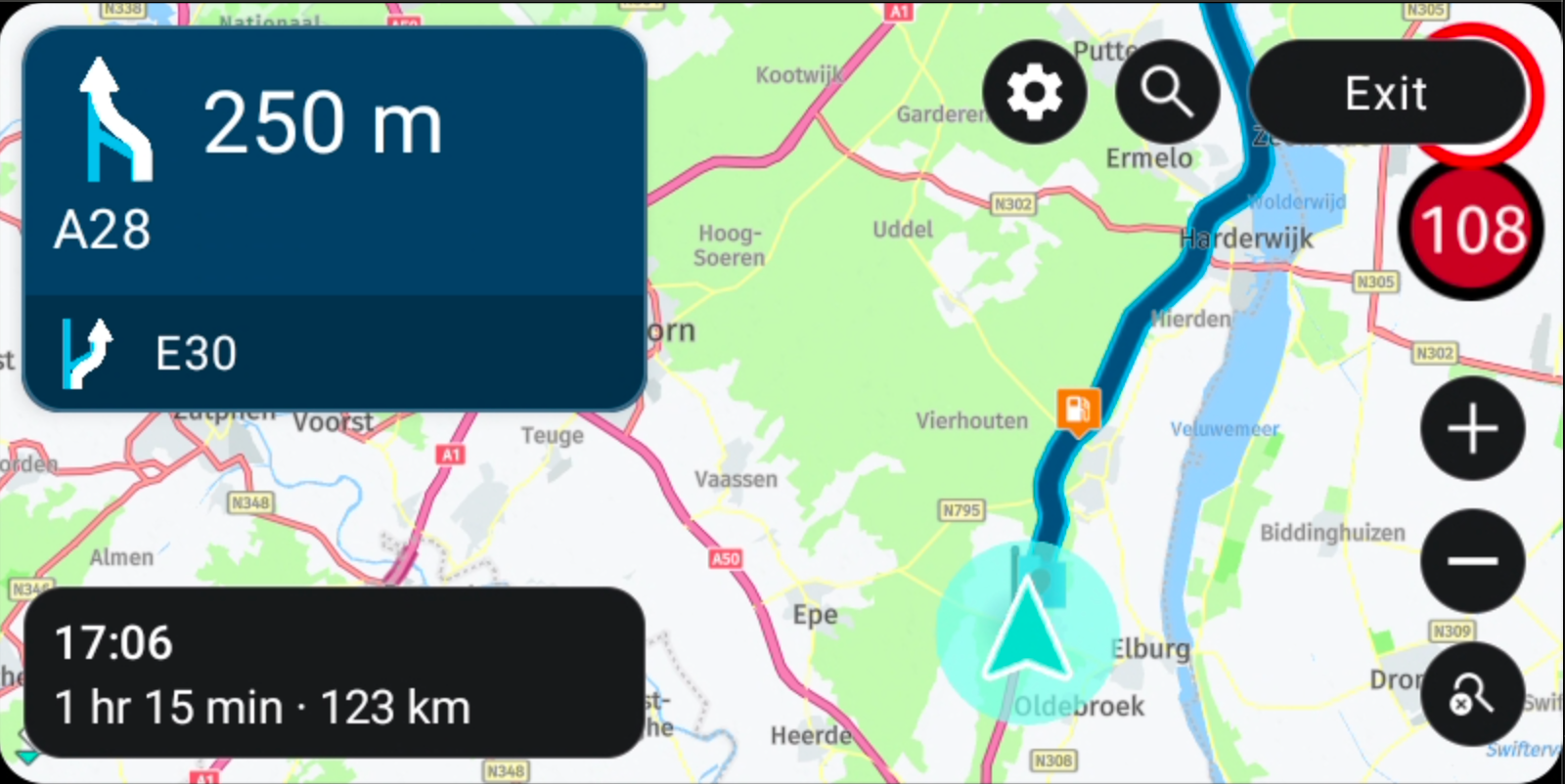
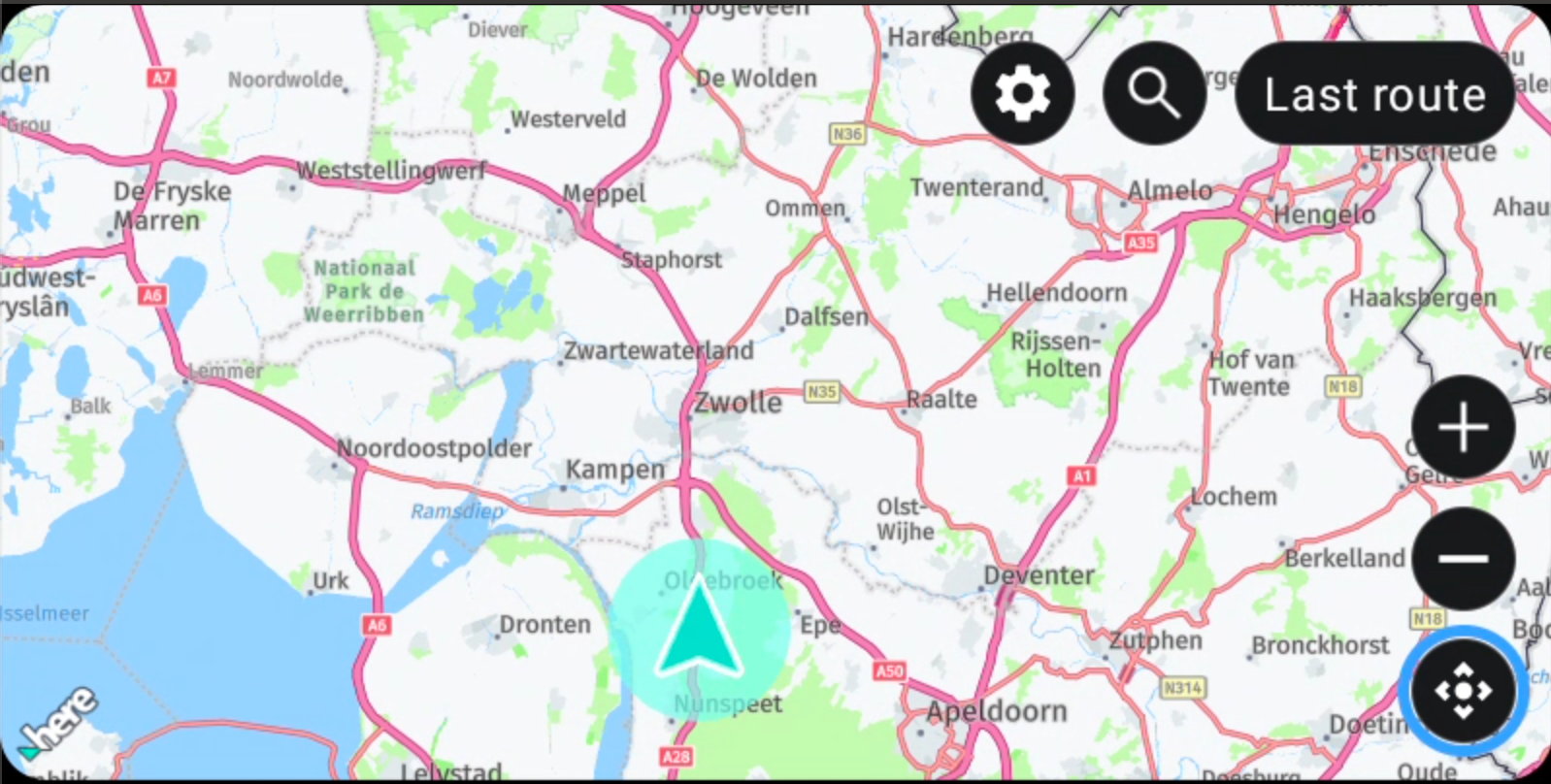
                              As long as this screen is visible:
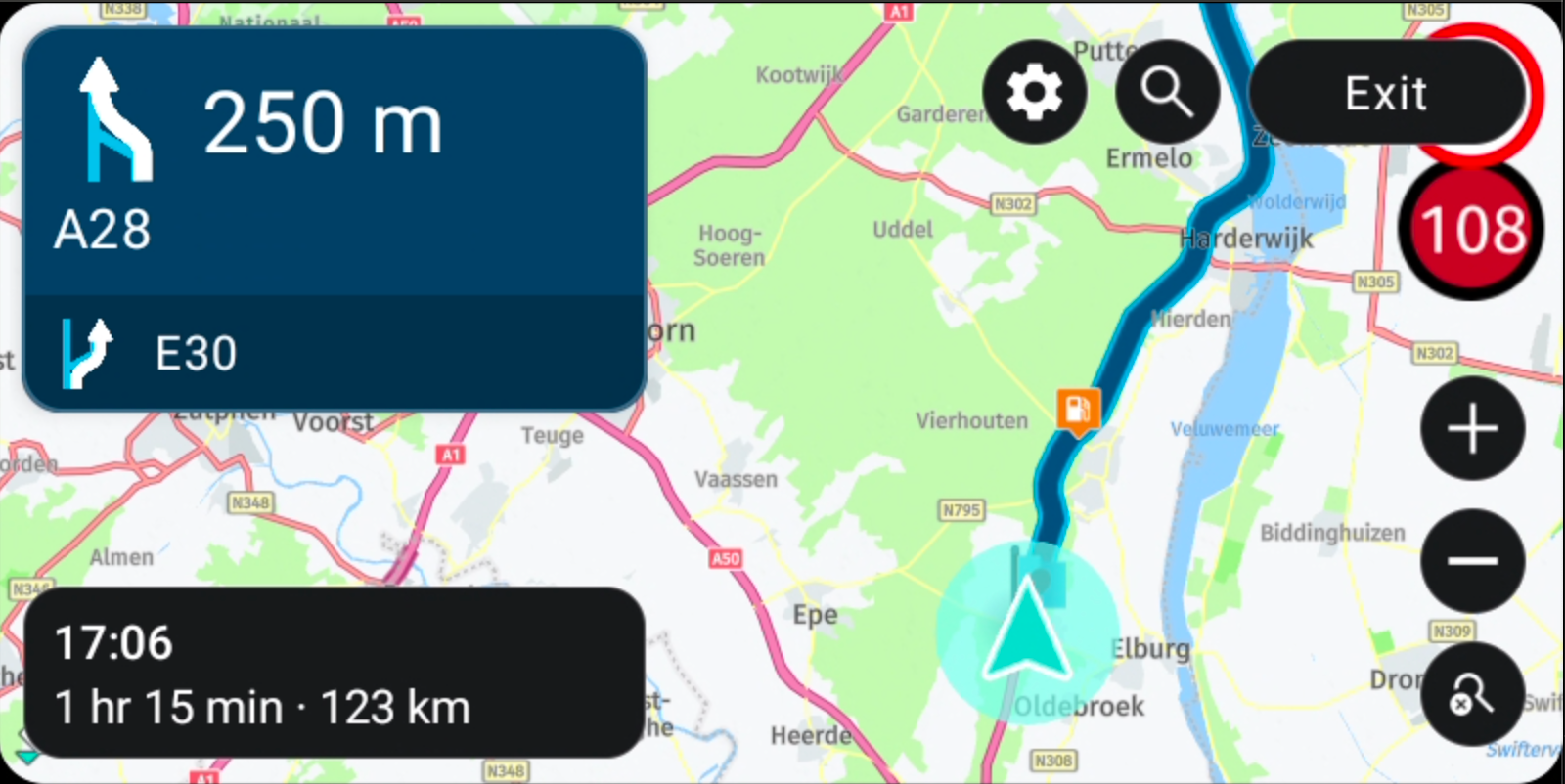
                              b347a1c6-6871-46cd-a39c-cdf33760495b-image.png

                              Automatic zooming will not work.
                              When zoom buttons are present, the top down mode is activated.

                              If you click the close button bottom right, the last used camera mode before entering the top down mode will be used again 🙂

                              When the buttons hide due to inactivity that does not mean the top-down mode is closed

                              Gaetano 9 1 Reply Last reply
                              0
                              • Corjan Meijerink Corjan Meijerink referenced this topic on
                              • Corjan Meijerink Corjan Meijerink

                                Just to investigate.
                                As long as this screen is visible:

                                b347a1c6-6871-46cd-a39c-cdf33760495b-image.png

                                Automatic zooming will not work.
                                When zoom buttons are present, the top down mode is activated.

                                If you click the close button bottom right, the last used camera mode before entering the top down mode will be used again 🙂

                                When the buttons hide due to inactivity that does not mean the top-down mode is closed

                                Gaetano 9 Offline
                                Gaetano 9 Offline
                                Gaetano 9
                                wrote on last edited by
                                #34

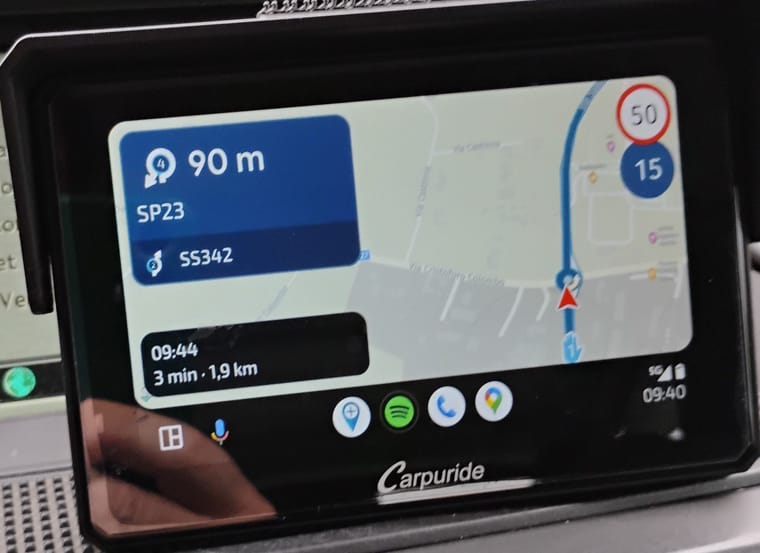
                                @Corjan-Meijerink ... Ok... Does the auto zoom work for you at roundabouts or intersections? Because it doesn't work for me, in two different AAs. I think it's not difficult to understand your directions, at least I hope.

                                1. This is the setting on the mobile, the only one you can do and the other is the view on the AA to activate the automatic zoom... up to this point I hope I have succeeded.
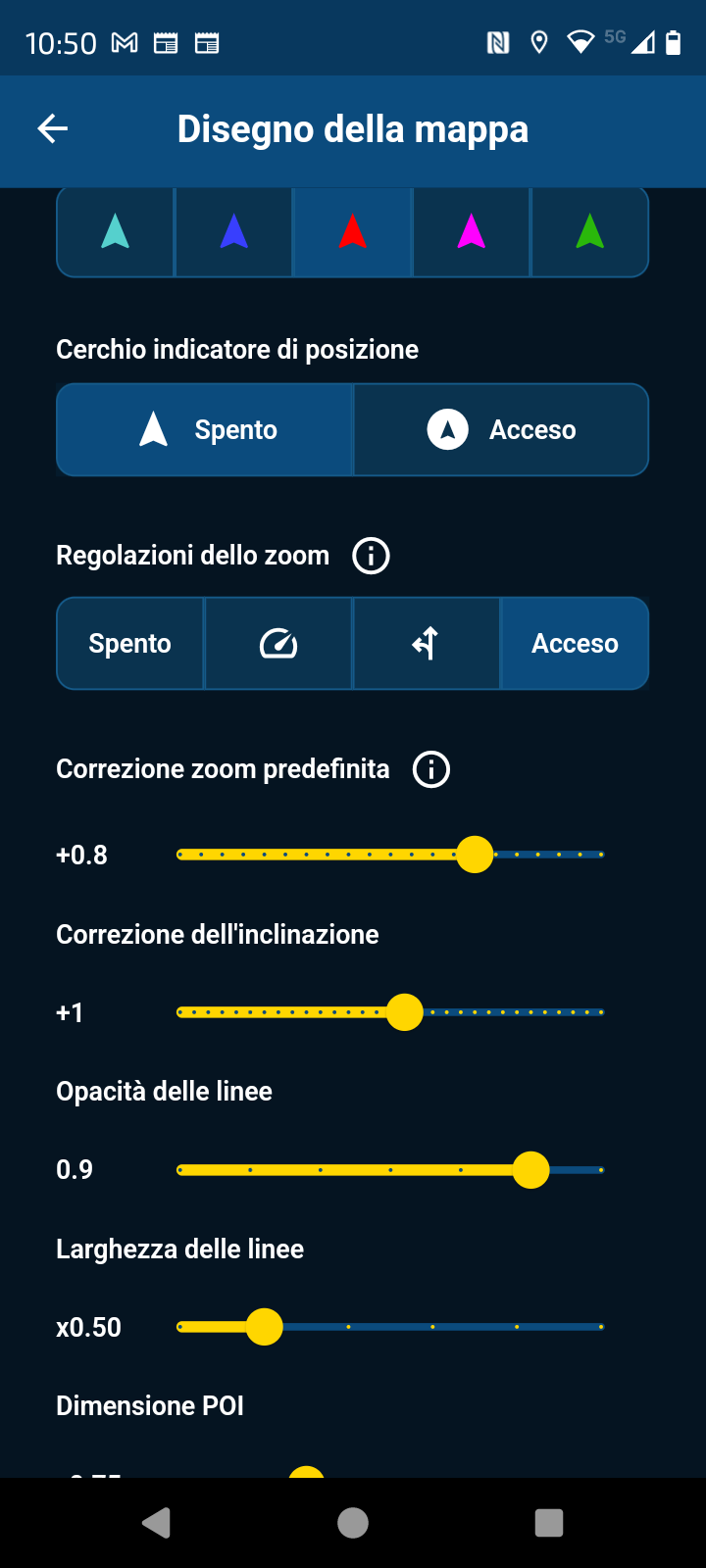
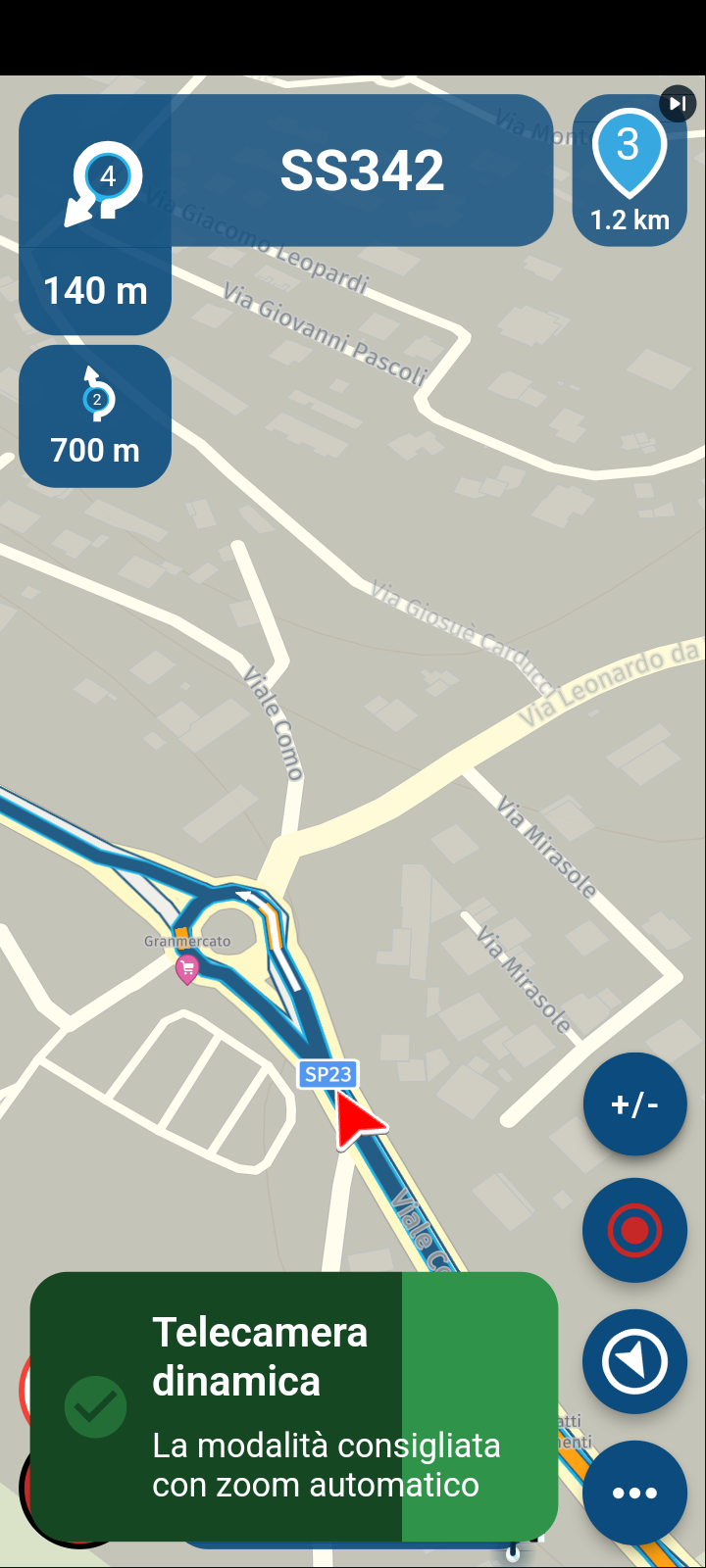
                                Screenshot_20250318-105017.png

                                Screenshot_20250318-093913 (1).png

                                Yesterday I navigated with AA in the car and today with Carpuride dedicated to the motorbike.
                                It works on the mobile phone but not on the two AAs.
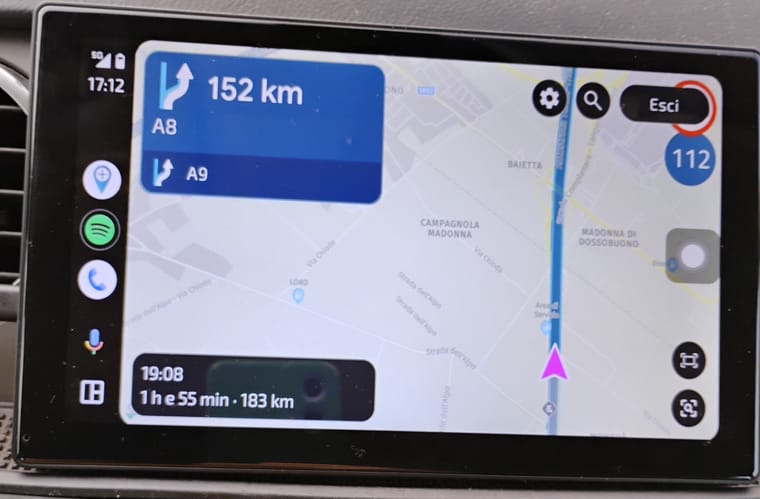
                                IMG_20250313_171253436.jpg
                                IMG_20250318_094035528.jpg

                                If it works for you then there must be something that I can't activate, but all the adjustments on the map work, except the automatic zoom.

                                I am available for any viable solution. For goodness sake, I just need to use a unit of size when looking at the route without automatic zoom.. I sleep peacefully at night.. but if there is a function that simplifies, why not use it?

                                Thanks and sorry...

                                Google traslate...

                                1 Reply Last reply
                                0
                                • OGRIII Offline
                                  OGRIII Offline
                                  OGRIII
                                  wrote on last edited by OGRIII
                                  #35

                                  When doing a simple A to B route two or three options are allowed. However whenever I choose a different route to drive it then reverts to the default route when driving off? How can this be prevented so that the route chosen is driven, not the default route? This is when I connect my mobile phone to the Android Auto screen.

                                  1 Reply Last reply
                                  0
                                  • M. Schrijver Offline
                                    M. Schrijver Offline
                                    M. Schrijver
                                    Valued contributor
                                    wrote on last edited by
                                    #36

                                    I can confirm the images of @Gaetano-9
                                    On my AA looks the same.

                                    (I use MRA Next only on Android Auto. Every comment, suggestion, etc will be based on my usage with Android Auto)

                                    1 Reply Last reply
                                    0
                                    • martin-phogel.de Offline
                                      martin-phogel.de Offline
                                      martin-phogel.de
                                      wrote on last edited by
                                      #37

                                      It looks like this is a new feature: When navigating a route that was not created with HERE, the navigation mode automatically switches to "route as track".
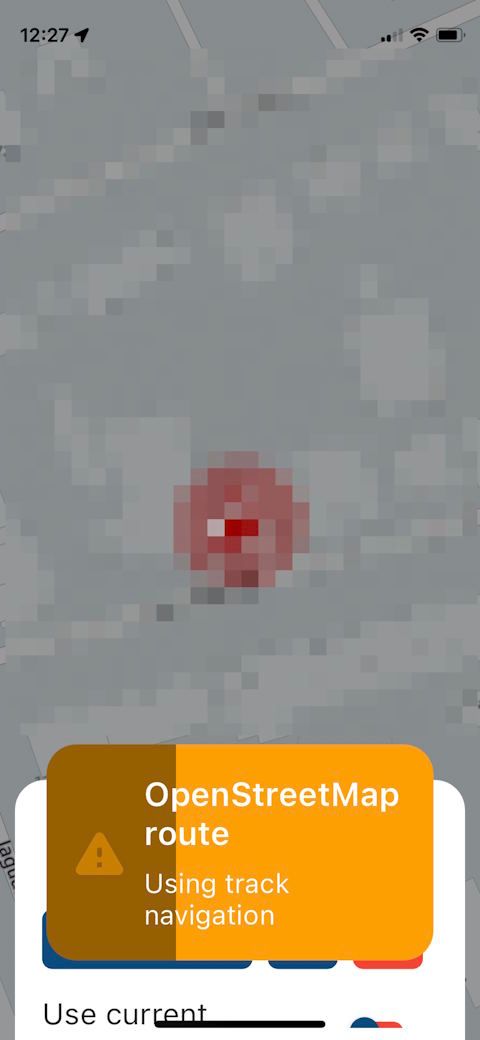
                                      mode.jpg

                                      This makes life a bit easier: I can leave the toggle "Navigate routes as tracks" turned off; routes created with HERE will be started in "route" navigation mode, others in "route as track".
                                      Clever concept; well done!

                                      Con Hennekens 1 Reply Last reply
                                      0
                                      • M. Schrijver Offline
                                        M. Schrijver Offline
                                        M. Schrijver
                                        Valued contributor
                                        wrote on last edited by
                                        #38

                                        This "feature" is already there for a while.

                                        (I use MRA Next only on Android Auto. Every comment, suggestion, etc will be based on my usage with Android Auto)

                                        martin-phogel.de 1 Reply Last reply
                                        0
                                        • M. Schrijver M. Schrijver

                                          This "feature" is already there for a while.

                                          martin-phogel.de Offline
                                          martin-phogel.de Offline
                                          martin-phogel.de
                                          wrote on last edited by martin-phogel.de
                                          #39

                                          @M-Schrijver said in New update! (4.3.7) - Track navigation improvements and CP / AA zooming:

                                          This "feature" is already there for a while.

                                          Really? Interesting. I did a lot of navigating "route as track", almost always with routes created with OSM, but I never recognized this automatic switch of navigation mode...

                                          1 Reply Last reply
                                          0

                                          Hello! It looks like you're interested in this conversation, but you don't have an account yet.

                                          Getting fed up of having to scroll through the same posts each visit? When you register for an account, you'll always come back to exactly where you were before, and choose to be notified of new replies (either via email, or push notification). You'll also be able to save bookmarks and upvote posts to show your appreciation to other community members.

                                          With your input, this post could be even better 💗

                                          Register Login

                                          Reply
                                          • Reply as topic
                                          Log in to reply
                                          • Oldest to Newest
                                          • Newest to Oldest
                                          • Most Votes


                                          • 1
                                          • 2
                                          • 3
                                          ACTIVE USERS
                                          Nick Carthew
                                          Nick Carthew
                                          Con Hennekens
                                          Con Hennekens
                                          M. Schrijver
                                          M. Schrijver
                                          Jörgen
                                          Jörgen
                                          Corjan Meijerink
                                          Corjan Meijerink
                                          Thomas Neumeyer
                                          Thomas Neumeyer
                                          Léon Hassing
                                          Léon Hassing
                                          JP d
                                          JP d
                                          martin-phogel.de
                                          martin-phogel.de
                                          OGRIII
                                          OGRIII
                                          Gaetano 9
                                          Gaetano 9
                                          Henk Oskam
                                          Henk Oskam
                                          LR
                                          LR
                                          CHRISTOPHER TOOP
                                          CHRISTOPHER TOOP
                                          POPULAR TOPICS
                                          • The compas direction on the elevation circle is wrong
                                            white.mouse
                                            white.mouse
                                            0
                                            58
                                            2.1k

                                          • Er gaat hier iets mis melding
                                            white.mouse
                                            white.mouse
                                            0
                                            7
                                            94

                                          • New update 5.2 - Avoid roadblocks, persistent map items, POI management and share
                                            Nick Carthew
                                            Nick Carthew
                                            28
                                            50
                                            6.6k

                                          • New update 5.2.1
                                            white.mouse
                                            white.mouse
                                            16
                                            24
                                            1.2k

                                          • route niet zichtbaar op audi scherm
                                            Marinus van Deudekom
                                            Marinus van Deudekom
                                            0
                                            7
                                            281

                                          • Carpuride scherm vast
                                            De Ploey Georges
                                            De Ploey Georges
                                            3
                                            29
                                            1.4k

                                          • Google maps and Streetview
                                            0
                                            1
                                            28

                                          • Blauwe routelijn lijft in Carplay wit
                                            0
                                            1
                                            16

                                          MY GROUPS
                                          • Login

                                          • Login or register to search.
                                          • First post
                                            Last post
                                          0
                                          • Categories
                                          • Recent
                                          • Popular
                                          • Support
                                          • MyRoute-app