Hello guys again, please help
-

Hi guys again, I would like your 2c please,
I use a MacBook for designing my routes. Then after creating my routes I export them to use them in my Garmin zumo xt. Some of my routes are transported some others don't. the format is gpx 1.1 . I import them to my gps as tracks in order to keep the same path. some of them also are storesd as routes and some others as tracks.
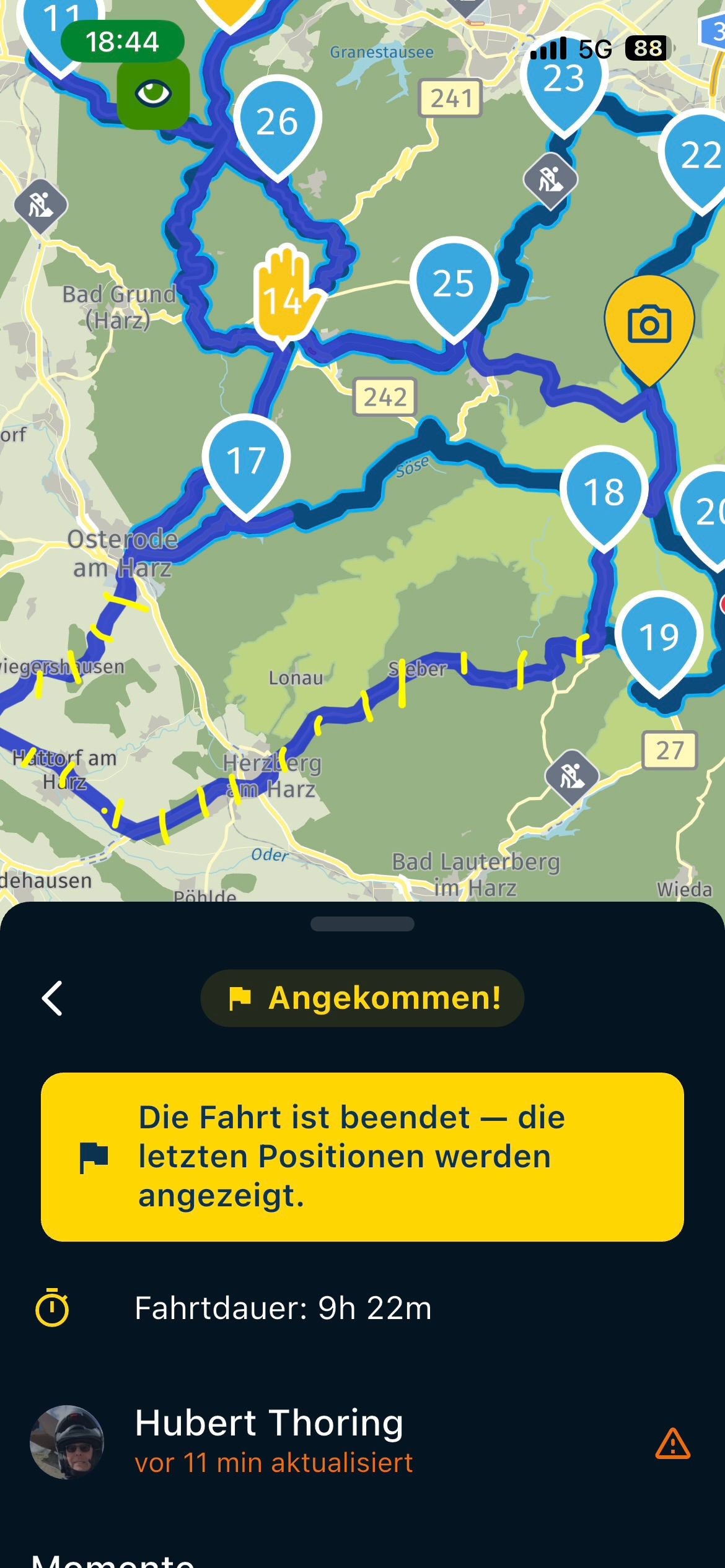
My problem is that I tried travelling simultaneously via my iPhone and my gps. in both devices my route app was constantly navigating me to exit the main highway at every exit, though my route was a straight line. why is this happening? can anyone assist me in simple steps ? -
 Nick Carthew moved this topic from Routes & Tracks on
-
Hi guys again, I would like your 2c please,
I use a MacBook for designing my routes. Then after creating my routes I export them to use them in my Garmin zumo xt. Some of my routes are transported some others don't. the format is gpx 1.1 . I import them to my gps as tracks in order to keep the same path. some of them also are storesd as routes and some others as tracks.
My problem is that I tried travelling simultaneously via my iPhone and my gps. in both devices my route app was constantly navigating me to exit the main highway at every exit, though my route was a straight line. why is this happening? can anyone assist me in simple steps ?
@Aggelos-Minoudis Hello!
Can you please share a link to the troubled route (the web address from your Route Planner)?- The problem is likely in missing a Via point or your settings.
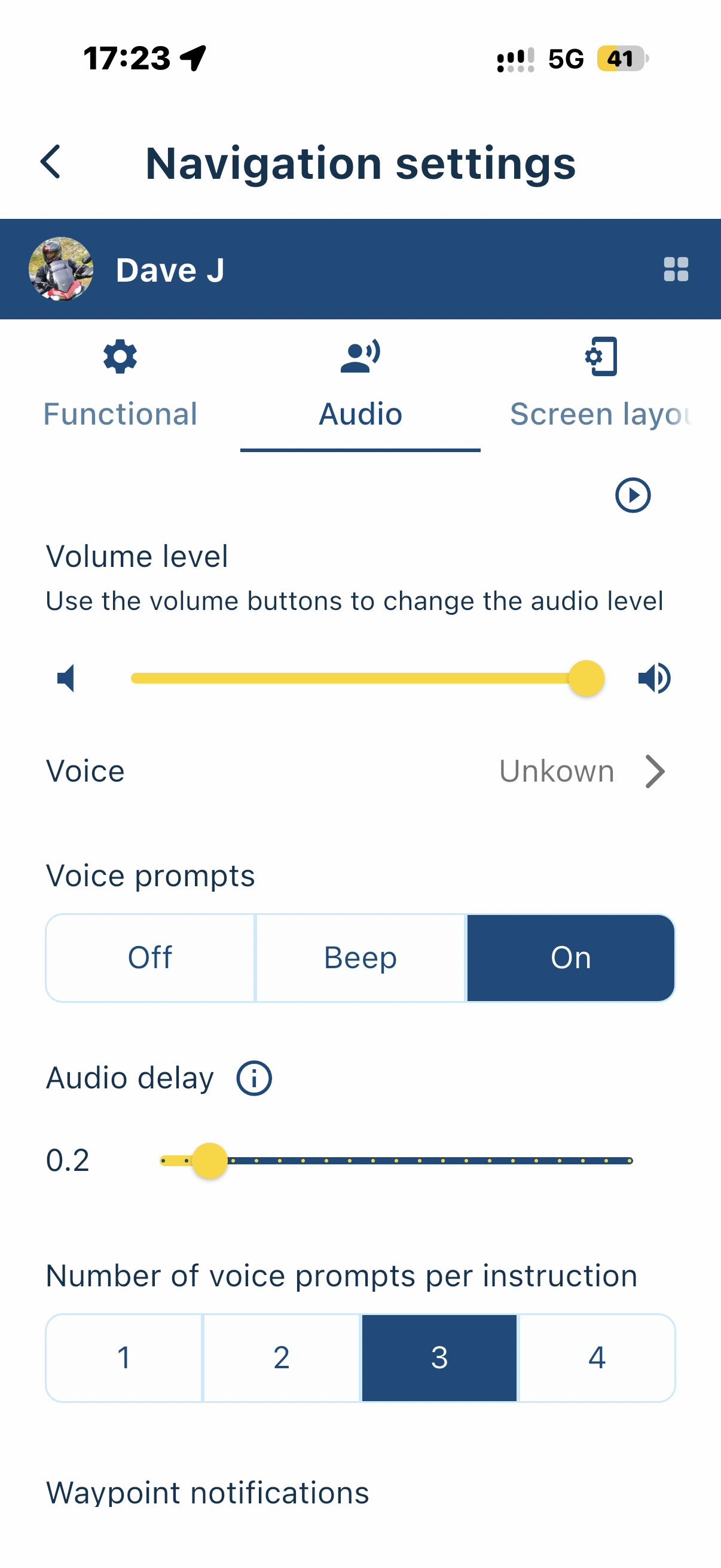
- In your Settings / Navigation settings / Functional:
- Is your "Skip waypoints automatically" turned on (Green)?
- Is your "Automatic recalculation" turned on?
- Are you navigating Online or Offline? (the first slider in the same options screen)
- If Offline, did you download the maps you need?
Let's start there.
I am sure people much smarter than me will also chime in soon! -
Hi guys again, I would like your 2c please,
I use a MacBook for designing my routes. Then after creating my routes I export them to use them in my Garmin zumo xt. Some of my routes are transported some others don't. the format is gpx 1.1 . I import them to my gps as tracks in order to keep the same path. some of them also are storesd as routes and some others as tracks.
My problem is that I tried travelling simultaneously via my iPhone and my gps. in both devices my route app was constantly navigating me to exit the main highway at every exit, though my route was a straight line. why is this happening? can anyone assist me in simple steps ?
@Aggelos-Minoudis have you set aan avoidance of hiways active
-
Hi folks still trying to resolve my issues. how do I set avoidance of highways off please?
-
Hi folks still trying to resolve my issues. how do I set avoidance of highways off please?

@Aggelos-Minoudis Where do you want to turn off “Avoid Highways”?
In the app or in the web planner?Here's how it works in the app:
Open a route.
Tap “Navigate” (do not tap “Start”).
Then tap “Avoidance Options,” where you can enable or disable various options.Once you've made your selection, tap “Start” to begin navigation.
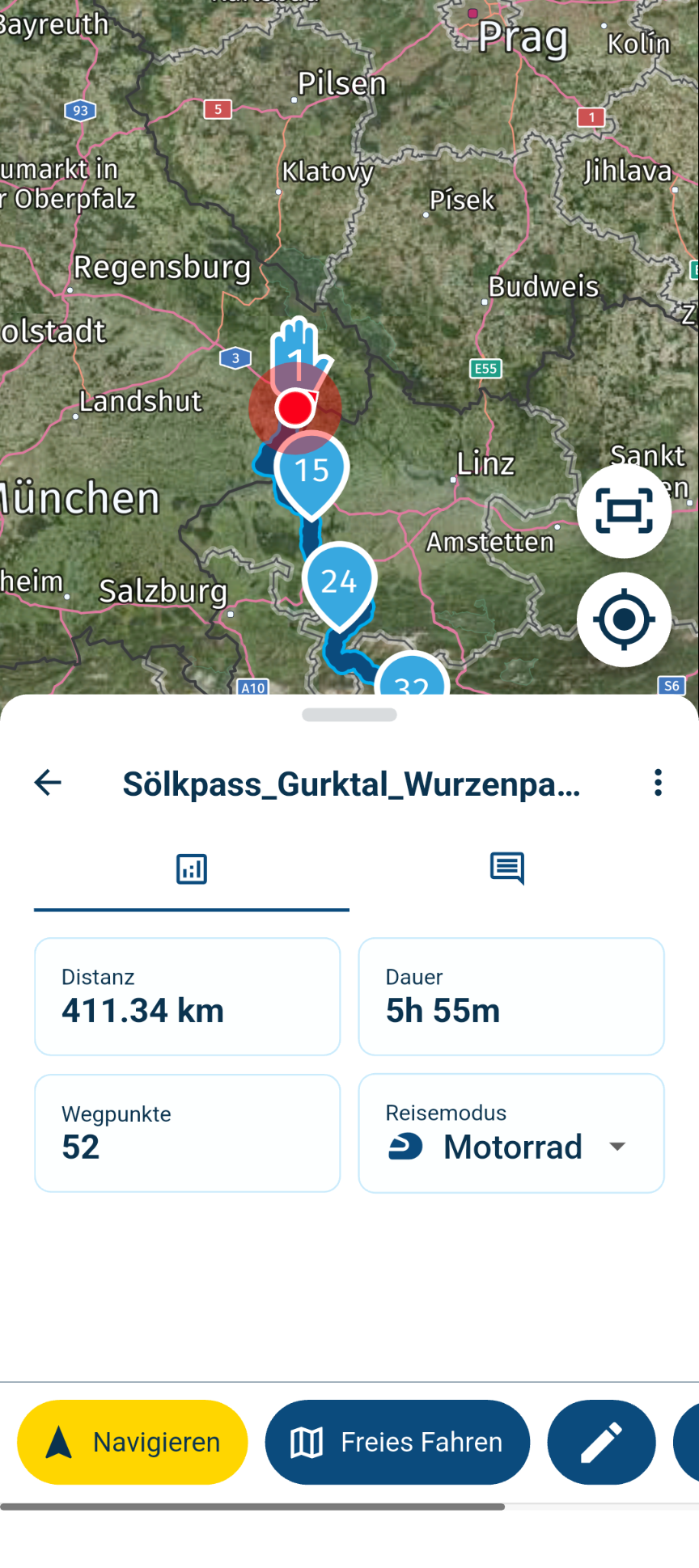
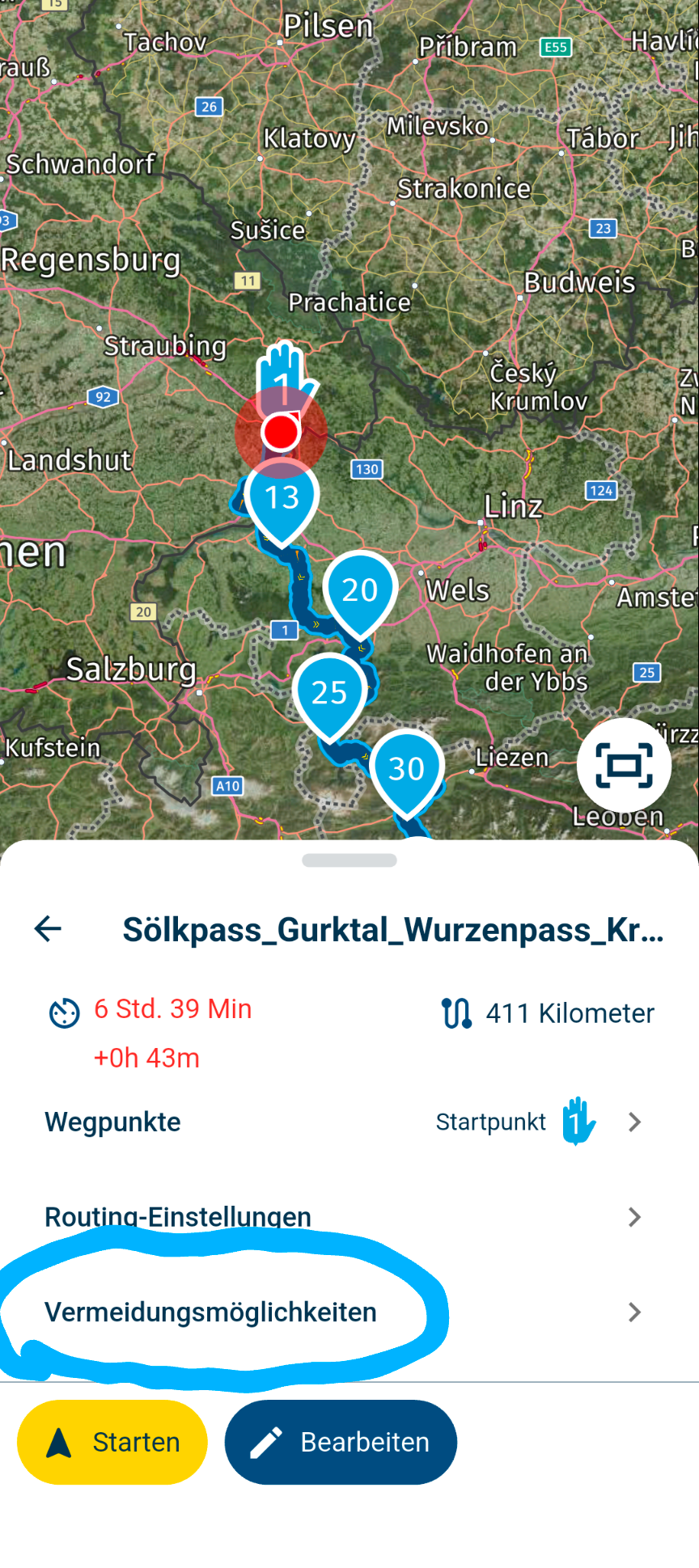
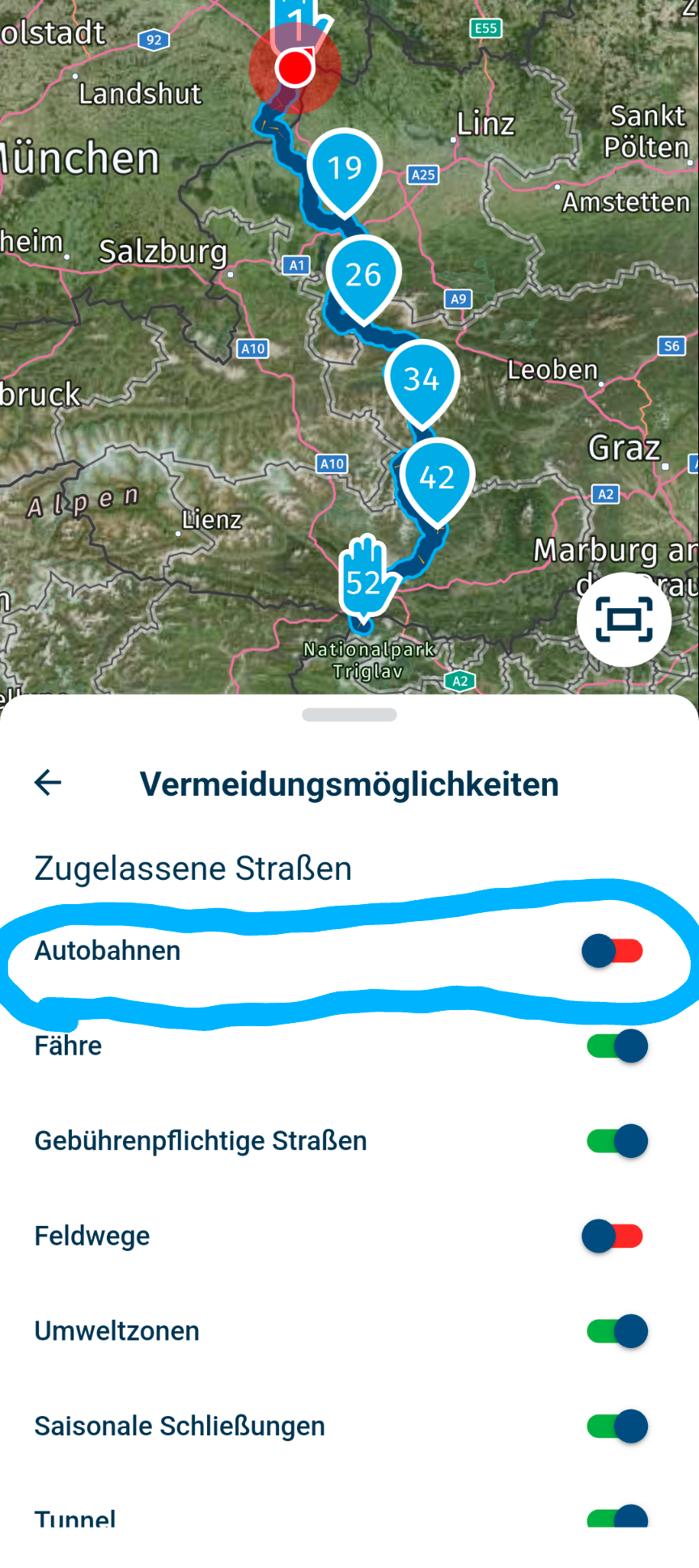
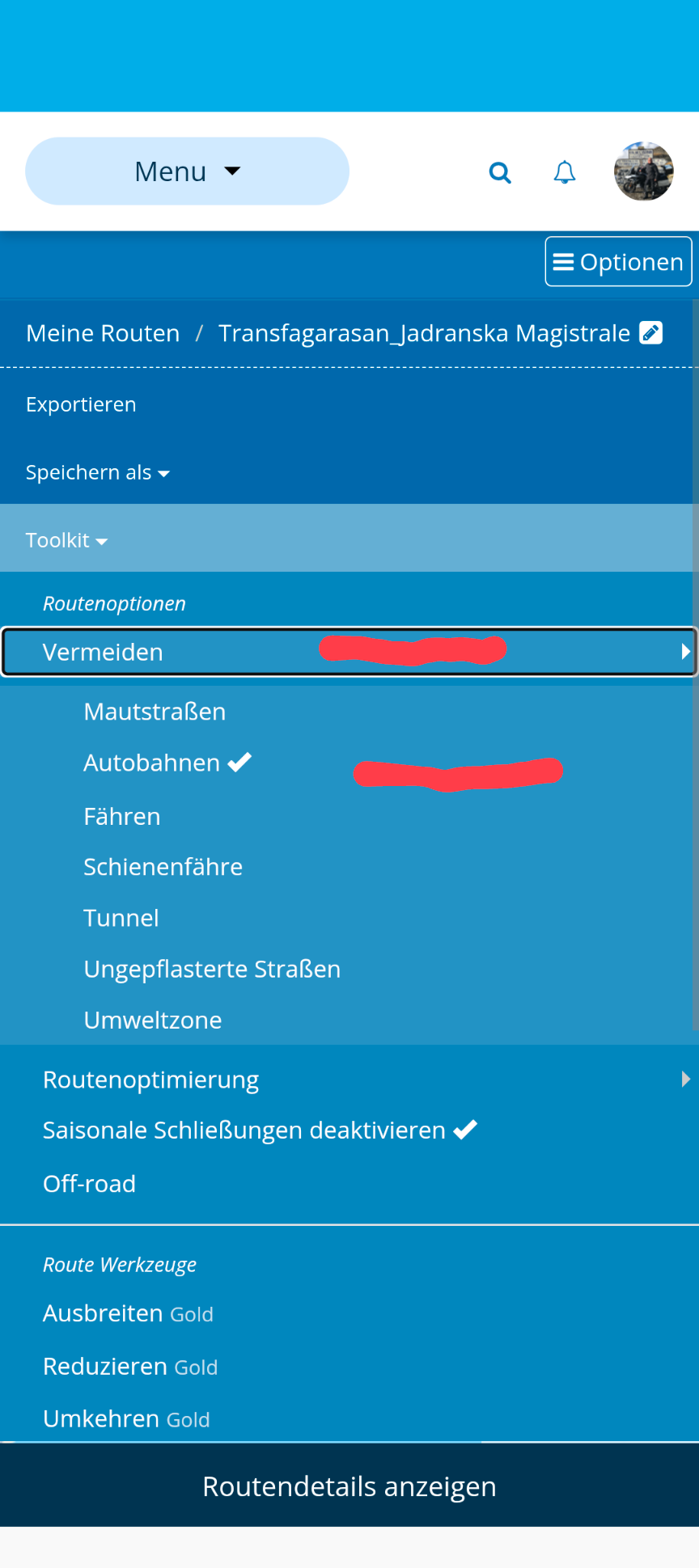
In the Web Planner, follow these steps.
Open your route
Go to Options
Go to Toolkit > Avoidances
Check the box next to the avoidances of your choice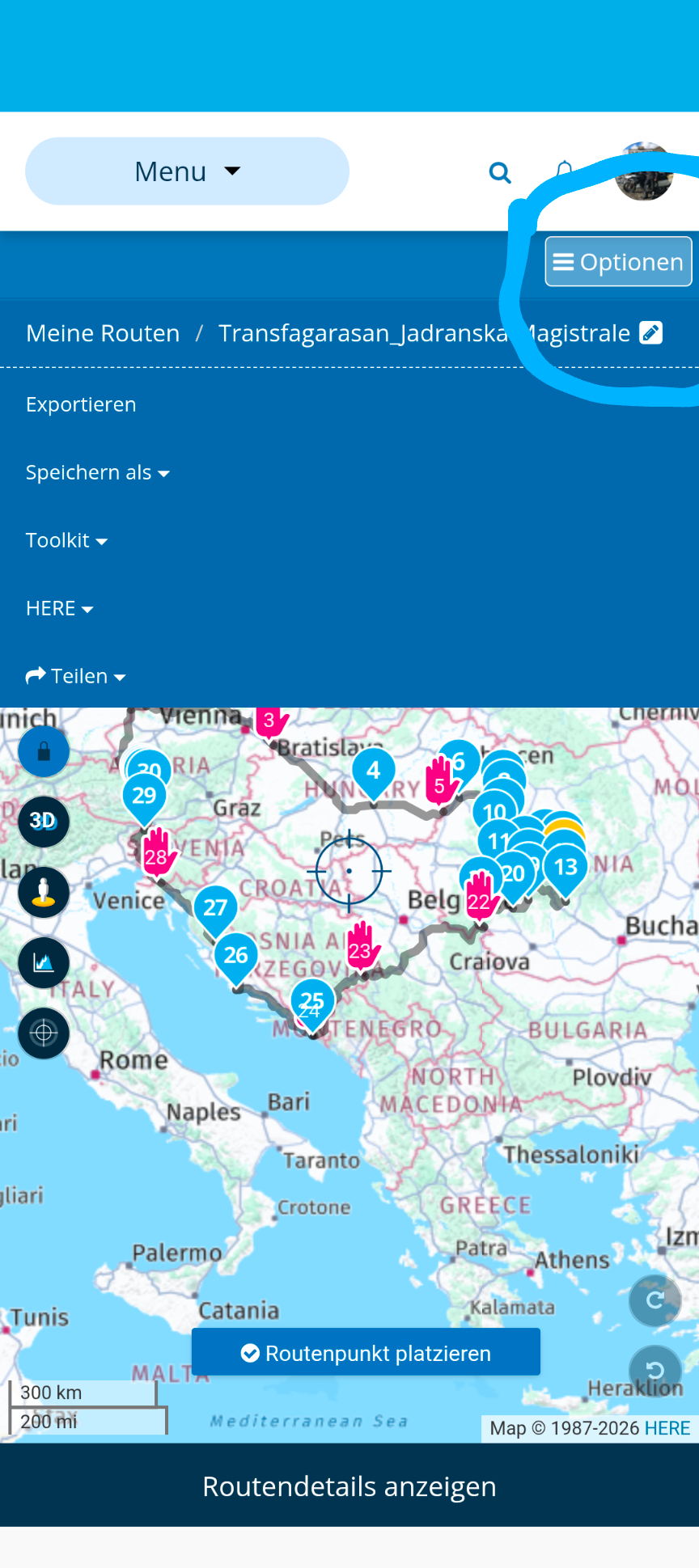
Hello! It looks like you're interested in this conversation, but you don't have an account yet.
Getting fed up of having to scroll through the same posts each visit? When you register for an account, you'll always come back to exactly where you were before, and choose to be notified of new replies (either via email, or push notification). You'll also be able to save bookmarks and upvote posts to show your appreciation to other community members.
With your input, this post could be even better 💗
Register Login-
 08180
08180
-
 0518
0518
-
 010269
-
 0745
0745
-
0310
-
 0336
0336
-
 016802
-
0211