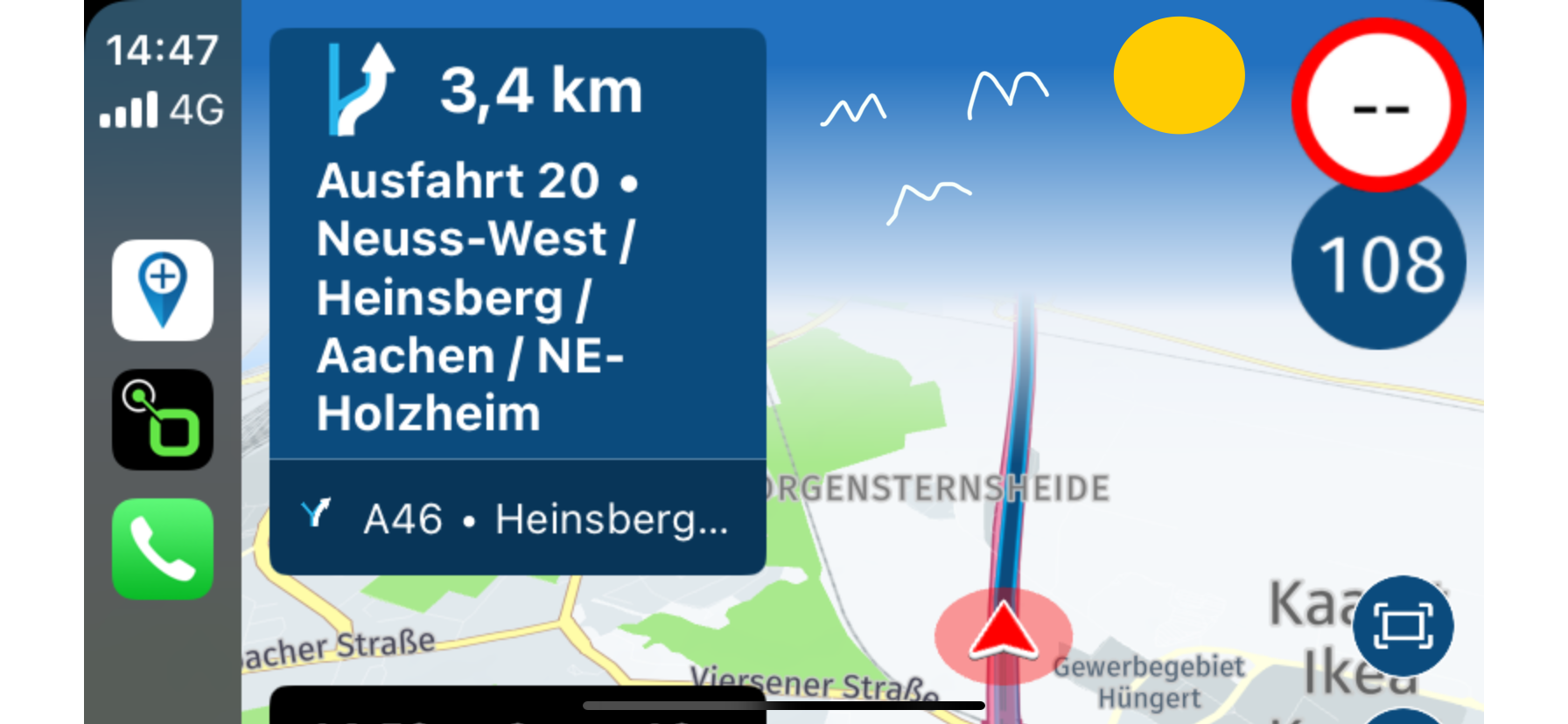
Top 1/3 of the screen is blue
-

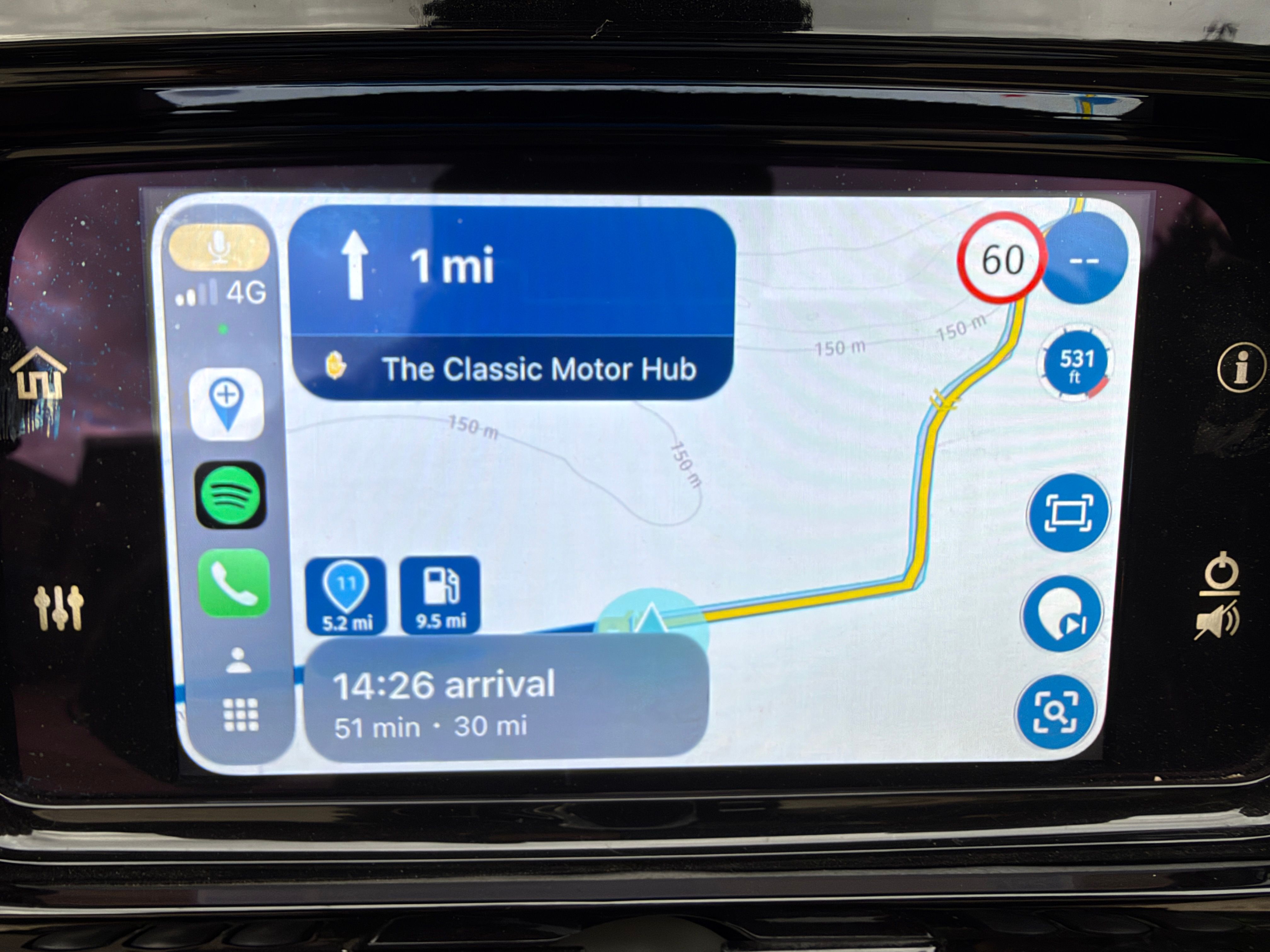
When navigating a route, the top 1/3 of the screen is blued out from the blue "up next box" all the way across to the speed indicator. Basically, I'm only seeing the bottom 2/3 of the map, therefore I can't see very far ahead. It's a fairly new development and I haven't a clue how to correct it. Using an Iphone 12 with IOS 18 (did it before the update) and a carpuride 7" on my motorcycle. It didn't do it until recently (last few weeks) Is there some setting that's gotten goofed up? I can't figure it out. It's rather inconvienant as I can't look ahead to approaching curves to preplan. Anyone else experiencing this?
-
When navigating a route, the top 1/3 of the screen is blued out from the blue "up next box" all the way across to the speed indicator. Basically, I'm only seeing the bottom 2/3 of the map, therefore I can't see very far ahead. It's a fairly new development and I haven't a clue how to correct it. Using an Iphone 12 with IOS 18 (did it before the update) and a carpuride 7" on my motorcycle. It didn't do it until recently (last few weeks) Is there some setting that's gotten goofed up? I can't figure it out. It's rather inconvienant as I can't look ahead to approaching curves to preplan. Anyone else experiencing this?

@Allan-Deal could you share a screenshot / photo?
-
@Allan-Deal could you share a screenshot / photo?
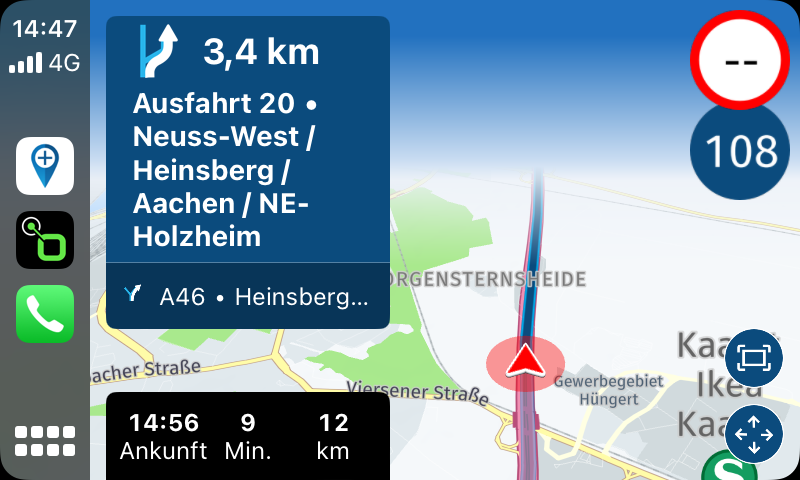
I don't have a pic, was riding, but another person shared a post on another matter and thiers looked just like mine. Here is their picture...
-
When navigating a route, the top 1/3 of the screen is blued out from the blue "up next box" all the way across to the speed indicator. Basically, I'm only seeing the bottom 2/3 of the map, therefore I can't see very far ahead. It's a fairly new development and I haven't a clue how to correct it. Using an Iphone 12 with IOS 18 (did it before the update) and a carpuride 7" on my motorcycle. It didn't do it until recently (last few weeks) Is there some setting that's gotten goofed up? I can't figure it out. It's rather inconvienant as I can't look ahead to approaching curves to preplan. Anyone else experiencing this?

@Allan-Deal, you probably have the tilt value in the app settings too high.
-
I don't have a pic, was riding, but another person shared a post on another matter and thiers looked just like mine. Here is their picture...
@Allan-Deal as said by @Con-Hennekens check your tilt settings. I’d recommend lowering them

-

The blue represents the sky.
-
@Allan-Deal, you probably have the tilt value in the app settings too high.
@Con-Hennekens Thank you for the suggestion. That took care of it. The settings had been bumped all the way up. Thank you very much.
-
@Con-Hennekens Thank you for the suggestion. That took care of it. The settings had been bumped all the way up. Thank you very much.
@Allan-Deal, I am just glad it worked out
-
The blue represents the sky.
-
@Nick-Carthew You are a true artist!
@Corjan-Meijerink said in Top 1/3 of the screen is blue:
@Nick-Carthew You are a true artist!
Move aside Banksy

Hello! It looks like you're interested in this conversation, but you don't have an account yet.
Getting fed up of having to scroll through the same posts each visit? When you register for an account, you'll always come back to exactly where you were before, and choose to be notified of new replies (either via email, or push notification). You'll also be able to save bookmarks and upvote posts to show your appreciation to other community members.
With your input, this post could be even better 💗
Register Login-
 01842
01842
-
 01058
01058
-
0490
-
05195
-
 0327
0327
-
028
-
1255
-