GPX Versions 1.1 vs 1.2 for Garmin Visually Explained
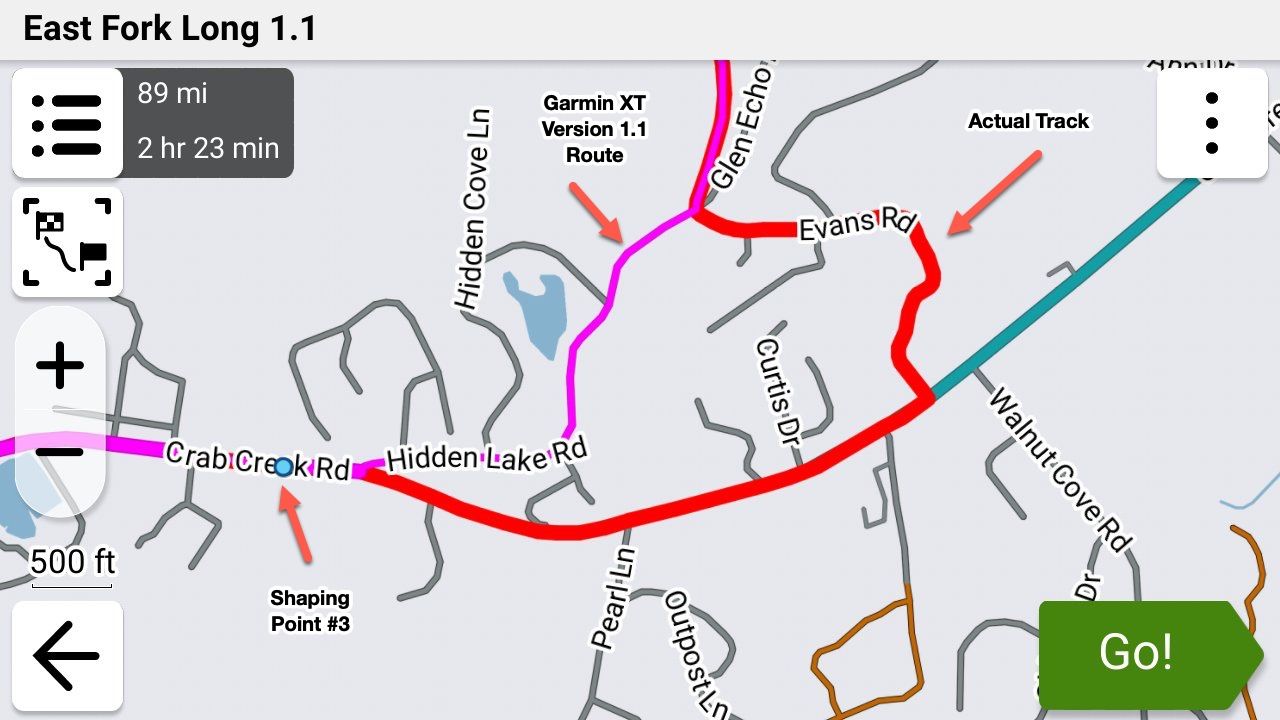
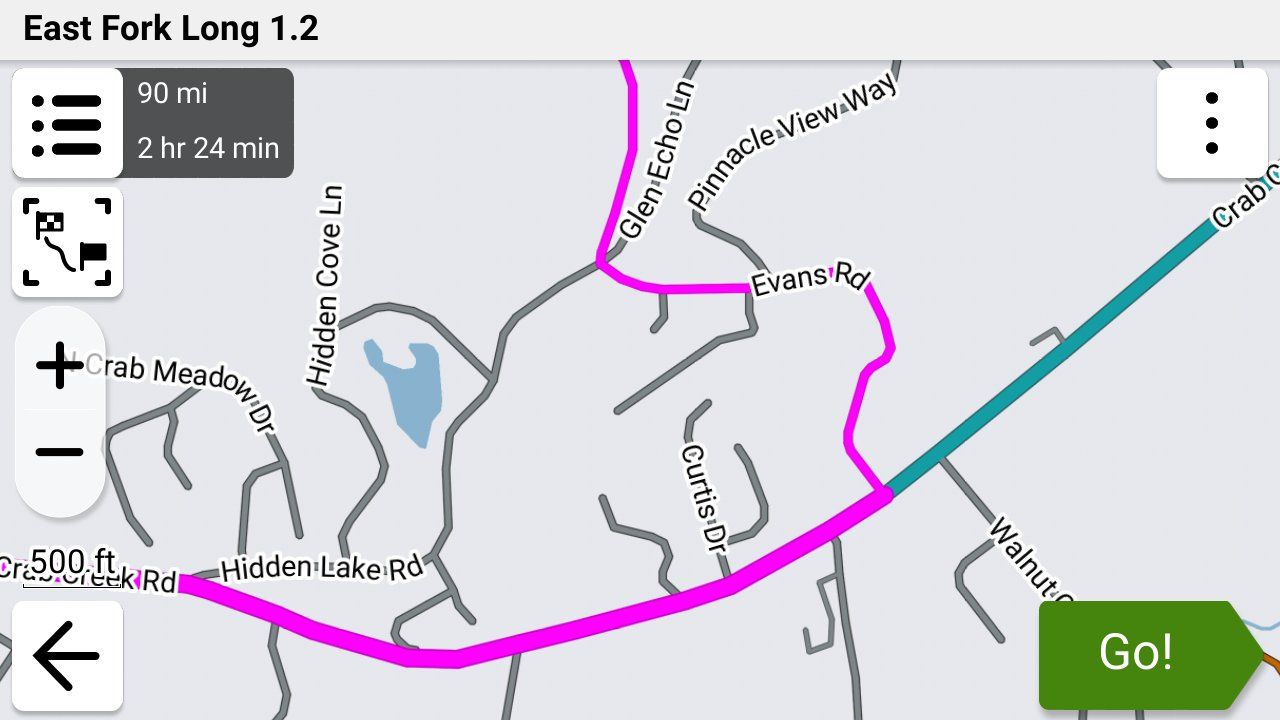
-

Just to be clear as well, gpx format 1.2 is not an official format!
See: https://www.topografix.com/gpx.asp1.1 is still the official format.
1.2 format is intended for Garmin usage.
1.2 format is introduced by MyRouteApp just to avoid some shortcomings in the 1.1 format. -
Just to be clear as well, gpx format 1.2 is not an official format!
See: https://www.topografix.com/gpx.asp1.1 is still the official format.
1.2 format is intended for Garmin usage.
1.2 format is introduced by MyRouteApp just to avoid some shortcomings in the 1.1 format.
@nomko Yes you are wright but its the only format that keeps Garmin from doing its own gecalculating trick witch messes up your route
-

Very good read! Thank you all!
I would like to bring another twist into this
It has to do with the Avoidances set in your Garmin.
Let's say your MRA planned route has some Highways you plan to ride, but your Garmin is set to avoid Highways.
If format 1.1 is used to transfer your route from MRA to the Garmin, when you select the route for navigation on the Garmin, it will calculate the route and change it to avoid the Highways.
But when format 1.2 is used, then Garmin will ignore your Highway avoidance preference and will go on the intended Highways just like you planned it.
So, 1.2 format is eliminating another potential discrepancy between MRA planned route and Garmin's calculation.
Please, correct me if I am wrong! -
When using a Garmin don’t set any avoidance items. It will mess up your route. For Pete’s sake deactivate recalculating
-
When using a Garmin don’t set any avoidance items. It will mess up your route. For Pete’s sake deactivate recalculating

@Marinus-van-Deudekom I completely agree that Garmin's avoidances certainly mess up a gpx 1.1 route in sometimes VERY unpredictable ways.
However, Garmin's avoidance settings do not in any way alter a gpx 1.2 route as the Garmin is forced to follow the gps coordinates in the route section of the file and not the shaping points or, in the case of this example, just the beginning and ending waypoints. That is the BIG difference between the gpx 1.1 and 1.2 formats.
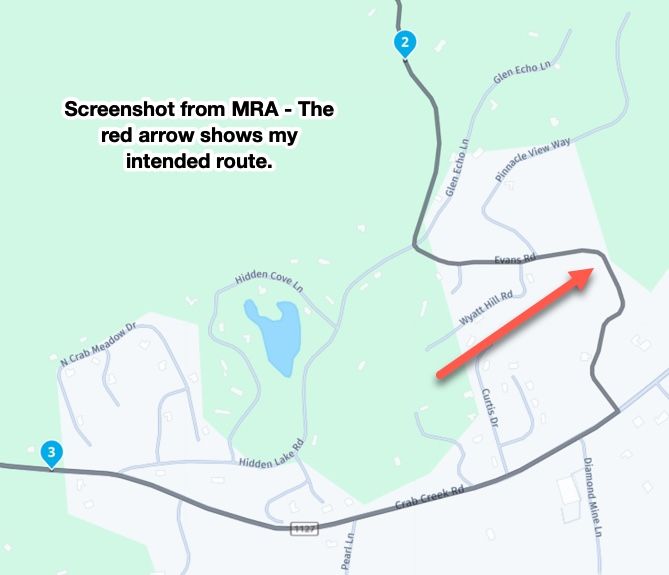
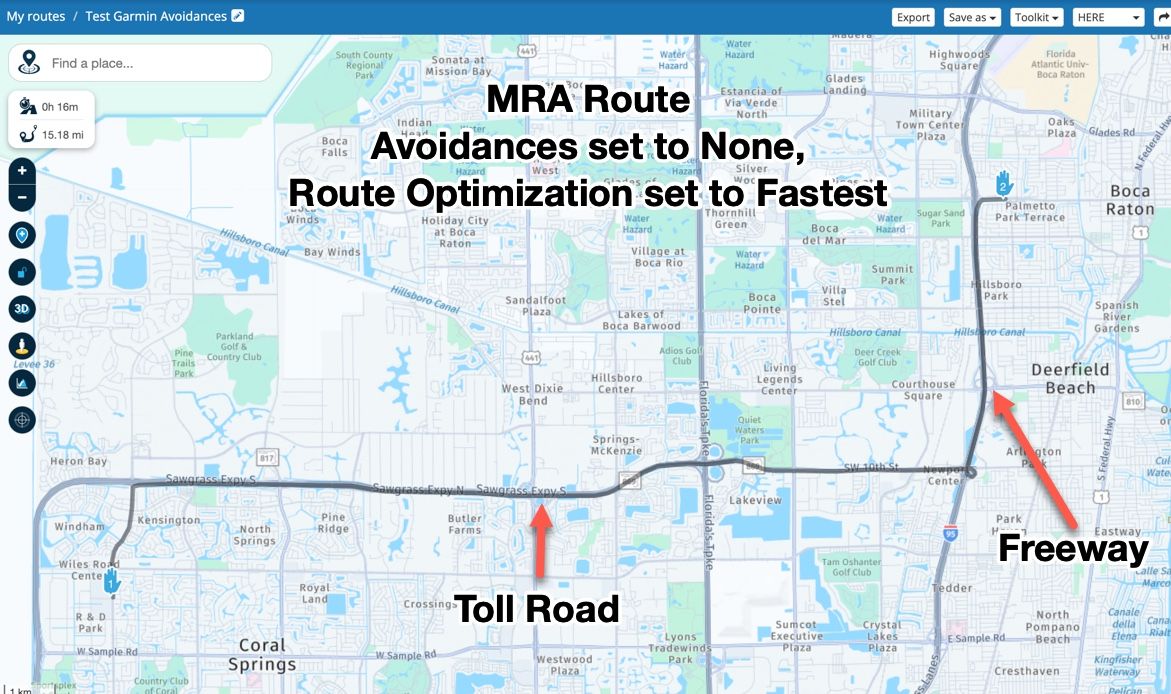
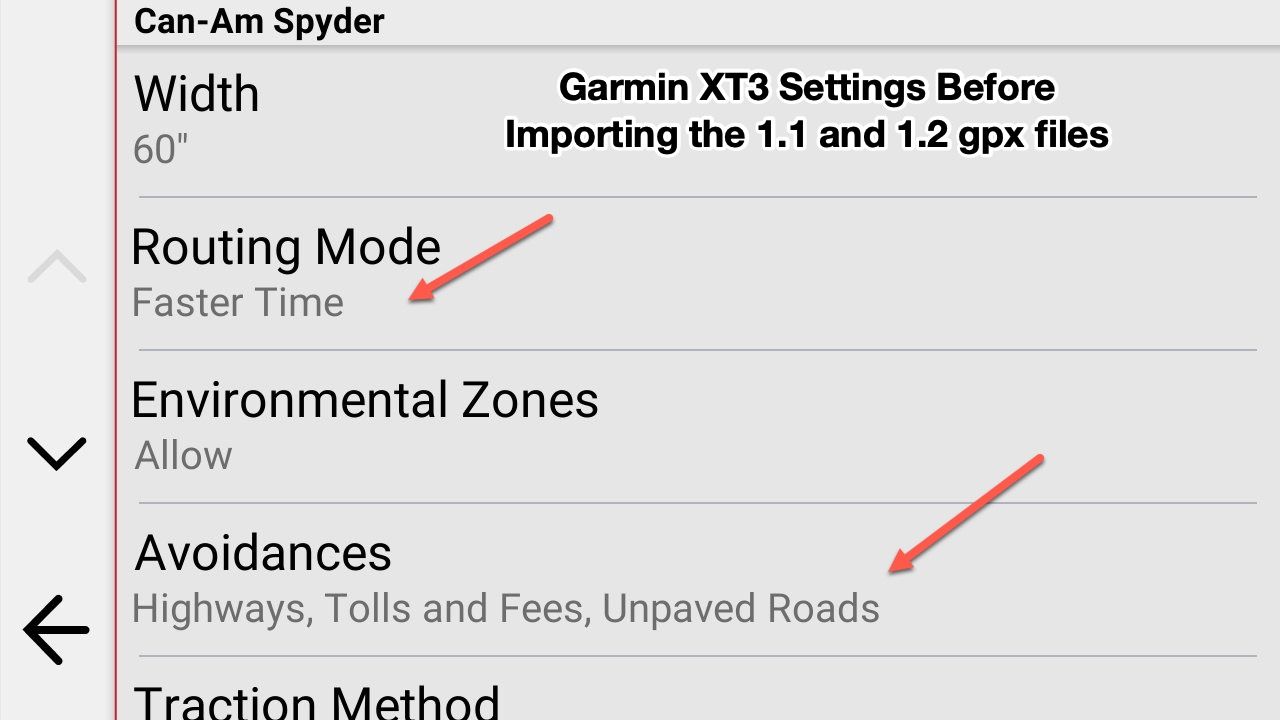
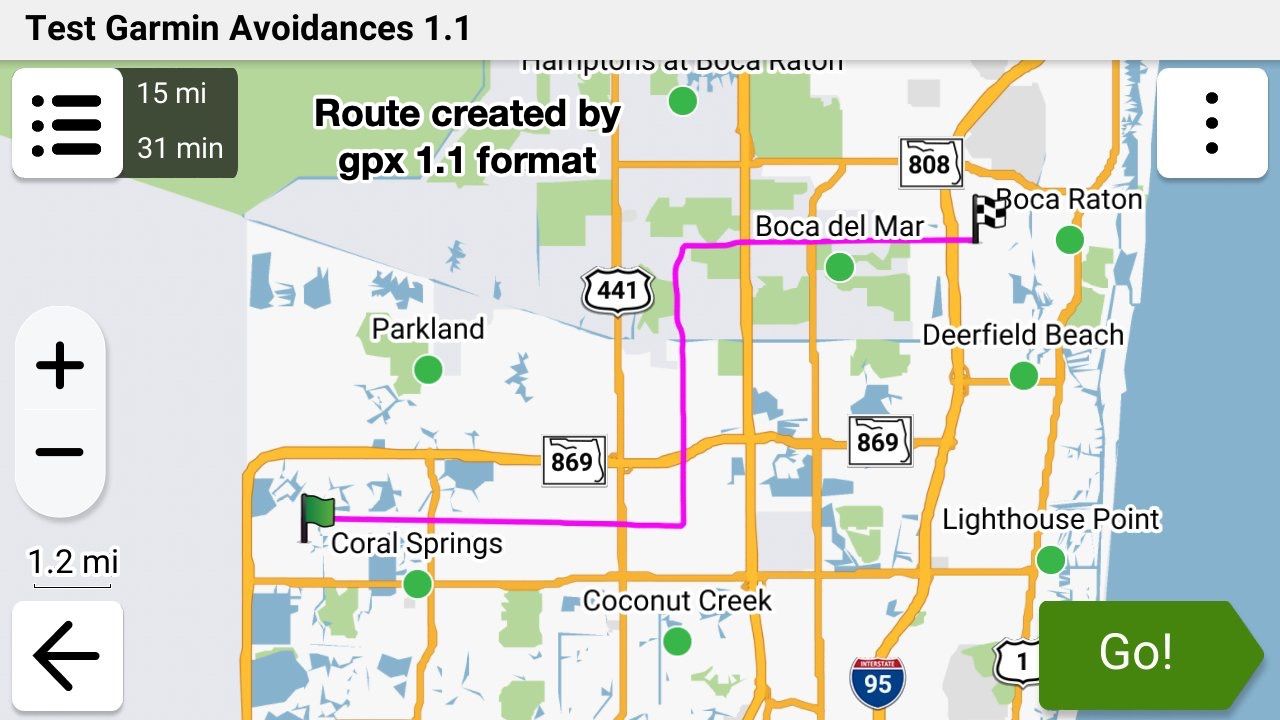
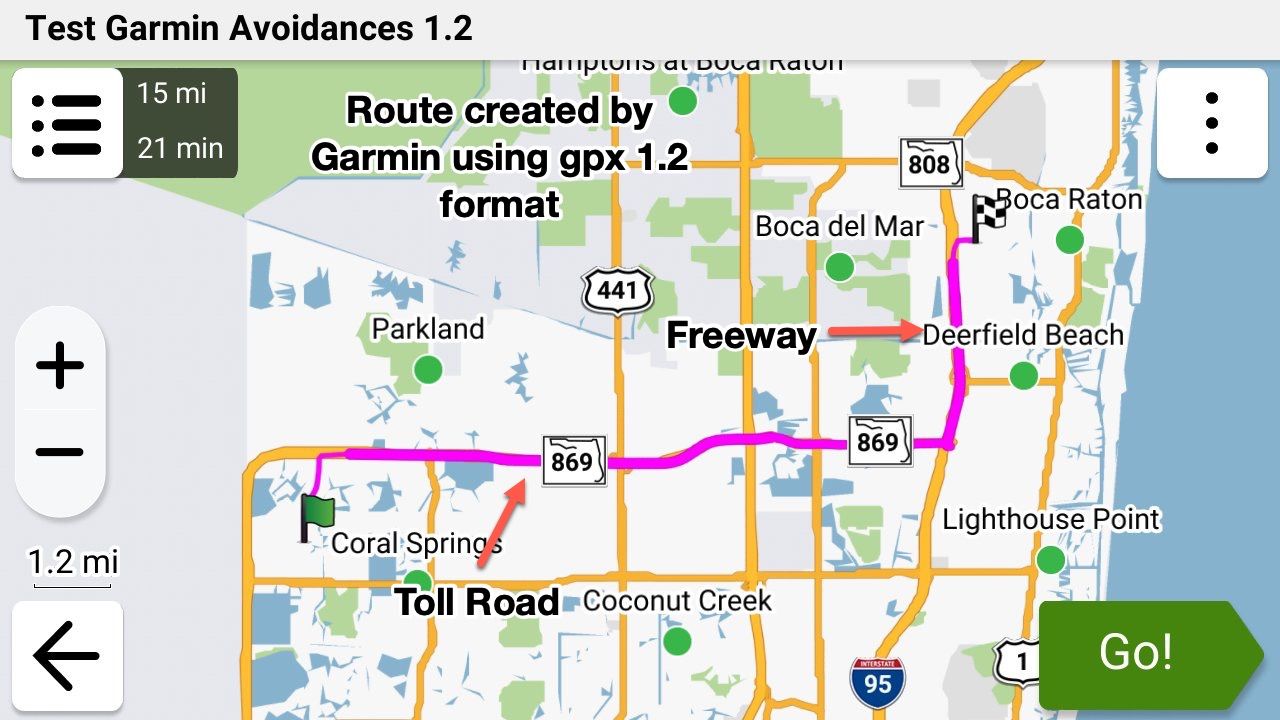
The following example route and screenshots show this clearly. Here's a very simple 2 waypoint (Start and Finish) route in MRA that I created this morning to show this visually. In this example route my MRA's Route Optimisation is set to "Fastest" and my Garmin's is set to "Fastest" and its Avoids are set to "Freeways" and "Toll Roads".
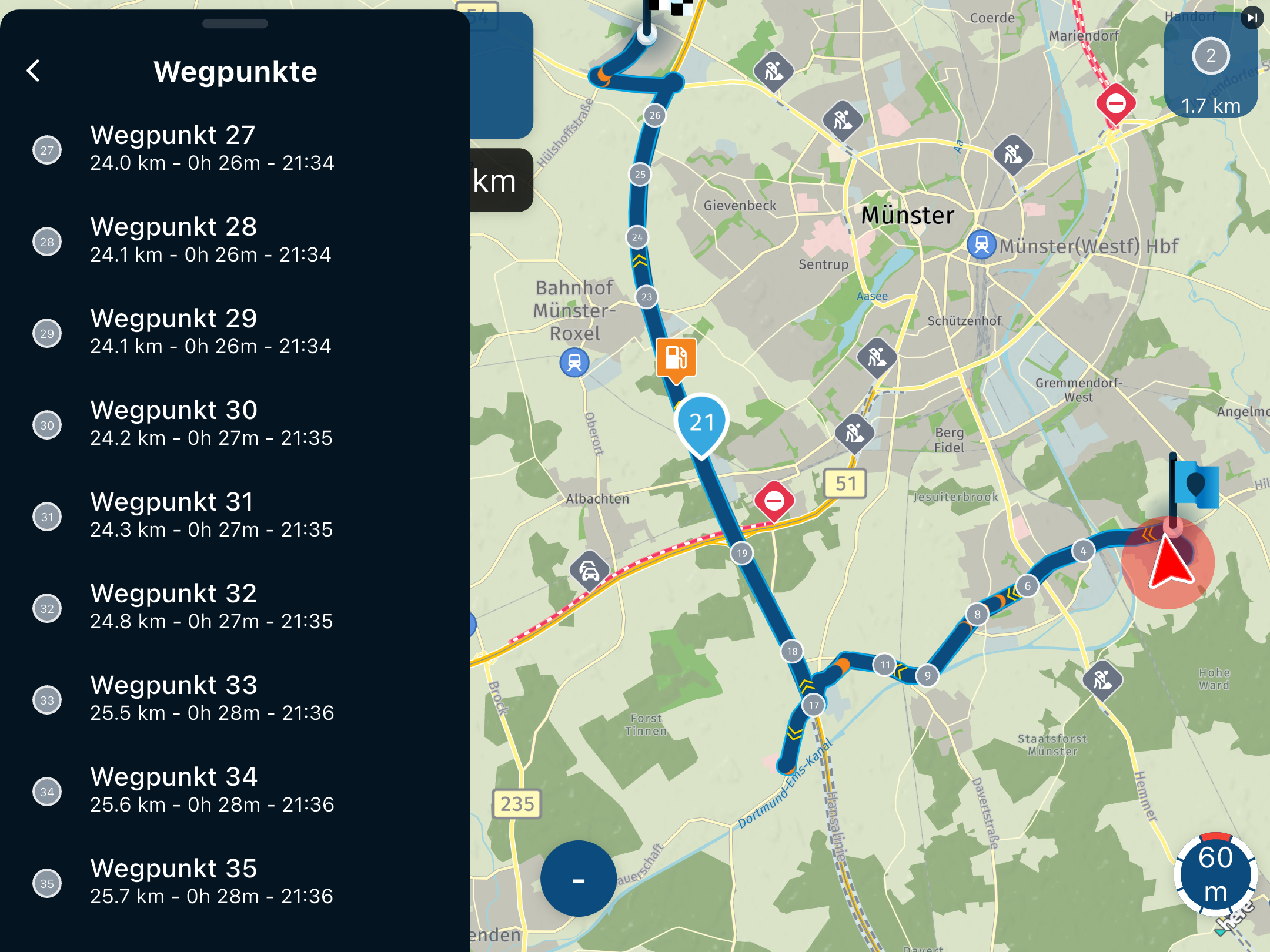
The EXACT same route was saved as gpx 1.1 and then 1.2 formats and then both formats were imported into my Garmin XT3. You can see that the Garmin totally ignored the planned route when importing using the gpx 1.1 format file and followed its Avoid settings, however it followed the planned route exactly when importing the route using gpx 1.2 format file and totally ignored its Avoid settings.
-

That is a cool conclusion @steve-jarrell
Tread didn't mess up the 1.2 (which I always use on my XT1)?
So, could you say, that it will work on the XT2 exactly the same?Met andere apps maak je een route, met MRA componeer je een route!
Ducati Monster 1200 met Garmin Zümo XT
Fiat 124 Spider/Camper Dethleffs met Navigation-App op Samsung Tab Active4 Pro
MRA Lifetime Gold -
That is a cool conclusion @steve-jarrell
Tread didn't mess up the 1.2 (which I always use on my XT1)?
So, could you say, that it will work on the XT2 exactly the same?
@Travellexxie I have no idea of how the Tread app will work with anyone else's X1 or X2 (or X3 for that matter). All that I can relate is what happened to me.
Let me preface this by saying that this was MY experience, and others may have a perfectly good experience with the XT3 and data synching. It is perhaps caused by my refusal to turn over control of my data transfer to the XT3 to any app or cloud service (see my post here on how I transfer and why).
The Tread app provides 3 key features. It provides:
- A data connection from your phone to the XT that enables the realtime traffic and weather reporting on the XT (a REALLY neat feature).
-
A connection to whatever bluetooth headset that you have (a Cardo Edge in my case) already hooked up to your phone so you don't have to hook your headset up to both. (another REALLY neat feature).
-
A data connection to explore.garmin.com that allows data transfer, including .gpx files, to and from explore.garmin.com (This wound up being a TERRIBLE "feature" for me as I'll describe below.)
The Tread app's features 1 and 2 work GREAT and are very useful. Even though I didn't need or want the data / gpx file transfer feature as I use a USB cable, when I was originally setting up my XT3 one of the initial setup prompts was something like "Would you like to back your data up to explore.garmin.com" and I selected "Yes" as I figured what harm could having an online backup do?
Wrong!! That was a REALLY BIG mistake for me! As I added new .gpx files manually via a USB cable connection, and then converted them into routes and tracks, the XT3 tried to synch them to the cloud. It was painfully slow, and every time I'd go online with my web browser and check my Garmin Explore account the files and collections were NEVER synched correctly or completely.
So I figured "No big deal, I'll just go into the Tread app and / or XT3's settings and turn the synching feature off." NOPE! There is simply NO WAY to turn off the data synching feature once you've turned it on, either in the Tread app or in the XT3! I couldn't believe it (if anyone can prove me wrong I'll GLADLY admit my failure!!!).
I searched all over the internet and found several suggestions for how to stop synching such as completely removing the app and its bluetooth settings, and even getting into the "hidden" developer's area of the XT3 and deleting the user database. I'm very computer literate, and I did all of these things multiple times to absolutely no avail. Perhaps they worked for the XT1 and / or the XT2, but I could not "unsynch" the XT3 - Tread - Garmin cloud data connection no matter what I tried.
I FINALLY gave up and totally removed the Tread app (again), removed its bluetooth settings in my phone) again, AND did a total reset on the XT3 (Settings - Device - Reset). Then I reinstall the Tread app and started the XT3 back up, and when I got to the deceptive prompt about backing up to the cloud I said NO!
After that everything worked perfectly and my XT3 no longer tries to synch with Garmin's cloud service. Obviously the setting to synch with Garmin's cloud service is in the XT3's hidden settings, and once you turn it on the only way that you can turn it off is to do a total reset. Not giving the user the ability to turn synching off is absolutely ridiculous and one of the most idiotic things that I've ever seen from Garmin (except for the TERRIBLE user interface on Basecamp).
Sorry for such a long answer to a short question but if it helps even one person avoid the Garmin "backup to the cloud" trap it was worth it!
-
 Nick Carthew moved this topic from [Web] Suggestions and Discussion on
-
Nick Carthew pinned this topic on
-

@steve-jarrell in your current use are you saying that with an XT3 and using Tread app that you can have features 1 & 2 (traffic and Bluetooth headset) WITHOUT having 3 (syncing routes with Garmin cloud)?
-

I can answer about 1.2 and Tread. 1.2 is an MRA invention which I used almost exclusively on my previous, non-XT Zumo and it's very good to easily keep your route the same as your track. Zumos recognise it and plot the routes but Tread doesn't. If you allow Trad to sync with a 1.2 route, it will almost certainly change it to follow its own settings/algorithms.
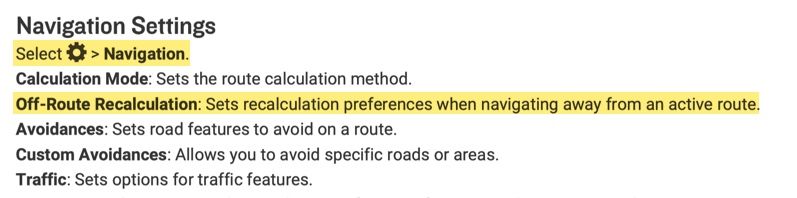
With any Zumo using a 1.2 route, you must turn off auto-recalculate - otherwise it will! You may well end up with a totally different route between your via points. Also, you will not be redirected back onto your route should you deviate from it.
The XT2 & 3 will accept 1.2 but only via cable transfer. If you have deleted Explore from Tread by resetting, you will not be able to transfer a route wirelessly other than via an SD card.
My answer to all these problems, and I realise others have not had the same success, is to use 1.1 (route, track POI) with plenty of shaping points to pin the Zumo/Tread calculated route to my track. Once I've planned my route on MRA, I export it into Tread to see if the route and track coincide. If not, I can add another shaping point where necessary and look again. Sounds a bit of a faff but it's really quite quick and easy once you've done it a few times.
With 1.1, you can leave auto-recalculate switched on and you will be redirected back to your route if you wander for any reason, including road closures but that's another subject.
I really like being able to plan on MRA when away and transfer to the Zumo so Tread is my preferred option. If in a hurry, just using an MRA track works well too.
A long way of saying Tread and 1.2 don't play together. -
@steve-jarrell in your current use are you saying that with an XT3 and using Tread app that you can have features 1 & 2 (traffic and Bluetooth headset) WITHOUT having 3 (syncing routes with Garmin cloud)?
@Will-Brooks YES, exactly!
If you don't turn on data synching when you first setup the X3 features 1 and 2 still work just fine. These features rely on the bluetooth connection with your phone, not the data synching link with Garmin Explore.
Don't establish a bluetooth connection manually between your phone and the X3. When you pair your Tread app with your X3 it will ask you if you want to establish the bluetooth connection. When you proceed the Tread app will pair your XT with your phone via bluetooth.
In your phone's bluetooth settings you will then see a connection to your X3 just as if you would have manually connected them without the Tread app, however since the Tread app initiated the connection it can send the verbal instructions from the X3 to whatever bluetooth headset that your phone is using, and it can enable your XT3 to get traffic and weather information as well.
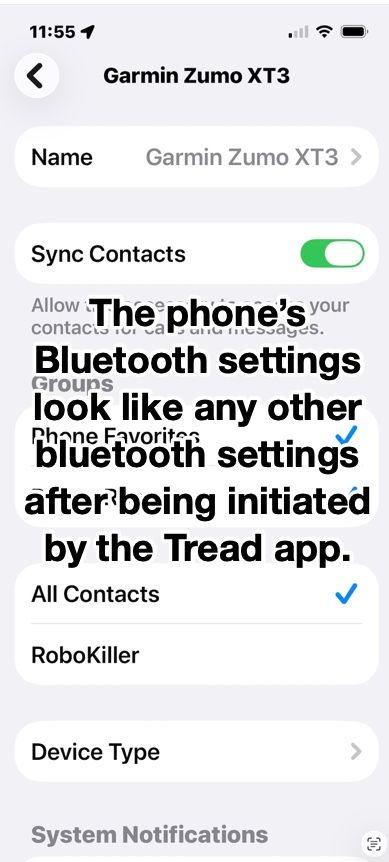
I have a Cardo unit in my helmet connected to my iPhone directly. It is not directly connected to my XT3 and it works just as if it was. I was also pleasantly surprised during testing the if I use my Apple AirPods they work perfectly as well even though they're not paired with my XT3. The ONLY bluetooth connection to my XT from my phone is the one that the Tread app set up.
The bluetooth connection in the phone looks just like any other bluetooth connection, but since it was initiated by the Tread app somehow the app can reroute the XT3's voice output to the phone's connected headset, and also use the phones data for the XT3's weather and traffic. AWESOME FEATURES!
-
Very good read! Thank you all!
I would like to bring another twist into this
It has to do with the Avoidances set in your Garmin.
Let's say your MRA planned route has some Highways you plan to ride, but your Garmin is set to avoid Highways.
If format 1.1 is used to transfer your route from MRA to the Garmin, when you select the route for navigation on the Garmin, it will calculate the route and change it to avoid the Highways.
But when format 1.2 is used, then Garmin will ignore your Highway avoidance preference and will go on the intended Highways just like you planned it.
So, 1.2 format is eliminating another potential discrepancy between MRA planned route and Garmin's calculation.
Please, correct me if I am wrong!
@Lenny-O You are 100% correct.
-
Steve Jarrell referenced this topic on
-
I can answer about 1.2 and Tread. 1.2 is an MRA invention which I used almost exclusively on my previous, non-XT Zumo and it's very good to easily keep your route the same as your track. Zumos recognise it and plot the routes but Tread doesn't. If you allow Trad to sync with a 1.2 route, it will almost certainly change it to follow its own settings/algorithms.
With any Zumo using a 1.2 route, you must turn off auto-recalculate - otherwise it will! You may well end up with a totally different route between your via points. Also, you will not be redirected back onto your route should you deviate from it.
The XT2 & 3 will accept 1.2 but only via cable transfer. If you have deleted Explore from Tread by resetting, you will not be able to transfer a route wirelessly other than via an SD card.
My answer to all these problems, and I realise others have not had the same success, is to use 1.1 (route, track POI) with plenty of shaping points to pin the Zumo/Tread calculated route to my track. Once I've planned my route on MRA, I export it into Tread to see if the route and track coincide. If not, I can add another shaping point where necessary and look again. Sounds a bit of a faff but it's really quite quick and easy once you've done it a few times.
With 1.1, you can leave auto-recalculate switched on and you will be redirected back to your route if you wander for any reason, including road closures but that's another subject.
I really like being able to plan on MRA when away and transfer to the Zumo so Tread is my preferred option. If in a hurry, just using an MRA track works well too.
A long way of saying Tread and 1.2 don't play together. -

Have you read the manual page 47?
https://www8.garmin.com/manuals/webhelp/GUID-7E13E879-D2C7-4B0C-9E63-CD693B2E7042/EN-US/zumo_XT2_OM_EN-US.pdf -
@Carl-Lee
Hi, I have an XT2 and cannot figure out how to turn off auto-recalculate off? Can you let me know how to turn off auto-recalculate, please?
As @reinhard-32 said, this is from page 47 of the XT2 manual. My XT3 is a lttle different, but this is from the .pdf manual downloaded from Garmin's site.
-
Thank you Steve. I did eventually figure this out. I thought there was a different setting used during import of files.
@OkayJim You're very welcome. I'm glad that you figured it out!
-
So, with a Zumo 595, if I export as 1.2, do I import as a track ??
-
So, with a Zumo 595, if I export as 1.2, do I import as a track ??
@Papasmurf2 No. Import it as a route if you want your 595 to create a route from it. You can import both the route and the track if you wish.
The 1.2 .gpx format embeds the track information in the route information of the file. This embedded track information within the route forces the Garmin to create the route exactly like you intended when it imports the 1.2 .gpx file.
The track itself is also included in a separate section of the .gpx file so you can import the track as well as the route.
In other words, the 1.2 .gpx files contains two copies of the track. One is embedded within the route information section, and another copy is in a separate track section. When you use the "Save As" feature from within MRA you'll see that the file contains the route (with embedded track information), the track itself and the POI information.
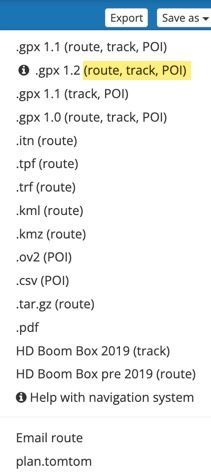
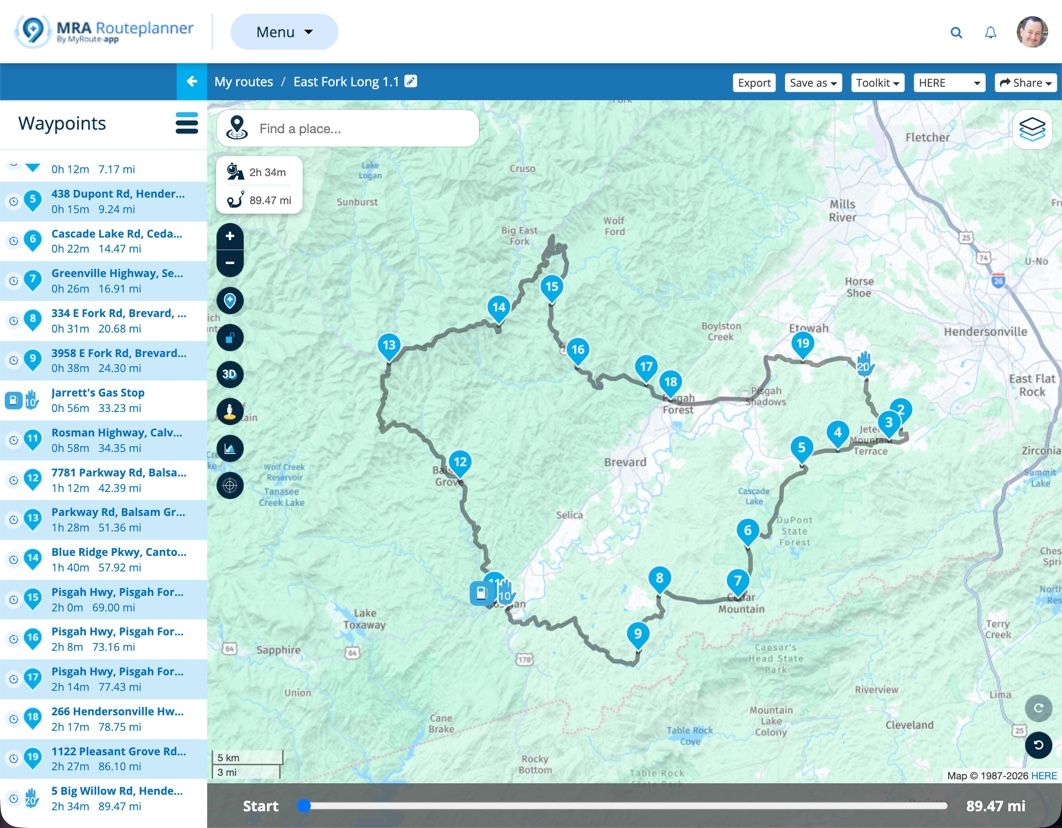
To illustrate this, I created a VERY simple route with just the starting point, one shaping point and the finish point. You can view my route here in MRA.
Here's a copy of that simple route saved as a 1.2 .gpx file. You can download it and then view it with any text editor. I also created a .pdf file to clearly show the various sections that you can view here from the .gpx file.
You'll see in my example .pdf file that the green section is the Header, the yellow section is the actual route with the embedded track which forces the Garmin to follow the exact path that you intended, and the blue section is the actual track that can also be imported.
I hope this helps!
-
I'm confused - I have had an XT2 and an XT3 (free upgrade thanks to Garmin). I only export using GPX 1.1 and have not had any issued at all when using complex route.
It's late at night, but how I'm reading it, is that you're suggesting only using GPX 1.2 with the XT3?

Hello! It looks like you're interested in this conversation, but you don't have an account yet.
Getting fed up of having to scroll through the same posts each visit? When you register for an account, you'll always come back to exactly where you were before, and choose to be notified of new replies (either via email, or push notification). You'll also be able to save bookmarks and upvote posts to show your appreciation to other community members.
With your input, this post could be even better 💗
Register Login


-
012178
-
17363.5k
-
 05121
05121
-
 0526
0526
-
 0415
0415
-
0415
-
 0429
0429
-
 0936
0936