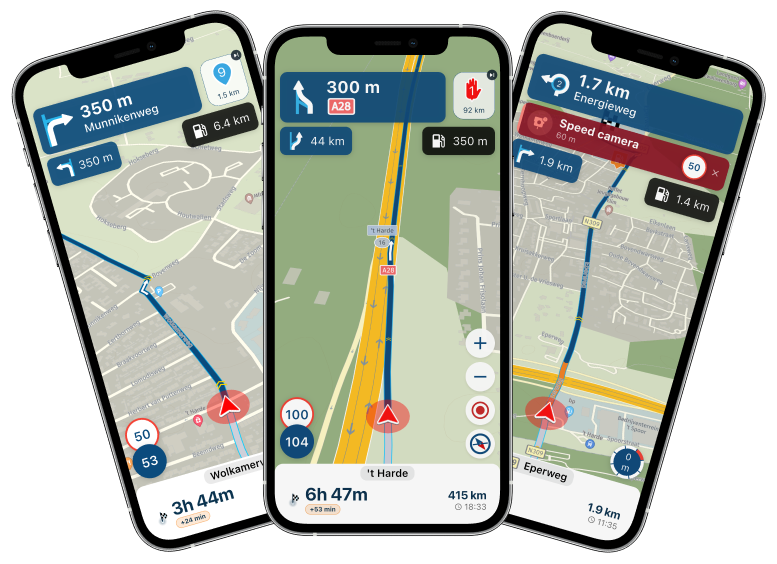
Not all info shown on the screen !
-

I run MRA for navigation on an iPhone (latest IOS) and use Apple CarPlay with RiderNav R7M screen.
All other CarPlay apps function well, so I think this is an mRA issue or bug.
When I drive, now and than various information that should be shown on the screen is no longer there, such as the destination, how far till destination and various other stuff. See my screenprint. Navigation keeps functioning, but is much more difficult this way. I have this now for 2 days, it is annoying.
I’d assume this is a bug?
Best regards, greetings from Norway.

https://share.icloud.com/photos/0e0ApDRUmLRYKLol-jiyV9Y9w -

No it’s not a bug but the result of the limitations of CarPlay and Android Auto. Both Apple and Google have restrictions on what can be shown on your screen.
Honda Goldwing GL1500,
Honda Silverwing GL 650
DMD2 T865X 8 inch Android tablet using MRA next for navigation
Garmin XT sold
Samsung S24FE mounted on a Quadlock and using Android Auto in my car -
No it’s not a bug but the result of the limitations of CarPlay and Android Auto. Both Apple and Google have restrictions on what can be shown on your screen.

No it’s not a bug
I have no idea whether this is a route or a track being followed here, but if I'm not mistaken then I'm definitely missing some essential information, such as the route directions in the top-left corner and the information panel in the bottom-left corner of the screen.
-
 Nick Carthew moved this topic from [App] Problems, Bugs and other Issues on
-
It’s not a limitation of CarPlay. This is a route that I am following. Untill 2 days ago I could see the distance to next route point, on what distance to turn what way, the height, speed allowed and all kind of other information. That worked before and is gone now.
-
It’s not a limitation of CarPlay. This is a route that I am following. Untill 2 days ago I could see the distance to next route point, on what distance to turn what way, the height, speed allowed and all kind of other information. That worked before and is gone now.
@Ed-Lauwerens-0 In my opinion it’s definitely a hickup of CarPlay. Do you use CarPlay with BlueTooth or wired? I presume BT. With a wire I have a more stable connection.
-
Bluetooth inderdaad. Today All worked fine again.
-

I had a similar issue last week. It feels to me like a CarPlay connection issue. After one stop I set off and some of the boxes were missing (like next waypoint, distance to destination, current speed etc. ) or would come and go from the screen. Also the map / current position indicator weren't in sync. After much swearing etc. I let someone else in the group lead. After the next stop - when the AOCI had powered off and CarPlay had to reconnect all was fine. I don't know enough about CarPlay to know whether there is any sort of "low bandwidth" type of connection but thats exactly what it felt like.
-
Hallo
Ich hatte das selbe Problem.
Habe jeweils die Route in der Wohnung geöffnet und die Navigation am Smartphone gestartet. Beim Start des Motorrades und der Verbindung mit Carplay dann auf Navigation weiterführen geklickt.
Während der Navigation haben dann die gefahrenen Geschwindigkeit oder der nächste Wegpunkt angefangen zu blinken oder sind ganz verschwunden. Zudem wurde das iPhone extrem heiss.
Habe lange gesucht und ausprobiert.
Folgende Lösung dabei rausgekommen.
Variante 1: Starte die Route am Phon erst wenn Carplay verbunden ist.
Variante 2: So mach ich es nun und es funktioniert ohne Probleme. Motorrad Starten, auf Carplay warten und die Route in MRA auf Carplay suchen (Lupe am Bildschirm) und Navigation starten.
Kein warmes Smartphone mehr und alles funktioniert einwandfrei. -
It seems like a CarPlay hick up indeed. Restarting helps and the issue hasn’t returned in the last few days.
Hello! It looks like you're interested in this conversation, but you don't have an account yet.
Getting fed up of having to scroll through the same posts each visit? When you register for an account, you'll always come back to exactly where you were before, and choose to be notified of new replies (either via email, or push notification). You'll also be able to save bookmarks and upvote posts to show your appreciation to other community members.
With your input, this post could be even better 💗
Register Login-
024694
-
 7818
7818
-
 012222
-
 0479
0479
-
19214
-
013211
-
0261
-
 0122.4k