New update 5.2 - Avoid roadblocks, persistent map items, POI management and share
-

Hi everyone!

I'm off on a trip to the UK in 20 hours
 And I'll be away for 2 weeks.
Please don't expect any responses from me personally. If I do respond, my wife won't be amused.That said, I've been working my ass off to provide a very big update!
Because of my holiday, this is a public announcement but we still need to do Beta testing.
To all beta testers: please provide feedback as always (in the closed group) but if it's all minor feedback we won't delay public release. If critical issues are found preventing a public release, we will announce that the public update is delayed
Timeline
- Beta testing ASAP
- Public release aimed for June 18th (give or take approval times)
Now on to the fun stuff!

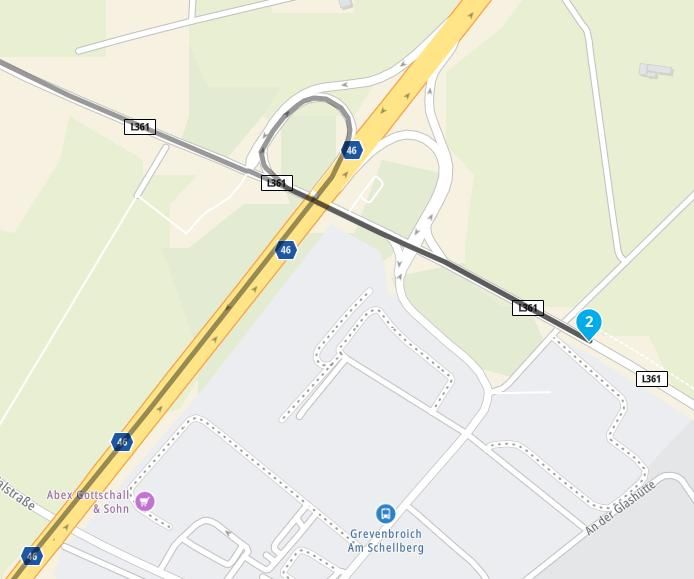
Avoid roadblocks
A much requested feature! Thanks for the elaborate discussion I had on the forum with some users. Especially a personal thank you to @Axel-Härtl for bringing it up. The topics can be found here and here.
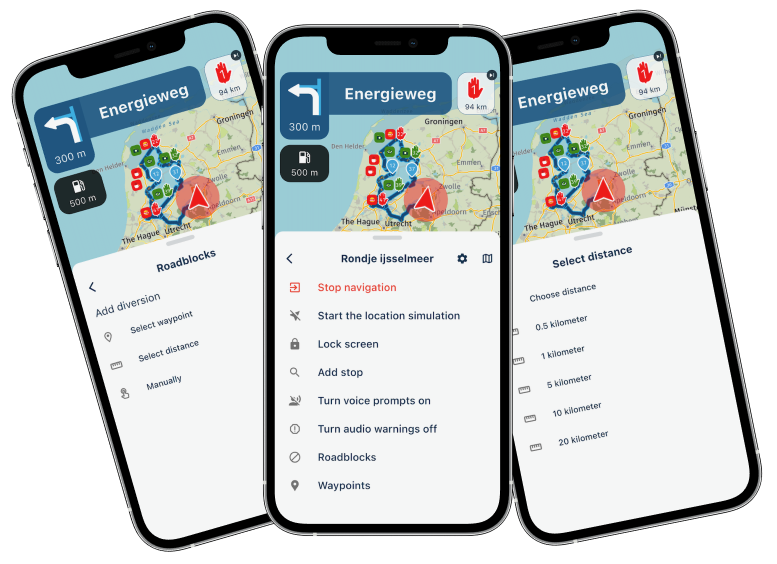
While navigating a route, you can choose to avoid a part of the route. This has 3 flavors:
- By waypoint
- By distance
- Manually adding
When selecting by waypoint to choose the waypoint till where we need to avoid.
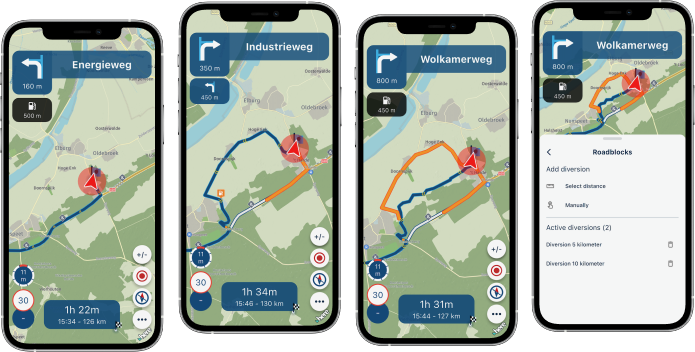
The app will continue navigating towards the waypoint after that and creates a diversion for every part before that.Distance will be the most sensible one. Just quickly click one of the preset distances and that will be avoided. You can also select a custom distance. Obviously we try to take any skipped waypoints into account. This is a scenario where viapoints can be ignored.
The above two always create a diversion from your current location.
If you manually add an an avoidance you tap the route anywhere and choose if that's the beginning or end. When it's the end, you're done. Otherwise tap again to indicate the end.There is a distance restriction on how long the avoidance can be but that won't be a realistic use case anyway.
Persistent map items (favorites)
Why aren't we showing you where your favorites are all the time?
Now you can do so!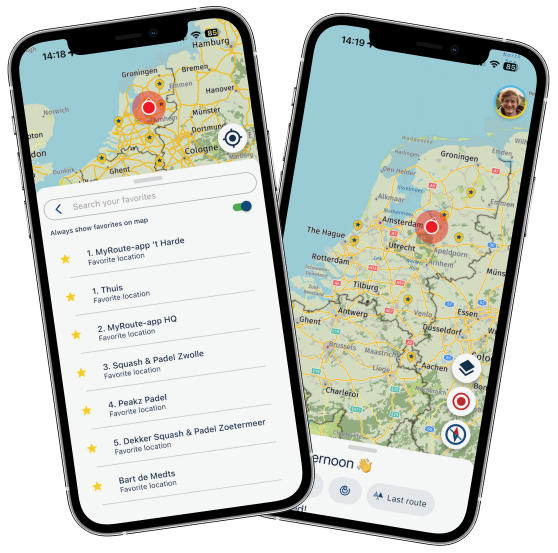
Simply enable the setting and your favorites are displayed all the time!
Even while navigating.Persistent map items (routes)
We always stimulate users to sync all their routes. Then everything happens automatically

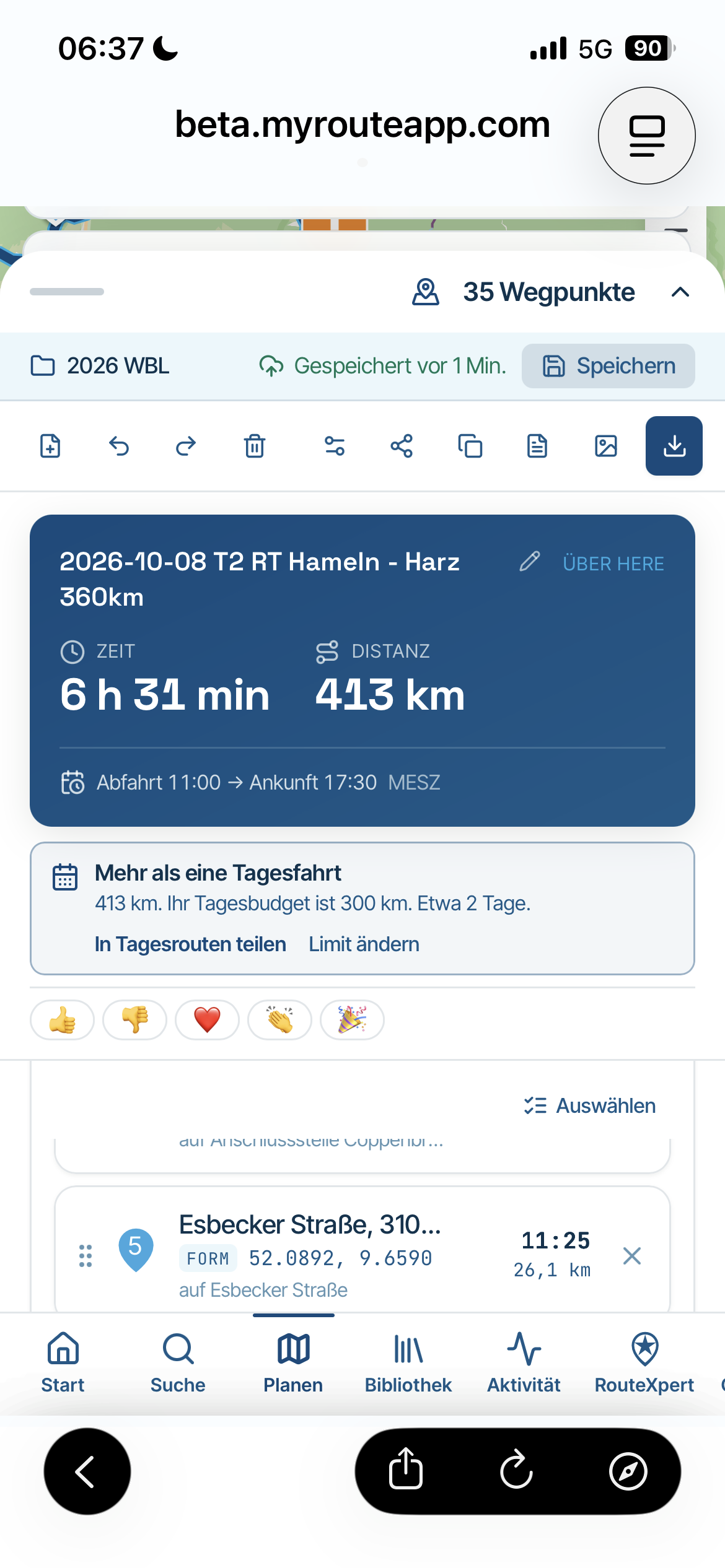
If you have all your routes available offline, you can now show them permanently on the map!Note: this feature only works for routes that are offline available. So not for unsynced routes and not for any tracklog
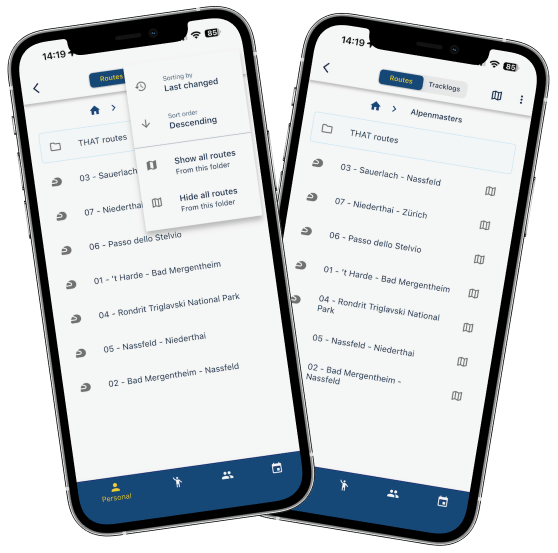
Easily add all routes in a folder to your map. We will show which routes are displayed.
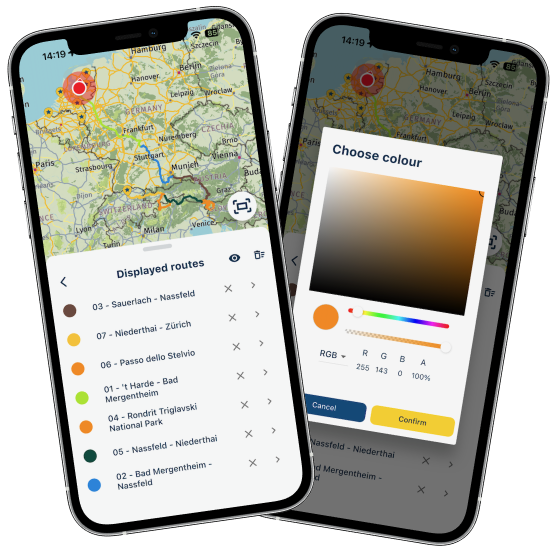
You will then see them and are able to change the color for each route.
From the menu you can remove them, open the route, remove them all or temporarily hide them all.
The options are endless
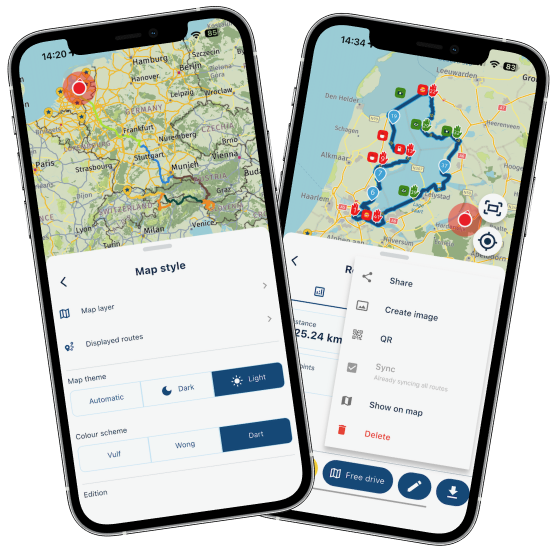
The menu to manage your displayed routes can be found from the routes page or using the map styles. Obviously you can also add a single route to be displayed.
This feature is very convenient for multi day trips and now mitigates one of the reasons that Garmin / TomTom users still used their navigation device.
POI management
Yes! Finally

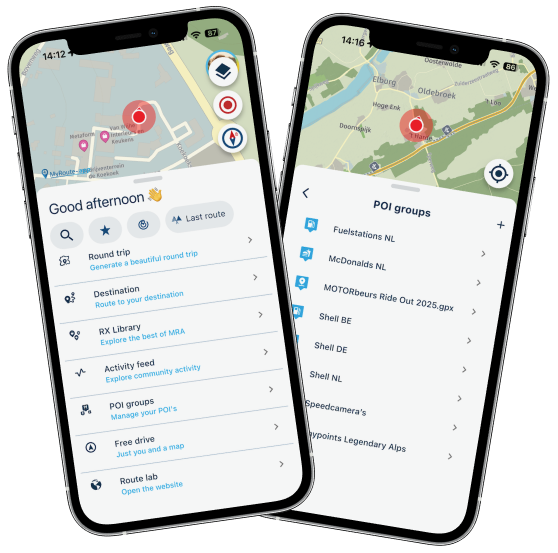
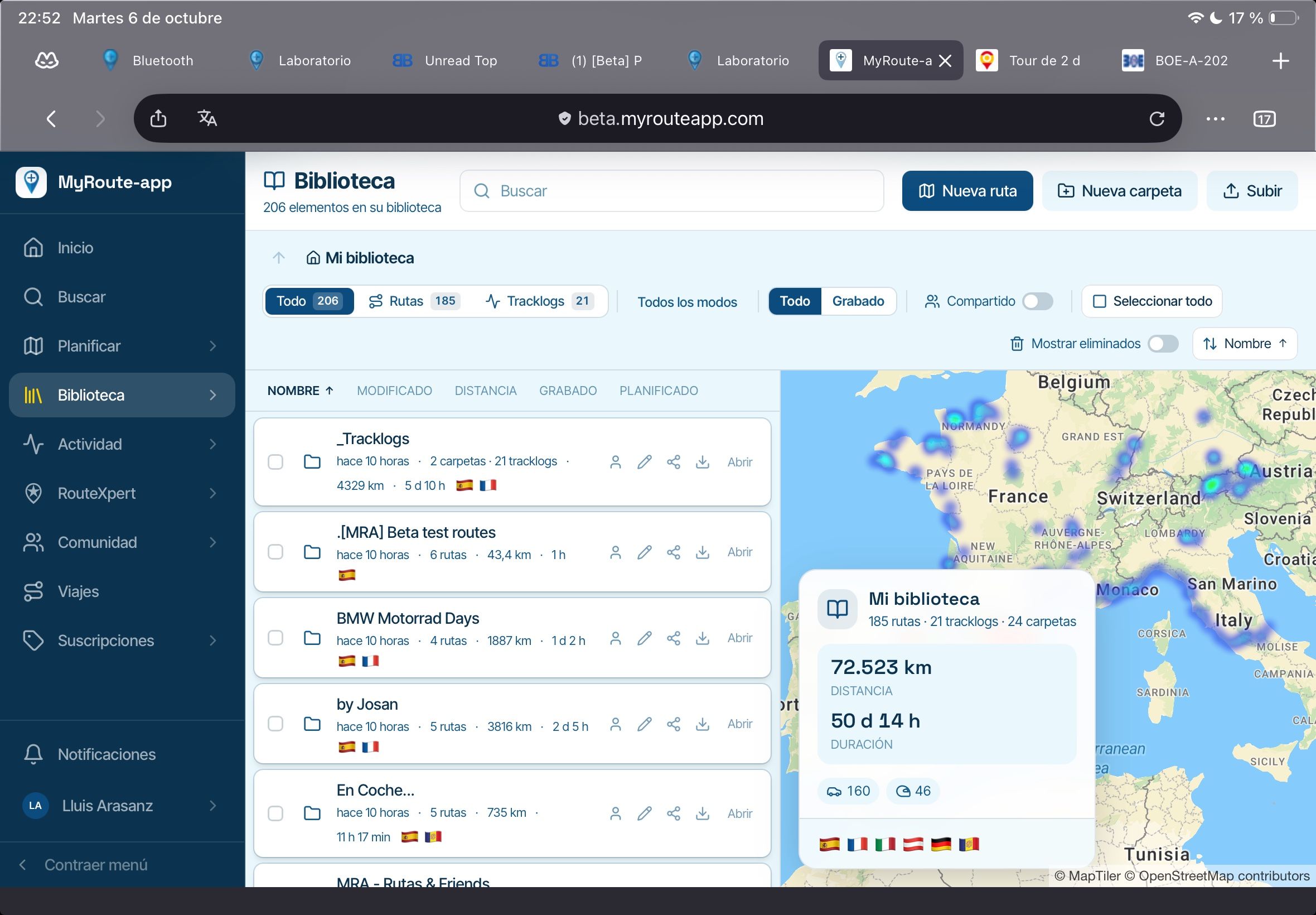
Open and view your POI's directly in the app.
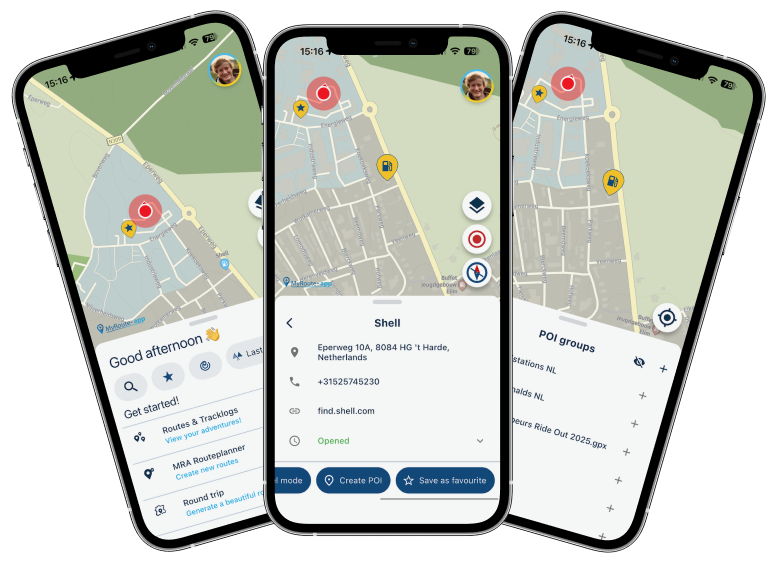
Easily add any search result as POI.
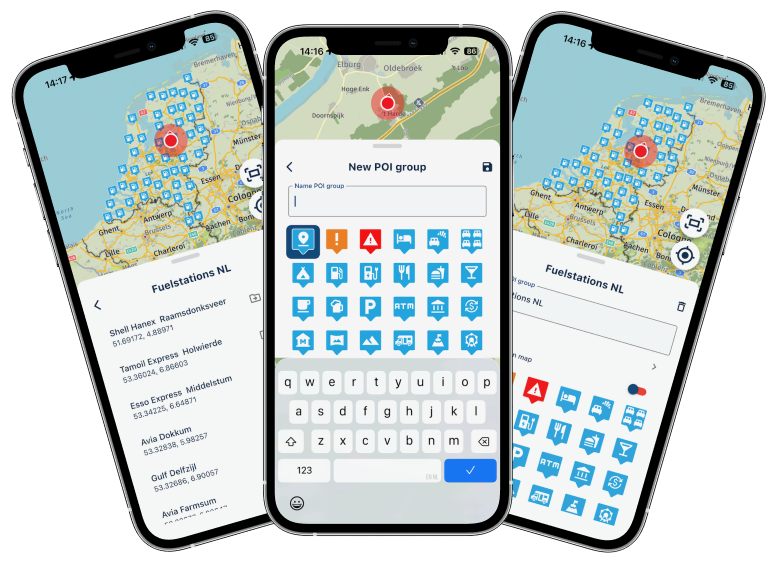
Create new groups and edit existing ones.
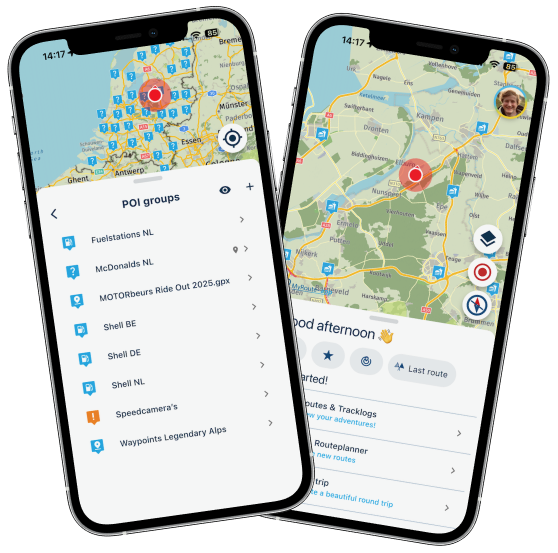
And obviously you can always show these POI's on the map. Because why not
Not much more to say! Just play around yourself.Social media share / image generator
A deep desired feature I had myself

Every single time I completed a tracklog, I hated the fact that I could not share it properly.
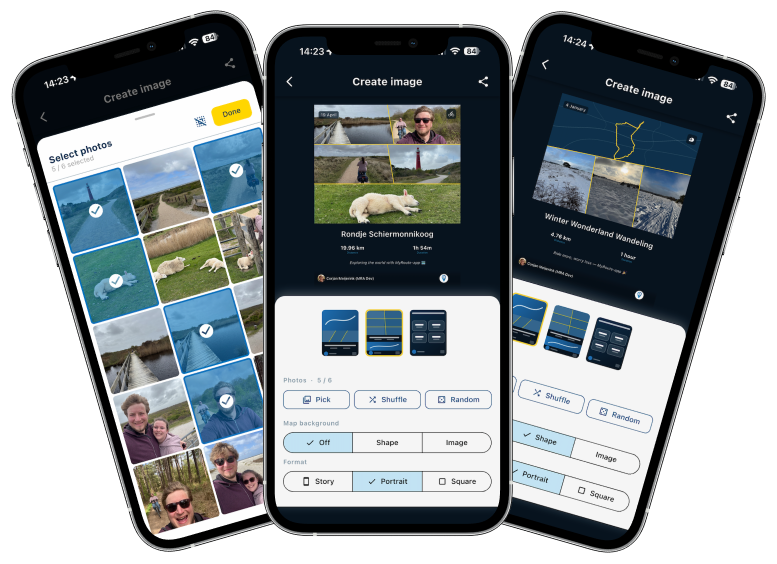
When you now save a tracklog, we automatically show this new interface where you can create an image. For all your existing routes / tracklogs, just tap the "more options" (icon top right) and away you go.Note: this can only be done for your own routes / tracklogs.
Choose one of three beautiful layouts.
Pick, shuffle or randomize your images. You can even more / zoom the images itself.
Change the map background.
Share away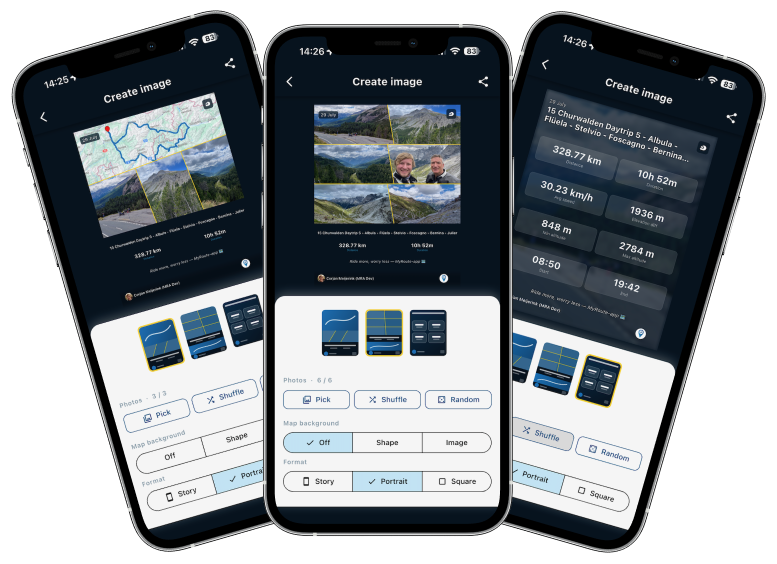
CarPlay / Android Auto current street
Yes, we now also show the current street name (when enabled) in CarPlay and Android Auto. We try to do this on as much resolutions as possible.
Change avoid options while navigating
When you are navigating, you can now change the avoid options on the fly.
If you decide highway is allowed / disallowed, just change it immediately without needing to restart everything.Note: this cannot be done from CarPlay / Android Auto, left that out due to limited time
Android altitude
Now shows the correct value relative to sealevel.
Minorities
I'm looking forward too much to my vacation that I cannot really bother writing this part. We fixed some small identified issues in the 5.1 release. Added some logging to find more complex issues that still exist but generally we are extremely happy with how 5.1 performs!
What's next
I honestly don't know for now. I'll clear my head in the coming two weeks and think of more nice stuff
Cheers,
Corjan -
Corjan Meijerink deleted this topic on
-
Corjan Meijerink restored this topic on
-
Corjan Meijerink referenced this topic on
-
Corjan Meijerink referenced this topic on
-

Have a good holiday Corjan
-

Don't forget your brolly been a bit horrible here of late. Enjoy your trip.
-

Brilliant work @corjan-meijerink enjoy your well earned break.
-
Hi everyone!
I'm off on a trip to the UK in 20 hours
And I'll be away for 2 weeks.
Please don't expect any responses from me personally. If I do respond, my wife won't be amused.That said, I've been working my ass off to provide a very big update!
Because of my holiday, this is a public announcement but we still need to do Beta testing.
To all beta testers: please provide feedback as always (in the closed group) but if it's all minor feedback we won't delay public release. If critical issues are found preventing a public release, we will announce that the public update is delayedTimeline
- Beta testing ASAP
- Public release aimed for June 18th (give or take approval times)
Now on to the fun stuff!
Avoid roadblocks
A much requested feature! Thanks for the elaborate discussion I had on the forum with some users. Especially a personal thank you to @Axel-Härtl for bringing it up. The topics can be found here and here.
While navigating a route, you can choose to avoid a part of the route. This has 3 flavors:
- By waypoint
- By distance
- Manually adding
When selecting by waypoint to choose the waypoint till where we need to avoid.
The app will continue navigating towards the waypoint after that and creates a diversion for every part before that.Distance will be the most sensible one. Just quickly click one of the preset distances and that will be avoided. You can also select a custom distance. Obviously we try to take any skipped waypoints into account. This is a scenario where viapoints can be ignored.
The above two always create a diversion from your current location.
If you manually add an an avoidance you tap the route anywhere and choose if that's the beginning or end. When it's the end, you're done. Otherwise tap again to indicate the end.There is a distance restriction on how long the avoidance can be but that won't be a realistic use case anyway.
Persistent map items (favorites)
Why aren't we showing you where your favorites are all the time?
Now you can do so!Simply enable the setting and your favorites are displayed all the time!
Even while navigating.Persistent map items (routes)
We always stimulate users to sync all their routes. Then everything happens automatically
If you have all your routes available offline, you can now show them permanently on the map!Note: this feature only works for routes that are offline available. So not for unsynced routes and not for any tracklog
Easily add all routes in a folder to your map. We will show which routes are displayed.
You will then see them and are able to change the color for each route.
From the menu you can remove them, open the route, remove them all or temporarily hide them all.
The options are endlessThe menu to manage your displayed routes can be found from the routes page or using the map styles. Obviously you can also add a single route to be displayed.
This feature is very convenient for multi day trips and now mitigates one of the reasons that Garmin / TomTom users still used their navigation device.
POI management
Yes! Finally
Open and view your POI's directly in the app.
Easily add any search result as POI.
Create new groups and edit existing ones.
And obviously you can always show these POI's on the map. Because why not
Not much more to say! Just play around yourself.Social media share / image generator
A deep desired feature I had myself
Every single time I completed a tracklog, I hated the fact that I could not share it properly.
When you now save a tracklog, we automatically show this new interface where you can create an image. For all your existing routes / tracklogs, just tap the "more options" (icon top right) and away you go.Note: this can only be done for your own routes / tracklogs.
Choose one of three beautiful layouts.
Pick, shuffle or randomize your images. You can even more / zoom the images itself.
Change the map background.
Share awayCarPlay / Android Auto current street
Yes, we now also show the current street name (when enabled) in CarPlay and Android Auto. We try to do this on as much resolutions as possible.
Change avoid options while navigating
When you are navigating, you can now change the avoid options on the fly.
If you decide highway is allowed / disallowed, just change it immediately without needing to restart everything.Note: this cannot be done from CarPlay / Android Auto, left that out due to limited time
Android altitude
Now shows the correct value relative to sealevel.
Minorities
I'm looking forward too much to my vacation that I cannot really bother writing this part. We fixed some small identified issues in the 5.1 release. Added some logging to find more complex issues that still exist but generally we are extremely happy with how 5.1 performs!
What's next
I honestly don't know for now. I'll clear my head in the coming two weeks and think of more nice stuff
Cheers,
Corjan
Wow, Corjan, what a bunch of improvements. It will take some time to get familar with all the changes.
Very good job.
Enjoy your holiday and take care of your wife - otherwise

You certainly know the phrase: "Happy wife, happy life".

Enjoy.
Best, Axel
-

thank you for the new stuff @corjan-meijerink - but now, make your wife happy! It's important!

-

Have a nice trip in England both of you and enjoy your holiday.
The update looks good and af saterday I will be riding daily (in Norway for the next 14 days. So I hope the Beta is released soon for testing. -

Fantastic update, and impressively fast after the 5.1 release! Will the POI management features be coming to the online route planner soon as well?
The adventure starts where the plans end | READY TO >> RACE 🧡
-
Fantastic update, and impressively fast after the 5.1 release! Will the POI management features be coming to the online route planner soon as well?

@CD130, for now the web-POI-features are completely independent from the app-POI-features. It is wise to disable all permanently enabled web-POI-categories, and start using the app for that. Enabled categories in the web-planner will still show on the map, but cannot be disabled from the app (they will simply not show as enabled in the app, but still be visible by the setting in the web).
-

@corjan-meijerink :
I have seen and tested all the functions briefly, I am overwhelmed by it, I have to shake myself, so much at once. Thank you for these new features. Best regardsIch habe alle Funktionen kurz gesehen und getestet, ich bin davon überwältigt, ich muss mich schütteln, so viel auf einmal. Vielen Dank für diese neuen Funktionen. Mit freundlichen Grüßen
-
Hi everyone!
I'm off on a trip to the UK in 20 hours
And I'll be away for 2 weeks.
Please don't expect any responses from me personally. If I do respond, my wife won't be amused.That said, I've been working my ass off to provide a very big update!
Because of my holiday, this is a public announcement but we still need to do Beta testing.
To all beta testers: please provide feedback as always (in the closed group) but if it's all minor feedback we won't delay public release. If critical issues are found preventing a public release, we will announce that the public update is delayedTimeline
- Beta testing ASAP
- Public release aimed for June 18th (give or take approval times)
Now on to the fun stuff!
Avoid roadblocks
A much requested feature! Thanks for the elaborate discussion I had on the forum with some users. Especially a personal thank you to @Axel-Härtl for bringing it up. The topics can be found here and here.
While navigating a route, you can choose to avoid a part of the route. This has 3 flavors:
- By waypoint
- By distance
- Manually adding
When selecting by waypoint to choose the waypoint till where we need to avoid.
The app will continue navigating towards the waypoint after that and creates a diversion for every part before that.Distance will be the most sensible one. Just quickly click one of the preset distances and that will be avoided. You can also select a custom distance. Obviously we try to take any skipped waypoints into account. This is a scenario where viapoints can be ignored.
The above two always create a diversion from your current location.
If you manually add an an avoidance you tap the route anywhere and choose if that's the beginning or end. When it's the end, you're done. Otherwise tap again to indicate the end.There is a distance restriction on how long the avoidance can be but that won't be a realistic use case anyway.
Persistent map items (favorites)
Why aren't we showing you where your favorites are all the time?
Now you can do so!Simply enable the setting and your favorites are displayed all the time!
Even while navigating.Persistent map items (routes)
We always stimulate users to sync all their routes. Then everything happens automatically
If you have all your routes available offline, you can now show them permanently on the map!Note: this feature only works for routes that are offline available. So not for unsynced routes and not for any tracklog
Easily add all routes in a folder to your map. We will show which routes are displayed.
You will then see them and are able to change the color for each route.
From the menu you can remove them, open the route, remove them all or temporarily hide them all.
The options are endlessThe menu to manage your displayed routes can be found from the routes page or using the map styles. Obviously you can also add a single route to be displayed.
This feature is very convenient for multi day trips and now mitigates one of the reasons that Garmin / TomTom users still used their navigation device.
POI management
Yes! Finally
Open and view your POI's directly in the app.
Easily add any search result as POI.
Create new groups and edit existing ones.
And obviously you can always show these POI's on the map. Because why not
Not much more to say! Just play around yourself.Social media share / image generator
A deep desired feature I had myself
Every single time I completed a tracklog, I hated the fact that I could not share it properly.
When you now save a tracklog, we automatically show this new interface where you can create an image. For all your existing routes / tracklogs, just tap the "more options" (icon top right) and away you go.Note: this can only be done for your own routes / tracklogs.
Choose one of three beautiful layouts.
Pick, shuffle or randomize your images. You can even more / zoom the images itself.
Change the map background.
Share awayCarPlay / Android Auto current street
Yes, we now also show the current street name (when enabled) in CarPlay and Android Auto. We try to do this on as much resolutions as possible.
Change avoid options while navigating
When you are navigating, you can now change the avoid options on the fly.
If you decide highway is allowed / disallowed, just change it immediately without needing to restart everything.Note: this cannot be done from CarPlay / Android Auto, left that out due to limited time
Android altitude
Now shows the correct value relative to sealevel.
Minorities
I'm looking forward too much to my vacation that I cannot really bother writing this part. We fixed some small identified issues in the 5.1 release. Added some logging to find more complex issues that still exist but generally we are extremely happy with how 5.1 performs!
What's next
I honestly don't know for now. I'll clear my head in the coming two weeks and think of more nice stuff
Cheers,
Corjan
@Corjan-Meijerink Enjoy your holiday, Corjan!
 ️
️
-
LE DIZES Freddy referenced this topic on
-

Hi,
I hope I checked all new features at home in simulation; there are so many. You've really done a great job there Corjan, the app is getting better and better. The list of features is unbelievable.The feature I've been waiting for is now live (just like the one on the TomTom Rider).
Change avoid options while navigating
When you are navigating, you can now change the avoid options on the fly.
If you decide highway is allowed / disallowed, just change it immediately without needing to restart everything.I will now test everything on the road the coming days.
-
Update is now live on all platforms, enjoy
-
Update is now live on all platforms, enjoy

@Corjan-Meijerink I will be on Tour starting next week an Thursday... hopefully it will be available in time in the Google Play store
-
Update is now live on all platforms, enjoy
@Corjan-Meijerink Just realized...it is already updated


-

Have a wonderful break!
One thing, on Car Play/Android Auto - pressing the gas station button that shows the nearest gas station should add the station to the route on the fly as a waypoint.Mit freundlichen Gruessen / Met vriendelijke groet / Best regards
Joerg
(Cookie-On-Tour.de)Duster Lauréate SCe 115 LPG 4x2 · Everest Minicamp by Niewiadow (B1300)
Carpuride W701 Pro · iPhone 15 Pro Max -
@Corjan-Meijerink I will be on Tour starting next week an Thursday... hopefully it will be available in time in the Google Play store
 This post is deleted!
 -
Already checked and tried most of the new features.
Just brilliant


Hello! It looks like you're interested in this conversation, but you don't have an account yet.
Getting fed up of having to scroll through the same posts each visit? When you register for an account, you'll always come back to exactly where you were before, and choose to be notified of new replies (either via email, or push notification). You'll also be able to save bookmarks and upvote posts to show your appreciation to other community members.
With your input, this post could be even better 💗
Register Login






-
0717
-
0522
-
0516
-
058
-
08205
-
0418
-
 0491
0491
-
 1846
1846