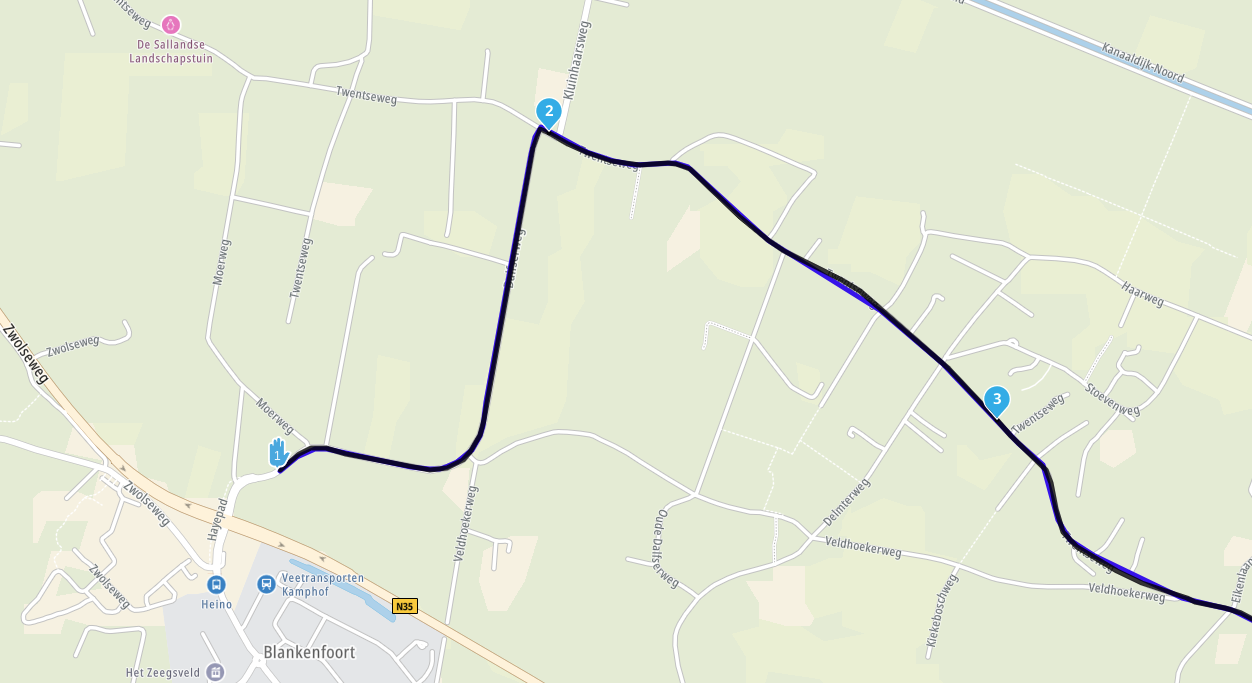
Waypoints - copy request
-

Scenario.
Planning a multi day trip. The route needs to be changed. A new stopping point is found but that new point needs to be the starting point for the following day.Being able to copy and paste the new waypoint into a new route would be a great help.
The work around of copy the lat/long then go into the new route, paste it and rebuild the waypoint information.
-

hi @Wallace-Shackleton
it is always more efficient and good practice to start the following day with waypoint #1 a few hundred metres from your actual start point. the next app will still direct you to that point of the route which will then continue in the normal manner. -
Scenario.
Planning a multi day trip. The route needs to be changed. A new stopping point is found but that new point needs to be the starting point for the following day.Being able to copy and paste the new waypoint into a new route would be a great help.
The work around of copy the lat/long then go into the new route, paste it and rebuild the waypoint information.

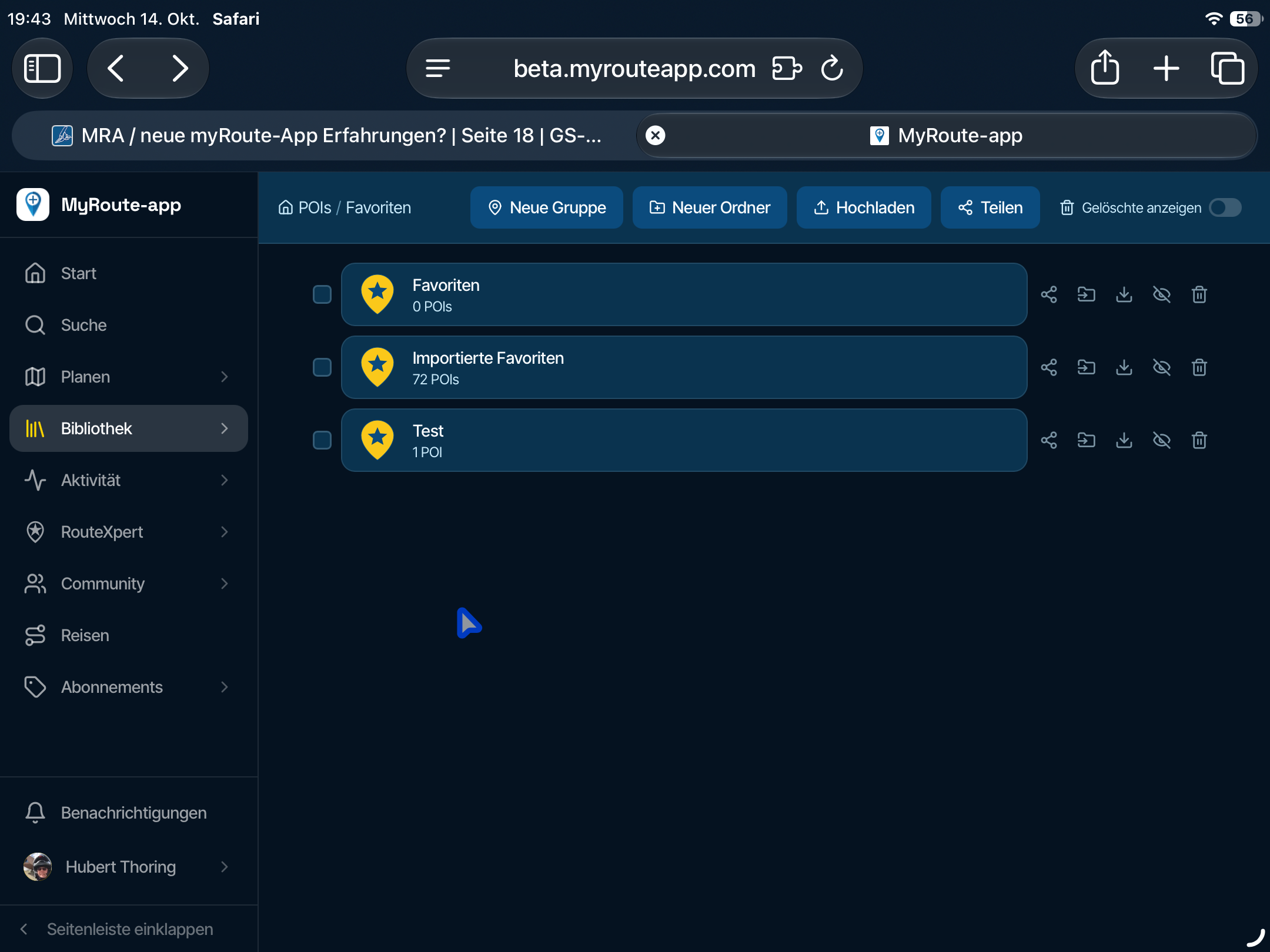
@Wallace-Shackleton, I make it a habit to put the hotels in my favorites list. That way you can easily pick them up in any route.
-

Exactly, place your last WP under favourites and it is available next day as startpoint.
Hardware
iPhone 12 pro (iOS 26.2.1)
iPad (7.Gen.) 18.7.3
Oukitel RT3 Pro (Andr. 14)
Wireless CarPlay mit (Elebest C650)
Wired CarPlay (SEAT Arona - 2021)
MRA Workshops in Deutsch sind hier zu finden -
Scenario.
Planning a multi day trip. The route needs to be changed. A new stopping point is found but that new point needs to be the starting point for the following day.Being able to copy and paste the new waypoint into a new route would be a great help.
The work around of copy the lat/long then go into the new route, paste it and rebuild the waypoint information.

@Wallace-Shackleton not sure, if I understand correctly. But I agree: if you simply want to copy a routepoint from one route into another route - you may do it by copying the lat/long detail and search by it in the other route.
But then, you get only this location for a (new) routepoint. But all the information from the first routepoint -- routepoint name
- routepoint additional information
- possible pictures
will not be copied. And that's the matter, or?
-
Scenario.
Planning a multi day trip. The route needs to be changed. A new stopping point is found but that new point needs to be the starting point for the following day.Being able to copy and paste the new waypoint into a new route would be a great help.
The work around of copy the lat/long then go into the new route, paste it and rebuild the waypoint information.

@Wallace-Shackleton you can do it the other way around: if you are planning a multi day trip, start to plan it as a whole route, because you know where you are going to. So set the end of each day as a waypoint and the engine is quickly enough to plan for you rapidlyy (I wouldn't suggest it with Baseccamp
 ).
).
If you have done this, open the toolkit, choose "split" and voila, your end of day 1 is the start of day 2, etc.Met andere apps maak je een route, met MRA componeer je een route!
Ducati Monster 1200 met Garmin Zümo XT
Fiat 124 Spider/Camper Dethleffs met Navigation-App op Samsung Tab Active4 Pro
MRA Lifetime Gold -
@Wallace-Shackleton you can do it the other way around: if you are planning a multi day trip, start to plan it as a whole route, because you know where you are going to. So set the end of each day as a waypoint and the engine is quickly enough to plan for you rapidlyy (I wouldn't suggest it with Baseccamp
).
If you have done this, open the toolkit, choose "split" and voila, your end of day 1 is the start of day 2, etc.
@Lex.Kloet.RX yes - but this is only possible, if you want to have the last routepoint from first day also as starting point in the second day.
But if you simply want to copy "any" routepoint into "any" other route - then the "splitting idea" is not a solution
Nothing is impossible ;-)
In past: GARMIN Zumo 210->GARMIN Zumo 395->GARMIN XT=> now: DMD T865-X + MyRoute-App, LocusMaps, OsmAnd.
In past: GARMIN MapSource ->GARMIN BaseCamp->Tyre->Kurviger->Calimoto=> now: MRA-Routplanner. -
@Lex.Kloet.RX yes - but this is only possible, if you want to have the last routepoint from first day also as starting point in the second day.
But if you simply want to copy "any" routepoint into "any" other route - then the "splitting idea" is not a solution
@Guzzist that's the second sentence of what the topicstarter wrote
"A new stopping point is found but that new point needs to be the starting point for the following day."Met andere apps maak je een route, met MRA componeer je een route!
Ducati Monster 1200 met Garmin Zümo XT
Fiat 124 Spider/Camper Dethleffs met Navigation-App op Samsung Tab Active4 Pro
MRA Lifetime Gold -
@Guzzist that's the second sentence of what the topicstarter wrote
"A new stopping point is found but that new point needs to be the starting point for the following day."
@Lex.Kloet.RX yes, I know - he mentioned first and second route...
But he wrote also about "copy" and copy by using the lat/long info. And this can be used everywhere.I will not hijack this topic; may I should open another thread...
-
Exactly, place your last WP under favourites and it is available next day as startpoint.

@Jörgen said in Waypoints - copy request:
Exactly, place your last WP under favourites and it is available next day as startpoint.
Learned something again... because the favorites are always available.
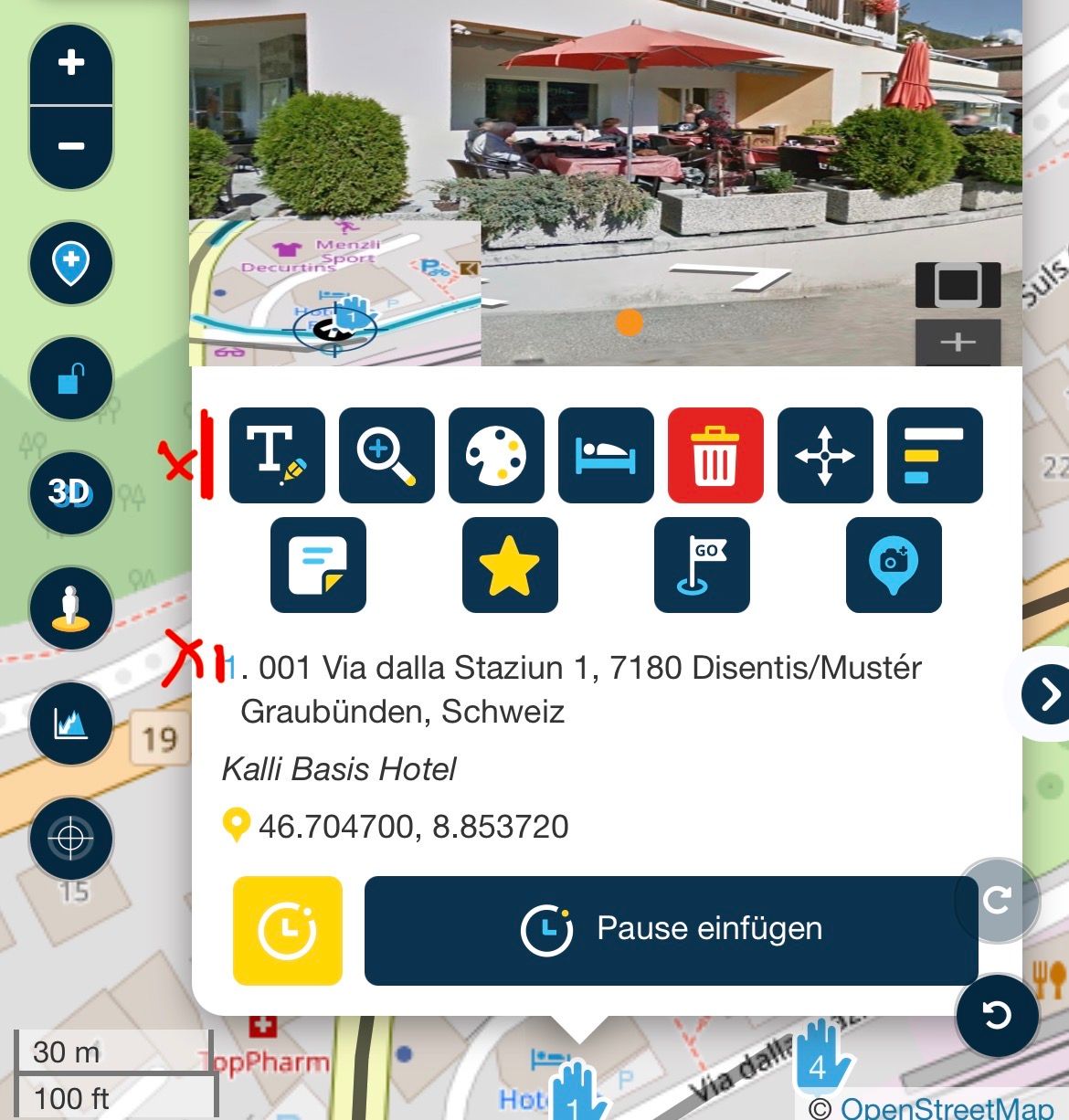
But only the basic text under 1.) is taken over, where the street name is written, etc.
The note is not saved in the favorite, just as an image is not transferred...
-
Sometimes using your finish waypoint as the next day’s starting point can cause problems, I’ve learned this the hard way.
For example,
your final waypoint might be set on the road outside a hotel. That road could be one-way, while the hotel car park is actually behind the building, meaning you have to drive past the hotel and enter from another street.
If you then start the next day from the carpark using that same end waypoint as your starting point, the navigation may send you all the way around the one-way system just to get back to waypoint #1 outside the hotel.
Hope that makes sense and helps someone avoid the same issue
-
A starting point should always be about 200-400m from the hotel in the direction of travel and can be reached safely

VG Hubert
Beta Test "Next App" dazu die Hardware .
iPad 9. Gen iOS 27.0.1/ iPhone 16e iOS 27.0.1/ Navi iPhone Xr iOS 18.7.10 / PC mit MS Win11 /❗️MyRoute-App im Cradel und Remotek-One❗️ Info zu MRA & Remotek One -
A starting point should always be about 200-400m from the hotel in the direction of travel and can be reached safely
@Hubert-Thoring said in Waypoints - copy request:
A starting point should always be about 200-400m from the hotel in the direction of travel and can be reached safely
yes, i wrote words to that effect in post #2 of this thread.
Hello! It looks like you're interested in this conversation, but you don't have an account yet.
Getting fed up of having to scroll through the same posts each visit? When you register for an account, you'll always come back to exactly where you were before, and choose to be notified of new replies (either via email, or push notification). You'll also be able to save bookmarks and upvote posts to show your appreciation to other community members.
With your input, this post could be even better 💗
Register Login-
 1427575
-
 0836
0836
-
0624
-
 0583
0583
-
0590
-
 116290
-
 08500
08500
-
 0420
0420