Skip to content
  • Categories
  • Recent
  • Popular
  • Support
  • MyRoute-app
Collapse
Brand Logo

MRA Community Forum

  1. Home
  2. The MyRoute-app
  3. [App] Problems, Bugs and other Issues
  4. Unable to calculate route

Unable to calculate route

Scheduled Pinned Locked Moved [App] Problems, Bugs and other Issues
19 Posts 6 Posters 280 Views 4 Watching
  • Oldest to Newest
  • Newest to Oldest
  • Most Votes
Reply
  • Reply as topic
Log in to reply
This topic has been deleted. Only users with topic management privileges can see it.
  • Aiello antoninoundefined Offline
    Aiello antoninoundefined Offline
    Aiello antonino
    wrote last edited by
    #5

    I thought that since I forgot to translate the text, no one would take it into account, thanks for the reply... Could it be because I had recalculation disabled?

    Con Hennekensundefined 1 Reply Last reply
    0
    • Aiello antoninoundefined Aiello antonino

      I thought that since I forgot to translate the text, no one would take it into account, thanks for the reply... Could it be because I had recalculation disabled?

      Con Hennekensundefined Offline
      Con Hennekensundefined Offline
      Con Hennekens
      Alpha tester
      wrote last edited by
      #6

      @Aiello-antonino, You can test that by enabling it 😉
      But of course that should not matter, since no single route can be started without an initial calculation.

      I am just an enthusiastic MRA user, and hope you will be one too!

      Most motorcycle problems are caused by the nut that connects the handlebar to the saddle.

      Streetpilot 2610 / Zumo 660 / Zumo 395 / Motorola Thinkphone + MRA app

      1 Reply Last reply
      0
      • Aiello antoninoundefined Offline
        Aiello antoninoundefined Offline
        Aiello antonino
        wrote last edited by
        #7

        So if you are in a place where there is no connection, even if there are offline maps, do you risk not being able to follow an itinerary because there is no connection?

        Marinus van Deudekomundefined 1 Reply Last reply
        0
        • Aiello antoninoundefined Aiello antonino

          So if you are in a place where there is no connection, even if there are offline maps, do you risk not being able to follow an itinerary because there is no connection?

          Marinus van Deudekomundefined Offline
          Marinus van Deudekomundefined Offline
          Marinus van Deudekom
          RouteXpert
          wrote last edited by
          #8

          @Aiello-antonino If you end up in a place where there's no internet available for you you can turn to navigating off line. Make shure that the sync. your routes is enabled so you can start those route anywhere

          Honda Goldwing GL1500,
          Honda Silverwing GL 650
          DMD2 T865X 8 inch Android tablet using MRA next for navigation
          Garmin XT sold
          Samsung S24FE mounted on a Quadlock and using Android Auto in my car

          1 Reply Last reply
          0
          • Aiello antoninoundefined Offline
            Aiello antoninoundefined Offline
            Aiello antonino
            wrote last edited by
            #9

            Everything you write was already done when what I wrote happened...

            1 Reply Last reply
            0
            • Aiello antoninoundefined Offline
              Aiello antoninoundefined Offline
              Aiello antonino
              wrote last edited by Aiello antonino
              #10

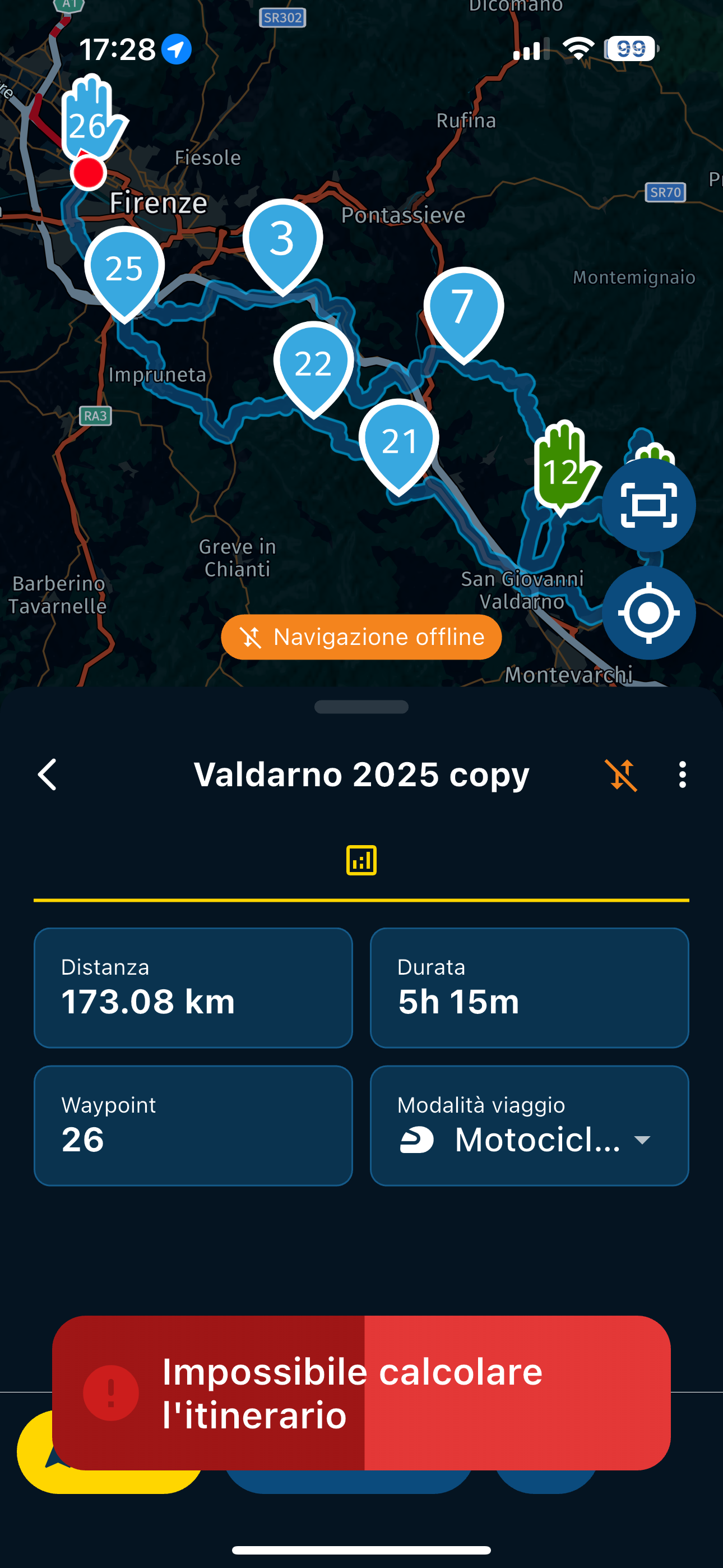
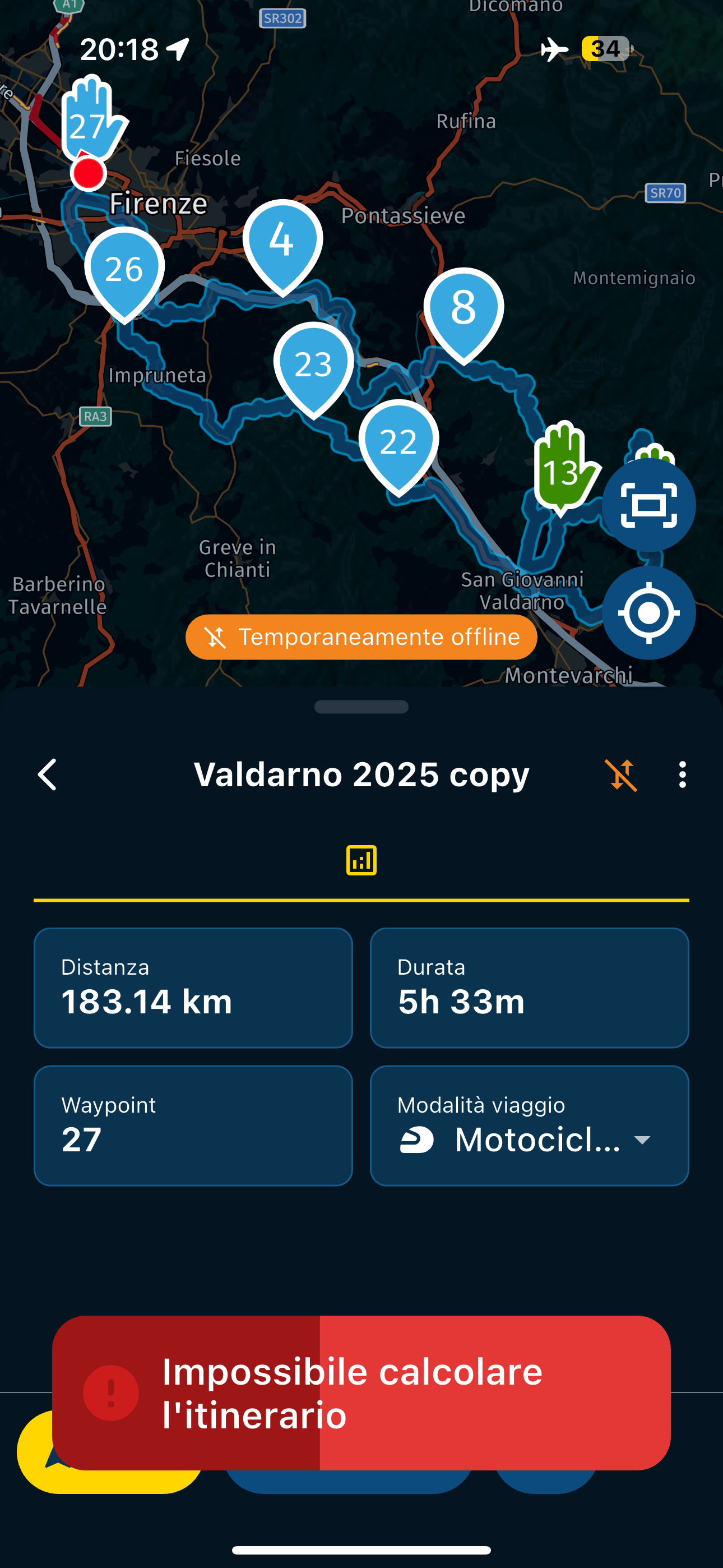
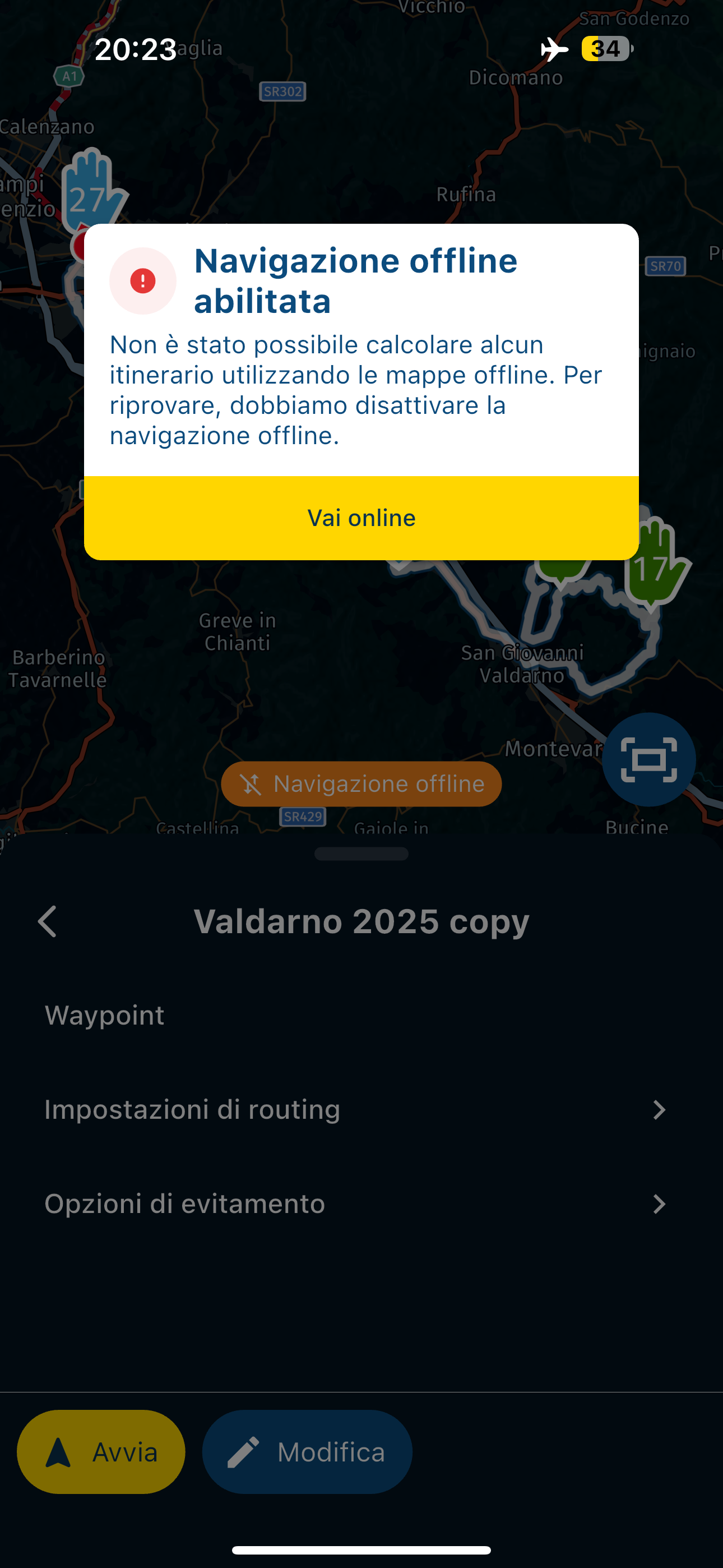
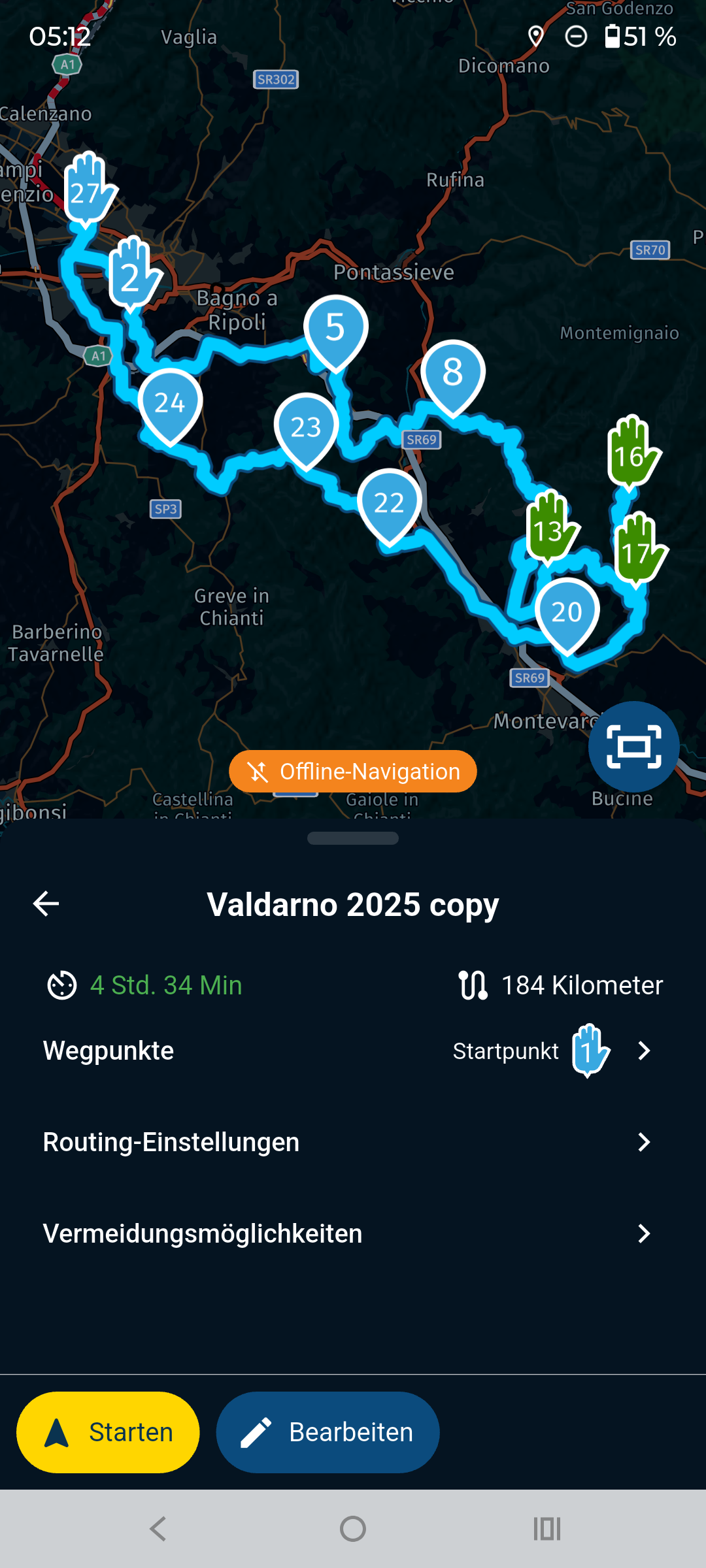
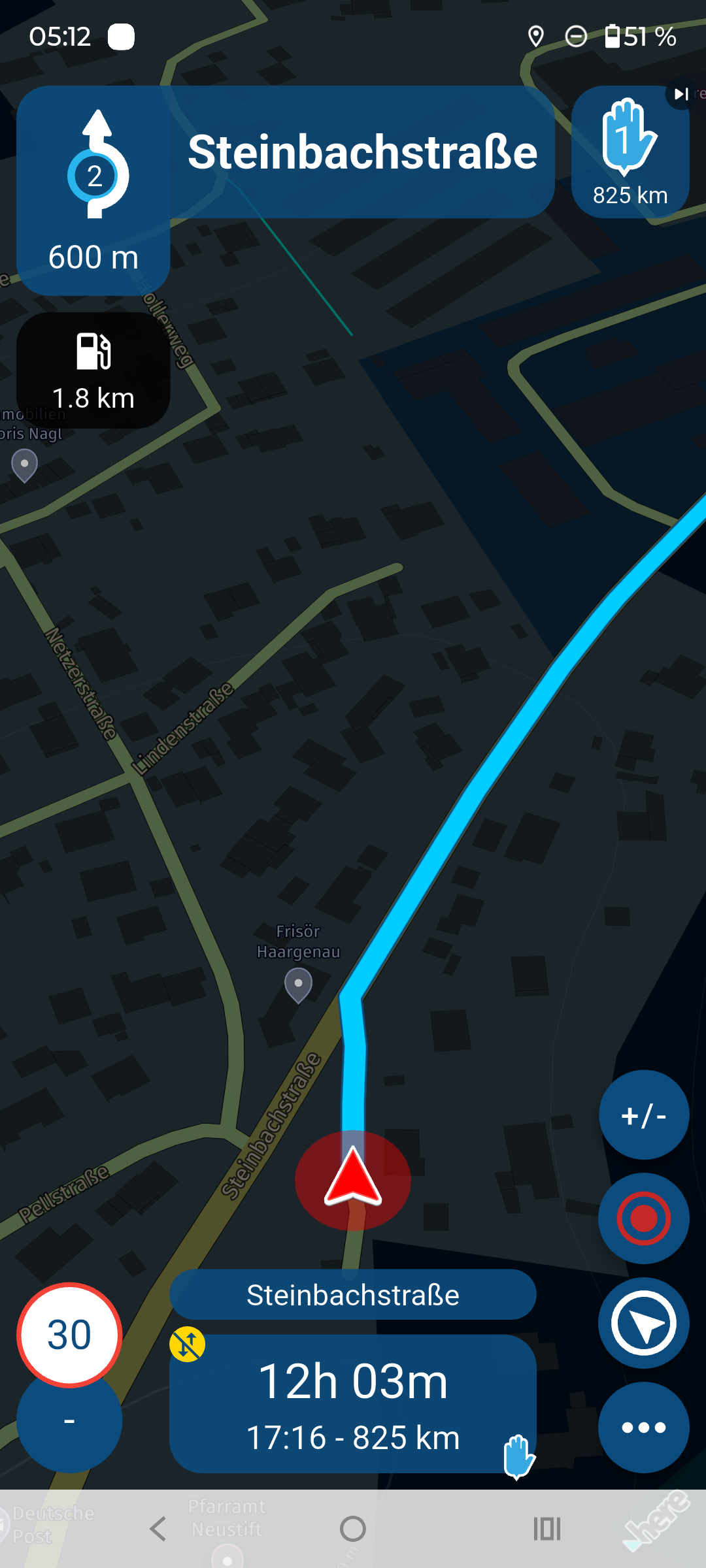
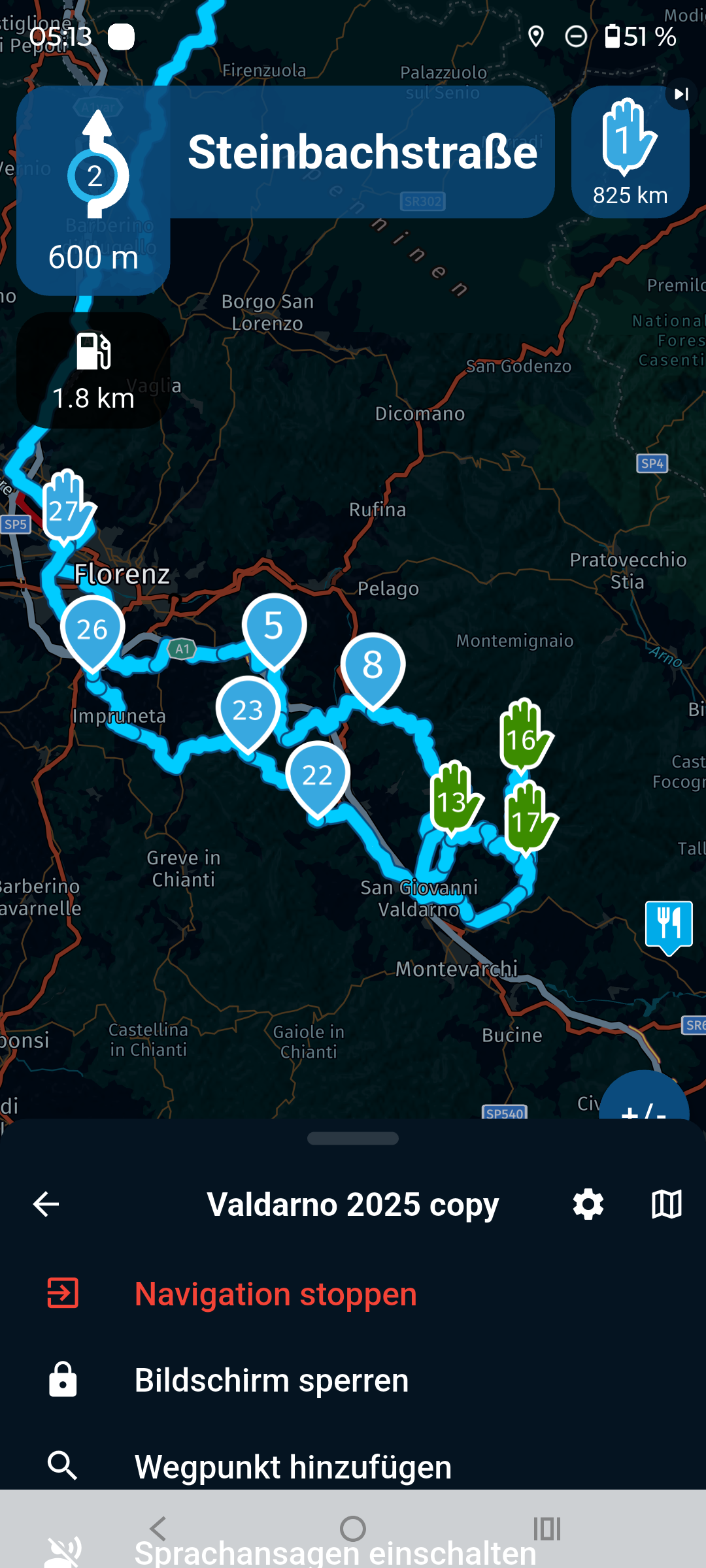
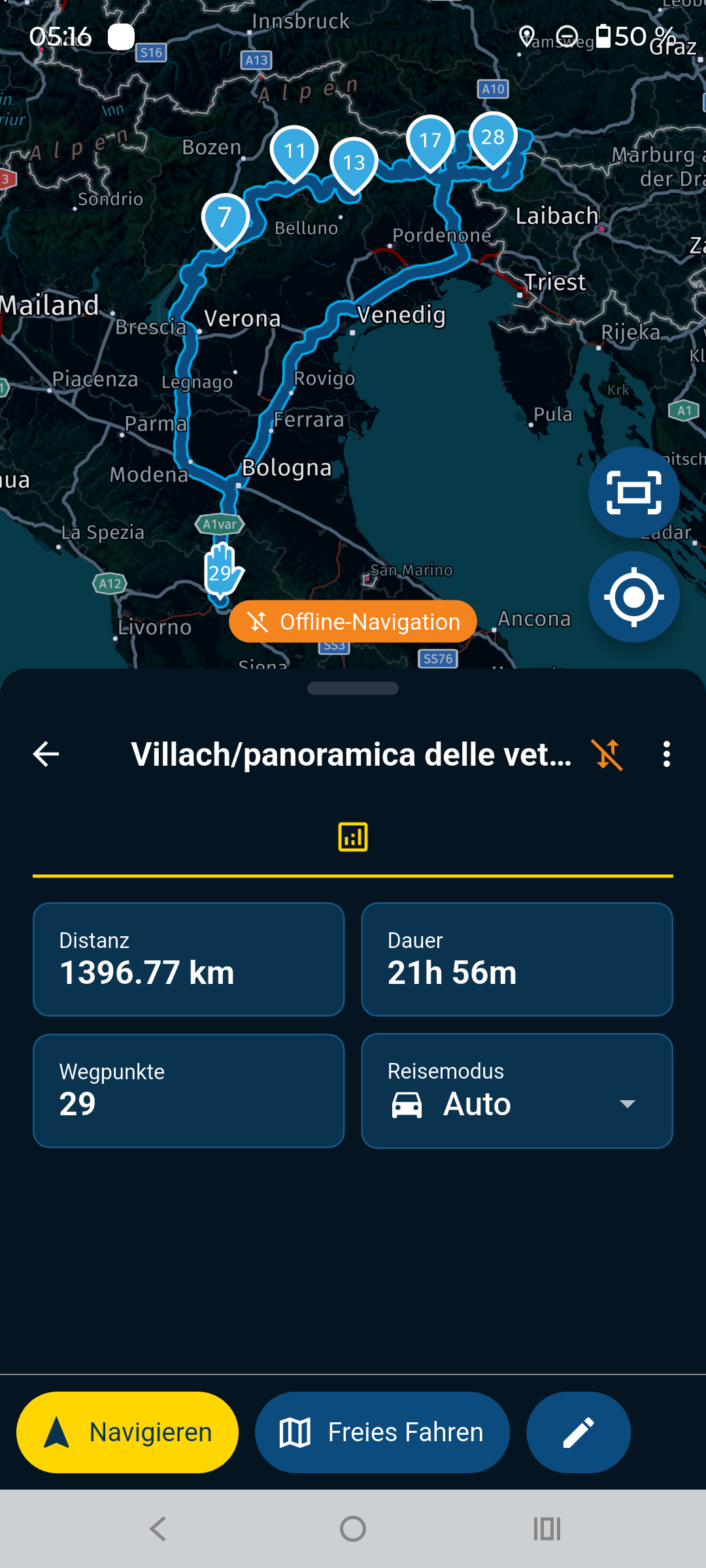
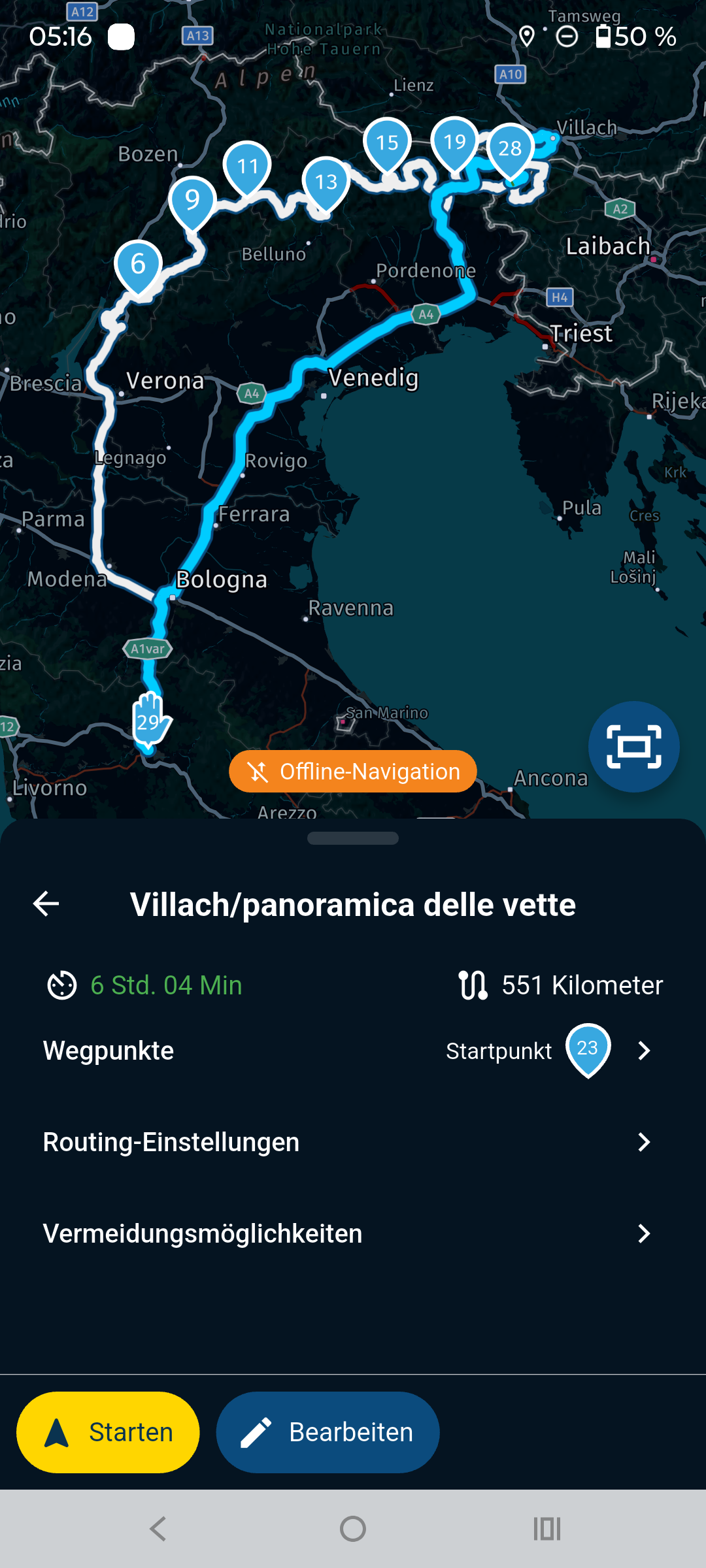
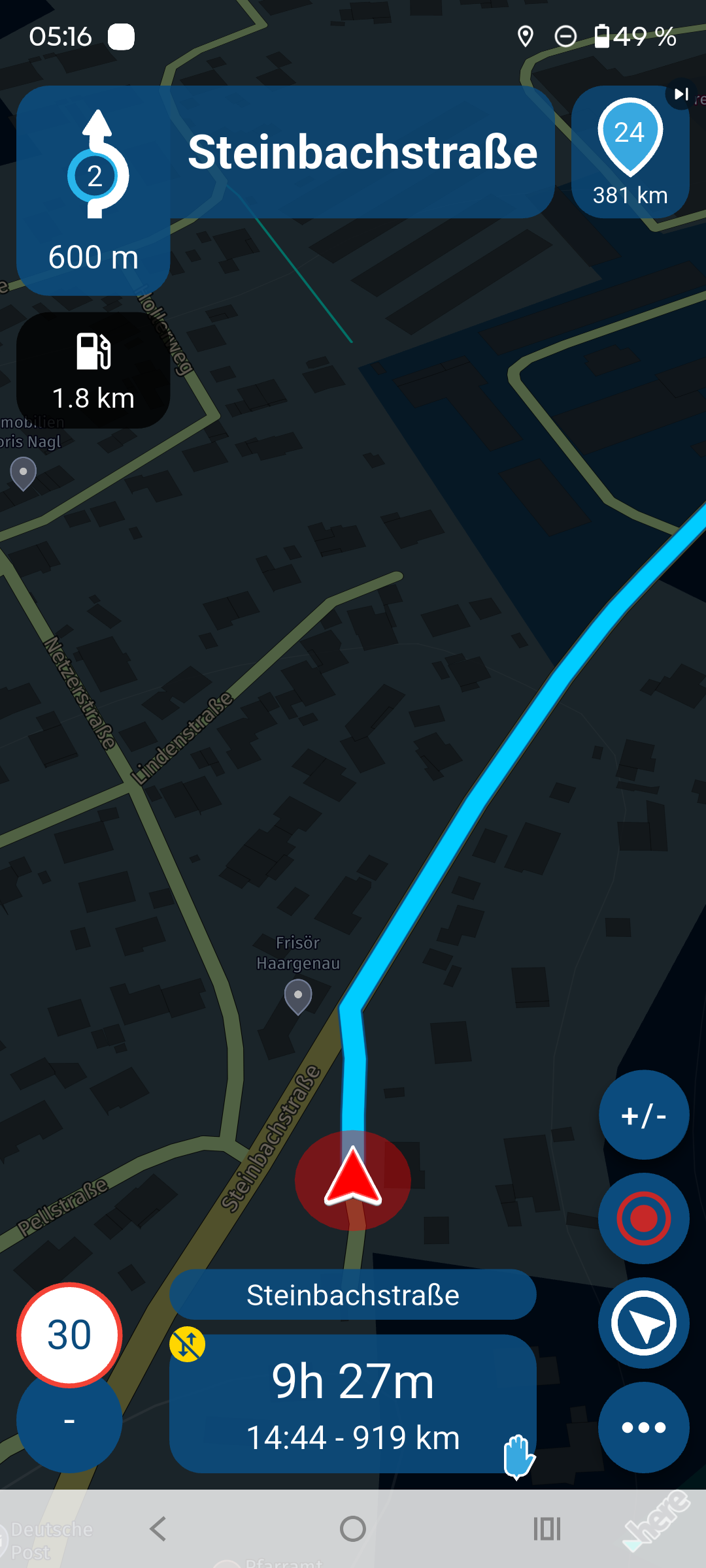
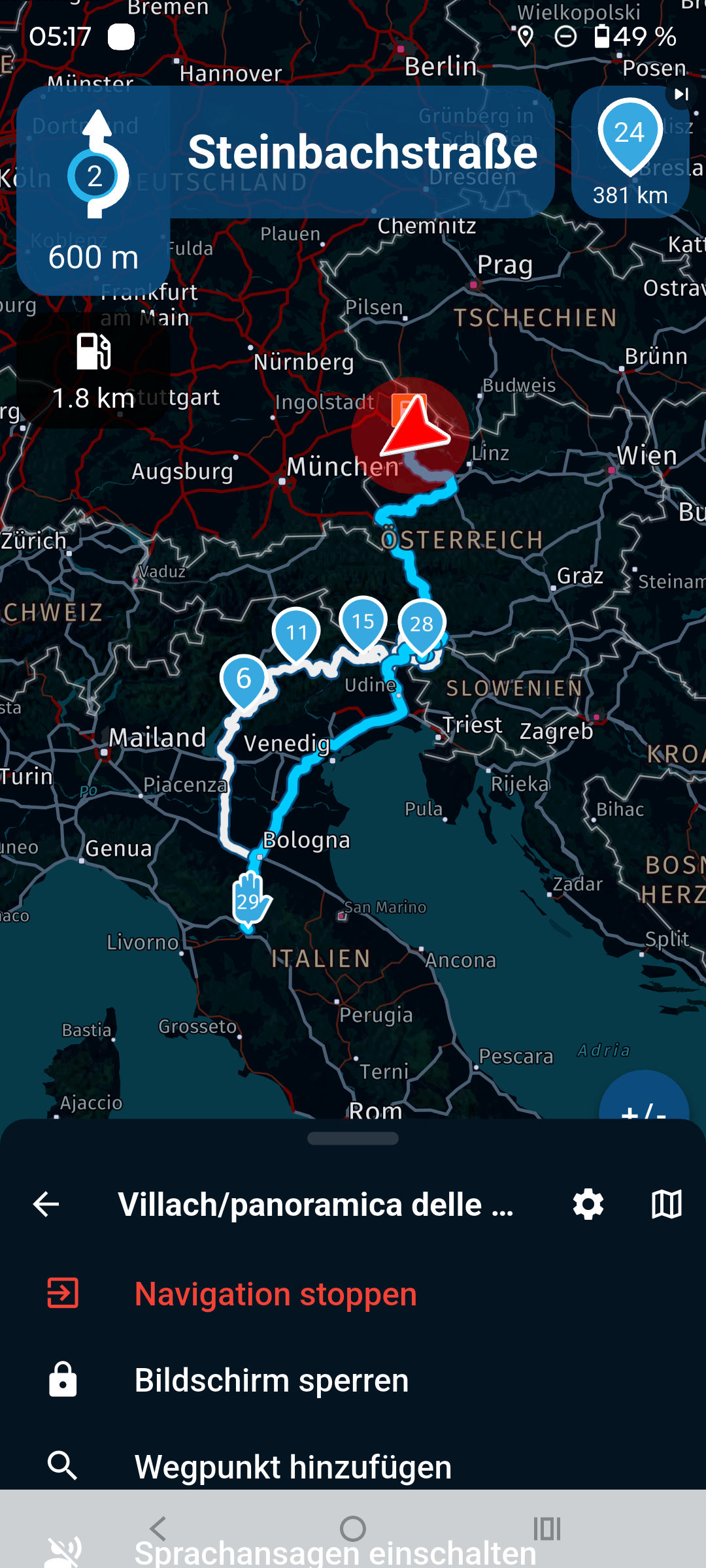
              I did some tests, I put it in airplane mode to recreate yesterday's situation and this is what comes out, 2 different behaviors if you change certain settings, but IMPOSSIBLE to be able to use the app if there is no signal

              With these settings
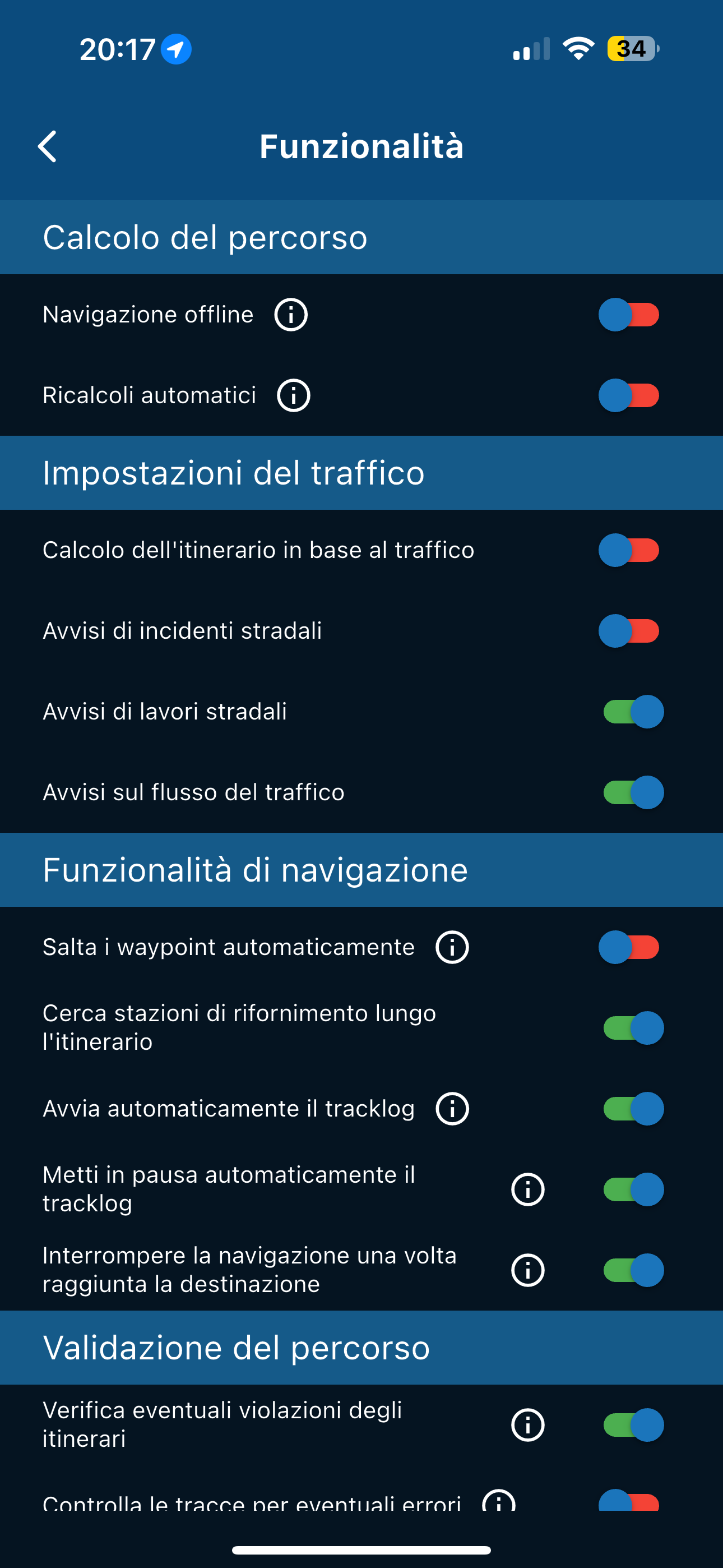
              f58165aa-98e6-43aa-a99a-0bb073091c94-image.png
              44e14d3c-8767-46b5-b29d-9630669b170a-image.png

              THIS HAPPENS

              3bbaf215-893a-4194-bfe6-84d15d25511e-image.png

              IF I CHANGE THE SETTINGS IN THE PHOTO BOX

              1eb12c35-b382-42ca-aee1-8367eb60360f-image.png
              f4ef0824-493d-4692-85b7-ad79c349ac95-image.png

              THIS HAPPENS

              66a26724-ee85-4fee-b24a-51e1db6d79b5-image.png

              So in these conditions, if I were to find myself somewhere (I'm planning a trip to Turkey and I don't know if I'll always have an internet connection) where there's no connection, I wouldn't be able to navigate with the app...

              Nick Carthewundefined Peter Zehentreiterundefined 2 Replies Last reply
              0
              • Aiello antoninoundefined Aiello antonino

                I did some tests, I put it in airplane mode to recreate yesterday's situation and this is what comes out, 2 different behaviors if you change certain settings, but IMPOSSIBLE to be able to use the app if there is no signal

                With these settings
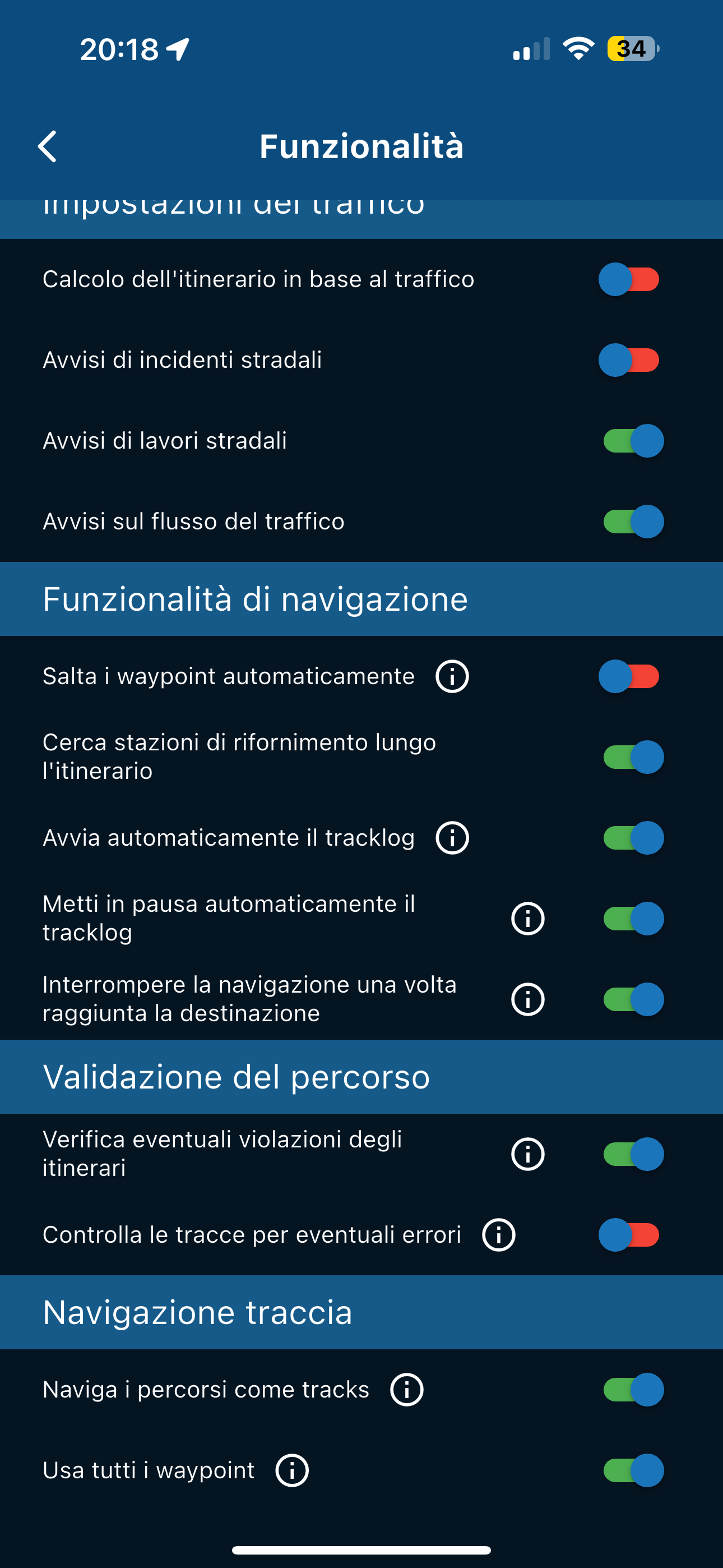
                f58165aa-98e6-43aa-a99a-0bb073091c94-image.png
                44e14d3c-8767-46b5-b29d-9630669b170a-image.png

                THIS HAPPENS

                3bbaf215-893a-4194-bfe6-84d15d25511e-image.png

                IF I CHANGE THE SETTINGS IN THE PHOTO BOX
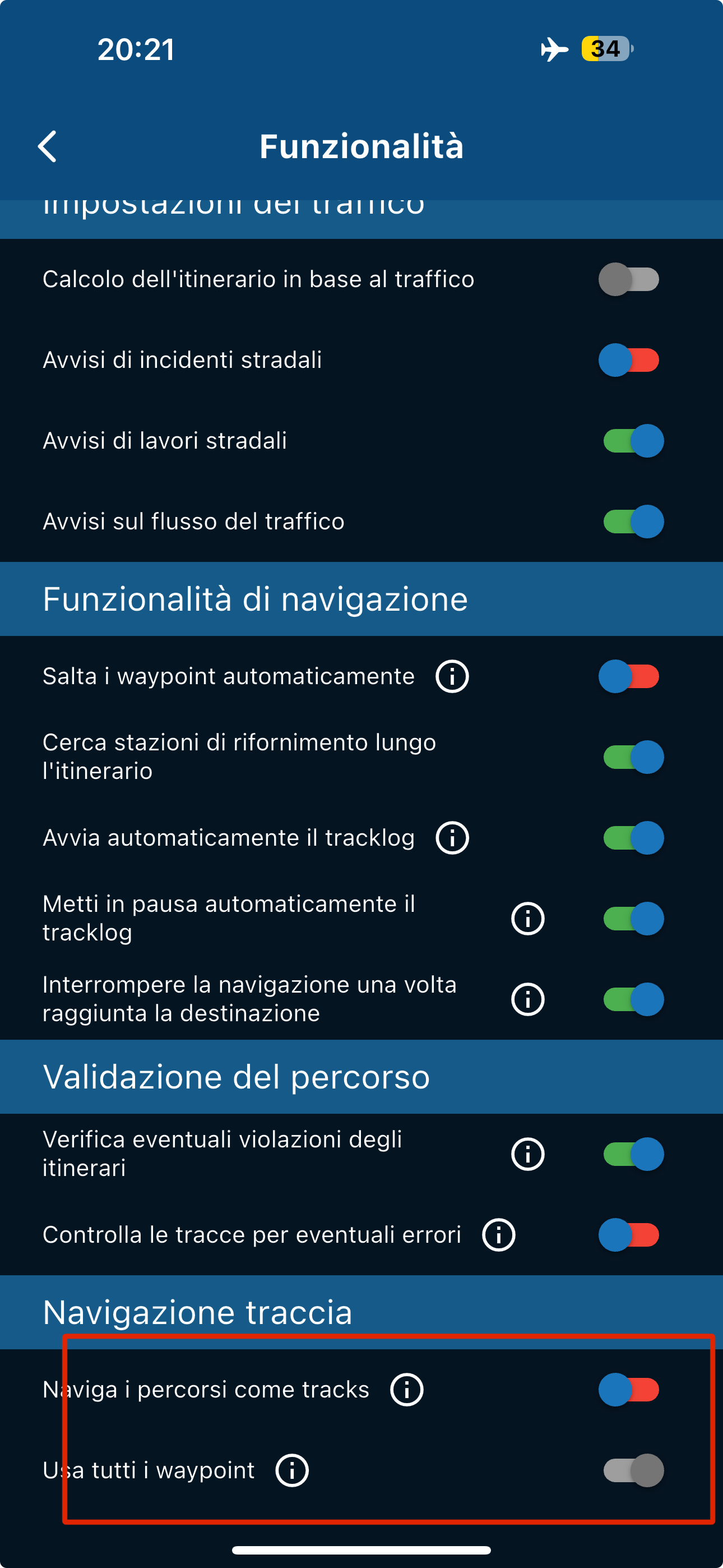
                1eb12c35-b382-42ca-aee1-8367eb60360f-image.png
                f4ef0824-493d-4692-85b7-ad79c349ac95-image.png

                THIS HAPPENS

                66a26724-ee85-4fee-b24a-51e1db6d79b5-image.png

                So in these conditions, if I were to find myself somewhere (I'm planning a trip to Turkey and I don't know if I'll always have an internet connection) where there's no connection, I wouldn't be able to navigate with the app...

                Nick Carthewundefined Offline
                Nick Carthewundefined Offline
                Nick Carthew
                RouteXpert
                wrote last edited by
                #11

                @Aiello-antonino said in Unable to calculate route:

                I did some tests, I put it in airplane mode to recreate yesterday's situation

                So in these conditions, if I were to find myself somewhere (I'm planning a trip to Turkey and I don't know if I'll always have an internet connection) where there's no connection, I wouldn't be able to navigate with the app...

                You need 3 things to navigate offline.
                All of the offline maps that you will use.
                All of the routes should be synced
                Offline navigation selected in the functional section of Navigation settings.

                With all these in place you can navigate entirely offline without any data connection.

                Always willing to help if I can.
                Triumph Tiger 1200 XRT called Tina.
                MRA Navigation Next and SilverFox BJ8

                Aiello antoninoundefined 1 Reply Last reply
                0
                • Aiello antoninoundefined Aiello antonino

                  I did some tests, I put it in airplane mode to recreate yesterday's situation and this is what comes out, 2 different behaviors if you change certain settings, but IMPOSSIBLE to be able to use the app if there is no signal

                  With these settings
                  f58165aa-98e6-43aa-a99a-0bb073091c94-image.png
                  44e14d3c-8767-46b5-b29d-9630669b170a-image.png

                  THIS HAPPENS

                  3bbaf215-893a-4194-bfe6-84d15d25511e-image.png

                  IF I CHANGE THE SETTINGS IN THE PHOTO BOX
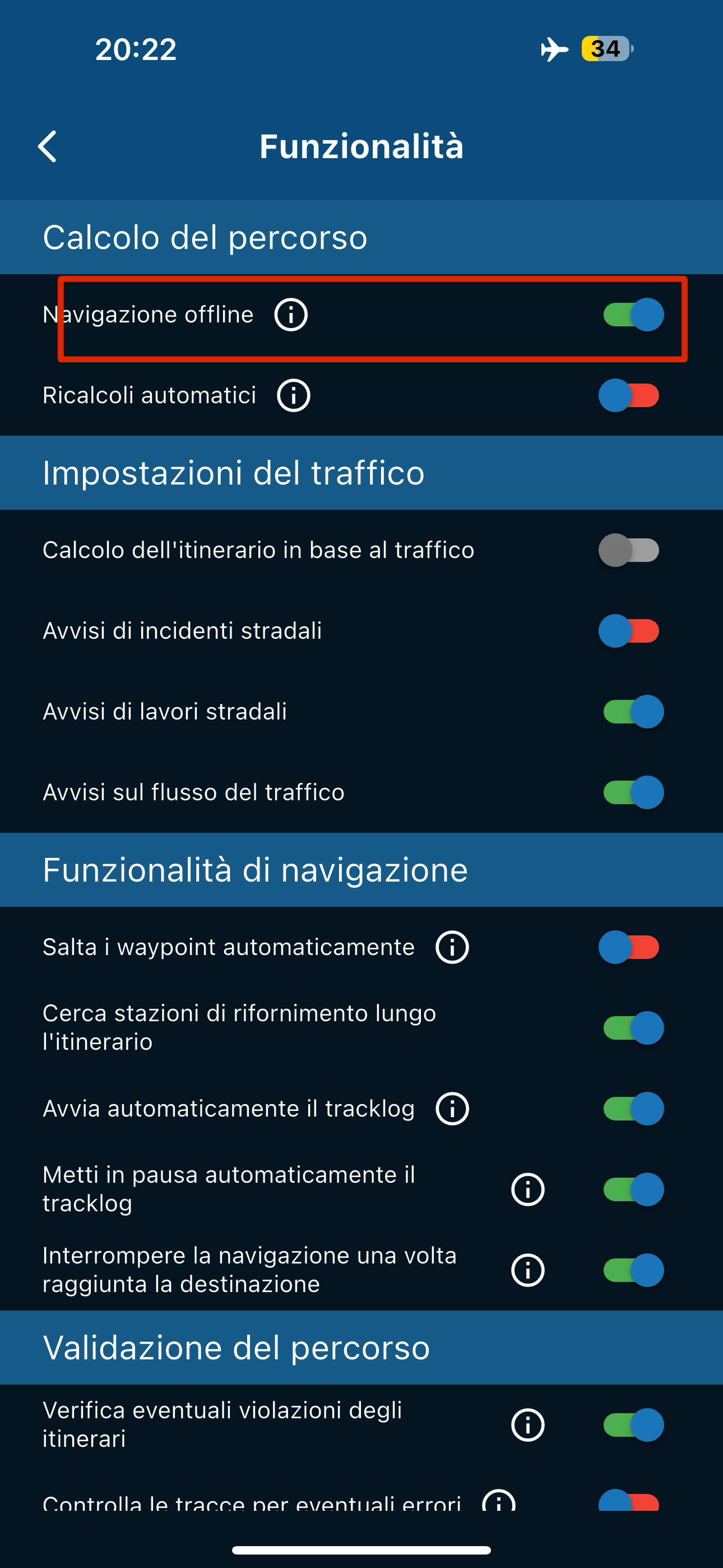
                  1eb12c35-b382-42ca-aee1-8367eb60360f-image.png
                  f4ef0824-493d-4692-85b7-ad79c349ac95-image.png

                  THIS HAPPENS

                  66a26724-ee85-4fee-b24a-51e1db6d79b5-image.png

                  So in these conditions, if I were to find myself somewhere (I'm planning a trip to Turkey and I don't know if I'll always have an internet connection) where there's no connection, I wouldn't be able to navigate with the app...

                  Peter Zehentreiterundefined Offline
                  Peter Zehentreiterundefined Offline
                  Peter Zehentreiter
                  wrote last edited by
                  #12

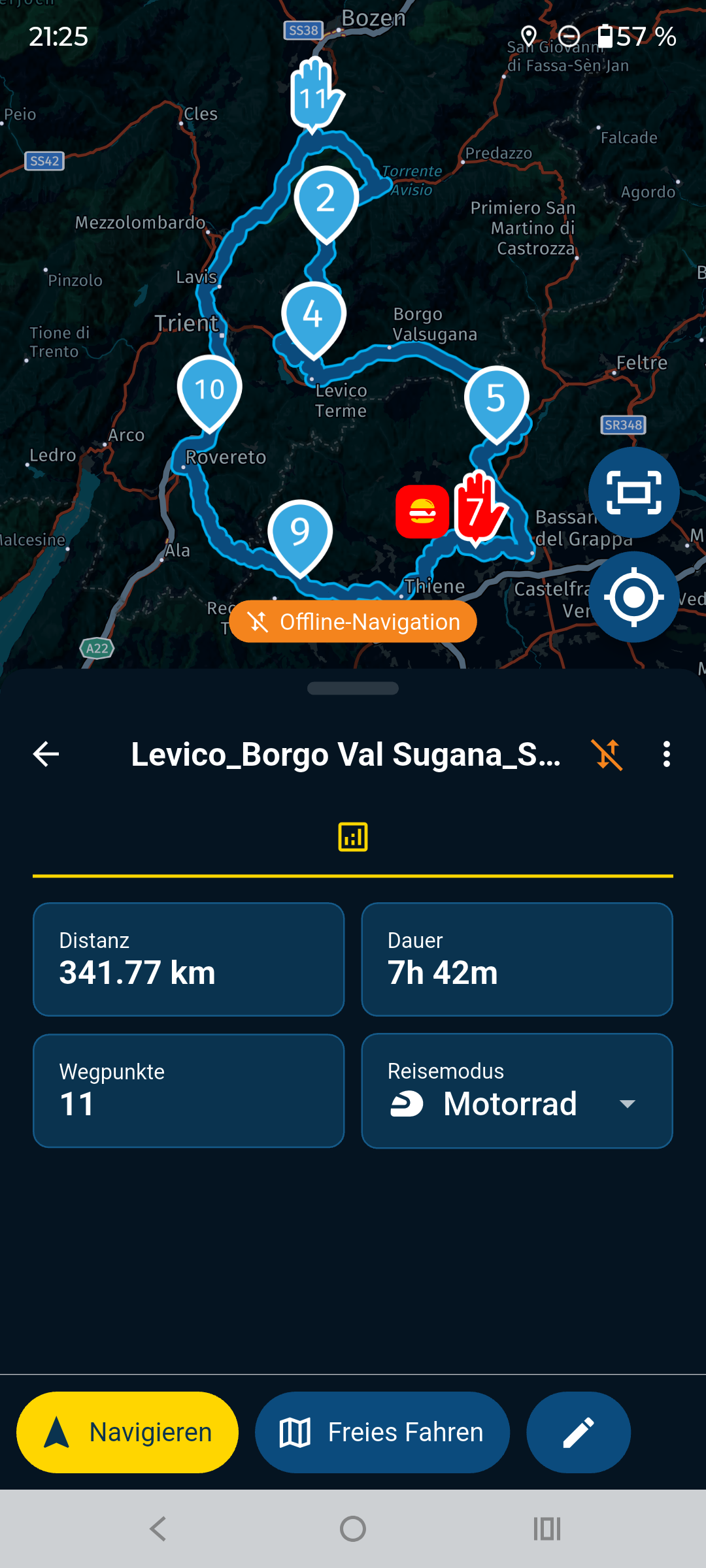
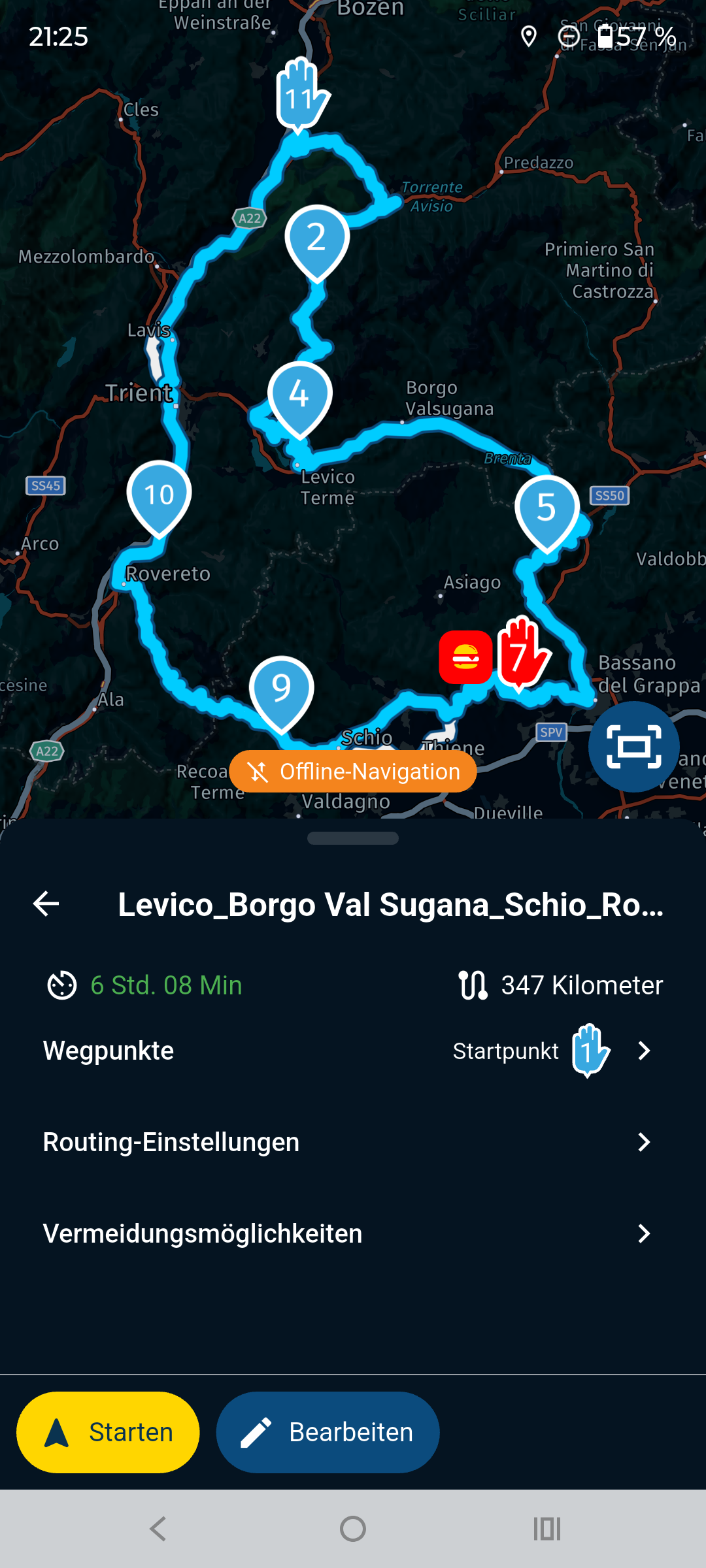
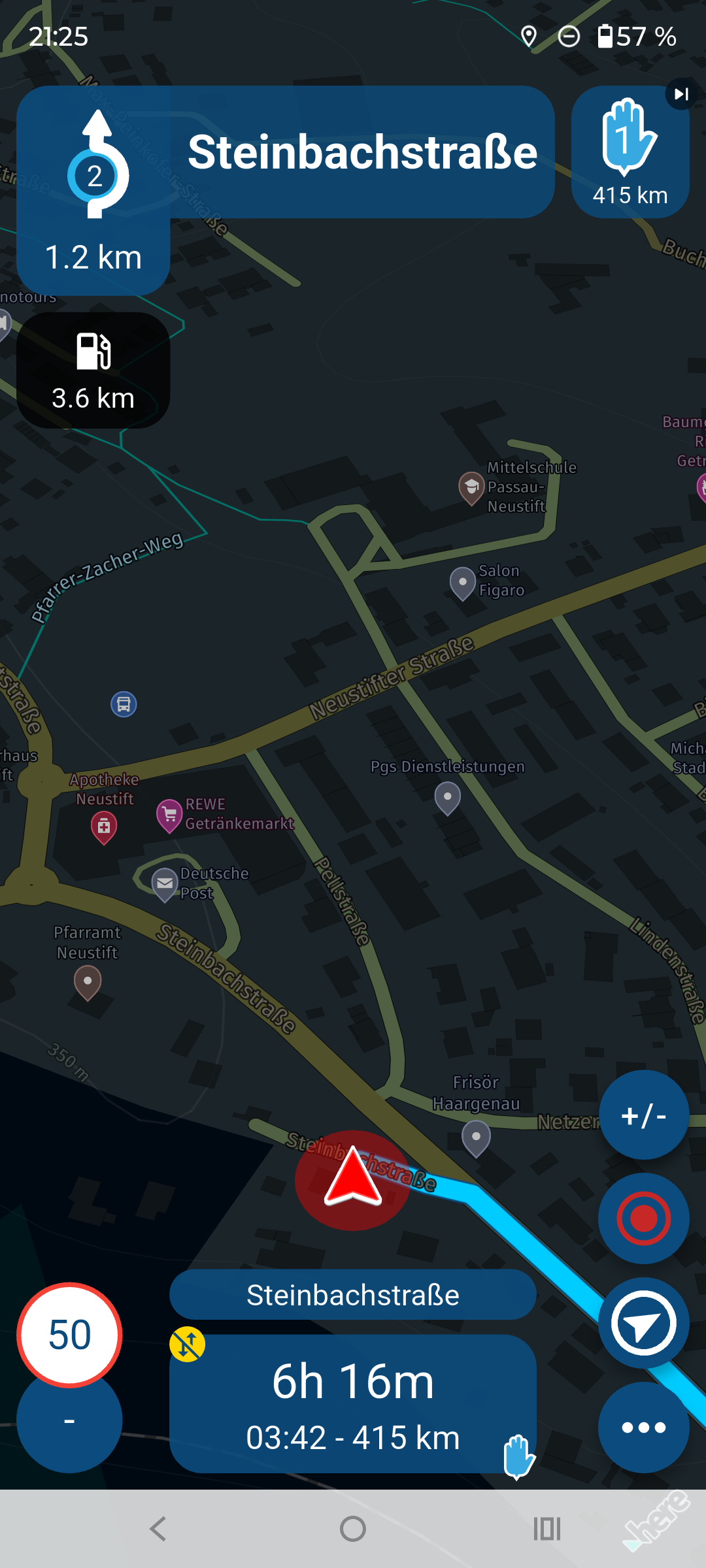
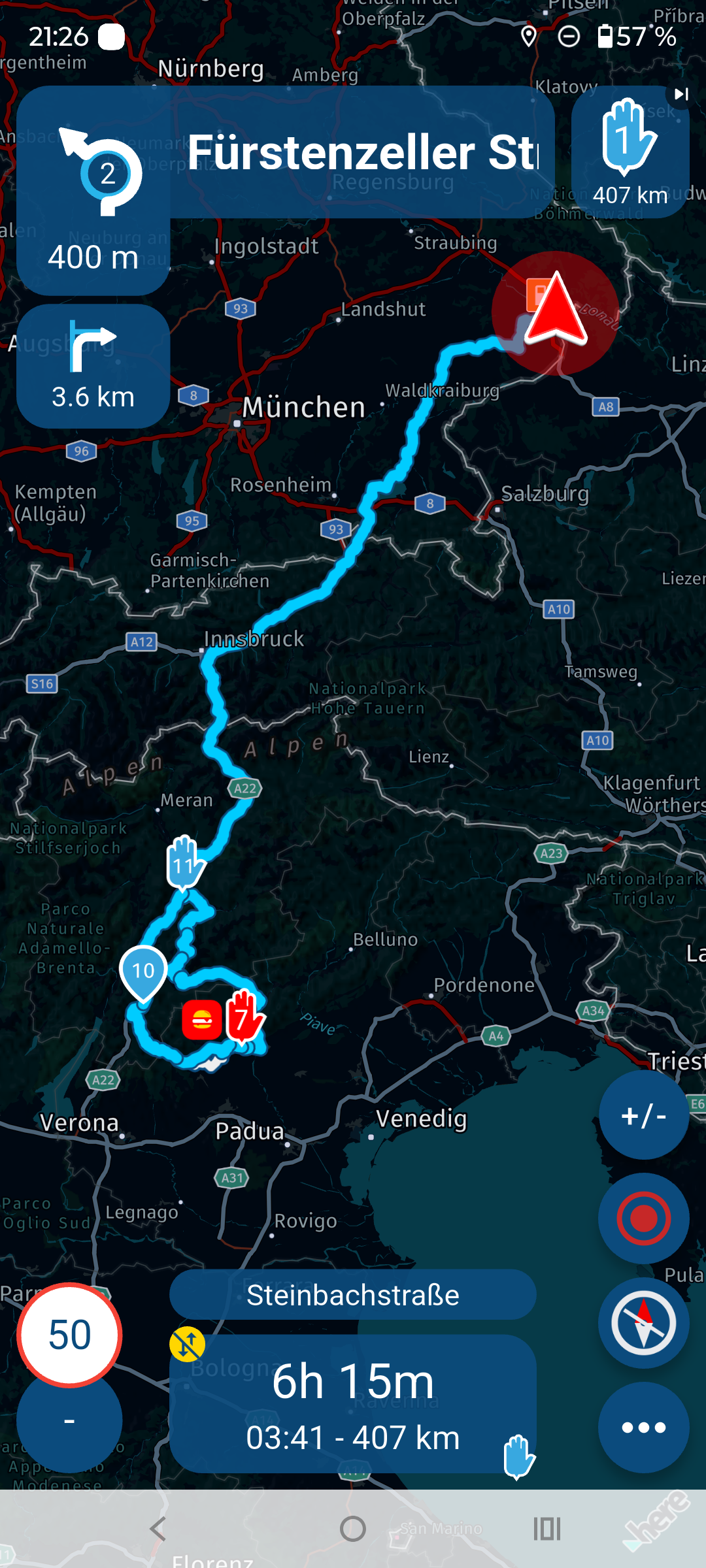
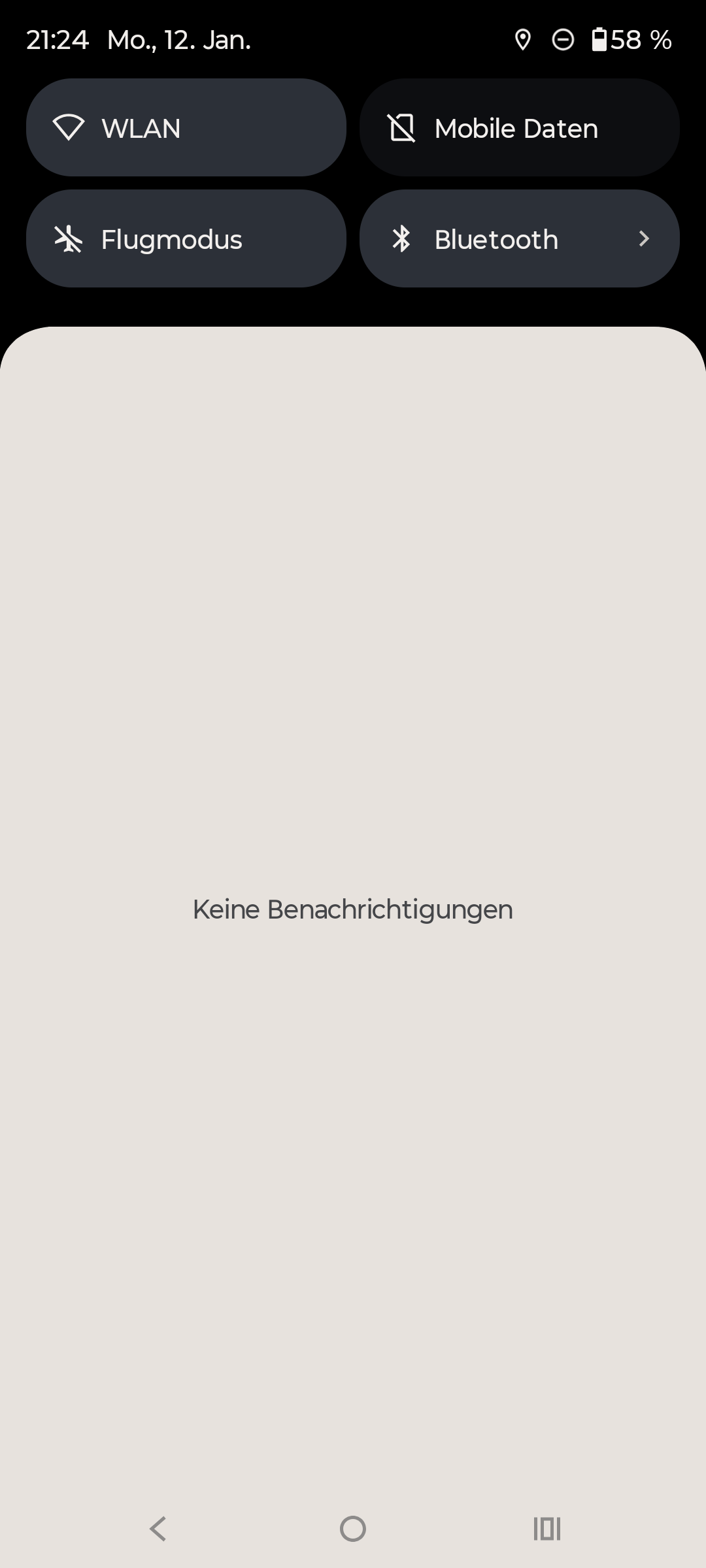
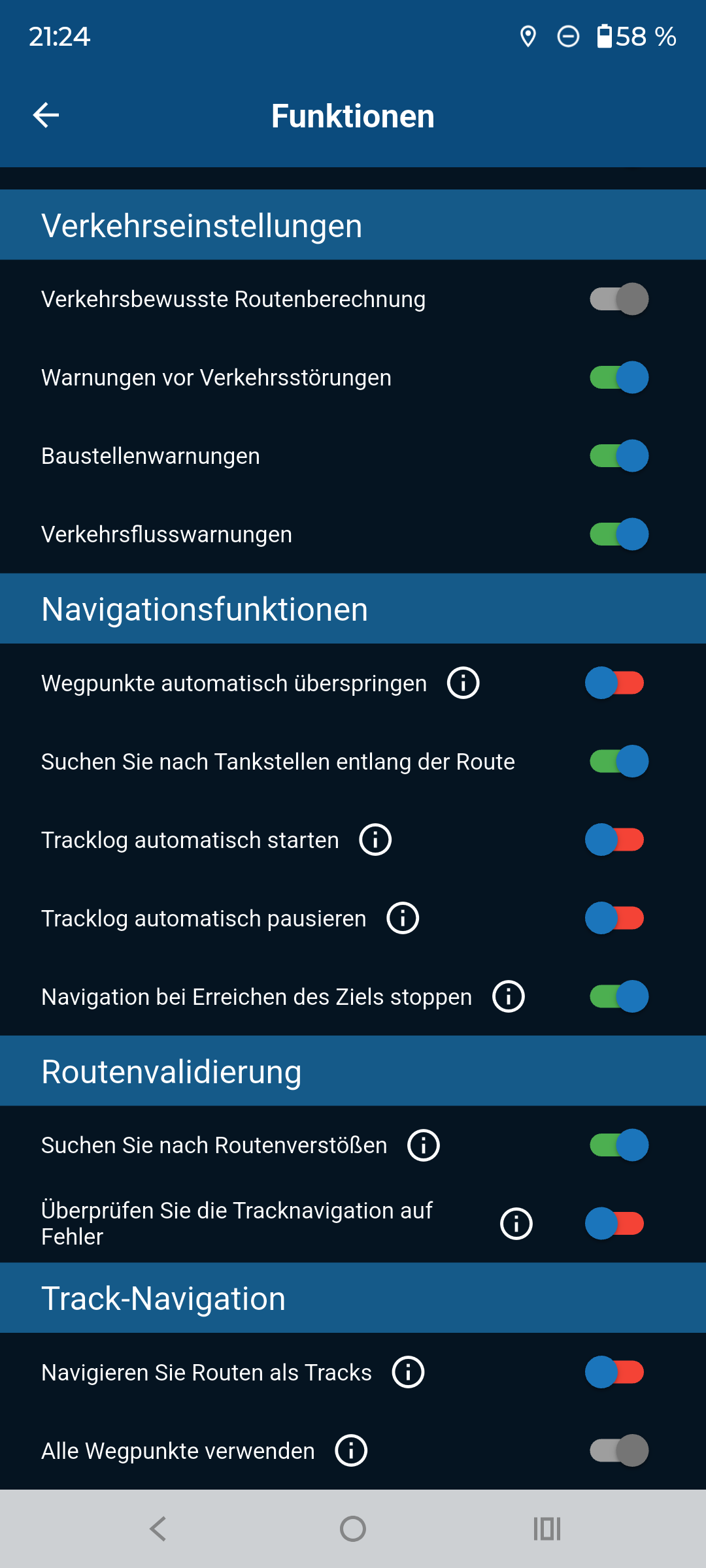
                  @Aiello-antonino I tried to recreate your problems, but was unable to get the error you mentioned.

                  Please try the following settings; they work perfectly for me.

                  Im currently in Germany and the Route I opened is in Italy, without any problems.

                  You can see from the screenshot that this mobile phone is completely offline, without a SIM card and without Wi-Fi.

                  Screenshot_20260112-212429.MyRoute-app.png Screenshot_20260112-212443.MyRoute-app.png Screenshot_20260112-212453.MyRoute-app.png Screenshot_20260112-212515.MyRoute-app.png Screenshot_20260112-212529.MyRoute-app.png Screenshot_20260112-212548.MyRoute-app.png Screenshot_20260112-212613.MyRoute-app.png

                  BMW R 1250 GS
                  MRA Navigation & SilverFox C1 Controller
                  BMW Connected Ride Cradle
                  Wunderlich USB Ladebox mit Quadlock
                  Pixel 9 "online"
                  SPC Universal mount
                  Motorola Edge 40 "offline"
                  Sena SLR 3
                  Sena 50 R

                  Aiello antoninoundefined 2 Replies Last reply
                  0
                  • Nick Carthewundefined Nick Carthew

                    @Aiello-antonino said in Unable to calculate route:

                    I did some tests, I put it in airplane mode to recreate yesterday's situation

                    So in these conditions, if I were to find myself somewhere (I'm planning a trip to Turkey and I don't know if I'll always have an internet connection) where there's no connection, I wouldn't be able to navigate with the app...

                    You need 3 things to navigate offline.
                    All of the offline maps that you will use.
                    All of the routes should be synced
                    Offline navigation selected in the functional section of Navigation settings.

                    With all these in place you can navigate entirely offline without any data connection.

                    Aiello antoninoundefined Offline
                    Aiello antoninoundefined Offline
                    Aiello antonino
                    wrote last edited by Aiello antonino
                    #13

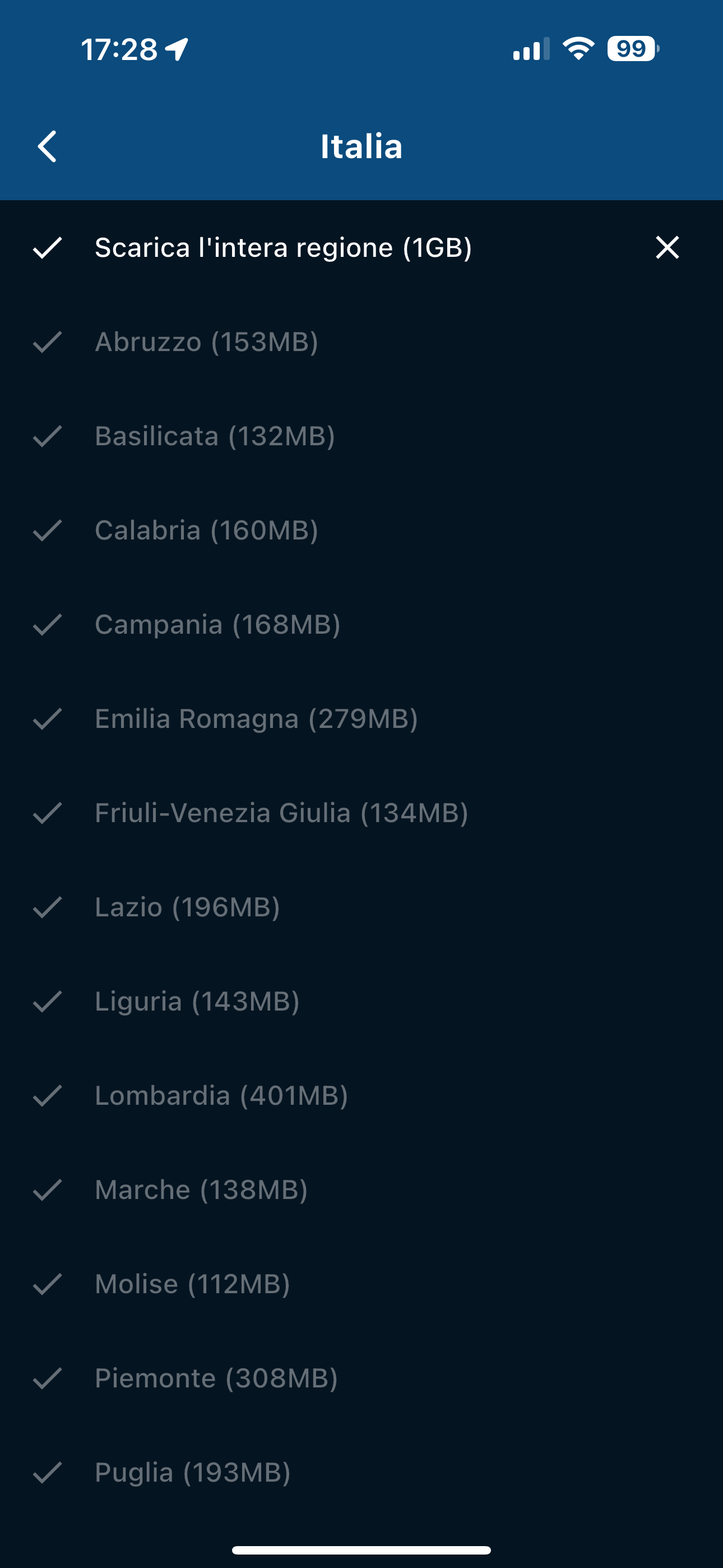
                    @Nick-Carthew As you can see from the photos I did everything you write, I forgot to upload the photo where you can see that I have all the maps offline, but here it is...!

                    1 Reply Last reply
                    0
                    • Peter Zehentreiterundefined Peter Zehentreiter

                      @Aiello-antonino I tried to recreate your problems, but was unable to get the error you mentioned.

                      Please try the following settings; they work perfectly for me.

                      Im currently in Germany and the Route I opened is in Italy, without any problems.

                      You can see from the screenshot that this mobile phone is completely offline, without a SIM card and without Wi-Fi.
                      Screenshot_20260112-212429.MyRoute-app.png Screenshot_20260112-212443.MyRoute-app.png Screenshot_20260112-212453.MyRoute-app.png Screenshot_20260112-212515.MyRoute-app.png Screenshot_20260112-212529.MyRoute-app.png Screenshot_20260112-212548.MyRoute-app.png Screenshot_20260112-212613.MyRoute-app.png

                      Aiello antoninoundefined Offline
                      Aiello antoninoundefined Offline
                      Aiello antonino
                      wrote last edited by
                      #14

                      @Peter-Zehentreiter I just checked your settings and they are the same as mine in the various tests, but it doesn't work for me…
                      d63595b1-9373-45f8-b398-d44c008222c6-image.png

                      1 Reply Last reply
                      0
                      • Peter Zehentreiterundefined Peter Zehentreiter

                        @Aiello-antonino I tried to recreate your problems, but was unable to get the error you mentioned.

                        Please try the following settings; they work perfectly for me.

                        Im currently in Germany and the Route I opened is in Italy, without any problems.

                        You can see from the screenshot that this mobile phone is completely offline, without a SIM card and without Wi-Fi.
                        Screenshot_20260112-212429.MyRoute-app.png Screenshot_20260112-212443.MyRoute-app.png Screenshot_20260112-212453.MyRoute-app.png Screenshot_20260112-212515.MyRoute-app.png Screenshot_20260112-212529.MyRoute-app.png Screenshot_20260112-212548.MyRoute-app.png Screenshot_20260112-212613.MyRoute-app.png

                        Aiello antoninoundefined Offline
                        Aiello antoninoundefined Offline
                        Aiello antonino
                        wrote last edited by Aiello antonino
                        #15

                        @Peter-Zehentreiter can you please try this route?
                        https://www.myrouteapp.com/it/social/route/12491866?mode=share

                        1 Reply Last reply
                        0
                        • M. Schrijverundefined Offline
                          M. Schrijverundefined Offline
                          M. Schrijver
                          Valued contributor
                          wrote last edited by
                          #16

                          Try to use Car modus instead of Motorcycle modus. See what's happens

                          (I use MRA Next only on Android Auto. Every comment, suggestion, etc will be based on my usage with Android Auto)

                          Aiello antoninoundefined 1 Reply Last reply
                          0
                          • Aiello antoninoundefined Offline
                            Aiello antoninoundefined Offline
                            Aiello antonino
                            wrote last edited by Aiello antonino
                            #17

                            I don't understand...now it's working perfectly as I thought it should be...

                            1 Reply Last reply
                            0
                            • M. Schrijverundefined M. Schrijver

                              Try to use Car modus instead of Motorcycle modus. See what's happens

                              Aiello antoninoundefined Offline
                              Aiello antoninoundefined Offline
                              Aiello antonino
                              wrote last edited by Aiello antonino
                              #18

                              @M.-Schrijver I didn't change anything and now it works...I don't know what to think...

                              1 Reply Last reply
                              0
                              • Aiello antoninoundefined Offline
                                Aiello antoninoundefined Offline
                                Aiello antonino
                                wrote last edited by Aiello antonino
                                #19

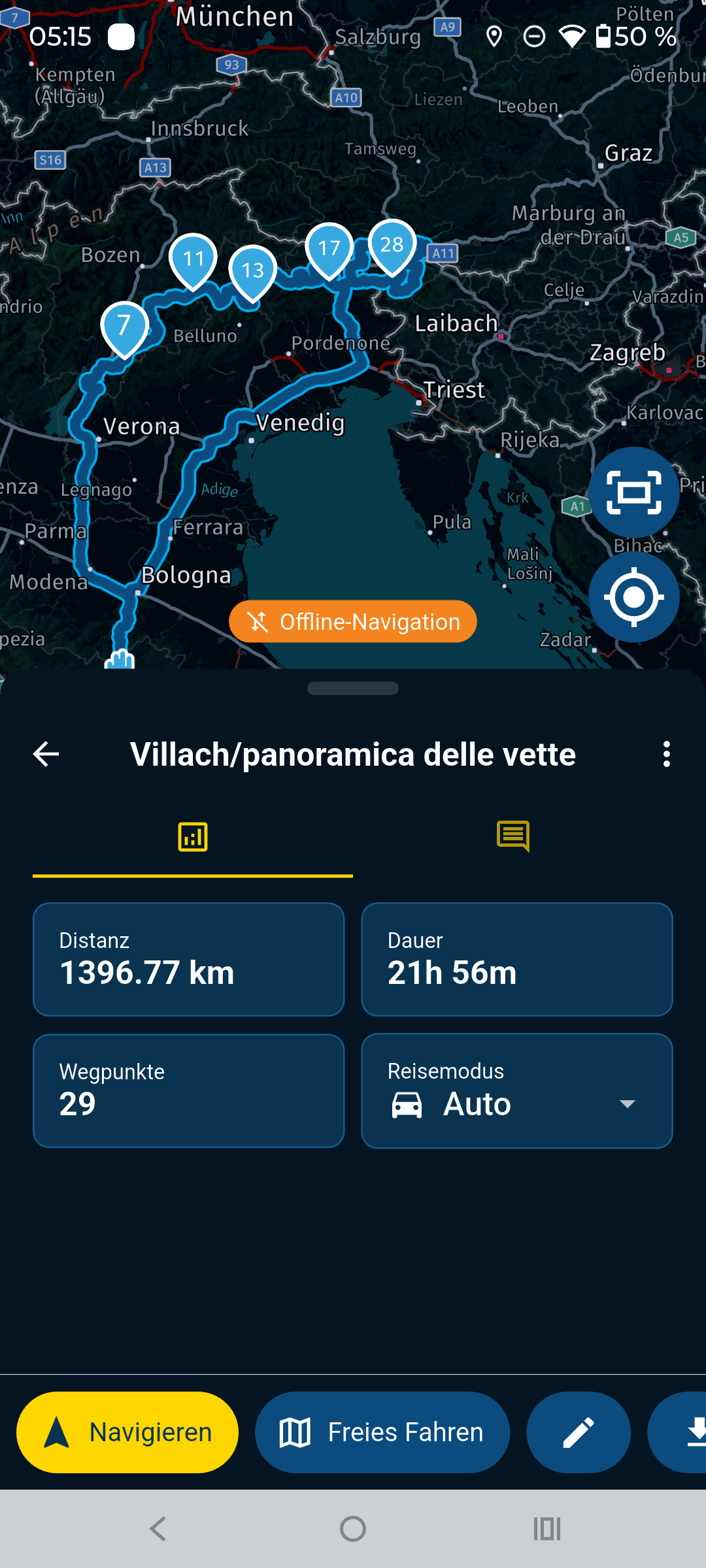
                                It's behaving very strangely. Although all the library's openings and paths are synced, it seems some aren't. The one I was trying earlier, which I linked to, started working, and I don't understand why. Now I'm trying to load others, but some work, and others don't... I just don't understand. I'll leave you with one that can't calculate the path at the moment. Could it be that I'm doing something wrong?
                                https://www.myrouteapp.com/it/social/route/558376?

                                1 Reply Last reply
                                0
                                Reply
                                • Reply as topic
                                Log in to reply
                                • Oldest to Newest
                                • Newest to Oldest
                                • Most Votes


                                ACTIVE USERS
                                Aiello antoninoundefined
                                Aiello antonino
                                M. Schrijverundefined
                                M. Schrijver
                                Peter Zehentreiterundefined
                                Peter Zehentreiter
                                Nick Carthewundefined
                                Nick Carthew
                                Marinus van Deudekomundefined
                                Marinus van Deudekom
                                Con Hennekensundefined
                                Con Hennekens
                                POPULAR TOPICS
                                • Unable to calculate route
                                  Aiello antoninoundefined
                                  Aiello antonino
                                  0
                                  19
                                  280

                                • Absurd detours on the highway maps HERE
                                  Aiello antoninoundefined
                                  Aiello antonino
                                  0
                                  22
                                  412

                                • Continuous freezing on Android Auto
                                  Corjan Meijerinkundefined
                                  Corjan Meijerink
                                  0
                                  16
                                  196
                                MY GROUPS
                                • Login

                                • Login or register to search.
                                • First post
                                  Last post
                                0
                                • Categories
                                • Recent
                                • Popular
                                • Support
                                • MyRoute-app