Skip to content
  • Categories
  • Recent
  • Popular
  • Support
  • MyRoute-app
Collapse
Brand Logo

MRA Community Forum

  1. Home
  2. MyRoute-app Routeplanner
  3. [Web] Suggestions and Discussion
  4. POI

POI

Scheduled Pinned Locked Moved [Web] Suggestions and Discussion
16 Posts 9 Posters 4.0k Views 3 Watching
  • Oldest to Newest
  • Newest to Oldest
  • Most Votes
Reply
  • Reply as topic
Log in to reply
This topic has been deleted. Only users with topic management privileges can see it.
  • Martin Garandundefined Martin Garand

    @Con-Hennekens I tried that. But when using POI that way, I cannot see those POI unless i'm zoomed in really close.

    If I'm zoomed out for a better overview, those POI don't show.

    But if my POI are in the Manage section, I can see them even at an overview zoom. But to be able to have POI in Manage section, you have to have created them in that route.

    Maybe I'm missing somtehing or don't understand how to use those POI...

    Nick Carthewundefined Offline
    Nick Carthewundefined Offline
    Nick Carthew
    RouteXpert
    wrote on last edited by
    #7

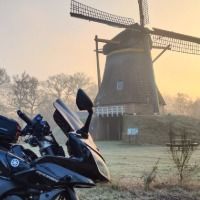
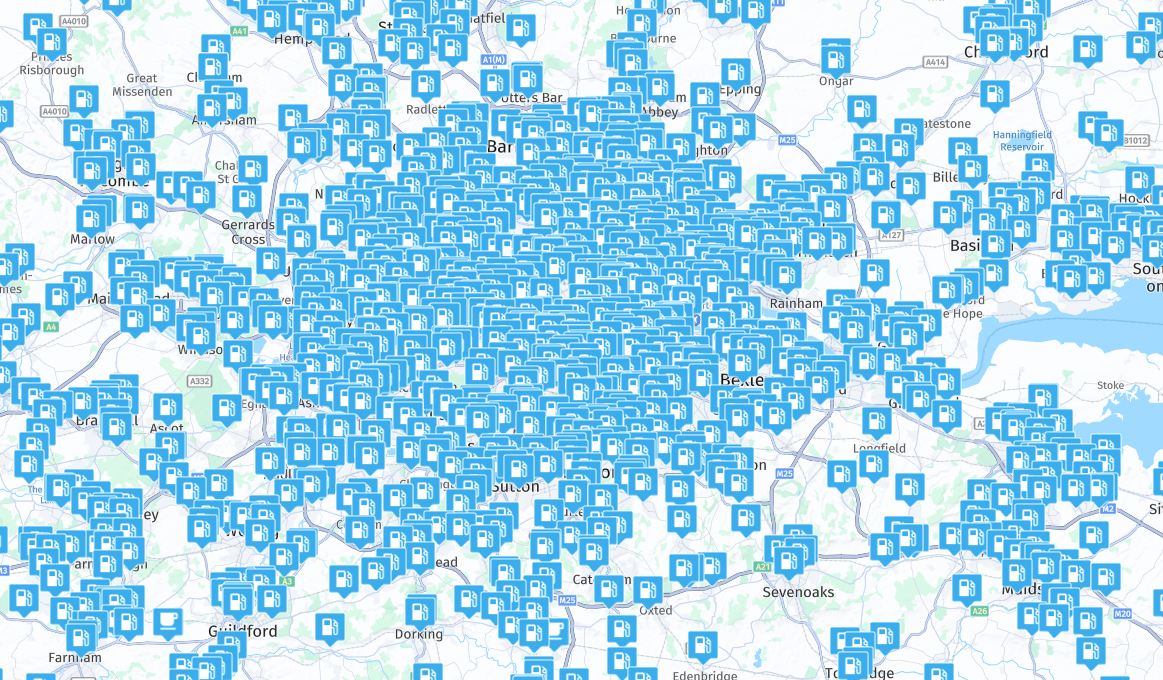
    @Martin-Garand There is a very good reason why POIs are not visible when you are zoomed out, some POIs would block the map!
    6be7a68f-a581-4a7b-ab51-4e1daa00f680-image.png

    Always willing to help if I can.
    Triumph Tiger 1200 XRT called Tina.
    MRA Navigation Next and SilverFox BJ8

    Martin Garandundefined 1 Reply Last reply
    1
    • Travellexxieundefined Offline
      Travellexxieundefined Offline
      Travellexxie
      Valued contributor
      wrote on last edited by
      #8

      You need petrol Nick? 🤣

      Met andere apps maak je een route, met MRA componeer je een route!

      Ducati Monster 1200 met Garmin Zümo XT
      Fiat 124 Spider/Camper Dethleffs met Navigation-App op Samsung Tab Active4 Pro
      MRA Lifetime Gold

      Nick Carthewundefined 1 Reply Last reply
      1
      • Travellexxieundefined Travellexxie

        You need petrol Nick? 🤣

        Nick Carthewundefined Offline
        Nick Carthewundefined Offline
        Nick Carthew
        RouteXpert
        wrote on last edited by
        #9

        @Lex.Kloet.RX 😂

        Always willing to help if I can.
        Triumph Tiger 1200 XRT called Tina.
        MRA Navigation Next and SilverFox BJ8

        1 Reply Last reply
        0
        • Nick Carthewundefined Nick Carthew

          @Martin-Garand There is a very good reason why POIs are not visible when you are zoomed out, some POIs would block the map!

          6be7a68f-a581-4a7b-ab51-4e1daa00f680-image.png

          Martin Garandundefined Offline
          Martin Garandundefined Offline
          Martin Garand
          wrote on last edited by
          #10

          @Nick-Carthew I understand that.

          But, maybe with explanation of what I'm trying to do it will be more clear.

          I'm planning a 3 weeks trip and I made a POI list of all the place I want to go.

          If the POI are created in the route I'm planning (Manage section), I can always see them.

          But if I export the POI and reuse them within the Library, I can't see them unless I'm zoomed in really close.

          So I can't share my POI Library unless I always reuse the first route in which I Managed all the POI.

          Is there another way to do it ?

          Brett Bartickundefined 1 Reply Last reply
          0
          • Con Hennekensundefined Offline
            Con Hennekensundefined Offline
            Con Hennekens
            Alpha tester
            wrote on last edited by
            #11

            I am afraid not, at least not in the current web-planner.

            I am just an enthusiastic MRA user, and hope you will be one too!

            Most motorcycle problems are caused by the nut that connects the handlebar to the saddle.

            Check out RideSleepRepeat.eu, a biker community for sharing stays across Europe

            1 Reply Last reply
            0
            • GEORGIOS PANTELIDIS 0undefined Offline
              GEORGIOS PANTELIDIS 0undefined Offline
              GEORGIOS PANTELIDIS 0
              wrote on last edited by
              #12

              It would be perfect if we could choose at which zoom level the POIs are visible. For example, when I want to search for campsites, I have to zoom in a lot, which isn’t helpful because I want to look around my route. If I zoom in too much, I might miss a campsite that’s there but not visible due to the zoom level.

              Alex redsundefined 1 Reply Last reply
              1
              • GEORGIOS PANTELIDIS 0undefined GEORGIOS PANTELIDIS 0

                It would be perfect if we could choose at which zoom level the POIs are visible. For example, when I want to search for campsites, I have to zoom in a lot, which isn’t helpful because I want to look around my route. If I zoom in too much, I might miss a campsite that’s there but not visible due to the zoom level.

                Alex redsundefined Offline
                Alex redsundefined Offline
                Alex reds
                wrote on last edited by
                #13

                @GEORGIOS-PANTELIDIS-0
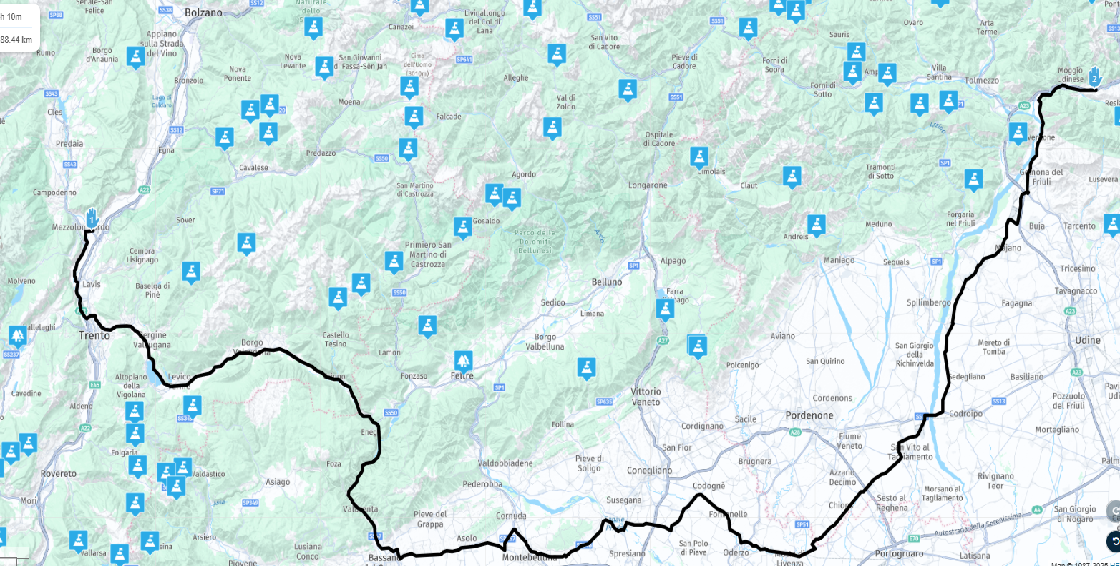
                I did a test by adding the POIs for the mountain passes in Trentino and Veneto, Italy.
                They’re already visible at this zoom level, which I think is enough to see most of a route.

                The marked road is 288 km long, while the straight-line distance between the two points is 155 km — in my opinion, that’s sufficient to get a clear overview of a good portion of the route.mappa.png

                GEORGIOS PANTELIDIS 0undefined 1 Reply Last reply
                0
                • Travellexxieundefined Offline
                  Travellexxieundefined Offline
                  Travellexxie
                  Valued contributor
                  wrote on last edited by
                  #14

                  I have good memories of Mezzolombardo. I used to fill up at the Shell gas station there. 🙂

                  Met andere apps maak je een route, met MRA componeer je een route!

                  Ducati Monster 1200 met Garmin Zümo XT
                  Fiat 124 Spider/Camper Dethleffs met Navigation-App op Samsung Tab Active4 Pro
                  MRA Lifetime Gold

                  1 Reply Last reply
                  0
                  • Alex redsundefined Alex reds

                    @GEORGIOS-PANTELIDIS-0
                    I did a test by adding the POIs for the mountain passes in Trentino and Veneto, Italy.
                    They’re already visible at this zoom level, which I think is enough to see most of a route.

                    The marked road is 288 km long, while the straight-line distance between the two points is 155 km — in my opinion, that’s sufficient to get a clear overview of a good portion of the route.mappa.png

                    GEORGIOS PANTELIDIS 0undefined Offline
                    GEORGIOS PANTELIDIS 0undefined Offline
                    GEORGIOS PANTELIDIS 0
                    wrote on last edited by
                    #15

                    @Alex-reds said in POI:

                    @GEORGIOS-PANTELIDIS-0
                    I did a test by adding the POIs for the mountain passes in Trentino and Veneto, Italy.
                    They’re already visible at this zoom level, which I think is enough to see most of a route.

                    The marked road is 288 km long, while the straight-line distance between the two points is 155 km — in my opinion, that’s sufficient to get a clear overview of a good portion of the route.mappa.png

                    It’s different for POIs that you import yourself and different for the points of interest that the MyRoute Planner website provides. In the first case, it’s as you described, but in the second one, you have to zoom in quite a lot to see them. I don’t know why this happens.

                    1 Reply Last reply
                    0
                    • Martin Garandundefined Martin Garand

                      @Nick-Carthew I understand that.

                      But, maybe with explanation of what I'm trying to do it will be more clear.

                      I'm planning a 3 weeks trip and I made a POI list of all the place I want to go.

                      If the POI are created in the route I'm planning (Manage section), I can always see them.

                      But if I export the POI and reuse them within the Library, I can't see them unless I'm zoomed in really close.

                      So I can't share my POI Library unless I always reuse the first route in which I Managed all the POI.

                      Is there another way to do it ?

                      Brett Bartickundefined Offline
                      Brett Bartickundefined Offline
                      Brett Bartick
                      wrote on last edited by
                      #16

                      @Martin-Garand said in POI:

                      @Nick-Carthew I understand that.

                      But, maybe with explanation of what I'm trying to do it will be more clear.

                      I'm planning a 3 weeks trip and I made a POI list of all the place I want to go.

                      If the POI are created in the route I'm planning (Manage section), I can always see them.

                      But if I export the POI and reuse them within the Library, I can't see them unless I'm zoomed in really close.

                      So I can't share my POI Library unless I always reuse the first route in which I Managed all the POI.

                      Is there another way to do it ?

                      I understand exactly the issue you are having. Library POIs are only visible from a zoom level of 5 miles (10 km) or closer. If you are zoomed out to get a macro view of your route, you can't see the Library POIs.

                      You need to do what I do. Create a POI folder and in that POI folder create empty routes that only contain "Managed" POIs, which you manually add to the empty route.
                      Now, when you want to create a new route, just "copy" your POI route file and work from that. Now you will be able to see your managed POIs at any zoom level. Any POIs that seem to be cluttering up your route, can be quickly deleted. Going forward, always start your route creation by copy one of your empty route POI files.

                      1 Reply Last reply
                      0

                      Hello! It looks like you're interested in this conversation, but you don't have an account yet.

                      Getting fed up of having to scroll through the same posts each visit? When you register for an account, you'll always come back to exactly where you were before, and choose to be notified of new replies (either via email, or push notification). You'll also be able to save bookmarks and upvote posts to show your appreciation to other community members.

                      With your input, this post could be even better 💗

                      Register Login

                      Reply
                      • Reply as topic
                      Log in to reply
                      • Oldest to Newest
                      • Newest to Oldest
                      • Most Votes


                      ACTIVE USERS
                      Con Hennekensundefined
                      Con Hennekens
                      Nick Carthewundefined
                      Nick Carthew
                      Travellexxieundefined
                      Travellexxie
                      Guzzistundefined
                      Guzzist
                      Brett Bartickundefined
                      Brett Bartick
                      Martin Garandundefined
                      Martin Garand
                      Alex redsundefined
                      Alex reds
                      GEORGIOS PANTELIDIS 0undefined
                      GEORGIOS PANTELIDIS 0
                      Mr Richard Kitchenundefined
                      Mr Richard Kitchen
                      POPULAR TOPICS
                      • WP number display
                        Jörgenundefined
                        Jörgen
                        0
                        7
                        50

                      • Gas stations...
                        Corjan Meijerinkundefined
                        Corjan Meijerink
                        0
                        6
                        104

                      • Starting a ride from Waypoint or Exact location
                        Con Hennekensundefined
                        Con Hennekens
                        0
                        7
                        136

                      • Waypoint toevoegen door dubbele muisklik (Add waypoint with double mouse klick)
                        Leike Lodiersundefined
                        Leike Lodiers
                        0
                        6
                        119

                      • Feature request - enhanced speed camera alerts
                        Corjan Meijerinkundefined
                        Corjan Meijerink
                        1
                        19
                        3.5k

                      • Coloured Routes options
                        Con Hennekensundefined
                        Con Hennekens
                        1
                        6
                        190

                      • Route still displayed even though the itinerary is cancelled.
                        Corjan Meijerinkundefined
                        Corjan Meijerink
                        0
                        2
                        55

                      • New User Issues with Waypoints:
                        Rob Verhoeffundefined
                        Rob Verhoeff
                        0
                        2
                        47

                      MY GROUPS
                      • Login

                      • Login or register to search.
                      • First post
                        Last post
                      0
                      • Categories
                      • Recent
                      • Popular
                      • Support
                      • MyRoute-app