Skip to content
  • Categories
  • Recent
  • Popular
  • Support
  • MyRoute-app
Collapse
Brand Logo

MRA Community Forum

  1. Home
  2. Announcements
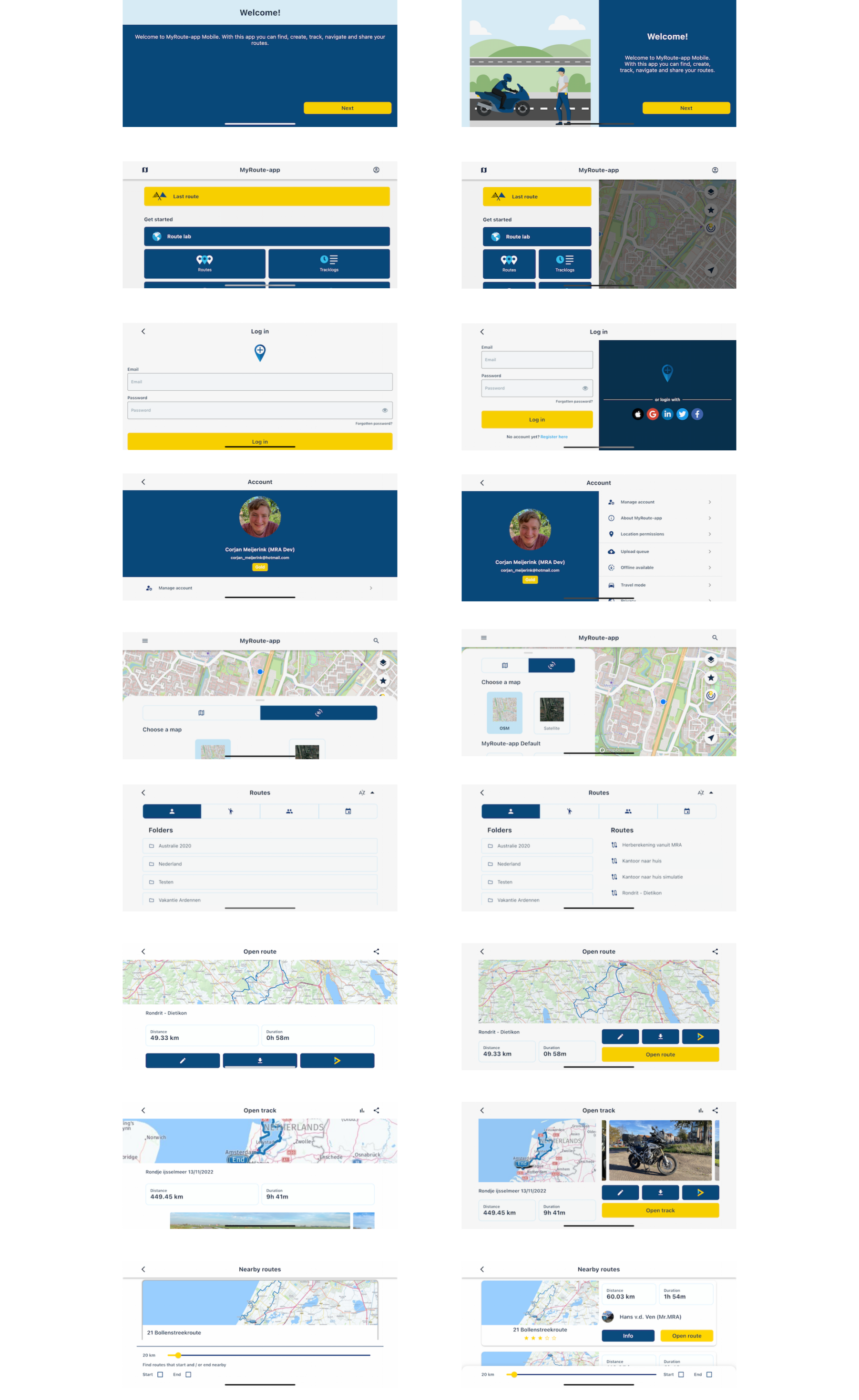
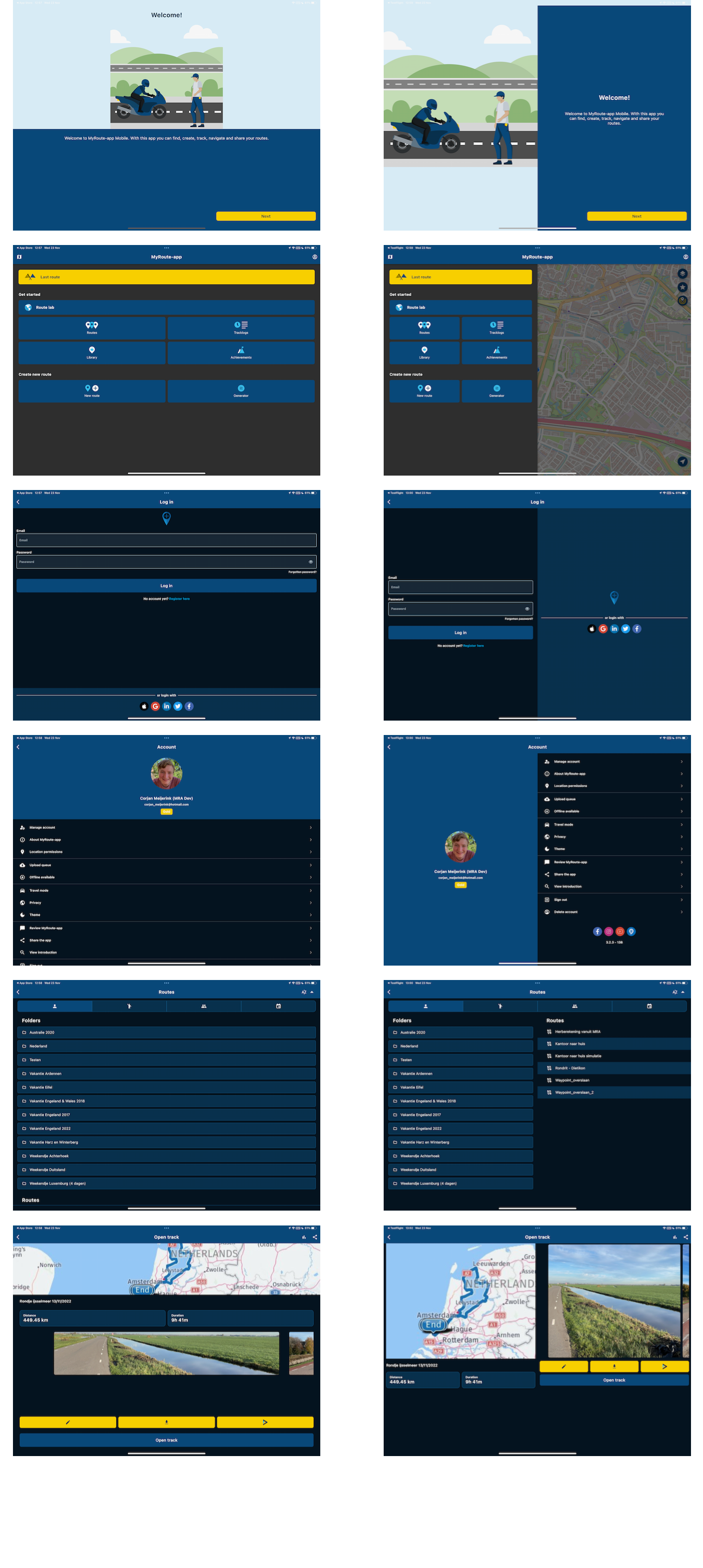
  3. New MRA Mobile Update 3.2.3

New MRA Mobile Update 3.2.3
Scheduled Pinned Locked Moved Announcements
23 Posts 10 Posters 10.2k Views 2 Watching
  • Oldest to Newest
  • Newest to Oldest
  • Most Votes
Reply
  • Reply as topic
Log in to reply
This topic has been deleted. Only users with topic management privileges can see it.
  • Jack van Tilburg Jack van Tilburg

    Portrait mode works satisfactorily.
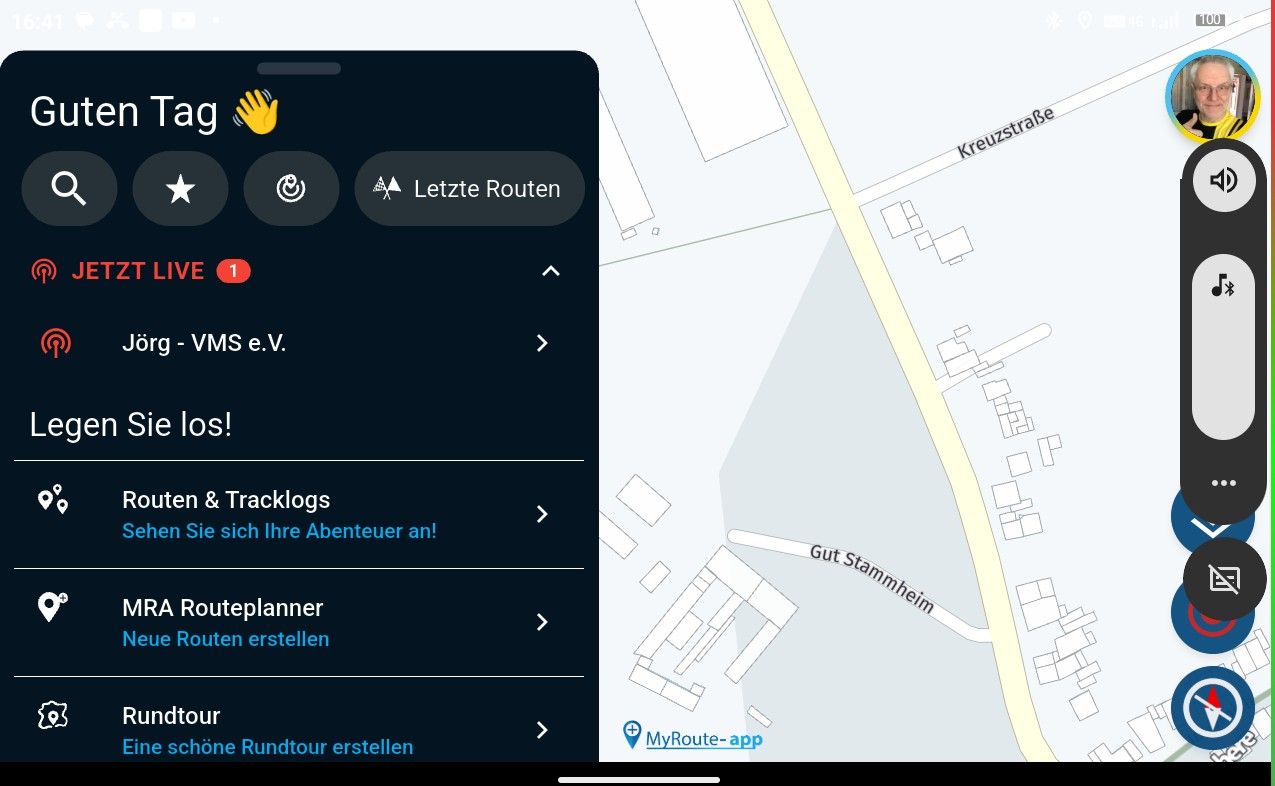
    Given the function buttons on the left side of the map, the landscape mode will not function properly on a smartphone. (imho 🙂 )

    Nick Carthew Offline
    Nick Carthew Offline
    Nick Carthew
    RouteXpert
    wrote on last edited by
    #11

    @Jack-van-Tilburg If someone is insistent on using landscape mode for planning. The left menu can be closed with the arrow.

    Always willing to help if I can.
    Triumph Tiger 1200 XRT called Tina.
    MRA Navigation Next and SilverFox BJ8

    Jack van Tilburg 1 Reply Last reply
    0
    • Nick Carthew Nick Carthew

      @Jack-van-Tilburg If someone is insistent on using landscape mode for planning. The left menu can be closed with the arrow.

      Jack van Tilburg Offline
      Jack van Tilburg Offline
      Jack van Tilburg
      wrote on last edited by
      #12

      @Nick-Carthew
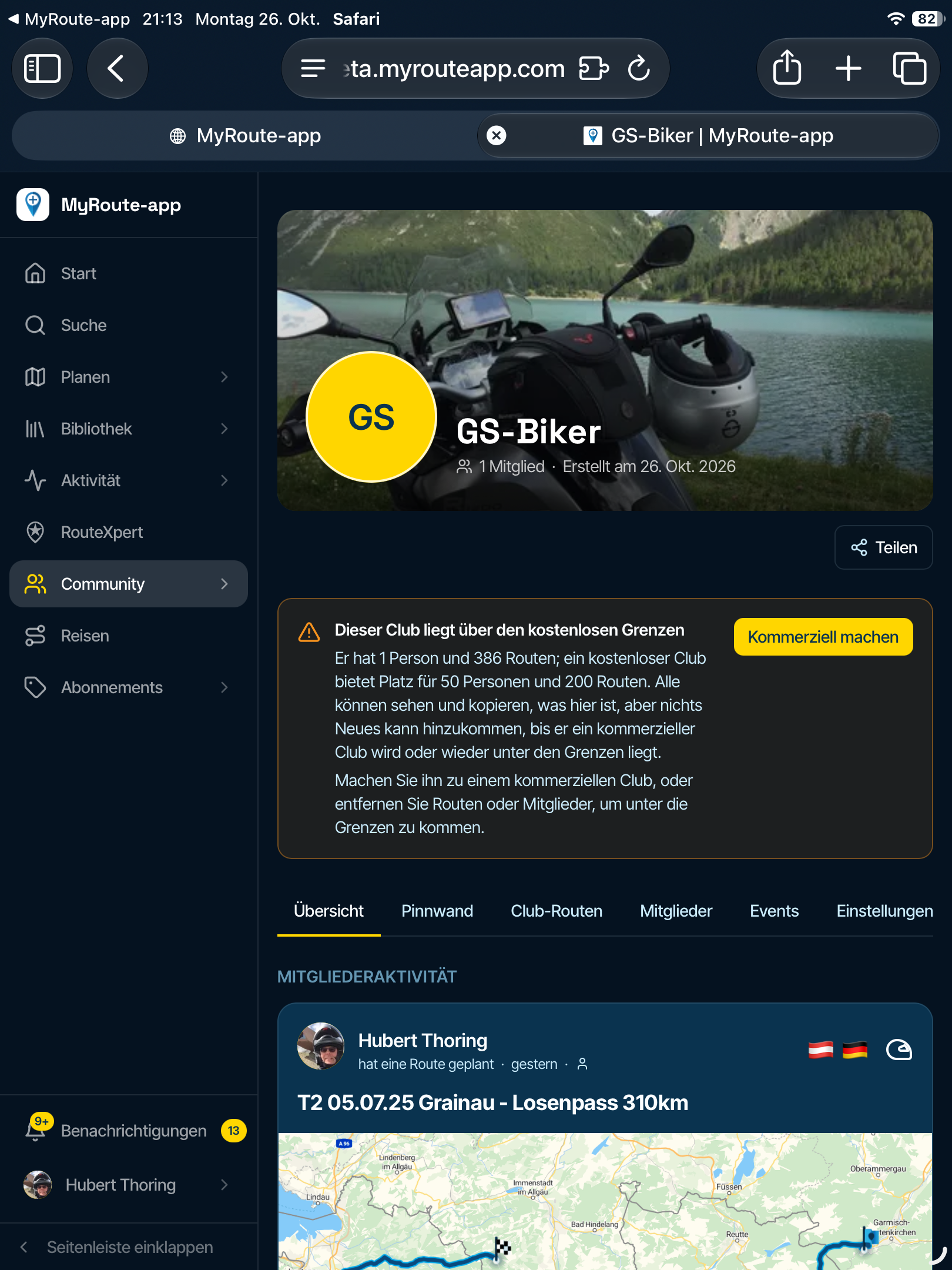
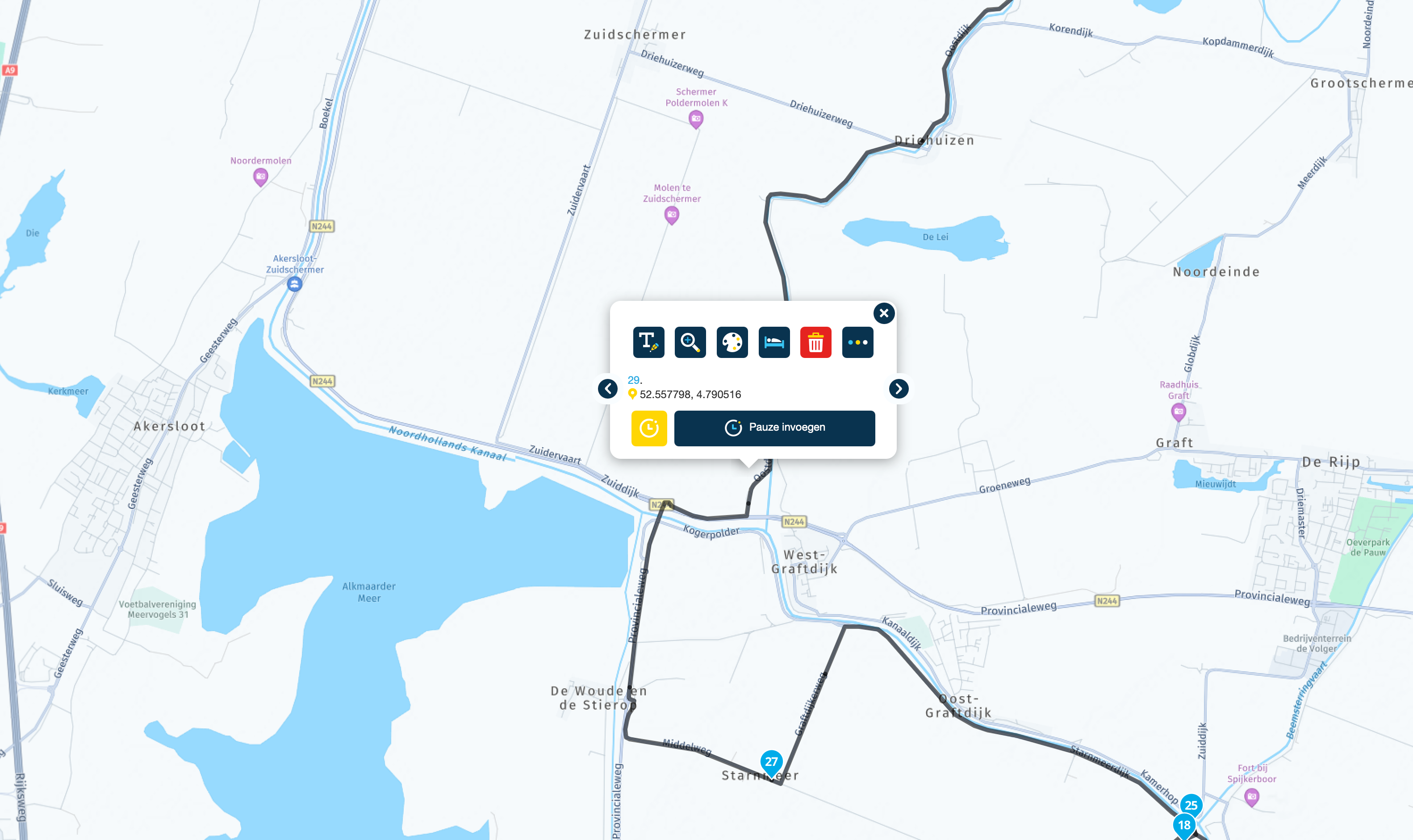
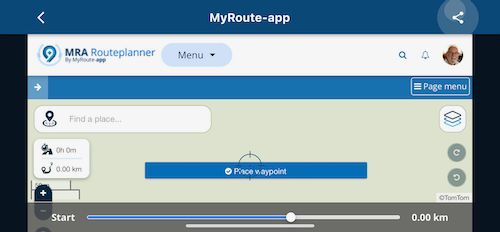
      I know. But even then the function buttons on the left side of the map can not be used. Or am I missing something?
      IMG_1392.jpeg

      Nick Carthew Stanisław 2 Replies Last reply
      0
      • Jack van Tilburg Jack van Tilburg

        @Nick-Carthew
        I know. But even then the function buttons on the left side of the map can not be used. Or am I missing something?

        IMG_1392.jpeg

        Nick Carthew Offline
        Nick Carthew Offline
        Nick Carthew
        RouteXpert
        wrote on last edited by
        #13

        @Jack-van-Tilburg Like I said, use it in portrait mode until @Corjan-Meijerink can make adjustments.

        Always willing to help if I can.
        Triumph Tiger 1200 XRT called Tina.
        MRA Navigation Next and SilverFox BJ8

        Jack van Tilburg 1 Reply Last reply
        0
        • Nick Carthew Nick Carthew

          @Jack-van-Tilburg Like I said, use it in portrait mode until @Corjan-Meijerink can make adjustments.

          Jack van Tilburg Offline
          Jack van Tilburg Offline
          Jack van Tilburg
          wrote on last edited by
          #14

          @Nick-Carthew
          Yep like I said before:

          Portrait mode works satisfactorily.

          I was just helping Stanislaw with some screenshots.

          Corjan Meijerink 1 Reply Last reply
          0
          • Bouke Ent Offline
            Bouke Ent Offline
            Bouke Ent
            wrote on last edited by
            #15

            hopelijk bij sessie van morgen krijgen we laatste update te zien en uitleg. indien niet dan toch hopelijk leerzaam

            Hans van de Ven MR.MRA 1 Reply Last reply
            0
            • Bouke Ent Bouke Ent

              hopelijk bij sessie van morgen krijgen we laatste update te zien en uitleg. indien niet dan toch hopelijk leerzaam

              Hans van de Ven MR.MRA Offline
              Hans van de Ven MR.MRA Offline
              Hans van de Ven MR.MRA
              Valued contributor
              wrote on last edited by
              #16

              @Bouke-Ent

              Ik ben mijn best aan het doen om een versie te pakken te krijgen, zodat ik morgen e.e.a kan laten zien

              Garmin Zumo XT3/XT2/XT/BMW Connected Ride Navigator/Tourstart/ MyRouteapp (The App)/...
              Een dag niet gelachen is een dag niet geleefd / Een route is net zo goed als deze uitgezet is.

              1 Reply Last reply
              0
              • Bruno Friedmann Offline
                Bruno Friedmann Offline
                Bruno Friedmann
                wrote on last edited by
                #17

                I wonder if there's a User eXperience behind the choice of dividing the screen by it's half size, making the button smaller ? (Line 2)

                Most of the old app, has inconsistent size of UI element, like choose a route (good to catch with winter motorcycle glove) then the over-mini start to be pressed 😉

                I deeply hope that Next will figure out all those little things that we always moan about.

                One of the best test you can make, is wear a pair of winter gloves on a motocycle and try to change an option, by pass a waypoint, and if the law doesn't prohibit that, do it when riding.

                Corjan Meijerink 1 Reply Last reply
                0
                • Jack van Tilburg Jack van Tilburg

                  @Nick-Carthew
                  Yep like I said before:

                  Portrait mode works satisfactorily.

                  I was just helping Stanislaw with some screenshots.

                  Corjan Meijerink Offline
                  Corjan Meijerink Offline
                  Corjan Meijerink
                  Developer
                  wrote on last edited by
                  #18

                  @Jack-van-Tilburg Thanks for sharing those, like mentioned those issues concern the website. Yes, that needs improvement. No, that won’t be done tomorrow 😉

                  Hope you all can still appreciate the actual improvements made within the app itself 🙂
                  Herko ter Horst 1 Reply Last reply
                  2
                  • Bruno Friedmann Bruno Friedmann

                    I wonder if there's a User eXperience behind the choice of dividing the screen by it's half size, making the button smaller ? (Line 2)

                    Most of the old app, has inconsistent size of UI element, like choose a route (good to catch with winter motorcycle glove) then the over-mini start to be pressed 😉

                    I deeply hope that Next will figure out all those little things that we always moan about.

                    One of the best test you can make, is wear a pair of winter gloves on a motocycle and try to change an option, by pass a waypoint, and if the law doesn't prohibit that, do it when riding.

                    Corjan Meijerink Offline
                    Corjan Meijerink Offline
                    Corjan Meijerink
                    Developer
                    wrote on last edited by Corjan Meijerink
                    #19

                    @Bruno-Friedmann Thanks for your response. Navigation Next will be a massive improvement on all aspects. However, there is a thin line between usable big buttons and a really ugly design 😉 We are starting beta testing soon to gather actual user feedback!

                    I’m not sure what image you are referring to but this Mobile update did not decrease any button sizes. We changed how layouts are rendered on different devices / orientation to maximise efficient screen usage.

                    If you are referring to the screenshot of the browser, I stand by my previous comment that it indeed is not optimal at all.

                    Bruno Friedmann 1 Reply Last reply
                    0
                    • Corjan Meijerink Corjan Meijerink

                      @Bruno-Friedmann Thanks for your response. Navigation Next will be a massive improvement on all aspects. However, there is a thin line between usable big buttons and a really ugly design 😉 We are starting beta testing soon to gather actual user feedback!

                      I’m not sure what image you are referring to but this Mobile update did not decrease any button sizes. We changed how layouts are rendered on different devices / orientation to maximise efficient screen usage.

                      If you are referring to the screenshot of the browser, I stand by my previous comment that it indeed is not optimal at all.

                      Bruno Friedmann Offline
                      Bruno Friedmann Offline
                      Bruno Friedmann
                      wrote on last edited by
                      #20

                      @Corjan-Meijerink said in New MRA Mobile Update 3.2.3:

                      @Bruno-Friedmann Thanks for your response. Navigation Next will be a massive improvement on all aspects. However, there is a thin line between usable big buttons and a really ugly design 😉 We are starting beta testing soon to gather actual user feedback!

                      I’m not sure what image you are referring to but this Mobile update did not decrease any button sizes. We changed how layouts are rendered on different devices / orientation to maximise efficient screen usage.

                      Was referring to the one you presented, instead of having just buttont you now present half screen with button, and half with the map, that's how I deduce you shrink the button size.

                      1 Reply Last reply
                      0
                      • Corjan Meijerink Corjan Meijerink

                        @Jack-van-Tilburg Thanks for sharing those, like mentioned those issues concern the website. Yes, that needs improvement. No, that won’t be done tomorrow 😉

                        Hope you all can still appreciate the actual improvements made within the app itself 🙂

                        Herko ter Horst Offline
                        Herko ter Horst Offline
                        Herko ter Horst
                        wrote on last edited by
                        #21

                        @Corjan-Meijerink please note that the distinction between "the app itself" and "using the website through the app" will be lost on most users.

                        1 Reply Last reply
                        1
                        • Jack van Tilburg Jack van Tilburg

                          @Nick-Carthew
                          I know. But even then the function buttons on the left side of the map can not be used. Or am I missing something?

                          IMG_1392.jpeg

                          Stanisław Offline
                          Stanisław Offline
                          Stanisław
                          Valued contributor
                          wrote on last edited by
                          #22

                          @Jack-van-Tilburg said in New MRA Mobile Update 3.2.3:

                          @Nick-Carthew
                          I know. But even then the function buttons on the left side of the map can not be used. Or am I missing something?

                          IMG_1392.jpeg

                          Thank you for this picture, it is like this on my screen. I tried the landscape mode only to check if last bottom button (my current location) is better visible on my screen, which is with non-default scaling to have bigger icons.
                          I suppose portrait mode is better in general, so I will us it, not landscape one.
                          I can see that it is web view only shown by application, so there is less possibilities to tune it, the responsiveness is also worse. By the way - will I go to this screen when I will want to switch from navigation screen in MRA NEXT to whole route view, to check how it is going ahead of my current location?

                          --
                          Regards
                          Staszek

                          Jack van Tilburg 1 Reply Last reply
                          0
                          • StanisÅ‚aw StanisÅ‚aw

                            @Jack-van-Tilburg said in New MRA Mobile Update 3.2.3:

                            @Nick-Carthew
                            I know. But even then the function buttons on the left side of the map can not be used. Or am I missing something?

                            IMG_1392.jpeg

                            Thank you for this picture, it is like this on my screen. I tried the landscape mode only to check if last bottom button (my current location) is better visible on my screen, which is with non-default scaling to have bigger icons.
                            I suppose portrait mode is better in general, so I will us it, not landscape one.
                            I can see that it is web view only shown by application, so there is less possibilities to tune it, the responsiveness is also worse. By the way - will I go to this screen when I will want to switch from navigation screen in MRA NEXT to whole route view, to check how it is going ahead of my current location?

                            Jack van Tilburg Offline
                            Jack van Tilburg Offline
                            Jack van Tilburg
                            wrote on last edited by
                            #23

                            @Stanisław
                            For creating or editing your routes you best use the landscape mode indeed.

                            1 Reply Last reply
                            0
                            • Corjan Meijerink Corjan Meijerink unpinned this topic on

                            Hello! It looks like you're interested in this conversation, but you don't have an account yet.

                            Getting fed up of having to scroll through the same posts each visit? When you register for an account, you'll always come back to exactly where you were before, and choose to be notified of new replies (either via email, or push notification). You'll also be able to save bookmarks and upvote posts to show your appreciation to other community members.

                            With your input, this post could be even better 💗

                            Register Login

                            Reply
                            • Reply as topic
                            Log in to reply
                            • Oldest to Newest
                            • Newest to Oldest
                            • Most Votes


                            • 1
                            • 2
                            ACTIVE USERS
                            Hans van de Ven MR.MRA
                            Hans van de Ven MR.MRA
                            Corjan Meijerink
                            Corjan Meijerink
                            Nick Carthew
                            Nick Carthew
                            Stanisław
                            Stanisław
                            Bouke Ent
                            Bouke Ent
                            Herko ter Horst
                            Herko ter Horst
                            Jack van Tilburg
                            Jack van Tilburg
                            Drabslab
                            Drabslab
                            Bruno Friedmann
                            Bruno Friedmann
                            MyRoute-app community
                            MyRoute-app community
                            POPULAR TOPICS
                            • GPX Versions 1.1 vs 1.2 for Garmin Visually Explained
                              John S Parry
                              John S Parry
                              7
                              162
                              10.2k

                            • Audio cuttet via Bluetooth
                              Corjan Meijerink
                              Corjan Meijerink
                              1
                              67
                              22.2k

                            • Linker in MRA kleurt blauw (alles geselecteerd)
                              white.mouse
                              white.mouse
                              0
                              7
                              83

                            • Lost all route points after repeatedly hitting Ctrl+Z (Undo)
                              white.mouse
                              white.mouse
                              0
                              4
                              51

                            • The compas direction on the elevation circle is wrong
                              Guzzist
                              Guzzist
                              0
                              22
                              408

                            • Auto skip many waypoints by itself while I was on route. [5.2.0 - 474]
                              paul69
                              paul69
                              0
                              31
                              1.1k

                            • Route maken in TomTom kaart en vervolgens met de app navigeren
                              Hans van de Ven MR.MRA
                              Hans van de Ven MR.MRA
                              0
                              5
                              87

                            • Startpagina Route Lab
                              white.mouse
                              white.mouse
                              0
                              3
                              75

                            MY GROUPS
                            • Login

                            • Login or register to search.
                            • First post
                              Last post
                            0
                            • Categories
                            • Recent
                            • Popular
                            • Support
                            • MyRoute-app