@Peter-Zehentreiter said:
@Aggelos-Minoudis It might be a good idea to take some time to read up here on how MRA works and what great features it includes.
https://www.myrouteapp.com/support
Hi Peter. I would usually agree that the documentation for an app. should be your first port of call for learning about the app. However, in my experience, the documentation and videos published at the link you provided are not always up to date. Let me give a couple of examples:
This is under the section
[image: 1787994198615-225eea27-288b-4e1f-b296-603736e71dd9-image.jpeg]
At the bottom of the page there is a video for creating routes. The video is 7 years old and does not reflect the user interface we have today. Many of the processes are the same as back then but we have to remember that many users of MRA will not be totally computer literate and are likely not to be able to follow instructions when the user interface and some processes have changed. Also at the bottom of the page, just above the video, there is a URL to a "switching service" which is supposed to include video instructions. This is what happens when you click on the "switching service" URL:
[image: 1787995186794-f167783e-0193-4359-a3c9-3b7ef4dcf5df-image.jpeg]
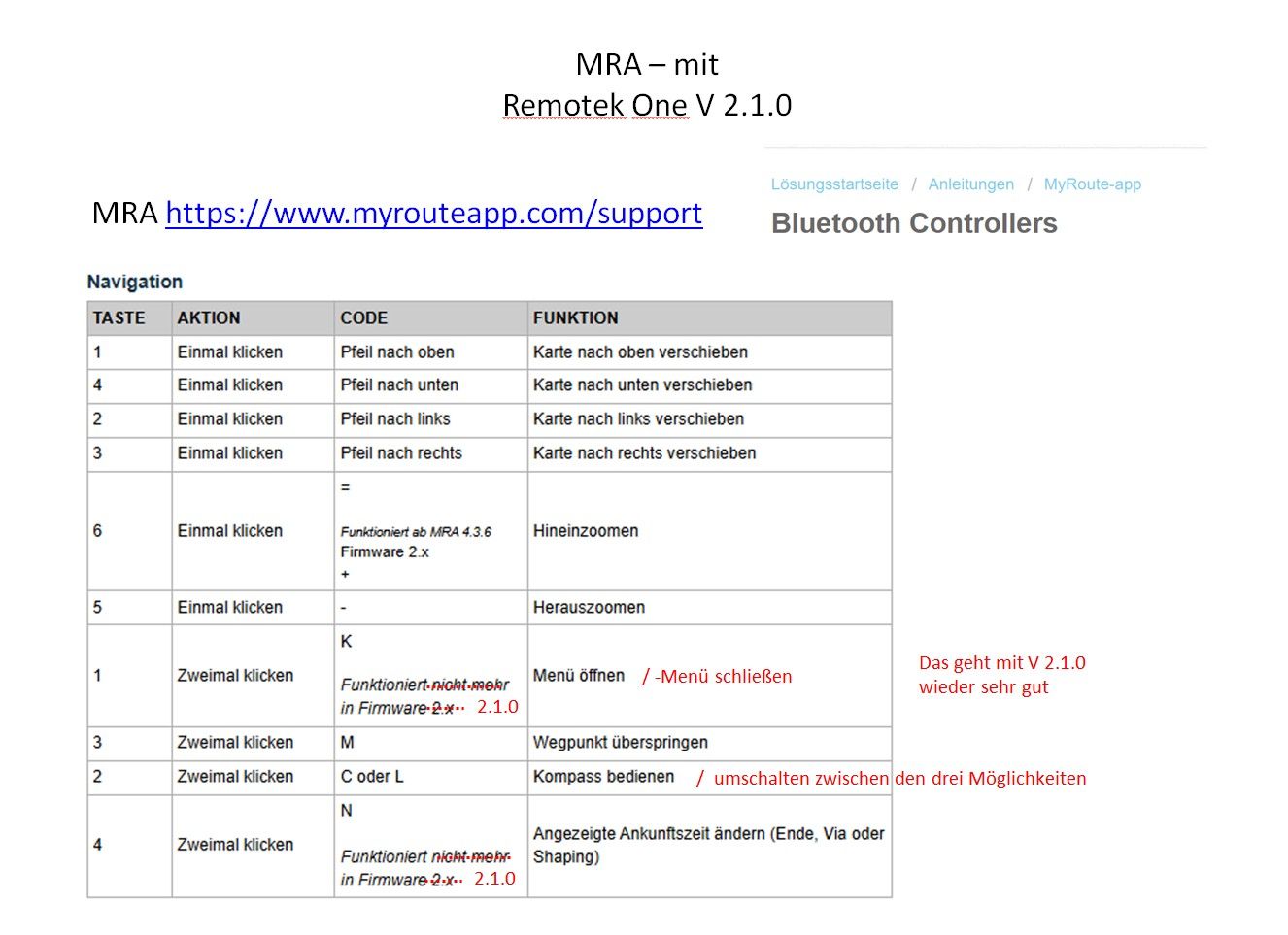
This is what you can find under the Navigation functional setting for the app.
[image: 1787995314948-9a61d676-db8a-4c04-a19a-ce78bb5aea8a-image.jpeg]
[image: 1787995365789-8a6d0c0d-04a6-466c-9d86-136fd727d0d6-image-resized.jpeg]
That list is not an accurate reflection of what's in the Next app today.
The documentation and videos need to be accurate (accepting that some minor errors may always exist) and up to date to truly be useful, especially to new users who may not be completely computer/app literate and also overwhelmed by the plethora of options.
To be clear, I'm not saying that the documentation has no value, it does. I'm saying that it needs to be accurate and up to date and should be considered an integral and valuable part of the overall solution.
PS yes, I know there are other videos on YouTube but those are not referenced in the documentation.























 POPULAR TOPICS
MY GROUPS
POPULAR TOPICS
MY GROUPS