Remotek-One Exchange of experiences
-

@CD130 : du kommst aber bestimmt nicht zum eingeblendeten Menü „Nein / Navigieren „ um die Route fortzusetzen

But you certainly won't get to the displayed menu "No / Navigate" to continue the route
-
iOS is confirmed with +
I can't get into the additional displayed menu with the keyboard to answer the question to continue.
-
@Hubert-Thoring said in Remotek-One Exchange of experiences:
Das wie im Video dargestellt wird wohl so mit keiner BT Tastatur und auch nicht mit dem WW gehen.
Bezogen worauf? Auf die Nachfragemeldung?
@Hubert-Thoring said in Remotek-One Exchange of experiences:
Die MRA Menü Ebenen greifen nicht zusammen, ob man das noch nachträglich in einem MRA Update berücksichtigt glaube ich nicht.
Naiv hätte ich erwartet, dass das mit sehr wenig Aufwand realisierbar sein sollte. (Was ich so aus der Entwicklung selbst kenne) (Bezogen auf die Nachfragemeldung wohl?)
@CD130 said in Remotek-One Exchange of experiences:
Here, everything works perfectly on iOS. I have the latest firmware installed on the Remotek-One, and I’ve only set the input settings to Remotek One within the MRA app. I haven’t changed anything within iOS itself.
So you can type with Remotek One with virtual keyboard, but on iOS?

@ConiKost I use the remote quite intensively and rarely experience this issue. That’s mainly due to the way I use it. I make sure the route is started before placing my phone in the mount, and any tasks that require typing I apparently do outside the range of the remote. Because of that, I don’t really run into this problem in practice, even though it does occur when I test for it.
Unfortunately, this is caused by iOS. As far as I know, there’s currently nothing that can be done about it.
The adventure starts where the plans end | READY TO >> RACE 🧡
-
@ConiKost I use the remote quite intensively and rarely experience this issue. That’s mainly due to the way I use it. I make sure the route is started before placing my phone in the mount, and any tasks that require typing I apparently do outside the range of the remote. Because of that, I don’t really run into this problem in practice, even though it does occur when I test for it.
Unfortunately, this is caused by iOS. As far as I know, there’s currently nothing that can be done about it.

@CD130 said in Remotek-One Exchange of experiences:
Unfortunately, this is caused by iOS. As far as I know, there’s currently nothing that can be done about it.
Well, since keyboard does not work for me on Android with Remotek, this can't be an iOS only issue?
-
Here, everything works perfectly on iOS. I have the latest firmware installed on the Remotek-One, and I’ve only set the input settings to Remotek One within the MRA app. I haven’t changed anything within iOS itself.

@CD130 said in Remotek-One Exchange of experiences:
Here, everything works perfectly on iOS. I have the latest firmware installed on the Remotek-One, and I’ve only set the input settings to Remotek One within the MRA app. I haven’t changed anything within iOS itself.
This is exactly my experience, too.
-
Zum Video: das kenne ich genau so

Das wie im Video dargestellt wird wohl so mit keiner BT Tastatur und auch nicht mit dem WW gehen.
- Die MRA Menü Ebenen greifen nicht zusammen, ob man das noch nachträglich in einem MRA Update berücksichtigt glaube ich nicht.
Ich nutze das gar nicht, das Navigieren und das Zoomen und WP überspringen ist ein muss und das funktioniert wunderbar mit der Remotek One.
Die anderen Menü Eingaben macht man besser im stehen, ….
@Hubert-Thoring said in Remotek-One Exchange of experiences:
Ich nutze das gar nicht, das Navigieren und das Zoomen und WP überspringen ist ein muss und das funktioniert wunderbar mit der Remotek One.
Korrekt - bisher funktioniert dies einwandfrei - auch auf dem DMD Device T665.
-
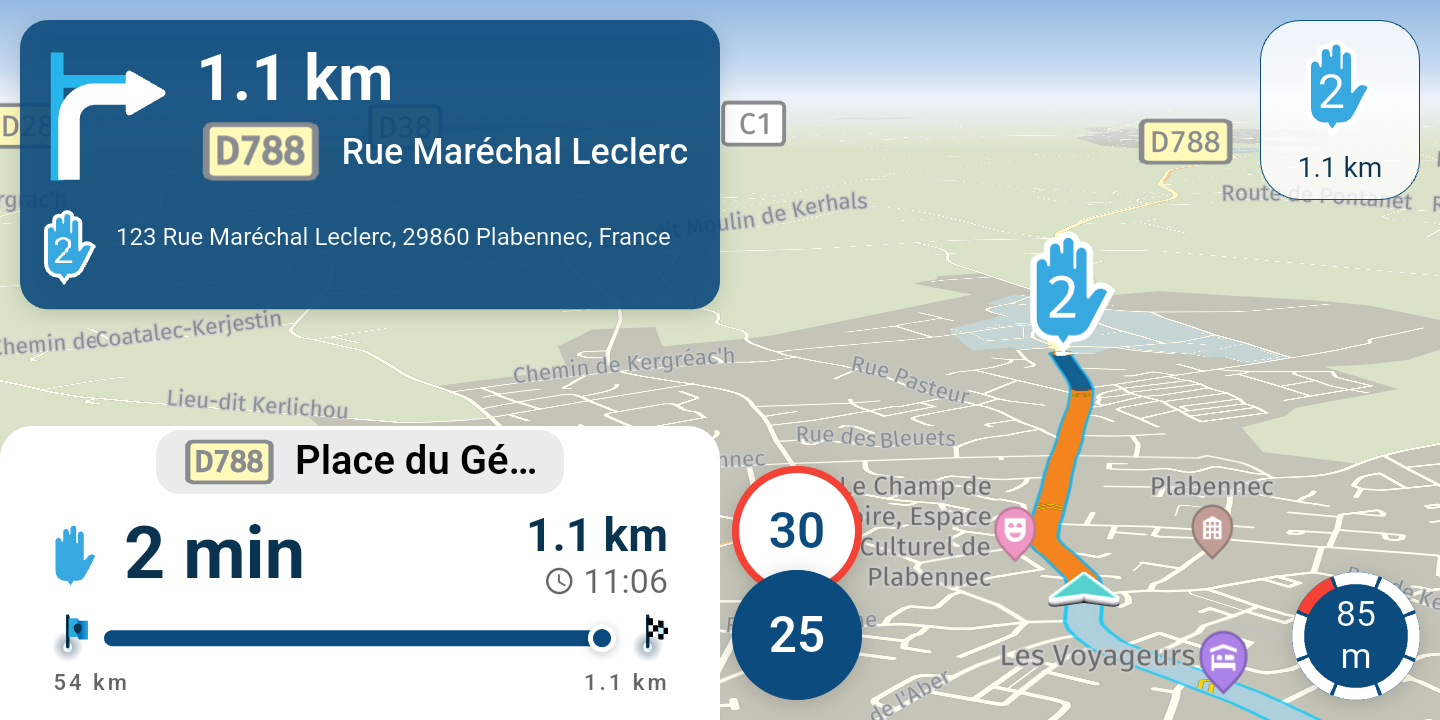
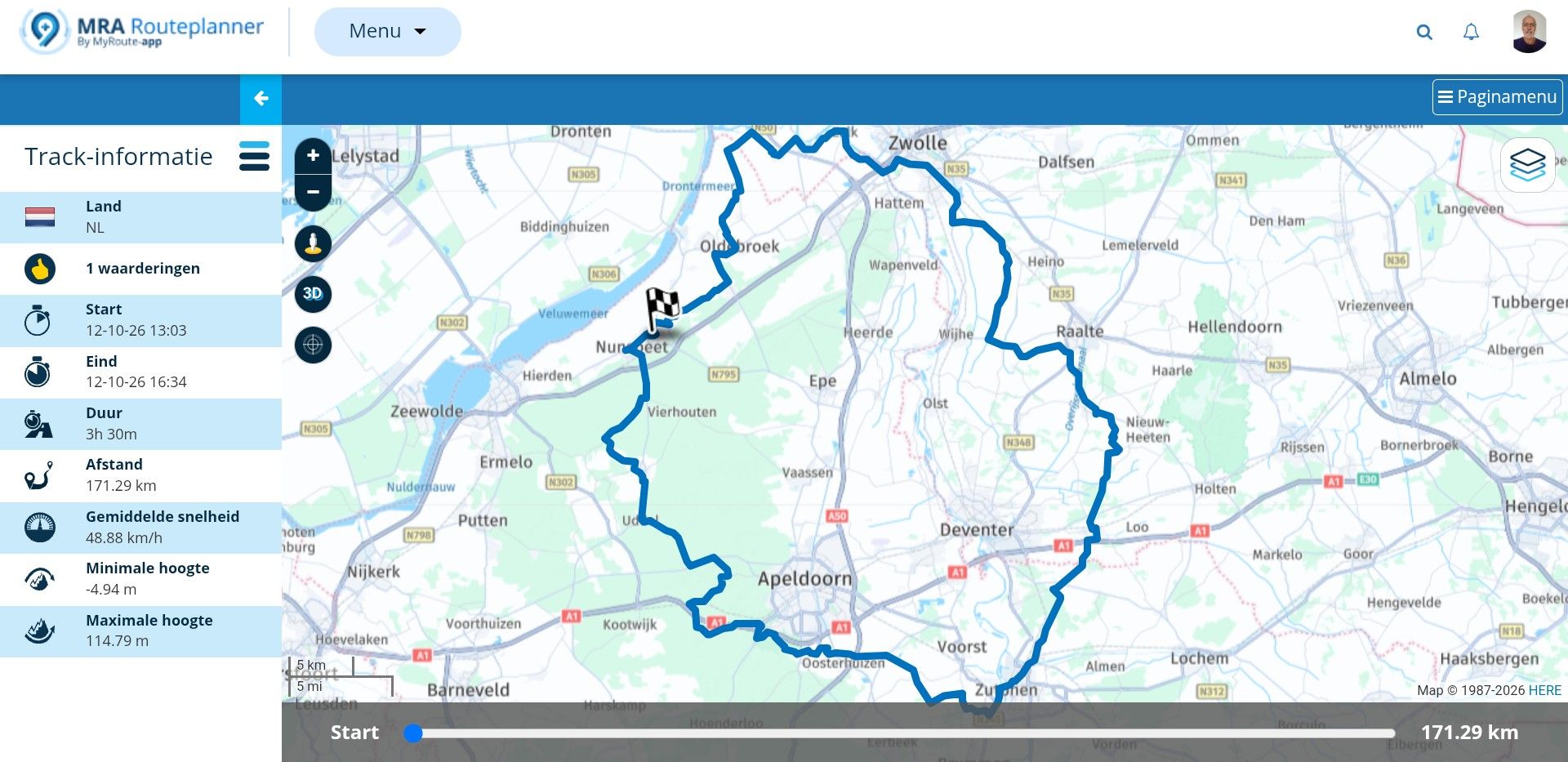
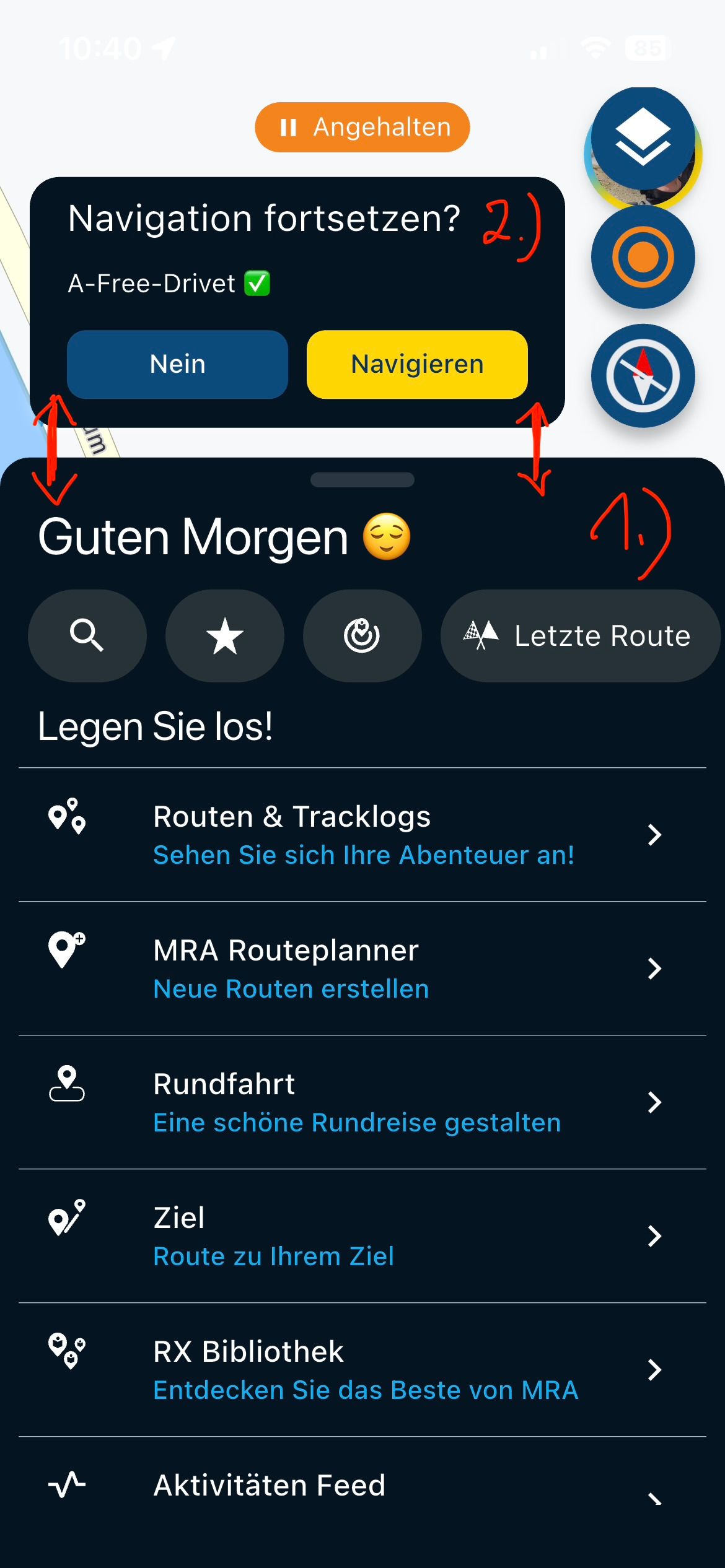
@Corjan-Meijerink : For info of the menus 1.) and 2.) s. Picture .
When applying, you can't get to the menu 2.) = Additional menu, because the operation by a WW or a BT keyboard like the Remotek One remain in the menu 1.) = Main menu
Can't that be changed?
-
@Hubert-Thoring said in Remotek-One Exchange of experiences:
Ich nutze das gar nicht, das Navigieren und das Zoomen und WP überspringen ist ein muss und das funktioniert wunderbar mit der Remotek One.
Korrekt - bisher funktioniert dies einwandfrei - auch auf dem DMD Device T665.
@silberfuchs67 said in Remotek-One Exchange of experiences:
Korrekt - bisher funktioniert dies einwandfrei - auch auf dem DMD Device T665.
Das tut mir auch alles super

@Corjan-Meijerink See Demo video in https://forum.myrouteapp.com/topic/7331/remotek-one-exchange-of-experiences/77?_=1775035025602
@Hubert-Thoring Damit ich das richtig verstehe: Die Tastatureingabe mit der Remotek One funktioniert unter iOS bei euch genauso wenig, ja?
-
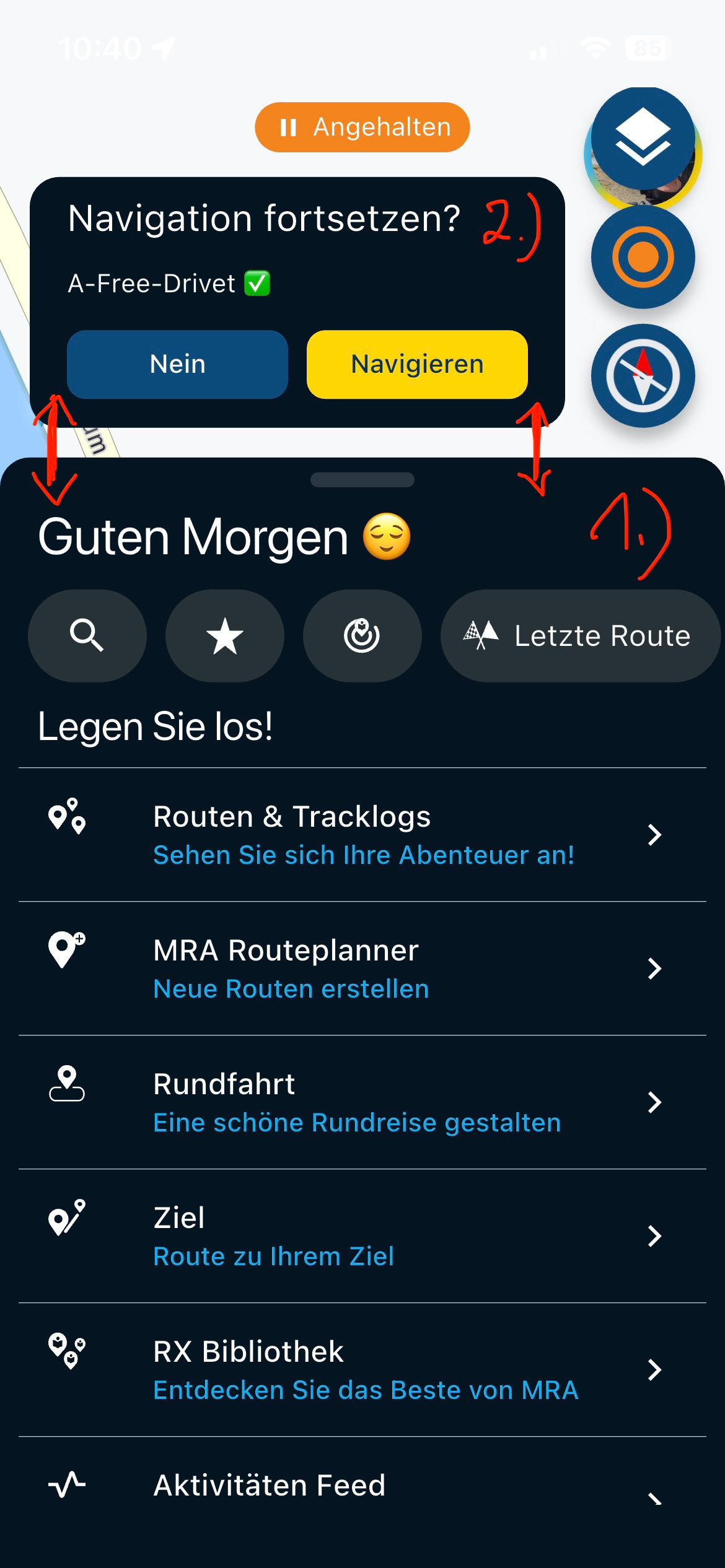
@ConiKost
Sie funktioniert, ich komme nur nicht in Menü 2.) s. Bild weil es im Menü 1.) verbleibt.Im Menü 1.) kann ich alles bedienen und über Pfeiltaste anwählen und mit + z.B. dann bestätigen …
VG Hubert
Beta Test "Next App" dazu die Hardware .
iPad 9. Gen iOS 27.0.1/ iPhone 16e iOS 27.0.1/ Navi iPhone Xr iOS 18.7.10 / PC mit MS Win11 /❗️MyRoute-App im Cradel und Remotek-One❗️ Info zu MRA & Remotek One -
@ConiKost
Sie funktioniert, ich komme nur nicht in Menü 2.) s. Bild weil es im Menü 1.) verbleibt.Im Menü 1.) kann ich alles bedienen und über Pfeiltaste anwählen und mit + z.B. dann bestätigen …
@Hubert-Thoring said in Remotek-One Exchange of experiences:
ie funktioniert, ich komme nur nicht in Menü 2.) s. Bild weil es im Menü 1.) verbleibt.
Also funktioniert 1) bei dir korrekt und beim Wechseln durch das Hauptmenü scrollt es mit?
Ich bezog mich aber mit der Tastatur auf 3), wenn man mit der Remotek was eingeben will. -
Dann musst Du bzw. ich Bluetooth ausschalten, dann die Eingabe über das Handy und der Display Tastatur ausführen und dann wenn fertig Bluetooth wieder einschalten. Das wird bei iOS so beschrieben !
VG Hubert
Beta Test "Next App" dazu die Hardware .
iPad 9. Gen iOS 27.0.1/ iPhone 16e iOS 27.0.1/ Navi iPhone Xr iOS 18.7.10 / PC mit MS Win11 /❗️MyRoute-App im Cradel und Remotek-One❗️ Info zu MRA & Remotek One -
Dann musst Du bzw. ich Bluetooth ausschalten, dann die Eingabe über das Handy und der Display Tastatur ausführen und dann wenn fertig Bluetooth wieder einschalten. Das wird bei iOS so beschrieben !
@Hubert-Thoring said in Remotek-One Exchange of experiences:
Dann musst Du bzw. ich Bluetooth ausschalten, dann die Eingabe über das Handy und der Display Tastatur ausführen und dann wenn fertig Bluetooth wieder einschalten. Das wird bei iOS so beschrieben !
Reden wir aneinander vorbei? Wenn ich Bluetooth abschalten würde, geht nur noch per Touch. Per Touch kann ich die virtuelle Tastatur immer bedienen, egal ob die Remotek verbunden ist oder nicht. Das meine ich aber überhaupt nicht. Sondern per Pfeiltasten der Remotek die virtuelle Touch Tastatur bedienen mit der Remotek. Das soll ja laut Handbuch gehen und in der Remotek App habe ich dafür die Berechtigungen freigegeben?
-
Dann haben wir uns missverstanden, mach mal ein Foto davon …
 ️
️VG Hubert
Beta Test "Next App" dazu die Hardware .
iPad 9. Gen iOS 27.0.1/ iPhone 16e iOS 27.0.1/ Navi iPhone Xr iOS 18.7.10 / PC mit MS Win11 /❗️MyRoute-App im Cradel und Remotek-One❗️ Info zu MRA & Remotek One -
Dann haben wir uns missverstanden, mach mal ein Foto davon …
️
@Hubert-Thoring said in Remotek-One Exchange of experiences:
Dann haben wir uns missverstanden, mach mal ein Foto davon … ️
Ich glaube langsam, dass hier ein Missverständnis meinerseits liegt.
Meine (naive) Annahme wäre, dass das Anzeigen der Virtuellen Tastatur (was man in der Remotek App konfiguriert) bei Nutzung der Remotek auch bedeutet, dass man mit den Pfeiltasten die virtuelle Tastatur navigieren kann. (Ähnlich wie früher auf einem SNES mit Gamepad). Ist aber nicht schlimm, das ist für mich kein Feature, was ich brauche. -

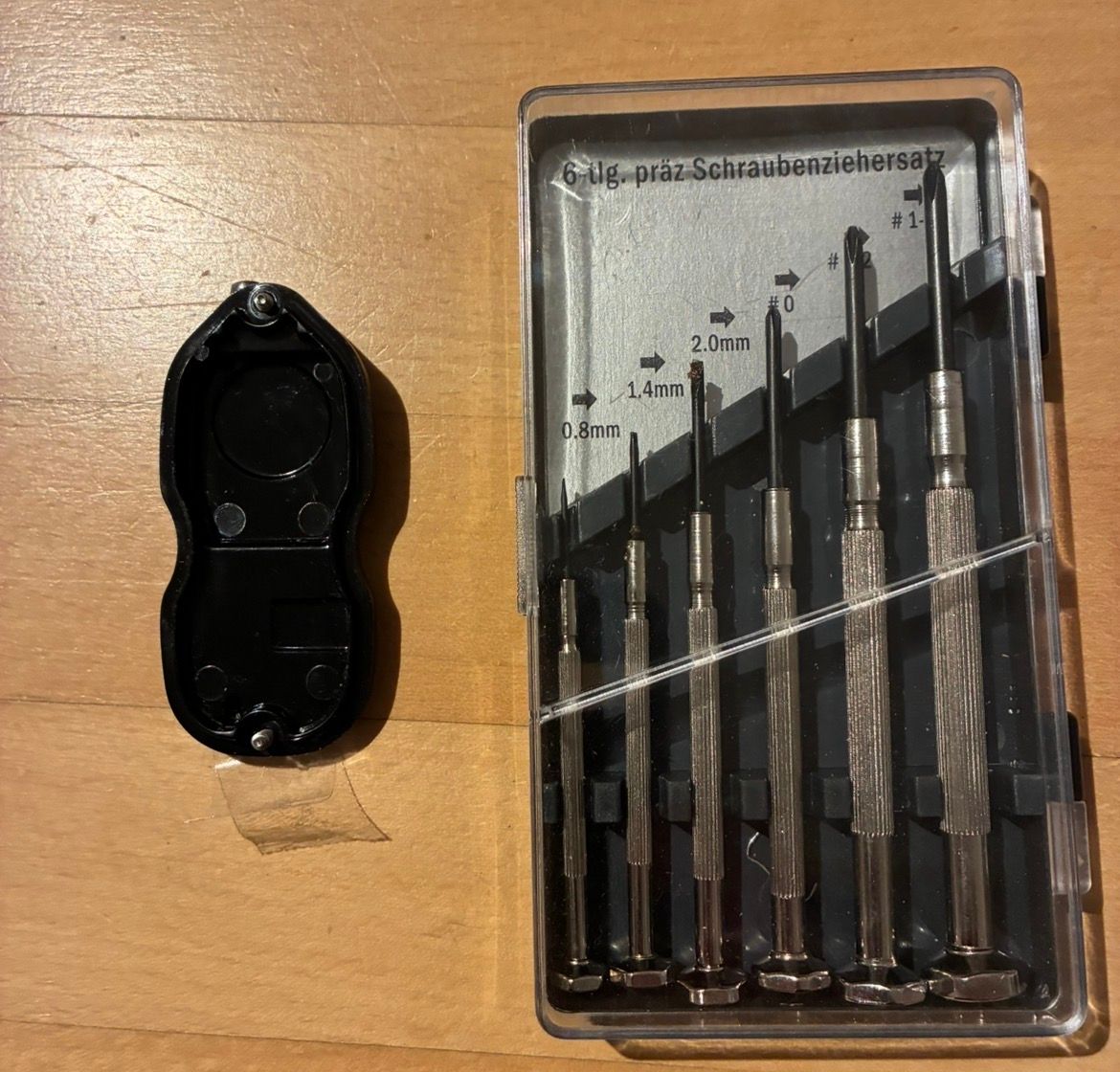
Mal was ganz anderes: Was für einen Schraubendreher braucht man für den Knopfzellenwechsel? T5, T6?
-
Ich weiß es gar nicht, Uhrmacher Werkzeug geht immer , … die Batterie hält aber mehr als zwei Jahre
VG Hubert
Beta Test "Next App" dazu die Hardware .
iPad 9. Gen iOS 27.0.1/ iPhone 16e iOS 27.0.1/ Navi iPhone Xr iOS 18.7.10 / PC mit MS Win11 /❗️MyRoute-App im Cradel und Remotek-One❗️ Info zu MRA & Remotek One -
Ich weiß es gar nicht, Uhrmacher Werkzeug geht immer , … die Batterie hält aber mehr als zwei Jahre
So ein Uhrmacher-Set habe ich auch, mit verschiedenen Schlitz- und Kreuzdrehern.
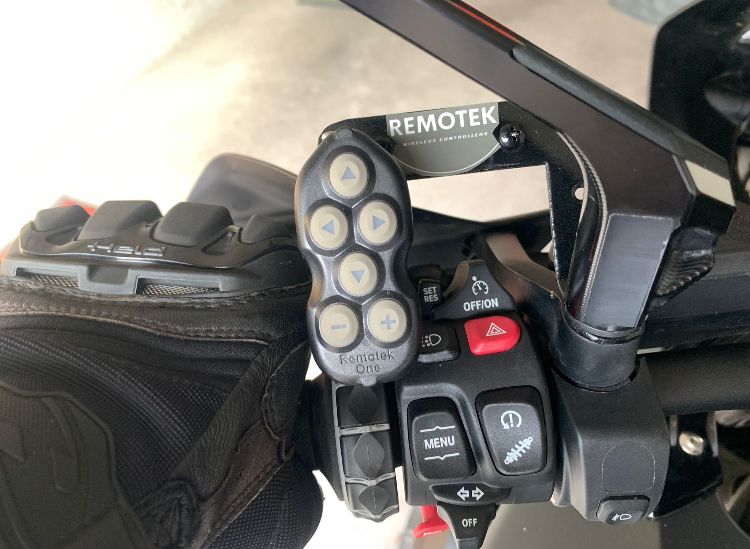
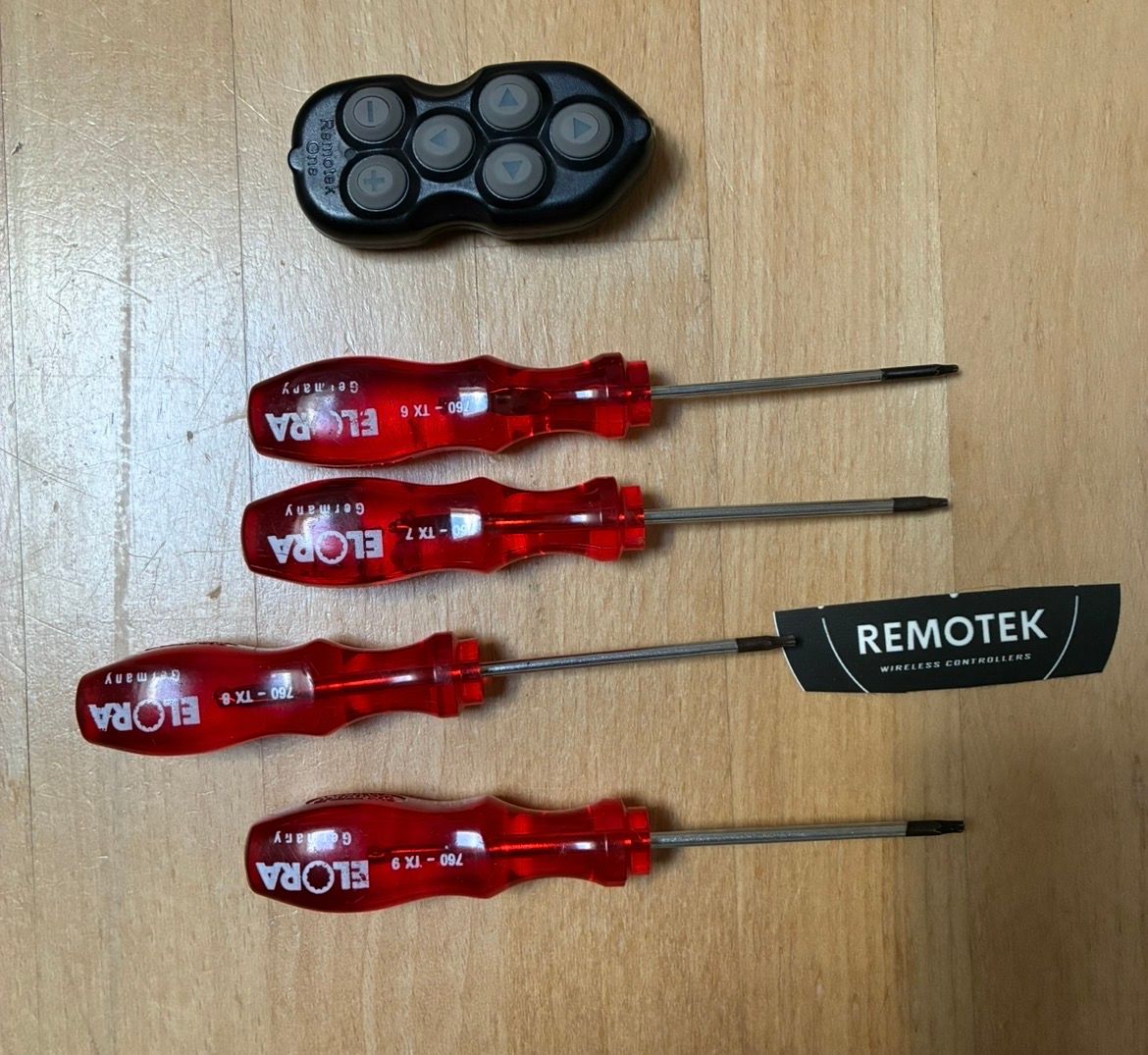
Bei der Remotek sind aber Torx Schrauben verbaut und da hätte ich schon gerne das passende Werkzeug - ich bin da pingelig
-
Ich schaue mal du hast Recht TX-8 passt
VG Hubert
Beta Test "Next App" dazu die Hardware .
iPad 9. Gen iOS 27.0.1/ iPhone 16e iOS 27.0.1/ Navi iPhone Xr iOS 18.7.10 / PC mit MS Win11 /❗️MyRoute-App im Cradel und Remotek-One❗️ Info zu MRA & Remotek One -
Ich schaue mal du hast Recht TX-8 passt
@Hubert-Thoring
Super, danke dir!
Hello! It looks like you're interested in this conversation, but you don't have an account yet.
Getting fed up of having to scroll through the same posts each visit? When you register for an account, you'll always come back to exactly where you were before, and choose to be notified of new replies (either via email, or push notification). You'll also be able to save bookmarks and upvote posts to show your appreciation to other community members.
With your input, this post could be even better 💗
Register Login


-
01361
-
1211154
-
 013208
-
 0638
0638
-
 1662
1662
-
 16117
16117
-
 15155
15155
-
0732