Waypoints on Nav 6
-

Please can somoene help? In MRA I create a route with a few waypoints, and I can see them on the map and on the list. No Problem. I them export the route to my BMW Nav 6. This works fine, no problem. However, on the Nav 6 it only shows me the start waypoint and the end waypoint. If the route goes to plan then no problem but I'm sure I should be able to see all the waypoints and if I go off route then I can navigate back to the next waypoint. My friend with a Zumo, using MRA, can see all the waypoints, not just the start and end. I'd be very grateful for any help, please.
-
Please can somoene help? In MRA I create a route with a few waypoints, and I can see them on the map and on the list. No Problem. I them export the route to my BMW Nav 6. This works fine, no problem. However, on the Nav 6 it only shows me the start waypoint and the end waypoint. If the route goes to plan then no problem but I'm sure I should be able to see all the waypoints and if I go off route then I can navigate back to the next waypoint. My friend with a Zumo, using MRA, can see all the waypoints, not just the start and end. I'd be very grateful for any help, please.

@Nick-Bensted-Smith I don’t have a nav6 but it looks like you’ve exported a track instead of a route. A track only has a starting and an endpoint.
-
 Nick Carthew moved this topic from [App] Problems, Bugs and other Issues on
-
Very many thanks Marinus - As far as I can tell I have created a route with waypoints, rather than a track, but I'll have another look. Nick
-
I have checked and it definitely says I have exported a 'Route' not a track. Does anyone else have any suggestions please?
-
I have the same problem using direct export function from MRA. Try to save is as GPX 1.1 (maybe 1.2 also caould be used) and import to basecamp, then save from basecamp into the Nav 6. Waypoints are not clearly visible in the basecamp but should be ok in the Nav 6.
--
Regards
Staszek -
I have the same problem using direct export function from MRA. Try to save is as GPX 1.1 (maybe 1.2 also caould be used) and import to basecamp, then save from basecamp into the Nav 6. Waypoints are not clearly visible in the basecamp but should be ok in the Nav 6.
@Stanisław Thanks for trying to help. I have now tried every combination I can see. If I save as .GPX 1.0 Route and export to Device Garmin GPX 1.1, then I can now see the blue waypoint blobs on the Nav 6 map but I still do not get a list of the waypoints on the Nav 6, just the start and end waypoints.
I do not have Basecamp so I don't think I can try the method you suggested. -
@Stanisław Thanks for trying to help. I have now tried every combination I can see. If I save as .GPX 1.0 Route and export to Device Garmin GPX 1.1, then I can now see the blue waypoint blobs on the Nav 6 map but I still do not get a list of the waypoints on the Nav 6, just the start and end waypoints.
I do not have Basecamp so I don't think I can try the method you suggested.
@Nick-Bensted-Smith I am new to the Garmin world, I've been using Tomtom till now. Basecamp is free, I think you could try it but this is not the easiest piece of software to use I've seen in my life. For me it was the only solution but maybe someone does have other one working correctly.
-
Please can somoene help? In MRA I create a route with a few waypoints, and I can see them on the map and on the list. No Problem. I them export the route to my BMW Nav 6. This works fine, no problem. However, on the Nav 6 it only shows me the start waypoint and the end waypoint. If the route goes to plan then no problem but I'm sure I should be able to see all the waypoints and if I go off route then I can navigate back to the next waypoint. My friend with a Zumo, using MRA, can see all the waypoints, not just the start and end. I'd be very grateful for any help, please.

@Nick-Bensted-Smith on My Nav 5 I export the route as a .gpx 1.1 (route, track POI).
🏍️ BMW K1600GT-P (2013) | Nolan N100-5 with Sena 30K
📱 iOS on iPhone 13 & 16 (mounted on Quadlock or AliExpress extention on BMW-cradle)
🚙 Apple CarPlay in VW T-Roc
💻 Routelab on MacBook Air & iMac (Golden Gate & Ventura) -
@Nick-Bensted-Smith on My Nav 5 I export the route as a .gpx 1.1 (route, track POI).
@Rob-Verhoeff thanks Rob. Having gone through much trial and error I think I have now found a way to make it work. If I save the route, as you suggested, as a .gpx 1.1 and then export it to Garmin 1.1, despite having BMW Nav 6, it seems to work. Fingers crossed.
-
@Rob-Verhoeff thanks Rob. Having gone through much trial and error I think I have now found a way to make it work. If I save the route, as you suggested, as a .gpx 1.1 and then export it to Garmin 1.1, despite having BMW Nav 6, it seems to work. Fingers crossed.
-
@Nick-Bensted-Smith How do you export the gpx file to the NAV?

@Stanisław : Bei mir funktioniert es mit dem BMW Navi 6 soweit ganz gut. Mache es mit dem Handy iPhone oder iPad so ..
Format: GPX 1.1
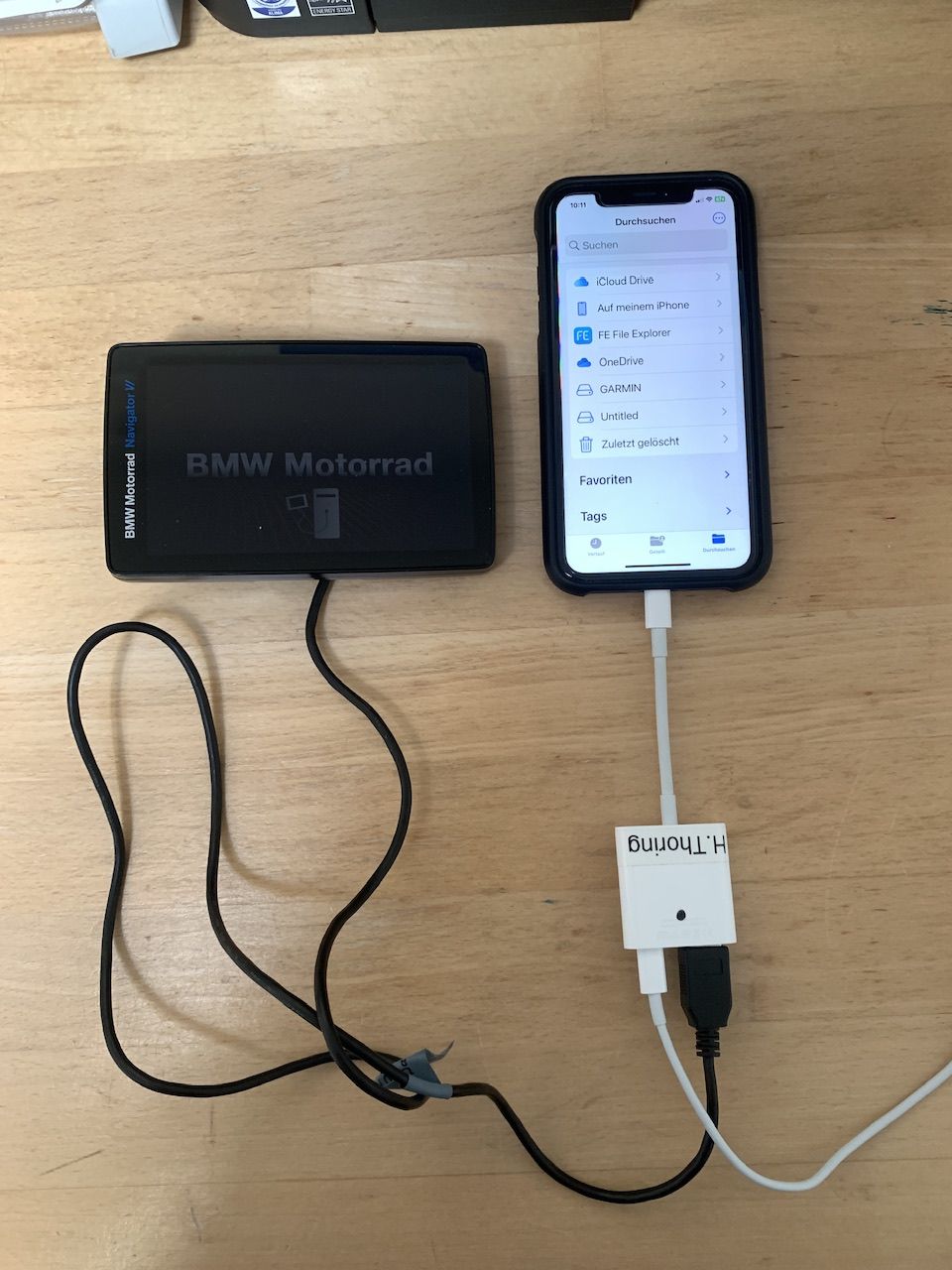
Auf dem Gerät
- Garmin „interner Speicher“ \Garmin\GPX
- Untitled „Speicherkarte“ \Garmin\GPX
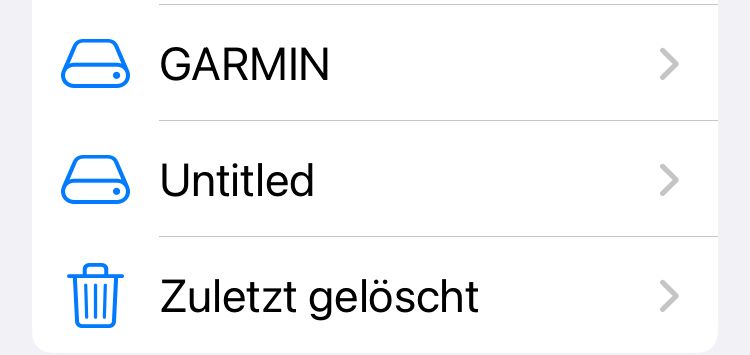
Danach meldet sich nach Start des Geräts bei Datei in internen Speicher, neue Routen gefunden…
Viel Erfolg, und dann bitte beim Start den ersten WP wählen sonst wird neu geroutet und ein eigener Weg des Navi 6 gefahren

VG Hubert
Beta Test "Next App" dazu die Hardware .
iPad 9. Gen iOS 27.0.1/ iPhone 16e iOS 27.0.1/ Navi iPhone Xr iOS 18.7.10 / PC mit MS Win11 /❗️MyRoute-App im Cradel und Remotek-One❗️ Info zu MRA & Remotek One -
@Stanisław : Bei mir funktioniert es mit dem BMW Navi 6 soweit ganz gut. Mache es mit dem Handy iPhone oder iPad so ..
Format: GPX 1.1
Auf dem Gerät
- Garmin „interner Speicher“ \Garmin\GPX
- Untitled „Speicherkarte“ \Garmin\GPX
Danach meldet sich nach Start des Geräts bei Datei in internen Speicher, neue Routen gefunden…
Viel Erfolg, und dann bitte beim Start den ersten WP wählen sonst wird neu geroutet und ein eigener Weg des Navi 6 gefahren
@Hubert-Thoring So you mean manually copying the file to the device memory via USB, thanks - I will try this way.
--
Regards
Staszek -
@Hubert-Thoring So you mean manually copying the file to the device memory via USB, thanks - I will try this way.
@Stanisław : Ich würde aber jetzt den Umstieg auf diese Lösung empfehlen, so mache ich es jetzt einfach, MRA in der Cradel Halterung und fertig.!!!
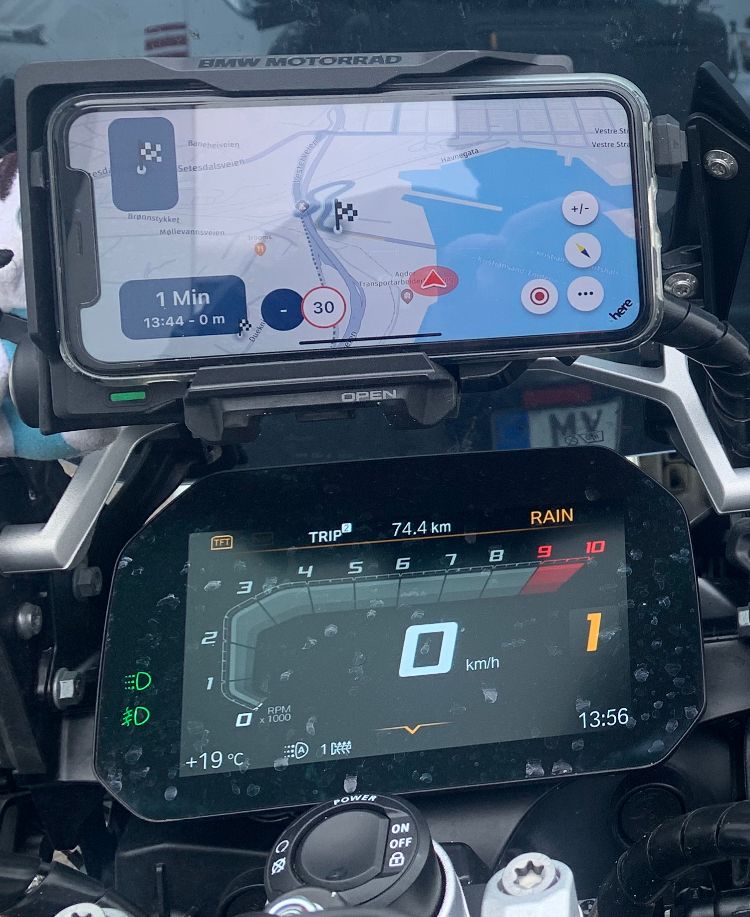
VG Hubert
Beta Test "Next App" dazu die Hardware .
iPad 9. Gen iOS 27.0.1/ iPhone 16e iOS 27.0.1/ Navi iPhone Xr iOS 18.7.10 / PC mit MS Win11 /❗️MyRoute-App im Cradel und Remotek-One❗️ Info zu MRA & Remotek One -
@Stanisław : Ich würde aber jetzt den Umstieg auf diese Lösung empfehlen, so mache ich es jetzt einfach, MRA in der Cradel Halterung und fertig.!!!
@Hubert-Thoring for now I am testing the garmin, but of course I am considering this scenario as well

-
I'm just back from a trip. Route planned here and then exported to my Nav 6. Once I got going the Sat Nav wanted me to go all sorts of ways except the planned Route. Help, please.
@John-B-1 said in Waypoints on Nav 6:
I'm just back from a trip. Route planned here and then exported to my Nav 6. Once I got going the Sat Nav wanted me to go all sorts of ways except the planned Route. Help, please.
It would be easier to find a solution if you share your route John. Make sure the privacy is set to public first.
-
@Nick-Bensted-Smith I don’t have a nav6 but it looks like you’ve exported a track instead of a route. A track only has a starting and an endpoint.

@Marinus-van-Deudekom When you use the GPX file it transfers both a track and a route to the Nav 6. To use the file you open the GPX file with the Apps in the Garmin. You can open using the Track App or the Route App. There's a number of YouTube demo's on how to decide and use these features. I have not had any problems getting turn by turn from my Nav 6 but have not had a working unit for as while due the screen problem, so have forgotten the steps. I now have a replacement Nav 6 so will have to relearn the system from using an XT and XT2 in the mean time. If I remember I used 1.1 file. while the XT2 is better with 1.2.
-
I'm just back from a trip. Route planned here and then exported to my Nav 6. Once I got going the Sat Nav wanted me to go all sorts of ways except the planned Route. Help, please.
@John-B-1 Hey, bitte die GPX 1.1 verwenden und die geladene Route aufrufen und dann ganz wichtig.
Den ersten Startpunkt wählen und niemals den zweiten denn das ist das Ziel ohne WP zu berücksichtigen..!
Also sehr wichtig denn nur wenn Du den Startpunkt wählst berücksichtigen der Nav N6 dann auch die geplanten WP, es hilft auch die Routeneinstellung im Nav N6 dabei auf Kürzere Strecke zu stellen damit das Navi kein ausschlagen erzeugt
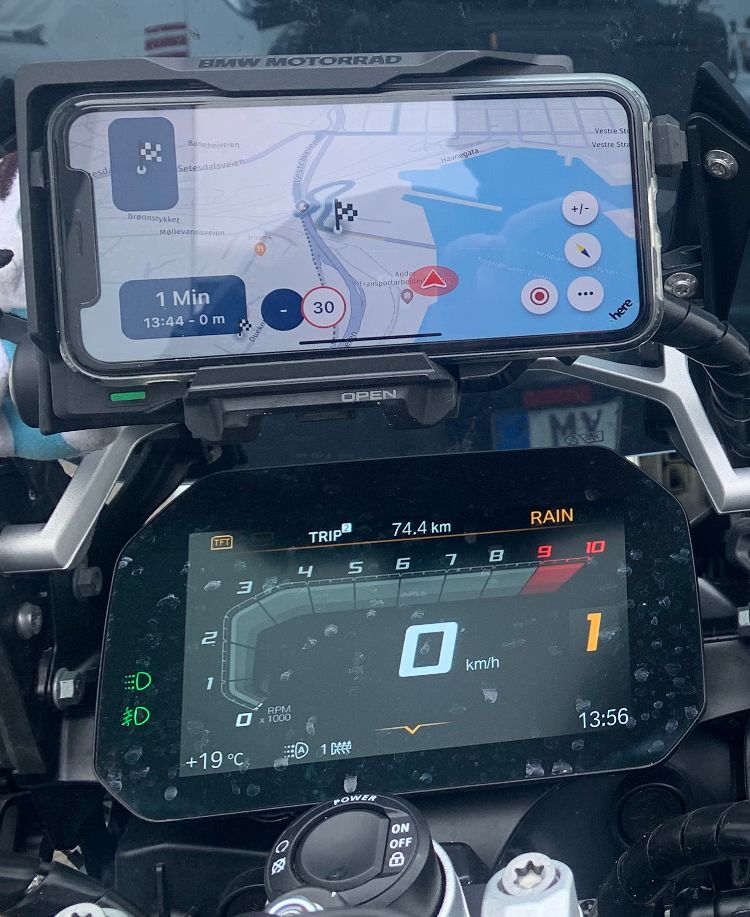
Aber ich empfehle ab jetzt nur noch diese Lösung.!!
- BMW Cradel Halterung
- MyRoute App
-
Hubert Thoring referenced this topic on
Hello! It looks like you're interested in this conversation, but you don't have an account yet.
Getting fed up of having to scroll through the same posts each visit? When you register for an account, you'll always come back to exactly where you were before, and choose to be notified of new replies (either via email, or push notification). You'll also be able to save bookmarks and upvote posts to show your appreciation to other community members.
With your input, this post could be even better 💗
Register Login-
012118
-
 1320185
-
 17363.5k
-
0629
-
 0640
0640
-
0540
-
0520
-
05134