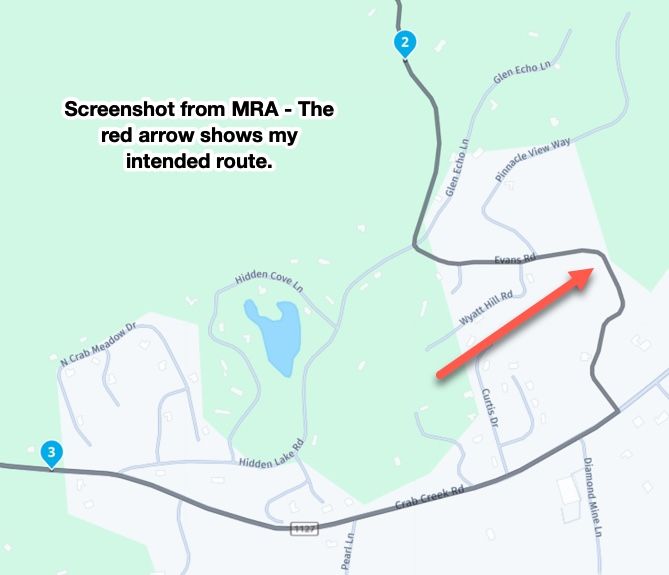
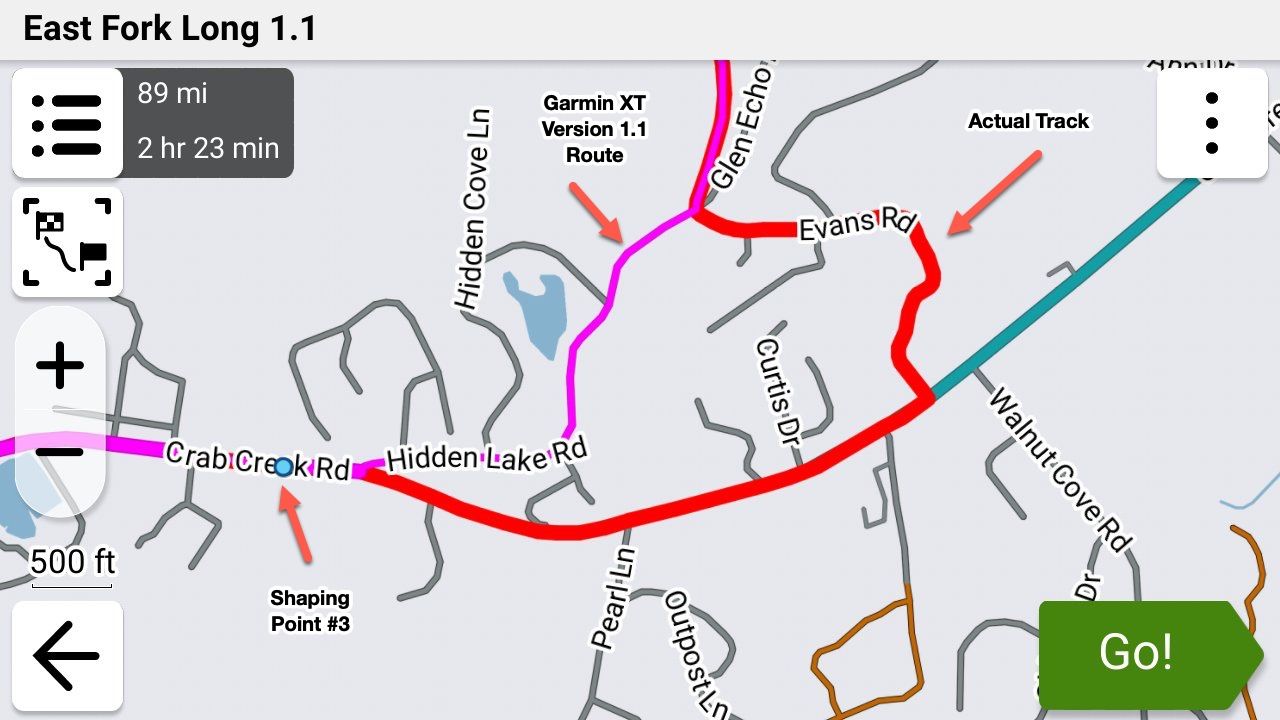
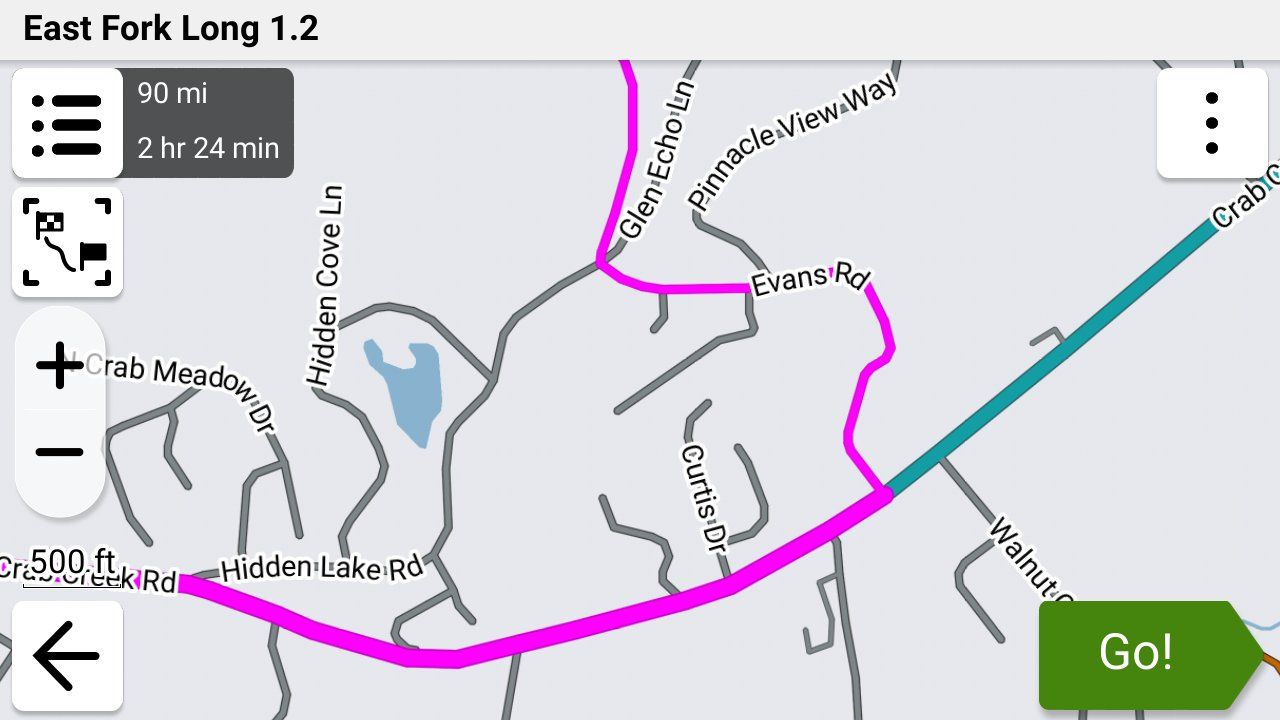
GPX Versions 1.1 vs 1.2 for Garmin Visually Explained
-
So long as you have your track visible, none of this is a major problem. And in any case, it's always quite easy to get back to your intended route by stopping it then restarting with CEP.
I spend some time planning the specific roads I want us to go down so also hate it being messed up. I'm really pleased with how 1.2 handles a normal deviation so finding out about skipped via points and "Up Ahead" deviations will be interesting.

@Carl-Lee For some reason my XT3 is no longer showing my track with my route even though I've done it MANY times in the past. I'm still trying to figure out what's going on. You're right though... that's the very best way to know that you're being routed the way that you intended to be!
-

@steve-jarrell maybe as you are tied in to collections with Explore? This is how I am too and it’s a case of making the collection visible. A little more to it than that but I won’t blather on in case that’s not your issue.
-
@Steve-Jarrell Yes, the WA - OR - Northern CA sections of the west coast have incredible scenery. I always try to catch that area when there are known periods of good weather and clear skies. But from a pure riding perspective, Central California has some of the best backroad riding to be found anywhere. That's my backyard, and I try to take full advantage of it.

Back to the "Up Ahead" and what adding diversions does to a route -- I'll construct a test to see how much of the overall route is touched. Like you, I hate any recalculation because I never trust what might actually be altered. My routes have a given shape for a reason and changing them on the fly during execution goes against my intent. Using a feature like "Up Ahead" is a valid alteration (to me) given a specific circumstance, so I'll investigate that further.
@John-S-Parry Good deal. Let us know what you find.
The best test would be just a starting via point and an ending via point with a lot of shaping points in between that are neither the fastest or shortest paths to the ending via point. I'll try it if I get a chance. It's very likely that the older Garmin units will act differently than the new ons.
-
@John-S-Parry Good deal. Let us know what you find.
The best test would be just a starting via point and an ending via point with a lot of shaping points in between that are neither the fastest or shortest paths to the ending via point. I'll try it if I get a chance. It's very likely that the older Garmin units will act differently than the new ons.
@Steve-Jarrell Good approach. I was thinking along the same lines. I'll mix up the roads enough to trigger a different re-calculated route path if that's what it wants to do.
-
@steve-jarrell maybe as you are tied in to collections with Explore? This is how I am too and it’s a case of making the collection visible. A little more to it than that but I won’t blather on in case that’s not your issue.
@Carl-Lee No, I don't use Explore at all (I have another thread about the hoops that I had to go through to remove it when I did activate it) but I do use collections in the XT3.
You did put me on the right track though! Since I think this issue is unique to the XT3 I've created another thread to explain what's happening and a good work around as it's not documented at all in the user's manual.
Thanks!
p.s. When I said before that I've shown the track with the route many times I have..... but that's been with previous version of the Garmin units up to and including the XT.
-
@Simon-James-Hancock It appears from reading through all of this that your XT and XT2 will behave slightly differently with GPX 1.2 files. The XT and older Garmin devices will recalculate according to their own parameters if you use GPX 1.2 and accidently recalculate the route. This behaviour will not be fixed by Garmin as the units are now discontinued. I've tested this in simulation mode and riding the bike with a GPX 1.2 route on the Garmin Zumo XT you cannot let the unit recalculate. This is fine as all that happens is that the unit goes quiet until you re join the magenta line. For the XT2/3 it appears that recent software updates from Garmin mean that if you deviate from a GPX1.2 route you can leave automatic recalculation on and the device will navigate back to the route.
@Mzokk That is exactly what happened this afternoon in my test.
I purposly stopped along the route and turned both units off and then back on again.
The xt2 picked up the route again and the xt whent dorment untill much further down the route. -
Going off topic a bit.
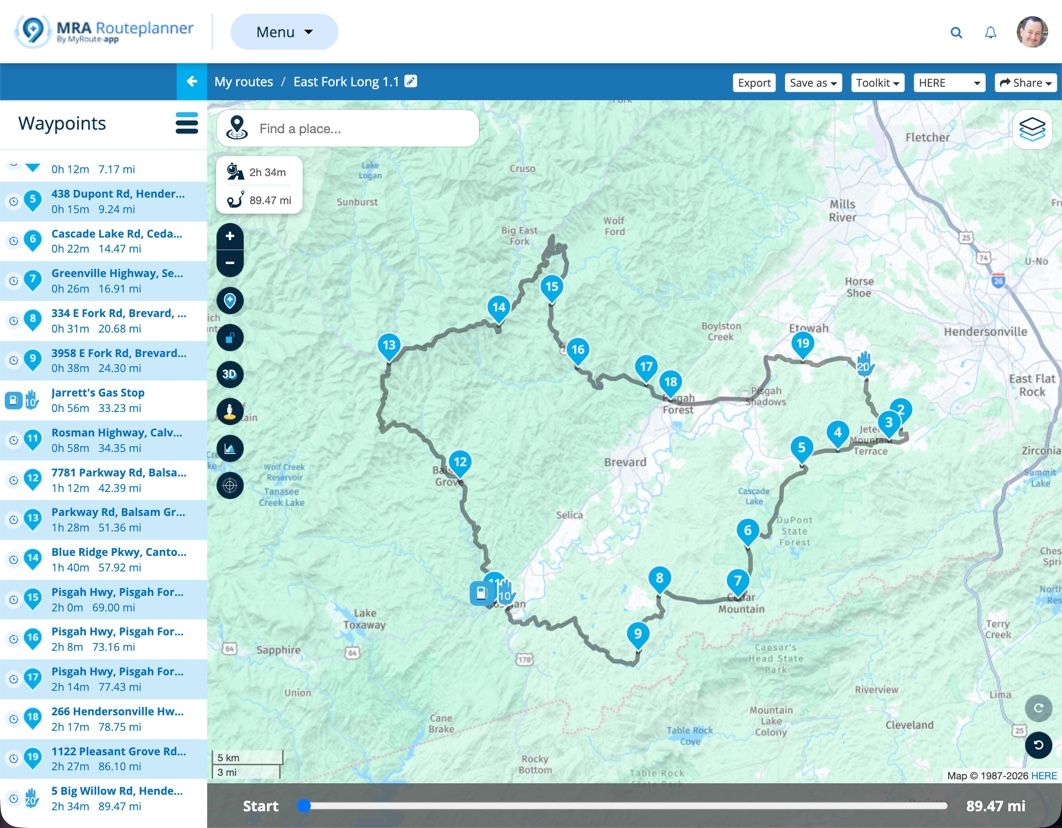
If just using the MRA app on the phone, What is the best map to create the route and which format is the best to save the route for the MRA app?
How does the standalone MRA app deal with these situations?
I am asking this as my bike has carplay so therefore I also have the option of using the MRA app. -
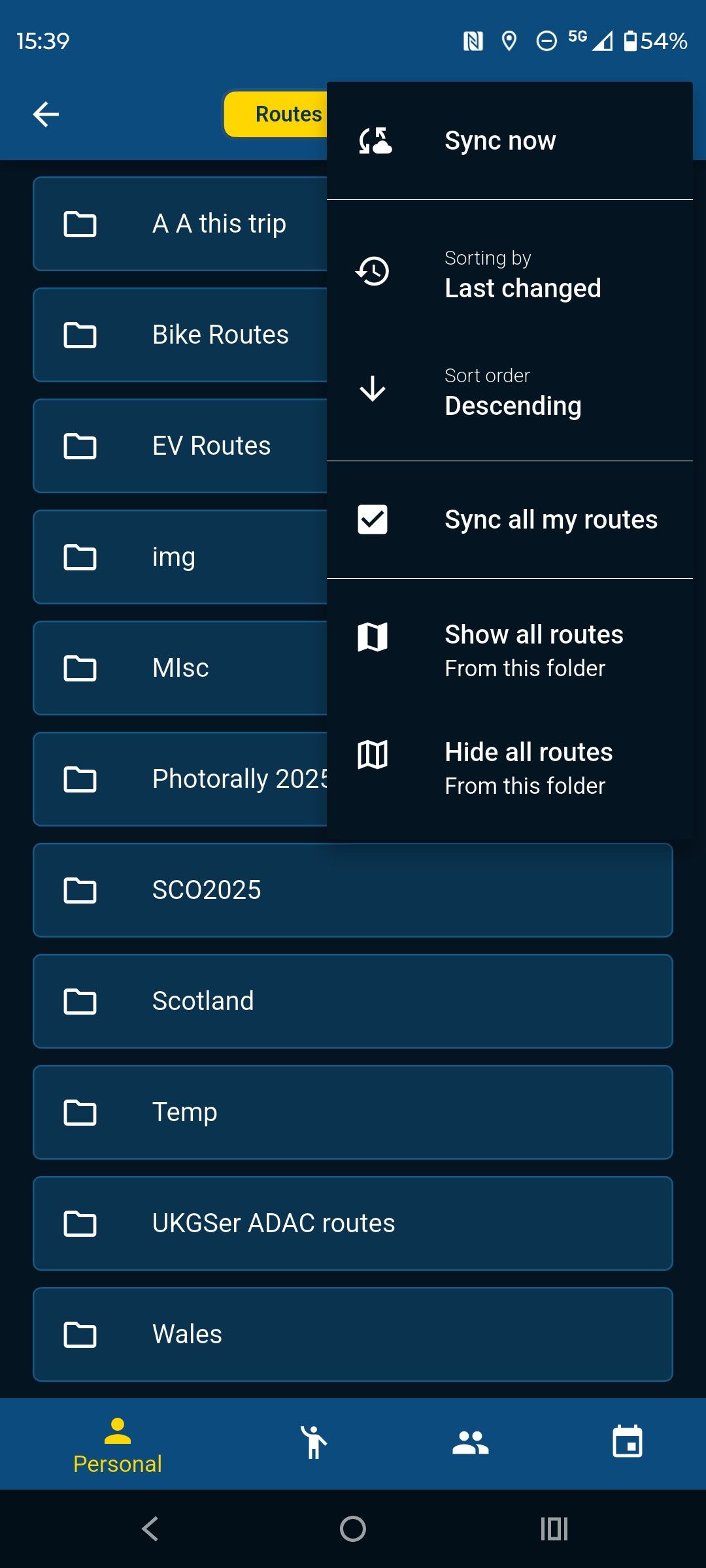
The best map to use for route creation is the Here map as this matches the mapping on Garmin devices. If you have the navigation app you can create routes on it and they can be synchronised to your phone. If you are using the route planner on your phone (not the app) then you can download the routes if you have mobile phone signal or Wifi. They don't need to be saved in any format to the route planner only when you download a route to send to your device.
I use the app for navigation and have my phone synced with the site so if I have signal or wifi my route library is also on my phone (GPX files do not take up much space)
-
Do the routes perform in the same way as on the Garmin, ie when you go off route and recalculation?
-
Yes, but of course they are WYSIWYG between the planner and the app no messing with GPX types. I no longer use my XT for navigation I use it for track recording and proximity aware poi's. Mra poi handling is not as good as Garmin, Basecamp,Poi loader and track splitting and joining is easy in Basecamp.
-
@John-S-Parry Good deal. Let us know what you find.
The best test would be just a starting via point and an ending via point with a lot of shaping points in between that are neither the fastest or shortest paths to the ending via point. I'll try it if I get a chance. It's very likely that the older Garmin units will act differently than the new ons.
@Steve-Jarrell Per our discussion, I created a 1.2 route with a starting via point, an ending via point, and a lot of shaping points in-between. About 7-miles from home, I used 'Up Ahead" to select an off-route destination, and directed my XT3 to insert it as the next destination in the route. That function worked. But in adding that next destination (via point), there was clearly a route re-calculation. The XT3 routed me home the fastest path possible, bypassing all the crazy turns/shaping points I had created in the original route.
I'm guessing that if I had stopped and restarted the route at the inserted destination, that I could have started the route up using the "Closest Entry Point" option, and all would have been good. I'd have to go back and test that to be sure. But if I'm understanding things correctly, it reinforced the lesson that with 1.2, don't do anything that's going to force a re-calculation -- your original subsequent route is going to be altered, and not in a way you want.
Even with 1.1, I avoid recalculations 99% of the time, so I'm good with continuing the strategy of deviating off a 1.2 route, and finding my way back to route line where I choose. To me, the advantages with 1.2 route creation out weight off-route recalculation capabilities.
-
Edit to above: The moment I inserted the up ahead destination via point, the route was altered and restating it from scratch wasn't going to fix anything. If I had the XT3 just create and start a route to the "up ahead" via point, my original route would not have been recalculated, and I think I could have started it up with the "Closest Entry Point" option.
It goes back to not doing anything that triggers a recalculation of the original 1.2 route.
-
@Steve-Jarrell Per our discussion, I created a 1.2 route with a starting via point, an ending via point, and a lot of shaping points in-between. About 7-miles from home, I used 'Up Ahead" to select an off-route destination, and directed my XT3 to insert it as the next destination in the route. That function worked. But in adding that next destination (via point), there was clearly a route re-calculation. The XT3 routed me home the fastest path possible, bypassing all the crazy turns/shaping points I had created in the original route.
I'm guessing that if I had stopped and restarted the route at the inserted destination, that I could have started the route up using the "Closest Entry Point" option, and all would have been good. I'd have to go back and test that to be sure. But if I'm understanding things correctly, it reinforced the lesson that with 1.2, don't do anything that's going to force a re-calculation -- your original subsequent route is going to be altered, and not in a way you want.
Even with 1.1, I avoid recalculations 99% of the time, so I'm good with continuing the strategy of deviating off a 1.2 route, and finding my way back to route line where I choose. To me, the advantages with 1.2 route creation out weight off-route recalculation capabilities.
@John-S-Parry I figured that the recalculation was going to happen and screw up the route. I agree completely with your conclusions including that restarting the route and selecting the closest point as the starting point would have probably put you back on your intended route.
The Garmin has a LOT of gps coordinates in the track that's embedded in the route section of the 1.2 gpx file so it should be able to take you to the closest coordinate to where you are without recalculating the route.
If you test it let us know, and I'll do the same. Thanks a lot for the update!
-
Great thread and great work by all.
What colour do you use to show your track and thickness? I have difficulty seeing mine. -
Tracks can be set at various widths on the Garmin Unit for the XT at least (the XT2/3 might be similar) the maximum track width is too thin to be seen beneath the route unless the route diverges. To change the displayed track width you need to edit a Theme file. These files are stored on the XT and can be accessed and changed here on the unit. I created a theme called Widetrack which means that the track is always wider than the magenta route line and easily seen. By default this is not the case.
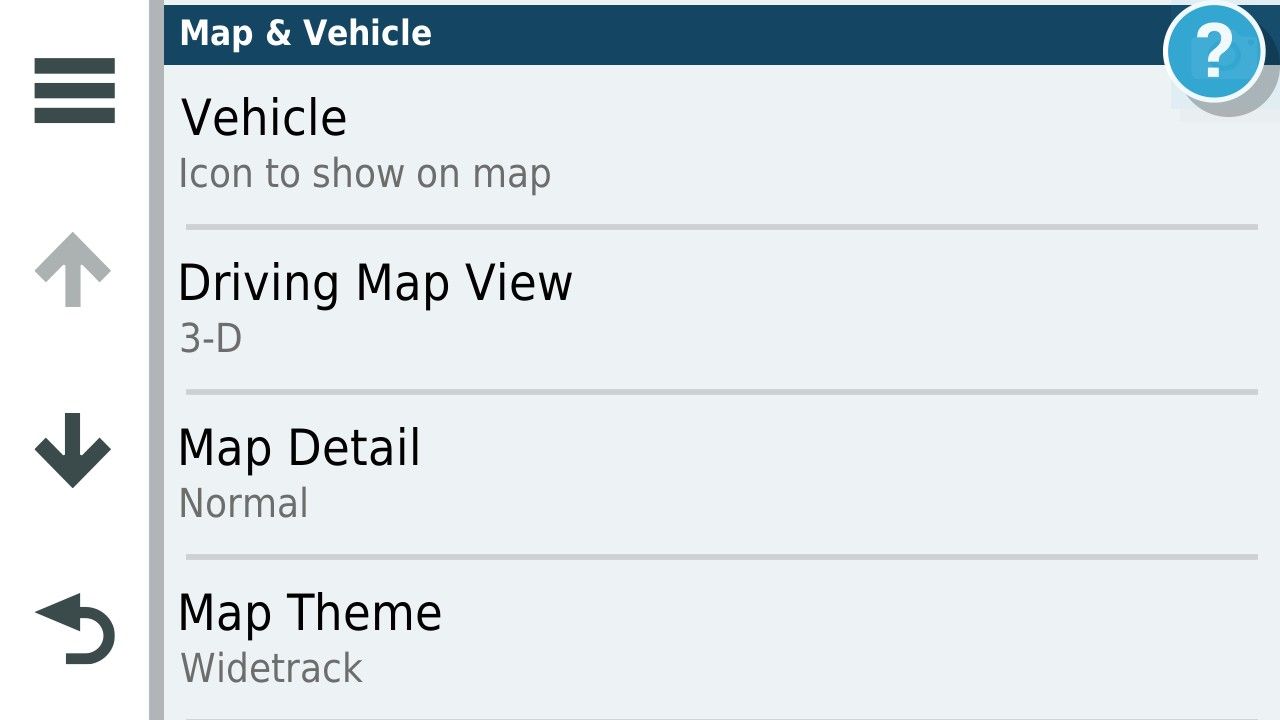
There are several themes available on the unit and the default for UK units is unsurprisingly United Kingdom.
To change the Default width of the track I copied the United Kingdom theme on the unit these are .kmtf files and can be read and edited by a text editor such as Notepad.
They are accessed by connecting your unit to a computer.
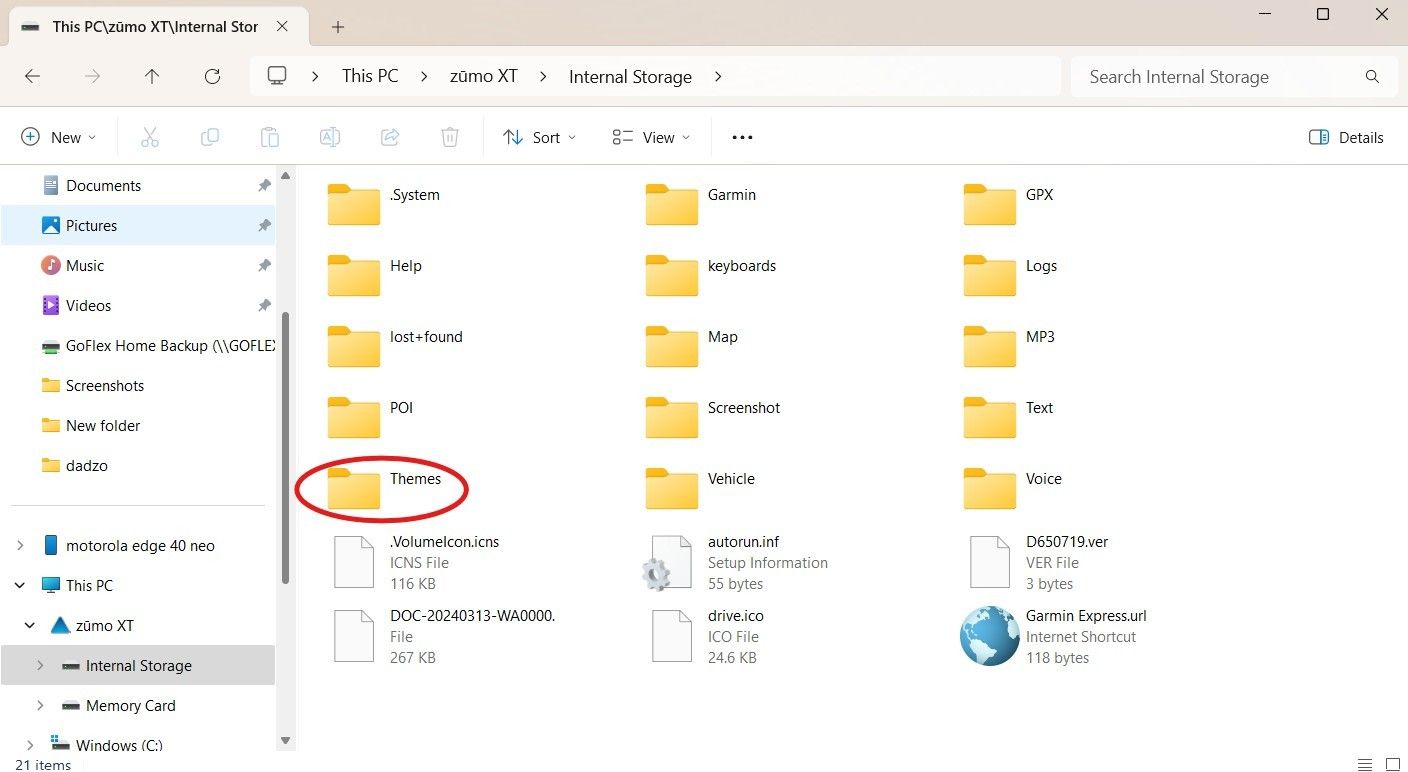
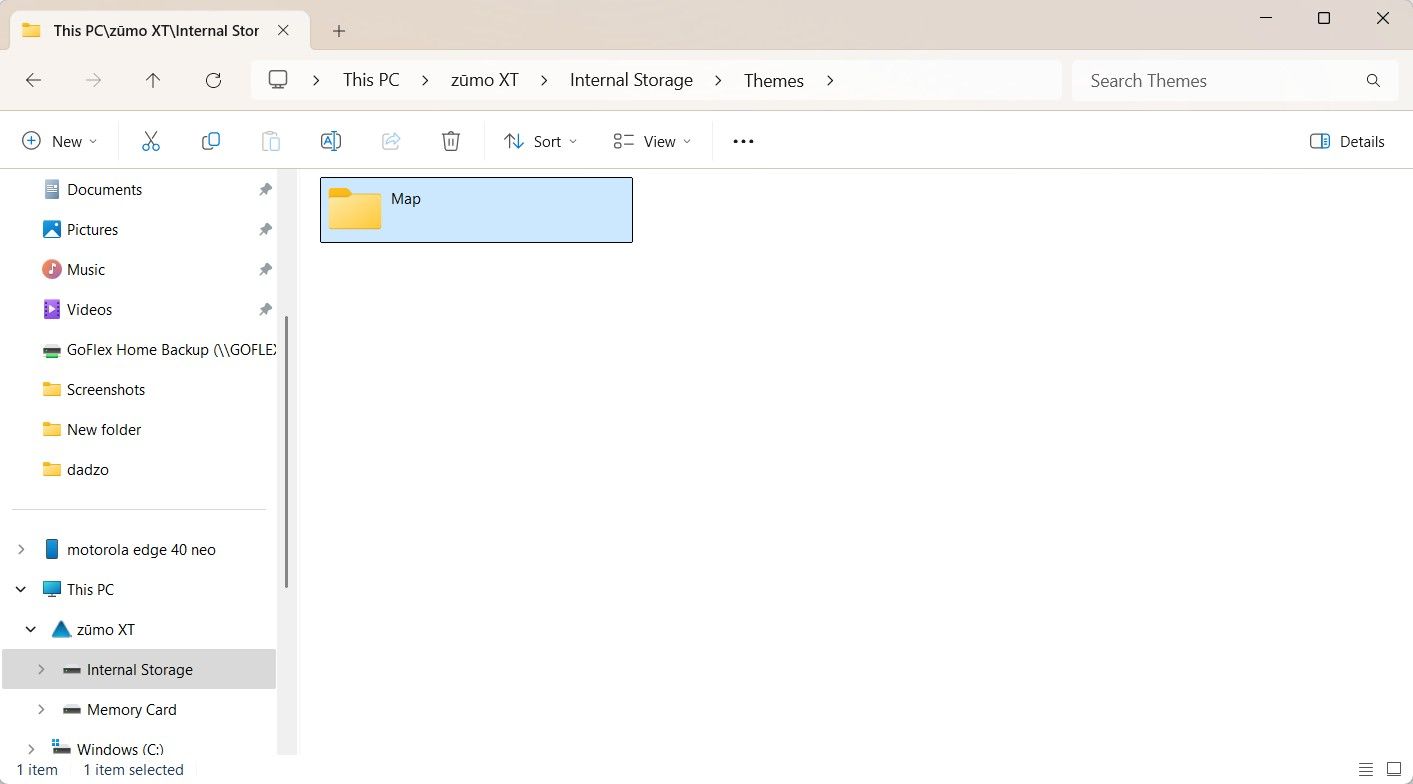
This is a list of the themes onthe UK units and there might be a layout you like more than the one you are using. I copied the uk theme and changed the name to Widetrack.kmtf.
to Edit the >kmtf files open in notepad
And scroll down to the track width parameter in the text file. The default for the parameter of track width is "1.00" by default I changed this by trial and error to "2.50" you can fiddle with this yourself to devise a width that suits.
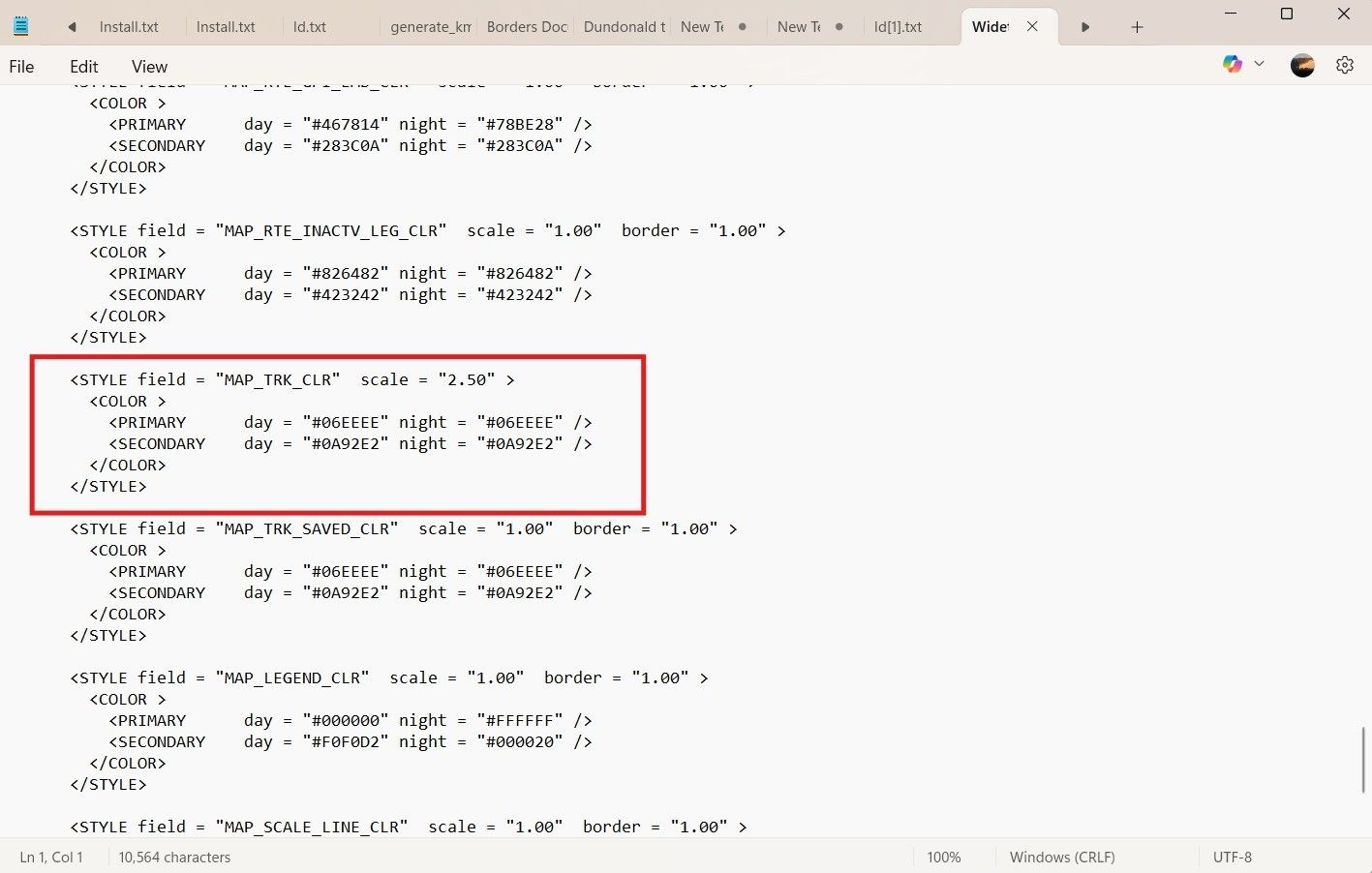
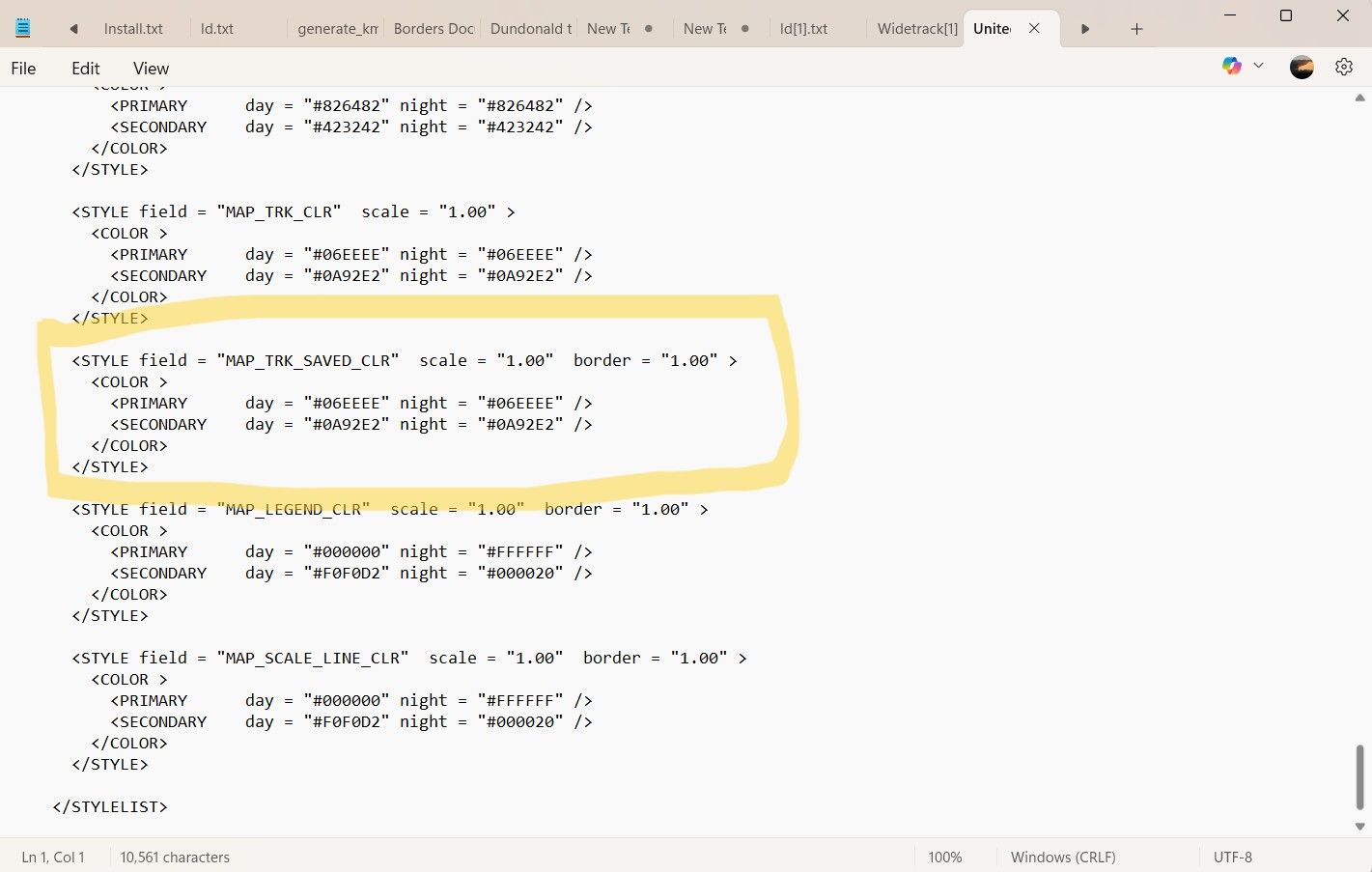
For comparison this is the same parameter in the original file. You can mess with all of the parameters and as long as its with a named file of your own making you can't break anything.
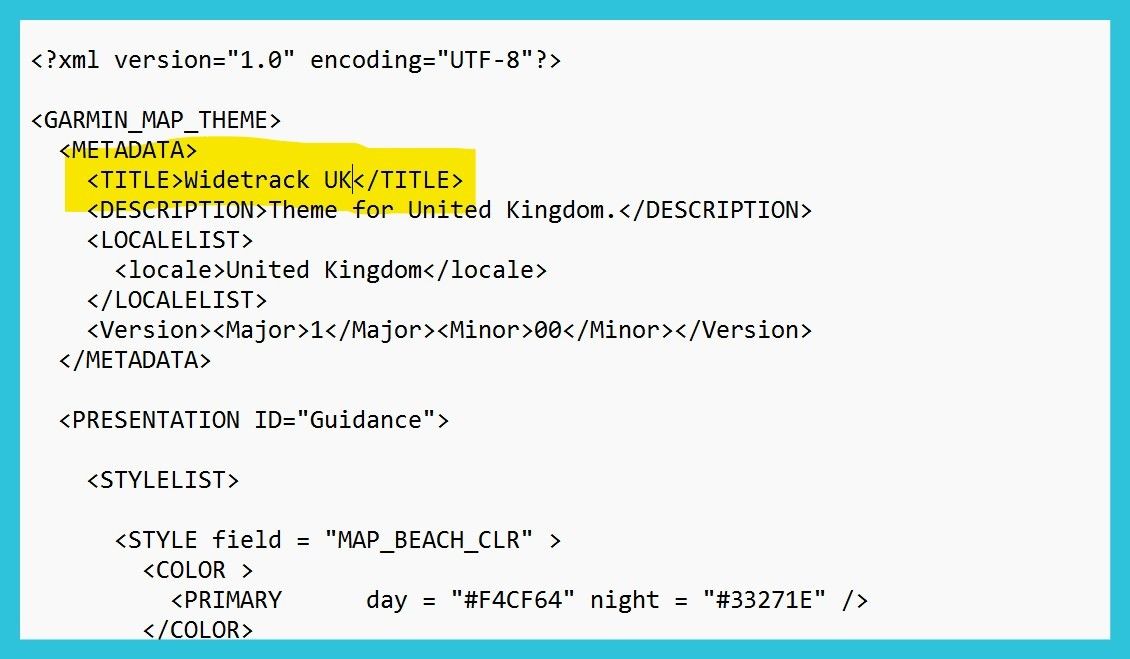
Don't forget to change the name of the theme at the top of the file in the text editor so that you can select it in the menu on the unit and it does not overwrite the theme file you altered.
With the wider track in the theme you can have it look like this during navigation.
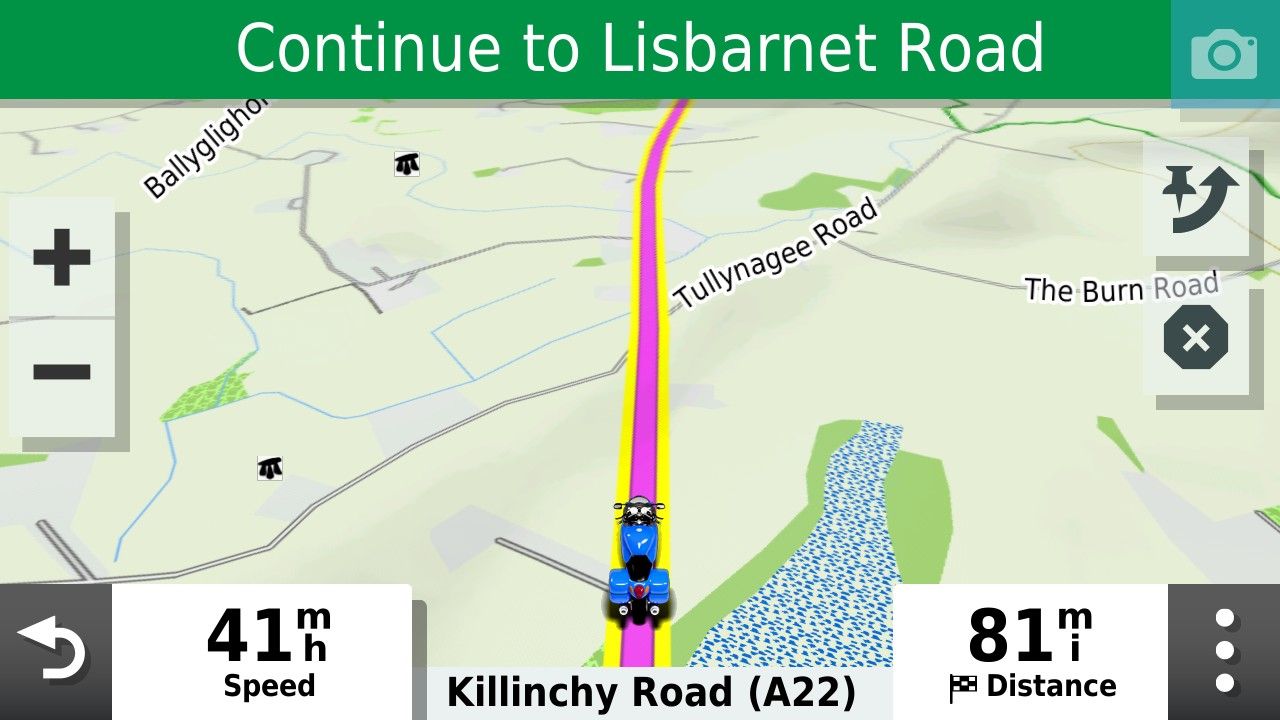
I usually select yellow but you can pick whatever track colour you prefer.
-
I'd like to add something about recalculation. I haven't played with 'Up Ahead' places by inserting them into my route but on a normal deviation from a 1.2 route with recalculation left on, I've found there is a recalculation but it logically puts you back on your intended route - maybe with a u-turn or merging with it a little further along.
@simon-james-hancock, which Zumo do you have? On the XT2, you can change the colour in Tread or the Zumo but the width is done on the Zumo. And if you are using Tread, the track must be put in a collection that is visible. I've found red on the widest to be very visible on the XT2. If you don't see the track underneath when zoomed in, just zoom out a little and you'll see it. I wouldn't want it any wider as otherwise it would obscure junctions etc.
-
I am trying to avoid using tread. I do al my planning in MRA and save to the garmin sd card.
-
Great thread and great work by all.
What colour do you use to show your track and thickness? I have difficulty seeing mine.
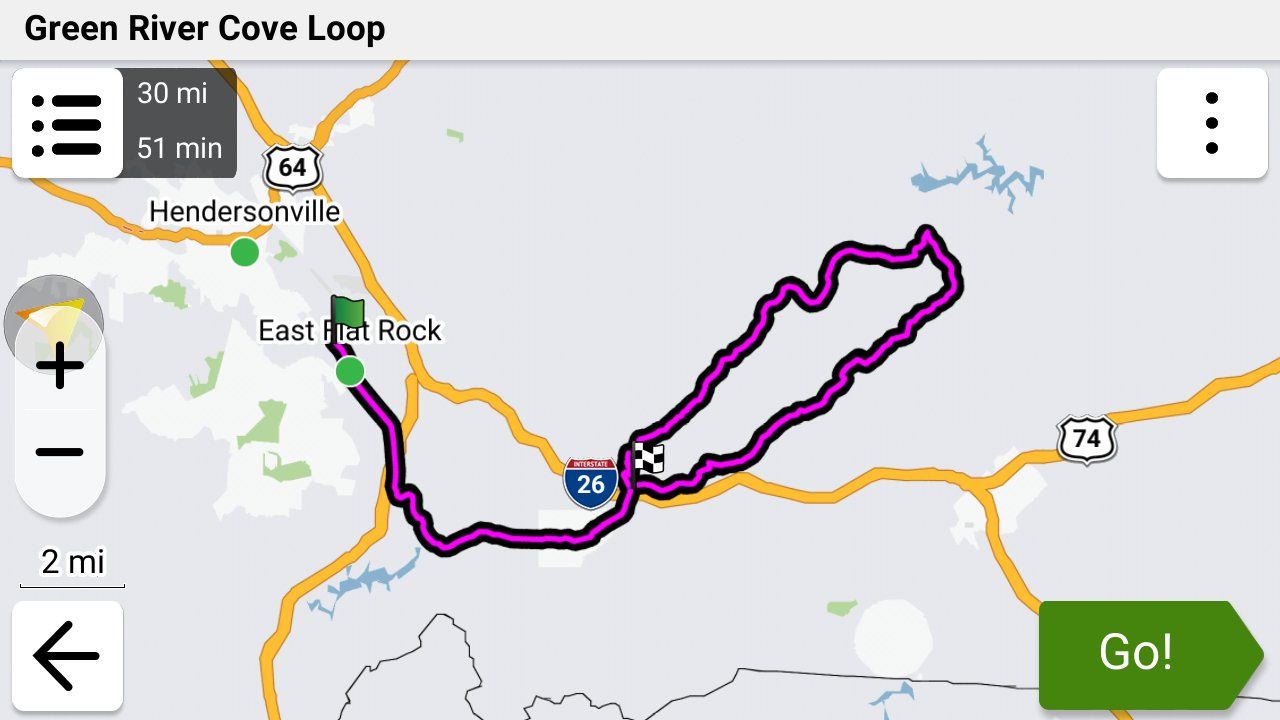
@Simon-James-Hancock On my XT3 I use black and set it to the widest width and I can see it just fine. I had forgotten all about the Theme file that @mzokk detailed but I had to create one for my XT in order to see my track as well
-
I'd like to add something about recalculation. I haven't played with 'Up Ahead' places by inserting them into my route but on a normal deviation from a 1.2 route with recalculation left on, I've found there is a recalculation but it logically puts you back on your intended route - maybe with a u-turn or merging with it a little further along.
@simon-james-hancock, which Zumo do you have? On the XT2, you can change the colour in Tread or the Zumo but the width is done on the Zumo. And if you are using Tread, the track must be put in a collection that is visible. I've found red on the widest to be very visible on the XT2. If you don't see the track underneath when zoomed in, just zoom out a little and you'll see it. I wouldn't want it any wider as otherwise it would obscure junctions etc.
"And if you are using Tread, the track must be put in a collection that is visible."
Note that it doesn't matter if you're using the Tread app or not. I normally don't use Tread. I place my .gpx files in the /gpx folder using a USB connection.
When the Garmin XT3 imports them it asks me which collection to put them in. If the visibility of that collection isn't turned I will see the route when you select it, but I won't see the track.
-
I am trying to avoid using tread. I do al my planning in MRA and save to the garmin sd card.
@Simon-James-Hancock I don't like using Tread either. I use a USB C to C cable directly from my Macbook Pro to my XT3 and use the free OpenMTP app to manually place my .gpx files in the /gpx folder. It's VERY fast and works 100% of the time.
If I do have the Tread app connected to my XT3, Tread (and the Explore website) will automatically synch with collections, routes and tracks that I manually put on the Garmin.
(Geek overload section follows)

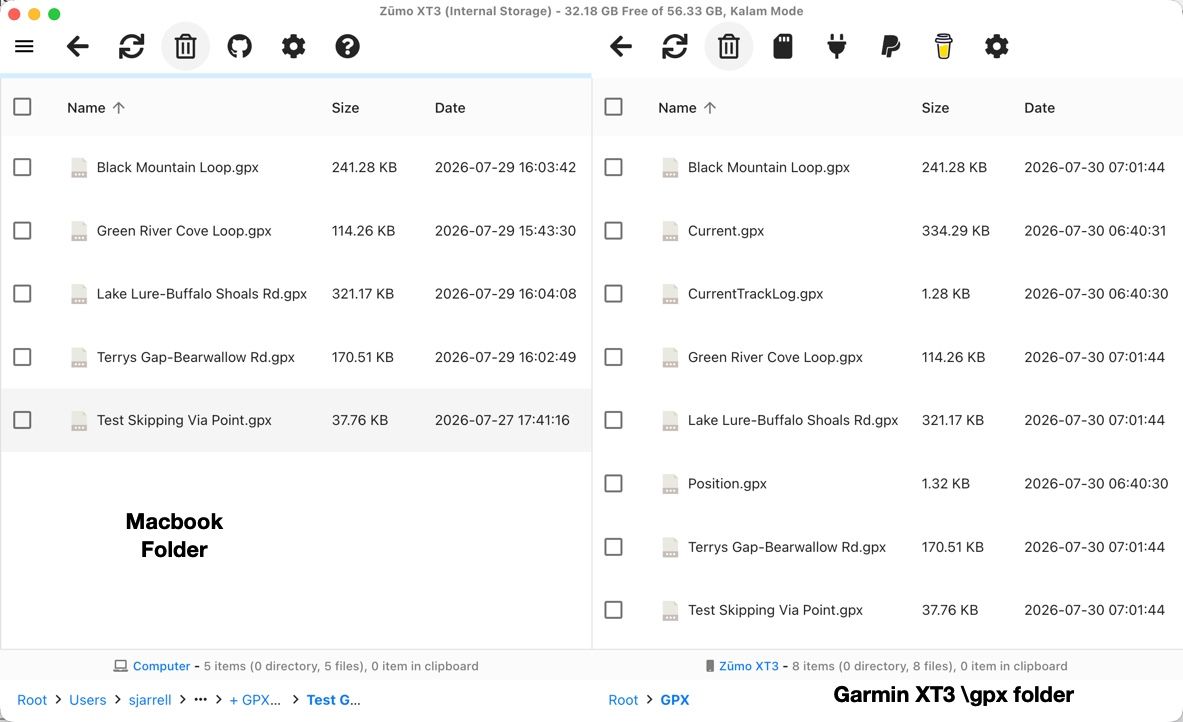
Here's a screenshot of what the OpenMTP app looks like on my Macbook (this would look basically the same if I was using File Explorer on a PC) when I've copied my .gpx files into the \gpx folder before the XT3 has imported them into its internal memory.
The interesting thing that I've discovered is once the XT3 imports the .gpx files, it deletes the Track section from the file but leaves the route information (which in the 1.2 format contains a copy of the track) in the file and does not delete the file. The result of this is that even if you delete the route in the Garmin's internal memory a copy of it is still in the \gpx folder, and it can be imported again and again.
If you've manually uploaded a gpx file into the \gpx folder it's up to you to delete it manually which is fine with me. Tread skips the \gpx folder and loads the gpx information directly into the devices internal memory.

Hello! It looks like you're interested in this conversation, but you don't have an account yet.
Getting fed up of having to scroll through the same posts each visit? When you register for an account, you'll always come back to exactly where you were before, and choose to be notified of new replies (either via email, or push notification). You'll also be able to save bookmarks and upvote posts to show your appreciation to other community members.
With your input, this post could be even better 💗
Register Login








-
013263
-
 0827
0827
-
 115132
-
0521
-
0753
-
 0496
0496
-
 18423
18423
-
09687