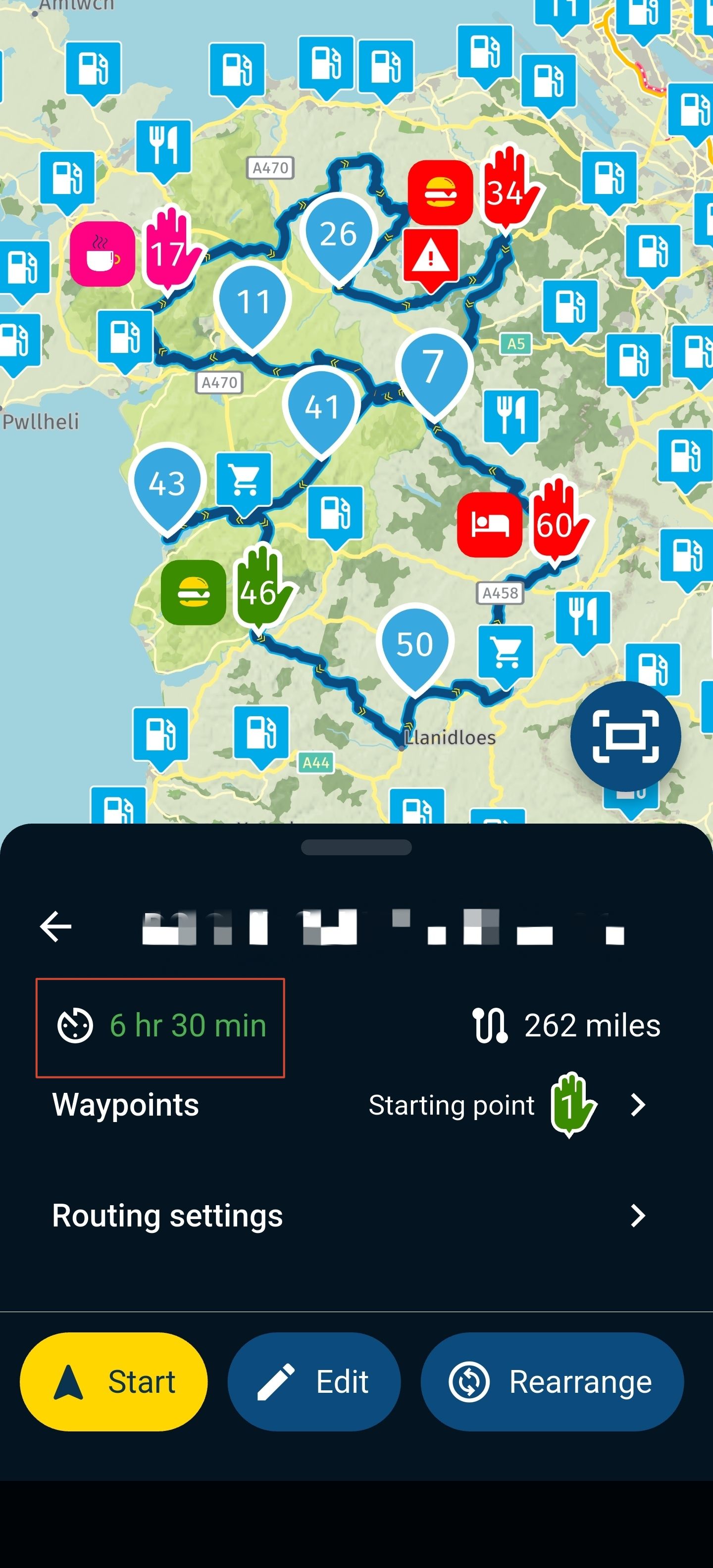
Imported POI files visible in App
-

I have created and imported a POI file into the Route Lab. Is it possible to see these or any of the POI categories in the MyRoute App.
-

Hi @Keith-Hofgartner I dont believe any form of adding or editing POI is available within the App (or at least I can't find it)
The only POI functions I know are those via the website / route lab -
I have created and imported a POI file into the Route Lab. Is it possible to see these or any of the POI categories in the MyRoute App.

@Keith-Hofgartner Your imported list of POIs can be seen if you click the Library tab in the POI section.
Click the square tick box to activate them or tick the profile icon (arrowed) to see them in all routes and while using MRA Navigation Next.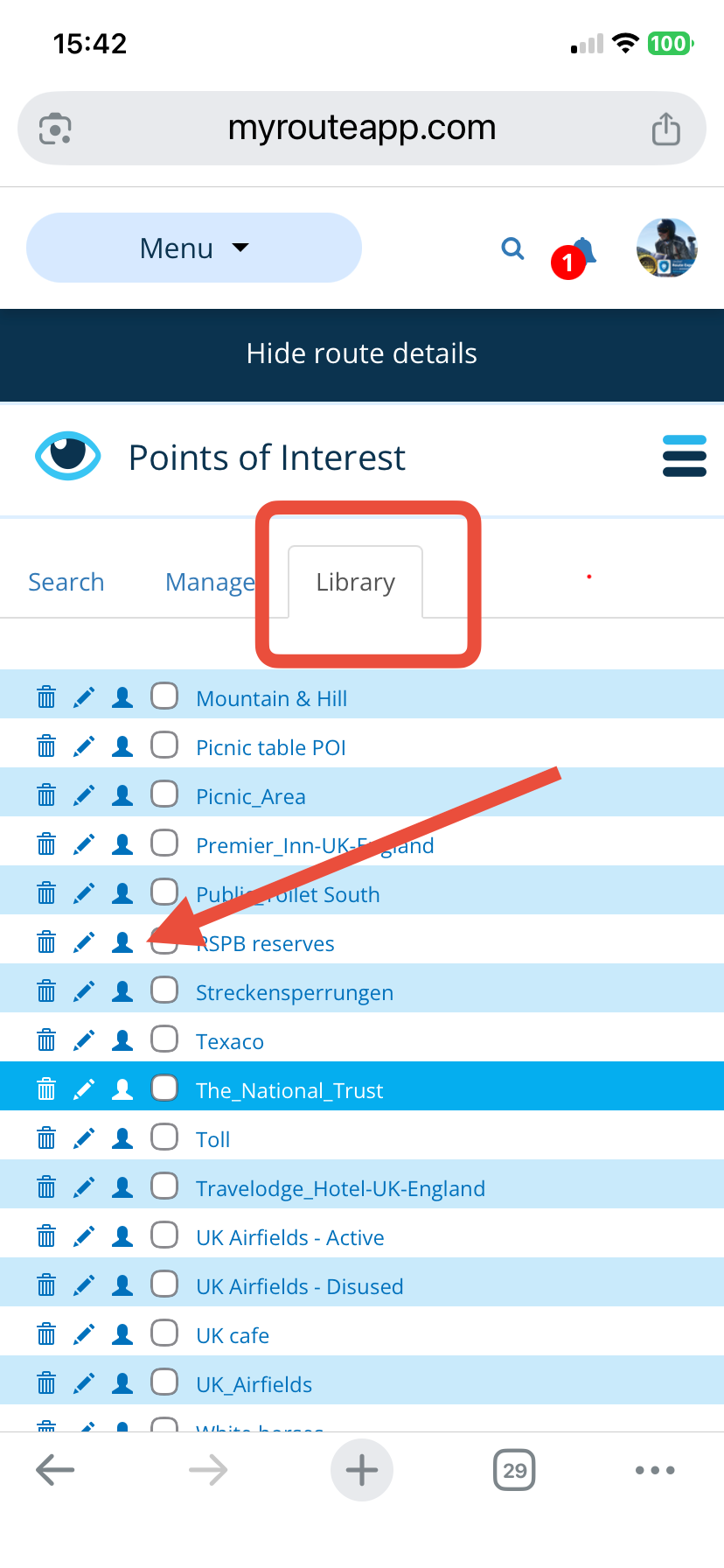
-
Thank you, I now see how it works but I seem to have an issue... when ticking (selecting) the POI (either in the Search or Library tab) sometimes the POIs appear and then they disappear as I zoom in or out.. (Also impressed with all your POI Lists is there a general website to download these??)
-
Thank you, I now see how it works but I seem to have an issue... when ticking (selecting) the POI (either in the Search or Library tab) sometimes the POIs appear and then they disappear as I zoom in or out.. (Also impressed with all your POI Lists is there a general website to download these??)
@Keith-Hofgartner POIs from the MRA library are only visible from 1km zoom level or closer. POIs from your library are visible from 5km zoom level. Yes, sometimes they disappear, you just need to jiggle the zoom for them to appear again.
I use (https://www.pocketgpsworld.com/) for POI lists. -
Thank you, I now see how it works but I seem to have an issue... when ticking (selecting) the POI (either in the Search or Library tab) sometimes the POIs appear and then they disappear as I zoom in or out.. (Also impressed with all your POI Lists is there a general website to download these??)

@Keith-Hofgartner Yes, I understand what you mean. When you are planning, that is quite annoying sometimes. And with zooming in and out, it also happens regularly that you lose focus on the area you were planning.
-
Thanks, now I see (no I dont
 ) It is annoying to say the least.
 -
Thanks, now I see (no I dont
) It is annoying to say the least.
@Keith-Hofgartner, The whole map covered with POI and not being able to see through them is also very annoying...

-
Point well made!
Hello! It looks like you're interested in this conversation, but you don't have an account yet.
Getting fed up of having to scroll through the same posts each visit? When you register for an account, you'll always come back to exactly where you were before, and choose to be notified of new replies (either via email, or push notification). You'll also be able to save bookmarks and upvote posts to show your appreciation to other community members.
With your input, this post could be even better 💗
Register Login-
 014239
-
 01098
01098
-
16104
-
0782
-
06107
-
06110
-
0376
-
010241