Exporting route from app to Garmin XT webpage not available
-

I`m trying to send my mra route to my garmin XT from my android phone the usual way, export - open route - then it comes up with
web page not available. The web page at myrouteapp://xxxxxxx could not be loaded because :ERR_UNKNOWN_URL_SCHEME
I can upload the route via the cable on my laptop but not from my phone via garmin drive as it doesn`t get that far.
Is this a me problem or an internet problem?
Thanks for any help
Lee
-

@Lee-Hardwick
Are you using the Garmin Drive app? I have a XT and exporting routes from MRA to my XT goes via the Drive App. -
Yes, I`m using the garmin drive app but its not getting that far and still coming up with web page not available
-

To send a Route/track to the Garmin XT from your phone to the Device the route has to be downloaded from MRA. To do this an internet connection is required or you have saved the route when online to your phone.
A connection is required because MRA needs to know the format you want to download and use. So save your format I use GPX1.1 and export to Drive
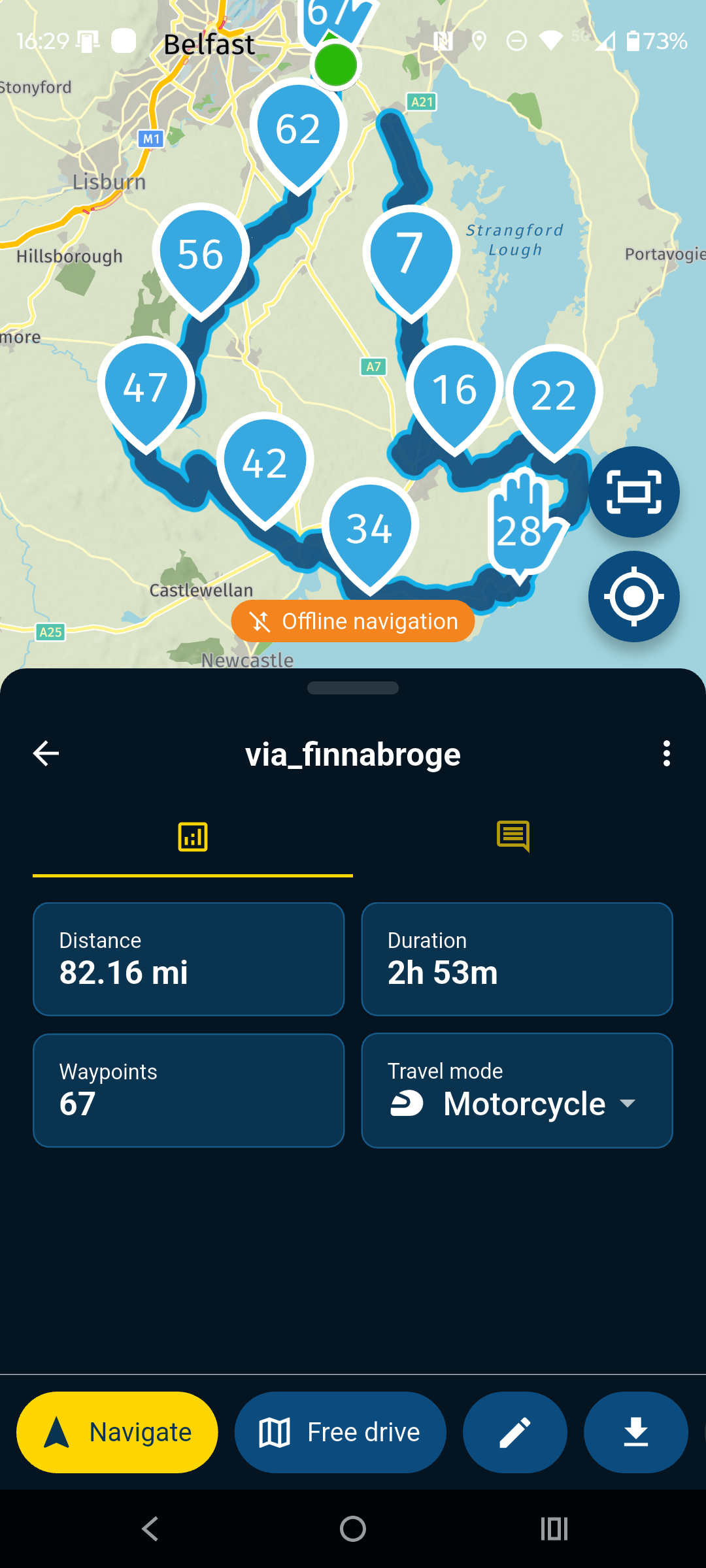
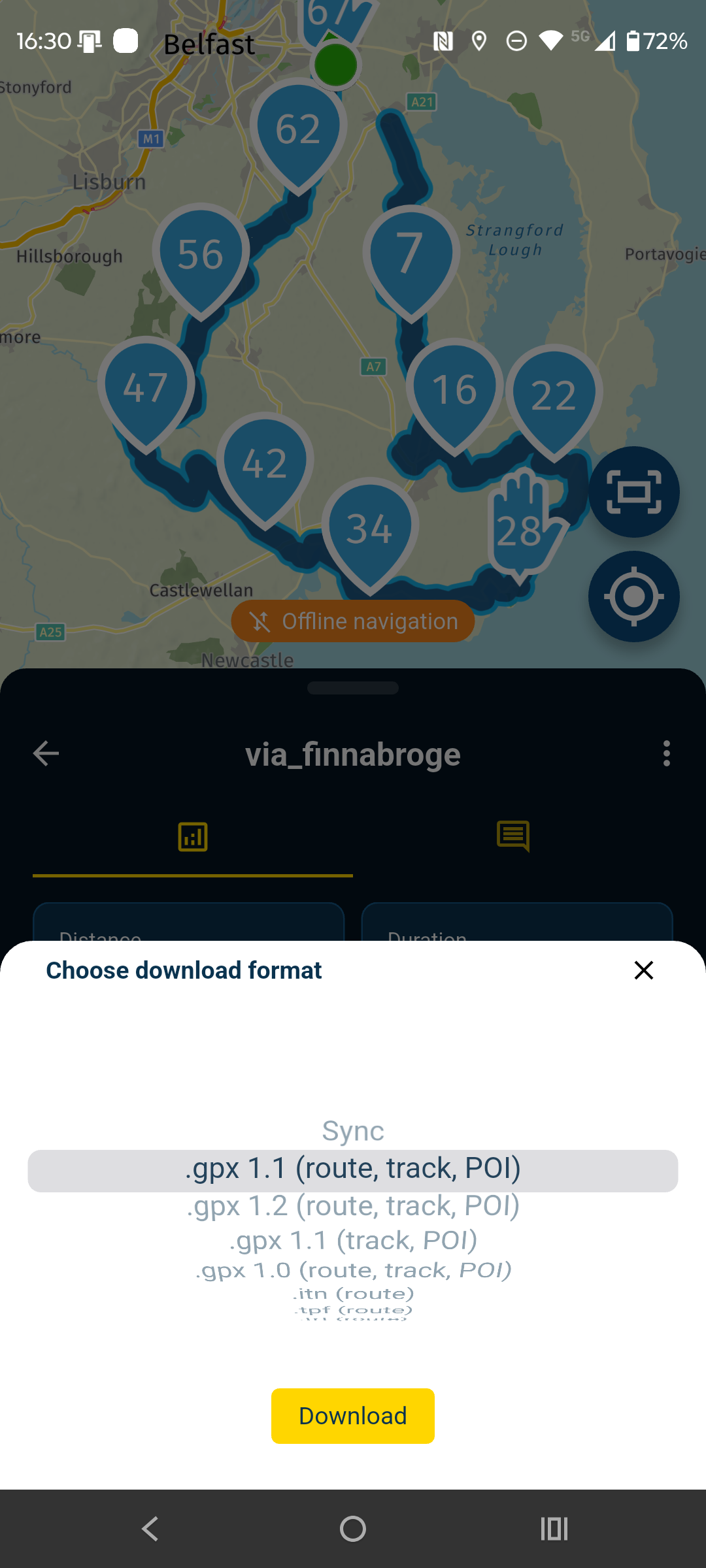
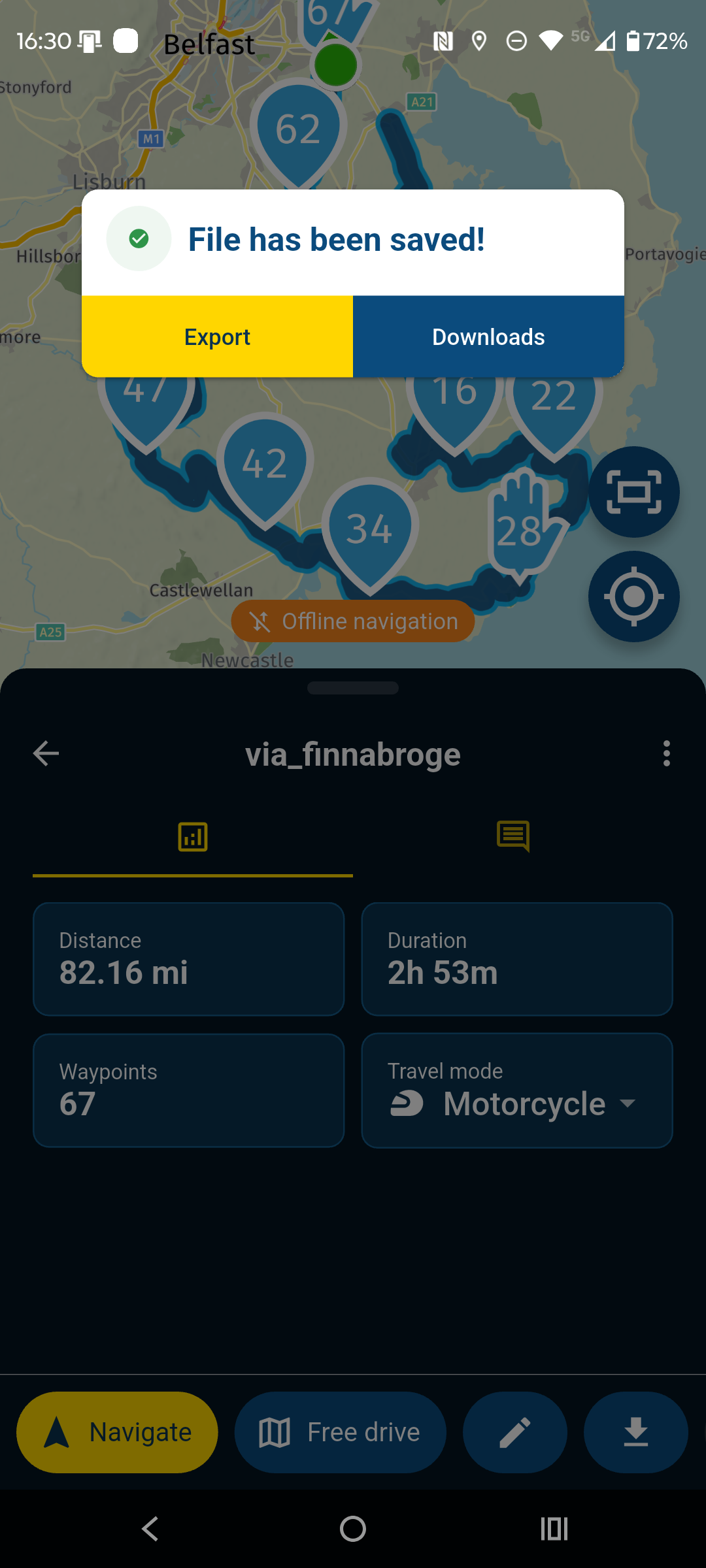
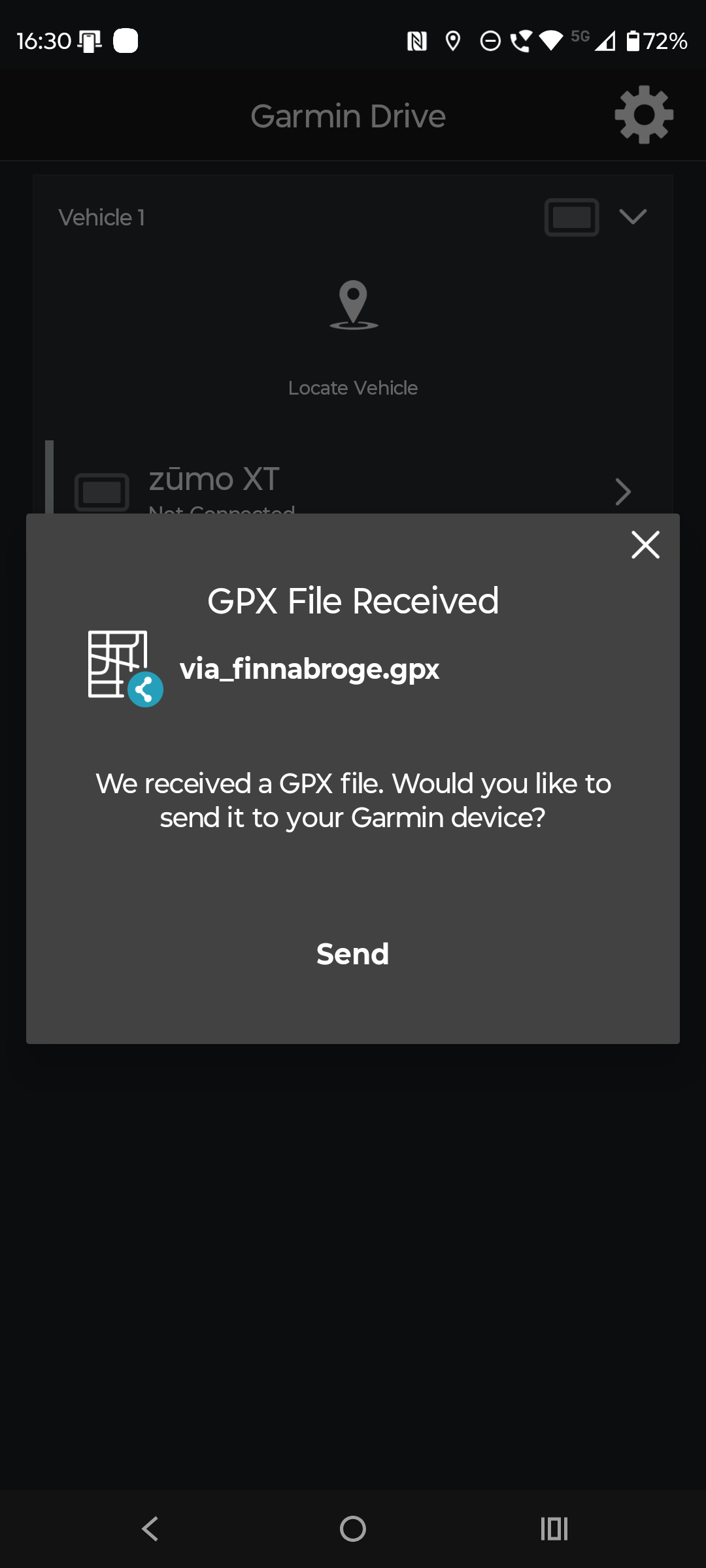
If you have already saved the GPX to your phone while you have wifi or cell reception the process is similar except you have to open downloads in your file manager and share the file with Drive.
When you actually carry out the transfer to the XT using Drive by this method you DONT need cell reception or WiFi as the phone will be connected to the Zumo XT by Bluetooth.
-
Excellent! thanks a lot, I was mistakenly missing a stage out
-
Also I was missing the download button on the app so was using the website link on my phone, I now realise I needed to scroll the button screen to the left to be able to see the other buttons including the download one.
-
Thanks, everyone!
Yesterday, on my first ride of the year, I was really frustrated because I couldn’t get a route I’d created during a break onto my Garmin Zumo. Last year, everything always worked perfectly. I uninstalled and reinstalled the Garmin Drive app. Today I uninstalled and reinstalled the Myroute app, and it still didn’t work. Until I read this post, which shows that you have to swipe the bottom toolbar to the left to get to the download button.
So, with all due respect to this system, I have to say that a little more user-friendliness is needed here. I think hiding such an important button is a bit of a letdown. -
 Nick Carthew moved this topic from [Web] Problems, Bugs and other Issues on
-
Thanks, everyone!
Yesterday, on my first ride of the year, I was really frustrated because I couldn’t get a route I’d created during a break onto my Garmin Zumo. Last year, everything always worked perfectly. I uninstalled and reinstalled the Garmin Drive app. Today I uninstalled and reinstalled the Myroute app, and it still didn’t work. Until I read this post, which shows that you have to swipe the bottom toolbar to the left to get to the download button.
So, with all due respect to this system, I have to say that a little more user-friendliness is needed here. I think hiding such an important button is a bit of a letdown.
@Linner hi. Maybe it had slipped your attention. If you're not a frequent user I can imagine that you missed the start of the new layout. That was also the time where Corjan demonstrated how this new layout works and where you can find the functions.
So its not hidden simply because there's nog enough room to place all the buttons.
Once you know, you dont forget it.
Hello! It looks like you're interested in this conversation, but you don't have an account yet.
Getting fed up of having to scroll through the same posts each visit? When you register for an account, you'll always come back to exactly where you were before, and choose to be notified of new replies (either via email, or push notification). You'll also be able to save bookmarks and upvote posts to show your appreciation to other community members.
With your input, this post could be even better 💗
Register Login-
 0520
0520
-
 0522
0522
-
2377
-
 0311
0311
-
0312
-
 0746
0746
-
0311
-
036