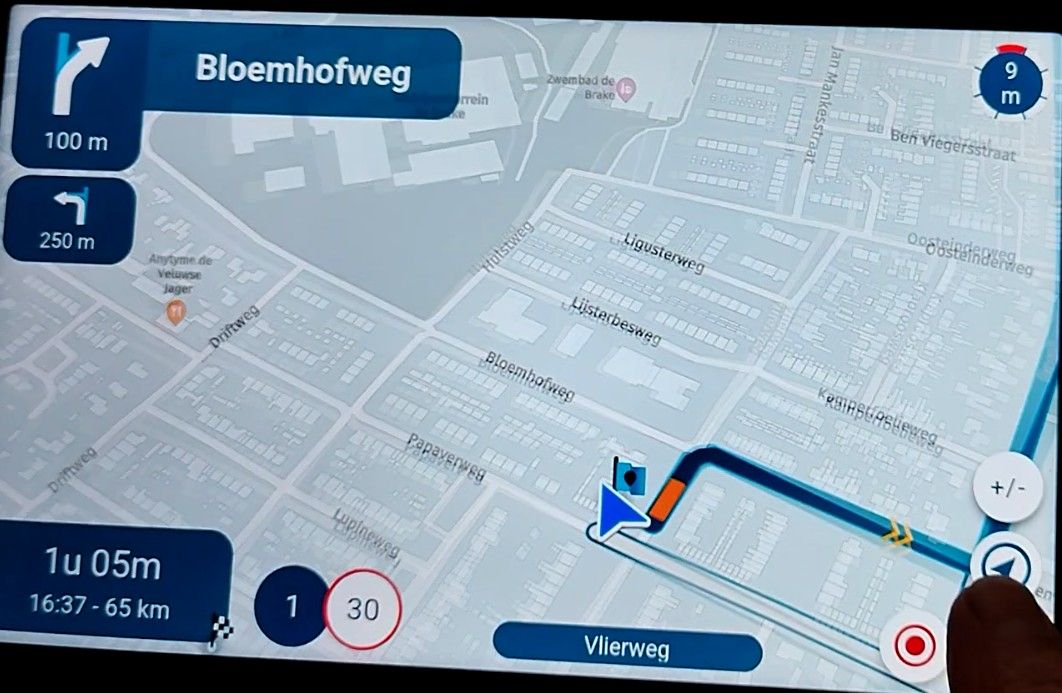
Map "spinning" when standing still
-

Since the latest update to 5.0, almost every time I stop driving (waiting at a traffic light etc.), the map starts spinning as if I had turned the bike around 180 (or sometimes 90) degrees. Often, it recalculates the route even though I didn't actually deviate from it (I just came to a stop). This has not happened in any of the earlier versions I've used - maybe 2 or 3 times in one year, not constantly.
I am displaying the app on my Carpuride, with the phone screen (Samsung S22 Ultra with Android 16) off, in case that matters. The phone is mounted at the handlebar (thus: in driving direction, not being rotated or something).
I have tried to "recalibrate" the phone's gyroscopes several times (moving it in an "eight" or "infinity" shape in the air, a number of times). This did not mitigate the phenomenon, unfortunately. I don't have the "map spinning" with other navigation apps I've installed.
So - is this a known problem, or does someone have an idea what I could try to get rid of it? Thanks!
-

I noticed the same on my tablet.
Hardware
iPhone 12 pro (iOS 26.2.1)
iPad (7.Gen.) 18.7.3
Oukitel RT3 Pro (Andr. 14)
Wireless CarPlay mit (Elebest C650)
Wired CarPlay (SEAT Arona - 2021)
MRA Workshops in Deutsch sind hier zu finden -

Haven't seen it myself!
That said, it can indeed be caused by "incorrect" location updates.
Not an issue exclusive to MRA.We haven't changed our own logic regarding the position updates but obviously we did update other internal tools (such as the HERE SDK) that handle the actual position changes. There might be something that changed in that.
My hope would be that when we update those tools again, this issue would disappear again

-

I had that same problem in the last (4.4.0) version.
-

I had also same issue with previous version.
-

Yes, it is not specific for version 5.
-

MRA does seem susceptible to small GPS corrections. As the original post mentions, the pointer does dance around when I’m stopped. If I close MRA and open Google Maps, the pointer remains stationary and points in the direction I’m looking.
-
@Corjan-Meijerink Is it possible to downgrade my installation back to the last 4.*? How can this be done (where do I get the older .apk)? With the spinning and recalculating at every stop, the app really is not of much use as "everyday navigation on the city" (my main use case), unfortunately.
-
That can only be done by searching on an APK mirror.
Of course all that is beyond MRA support.
Have you tried tilting your device a bit, like @Forest suggested? -
Thanks, I'll probably look for the older APK then. No, I have not tryed changing the phone's tilt (its angle of inclination); I mount it with a SP Connect holder in a fixed position that hasn't changed for a long time, so it already was in that exact orientation when working without problems in 4.*. Also, when using the app in my car (different holder and position, same phone, different Carpuride), unfortunately the problem presents exactly the same: as soon as I stop, most of the time a map rotation and recalculation are triggered.
-

Is this a HERE internal problem ???
Noticed to see as a hint:
- This also seems very familiar to me, one reason is that the MRA machine internally means that you turn and turns the map in the planned direction of the tour, unfortunately the MRA machine does not know exactly that you unfortunately had to stop before turning, and since it does not go any further, the card changes back and that goes back and forth....
Proposal for the MRA machine:
- The turn and the associated arrow position of the location should be followed more slowly and not hastily so that the turning can also be done safely on the map ...
So it is better solved with other apps and does not irritate so much.
- Currently it is important to know where the route should actually lead in such an incident and without looking at the map ..!
-
I noticed the same on my tablet.
@Corjan-Meijerink said in Map "spinning" when standing still:
Haven't seen it myself!
That said, it can indeed be caused by "incorrect" location updates.
Not an issue exclusive to MRA.@Corjan-Meijerink You can see an example of the problem in this video (I had my passenger film this with their phone, so that my own phone was exactly as it always is while navigating and the "setup would not be compromised" by moving the phone that controls the navigation): once I stop at a traffic light during navigation, the map rotates. Often, that also triggers rerouting. It happens both in my car and on the motorcycle (same phone, different Carpuride devices).
This only happens with MyRouteApp; with other apps I use, this doesn't happen. It seems rude to post apps other than the one this forum is about, so I didn't include it, but I also had my passenger film a similar situation a few minutes later with a different app, same phone (unmoved), same ride, and no such unwanted rotation happens.
I really hope a solution might be found for this?

-

idem pour moi , il me semble que c'est surtout en ville , lorsque je m'arrête en campagne , je n'ai pas ce problème
ça le faisait aussi avec les autres versions -

Can confirm that I had the same issue last week, with the new version 5, but it happened also in the previous version.
Pixel 9 / all settings up to date -
@Corjan-Meijerink Do you plan to investigate this phenomenon further, as it seems there are a number of users experiencing this, not just me?
-
I stand by my previous statement: https://forum.myrouteapp.com/post/71634

The issue is definitely not related to v5 specifically. Yes, it can be annoying but there are so many factors that can cause the issue which makes it hard to investigate. After driving with quite a bit of Android Auto / CarPlay lately I can only confirm that I did not observe the behavior.
-
I actually find it helpful for orienting on the surroundings...
But I never could discover under what circumstances it happens, and when not. -
@Corjan-Meijerink said in Map "spinning" when standing still:
The issue is definitely not related to v5 specifically.
Thank you for your reply. It's possible that I just didn't notice it as much before. What I can say for sure, though, is that it now occurs at practically each and every single stop when driving through Berlin (i.e. every three minutes), which is really annoying and makes it necessary to memorize which way to go before your stop (so that one can drive the desired route despite the unwillingly recalculated navigation pointing in a wrong direction. And that's a bad thing for a navigation app, I would say!
Yes, it can be annoying but there are so many factors that can cause the issue which makes it hard to investigate. After driving with quite a bit of Android Auto / CarPlay lately I can only confirm that I did not observe the behavior.
It has been said by others above that it seems to be a problem while driving through the city rather than the countryside. Maybe you have driving mostly outside urban areas?
I understand it might be hard to debug, but given that this happens with none of the other navigation apps I have installed, it's obviously a MRA-specific (or HERE-specific) problem. And I don't think the hardness of a problem's debuggability is a helpful measure in software engineering in order to achive a great product.
-
Hi, I had this the other day on countryside. When I stopped the screen turns half to one site and then 360° to the other side and then stays mostly in other direction then you have to drive.
When I tried to make a screen recording (what is difficult during driving) it was gone, I could not replicate it that day.
I will try next time.Hardware
iPhone 12 pro (iOS 26.2.1)
iPad (7.Gen.) 18.7.3
Oukitel RT3 Pro (Andr. 14)
Wireless CarPlay mit (Elebest C650)
Wired CarPlay (SEAT Arona - 2021)
MRA Workshops in Deutsch sind hier zu finden
Hello! It looks like you're interested in this conversation, but you don't have an account yet.
Getting fed up of having to scroll through the same posts each visit? When you register for an account, you'll always come back to exactly where you were before, and choose to be notified of new replies (either via email, or push notification). You'll also be able to save bookmarks and upvote posts to show your appreciation to other community members.
With your input, this post could be even better 💗
Register Login









-
024185
-
0433.5k
-
09187
-
08164
-
0222
-
15307
-
0230
-
0153.2k