Skipping waypoints for no reason
-

So today we went for a ride and 3 of us all had the route on MRA which is pretty normal for us and we never had an issue
The route was created by one of the other group riders
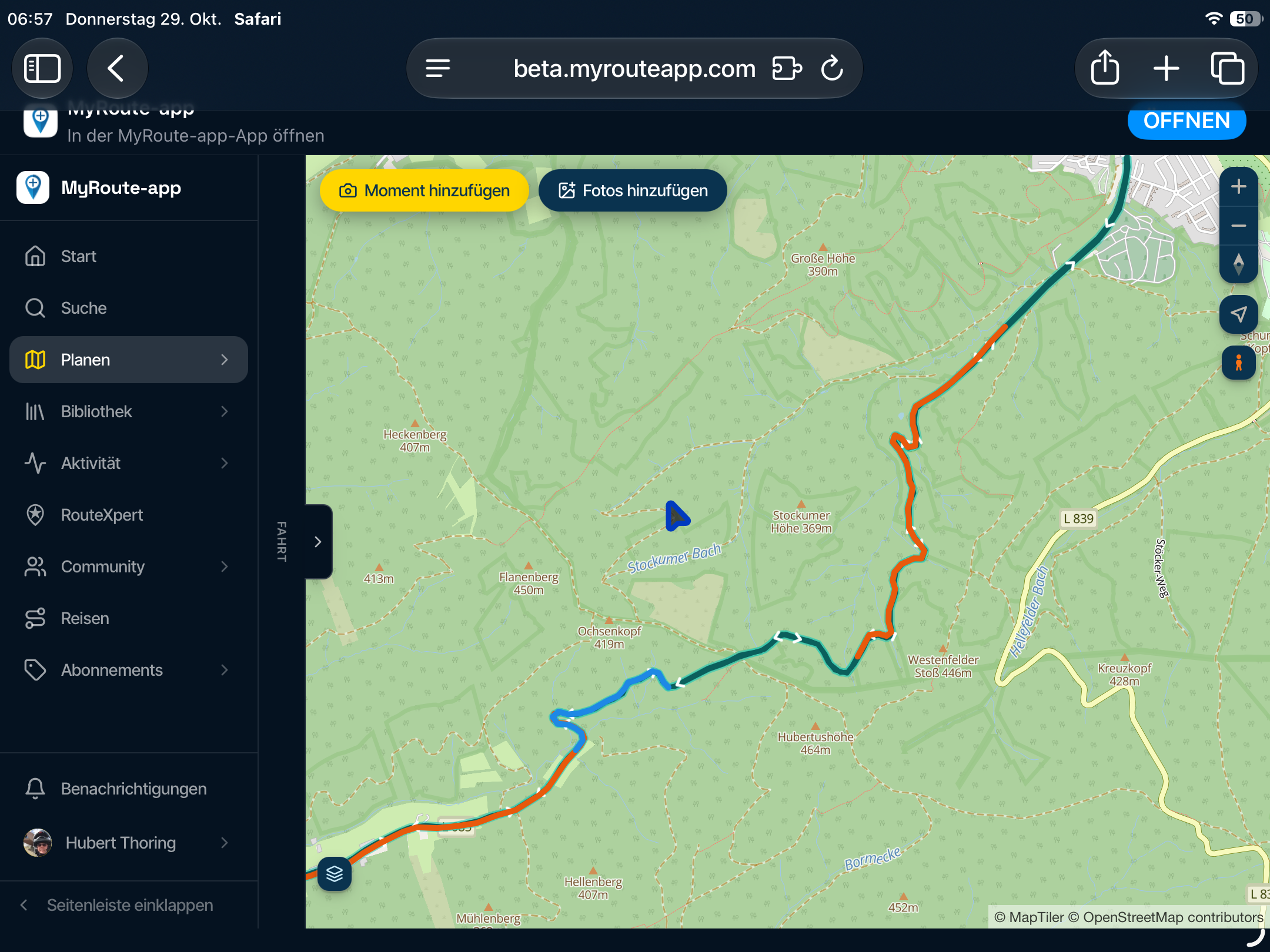
We stopped at a cafe which was just past waypoint 14 on the route had breakfast and back on the bikes to go when we noticed that MRA had recalculated and skipped points 15,16 & 17 and was taking us straight to 18 on all 3 devices
Link to the route https://www.myrouteapp.com/route/open/13816749
The route is using openstreet which then makes it navigate as a track
All our phones where set with automatically skip waypoints turned off!
So can anyone suggest a reason that this has happened?
This is the first time we have had this happen
Thanks
Stu -
So today we went for a ride and 3 of us all had the route on MRA which is pretty normal for us and we never had an issue
The route was created by one of the other group riders
We stopped at a cafe which was just past waypoint 14 on the route had breakfast and back on the bikes to go when we noticed that MRA had recalculated and skipped points 15,16 & 17 and was taking us straight to 18 on all 3 devices
Link to the route https://www.myrouteapp.com/route/open/13816749
The route is using openstreet which then makes it navigate as a track
All our phones where set with automatically skip waypoints turned off!
So can anyone suggest a reason that this has happened?
This is the first time we have had this happen
Thanks
Stu
@stuart-marritt the moment you start using a OSM map route it will be recalculated to the Here map. In oktober wordt the original route could be compromised and should be treated as potentially not what you expected it to be
Honda Goldwing GL1500,
Honda Silverwing GL 650
DMD2 T865X 8 inch Android tablet using MRA next for navigation
Garmin XT sold
Samsung S24FE mounted on a Quadlock and using Android Auto in my car -
@stuart-marritt the moment you start using a OSM map route it will be recalculated to the Here map. In oktober wordt the original route could be compromised and should be treated as potentially not what you expected it to be
@stuart-marritt the moment you start using a OSM map route it will be recalculated to the Here map. In oktober wordt the original route could be compromised and should be treated as potentially not what you expected it to be
one of the riders restarted the route and the waypoints was all back to how they should be
Same with mine once we got to another stop.
The route was fine and navigating OK before the slightly off route and the stop at a cafe then upon setting off the 3 points mentioned had skipped themselves ?
-
So today we went for a ride and 3 of us all had the route on MRA which is pretty normal for us and we never had an issue
The route was created by one of the other group riders
We stopped at a cafe which was just past waypoint 14 on the route had breakfast and back on the bikes to go when we noticed that MRA had recalculated and skipped points 15,16 & 17 and was taking us straight to 18 on all 3 devices
Link to the route https://www.myrouteapp.com/route/open/13816749
The route is using openstreet which then makes it navigate as a track
All our phones where set with automatically skip waypoints turned off!
So can anyone suggest a reason that this has happened?
This is the first time we have had this happen
Thanks
Stu
@stuart-marritt when you stop, MRA navigation should be paused (stop navigation) and started again once you are ready to continue. The issue is that as you move around MRA thinks you are still navigating and gets confused with your movement. This is made worse with the Here map issue that spins the map around and sometimes causes the app to do recalculations.
2010 GL1800 Goldwing using Samsung Galaxy S20 5G Android 13.
-
@stuart-marritt when you stop, MRA navigation should be paused (stop navigation) and started again once you are ready to continue. The issue is that as you move around MRA thinks you are still navigating and gets confused with your movement. This is made worse with the Here map issue that spins the map around and sometimes causes the app to do recalculations.
@stuart-marritt when you stop, MRA navigation should be paused (stop navigation) and started again once you are ready to continue. The issue is that as you move around MRA thinks you are still navigating and gets confused with your movement. This is made worse with the Here map issue that spins the map around and sometimes causes the app to do recalculations.
I use a separate phone that is left on the bike.
The others don't and we have never had this issue before
We haven't skipped any waypoints and we haven't got auto skip waypoints so why has it skipped 3 waypoints
-
It might be more of a pain, but I make up "Legs" so that after I reach the end of a "Leg 1", like a restaurant or point of interest and take a break, I then run "Leg 2".
-

On the specific point of why did it skip and ignored the skip waypoints turned off, I can't answer. The result does make sense if you hadn't disabled the skipping though, so I think the only fault/bug is the skip flag not working
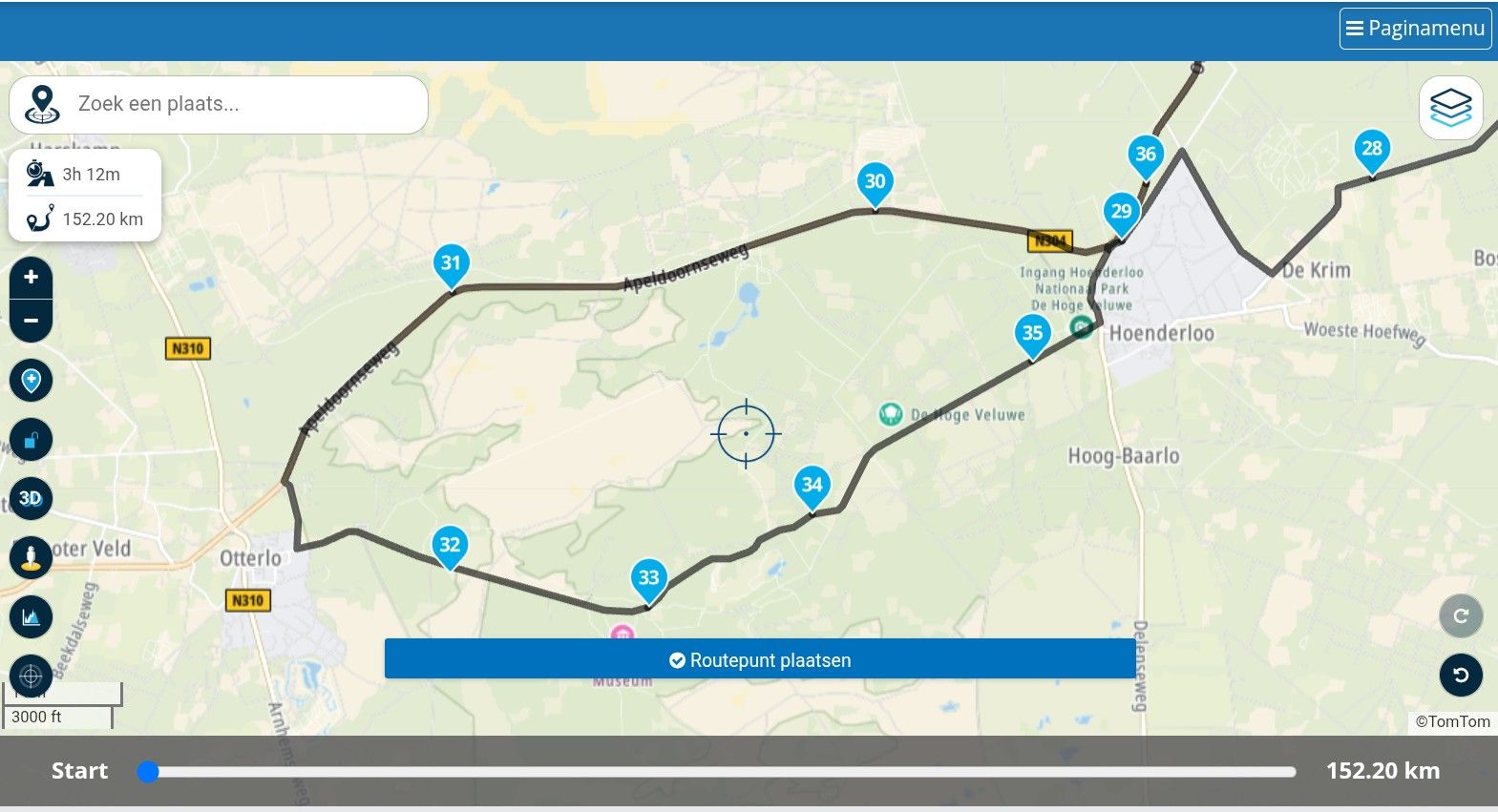
From a 'logic' point of view looking at the map (as a routing machine rather than a human) you can see that 18 is the closest future point on the route to 14. 15 is a long way down.
As Marinus suggests, the problem may be from using OpenStreetMap (OSM) on the app. You're used one routing engine (OSM router) to build the route and then asking another one (HERE router used by MRA app) to navigate. The two often don't agree.
At risk of 'teaching grandma to suck eggs' it's worth comparing the two routes in the planner before setting off (Toolkit -> Compare route with...). Then, if you don't like where HERE is actually going to take you, you can add some extra waypoints to make HERE follow the OSM route.
My personal experience is that OSM often routes as though you were cycling - it favours smaller roads, which can be entertaining, but occasionally you get the surprise of a tiny track, etc.
-
So today we went for a ride and 3 of us all had the route on MRA which is pretty normal for us and we never had an issue
The route was created by one of the other group riders
We stopped at a cafe which was just past waypoint 14 on the route had breakfast and back on the bikes to go when we noticed that MRA had recalculated and skipped points 15,16 & 17 and was taking us straight to 18 on all 3 devices
Link to the route https://www.myrouteapp.com/route/open/13816749
The route is using openstreet which then makes it navigate as a track
All our phones where set with automatically skip waypoints turned off!
So can anyone suggest a reason that this has happened?
This is the first time we have had this happen
Thanks
Stu
@stuart-marritt I am going to guess that you have "automatic recalculation" enabled & that as you passed point 14 to get to your stop & did not immediately start heading to point 15,
the system has made 2 or 3 attempts to get you back on route optimising its options each time while you have enjoyed your stop
the optimum recalculation of the route from beyond point 14 is obviously point 18 which is where you have ended upBecause the route has a there & back over the same roads at point 14,
the way I would have constructed this route was to place a Via point 15 just south of the junction near the airfield
this way the system has to take me from point 14 south to 15BlackView BV7100, Android 12
Navigate "Routes as Tracks" in Offline mode with Offline Maps
No Wifi, no internet, no interruptions, works well -
@stuart-marritt I am going to guess that you have "automatic recalculation" enabled & that as you passed point 14 to get to your stop & did not immediately start heading to point 15,
the system has made 2 or 3 attempts to get you back on route optimising its options each time while you have enjoyed your stop
the optimum recalculation of the route from beyond point 14 is obviously point 18 which is where you have ended upBecause the route has a there & back over the same roads at point 14,
the way I would have constructed this route was to place a Via point 15 just south of the junction near the airfield
this way the system has to take me from point 14 south to 15
@stuart-marritt I am going to guess that you have "automatic recalculation" enabled & that as you passed point 14 to get to your stop & did not immediately start heading to point 15,
the system has made 2 or 3 attempts to get you back on route optimising its options each time while you have enjoyed your stop
the optimum recalculation of the route from beyond point 14 is obviously point 18 which is where you have ended upBecause the route has a there & back over the same roads at point 14,
the way I would have constructed this route was to place a Via point 15 just south of the junction near the airfield
this way the system has to take me from point 14 south to 15The problem is I didn't have auto skip waypoints so why has it skipped them?
-
@stuart-marritt I am going to guess that you have "automatic recalculation" enabled & that as you passed point 14 to get to your stop & did not immediately start heading to point 15,
the system has made 2 or 3 attempts to get you back on route optimising its options each time while you have enjoyed your stop
the optimum recalculation of the route from beyond point 14 is obviously point 18 which is where you have ended upBecause the route has a there & back over the same roads at point 14,
the way I would have constructed this route was to place a Via point 15 just south of the junction near the airfield
this way the system has to take me from point 14 south to 15The problem is I didn't have auto skip waypoints so why has it skipped them?
@stuart-marritt my guess is that because the path was created via OSM & you were therefore navigating a Track, the "Skip Waypoint Function" is not as relevant as it would be when navigating in Route mode
if this Route had been created with the Here map & you were then navigating this path as a Route, then I think your expectations that the Route would continue to point 15 when you have Automatic Skips turned OFF is 100% correctin track navigation mode the track is what the system tries to follow & the system has optimised itself to get back on track by heading towards point 18 but not really going to point 18 but the part of the track just south of point 18
as I understand it in Track navigation the path is made up multiple small Tracks between Via points
if you have no Via points it is just one long Track
& shaping points are no more important in track navigation than any of the 1000's of other points that make up a trackreally I am just guessing & applying a bit of logic to the scenario,
your going to need one of the forum illuminati / Alpha / Beta testers who knows more about the guts of the path calculation to answer this definitively
Hello! It looks like you're interested in this conversation, but you don't have an account yet.
Getting fed up of having to scroll through the same posts each visit? When you register for an account, you'll always come back to exactly where you were before, and choose to be notified of new replies (either via email, or push notification). You'll also be able to save bookmarks and upvote posts to show your appreciation to other community members.
With your input, this post could be even better 💗
Register Login-
 5962
5962
-
 0836
0836
-
 0722
0722
-
 0799
0799
-
 0565
0565
-
1530
-
0435
-
0473