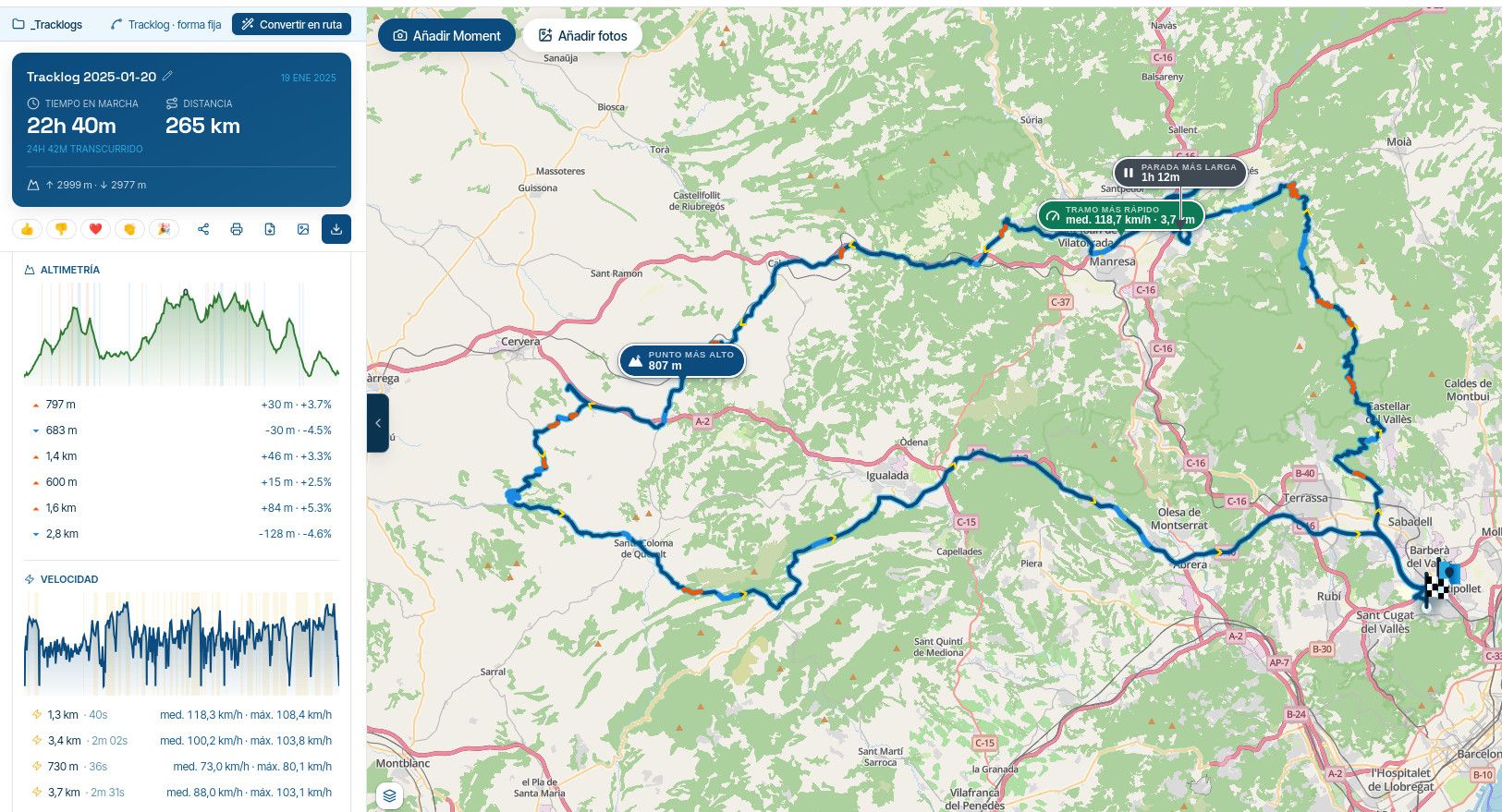
Shaping points and Via points
-
I do remember a long discussion on your use case.
I'm fine with the current logic; however, I'd follow this view:
-
When navigating a track, your focus is on "the line". If you deviate, with auto-recalc turned on, the app will redirect you to the most logical point on the track without taking any particular points into account - there are none.
-
Navigating "route as track" is a bit of a hybrid, but it should follow the same pattern. All existing points (SPs and VIAs) will provide additional information (ETA) but will not affect your navigation and will therefore be skipped automatically.
-
If you want to consider VIAs (and SPs) when recalculating, you should navigate a route because it is its natural behaviour

@Martin-Wilcke Unfortunately this is not what I observe. I wish it did and i believe it worked like that for a short while when route as track was added.
ETA info to my (optional) waypoints are important for me. So I have never considered pure track navigation.
When I navigate my route as track the app DOES use the way points in my route to navigate. I suppose it tries to find a logical reentry point but it also sends me back to a waypoint. How many times it tries to send me back to a shaping point seems to depend on how far the next point is. -
-
@BertM You can get the ETA info for viapoints (hand icon) or for both viapoints and shaping points (droplet icon). How you navigate a route (route or route as track) makes currently no difference.
If you use shaping points for your possible stops they will eventually be skipped (still annoying to be sent back to the ones you missed and you will unfortunately also see the ETA for points which you added for the sole purpose to shape the route).
If you use via points for your possible stops then you can filter out the shaping points but the via points will never be skipped.
A number of people (and me) in this forum would like to see that the route can get priority over the points. They dont necessarily want to stop at each possible stop and expect the app to skip each point which is behind them on the route.
Most apps I know work that way. Apparently there is something missing in the HERE platform today to make this an option.
@Herman-Veldhuizen said in Shaping points and Via points:
A number of people (and me) in this forum would like to see that the route can get priority over the points. They dont necessarily want to stop at each possible stop and expect the app to skip each point which is behind them on the route.
Most apps I know work that way. Apparently there is something missing in the HERE platform today to make this an option.That's correct, there is no way of knowing what point is "behind" you in a route, only the first targeted route point is relevant in the calculations. I am not sure how other apps work, but I do know that Garmins, when navigating a track, do "sense" if they are actually on the track and go from there (which also is not always the most desirable method).
What I would like to know is, considering your long standing (constructive!) critique and your claim that most apps work better in this regard, what it is that keeps you on MRA. It must have very strong advantages otherways

-
@Martin-Wilcke Unfortunately this is not what I observe. I wish it did and i believe it worked like that for a short while when route as track was added.
ETA info to my (optional) waypoints are important for me. So I have never considered pure track navigation.
When I navigate my route as track the app DOES use the way points in my route to navigate. I suppose it tries to find a logical reentry point but it also sends me back to a waypoint. How many times it tries to send me back to a shaping point seems to depend on how far the next point is.
@Herman-Veldhuizen said in Shaping points and Via points:
Unfortunately this is not what I observe.
My thoughts were meant as a suggestion for a change:
When navigating "Routes as tracks", all waypoints (SPs and VIAs) should be skipped automatically, as this is how track navigation works.
From a conceptual POV, it is "line priority over point priority".
-
@Herman-Veldhuizen said in Shaping points and Via points:
A number of people (and me) in this forum would like to see that the route can get priority over the points. They dont necessarily want to stop at each possible stop and expect the app to skip each point which is behind them on the route.
Most apps I know work that way. Apparently there is something missing in the HERE platform today to make this an option.That's correct, there is no way of knowing what point is "behind" you in a route, only the first targeted route point is relevant in the calculations. I am not sure how other apps work, but I do know that Garmins, when navigating a track, do "sense" if they are actually on the track and go from there (which also is not always the most desirable method).
What I would like to know is, considering your long standing (constructive!) critique and your claim that most apps work better in this regard, what it is that keeps you on MRA. It must have very strong advantages otherways
@Con-Hennekens Yes MRA has many good things. But thats maybe something for another topic. I might come over as somebody who complains a lot but I am impressed by how much work has been done and how the app develops. Kudos to the team!
One thing I want to mention is that MRA today is not only for bikers and I hope it stays like that. It's up to the team of coarse but I see big potential for other users like me. MRA could for example have the concept of a pluggable route library and offer it with a separate license. Companies could have their own internal library that way.
The issue that the route cannot be given the priority over the points is one which keeps popping up in this forum. I hope (and are convinced) that it will be possible one day. I dont have many issues with MRA but this one tops the list by far.
-
@Con-Hennekens Yes MRA has many good things. But thats maybe something for another topic. I might come over as somebody who complains a lot but I am impressed by how much work has been done and how the app develops. Kudos to the team!
One thing I want to mention is that MRA today is not only for bikers and I hope it stays like that. It's up to the team of coarse but I see big potential for other users like me. MRA could for example have the concept of a pluggable route library and offer it with a separate license. Companies could have their own internal library that way.
The issue that the route cannot be given the priority over the points is one which keeps popping up in this forum. I hope (and are convinced) that it will be possible one day. I dont have many issues with MRA but this one tops the list by far.
@Herman-Veldhuizen, by no means I meant to imply you being a complainer, hence the addition of the word "constructive!" as in "opbouwende kritiek" in Dutch. I think your way of usage is interesting for sure but probably not practised a lot, not by the target audience anyway. It could be a future expansion perhaps, but in that case indeed probably as an extra licence (more as a logistics solution). I don't think however that is something MRA is willing to spent time on at the moment. For sure not until the new web planner is live and bug free.
@Martin-Wilcke said in Shaping points and Via points:
When navigating "Routes as tracks", all waypoints (SPs and VIAs) should be skipped automatically, as this is how track navigation works.
That is a bit strange, since the one-and-only function of a VIA point is that it cannot be skipped automatically
. How track navigation works is without any route points at all. -
@Herman-Veldhuizen, by no means I meant to imply you being a complainer, hence the addition of the word "constructive!" as in "opbouwende kritiek" in Dutch. I think your way of usage is interesting for sure but probably not practised a lot, not by the target audience anyway. It could be a future expansion perhaps, but in that case indeed probably as an extra licence (more as a logistics solution). I don't think however that is something MRA is willing to spent time on at the moment. For sure not until the new web planner is live and bug free.
@Martin-Wilcke said in Shaping points and Via points:
When navigating "Routes as tracks", all waypoints (SPs and VIAs) should be skipped automatically, as this is how track navigation works.
That is a bit strange, since the one-and-only function of a VIA point is that it cannot be skipped automatically
. How track navigation works is without any route points at all.
@Con-Hennekens In this topic (https://forum.myrouteapp.com/topic/9552/waypoint-skipping.-mra-vs-beeline) I made a test route in both MRA and Beeline. Both have bikers as their target audience. The behaviour of the apps are however very different when it comes to skipping points. I dont think that Beelines behaviour is odd.
-
i also looked at beeline. beeline is better is follow the plan you made. MRA is better to plan. MRA Next has many good point but also to many functions and some main function like how to deal with track and gpx file or skipping shaping point or follow the route when back on the route you planned are in my opinion not perfect. I hope in planning of future development.
-
@Herman-Veldhuizen, by no means I meant to imply you being a complainer, hence the addition of the word "constructive!" as in "opbouwende kritiek" in Dutch. I think your way of usage is interesting for sure but probably not practised a lot, not by the target audience anyway. It could be a future expansion perhaps, but in that case indeed probably as an extra licence (more as a logistics solution). I don't think however that is something MRA is willing to spent time on at the moment. For sure not until the new web planner is live and bug free.
@Martin-Wilcke said in Shaping points and Via points:
When navigating "Routes as tracks", all waypoints (SPs and VIAs) should be skipped automatically, as this is how track navigation works.
That is a bit strange, since the one-and-only function of a VIA point is that it cannot be skipped automatically
. How track navigation works is without any route points at all.
@Con-Hennekens said in Shaping points and Via points:
since the one-and-only function of a VIA point is that it cannot be skipped automatically
Hence, my suggestion for a change.
When navigating a track, there are two common concepts to lead you back in case of a deviation:
-
to the point where you left the track
-
to the most logical point in the forward direction
There might be additional "points" (waypoints, POIs, whatever) along the track; however, they are informational only (may be announced) and do not influence the navigation.
This concept is becoming increasingly popular, and it would be a good idea to implement it in MRA as well.
-
-
@Con-Hennekens said in Shaping points and Via points:
since the one-and-only function of a VIA point is that it cannot be skipped automatically
Hence, my suggestion for a change.
When navigating a track, there are two common concepts to lead you back in case of a deviation:
-
to the point where you left the track
-
to the most logical point in the forward direction
There might be additional "points" (waypoints, POIs, whatever) along the track; however, they are informational only (may be announced) and do not influence the navigation.
This concept is becoming increasingly popular, and it would be a good idea to implement it in MRA as well.
@Martin-Wilcke said in Shaping points and Via points:
- to the most logical point in the forward direction
This seems like an interesting point to me:
When following a track, you follow a line.How does the program know what the next point is, i.e., the direction you want to go?
I believe a program can only calculate the nearest point, and unfortunately, that can also be in the wrong direction. -
-
@Martin-Wilcke said in Shaping points and Via points:
- to the most logical point in the forward direction
This seems like an interesting point to me:
When following a track, you follow a line.How does the program know what the next point is, i.e., the direction you want to go?
I believe a program can only calculate the nearest point, and unfortunately, that can also be in the wrong direction.
@BertM said in Shaping points and Via points:
How does the program know what the next point is, i.e., the direction you want to go?
Trackpoints <trkpt> do have a specific order, and therefore a track <trk> has a direction. "Forward direction" means "Track forward direction".
-
@BertM said in Shaping points and Via points:
How does the program know what the next point is, i.e., the direction you want to go?
Trackpoints <trkpt> do have a specific order, and therefore a track <trk> has a direction. "Forward direction" means "Track forward direction".
@Martin-Wilcke said in Shaping points and Via points:
@BertM said in Shaping points and Via points:
How does the program know what the next point is, i.e., the direction you want to go?
Trackpoints <trkpt> do have a specific order, and therefore a track <trk> has a direction. "Forward direction" means "Track forward direction".
But you are not ON the track... your outside the track.
Lets assume you left the track on point 3, and now you near point 6, how does the app knows your best point to enter is 7 instead of 6? -
@Martin-Wilcke said in Shaping points and Via points:
@BertM said in Shaping points and Via points:
How does the program know what the next point is, i.e., the direction you want to go?
Trackpoints <trkpt> do have a specific order, and therefore a track <trk> has a direction. "Forward direction" means "Track forward direction".
But you are not ON the track... your outside the track.
Lets assume you left the track on point 3, and now you near point 6, how does the app knows your best point to enter is 7 instead of 6?
From what I've experienced, the route back to the track is calculated as if you were planning a route—and in fact, some programs do exactly this: the track remains unchanged, and an additional route is generated.
Of course, I don't know the exact program logic, but I imagine it works like this:
-
First, various entry points are determined (i.e., points where a routable path intersects the track), possibly as an initial approximation based on the straight-line distance.
-
Then the resulting routes are calculated based on an explicit or implicitly assumed routing profile (fast, short, winding, etc.).
-
The result that best matches the profile specifications is then used to generate the route back to the track
-
-
-
I understand your point and
- to the most logical point in the forward direction
is the key:
You are going in the direction of the original track, so the heading is importent for calculation.
If you made a u-turn it will send you back to the point where you came from. -
I understand your point and
- to the most logical point in the forward direction
is the key:
You are going in the direction of the original track, so the heading is importent for calculation.
If you made a u-turn it will send you back to the point where you came from.
@BertM said in Shaping points and Via points:
If you made a u-turn it will send you back to the point where you came from.
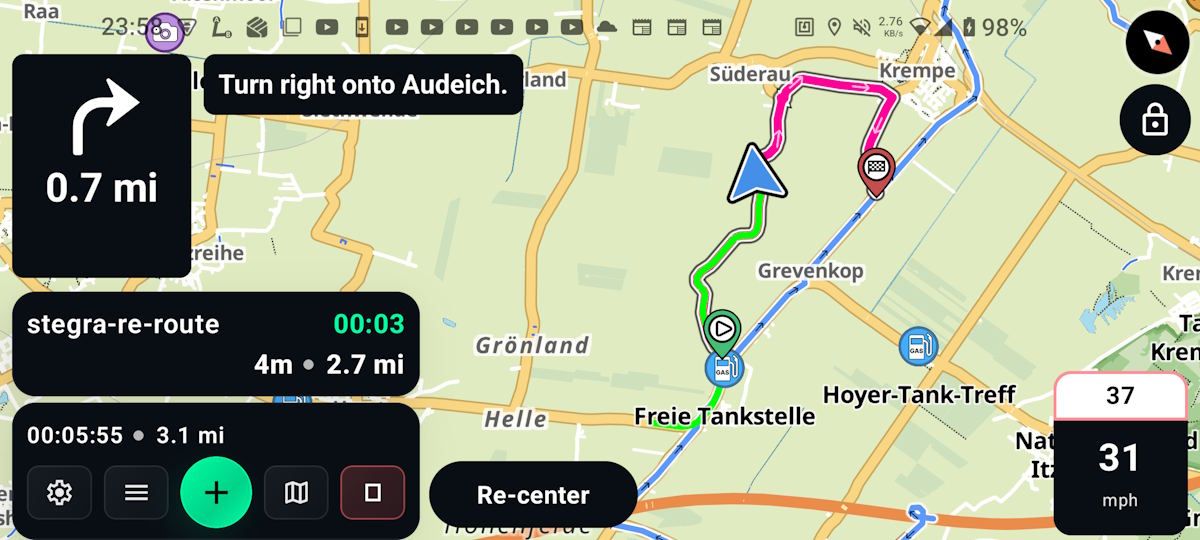
In the example above with Stegra.io?
No. As I'm currently navigating an A-B route, a U-turn or deviation from the route will force a recalculation, and the algorithm will always lead me to the route endpoint, the intersection with the track.
As soon as I reach this point, route navigation mode will stop, and track navigation mode will automatically take over, providing TBT instructions based on the track.
DMD works the same way.
-
How about a compromise? Ask the developers to add an option in settings to specify on a given route how close to waypoint is close enough to move on. The figure is already hard-coded in the navigation software at somewhere around 25 meters, but I suggest making it dynamic. Even 25 meters can be too much in a medieval city center and 500 meters is more than enough on rural back roads.
-
How about a compromise? Ask the developers to add an option in settings to specify on a given route how close to waypoint is close enough to move on. The figure is already hard-coded in the navigation software at somewhere around 25 meters, but I suggest making it dynamic. Even 25 meters can be too much in a medieval city center and 500 meters is more than enough on rural back roads.
@Paul-Smith-3 This would just move but not solve the problem that the app can send you backwards on the track.
-
Those who navigate a route as track do that because they prefer the stability of a track. My guess is that these users also have the auto recalculation setting to Off.
For me it would be a massiv improvement if the app would only offer navigation ON the track and not TO the track (but with the ETA info to the points ahead of me).
And this is maybe the easiest part to get right. -

When we go off track and the system deicides to give us a reroute to the wrong waypoint why not have some way of the app allowing us to choose
the entry waypoint back to the track. Maybe a message' select waypoint for return to route' whilst displaying our position and the nearest 2 waypoints. -
When we go off track and the system deicides to give us a reroute to the wrong waypoint why not have some way of the app allowing us to choose
the entry waypoint back to the track. Maybe a message' select waypoint for return to route' whilst displaying our position and the nearest 2 waypoints.
@Flyingstoo simply display the route and long press on the waypoint you want to return to.
Hello! It looks like you're interested in this conversation, but you don't have an account yet.
Getting fed up of having to scroll through the same posts each visit? When you register for an account, you'll always come back to exactly where you were before, and choose to be notified of new replies (either via email, or push notification). You'll also be able to save bookmarks and upvote posts to show your appreciation to other community members.
With your input, this post could be even better 💗
Register Login

-
 0611
0611
-
 0522
0522
-
 149
149
-
 2486
2486
-
 0522
0522
-
 0313
0313
-
0312
-
 025
025