How to avoid shortcuts
-

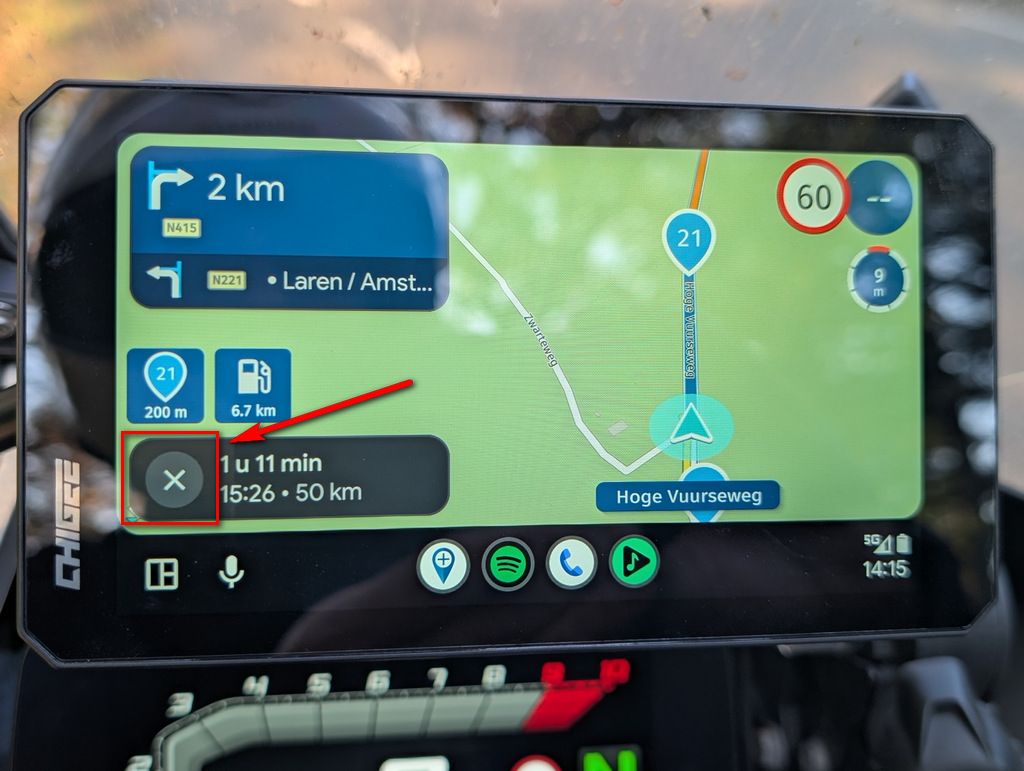
In the tour I did yesterday, the app kept wanting me to do unplanned shortcuts in myroute web, as in this case:
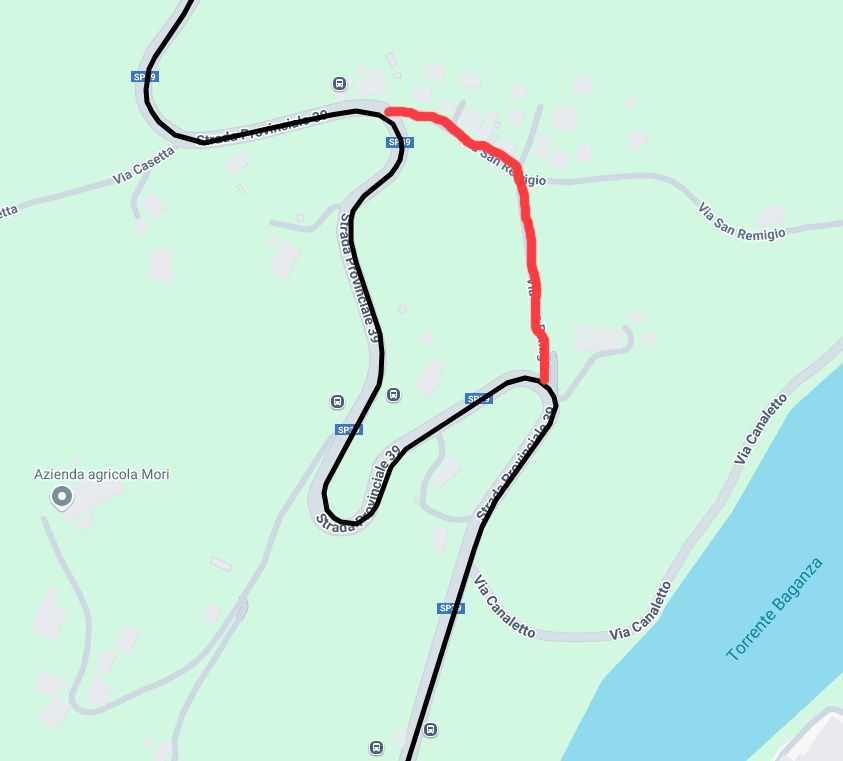
In the picture you can see how I designed the route, when I was there the app would tell me to take the route in red and it did this in several countries, often wanting me to go through very narrow or even unpaved roads, if the diversions is short on the display you understand not to take that diversions, but if the diversions is long you don't understand on the fly not to take that diversions.
There is some option in the app that prevents you from taking these shortcuts but to stick to the route that you see in myroute web.
-
In the tour I did yesterday, the app kept wanting me to do unplanned shortcuts in myroute web, as in this case:
In the picture you can see how I designed the route, when I was there the app would tell me to take the route in red and it did this in several countries, often wanting me to go through very narrow or even unpaved roads, if the diversions is short on the display you understand not to take that diversions, but if the diversions is long you don't understand on the fly not to take that diversions.
There is some option in the app that prevents you from taking these shortcuts but to stick to the route that you see in myroute web.

@ginogino you have to put in more shaping points
Honda Goldwing GL1500,
Honda Silverwing GL 650
DMD2 T865X 8 inch Android tablet using MRA next for navigation
Garmin XT sold
Samsung S24FE mounted on a Quadlock and using Android Auto in my car -
@ginogino you have to put in more shaping points
Typically on a 200/250km route I put about 40, to avoid detours of a few hundred metres I would have to put no less than 200 and doing that seems like overkill.
-

Technically @Marinus-van-Deudekom has a point but not really that useful because it’s not like you’re going to put a point in every bend

This should not really have happened unless you’ve been deviating a lot before reaching this point. Then the app will start skipping waypoints as you seem to miss part of the route. If this happened, you will have been notified.
Could you share the link of the route?
-
Typically on a 200/250km route I put about 40, to avoid detours of a few hundred metres I would have to put no less than 200 and doing that seems like overkill.
@ginogino on a 200/250 km route 40 waypoints could be enigheid deoending on the surroundings, but there’s more to it then Just the Numbers of shapingpoints. If you share the route like @Corjan-Meijerink asjed maybe you could also add hij that you’ve Made this route, with witch map etc
Honda Goldwing GL1500,
Honda Silverwing GL 650
DMD2 T865X 8 inch Android tablet using MRA next for navigation
Garmin XT sold
Samsung S24FE mounted on a Quadlock and using Android Auto in my car -
@ginogino on a 200/250 km route 40 waypoints could be enigheid deoending on the surroundings, but there’s more to it then Just the Numbers of shapingpoints. If you share the route like @Corjan-Meijerink asjed maybe you could also add hij that you’ve Made this route, with witch map etc
The route link is in the first post, I did not deviate from the route, I only had to restart navigation a third of the way along the route because I stopped at a point where there was no phone signal and when I restarted the navigation did not work, I walked down the mountain to where I found phone signal and started navigation from there and from there I never deviated from the route and I never received any warnings that I had missed waypoints.
-
The route link is in the first post, I did not deviate from the route, I only had to restart navigation a third of the way along the route because I stopped at a point where there was no phone signal and when I restarted the navigation did not work, I walked down the mountain to where I found phone signal and started navigation from there and from there I never deviated from the route and I never received any warnings that I had missed waypoints.
@ginogino did you have the route on your phone because normale when loding the internet connection the app would go to offline navigation automaticly. The link is niet in the first post
Honda Goldwing GL1500,
Honda Silverwing GL 650
DMD2 T865X 8 inch Android tablet using MRA next for navigation
Garmin XT sold
Samsung S24FE mounted on a Quadlock and using Android Auto in my car -
@ginogino did you have the route on your phone because normale when loding the internet connection the app would go to offline navigation automaticly. The link is niet in the first post

@Marinus-van-Deudekom said in How to avoid shortcuts:
@ginogino did you have the route on your phone because normale when loding the internet connection the app would go to offline navigation automaticly. The link is niet in the first post
The link is here:
-
In the tour I did yesterday, the app kept wanting me to do unplanned shortcuts in myroute web, as in this case:
In the picture you can see how I designed the route, when I was there the app would tell me to take the route in red and it did this in several countries, often wanting me to go through very narrow or even unpaved roads, if the diversions is short on the display you understand not to take that diversions, but if the diversions is long you don't understand on the fly not to take that diversions.
There is some option in the app that prevents you from taking these shortcuts but to stick to the route that you see in myroute web.
@ginogino I've looked at your route and a couple of things came to my attention
The route is made quit fairly good. Good enough that is. A couple of shapingspoints were OFF route but as long as you using the Navigation Next app there's no problem. That might be diferent if you were using a dedicated device like a Garmin XT. In those cases the route would be messed up because of the Garmin way of calculation the route.
I saw that you used the Motorbike profile. That doesn't have to be a problem but. In that profile you can't select route optimalisation and select shortest or fastest way. Maybe somewhere in your settings the use of shortest was selected and therefore using all of those small roads.
Other then that your route looks nice and if it would be in my naberhood I would certainly use it
The RouteXperts all use the car profile to make routes and there's almost no diference between the bike and car profile other then that I decribed. Maybe using the car profile will end your problemHonda Goldwing GL1500,
Honda Silverwing GL 650
DMD2 T865X 8 inch Android tablet using MRA next for navigation
Garmin XT sold
Samsung S24FE mounted on a Quadlock and using Android Auto in my car -
@ginogino I've looked at your route and a couple of things came to my attention
The route is made quit fairly good. Good enough that is. A couple of shapingspoints were OFF route but as long as you using the Navigation Next app there's no problem. That might be diferent if you were using a dedicated device like a Garmin XT. In those cases the route would be messed up because of the Garmin way of calculation the route.
I saw that you used the Motorbike profile. That doesn't have to be a problem but. In that profile you can't select route optimalisation and select shortest or fastest way. Maybe somewhere in your settings the use of shortest was selected and therefore using all of those small roads.
Other then that your route looks nice and if it would be in my naberhood I would certainly use it
The RouteXperts all use the car profile to make routes and there's almost no diference between the bike and car profile other then that I decribed. Maybe using the car profile will end your problem
I have seen, however, that even with the motorbike profile it is possible to select ‘fast route’ and ‘short route’ and in my case I had selected ‘fast route’, to navigate I am using the myroute app with android auto, next time I will try the ‘auto’ profile.
-
This really has nothing to do with car / bike profile.
I'd just pay attention to any audible or visual warning that you skipped a waypoint, that is only sensible explanation.On recalculations the newest fastest route is always calculated (obviously taking your waypoints into consideration). Might be another reason why some part was missed.
-
The route link is in the first post, I did not deviate from the route, I only had to restart navigation a third of the way along the route because I stopped at a point where there was no phone signal and when I restarted the navigation did not work, I walked down the mountain to where I found phone signal and started navigation from there and from there I never deviated from the route and I never received any warnings that I had missed waypoints.
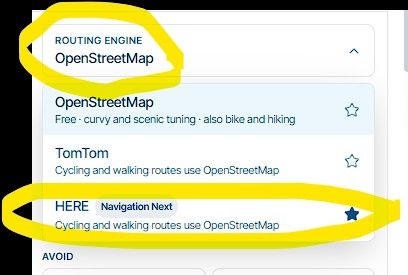
I may have found a way to display shortcuts in the design phase, although I don't understand why they show up.
Comparing the route plotted with the Here maps (which if I'm not mistaken are the ones you use for navigation with the myroute app) with the Tom Tom maps, you see the shortcuts as in this case: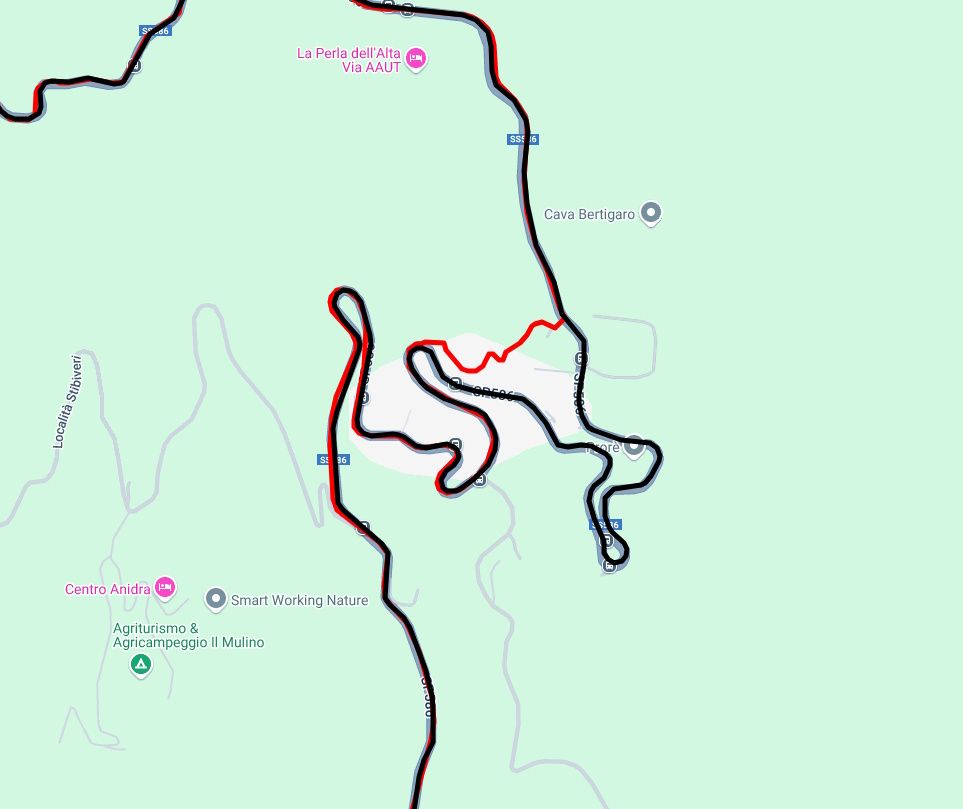
by putting a shaping point on the route you should be able to avoid the unsolicited diversions, but anyway because with Tom Tom you can see them.
This is the route in question:
-
I may have found a way to display shortcuts in the design phase, although I don't understand why they show up.
Comparing the route plotted with the Here maps (which if I'm not mistaken are the ones you use for navigation with the myroute app) with the Tom Tom maps, you see the shortcuts as in this case:by putting a shaping point on the route you should be able to avoid the unsolicited diversions, but anyway because with Tom Tom you can see them.
This is the route in question:

@ginogino said in How to avoid shortcuts:
I may have found a way to display shortcuts in the design phase, although I don't understand why they show up.
Comparing the route plotted with the Here maps (which if I'm not mistaken are the ones you use for navigation with the myroute app) with the Tom Tom maps, you see the shortcuts as in this case:by putting a shaping point on the route you should be able to avoid the unsolicited diversions, but anyway because with Tom Tom you can see them.
This is the route in question:
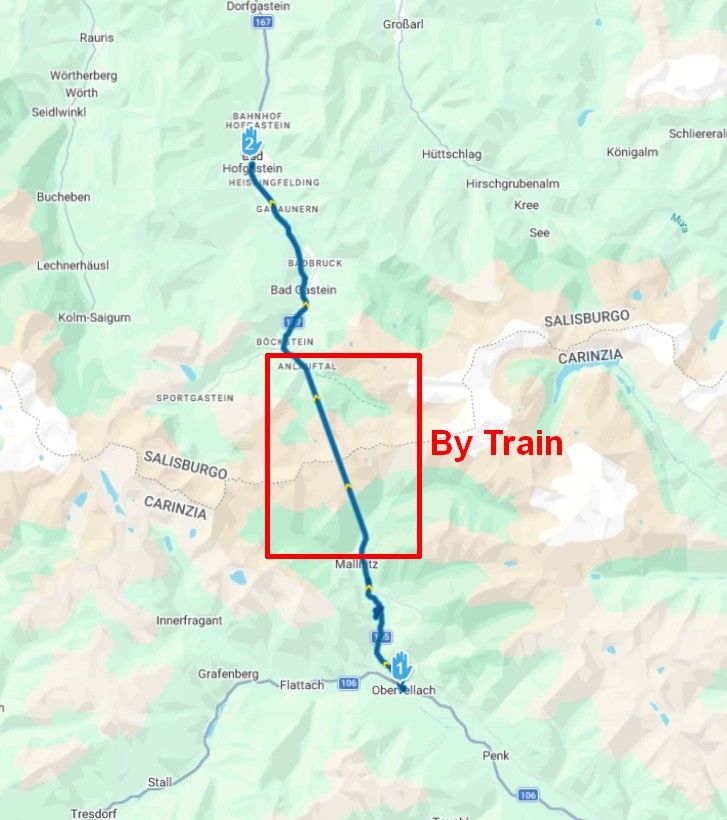
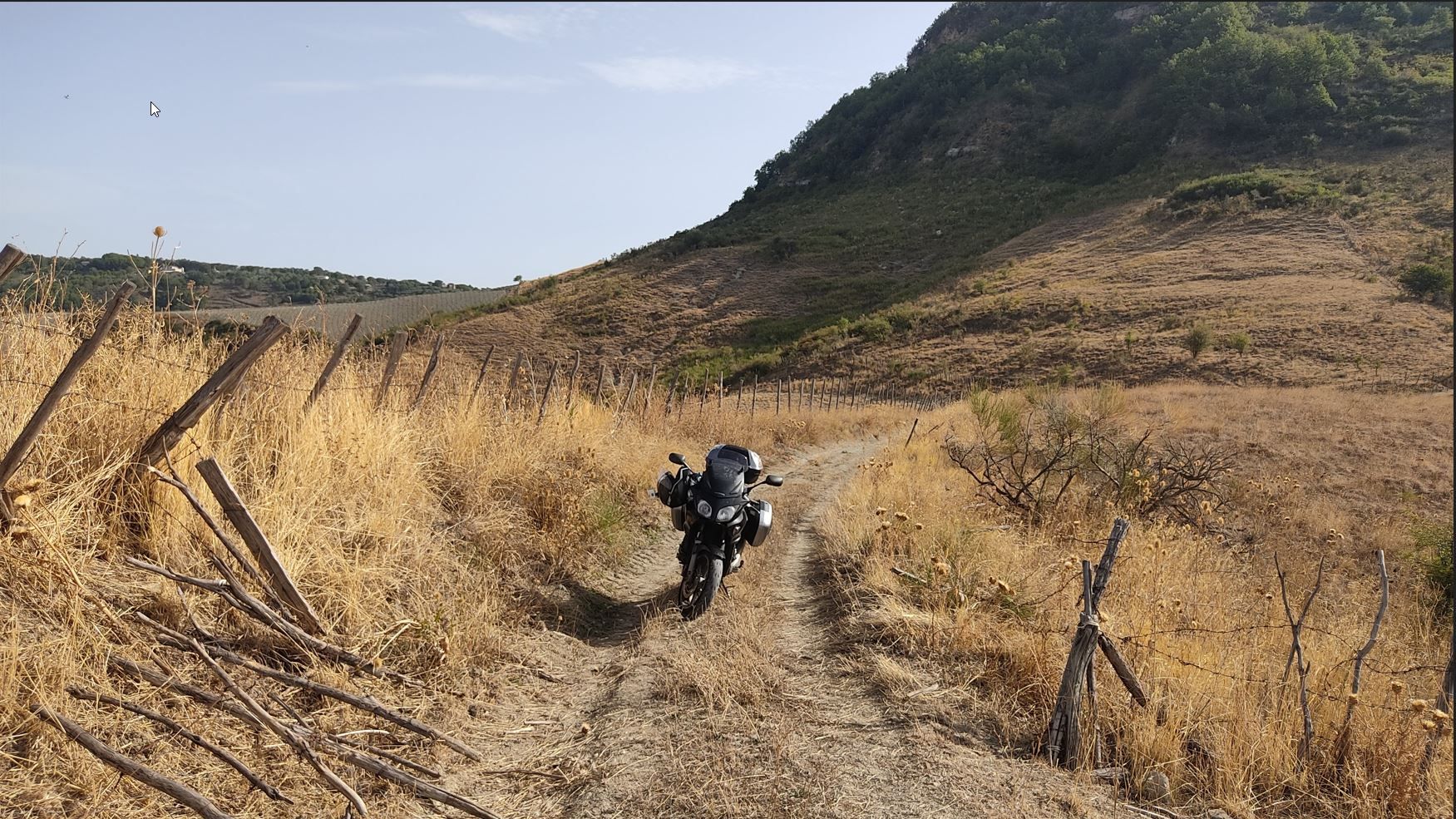
This was tough learning for me, too. Especially in Italy, Navigation would lead me into smallest backyards and even narrow steeps. It´s not fault of MRA, but of Here.
Lesson lerned: stay on the main roads, if you did not place a via or shaping point anywhere near where Navigation wants you to leave that road. Or if you´re very eager for some adventures. Once I got so stuck, I had to rotate the bike on the sidestand. Thank god I had learned that technique already by then, because the bike was fully loaded and geared up for a two weeks trip.^^
This is what can happen to you if you want to be adventurous...

-
I may have found a way to display shortcuts in the design phase, although I don't understand why they show up.
Comparing the route plotted with the Here maps (which if I'm not mistaken are the ones you use for navigation with the myroute app) with the Tom Tom maps, you see the shortcuts as in this case:by putting a shaping point on the route you should be able to avoid the unsolicited diversions, but anyway because with Tom Tom you can see them.
This is the route in question:
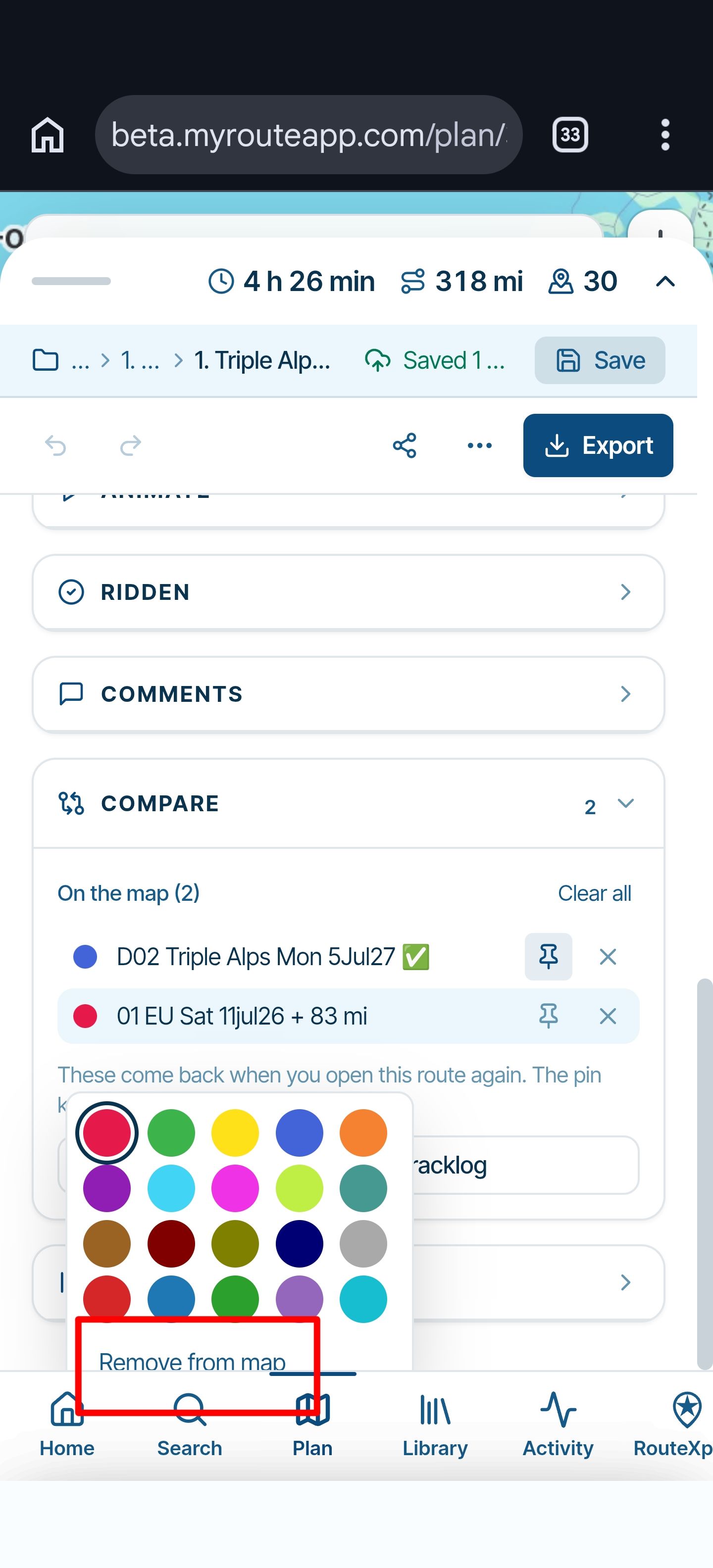
@ginogino after building a route you can hit the Compare function and also use the 3D street view, and after that you can decide if you take the shortcut or not (It might not be paved)
-
I may have found a way to display shortcuts in the design phase, although I don't understand why they show up.
Comparing the route plotted with the Here maps (which if I'm not mistaken are the ones you use for navigation with the myroute app) with the Tom Tom maps, you see the shortcuts as in this case:by putting a shaping point on the route you should be able to avoid the unsolicited diversions, but anyway because with Tom Tom you can see them.
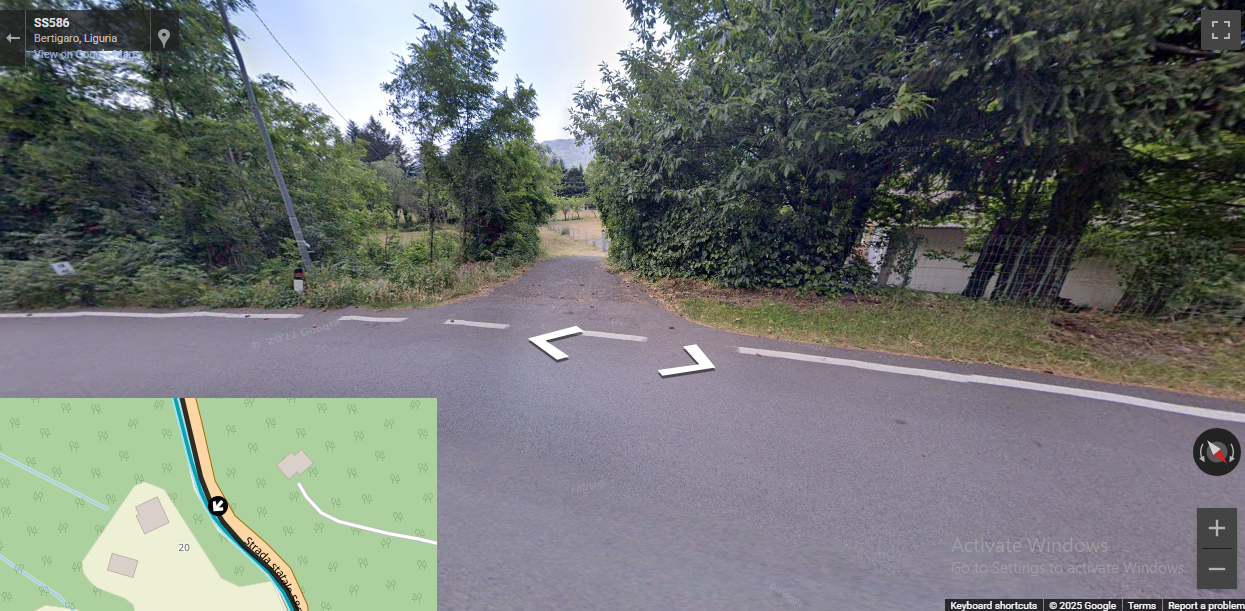
This is the route in question:
@ginogino you can see that the shortcut is not paved.
Hello! It looks like you're interested in this conversation, but you don't have an account yet.
Getting fed up of having to scroll through the same posts each visit? When you register for an account, you'll always come back to exactly where you were before, and choose to be notified of new replies (either via email, or push notification). You'll also be able to save bookmarks and upvote posts to show your appreciation to other community members.
With your input, this post could be even better 💗
Register Login-
 01146
01146
-
01152
-
11297
-
 0976
0976
-
0835
-
 21162
21162
-
0714
-
0837