Beeline Moto import
-

Has anyone by chance managed to export a route from MRA to the Beeline Moto app. I have been trying and have tried gpx 1.0, 1.1 and 1.2, but whatever I export, the Beeline App once the gpx is imported only shows the start and finish point and no waypoints. Although the track is correct. Think Beeline use Google maps.
-
 Nick Carthew moved this topic from [Web] Problems, Bugs and other Issues on
-
Has anyone by chance managed to export a route from MRA to the Beeline Moto app. I have been trying and have tried gpx 1.0, 1.1 and 1.2, but whatever I export, the Beeline App once the gpx is imported only shows the start and finish point and no waypoints. Although the track is correct. Think Beeline use Google maps.

@Robert-Smith-2 There is a support page on the Beeline website which points oiut how to import gpx files into the Beeline app. Not sure if it will hep you, but this might give you some guidelines on how-to import a gpx file:
Importing and Exporting GPX routes on the Velo 2
On that page you will find the below explanation:
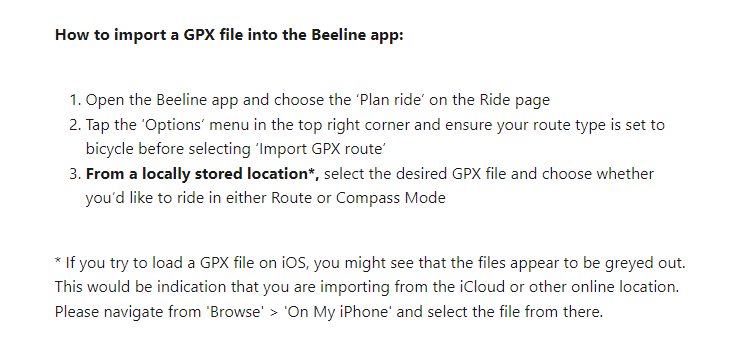
If you use the searchbar on the support page, and type in importing, you will get more hits about this topic which i think the 2 links below might be interesting:
:Cheers!
-
@Robert-Smith-2 There is a support page on the Beeline website which points oiut how to import gpx files into the Beeline app. Not sure if it will hep you, but this might give you some guidelines on how-to import a gpx file:
Importing and Exporting GPX routes on the Velo 2
On that page you will find the below explanation:
If you use the searchbar on the support page, and type in importing, you will get more hits about this topic which i think the 2 links below might be interesting:
:Cheers!
@Nomko-Nomden I've followed the Beeline help, to be honest, it is really simple to export and import. I am going to try creating a route in Beeline and see if that imports into MRA. I am also going to try creating a route in a different app and see if that will import into Beeline. The track that comes across in perfect, it is just waypoints that do not show.
-
I have just created a route in the Beeline app and saved it to my desktop, then tried to load to MRA. The route was only around 8 miles and I put 3 waypoints in. The gpx wouldn't load into MRA it gave the error message that the gpx had over 200 waypoints. Think the conclusion is, MRA and Beeline are not compatible

-
I have just created a route in the Beeline app and saved it to my desktop, then tried to load to MRA. The route was only around 8 miles and I put 3 waypoints in. The gpx wouldn't load into MRA it gave the error message that the gpx had over 200 waypoints. Think the conclusion is, MRA and Beeline are not compatible
@Robert-Smith-2 said in Beeline Moto import:
I have just created a route in the Beeline app and saved it to my desktop, then tried to load to MRA. The route was only around 8 miles and I put 3 waypoints in. The gpx wouldn't load into MRA it gave the error message that the gpx had over 200 waypoints. Think the conclusion is, MRA and Beeline are not compatible
That's weird...
Did you saved it as a track or as a route? A gpx file is basically norhing more than a file format containing geographical data of a route that can be exchanged between various devices. GPX is the most common used file format. Any route created in MRA and saved/exported as a gpx file must be compatible with any given device.Strange that Beeline promotes using gpx on their website/support page, but fails to be compatible...

-
@Robert-Smith-2 said in Beeline Moto import:
I have just created a route in the Beeline app and saved it to my desktop, then tried to load to MRA. The route was only around 8 miles and I put 3 waypoints in. The gpx wouldn't load into MRA it gave the error message that the gpx had over 200 waypoints. Think the conclusion is, MRA and Beeline are not compatible
That's weird...
Did you saved it as a track or as a route? A gpx file is basically norhing more than a file format containing geographical data of a route that can be exchanged between various devices. GPX is the most common used file format. Any route created in MRA and saved/exported as a gpx file must be compatible with any given device.Strange that Beeline promotes using gpx on their website/support page, but fails to be compatible...
@Nomko-Nomden Did some more trials. Managed to get the Beeline gpx loaded to MRA as a track, but obviously no waypoints come over. Dowloaded Calimoto and created a route with waypoints. Loaded to Beeline App, same outcome, just the track goes over with no waypoints visible.
-
@Nomko-Nomden Did some more trials. Managed to get the Beeline gpx loaded to MRA as a track, but obviously no waypoints come over. Dowloaded Calimoto and created a route with waypoints. Loaded to Beeline App, same outcome, just the track goes over with no waypoints visible.
@Robert-Smith-2
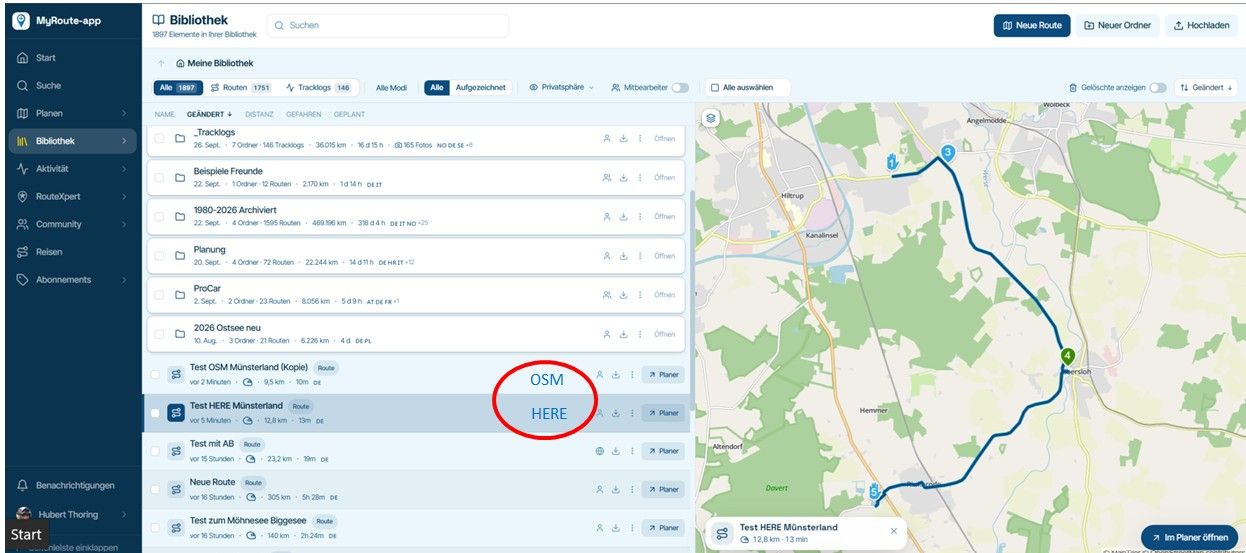
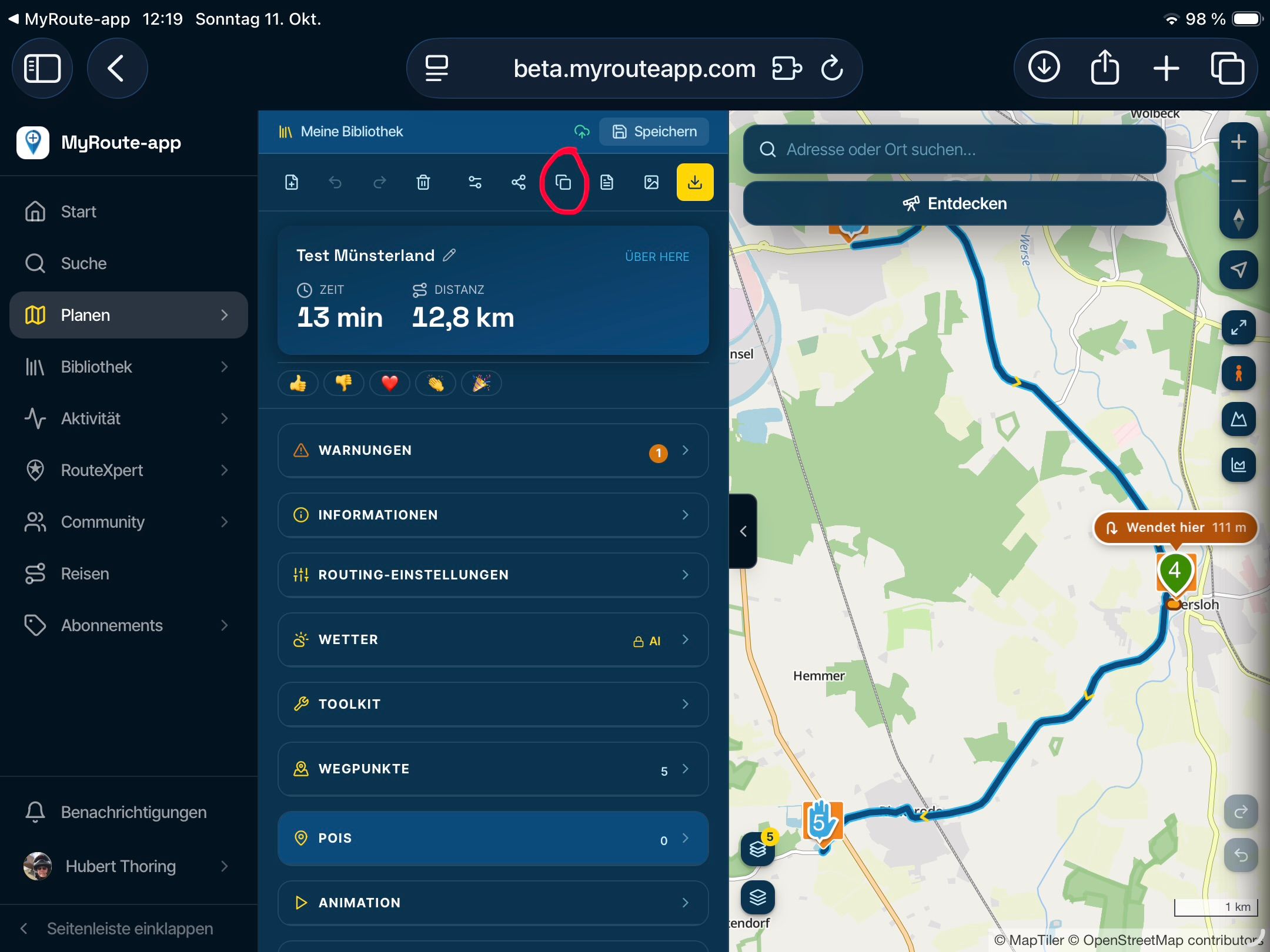
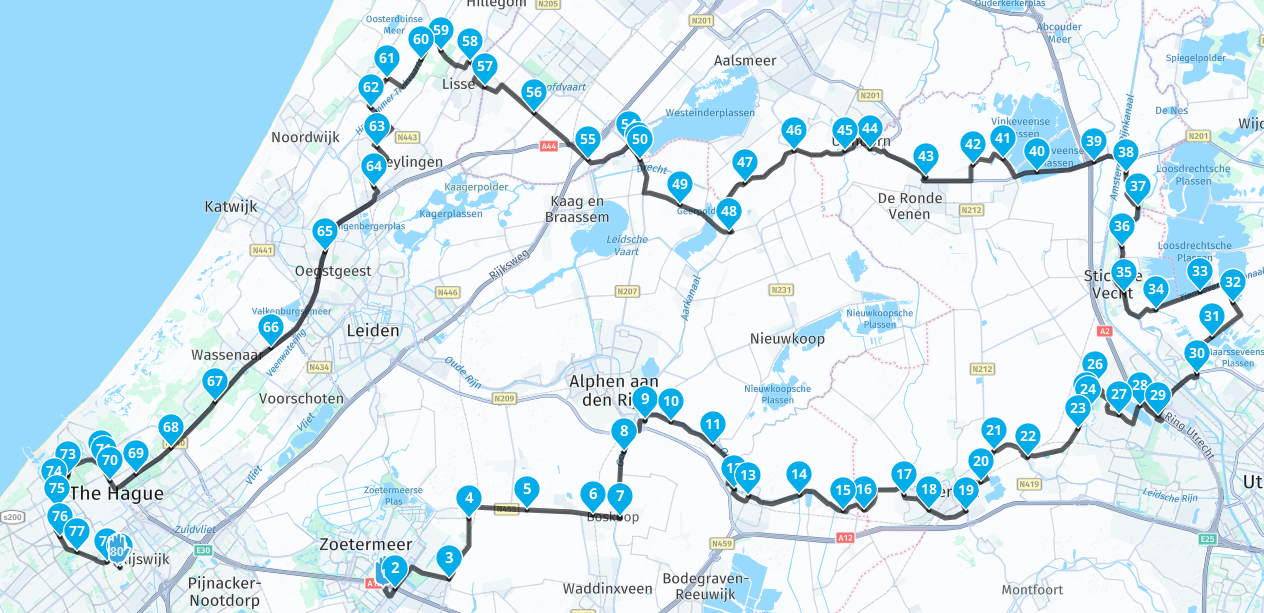
Tracks do not have waypoints until you convert them to a route, see an example of one of my tracklogs below. A track only shows...the track.. Just a (blue) line showing the route you took.Routes with waypoints (and POI's) can be converted into a track, but you will loose all waypoints and POI's.
The above screenshot is a track/tracklog of a tour in my province. The below screenshot is the same route except converted from a track/tracklog to a route showing all the waypoints.
These waypoint are randomly placed by MRA during the conversion.
Just a random question (and ofcourse not chase you away from this forum): does Beeline not have a forum themself were you can ask this question?
Tracklog:
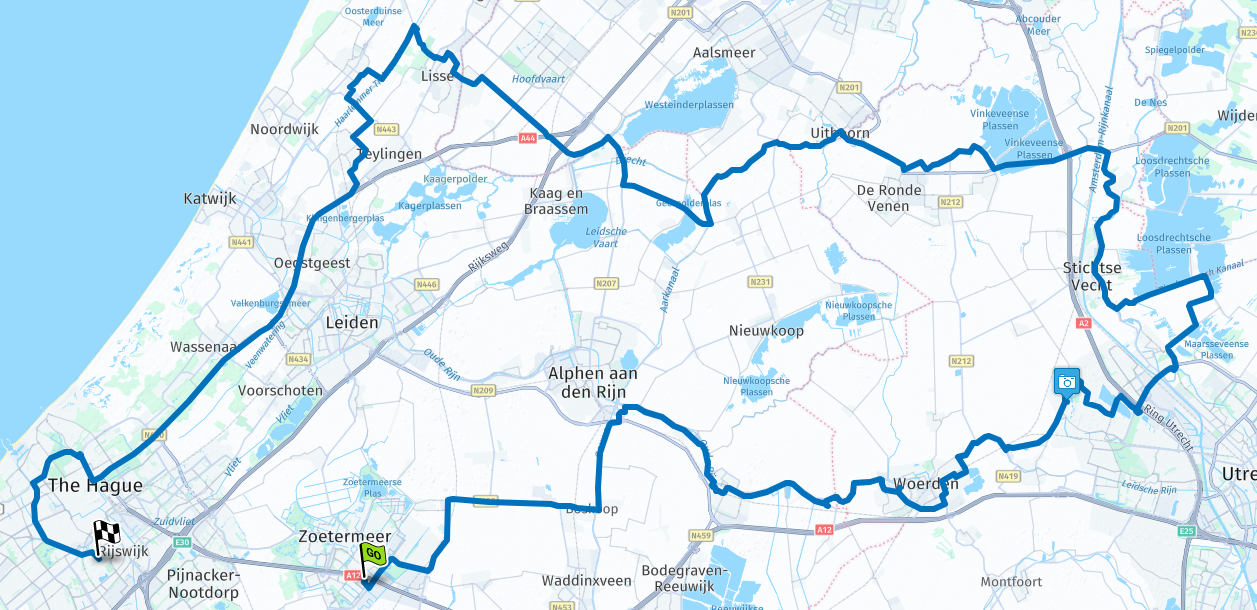
Route:
-
@Robert-Smith-2
Tracks do not have waypoints until you convert them to a route, see an example of one of my tracklogs below. A track only shows...the track.. Just a (blue) line showing the route you took.Routes with waypoints (and POI's) can be converted into a track, but you will loose all waypoints and POI's.
The above screenshot is a track/tracklog of a tour in my province. The below screenshot is the same route except converted from a track/tracklog to a route showing all the waypoints.
These waypoint are randomly placed by MRA during the conversion.
Just a random question (and ofcourse not chase you away from this forum): does Beeline not have a forum themself were you can ask this question?
Tracklog:
Route:
@Nomko-Nomden Second question, Beeline do not seem to have a forum, you can only raise a case for help. Seeing I have been a Gold member with MRA since it was available, so I thought I would ask on here, as I am using MRA for my routes and also passing them to various Garmin devices.
Now this is the bit I am struggling with or it might be my understanding. I understand a track doesn't have waypoints and it only becomes a route once the device has calculated the route.
So when I put waypoints into MRA and then export the gpx with 1.1 or 1.2 into my XT, once it is loaded, the device calculates the route and the waypoints are shown.
When I export the gpx with the same waypoints and load into Beeline, there is only one option, to import, you can import a route or import in compass mode, the route comes in fine, but no Waypoints are shown. That is it, even if you then use the route, no waypoints show up, so they are not being imported or not recognised. If you import compass mode, then there are various waypoints, but the route is basically straight lines to each waypoint.
I have also tried importing from google maps (beeline uses google maps) and Calimoto, same results, so my thoughts are, it doesn't work as they claim. I will wait to see of Beeline come back. Thanks for your help
-
nomko referenced this topic on
Hello! It looks like you're interested in this conversation, but you don't have an account yet.
Getting fed up of having to scroll through the same posts each visit? When you register for an account, you'll always come back to exactly where you were before, and choose to be notified of new replies (either via email, or push notification). You'll also be able to save bookmarks and upvote posts to show your appreciation to other community members.
With your input, this post could be even better 💗
Register Login-
 01247
01247
-
 0453
0453
-
039
-
 1323
1323
-
 033310
-
 0427
0427
-
0320
-
912613.6k