Skip to content
  • Categories
  • Recent
  • Popular
  • Support
  • MyRoute-app
Collapse
Brand Logo

MRA Community Forum

  1. Home
  2. General Discussion
  3. how to manage " Favorites " in navigation app

how to manage " Favorites " in navigation app

Scheduled Pinned Locked Moved General Discussion
7 Posts 3 Posters 2.3k Views 1 Watching
  • Oldest to Newest
  • Newest to Oldest
  • Most Votes
Reply
  • Reply as topic
Log in to reply
This topic has been deleted. Only users with topic management privileges can see it.
  • Sander Mul
    Sander Mul
    Sander Mul
    wrote on last edited by
    #1

    I have made a mistake, I have saved the wrong location as a favorite, but I don't succeed in edit or delete this favorite. tried many things, swipe to the left, hold and press, is there any option to edit ?

    Nick Carthew 1 Reply Last reply
    0
    • Sander Mul Sander Mul

      I have made a mistake, I have saved the wrong location as a favorite, but I don't succeed in edit or delete this favorite. tried many things, swipe to the left, hold and press, is there any option to edit ?

      Nick Carthew
      Nick Carthew
      Nick Carthew
      RouteXpert
      wrote on last edited by
      #2

      @Sander-l Edit your favourites in MRA route planner not Navigation.

      Always willing to help if I can.
      Triumph Tiger 1200 XRT called Tina.
      MRA Navigation Next and SilverFox BJ8

      1 Reply Last reply
      0
      • Sander Mul
        Sander Mul
        Sander Mul
        wrote on last edited by
        #3

        Hi Nick, thank you for the quick answer, unfortunate I don't see the favorites, that I have made directly in the naviagtion app, in the MRA environment.

        the issue as as follows; navigstion app is running, >> click first button <navigate and tracking > than you have tree options <search> - <routes> - <favorites> once clicked <favorites> I see my list of saved locations. This list is not editble.
        Does somebody has a tip or tric to edit this list, or delete saved locations ?

        thanks in advance

        Nick Carthew 2 Replies Last reply
        0
        • Reinhard-32
          Reinhard-32
          Reinhard-32
          wrote on last edited by
          #4

          You must first open a route, then you can see your favorites.

          Kindly regards
          Reinhard

          Montana 700i and Mac

          1 Reply Last reply
          0
          • Sander Mul Sander Mul

            Hi Nick, thank you for the quick answer, unfortunate I don't see the favorites, that I have made directly in the naviagtion app, in the MRA environment.

            the issue as as follows; navigstion app is running, >> click first button <navigate and tracking > than you have tree options <search> - <routes> - <favorites> once clicked <favorites> I see my list of saved locations. This list is not editble.
            Does somebody has a tip or tric to edit this list, or delete saved locations ?

            thanks in advance

            Nick Carthew
            Nick Carthew
            Nick Carthew
            RouteXpert
            wrote on last edited by Nick Carthew
            #5

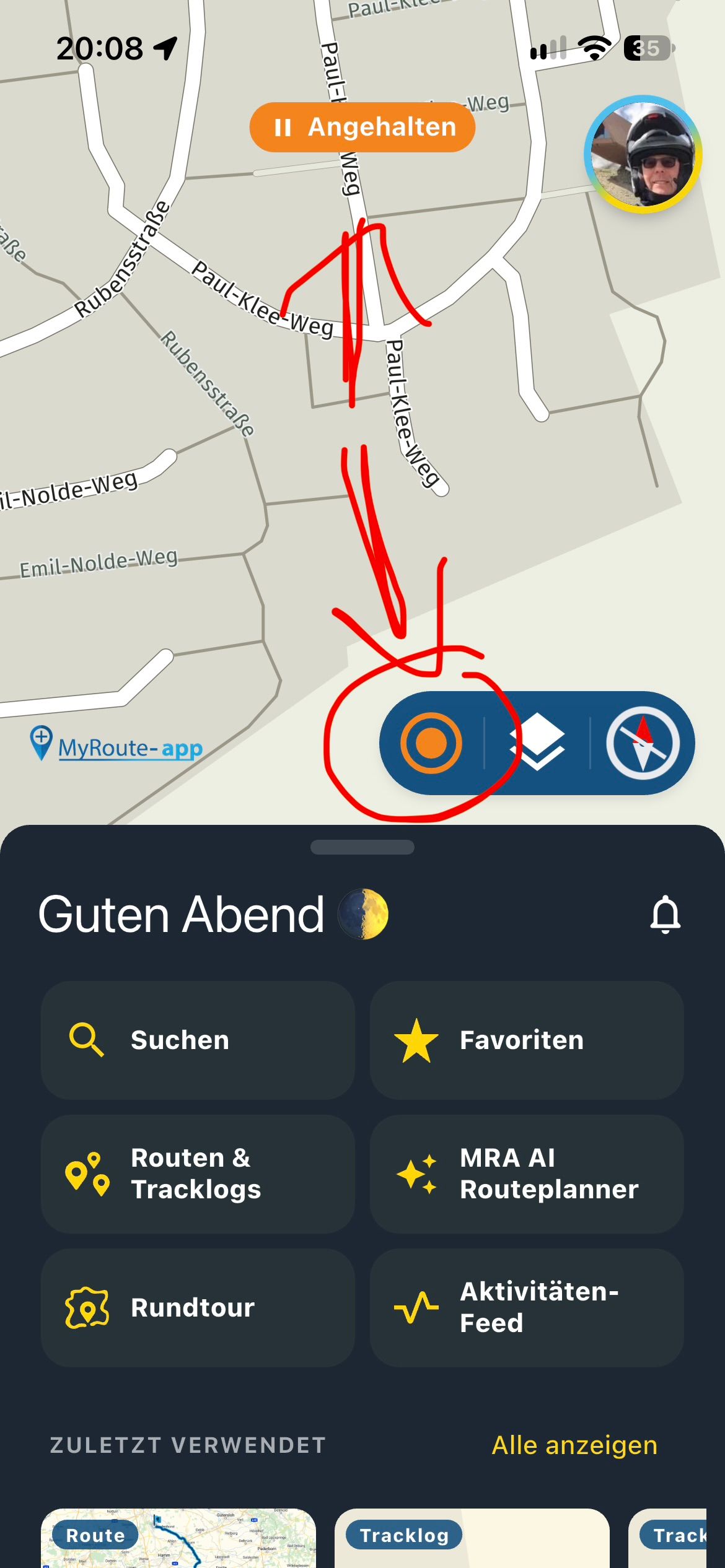
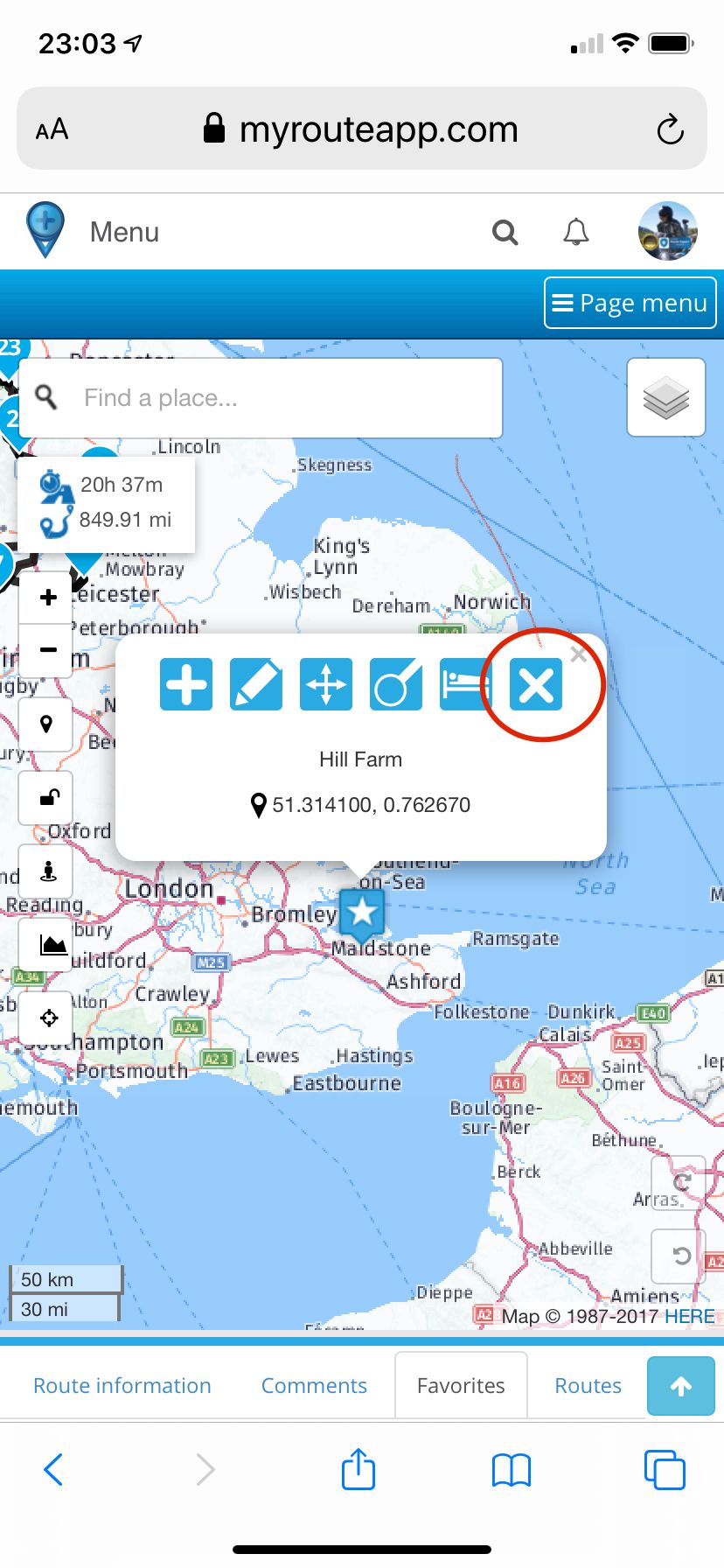
            @Sander-Mul Open a route and select the favourite that you want to delete and then delete it with the X. This can only be done in the route editor not the navigation app.
            BB918312-8B4F-425F-82A6-082479468DFF.jpeg

            Always willing to help if I can.
            Triumph Tiger 1200 XRT called Tina.
            MRA Navigation Next and SilverFox BJ8

            1 Reply Last reply
            0
            • Sander Mul Sander Mul

              Hi Nick, thank you for the quick answer, unfortunate I don't see the favorites, that I have made directly in the naviagtion app, in the MRA environment.

              the issue as as follows; navigstion app is running, >> click first button <navigate and tracking > than you have tree options <search> - <routes> - <favorites> once clicked <favorites> I see my list of saved locations. This list is not editble.
              Does somebody has a tip or tric to edit this list, or delete saved locations ?

              thanks in advance

              Nick Carthew
              Nick Carthew
              Nick Carthew
              RouteXpert
              wrote on last edited by
              #6

              @Sander-Mul Favourites are not like POIs (points of interest). A favourite is just a quick way of finding and centring the map to a favourite place. Once you have selected a favourite in the route planner, you can add it as a route point by clicking on the + symbol.

              Always willing to help if I can.
              Triumph Tiger 1200 XRT called Tina.
              MRA Navigation Next and SilverFox BJ8

              1 Reply Last reply
              0
              • Sander Mul
                Sander Mul
                Sander Mul
                wrote on last edited by
                #7

                Hi Nick and Reinhard-32, thank you for your reply, you have triggered me, I succeeded in managing my favorites, I thought these favorites within the route app were just fot the specific route, but it seems your all favorite list.
                Thanks again for your clear explanation.
                Kind regards
                Sander

                1 Reply Last reply
                1

                Hello! It looks like you're interested in this conversation, but you don't have an account yet.

                Getting fed up of having to scroll through the same posts each visit? When you register for an account, you'll always come back to exactly where you were before, and choose to be notified of new replies (either via email, or push notification). You'll also be able to save bookmarks and upvote posts to show your appreciation to other community members.

                With your input, this post could be even better 💗

                Register Login
                Reply
                • Reply as topic
                Log in to reply
                • Oldest to Newest
                • Newest to Oldest
                • Most Votes


                ACTIVE USERS
                Nick Carthew
                Nick Carthew
                Reinhard-32
                Reinhard-32
                Sander Mul
                Sander Mul
                POPULAR TOPICS
                • Routenplaner on iPad
                  Jörgen
                  Jörgen
                  0
                  5
                  82

                • Question about a long trip I've planned---download?
                  Jörgen
                  Jörgen
                  0
                  4
                  49

                • New Zealand Routes
                  Bull Tahr
                  Bull Tahr
                  1
                  7
                  301

                • transfer from phone to zoom xt
                  J2FK
                  J2FK
                  0
                  13
                  402

                • Exporting route files to tomtom 550
                  Nick Carthew
                  Nick Carthew
                  0
                  2
                  51

                • Feature Request: Map Contrast & Road Visibility in Navigation⁠
                  Hubert Thoring
                  Hubert Thoring
                  5
                  9
                  539

                • Insert Pause removed from navigation
                  0
                  1
                  7

                • MyRouteApp (WebPlanner) development Roadmap
                  Philipp Kühn
                  Philipp Kühn
                  2
                  14
                  6.2k

                MY GROUPS
                • Login

                • Login or register to search.
                • First post
                  Last post
                0
                • Categories
                • Recent
                • Popular
                • Support
                • MyRoute-app