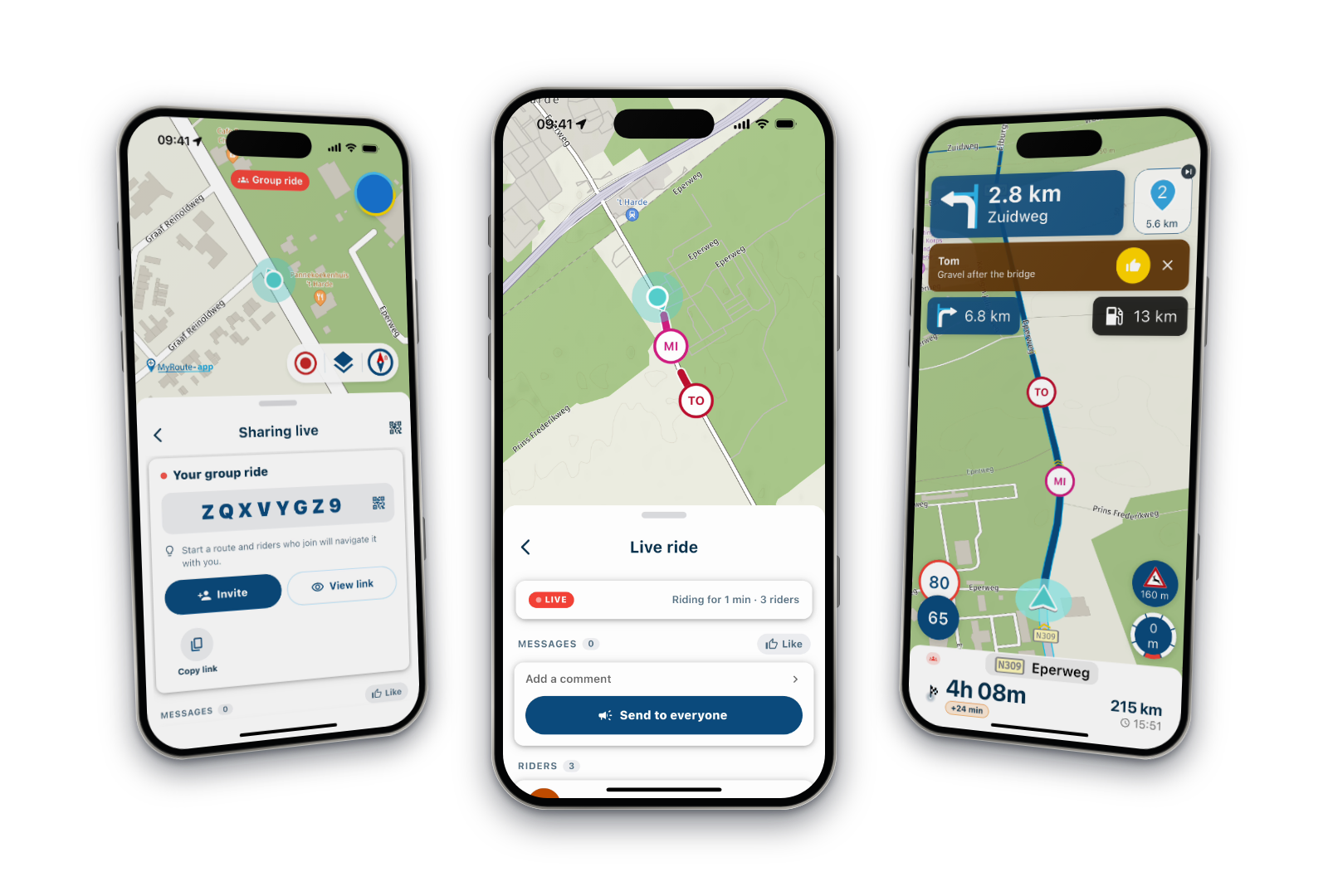
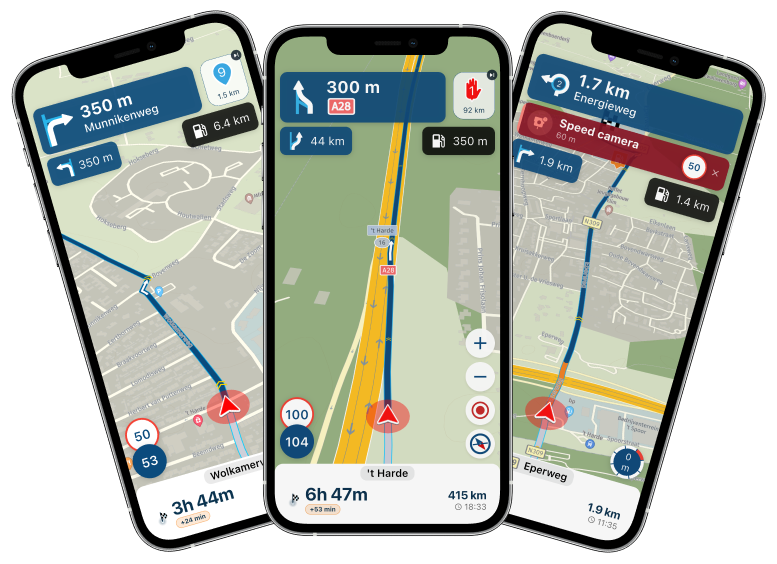
Skip waypoints not working?
-

During yesterday’s ride, the app continually tried to reroute me back to a missed waypoint. This was NOT a via point and I have checked that the automatically skip waypoint option is enabled. This went on for a few miles before I manually skipped the waypoint. This happened on more than one occasion. Any ideas?
-
During yesterday’s ride, the app continually tried to reroute me back to a missed waypoint. This was NOT a via point and I have checked that the automatically skip waypoint option is enabled. This went on for a few miles before I manually skipped the waypoint. This happened on more than one occasion. Any ideas?

@P1LTS The auto-skip mechanism has been adjusted to be slightly stricter with the latest update, primarily to prevent you from missing a significant part of your route by skipping too quickly. If you notice that it takes a long time to be directed to the next point, you can always manually skip a part of your route by either skipping the next suggested route point or by long-pressing a point on the map and navigating from there.
🏍️ BMW K1600GT-P (2013) | Nolan N100-5 with Sena 30K
📱 iOS on iPhone 13 & 16 (mounted on Quadlock or AliExpress extention on BMW-cradle)
🚙 Apple CarPlay in VW T-Roc
💻 Routelab on MacBook Air & iMac (Golden Gate & Ventura) -
@P1LTS The auto-skip mechanism has been adjusted to be slightly stricter with the latest update, primarily to prevent you from missing a significant part of your route by skipping too quickly. If you notice that it takes a long time to be directed to the next point, you can always manually skip a part of your route by either skipping the next suggested route point or by long-pressing a point on the map and navigating from there.
@Rob-Verhoeff thanks for the feedback, I’ll admit it was a touch annoying though using CarPlay in a motorcycle. Manually skipping waypoints using only a number makes it sub-optimal too. I’d prefer a rapid “skip” to avoid doing u-turns just to pass a waypoint that you may have missed by a small number of meters.
-
@Rob-Verhoeff thanks for the feedback, I’ll admit it was a touch annoying though using CarPlay in a motorcycle. Manually skipping waypoints using only a number makes it sub-optimal too. I’d prefer a rapid “skip” to avoid doing u-turns just to pass a waypoint that you may have missed by a small number of meters.
@P1LTS I agree this is an issue and makes MyRoute Planner as a navigator product difficult to use while actually riding a motorcycle and leading a group of other riders... This happened to me yesterday as a lead rider (as I made the route and had navigation) of 8 bikes. When you ride with a group of bikes, things come up, gas stops, breakdowns, piss stops, on and on that can easily cause a slightly missed Waypoint marker. You cant keep pulling over while riding a motorcycle with gloves on to hit the Waypoint and find the skip icon. Question - I have the MyRoute Planner subscription only, where do you enable "Automatically Skip Waypoint" setting ? I cant find it in Route Planner or on the Android App ? May I make a suggestion, when a Waypoint is missed enroute while navigating, simply have a pop up button that comes up that you can touch to bypass the missed Waypoint and keep going to your next Waypoint...
-

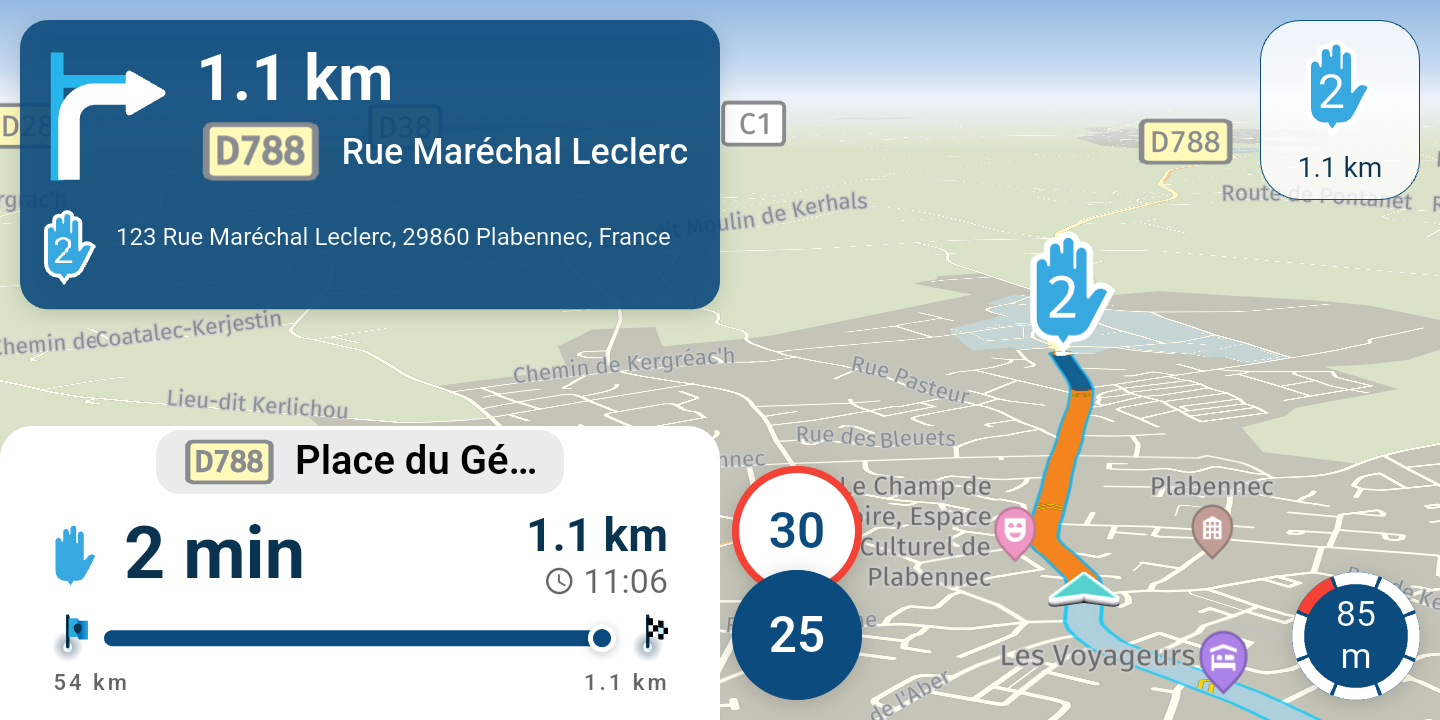
@P1LTS The quickest way I've found is a long press on the waypoint indicator (top right of the screen) - that skips to the next one.
You can try that at home - load a route, and then long press on the waypoint 1 indicator. You'll see waypoint 2 gets shown. -
@P1LTS I agree this is an issue and makes MyRoute Planner as a navigator product difficult to use while actually riding a motorcycle and leading a group of other riders... This happened to me yesterday as a lead rider (as I made the route and had navigation) of 8 bikes. When you ride with a group of bikes, things come up, gas stops, breakdowns, piss stops, on and on that can easily cause a slightly missed Waypoint marker. You cant keep pulling over while riding a motorcycle with gloves on to hit the Waypoint and find the skip icon. Question - I have the MyRoute Planner subscription only, where do you enable "Automatically Skip Waypoint" setting ? I cant find it in Route Planner or on the Android App ? May I make a suggestion, when a Waypoint is missed enroute while navigating, simply have a pop up button that comes up that you can touch to bypass the missed Waypoint and keep going to your next Waypoint...
@George-M-0 said in Skip waypoints not working?:
Question - I have the MyRoute Planner subscription only, where do you enable "Automatically Skip Waypoint" setting ?
In the MyRoute-app itself, not in the planner.
-
@P1LTS I agree this is an issue and makes MyRoute Planner as a navigator product difficult to use while actually riding a motorcycle and leading a group of other riders... This happened to me yesterday as a lead rider (as I made the route and had navigation) of 8 bikes. When you ride with a group of bikes, things come up, gas stops, breakdowns, piss stops, on and on that can easily cause a slightly missed Waypoint marker. You cant keep pulling over while riding a motorcycle with gloves on to hit the Waypoint and find the skip icon. Question - I have the MyRoute Planner subscription only, where do you enable "Automatically Skip Waypoint" setting ? I cant find it in Route Planner or on the Android App ? May I make a suggestion, when a Waypoint is missed enroute while navigating, simply have a pop up button that comes up that you can touch to bypass the missed Waypoint and keep going to your next Waypoint...
@George-M-0 said in Skip waypoints not working?:
@P1LTS I agree this is an issue and makes MyRoute Planner as a navigator product difficult to use while actually riding a motorcycle and leading a group of other riders... This happened to me yesterday as a lead rider (as I made the route and had navigation) of 8 bikes. When you ride with a group of bikes, things come up, gas stops, breakdowns, piss stops, on and on that can easily cause a slightly missed Waypoint marker. You cant keep pulling over while riding a motorcycle with gloves on to hit the Waypoint and find the skip icon. Question - I have the MyRoute Planner subscription only, where do you enable "Automatically Skip Waypoint" setting ? I cant find it in Route Planner or on the Android App ? May I make a suggestion, when a Waypoint is missed enroute while navigating, simply have a pop up button that comes up that you can touch to bypass the missed Waypoint and keep going to your next Waypoint...
That's not in androidauto screen.
-
@George-M-0 said in Skip waypoints not working?:
Question - I have the MyRoute Planner subscription only, where do you enable "Automatically Skip Waypoint" setting ?
In the MyRoute-app itself, not in the planner.
@Rob-Verhoeff yep. It’s an app setting.
-

You could consider using Bluetooth bar buttons. It completely changes the experience of using the app. I use SilverFox bar buttons and I highly recommend them, complete game changer.
-
@P1LTS I agree this is an issue and makes MyRoute Planner as a navigator product difficult to use while actually riding a motorcycle and leading a group of other riders... This happened to me yesterday as a lead rider (as I made the route and had navigation) of 8 bikes. When you ride with a group of bikes, things come up, gas stops, breakdowns, piss stops, on and on that can easily cause a slightly missed Waypoint marker. You cant keep pulling over while riding a motorcycle with gloves on to hit the Waypoint and find the skip icon. Question - I have the MyRoute Planner subscription only, where do you enable "Automatically Skip Waypoint" setting ? I cant find it in Route Planner or on the Android App ? May I make a suggestion, when a Waypoint is missed enroute while navigating, simply have a pop up button that comes up that you can touch to bypass the missed Waypoint and keep going to your next Waypoint...

@George-M-0 said in Skip waypoints not working?:
makes MyRoute Planner as a navigator product difficult to use while actually riding a motorcycle and leading a group of other riders...
It actually helps you ride your pre-planned route instead of skipping every time something comes up. As a lead rider you have to be alert for these things. If you leave a gas station or continue after taking a piss, reassure yourself about going to the right waypoint BEFORE you take off

In the current version after the second recalculation, you will be sent back to a waypoint if that waypoint still is the closest one of the (maximum) 10 upcoming waypoints. After 5 (I believe, not sure) times being sent back it will skip to the next one anyway, even if it is still the closest one.
-
It is logical the navigation sends you back to the missed waypoint. But after 2 or 3 (ignored) attempts it should guide you next closest upcoming waypoint. Not a shapingpoint where you need to turn around and go back.
Offcourse everything changes in case of a Viapoint. But i think that is obvious.This is also a reason why you need enough waypoints. When you choose to use limited amount of waypoints. It will be possible you will miss a big chunk of the original route when (auto) skip a waypoint.
-
@P1LTS The quickest way I've found is a long press on the waypoint indicator (top right of the screen) - that skips to the next one.
You can try that at home - load a route, and then long press on the waypoint 1 indicator. You'll see waypoint 2 gets shown.
@richtea999 DI dont think this option works on Carplay.
-
You could consider using Bluetooth bar buttons. It completely changes the experience of using the app. I use SilverFox bar buttons and I highly recommend them, complete game changer.
@Nick-Carthew I use a Chigee AIO-5 which allows the "wonderwheel" on my GS, so I can hit the skip waypoint button without reverting to the touchscreen. However, when you are unfamiliar with a particular route, it is still difficult to ascertain whether you are being re-routed back to a missed waypoint. It would be great if you could set a radius around a waypoint such that if you missed it by say 200m, it would be automatically skipped. Also when you choose to a skip a waypoint manually, you only have the option of "skip wayoint x". The actual name of the waypoint would be much better.
-
Thank you to all for your input, it was very helpful. What I learned to help with the Waypoint issues in my original post. 1. Add more frequent Waypoints, I originally had them too far apart, thus the app kept looking for the last missed Waypoint and couldn't see the next or I assume too far away Waypoint soon enough. 2. I was using the navigator in the MRApp in Track mode, there is not a "Skip Waypoint" button in Track mode in my Android Auto screen. When I switched to Navigate mode while loading the route on my phone first, the skip Waypoint button appeared as described. 3. I enabled the "Skip Waypoints" in the phone app as I found the setting there as it is not in the Android Auto settings of the MRApp... Thanks again for the input, I am confident now in managing Waypoints better while on the ride ...
-
I had a similar issue this weekend. I went through a via point, stopped for fuel and when I was back on my way it kept trying to route me back to the via point. Even after riding through the next waypoint, it still kept trying to route me back. After going through the next two waypoints without the app skipping forward, I had to pull over and skip to the next waypoint manually. You cannot do this while using Android Auto.
-
I had a similar issue this weekend. I went through a via point, stopped for fuel and when I was back on my way it kept trying to route me back to the via point. Even after riding through the next waypoint, it still kept trying to route me back. After going through the next two waypoints without the app skipping forward, I had to pull over and skip to the next waypoint manually. You cannot do this while using Android Auto.
@Tom-Cat said in Skip waypoints not working?:
it kept trying to route me back to the via point
It seems like you haven't reached the viapoint. This can easily happen if you didn't place that viapoint on the road. The routecalculation will keep redirecting you until you actually hit the viapoint. This is just an assumption since I haven't seen your route.
Hello! It looks like you're interested in this conversation, but you don't have an account yet.
Getting fed up of having to scroll through the same posts each visit? When you register for an account, you'll always come back to exactly where you were before, and choose to be notified of new replies (either via email, or push notification). You'll also be able to save bookmarks and upvote posts to show your appreciation to other community members.
With your input, this post could be even better 💗
Register Login-
 1217258
-
 01476
01476
-
 112140
-
0644
-
16150
-
 013210
-
1340625
-
 0385
0385