Next: Suggestion - Skip button on Navigation front page
-

Since the automatic skip waypoint function does not always work as expected it would be VERY useful to have a skip button on the front page.
As a MC driver using gloves and a mobile phone as navigation tool it is really hard to keep your eyes on the road simultaneously as entering subscreens to skip x waypoints.
You could say that i have to stop to do this exercise, but when driving in a group of bikes this is not always "acceptable".
I have been used to Garmin / Zumo way of solving this issue in the past. They have an option to add such a button on the screen. By pressing it it will skip the oldest waypoint you have missed. -
Since the automatic skip waypoint function does not always work as expected it would be VERY useful to have a skip button on the front page.
As a MC driver using gloves and a mobile phone as navigation tool it is really hard to keep your eyes on the road simultaneously as entering subscreens to skip x waypoints.
You could say that i have to stop to do this exercise, but when driving in a group of bikes this is not always "acceptable".
I have been used to Garmin / Zumo way of solving this issue in the past. They have an option to add such a button on the screen. By pressing it it will skip the oldest waypoint you have missed.
Hi @Tore-Teigene. Thank you for your comment.
The waypoint icon in the top right of the screen also acts as a skip button. If you touch it you can choose to skip that waypoint.
If you want to skip several waypoints, enlarge the map and a long press on your desired waypoint offers you the opportunity to start navigation from there.I hope this helps and thanks for testing

-
 MyRoute-app community moved this topic from [Beta] The MyRoute-app on
-

Nick: I have tried your suggestion about long pressing the waypoint to start navigation from here, and it works fine. I really like this option.
Also, I have tried the Skip waypoint button in the tools area, and it did not do anything for me. I have bypassed two waypoints, #2 and #3, when I pressed the Skip waypoint button, the popup window asked me to confirm skipping point #3. When I did, nothing happened, and the navigation was forcing me to turn around to previous points.
I did not see the option to skip multiple waypoints.Also, I think a different layout of the buttons in the tools area would be more useful:
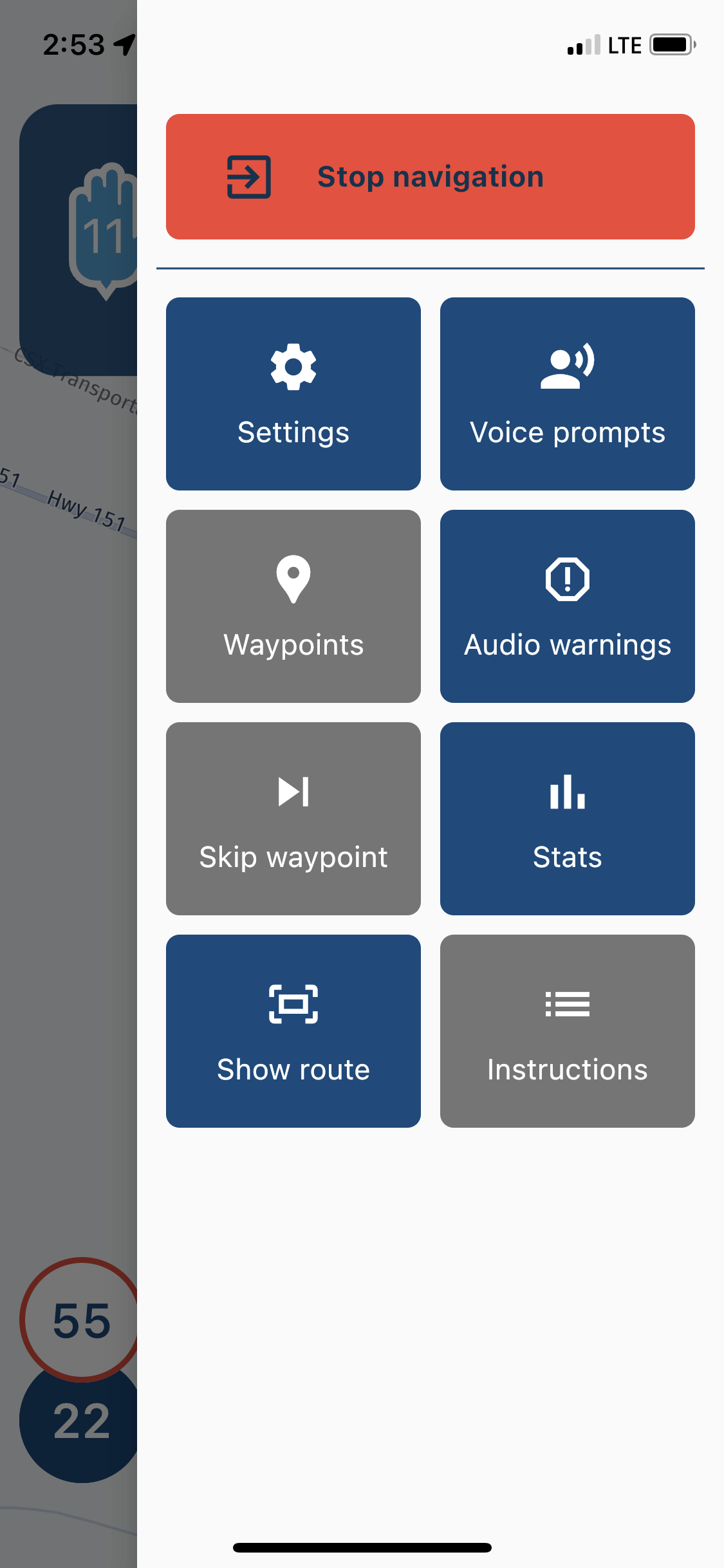
For me most important thing while riding would be the Skip waypoint button; I would put it on the top-left corner of the display. Setup and Instructions could be at the very bottom. -
Nick: I have tried your suggestion about long pressing the waypoint to start navigation from here, and it works fine. I really like this option.
Also, I have tried the Skip waypoint button in the tools area, and it did not do anything for me. I have bypassed two waypoints, #2 and #3, when I pressed the Skip waypoint button, the popup window asked me to confirm skipping point #3. When I did, nothing happened, and the navigation was forcing me to turn around to previous points.
I did not see the option to skip multiple waypoints.Also, I think a different layout of the buttons in the tools area would be more useful:
For me most important thing while riding would be the Skip waypoint button; I would put it on the top-left corner of the display. Setup and Instructions could be at the very bottom.
@UltraStar I’m happy that you like the multiple skip function. There have been a few occasions where the single skip function isn’t registering and this is being looked at. You don’t need to enter the settings menu to skip a single route point. Clicking on the route point icon at the top right gives you this option.
Thank you for taking part in this beta test phase.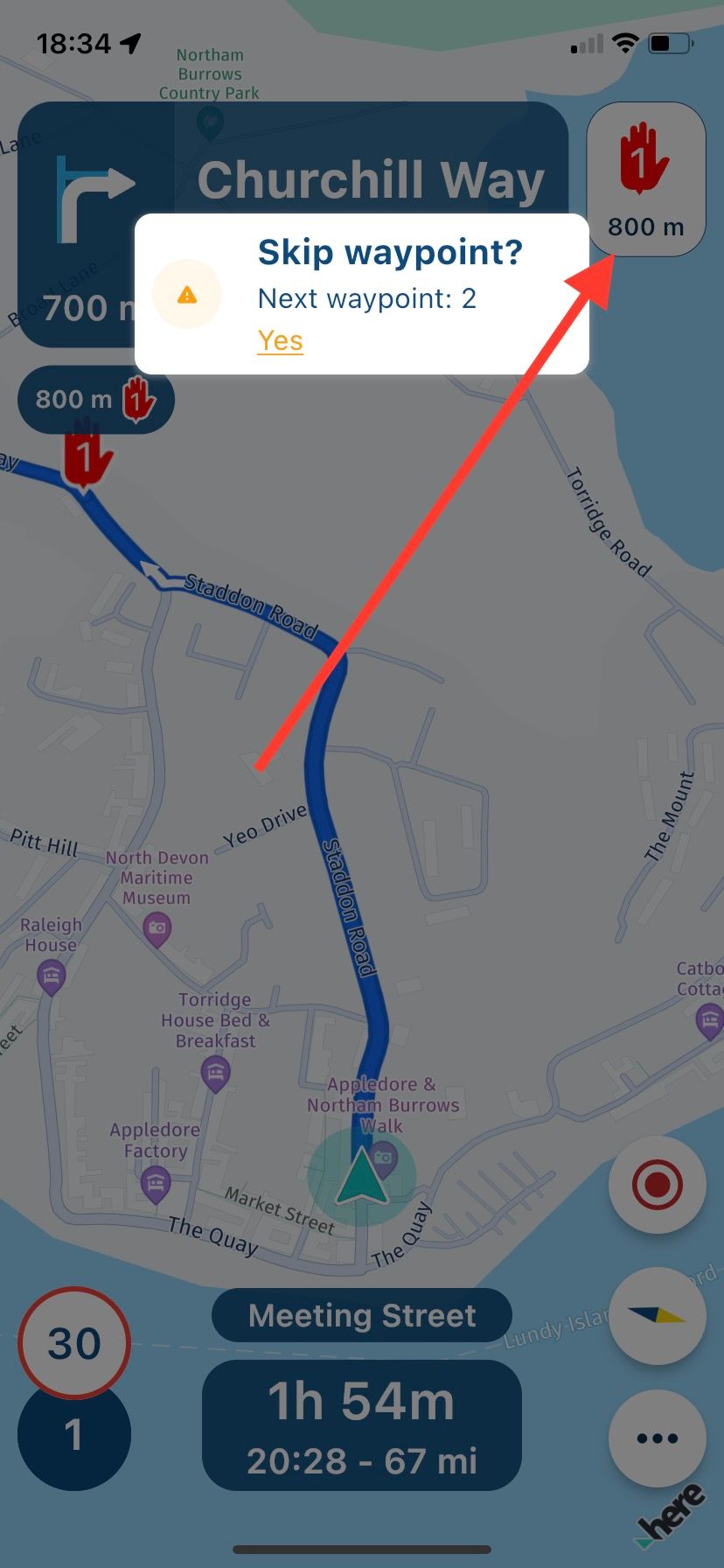
-
@Nick-Carthew I think I have read somewhere that the time to the waypoint might be turned off. I have not tried it yet. It would be a good option though, When I create a route, I always use lot of shaping points; I do not want to play by chance and let the navigator, whichever it is, alter my route. So, the distance to the next point is irrelevant for me. I like the selection on the bottom giving me different option.
If I turn off the icon display at the top-right corner, the only option for me would be the long press on the point and start the route from here (that option I would leave for the time when I am parked, I would not want to fiddle with it while riding a bike,) or opening the Setting menu to quickly skip waypoint; in this case I would definitely like the Skip waypoint button to be readily available, not buried somewhere down.
I've got to play with it more to see what is more comfortable, and quick, while riding.
Thanks a lot for your help. -
@Nick-Carthew I just observed something funny. I have started a route (I was by the waypoint 1.) For the heck of it, I have pressed Skip waypoint button. The popup window asked if I want to skip waypoint 3? Strange; it is the same thing that happened to me before, I could not skip the point.
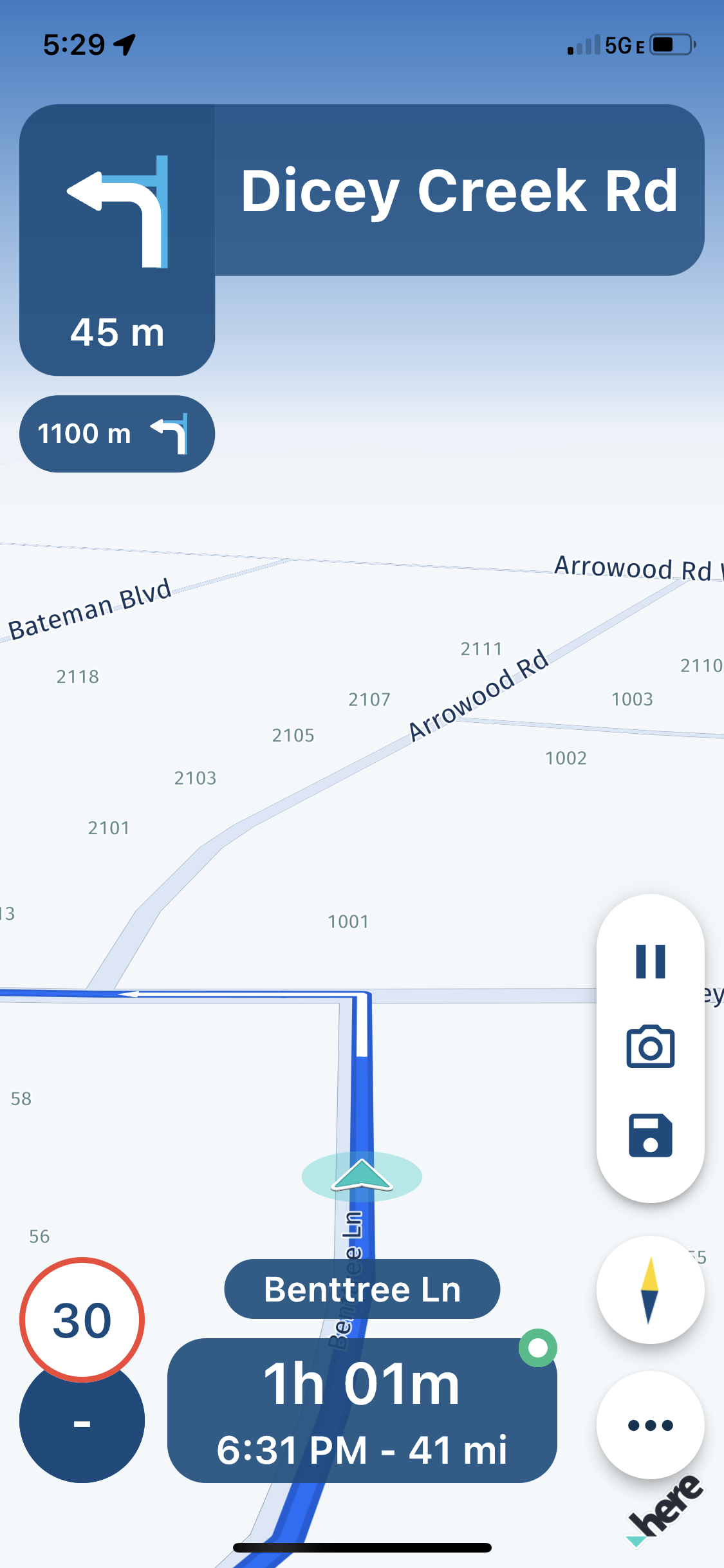
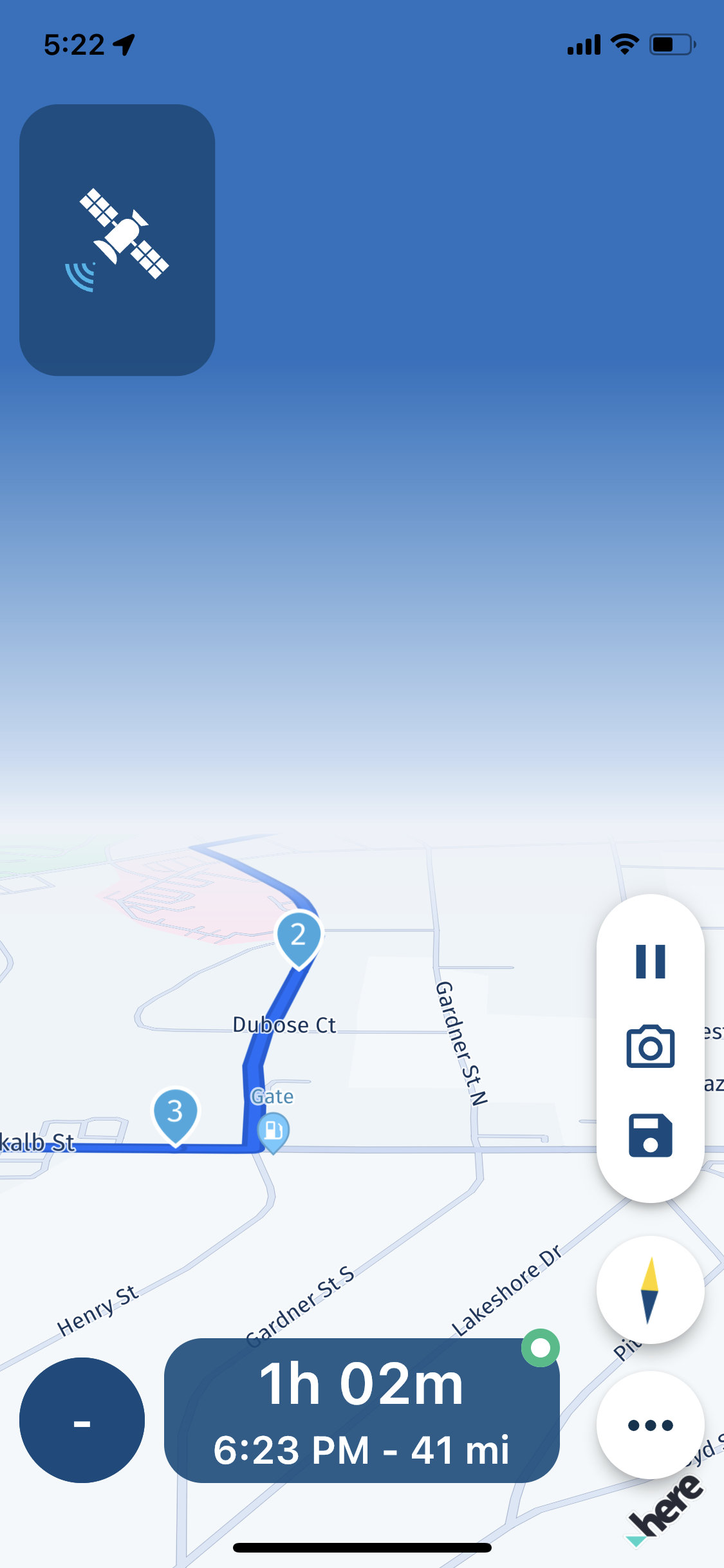
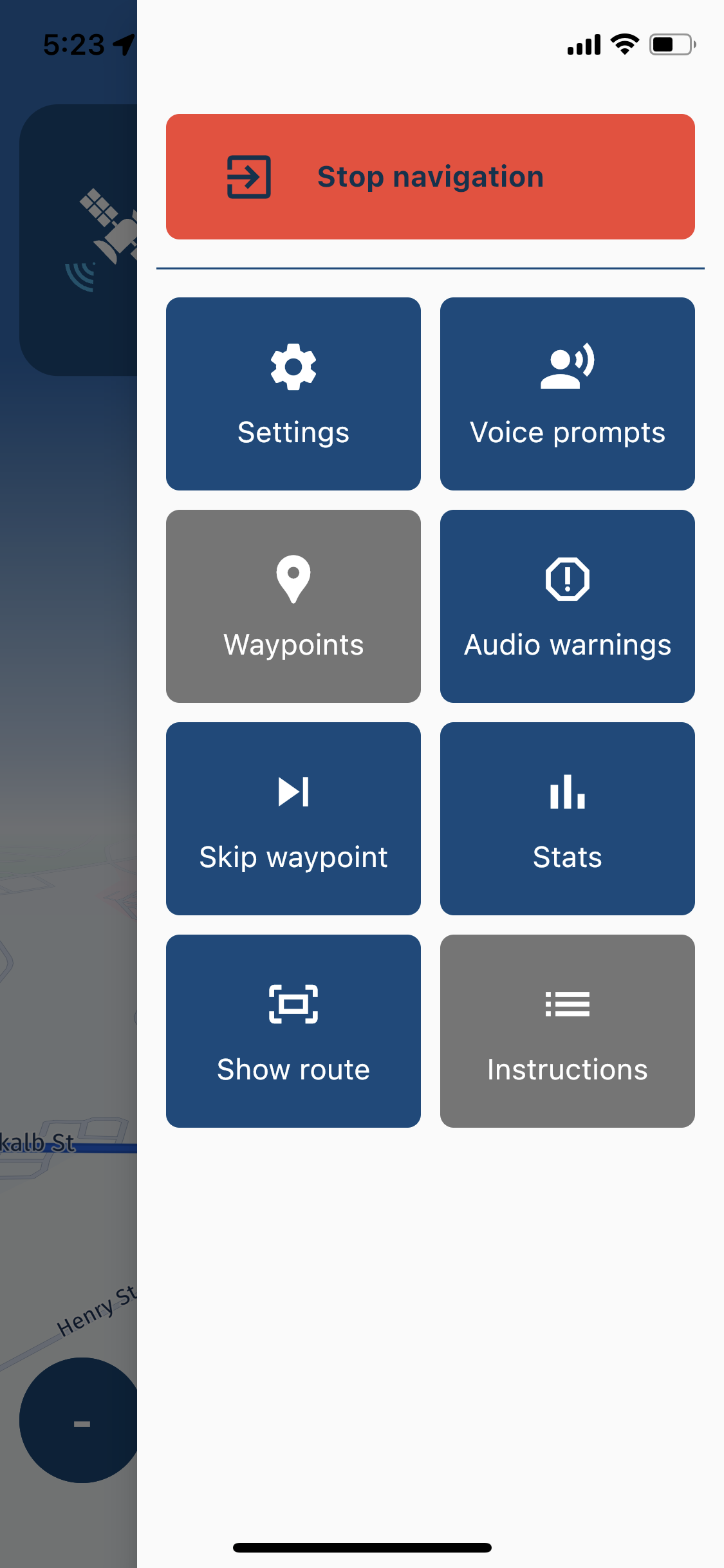
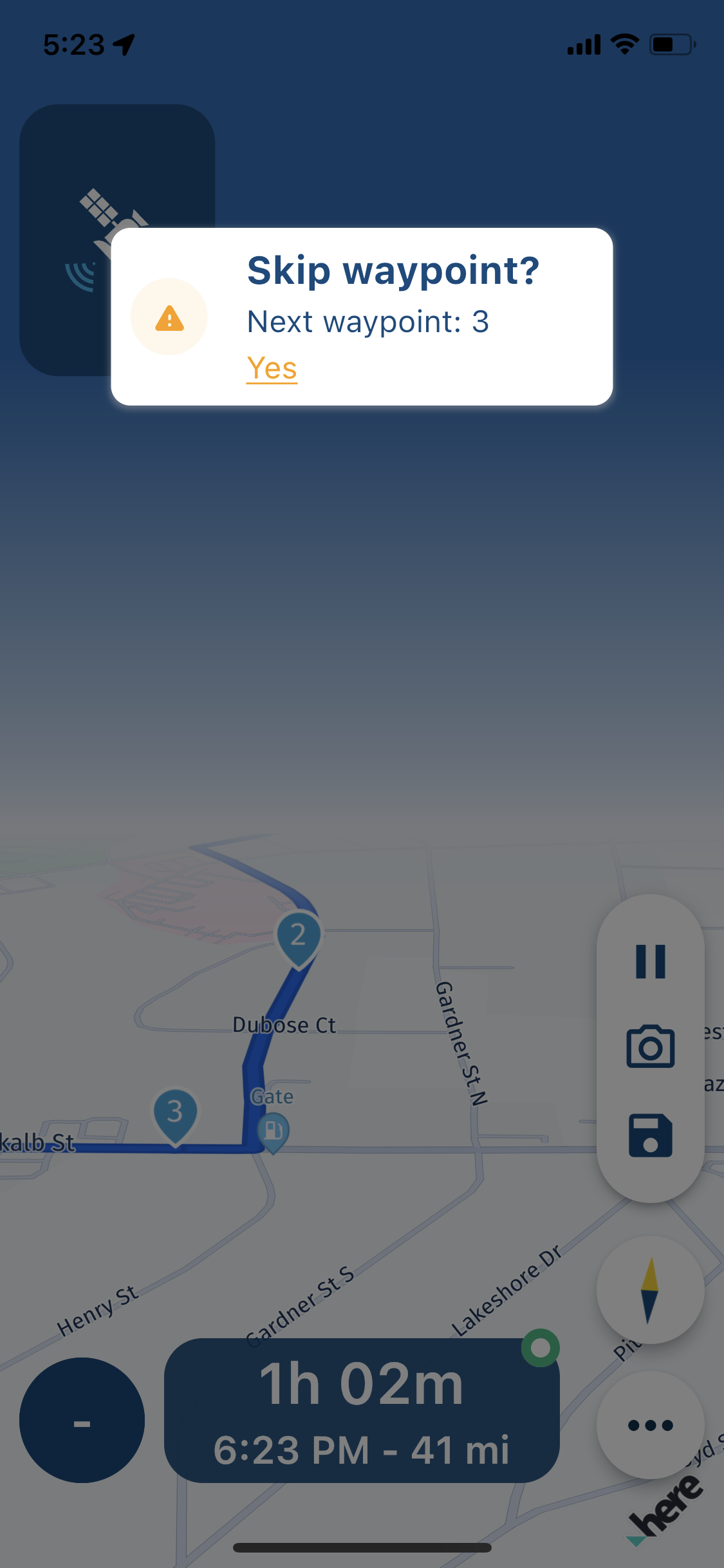
Also, after I have stopped the navigation, the application was still running, I am guessing using a GPS (Blue highlight of the time on the iPhone 11P in the top-left corner.) (?!)
I got read of it restarting the navigation and terminating it again. -
@Nick-Carthew I just observed something funny. I have started a route (I was by the waypoint 1.) For the heck of it, I have pressed Skip waypoint button. The popup window asked if I want to skip waypoint 3? Strange; it is the same thing that happened to me before, I could not skip the point.
Also, after I have stopped the navigation, the application was still running, I am guessing using a GPS (Blue highlight of the time on the iPhone 11P in the top-left corner.) (?!)
I got read of it restarting the navigation and terminating it again.
Hi @UltraStar This is way beyond my pay scale. I think we need @Corjan-Meijerink to see and answer this.
Thanks for taking the time to share your findings.Always willing to help if I can.
Triumph Tiger 1200 XRT called Tina.
MRA Navigation Next and SilverFox BJ8 -
Hi @UltraStar This is way beyond my pay scale. I think we need @Corjan-Meijerink to see and answer this.
Thanks for taking the time to share your findings.
@Nick-Carthew Nu jullie het toch hebben over skip button. Zou het niet mogelijk zijn een keuze te laten of je het route punt wil overslaan of verwijderen uit de route.
Vb: ik wens een bestaande route te rijden en voor vertrek wens ik een lus af te snijden omdat het weer niet zo gunstig is. Als ik dat nu doe en ik skip in een route punt 7,8 en 9 dan wordt de route herberkent vanaf mijn huidige locatie. Dat wil ik niet want ik wens wel route punt 1,2,3,4,5 en 6 te passeren. Dikke proficiat aan het hele MRA team , jullie leveren bijna op maat en gebruiksvriendelijk.
-
@Nick-Carthew Nu jullie het toch hebben over skip button. Zou het niet mogelijk zijn een keuze te laten of je het route punt wil overslaan of verwijderen uit de route.
Vb: ik wens een bestaande route te rijden en voor vertrek wens ik een lus af te snijden omdat het weer niet zo gunstig is. Als ik dat nu doe en ik skip in een route punt 7,8 en 9 dan wordt de route herberkent vanaf mijn huidige locatie. Dat wil ik niet want ik wens wel route punt 1,2,3,4,5 en 6 te passeren. Dikke proficiat aan het hele MRA team , jullie leveren bijna op maat en gebruiksvriendelijk.
@Alderweireld-Rudi-0 That’s a great suggestion that I’m sure will be considered. Thanks
-

Will indeed consider it

-
@Nick-Carthew I think I have read somewhere that the time to the waypoint might be turned off. I have not tried it yet. It would be a good option though, When I create a route, I always use lot of shaping points; I do not want to play by chance and let the navigator, whichever it is, alter my route. So, the distance to the next point is irrelevant for me. I like the selection on the bottom giving me different option.
If I turn off the icon display at the top-right corner, the only option for me would be the long press on the point and start the route from here (that option I would leave for the time when I am parked, I would not want to fiddle with it while riding a bike,) or opening the Setting menu to quickly skip waypoint; in this case I would definitely like the Skip waypoint button to be readily available, not buried somewhere down.
I've got to play with it more to see what is more comfortable, and quick, while riding.
Thanks a lot for your help.
@UltraStar said in Next: Suggestion - Skip button on Navigation front page:
@Nick-Carthew I think I have read somewhere that the time to the waypoint might be turned off. I have not tried it yet. It would be a good option though, When I create a route, I always use lot of shaping points; I do not want to play by chance and let the navigator, whichever it is, alter my route. So, the distance to the next point is irrelevant for me. I like the selection on the bottom giving me different option.
If I turn off the icon display at the top-right corner, the only option for me would be the long press on the point and start the route from here (that option I would leave for the time when I am parked, I would not want to fiddle with it while riding a bike,) or opening the Setting menu to quickly skip waypoint; in this case I would definitely like the Skip waypoint button to be readily available, not buried somewhere down.
I've got to play with it more to see what is more comfortable, and quick, while riding.
Thanks a lot for your help.As UltraStar writes, I also use many waypoints. It is irrelevant that the APP gives not only visual information but also voice information. Giving information on the arrival of the stage points (hard points) would be much more useful and pleasant.
-
@UltraStar said in Next: Suggestion - Skip button on Navigation front page:
@Nick-Carthew I think I have read somewhere that the time to the waypoint might be turned off. I have not tried it yet. It would be a good option though, When I create a route, I always use lot of shaping points; I do not want to play by chance and let the navigator, whichever it is, alter my route. So, the distance to the next point is irrelevant for me. I like the selection on the bottom giving me different option.
If I turn off the icon display at the top-right corner, the only option for me would be the long press on the point and start the route from here (that option I would leave for the time when I am parked, I would not want to fiddle with it while riding a bike,) or opening the Setting menu to quickly skip waypoint; in this case I would definitely like the Skip waypoint button to be readily available, not buried somewhere down.
I've got to play with it more to see what is more comfortable, and quick, while riding.
Thanks a lot for your help.As UltraStar writes, I also use many waypoints. It is irrelevant that the APP gives not only visual information but also voice information. Giving information on the arrival of the stage points (hard points) would be much more useful and pleasant.
-
@Alain-Spronck I would also much appreciate that option.
@UltraStar Maybe easy way to go from navigation to route planner with current route to edit it somehow (deleting points, adding new, changing route type etc), and then starting navigating at new by one click would be good solution?
--
Regards
Staszek -
@UltraStar Maybe easy way to go from navigation to route planner with current route to edit it somehow (deleting points, adding new, changing route type etc), and then starting navigating at new by one click would be good solution?
@Stanisław Actually, I have tried to do that on one of my rides.
I got stuck somewhere bypassing the WPs, and I was trying to get to edit (in the middle of the ride) to alter the route. Well, it did not work (I thought it will be implemented in the beta )
to do it I would have to delete all the WPs until my current location. I did not want to do that because I knew the route will be saved like that, and I will have to recreate the whole route again from the beginning later on.
I like the suggestion! -
Hi @Tore-Teigene. Thank you for your comment.
The waypoint icon in the top right of the screen also acts as a skip button. If you touch it you can choose to skip that waypoint.
If you want to skip several waypoints, enlarge the map and a long press on your desired waypoint offers you the opportunity to start navigation from there.I hope this helps and thanks for testing

@Nick-Carthew that's a nice option. works great if you have to restart a navigation half way through the route.
Hello! It looks like you're interested in this conversation, but you don't have an account yet.
Getting fed up of having to scroll through the same posts each visit? When you register for an account, you'll always come back to exactly where you were before, and choose to be notified of new replies (either via email, or push notification). You'll also be able to save bookmarks and upvote posts to show your appreciation to other community members.
With your input, this post could be even better 💗
Register Login-
 08171
08171
-
 01331
01331
-
09258
-
 0532
0532
-
 039
039
-
0319
-
 0333
0333
-
 016779