Skip to content
  • Categories
  • Recent
  • Popular
  • Support
  • MyRoute-app
Collapse
Brand Logo

MRA Community Forum

  1. Home
  2. General Discussion
  3. Adding Pictures with GEO tag info

Adding Pictures with GEO tag info

Scheduled Pinned Locked Moved General Discussion
10 Posts 5 Posters 3.9k Views
  • Oldest to Newest
  • Newest to Oldest
  • Most Votes
Reply
  • Reply as topic
Log in to reply
This topic has been deleted. Only users with topic management privileges can see it.
  • ErikB
    ErikB
    ErikB
    wrote on last edited by
    #1

    Hi

    I agree that picture can make the routes much more interesting.
    I would like to add pictures to my routes and tracks . Now are many of my pictures already geo tagged.
    Can MRA place them on the map. Or do I need to locate all pictures myself?

    Nick Carthew 1 Reply Last reply
    0
    • ErikB ErikB

      Hi

      I agree that picture can make the routes much more interesting.
      I would like to add pictures to my routes and tracks . Now are many of my pictures already geo tagged.
      Can MRA place them on the map. Or do I need to locate all pictures myself?

      Nick Carthew
      Nick Carthew
      Nick Carthew
      RouteXpert
      wrote on last edited by
      #2

      @ErikB You will need to add your pictures individually. Although it can be a little tiresome if you have a lot of photo’s, you can at least place them very precisely . Geo tagging isn’t always as accurate as sometimes claimed.

      Always willing to help if I can.
      Triumph Tiger 1200 XRT called Tina.
      MRA Navigation Next and SilverFox BJ8

      a.w.seaman 1 Reply Last reply
      0
      • Nick Carthew Nick Carthew

        @ErikB You will need to add your pictures individually. Although it can be a little tiresome if you have a lot of photo’s, you can at least place them very precisely . Geo tagging isn’t always as accurate as sometimes claimed.

        a.w.seaman
        a.w.seaman
        a.w.seaman
        wrote on last edited by
        #3

        @Nick-Carthew I use the following method to locate my photos for later use, take a photo of a point of interest and then fine the geo co ords on your sat/nav and take a photo of them. when you down load your photo at the end of the day they are in time and date order for later processing.

        Haydn Allen 1 Reply Last reply
        0
        • a.w.seaman a.w.seaman

          @Nick-Carthew I use the following method to locate my photos for later use, take a photo of a point of interest and then fine the geo co ords on your sat/nav and take a photo of them. when you down load your photo at the end of the day they are in time and date order for later processing.

          Haydn Allen
          Haydn Allen
          Haydn Allen
          wrote on last edited by
          #4

          @a-w-seaman
          Hi Folks, I've only just joined MRA so am very new to adding photos and also can't work out how to do it ..... Do I take a picture with my iPhone whilst recording a track and the MRA system adds them together or is there a bit more to it ?
          I have started adding a few routes and am glad that people like them !
          Kind regards, Haydn

          TorqueRider Nick Carthew 2 Replies Last reply
          0
          • Haydn Allen Haydn Allen

            @a-w-seaman
            Hi Folks, I've only just joined MRA so am very new to adding photos and also can't work out how to do it ..... Do I take a picture with my iPhone whilst recording a track and the MRA system adds them together or is there a bit more to it ?
            I have started adding a few routes and am glad that people like them !
            Kind regards, Haydn

            TorqueRider
            TorqueRider
            TorqueRider
            wrote on last edited by TorqueRider
            #5

            @Haydn-Allen
            Hi and welcome.

            There is a nice support article that explains everything:
            Manual MRA Animate for tracklogs (click)
            Adding photo's to your route is not possible.

            1 Reply Last reply
            0
            • Haydn Allen Haydn Allen

              @a-w-seaman
              Hi Folks, I've only just joined MRA so am very new to adding photos and also can't work out how to do it ..... Do I take a picture with my iPhone whilst recording a track and the MRA system adds them together or is there a bit more to it ?
              I have started adding a few routes and am glad that people like them !
              Kind regards, Haydn

              Nick Carthew
              Nick Carthew
              Nick Carthew
              RouteXpert
              wrote on last edited by
              #6

              @Haydn-Allen said in Adding Pictures with GEO tag info:

              @a-w-seaman
              Hi Folks, I've only just joined MRA so am very new to adding photos and also can't work out how to do it ..... Do I take a picture with my iPhone whilst recording a track and the MRA system adds them together or is there a bit more to it ?
              I have started adding a few routes and am glad that people like them !
              Kind regards, Haydn

              Hi @Haydn-Allen and welcome. Yes, take a photo with your iPhone as you are tracking.
              Check your tracklogs in your library and you’ll see your photos (moments).

              Always willing to help if I can.
              Triumph Tiger 1200 XRT called Tina.
              MRA Navigation Next and SilverFox BJ8

              1 Reply Last reply
              1
              • Haydn Allen
                Haydn Allen
                Haydn Allen
                wrote on last edited by
                #7

                Thanks to all who replied - I can now add pictures to my track logs !!!!!

                H

                Haydn Allen 1 Reply Last reply
                0
                • Haydn Allen Haydn Allen

                  Thanks to all who replied - I can now add pictures to my track logs !!!!!

                  H

                  Haydn Allen
                  Haydn Allen
                  Haydn Allen
                  wrote on last edited by
                  #8

                  @Haydn-Allen Hi Folks, I'm trying to expand my knowledge and abilities with MRA and so this morning I completed a short trip and added photos to the track log but can't share it with the MRA App - there isn't an option for this as there is with the route sharing. How do I do this as the route I did today i'm quite proud of ......
                  Kind regards, Haydn

                  TorqueRider Nick Carthew 2 Replies Last reply
                  0
                  • Haydn Allen Haydn Allen

                    @Haydn-Allen Hi Folks, I'm trying to expand my knowledge and abilities with MRA and so this morning I completed a short trip and added photos to the track log but can't share it with the MRA App - there isn't an option for this as there is with the route sharing. How do I do this as the route I did today i'm quite proud of ......
                    Kind regards, Haydn

                    TorqueRider
                    TorqueRider
                    TorqueRider
                    wrote on last edited by
                    #9

                    @Haydn-Allen
                    I'll take the liberty of using a quote from @Hans-van-de-Ven-MRA-Master:

                    you can currently only add photos to a tracklog, if you record the route with the MRA Mobile app, the photos will be placed at the location where you took them.

                    So the question is whether you have made the tracklog and the photos with MRA mobile.
                    (it can be done in another way. But that is not convenient and laborious)

                    1 Reply Last reply
                    1
                    • Haydn Allen Haydn Allen

                      @Haydn-Allen Hi Folks, I'm trying to expand my knowledge and abilities with MRA and so this morning I completed a short trip and added photos to the track log but can't share it with the MRA App - there isn't an option for this as there is with the route sharing. How do I do this as the route I did today i'm quite proud of ......
                      Kind regards, Haydn

                      Nick Carthew
                      Nick Carthew
                      Nick Carthew
                      RouteXpert
                      wrote on last edited by Nick Carthew
                      #10

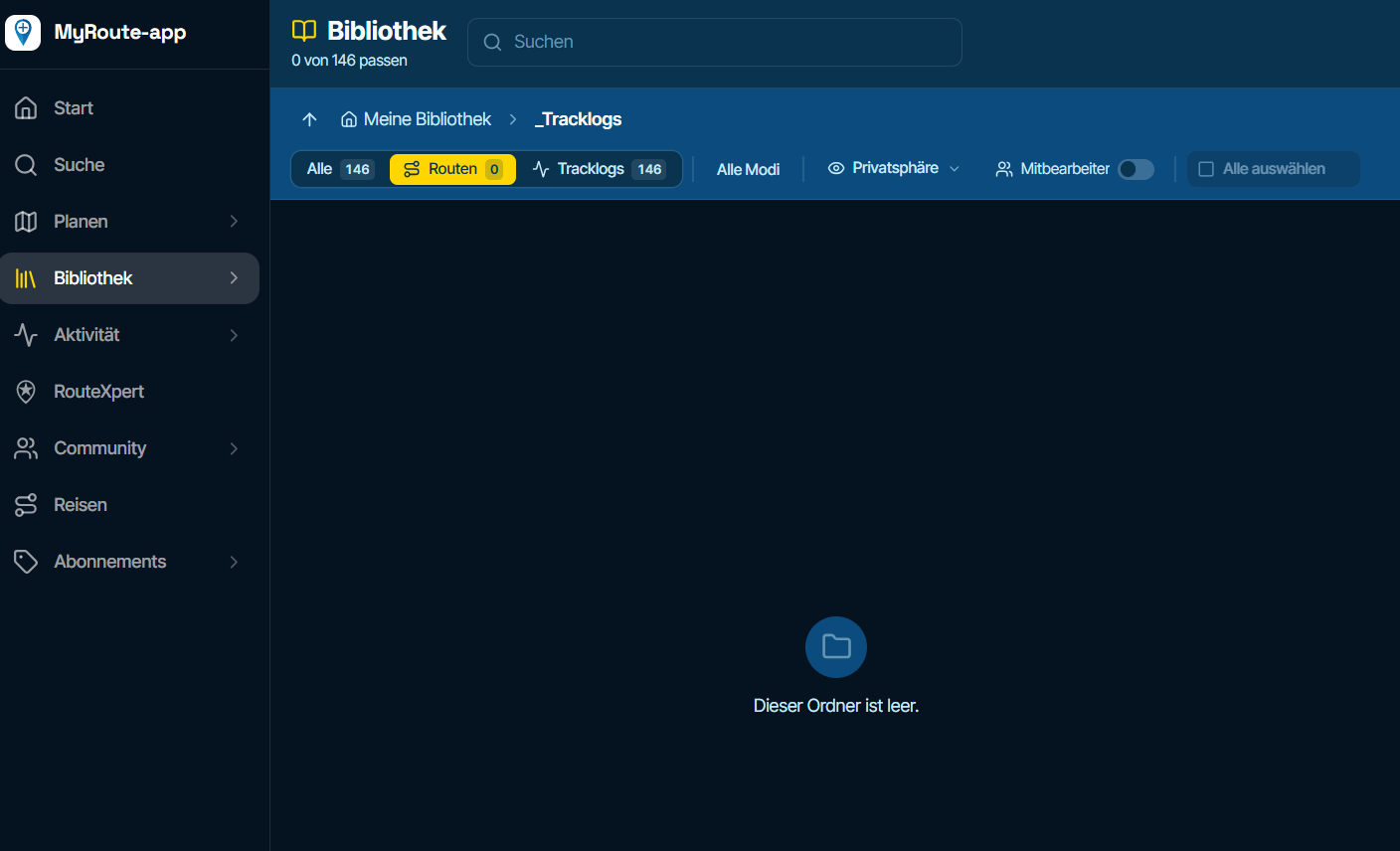
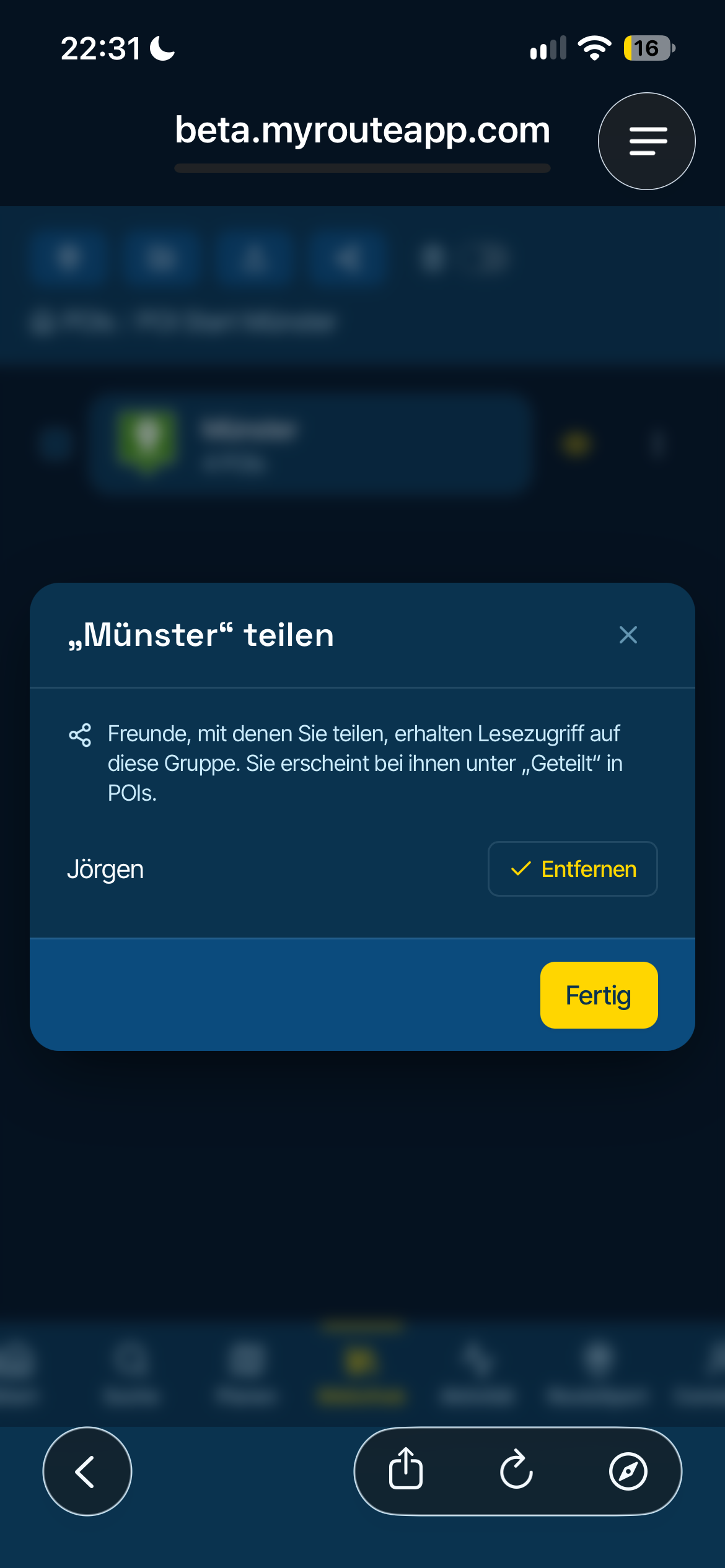
                      @Haydn-Allen If you used the app for tracking:
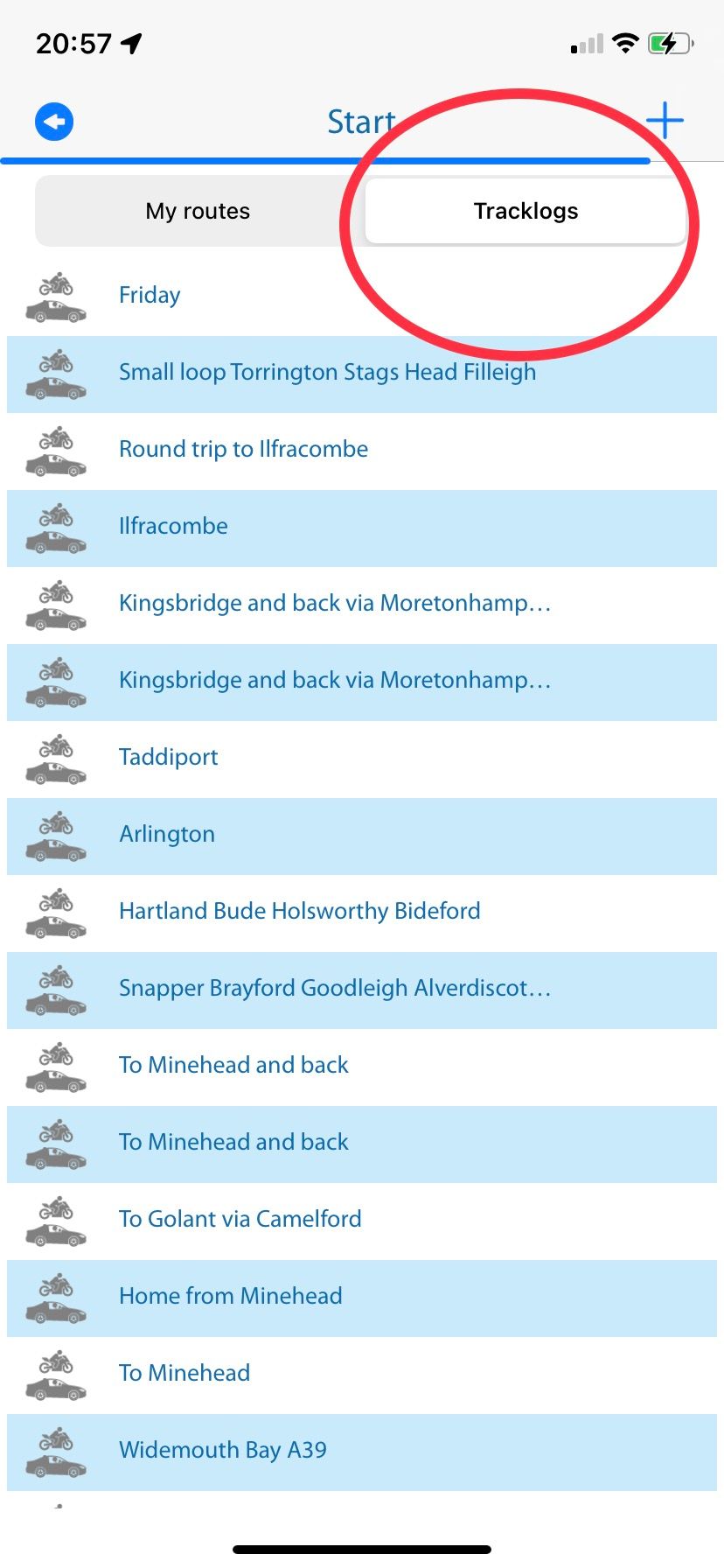
                      Click tracking (picture 1)
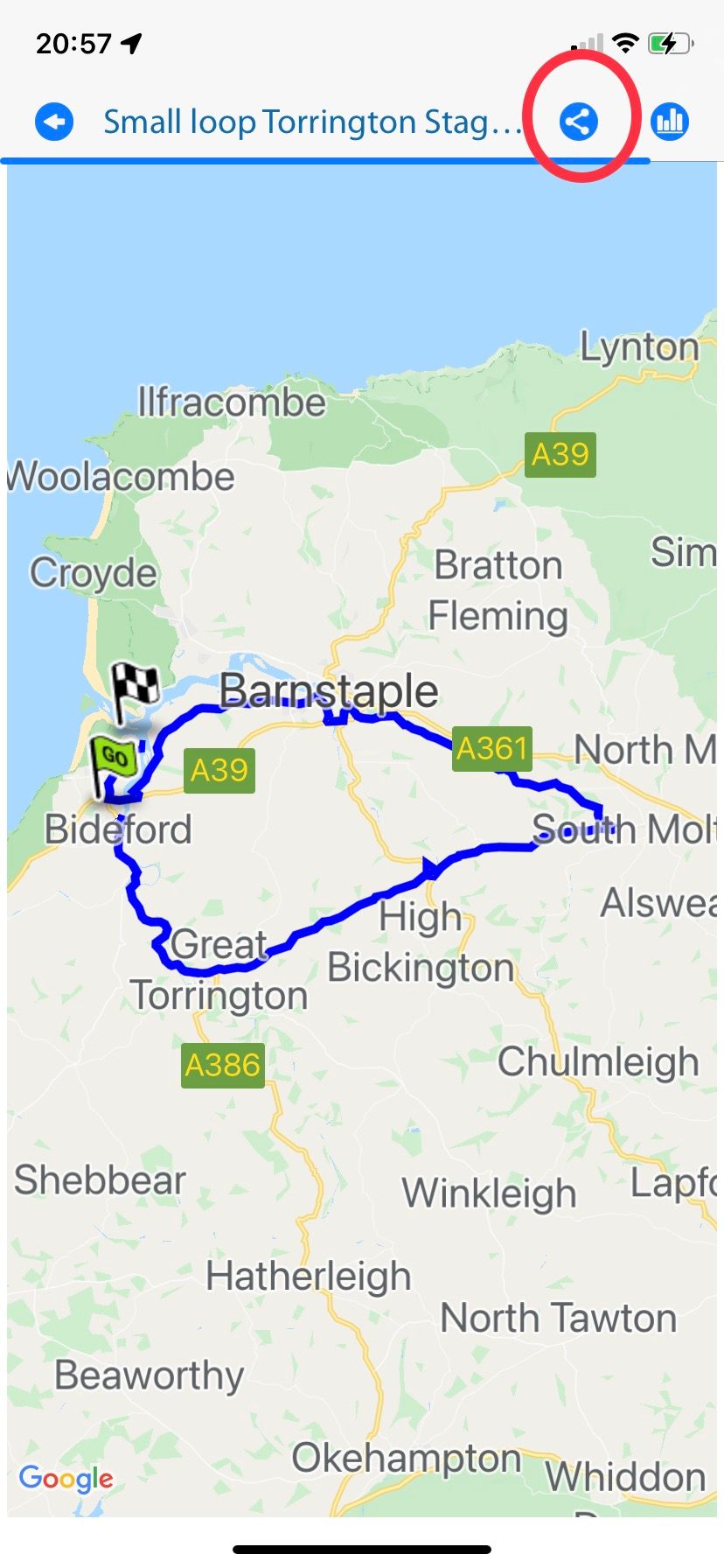
                      Click tracklogs (picture 2)
                      Click the share icon and choose how you want to share (picture 3)
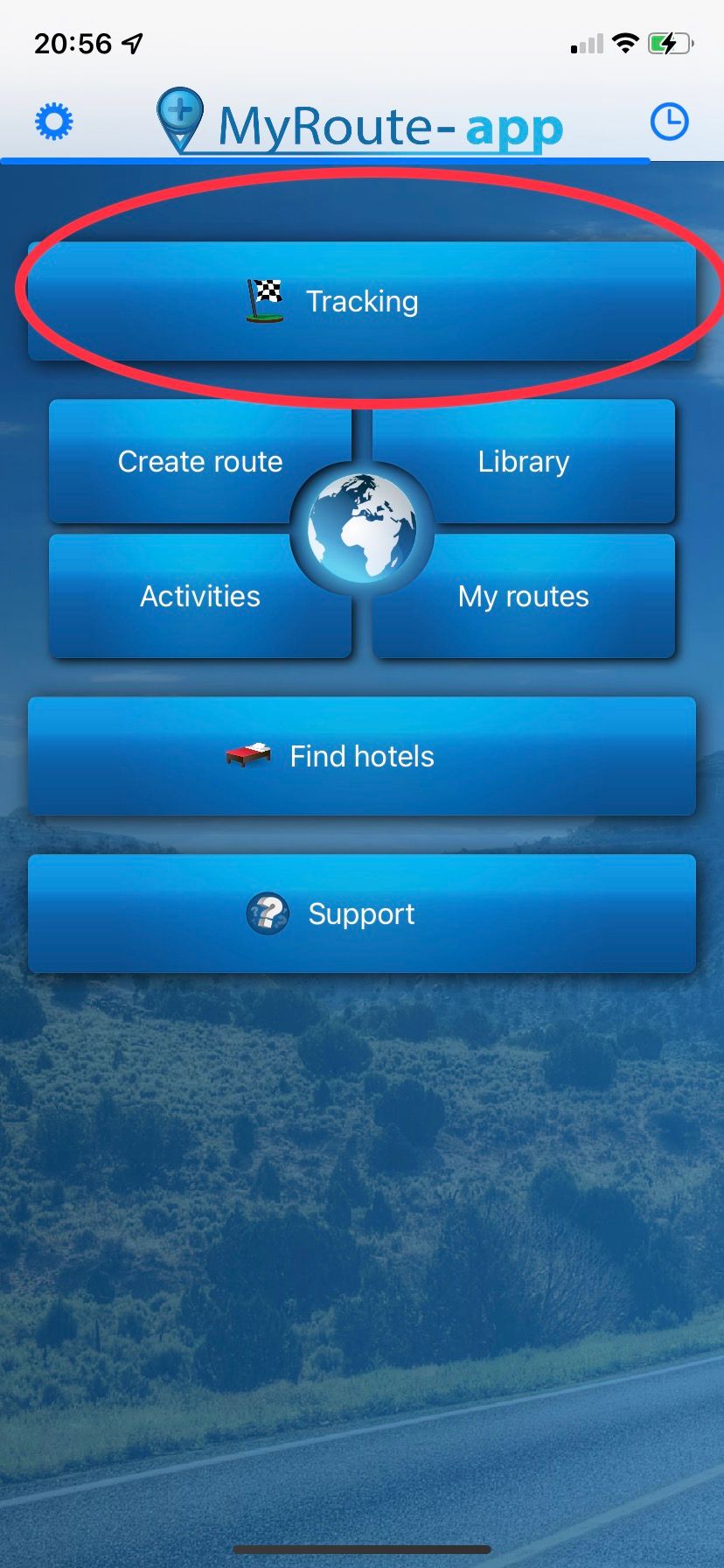
                      CB035A4E-49BA-45FD-8D34-51B2951A5A42.jpeg 4B06BD65-010F-4F0D-9C8C-21E770228566.jpeg 24BEEC4F-BBC7-479E-889D-94DA7C0099A1.jpeg

                      Always willing to help if I can.
                      Triumph Tiger 1200 XRT called Tina.
                      MRA Navigation Next and SilverFox BJ8

                      1 Reply Last reply
                      0

                      Hello! It looks like you're interested in this conversation, but you don't have an account yet.

                      Getting fed up of having to scroll through the same posts each visit? When you register for an account, you'll always come back to exactly where you were before, and choose to be notified of new replies (either via email, or push notification). You'll also be able to save bookmarks and upvote posts to show your appreciation to other community members.

                      With your input, this post could be even better 💗

                      Register Login
                      Reply
                      • Reply as topic
                      Log in to reply
                      • Oldest to Newest
                      • Newest to Oldest
                      • Most Votes


                      ACTIVE USERS
                      Nick Carthew
                      Nick Carthew
                      a.w.seaman
                      a.w.seaman
                      TorqueRider
                      TorqueRider
                      Haydn Allen
                      Haydn Allen
                      ErikB
                      ErikB
                      POPULAR TOPICS
                      • New Zealand Routes
                        Marinus van Deudekom
                        Marinus van Deudekom
                        1
                        13
                        361

                      • Insert Pause removed from navigation
                        Nick Carthew
                        Nick Carthew
                        0
                        4
                        99

                      • Verkeersbewuste routeberekening…..
                        wim GS
                        wim GS
                        1
                        9
                        2.0k

                      • Off-road niet zichtbaar in Android Auto
                        superg
                        superg
                        0
                        2
                        23

                      • IOS 27
                        Rob Verhoeff
                        Rob Verhoeff
                        0
                        2
                        9

                      • Naar vorig routepunt
                        Rob Verhoeff
                        Rob Verhoeff
                        0
                        2
                        28

                      • Getal in begin logo
                        Rob Verhoeff
                        Rob Verhoeff
                        0
                        2
                        27

                      • Question about a long trip I've planned---download?
                        Travellexxie
                        Travellexxie
                        0
                        6
                        117

                      MY GROUPS
                      • Login

                      • Login or register to search.
                      • First post
                        Last post
                      0
                      • Categories
                      • Recent
                      • Popular
                      • Support
                      • MyRoute-app