Missing option to avoid "unplaned" closed road
-

I was stuck at a closed road, using my Android Auto MRA.
Can't find any option in the screen to tell "Road in front of me is closed", and hope the app will try to re-calculate a new route.I don't know if that option exist on the APP, if yes, not visible on Android Auto screen (our couldnt find it after taking a good 1-2 minutes with agressive car driver on my back, to try to find another way.
If not exist, it will be a good option to add there !
\|///
\ - - //
( @ @ )
-oOOo-()-oOOo---------------------------------------------
Banshees
MRA Gold & Nav - Life
--------------Oooo-----------------------------------------
oooO ( )
( ) ) /
\ ( (/
_) -
I was stuck at a closed road, using my Android Auto MRA.
Can't find any option in the screen to tell "Road in front of me is closed", and hope the app will try to re-calculate a new route.I don't know if that option exist on the APP, if yes, not visible on Android Auto screen (our couldnt find it after taking a good 1-2 minutes with agressive car driver on my back, to try to find another way.
If not exist, it will be a good option to add there !

@Banshees There is definitely an option in the app, but I can't say whether it's available in Android Auto.
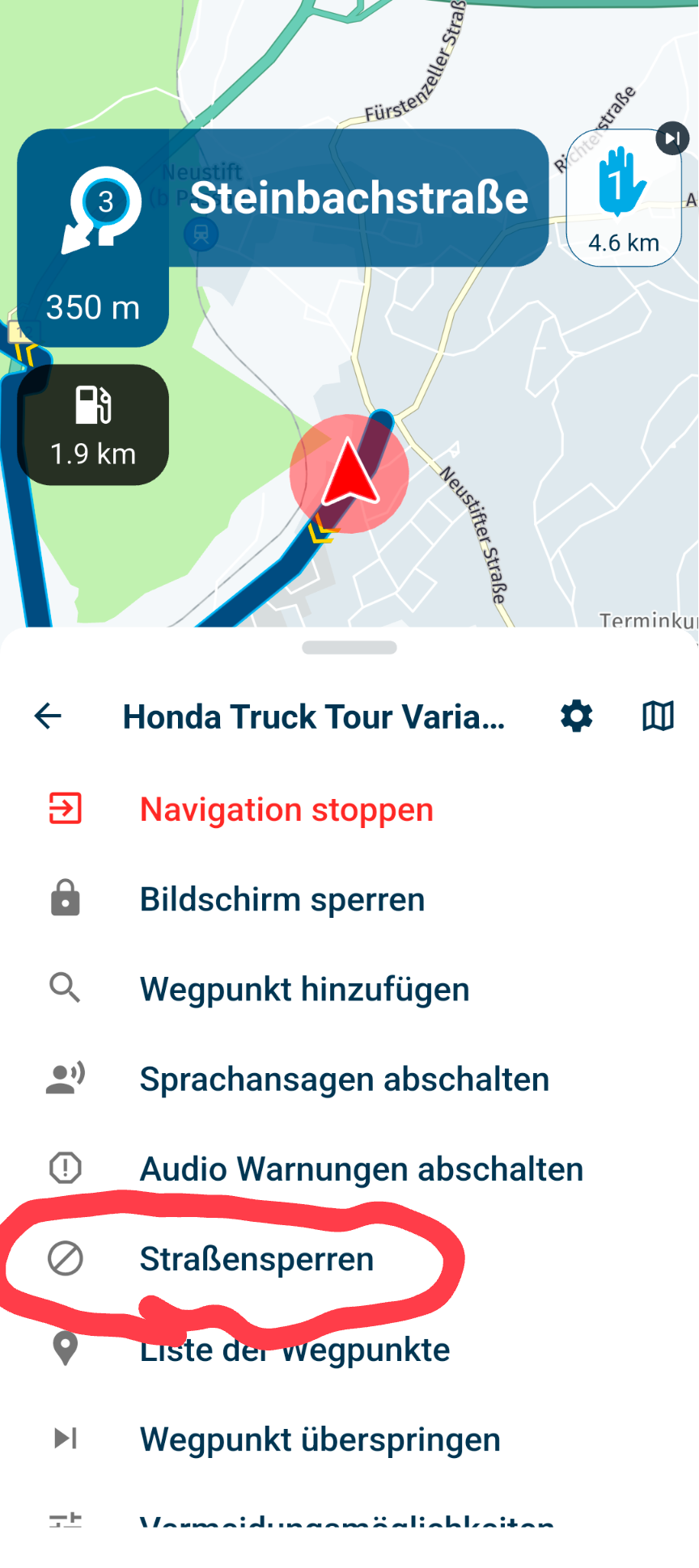
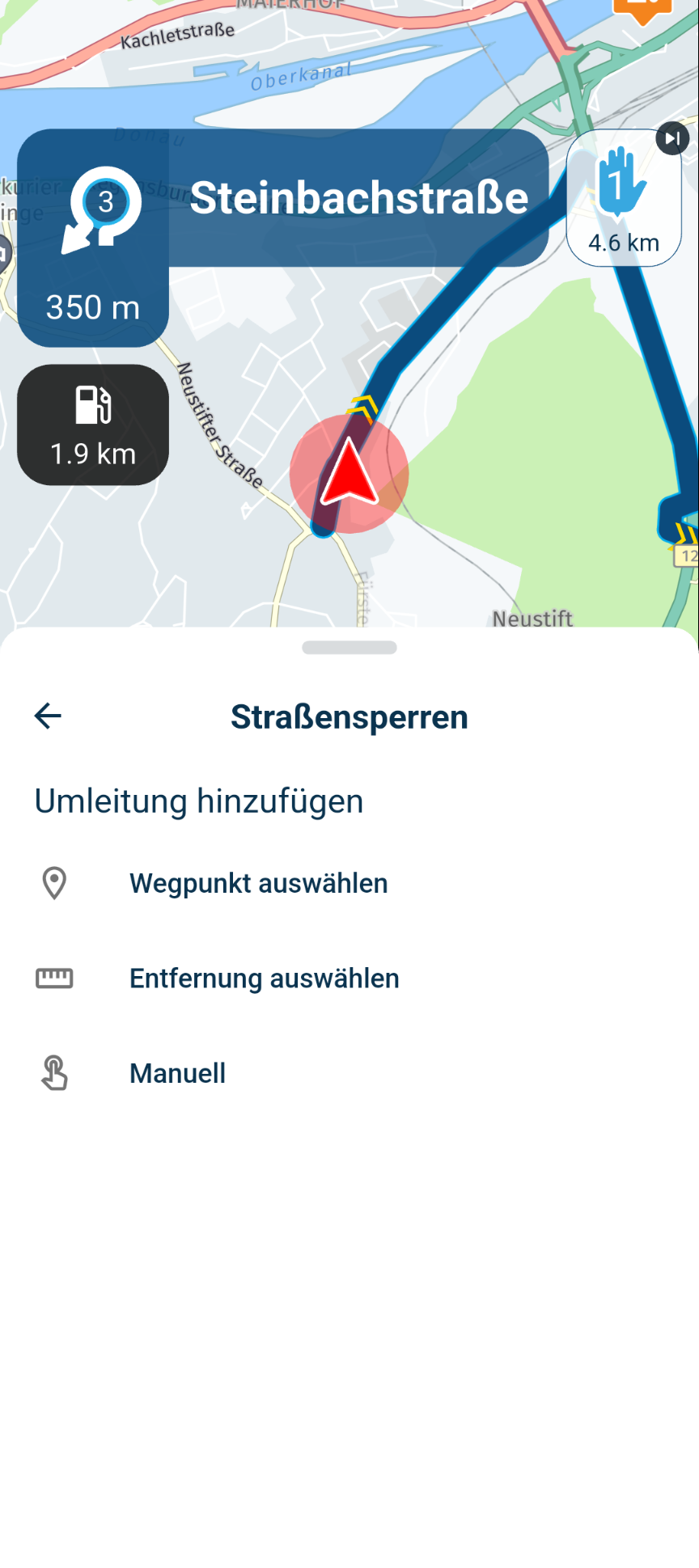
While navigation is running, tap the dots in the lower right corner and then select the “Road Closure” option; you'll then be presented with three options for bypassing the closure.![alt text]
-
That option not seem to be in Android Auto.
When i drive, my phone is in my tour pack, so I really on Android auto all the time
\|///
\ - - //
( @ @ )
-oOOo-()-oOOo---------------------------------------------
Banshees
MRA Gold & Nav - Life
--------------Oooo-----------------------------------------
oooO ( )
( ) ) /
\ ( (/
_) -
That option not seem to be in Android Auto.
When i drive, my phone is in my tour pack, so I really on Android auto all the time

@Banshees it's not yet available in AA and CP like Corjan stated it must be added
-

I'm having similar problem with iphone, my routes open as tracks so the roadblock function doesn't show up. Maybe it's the same as yours. I get around it like this, open your route but before clicking navigate click on edit then return to the route and click on the 3 dots to open the menu and the roadblock function is there. If this is the same problem I have asked, in this forum, if it is something wrong in my settings.


Hello! It looks like you're interested in this conversation, but you don't have an account yet.
Getting fed up of having to scroll through the same posts each visit? When you register for an account, you'll always come back to exactly where you were before, and choose to be notified of new replies (either via email, or push notification). You'll also be able to save bookmarks and upvote posts to show your appreciation to other community members.
With your input, this post could be even better 💗
Register Login-
0692
-
 0585
0585
-
 057
057
-
 110404
-
06134
-
0366
-
03122
-