Updated beta! 5.2.1 (486)
-

-
Search other areas on the map.
Checked and working well.
-
Vehicle specific (online) search suggestions.
Checked and working well.
I used By foot as transport mode and the app suggested places for drinking water, picnic stops, shelters etc etc all were correct.
I then used Bicycle, some bicycle shops and bicycle repair places were missing from my local area but others were found, that’s map data not the app.
As I live in a tourist area Motorhome transport mode gives me a long list of campsites and facilities locally. I also checked this in other areas of the UK and it worked perfectly.
There are some motorcycle shop/repair places missing in Motorcycle mode but again that’s missing map data.
So to summarise I would say that vehicle specific search is working well.
-
Fix not being able to navigate to a POI
Navigate to a POI is fixed. -
Allow editing POI name
Editing a POI name is fixed. -
Major stability improvements app and CarPlay
I can’t comment on this as I have no access to CarPlay and the only instability I have had with the app is the occasional freezing of the upcoming waypoint and map spinning when stationary. I will of course send feedback should the upcoming waypoint freeze again. I’m sort of used to the map spinning now, I will miss it when HERE fixes it.
-
Improve app loading
App loading was never an issue for me.
Always willing to help if I can.
Triumph Tiger 1200 XRT called Tina.
MRA Navigation Next and SilverFox BJ8 -
-
-
Search other areas on the map.
Checked and working well. -
Vehicle specific (online) search suggestions.
Checked and working well.
I used By foot as transport mode and the app suggested places for drinking water, picnic stops, shelters etc etc all were correct.
I then used Bicycle, some bicycle shops and bicycle repair places were missing from my local area but others were found, that’s map data not the app.
As I live in a tourist area Motorhome transport mode gives me a long list of campsites and facilities locally. I also checked this in other areas of the UK and it worked perfectly.
There are some motorcycle shop/repair places missing in Motorcycle mode but again that’s missing map data.
So to summarise I would say that vehicle specific search is working well.
-
Fix not being able to navigate to a POI
Navigate to a POI is fixed. -
Allow editing POI name
Editing a POI name is fixed. -
Major stability improvements app and CarPlay
I can’t comment on this as I have no access to CarPlay and the only instability I have had with the app is the occasional freezing of the upcoming waypoint and map spinning when stationary. I will of course send feedback should the upcoming waypoint freeze again. I’m sort of used to the map spinning now, I will miss it when HERE fixes it. -
Improve app loading
App loading was never an issue for me.

@Nick-Carthew said:
... that’s map data not the app.
... but again that’s missing map data.Maybe MRA could do a deal with HERE:
- give MRA users the option to 'Add a Missing Place' from within the app/planner (HERE has one but very few users will know that, or bother to look)
- HERE gives MRA the updates first as a reward for improving their dataset
Not a core feature, but it deflects complaints about data quality.
Good quality crowd-sourced data is tricky to gather. If I was HERE I'd be paying MRA to develop it.

-
-
Just noticed that the waypoint list is now shown after tapping Navigate - nice touch

Always willing to help if I can.
Triumph Tiger 1200 XRT called Tina.
MRA Navigation Next and SilverFox BJ8 -
Just noticed that the waypoint list is now shown after tapping Navigate - nice touch

I am not seeing that @Nick-Carthew. Can you provide a screenshot of what is shown please? I am intrigued.
Kind Regards. Help where I can.
Ducati Multistrada V4 Rally
iPhone 18 Pro
CHIGEE AIO-6 LTE
Google Pixel 6 Pro - mounted on SP Connect Plus
Ex Garmin XT2 and XT1 as well as Ex TomTom Rider User -
I am not seeing that @Nick-Carthew. Can you provide a screenshot of what is shown please? I am intrigued.
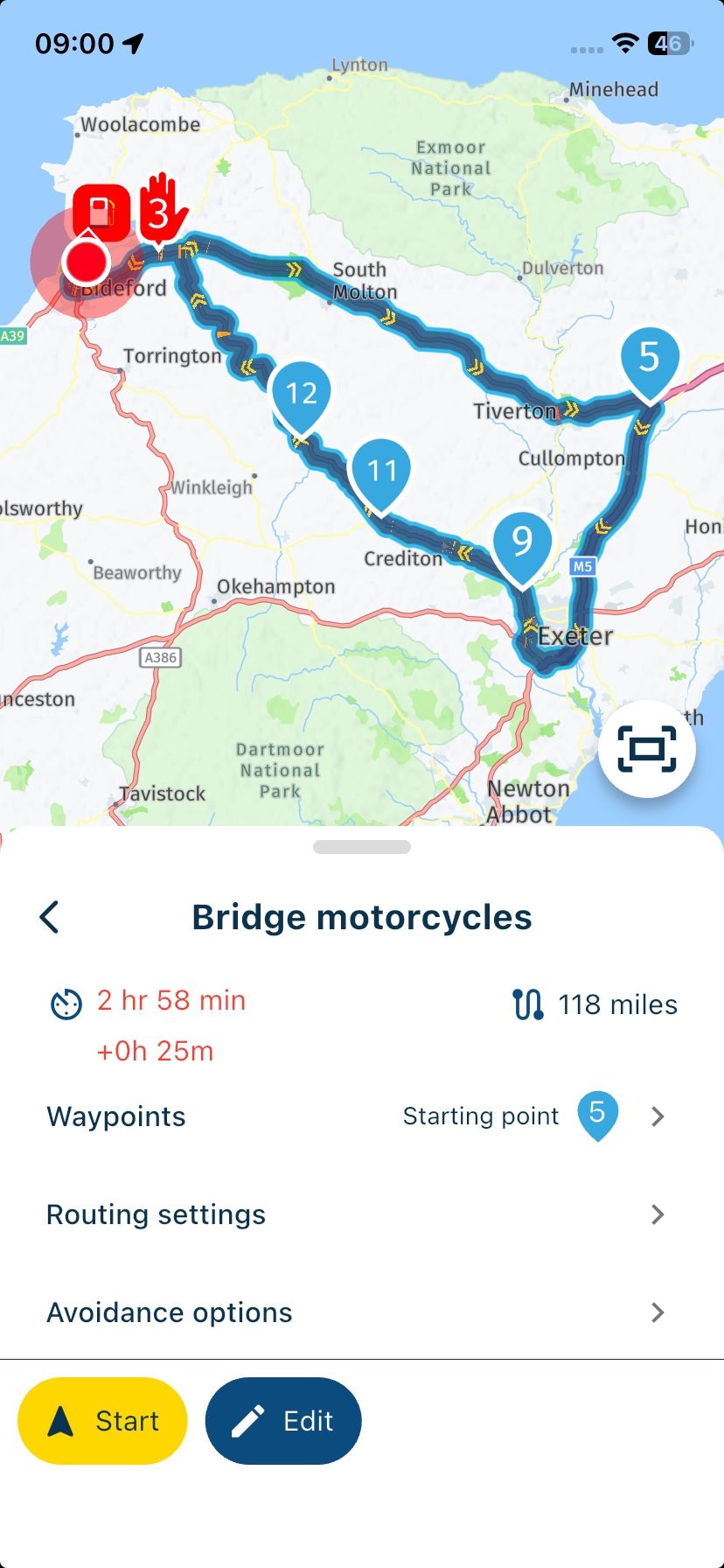
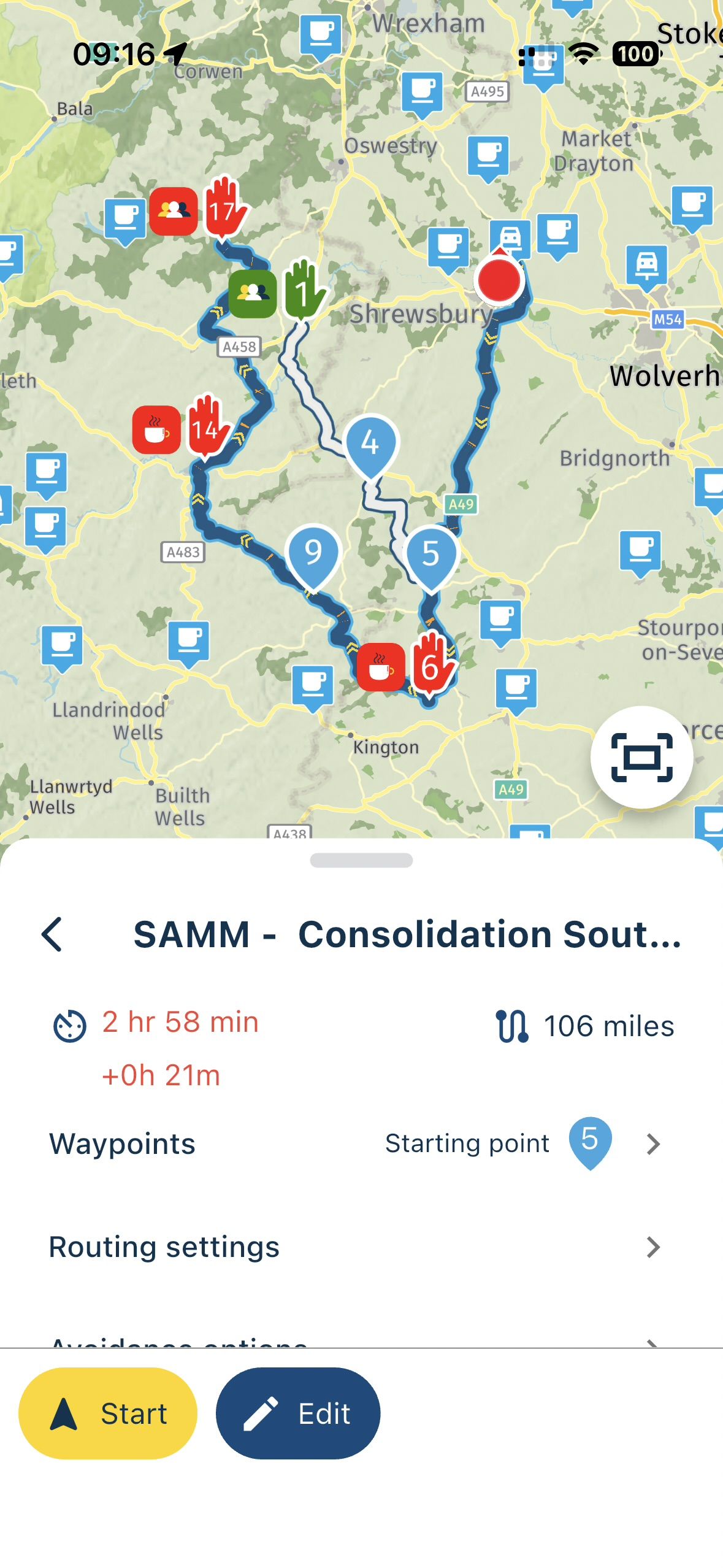
@Dave-J-0 After tapping the Navigate button, above the Avoidance options and Routing settings is now the Waypoints list.
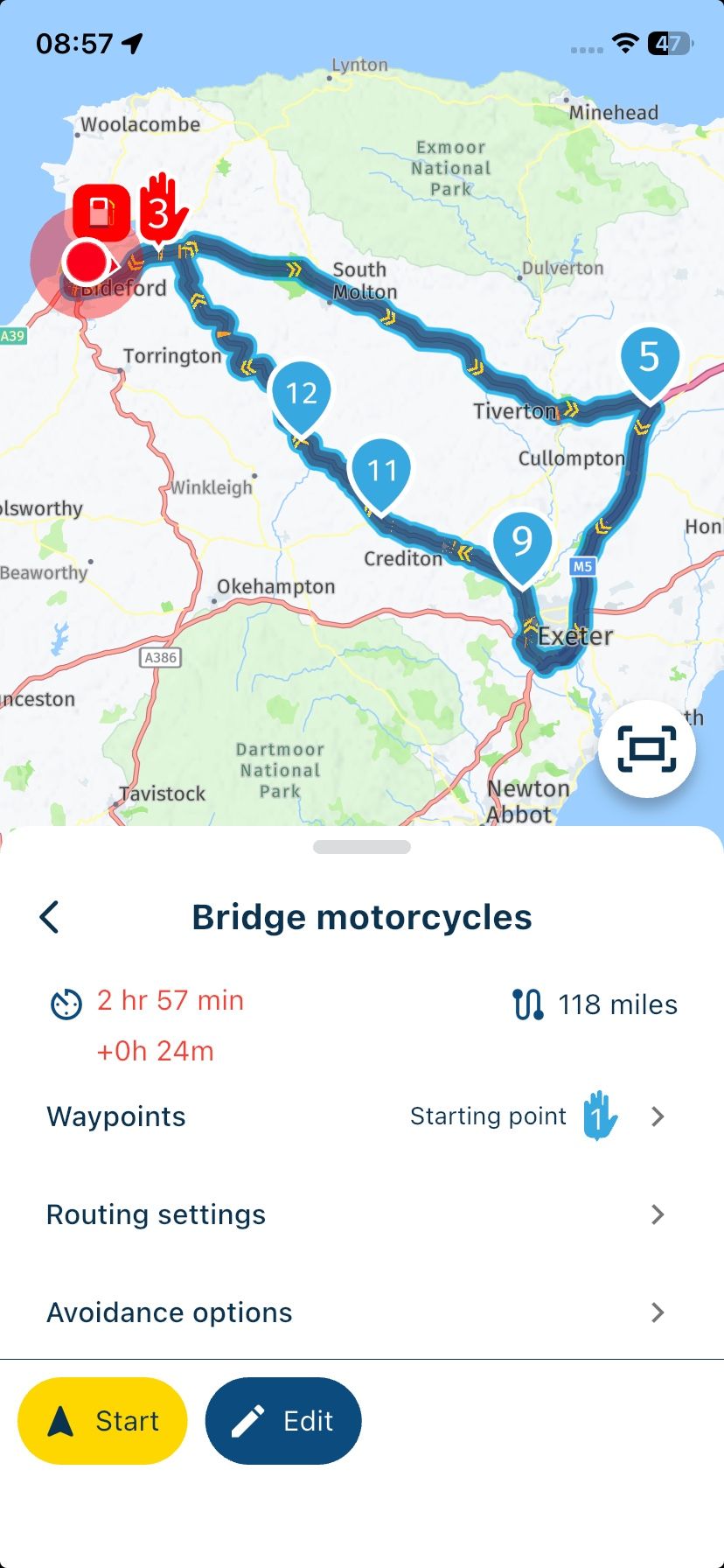
Which is great as you can now open the list and select your starting waypoint, here I have chosen waypoint 5.
-
@Dave-J-0 After tapping the Navigate button, above the Avoidance options and Routing settings is now the Waypoints list.
Which is great as you can now open the list and select your starting waypoint, here I have chosen waypoint 5.
@Nick-Carthew. Thanks. that clarifies. I was thinking it was a list but this is great stuff. Much appreciated.
-
@Dave-J-0 After tapping the Navigate button, above the Avoidance options and Routing settings is now the Waypoints list.
Which is great as you can now open the list and select your starting waypoint, here I have chosen waypoint 5.
@Nick-Carthew. Great that the picture shows where the origional route was. Top job.
-

-
That’s for sure not new

That’s for sure not new
When was it introduced as I don’t recall seeing it before?
Always willing to help if I can.
Triumph Tiger 1200 XRT called Tina.
MRA Navigation Next and SilverFox BJ8 -
That’s for sure not new
When was it introduced as I don’t recall seeing it before?
@Nick-Carthew that waypoint list has been there since absolutely forever!
-
@Nick-Carthew that waypoint list has been there since absolutely forever!
@Nick-Carthew that waypoint list has been there since absolutely forever!
Sorry for my late reply, I've just returned from the opticians! Can you write any future update announcements in Braille please.

Always willing to help if I can.
Triumph Tiger 1200 XRT called Tina.
MRA Navigation Next and SilverFox BJ8 -
@Nick-Carthew that waypoint list has been there since absolutely forever!
Sorry for my late reply, I've just returned from the opticians! Can you write any future update announcements in Braille please.

-

Yesterday 400km used the app without any problems
-

Google is doing a good job. Still no update today. Checked 2 hours ago.
-

Well, last time it took about a week so we have some 3 days more to wait for the last release!
But I do not understand why it is taking so long before 480 is released by Google. -
De first 5.2.1 isn't also available
-
That was cancelled when the new one was added

Gotta love the Google reviews. -

@corjan-meijerink :
In my experience, MRA mobile navigation runs smoothly and reliably directly on the phone—at least with my setup (iPhone XR and Remotek One).Feedback on trips using:
- Motorhome mode: everything perfect!! (navigation over 500 km was excellent!)
- Bicycle mode: everything perfect!! (following the route line works very well!)
Pending: - Motorcycle mode: scheduled for the next tour starting July 23, 2026.
Meine Erfahrung ist das die Handy MRA Navigation direkt mit dem Handy eigentlich ohne Probleme läuft und das auch sehr stabil, zumindes bei meiner Hardware mit einem iPhone Xr und der Remotek One.
Rückmeldung zu Fahrten mit:
- Modus Wohnmobil: alles perfekt !! (navigation über 500km war sehr gut !)
- Modus Fahrrad: alles perfekt !! (der Linie folgen geht sehr gut !)
Noch offen: - Modus Motorrad: ab dem 23-07-2026 auf der nächsten Tour
VG Hubert
Beta Test "Next App" dazu die Hardware .
iPad 9. Gen iOS 27.2.0/ iPhone 16e iOS 27.2.0/ Navi iPhone Xr iOS 18.7.11 / PC mit MS Win11 /❗️MyRoute-App im Cradel und Remotek-One❗️ Info zu MRA & Remotek One -
That's what I mentioned! 5.2.1 (480)
-

Still no google update.... so waiting for it.
Are Google reviewers on Hollidays?
Regards,

Hello! It looks like you're interested in this conversation, but you don't have an account yet.
Getting fed up of having to scroll through the same posts each visit? When you register for an account, you'll always come back to exactly where you were before, and choose to be notified of new replies (either via email, or push notification). You'll also be able to save bookmarks and upvote posts to show your appreciation to other community members.
With your input, this post could be even better 💗
Register Login



-
 1414816
-
 1538
1538
-
 05151
05151
-
 06163
06163
-
0440
-
0565
-
0365
-
03131