Adjusting start point surrounding routes
-
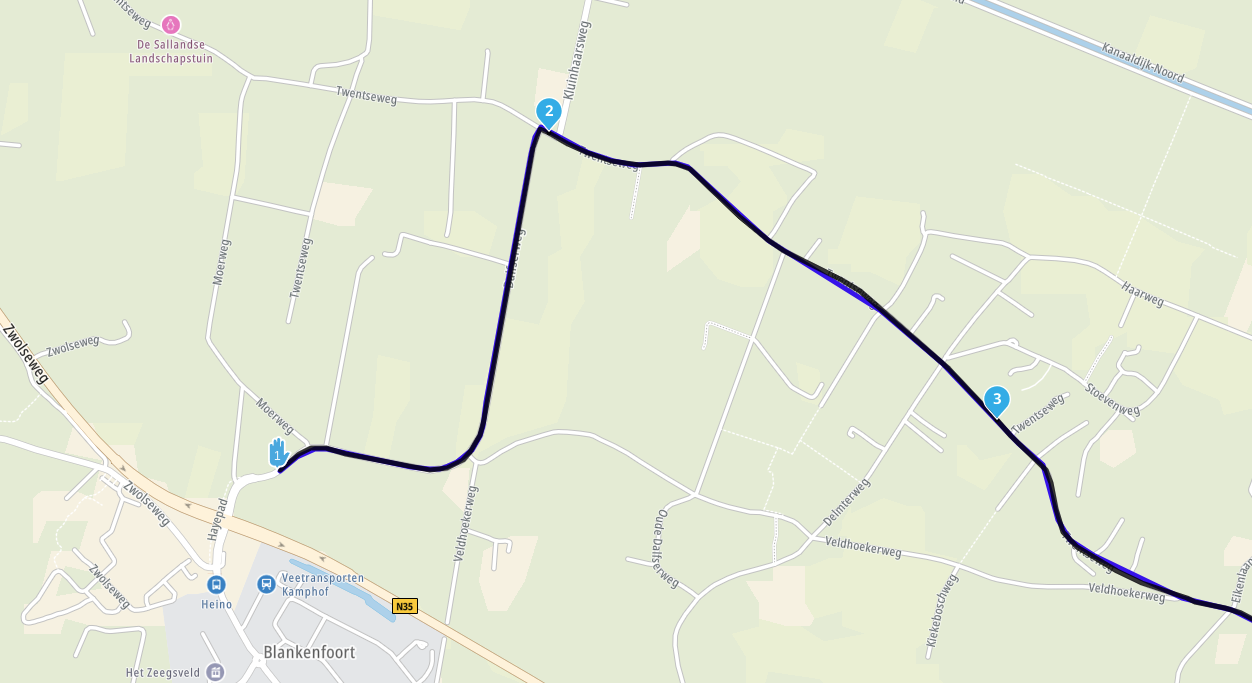
Wouldn’t it be nice if you could change the starting point of a surrounding routeand still be able to drive the whole route?
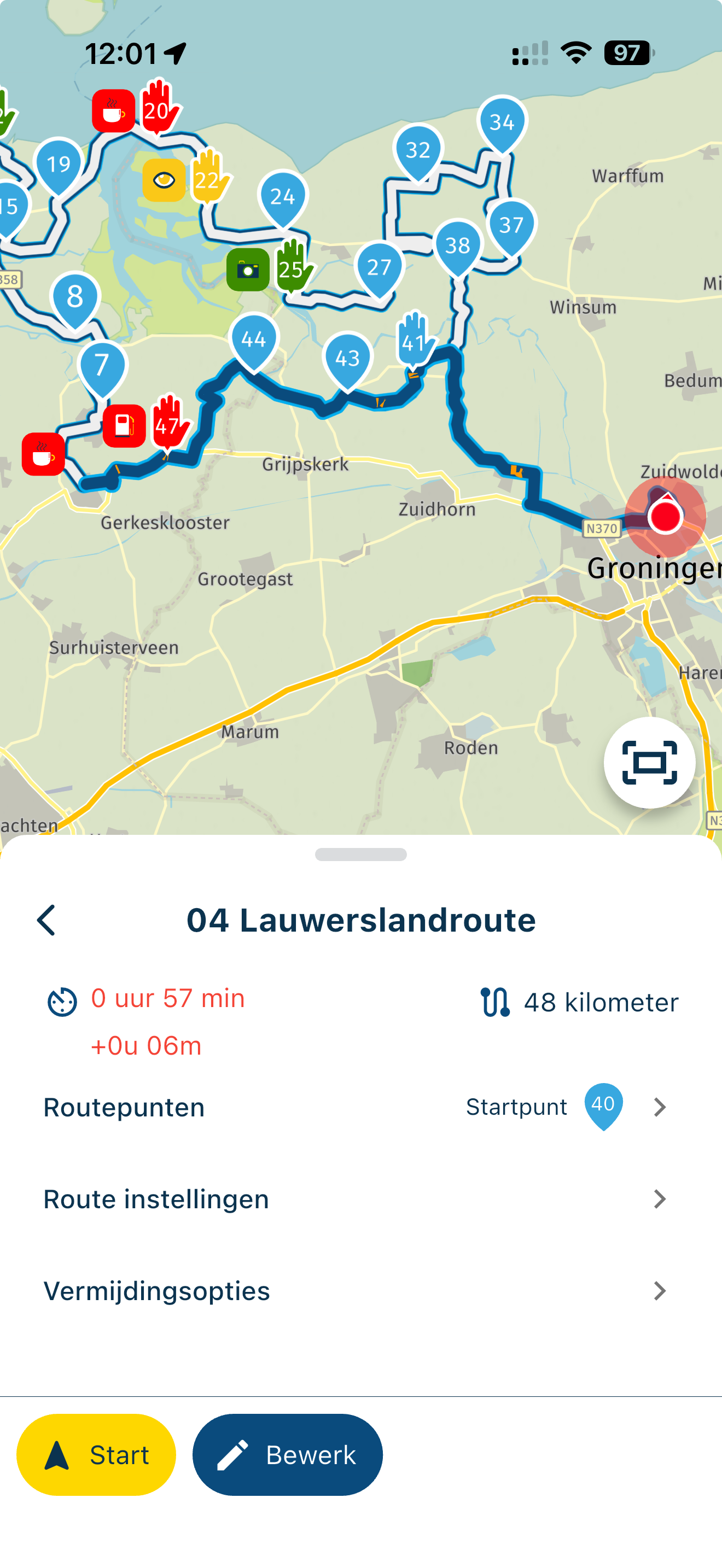
When I select point 41, which is the closest to my location, I don’t get the first part of the route anymore. On the PC when you change the starting point the whole route is renumberd.
-

The startpoint you mentioned is something else than a startpoint of a route.
In your example you tell MRA navigator where you want to pickup the route to ride it to the existing endpoint.
What you ask is selecting is different point as the starting point for the whole route. This also means moving the actual endpoint (in case of a roundtrip).
This is normally done in the planner. Which is also accessible from the app. -
I want to tell MRA to go to the nearest point on the route and then start the route from there. Should be possible IMO.
-
I want to tell MRA to go to the nearest point on the route and then start the route from there. Should be possible IMO.

@Rolf-Engelsman After tapping Navigate, tap Routing settings and here you can choose to start from nearest waypoint.
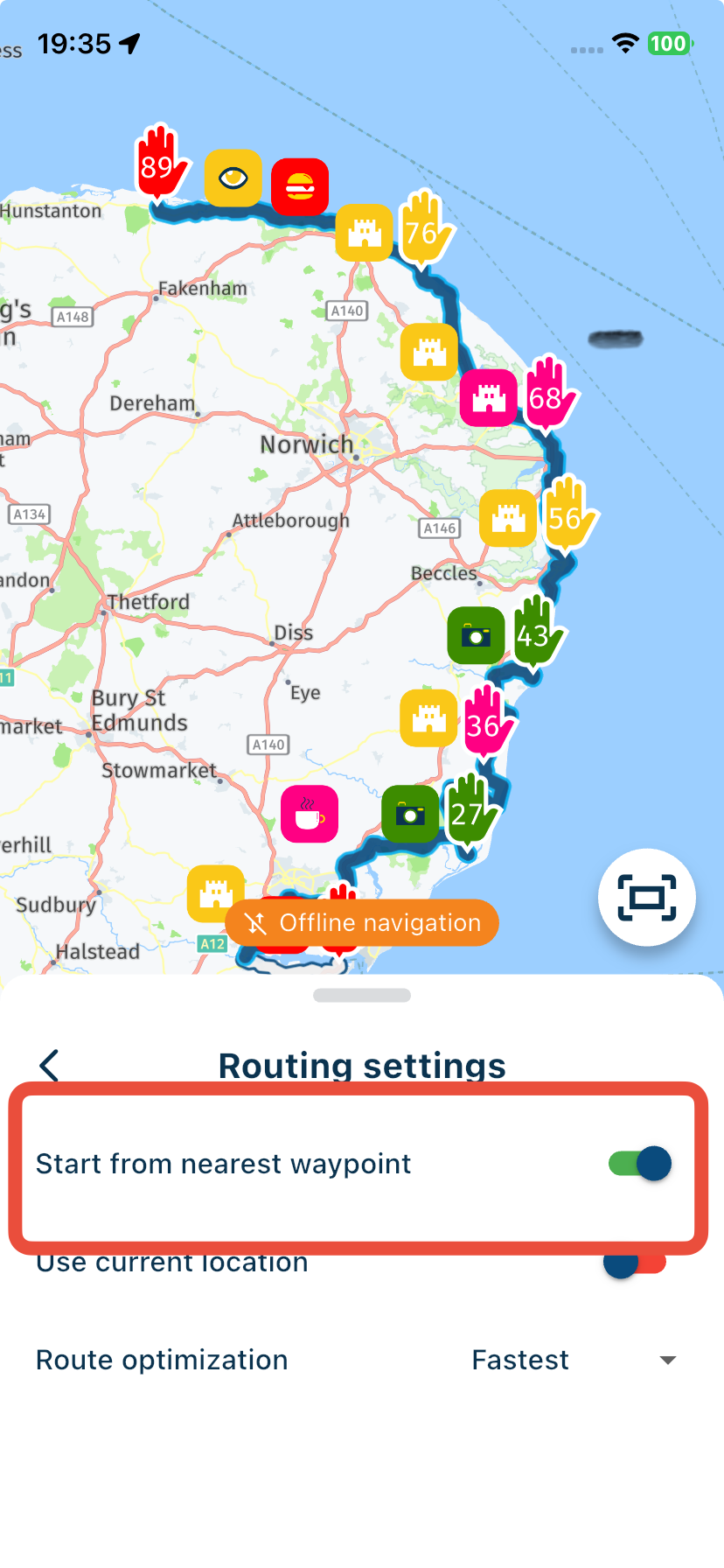
-

@Rolf-Engelsman what you suggest is indeed not possible.
You cannot select a different starting point and let the app automatically complete the loop for you

I do think this would be a great addition!
Perhaps I can add this at some point
-

@Rolf-Engelsman
So I don't find it a problem, just the WP41 as Einstig in the route goes at the push of a button, then just drive the route to the end of the route, then stop briefly, stop the route in the app and finish completely. Now select again and restart this route with WP1 then continue to WP41, and already everything is just gone crazy without making a big find. Best regards -

This moght seem far fetched for some, but I don't think it is. It would really be nice to be able to to start a route from let's say RP23, while making the loop until you reach RP23 again. I just wonder how that's going to go with routes that do not loop....
I am just an enthusiastic MRA user, and hope you will be one too!
Most motorcycle problems are caused by the nut that connects the handlebar to the saddle.
Check out RideSleepRepeat.eu, a biker community for sharing stays across Europe
-
This moght seem far fetched for some, but I don't think it is. It would really be nice to be able to to start a route from let's say RP23, while making the loop until you reach RP23 again. I just wonder how that's going to go with routes that do not loop....
@Con-Hennekens said in Adjusting start point surrounding routes:
This moght seem far fetched for some, but I don't think it is. It would really be nice to be able to to start a route from let's say RP23, while making the loop until you reach RP23 again. I just wonder how that's going to go with routes that do not loop....
@Con-Hennekens
Then the question does not arise
New users have to get to know the app, many drivers are more relaxed and have a solution either way.
VG Hubert
Beta Test "Next App" dazu die Hardware .
iPad 9. Gen iOS 27.0.1/ iPhone 16e iOS 27.0.1/ Navi iPhone Xr iOS 18.7.10 / PC mit MS Win11 /❗️MyRoute-App im Cradel und Remotek-One❗️ Info zu MRA & Remotek One -
@Con-Hennekens said in Adjusting start point surrounding routes:
This moght seem far fetched for some, but I don't think it is. It would really be nice to be able to to start a route from let's say RP23, while making the loop until you reach RP23 again. I just wonder how that's going to go with routes that do not loop....
@Con-Hennekens
Then the question does not ariseNew users have to get to know the app, many drivers are more relaxed and have a solution either way.
@Hubert-Thoring said in Adjusting start point surrounding routes:
Then the question does not arise
What question?
As far as I know there is no parameter to indicate a route being a loop. It can only determined by an assumption of start and finish being close to each other.I am just an enthusiastic MRA user, and hope you will be one too!
Most motorcycle problems are caused by the nut that connects the handlebar to the saddle.
Check out RideSleepRepeat.eu, a biker community for sharing stays across Europe
-
@Hubert-Thoring said in Adjusting start point surrounding routes:
Then the question does not arise
What question?
As far as I know there is no parameter to indicate a route being a loop. It can only determined by an assumption of start and finish being close to each other.
@Con-Hennekens The app should in this case simply temporarily "connect the dots" so to speak, between the initial end- and start point, as if the user would change the start point in the planner. The possibility of this resulting in a route making no sense whatsoever, is in that case up to the user and collateral damage.

Manks bu'j te bange.
-
@Con-Hennekens The app should in this case simply temporarily "connect the dots" so to speak, between the initial end- and start point, as if the user would change the start point in the planner. The possibility of this resulting in a route making no sense whatsoever, is in that case up to the user and collateral damage.
@Stefan-Hummelink, The dots stay the same, so are the calculation parameters between them, so there will be no result that makes no sense, if the route made sense to begin with
The only unknown piece, is the piece between RPlast and RP1, and in a loop those are close.I am just an enthusiastic MRA user, and hope you will be one too!
Most motorcycle problems are caused by the nut that connects the handlebar to the saddle.
Check out RideSleepRepeat.eu, a biker community for sharing stays across Europe
-
@Stefan-Hummelink, The dots stay the same, so are the calculation parameters between them, so there will be no result that makes no sense, if the route made sense to begin with
The only unknown piece, is the piece between RPlast and RP1, and in a loop those are close.
@Con-Hennekens said in Adjusting start point surrounding routes:
The only unknown piece, is the piece between RPlast and RP1, and in a loop those are close.
Absolutely, and exactly the contrary case, e.g. a a2b route, would result in a complete "turn around" so to speak, which imho would "make no sense" from a "riding a nice preplanned route" perspective. And that's what I meant. If a user would deliberately use this future feature onto an a2b route instead of a looping route, the consequence of having the rpLast being connected to rpStart in a fashion that would result in i.e. having to drive 200km back into the direction of rpStart is up to the user.
Manks bu'j te bange.
-
@Con-Hennekens said in Adjusting start point surrounding routes:
The only unknown piece, is the piece between RPlast and RP1, and in a loop those are close.
Absolutely, and exactly the contrary case, e.g. a a2b route, would result in a complete "turn around" so to speak, which imho would "make no sense" from a "riding a nice preplanned route" perspective. And that's what I meant. If a user would deliberately use this future feature onto an a2b route instead of a looping route, the consequence of having the rpLast being connected to rpStart in a fashion that would result in i.e. having to drive 200km back into the direction of rpStart is up to the user.
@Stefan-Hummelink, no indeed, that's exactly what I meant of course
-
We will include feature for this in the 5.1 release
-
We will include feature for this in the 5.1 release
Great to hear.
-
Super dat jullie diter nu in hebben verwerkt. Reeds getest en werkt zoals beloofd.
Hello! It looks like you're interested in this conversation, but you don't have an account yet.
Getting fed up of having to scroll through the same posts each visit? When you register for an account, you'll always come back to exactly where you were before, and choose to be notified of new replies (either via email, or push notification). You'll also be able to save bookmarks and upvote posts to show your appreciation to other community members.
With your input, this post could be even better 💗
Register Login-
1426562
-
0836
-
 0520
0520
-
 0579
0579
-
0588
-
 116286
-
 08499
08499
-
0420