
POI Size
-

Hi all, hope you're well and cracking on with planning biking trips abroad.
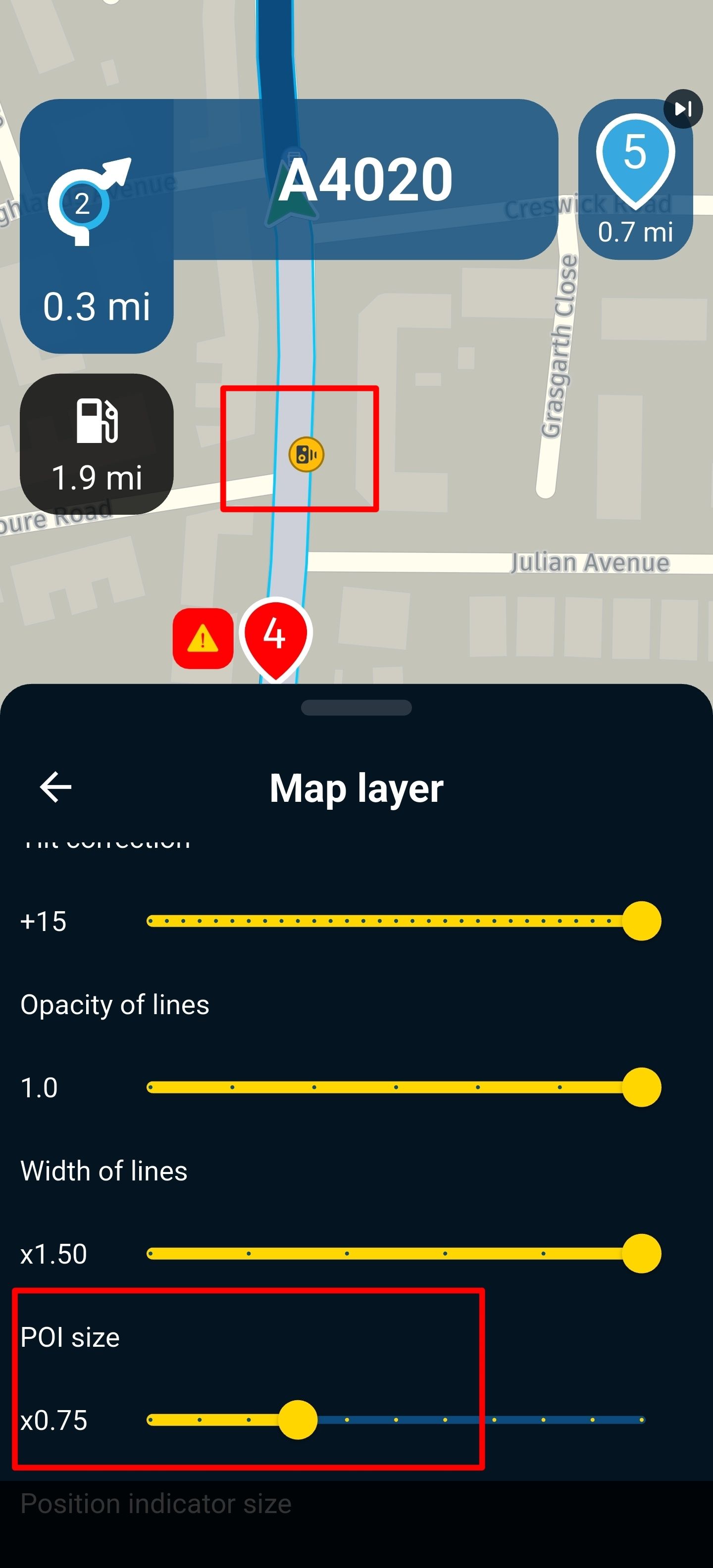
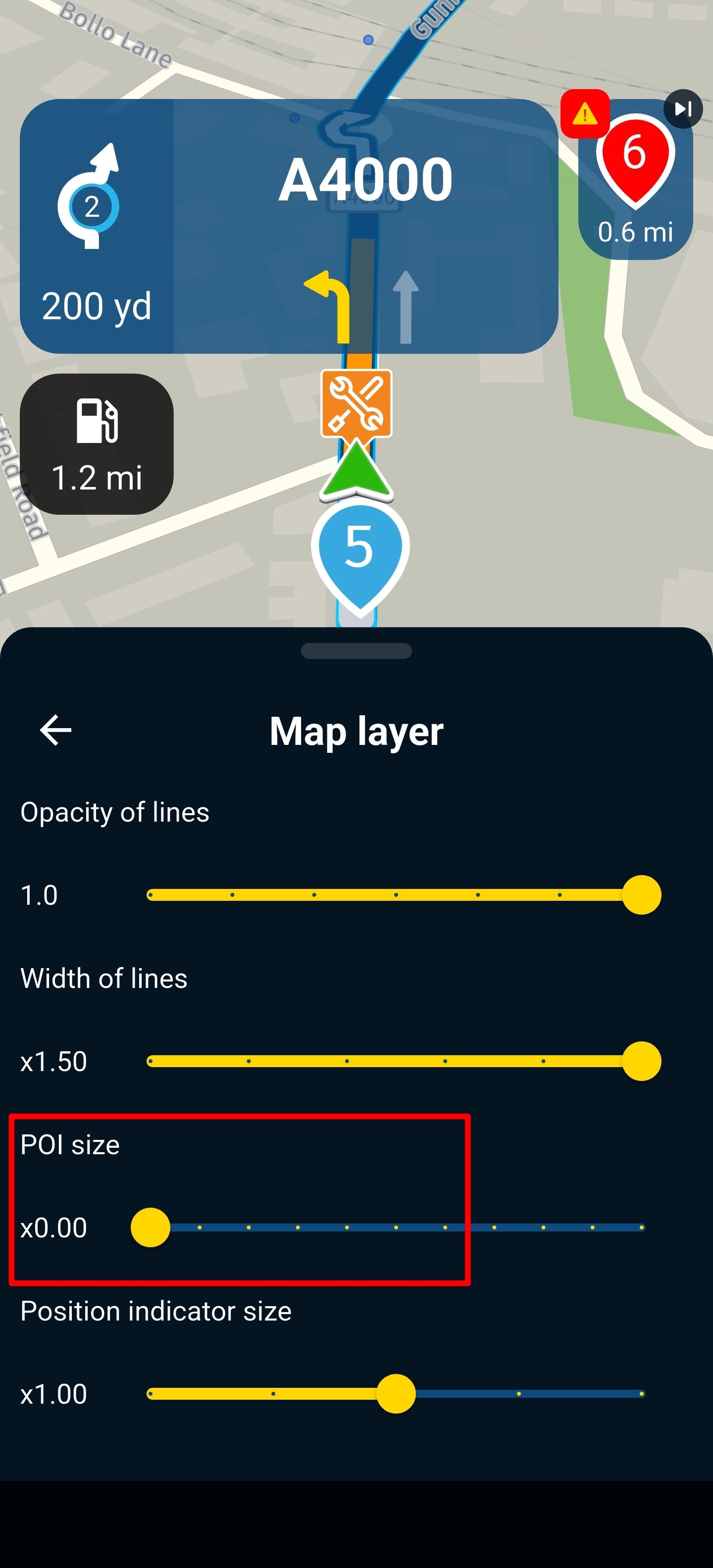
My phone is a Oneplus 12 Android. I noticed that selecting POI size 4 gives the smallest waypoints, viapoints and POI size. And selecting POI size 1 gives a bigger POI size see pictures.
Any chance we can get a separate size selector for
A. Viapoints and waypoints.
B. POIs (shops) and speed camera warning signs.Currently you have to have massive viapoints and waypoints to get a good size speed or red light camera.
Kind regards,
JP

-

They do not scale equally indeed.
-
Hi all, hope you're well and cracking on with planning biking trips abroad.
My phone is a Oneplus 12 Android. I noticed that selecting POI size 4 gives the smallest waypoints, viapoints and POI size. And selecting POI size 1 gives a bigger POI size see pictures.
Any chance we can get a separate size selector for
A. Viapoints and waypoints.
B. POIs (shops) and speed camera warning signs.Currently you have to have massive viapoints and waypoints to get a good size speed or red light camera.
Kind regards,
JP

and speed camera warning signs
Fortunately, you still get a separate notification on your screen for cameras and average speed checks when activated!
-

I would be nice when all icons are more equal in size.
-
@Rob-Verhoeff Yes, there is a warning. Can't remember if you get one using offline maps. But my other point of having separate sizing control for POI and way/viapoints stands. Hopefully Corjan can get it added
Hello! It looks like you're interested in this conversation, but you don't have an account yet.
Getting fed up of having to scroll through the same posts each visit? When you register for an account, you'll always come back to exactly where you were before, and choose to be notified of new replies (either via email, or push notification). You'll also be able to save bookmarks and upvote posts to show your appreciation to other community members.
With your input, this post could be even better 💗
Register Login-
 054
054
-
 18331
18331
-
 0388
0388
-
0341
-
 0873
0873
-
 0214
0214
-
 0295
0295
-
 1232
1232

