Segment function with the HERE map
-

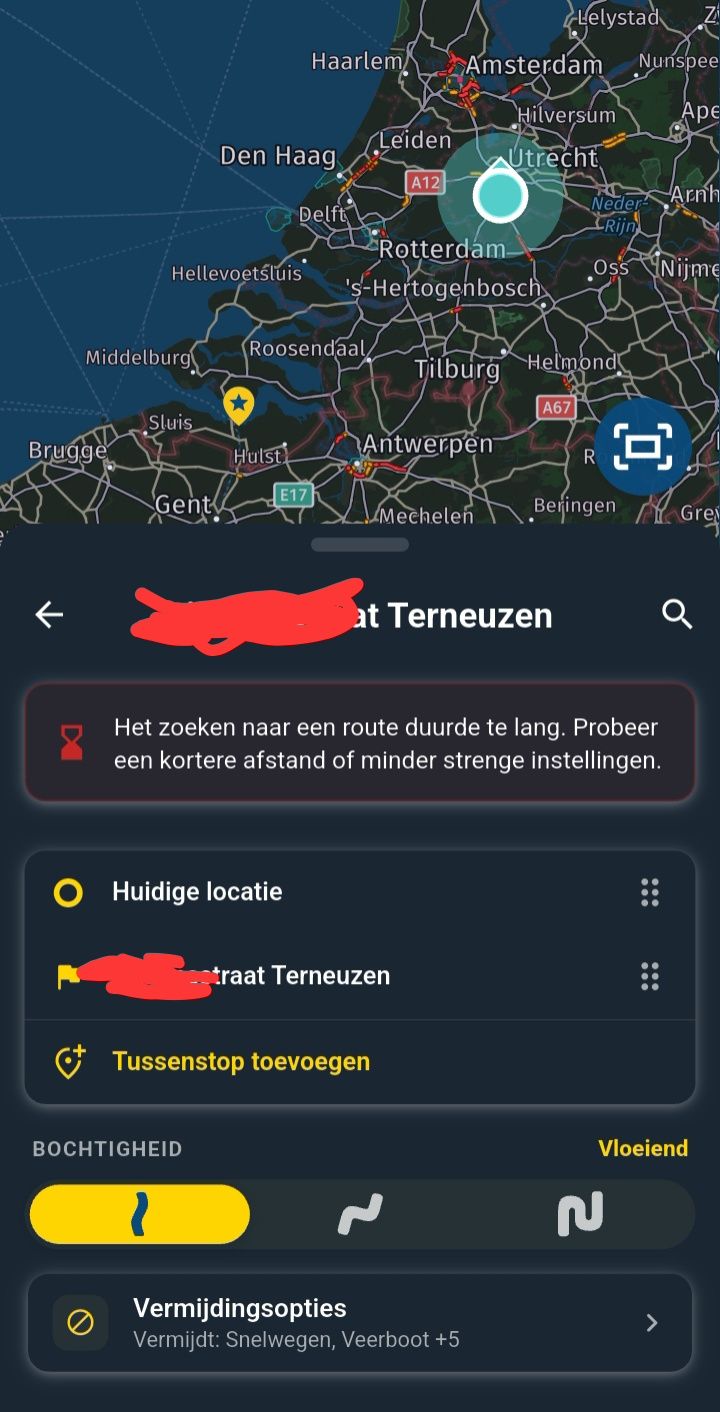
Could the option to select a "curviness" level for a route segment—similar to how it works in the TomTom routing engine—be implemented for the HERE map/routing engine?
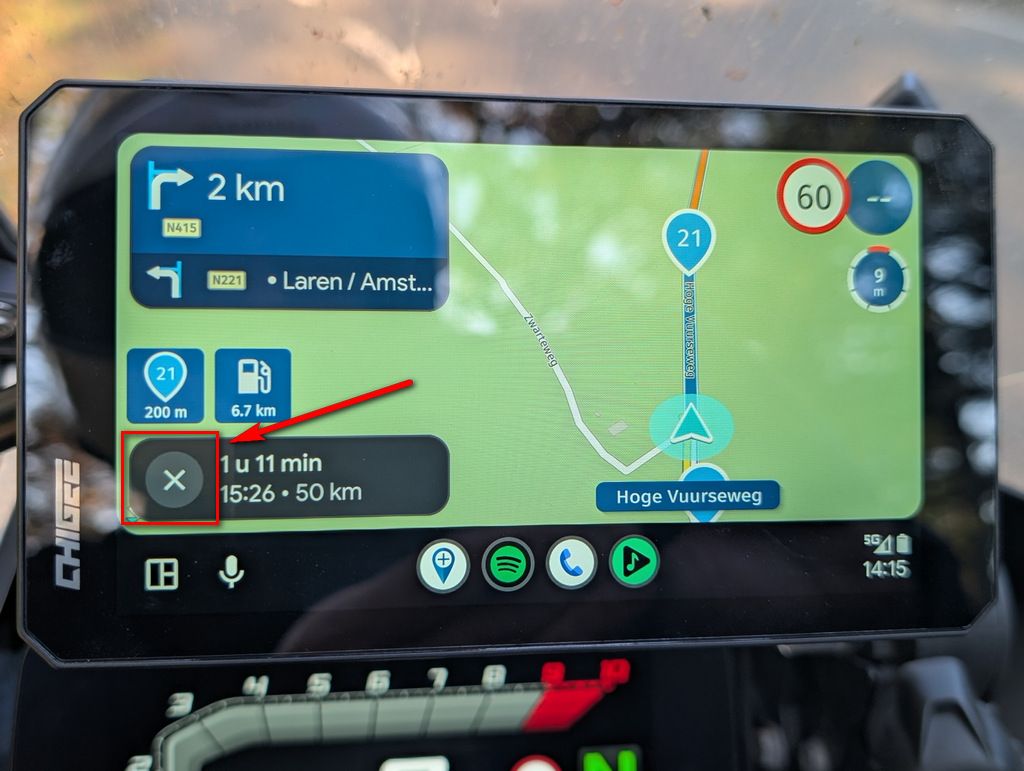
I ask because when using the TomTom engine, the map becomes cluttered with a large number of grey waypoints, making it difficult to see them clearly or locate the specific one you need; for a motorcyclist, scrolling through such a long list is certainly not very convenient.
The segment-based functionality in the HERE engine is not as customizable as it is in the other engines.
Is it possible to consider further development in this regard? -

Unfortunately not. HERE does not support it
-
Could the option to select a "curviness" level for a route segment—similar to how it works in the TomTom routing engine—be implemented for the HERE map/routing engine?
I ask because when using the TomTom engine, the map becomes cluttered with a large number of grey waypoints, making it difficult to see them clearly or locate the specific one you need; for a motorcyclist, scrolling through such a long list is certainly not very convenient.
The segment-based functionality in the HERE engine is not as customizable as it is in the other engines.
Is it possible to consider further development in this regard?
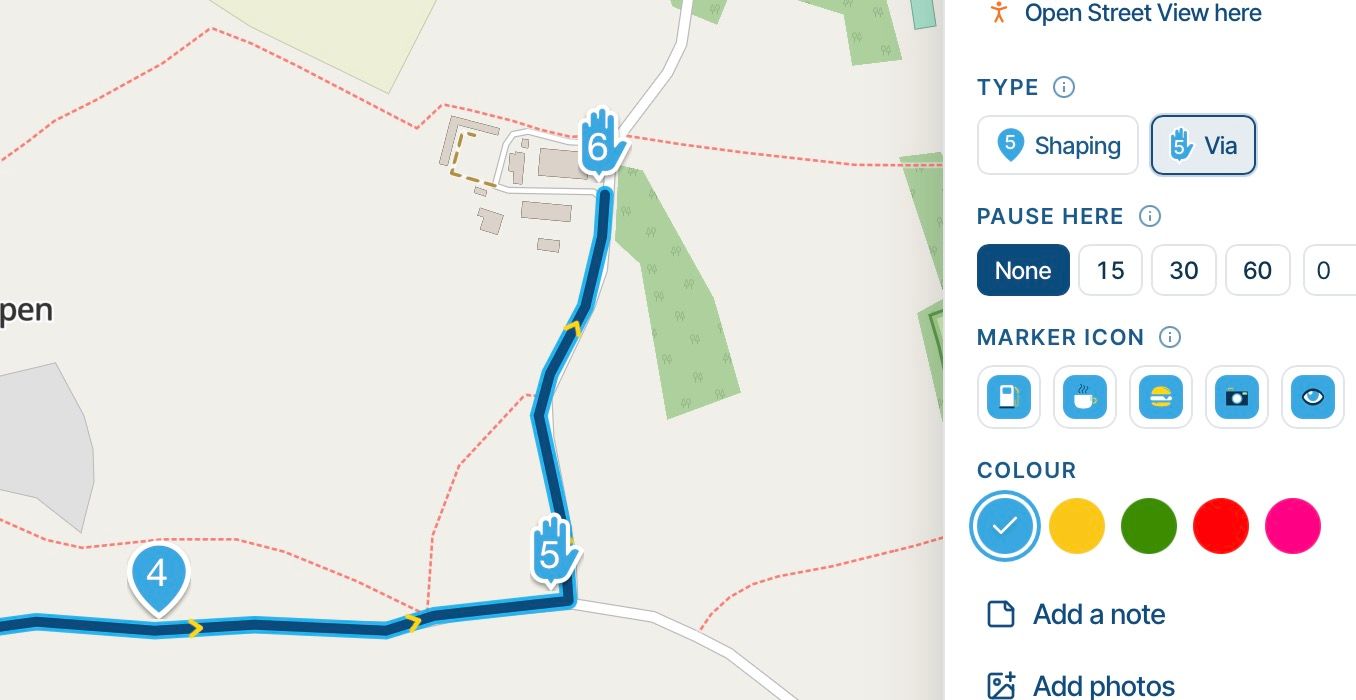
@Emanuele-5, A pretty easy workaround is to plan on the TT engine, use the compare function in the toolkit (yes the toolkit, NOT the compare in the menu itself!) make HERE equal an then switch the engine to HERE. This function adds shaping points automatically, in order to make the routes equal on both (or all three) engines.
-
@Emanuele-5, A pretty easy workaround is to plan on the TT engine, use the compare function in the toolkit (yes the toolkit, NOT the compare in the menu itself!) make HERE equal an then switch the engine to HERE. This function adds shaping points automatically, in order to make the routes equal on both (or all three) engines.
This post is deleted! -
@Emanuele-5, A pretty easy workaround is to plan on the TT engine, use the compare function in the toolkit (yes the toolkit, NOT the compare in the menu itself!) make HERE equal an then switch the engine to HERE. This function adds shaping points automatically, in order to make the routes equal on both (or all three) engines.
@motocon
Thanks for your reply MotoCon. I was actually testing this just last night; however, when you go to navigate the route using the Navigator app (which uses HERE maps), you end up with a very long list of shaping points (in gray). If you need to view a specific waypoint from the waypoint menu, it becomes quite inconvenient to scroll through that list—especially while riding a motorcycle.
Do you follow my line of reasoning? -
@motocon
Thanks for your reply MotoCon. I was actually testing this just last night; however, when you go to navigate the route using the Navigator app (which uses HERE maps), you end up with a very long list of shaping points (in gray). If you need to view a specific waypoint from the waypoint menu, it becomes quite inconvenient to scroll through that list—especially while riding a motorcycle.
Do you follow my line of reasoning?
@Emanuele-5 You missed the last part of @motocon instructions. After you have finished using the TT engine, switch back to HERE.
-
@motocon
Thanks for your reply MotoCon. I was actually testing this just last night; however, when you go to navigate the route using the Navigator app (which uses HERE maps), you end up with a very long list of shaping points (in gray). If you need to view a specific waypoint from the waypoint menu, it becomes quite inconvenient to scroll through that list—especially while riding a motorcycle.
Do you follow my line of reasoning?
@Emanuele-5, What Nick said

I am just an enthusiastic MRA user, and hope you will be one too!
Most motorcycle problems are caused by the nut that connects the handlebar to the saddle.
Check out RideSleepRepeat.eu, a biker community for sharing stays across Europe
-
@Emanuele-5, What Nick said
@MotoCon I followed your advice to switch the routing engine back to HERE, but when I start navigating a route with the Navigator app, I notice that it has created a very long list of shaping points—doesn't this happen to you too?
Hello! It looks like you're interested in this conversation, but you don't have an account yet.
Getting fed up of having to scroll through the same posts each visit? When you register for an account, you'll always come back to exactly where you were before, and choose to be notified of new replies (either via email, or push notification). You'll also be able to save bookmarks and upvote posts to show your appreciation to other community members.
With your input, this post could be even better 💗
Register Login-
 01338
-
 023394
-
012212
-
2241.7k
-
0992
-
114175
-
 010134
-
0847