Skip to content
  • Categories
  • Recent
  • Popular
  • Support
  • MyRoute-app
Collapse
Brand Logo

MRA Community Forum

  1. Home
  2. MRA Routeplanner Next Beta
  3. [Beta] Problems, Bugs and other Issues
  4. Animation

Animation

Scheduled Pinned Locked Moved [Beta] Problems, Bugs and other Issues
7 Posts 4 Posters 19 Views 4 Watching
  • Oldest to Newest
  • Newest to Oldest
  • Most Votes
Reply
  • Reply as topic
Log in to reply
This topic has been deleted. Only users with topic management privileges can see it.
  • LennyO
    LennyO
    LennyO
    RouteXpert
    wrote last edited by
    #1

    Am I doing something wrong?
    During the animation the map is spinning, jerking, acting up. Call me dizzy... 🙂

    Positive emotions are worth every penny ;)

    Rob Verhoeff 1 Reply Last reply
    0
    • LennyO LennyO

      Am I doing something wrong?
      During the animation the map is spinning, jerking, acting up. Call me dizzy... 🙂

      Rob Verhoeff
      Rob Verhoeff
      Rob Verhoeff
      Alpha tester
      wrote last edited by
      #2

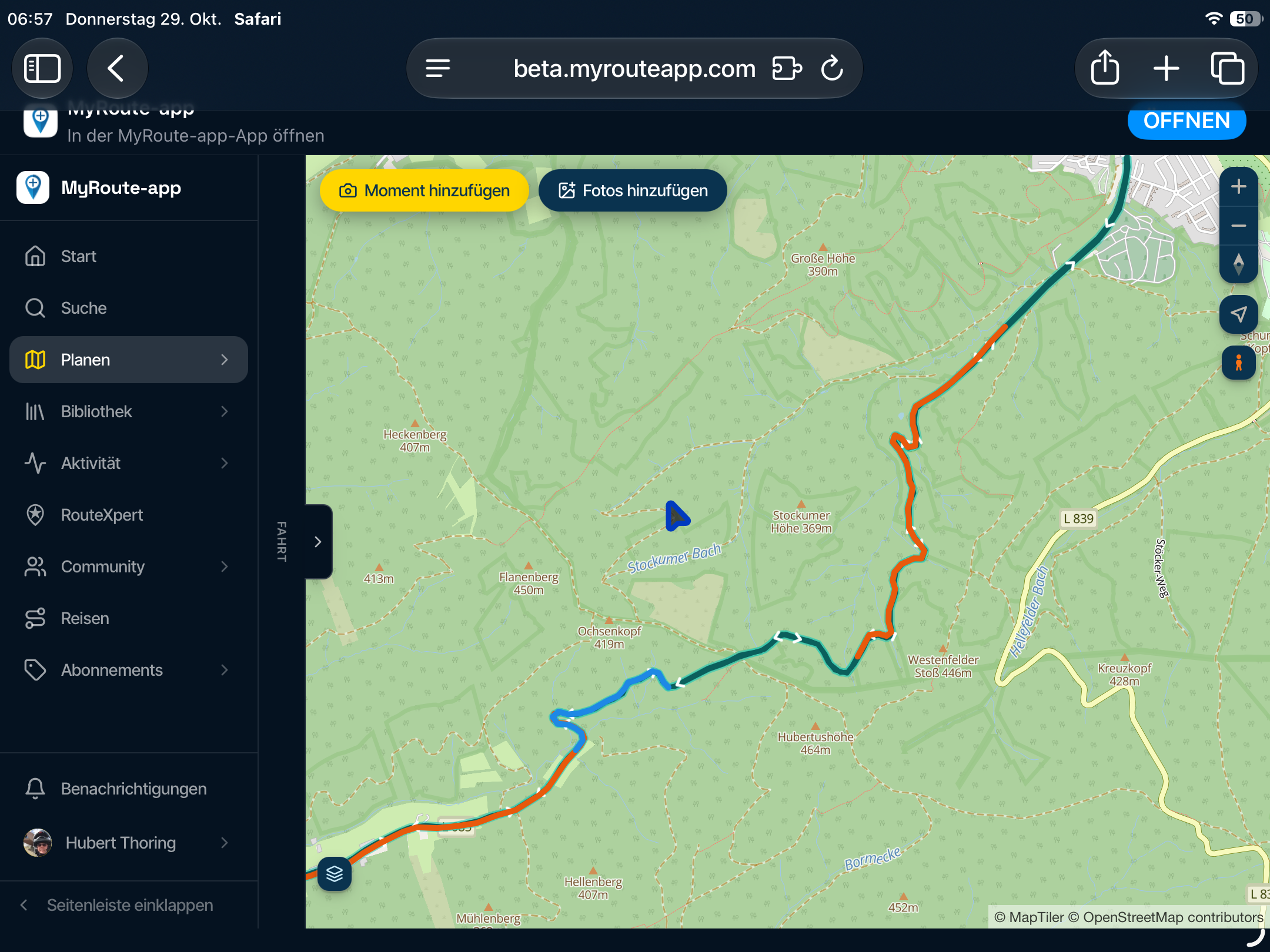
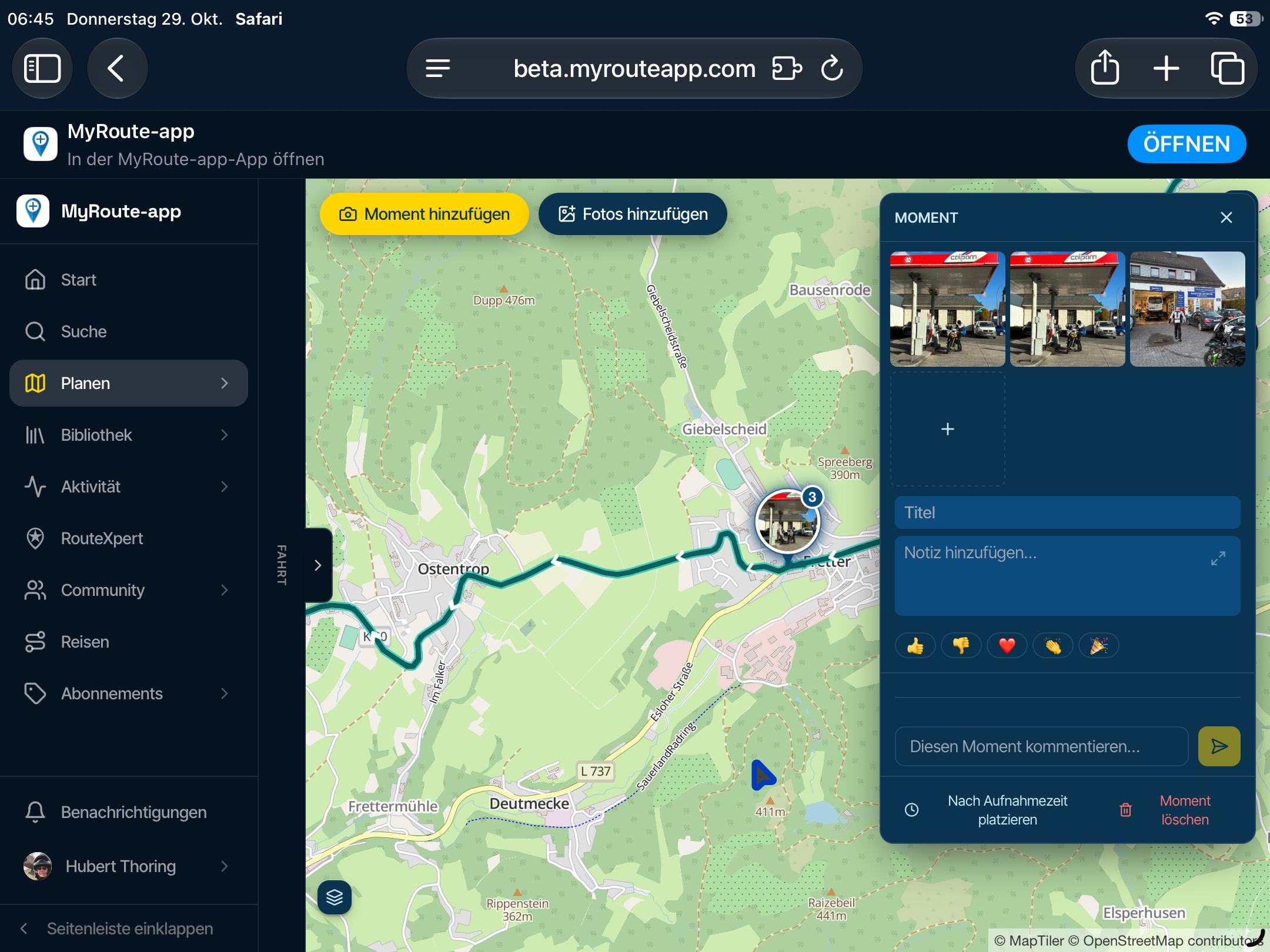
      @LennyO Yes, that’s correct. I tried a test route in my hometown. On a route with lots of bends, the animation is indeed a bit “restless.” But on a somewhat longer route through mountainous terrain, the animation is absolutely awesome!

      Because of the tilt of the map, you now also get a 3D view. An amazing feature!

      Maybe Corjan could add a setting to play the animation a little slower. At the moment, you start at 1 and can speed it up to 2 and 4. Perhaps we could also go in the other direction with -1 and -2...

      🏍️ BMW K1600GT-P (2013) | Nolan N100-5 with Sena 30K
      📱 iOS on iPhone 13 & 16 (mounted on Quadlock or AliExpress extention on BMW-cradle)
      🚙 Apple CarPlay in VW T-Roc
      💻 Routelab on MacBook Air & iMac (Golden Gate & Ventura)

      1 Reply Last reply
      0
      • Jörgen
        Jörgen
        Jörgen
        Valued contributor
        wrote last edited by
        #3

        The rotation should be a bit slower. For example, when travelling south, it should only rotate when there is a significant change in direction. Otherwise, the map should remain stationary.

        Hardware
        iPhone 12 pro (iOS 26.2.1)
        iPad (7.Gen.) 18.7.3
        Oukitel RT3 Pro (Andr. 14)
        Wireless CarPlay mit (Elebest C650)
        Wired CarPlay (SEAT Arona - 2021)
        MRA Workshops in Deutsch sind hier zu finden

        1 Reply Last reply
        0
        • Corjan Meijerink
          Corjan Meijerink
          Corjan Meijerink
          Developer
          wrote last edited by
          #4

          I've added a north up mode

          Rob Verhoeff 1 Reply Last reply
          1
          • Corjan Meijerink Corjan Meijerink

            I've added a north up mode

            Rob Verhoeff
            Rob Verhoeff
            Rob Verhoeff
            Alpha tester
            wrote last edited by
            #5

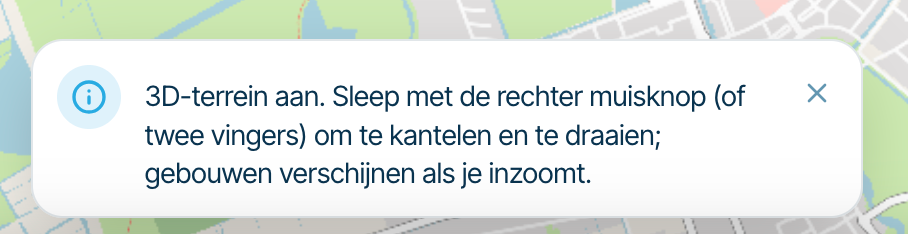
            @Corjan-Meijerink If you select the “North up” option, you still get a message during the animation telling you that you can use the right mouse button (or your fingers on a tablet) to adjust the tilt and rotation of the screen. However, this obviously does nothing when “North up” is selected.
            Scherm­afbeelding 2026-10-07 om 12.05.29.png

            🏍️ BMW K1600GT-P (2013) | Nolan N100-5 with Sena 30K
            📱 iOS on iPhone 13 & 16 (mounted on Quadlock or AliExpress extention on BMW-cradle)
            🚙 Apple CarPlay in VW T-Roc
            💻 Routelab on MacBook Air & iMac (Golden Gate & Ventura)

            1 Reply Last reply
            0
            • Jörgen
              Jörgen
              Jörgen
              Valued contributor
              wrote last edited by
              #6

              Looks much better. 👍

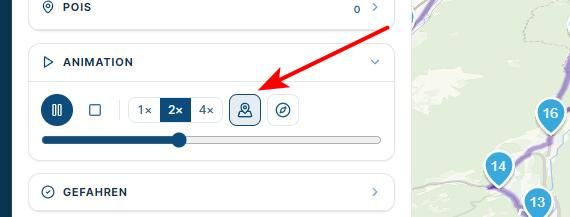
              For me the first button does not change anything.
              screenshot136.jpg

              Hardware
              iPhone 12 pro (iOS 26.2.1)
              iPad (7.Gen.) 18.7.3
              Oukitel RT3 Pro (Andr. 14)
              Wireless CarPlay mit (Elebest C650)
              Wired CarPlay (SEAT Arona - 2021)
              MRA Workshops in Deutsch sind hier zu finden

              Corjan Meijerink 1 Reply Last reply
              0
              • Jörgen Jörgen

                Looks much better. 👍

                For me the first button does not change anything.

                screenshot136.jpg

                Corjan Meijerink
                Corjan Meijerink
                Corjan Meijerink
                Developer
                wrote last edited by
                #7

                @Jörgen It probably does, turns off waypoint highlights in the animation.
                Hover to see the hint

                1 Reply Last reply
                0

                Hello! It looks like you're interested in this conversation, but you don't have an account yet.

                Getting fed up of having to scroll through the same posts each visit? When you register for an account, you'll always come back to exactly where you were before, and choose to be notified of new replies (either via email, or push notification). You'll also be able to save bookmarks and upvote posts to show your appreciation to other community members.

                With your input, this post could be even better 💗

                Register Login
                Reply
                • Reply as topic
                Log in to reply
                • Oldest to Newest
                • Newest to Oldest
                • Most Votes


                ACTIVE USERS
                Corjan Meijerink
                Corjan Meijerink
                Jörgen
                Jörgen
                Rob Verhoeff
                Rob Verhoeff
                LennyO
                LennyO
                POPULAR TOPICS
                • Animation
                  Corjan Meijerink
                  Corjan Meijerink
                  0
                  7
                  19

                • Route line transparency
                  Jörgen
                  Jörgen
                  0
                  5
                  23

                • A04 Menu - Waypoints on the mobile phone
                  Corjan Meijerink
                  Corjan Meijerink
                  0
                  5
                  17

                • How to get GROUPS into the new planner?
                  Con Hennekens
                  Con Hennekens
                  0
                  5
                  8

                • Arrival time (depending on vehicle)
                  Bouke Ent
                  Bouke Ent
                  0
                  8
                  206

                • Issues about using planner in tablet
                  Corjan Meijerink
                  Corjan Meijerink
                  0
                  4
                  19

                • How to export GPX files to Zumo XT without recalculation
                  Travellexxie
                  Travellexxie
                  0
                  4
                  92

                • Route name in the planning screen is gone?
                  LennyO
                  LennyO
                  1
                  8
                  46

                MY GROUPS
                • Login

                • Login or register to search.
                • First post
                  Last post
                0
                • Categories
                • Recent
                • Popular
                • Support
                • MyRoute-app