routepunten overslaan gebeurd niet zoals verwacht
-
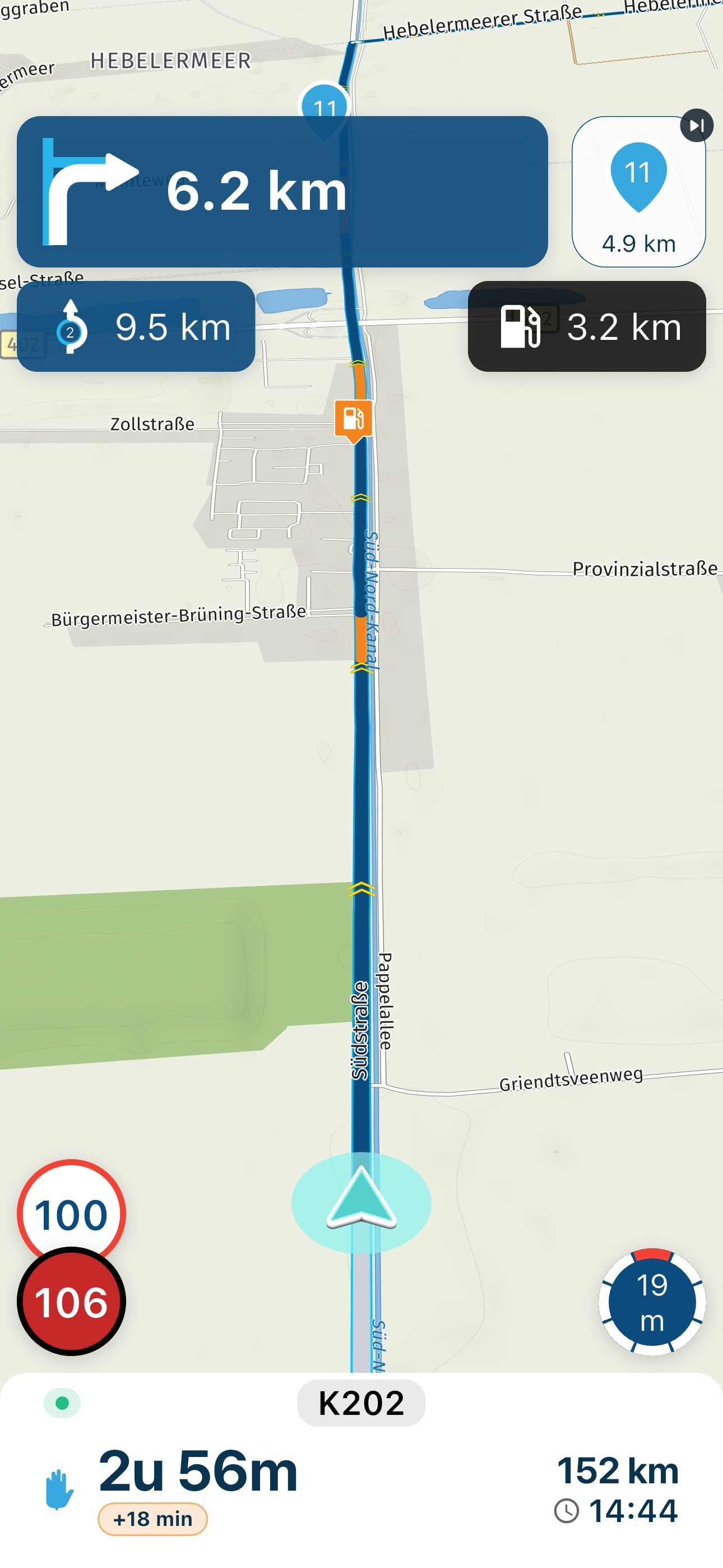
ergens in de stack is bekend dat de route verlaten wordt en ook dat de route weer opgepikt wordt omdat de info box (met de tijd tot het volgende punt) verdwijnt en daarna weer te voorschijn komt. Ook zie ik dat in sommige gevallen het volgende punt op de route heel even de nieuwe target is om daarna weer terug te vallen op het vorige punt.

@Herman-Veldhuizen
Ik heb dit al enkele keren gelezen maar snap het nog steeds niet wat je hiermee wil zeggen.
Wat is de "stack" en "info box" -
@Herman-Veldhuizen
Ik heb dit al enkele keren gelezen maar snap het nog steeds niet wat je hiermee wil zeggen.
Wat is de "stack" en "info box"
@Bruno-7 Daarmee bedoel ik dat de app in het geheel (dus met de software van HERE) mischien toch alles heeft om ons te kunnen bieden wat we nodig hebben.
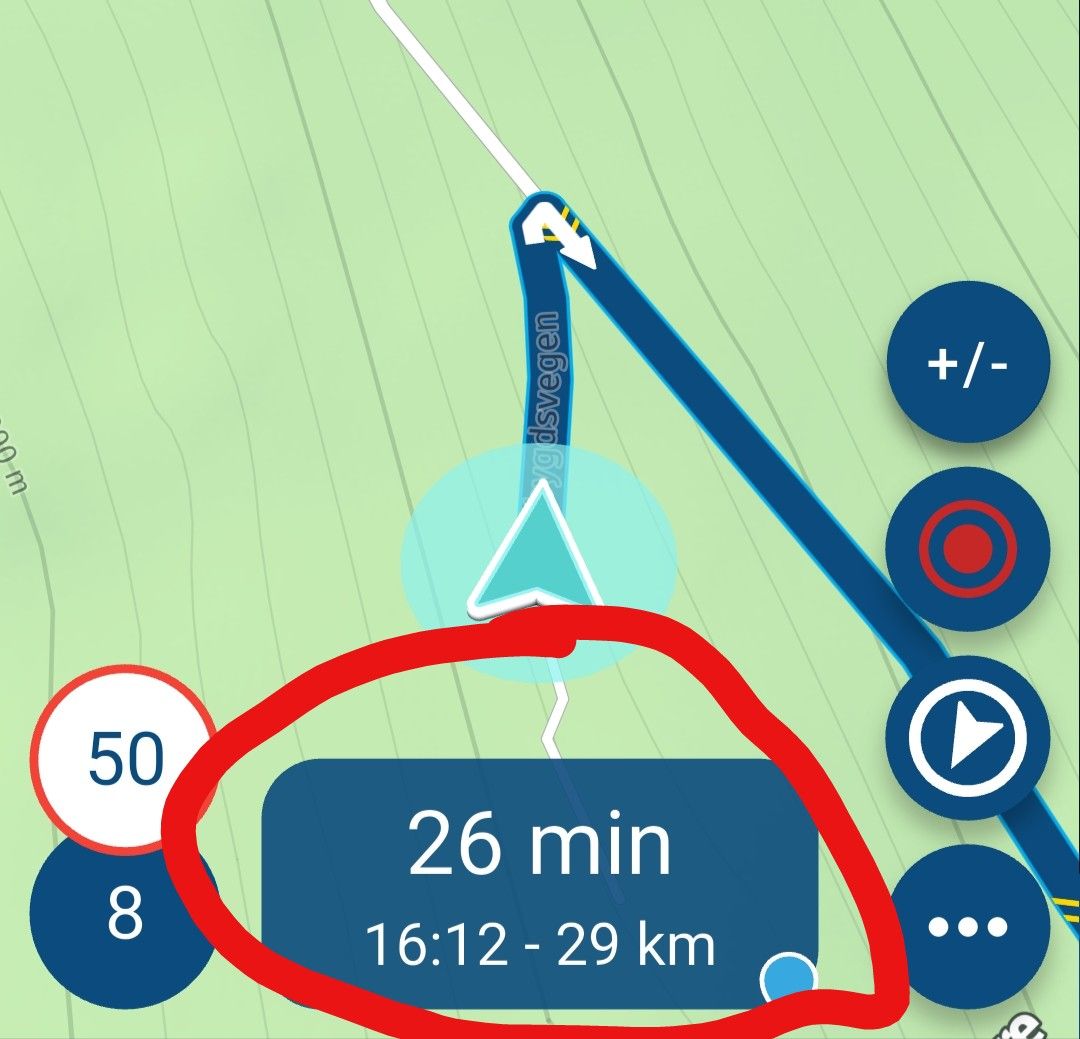
We zien dat de informatie (onderaan) verdwijnt als de route verlaten wordt (als herberekenen uit staat). En die informatie komt ook weer terug als de route weer aangereden wordt. Ik weet niet waar dit gebeurt. Mischien intern, in de software van HERE, en hebben de ontwikkelaars van de app daar geen toegang aan. Stack is een software term en daarmee worden de lagen in de software bedoelt.
Helpt ons niet nu, maar samen met jou hoop ik dat er ooit eens een oplossing komt. Ik noem het huidige gedrag van de app graag "point-priority" navigatie omdat de app zal proberen om je terug te sturen naar een punt. Hetgene wat jij en ik willen noem ik "route-priority" navigatie. Eigenlijk is het huidige gedrag een hybride vorm omdat (afhankelijk van o.a. hoe ver weg het volgende punt ligt) de app uiteindelijk toch punten overslaat.
Omdat je geen melding krijgt als je van de route afwijkt, weet je nooit of je de instrukties van de app moet volgen of niet. Je wordt gedwongen om vaak op het scherm te kijken en te vriemelen.
Vinden de ontwikkelaars een oplossing dan is dat voor mij een grote verbetering, die een nieuw nummer in de major version rechtvaardigt.
-
@Bruno-7 Daarmee bedoel ik dat de app in het geheel (dus met de software van HERE) mischien toch alles heeft om ons te kunnen bieden wat we nodig hebben.
We zien dat de informatie (onderaan) verdwijnt als de route verlaten wordt (als herberekenen uit staat). En die informatie komt ook weer terug als de route weer aangereden wordt. Ik weet niet waar dit gebeurt. Mischien intern, in de software van HERE, en hebben de ontwikkelaars van de app daar geen toegang aan. Stack is een software term en daarmee worden de lagen in de software bedoelt.
Helpt ons niet nu, maar samen met jou hoop ik dat er ooit eens een oplossing komt. Ik noem het huidige gedrag van de app graag "point-priority" navigatie omdat de app zal proberen om je terug te sturen naar een punt. Hetgene wat jij en ik willen noem ik "route-priority" navigatie. Eigenlijk is het huidige gedrag een hybride vorm omdat (afhankelijk van o.a. hoe ver weg het volgende punt ligt) de app uiteindelijk toch punten overslaat.
Omdat je geen melding krijgt als je van de route afwijkt, weet je nooit of je de instrukties van de app moet volgen of niet. Je wordt gedwongen om vaak op het scherm te kijken en te vriemelen.
Vinden de ontwikkelaars een oplossing dan is dat voor mij een grote verbetering, die een nieuw nummer in de major version rechtvaardigt.
Vinden de ontwikkelaars een oplossing dan is dat voor mij een grote verbetering, die een nieuw nummer in de major version rechtvaardigt.
Dat vind ik ook, heb ergens gehoord dat update 6 eraan komt

-
Wat ik nog veel vervelender vond is als je onderweg de route een klein beetje aanpast en je laad hem opnieuw dat er hardnekkig wordt geprobeerd naar het startpunt te navigeren. Natuurlijk kan je routepunten overslaan maar dan moet ik er onderweg al rijdend soms meer dan 40 routepunten overslaan.
Als ik het bovenstaande lees is hier niet echt een oplossing voor.
Of mis ik iets? Onderweg heb ik dezelfde route in Scienic geïmporteerd en deze pakte de route gelijk op het routepunt waar ik het dichtste bij was.Verder mis ik in de My-Route app een aanduiding voor de tijd en een aanduiding waar ik in kan zien of de telefoon wordt opgeladen. Is hier misschien ook een instelling voor?
-
Wat ik nog veel vervelender vond is als je onderweg de route een klein beetje aanpast en je laad hem opnieuw dat er hardnekkig wordt geprobeerd naar het startpunt te navigeren. Natuurlijk kan je routepunten overslaan maar dan moet ik er onderweg al rijdend soms meer dan 40 routepunten overslaan.
Als ik het bovenstaande lees is hier niet echt een oplossing voor.
Of mis ik iets? Onderweg heb ik dezelfde route in Scienic geïmporteerd en deze pakte de route gelijk op het routepunt waar ik het dichtste bij was.Verder mis ik in de My-Route app een aanduiding voor de tijd en een aanduiding waar ik in kan zien of de telefoon wordt opgeladen. Is hier misschien ook een instelling voor?

Of mis ik iets? Onderweg heb ik dezelfde route in Scienic geïmporteerd en deze pakte de route gelijk op het routepunt waar ik het dichtste bij was.
Diezelfde instelling kun je ook MRA Next activeren. Als je de route herstart kun je bij de opties kiezen voor dichtstbijzijnde routepunt
-
Wat ik nog veel vervelender vond is als je onderweg de route een klein beetje aanpast en je laad hem opnieuw dat er hardnekkig wordt geprobeerd naar het startpunt te navigeren. Natuurlijk kan je routepunten overslaan maar dan moet ik er onderweg al rijdend soms meer dan 40 routepunten overslaan.
Als ik het bovenstaande lees is hier niet echt een oplossing voor.
Of mis ik iets? Onderweg heb ik dezelfde route in Scienic geïmporteerd en deze pakte de route gelijk op het routepunt waar ik het dichtste bij was.Verder mis ik in de My-Route app een aanduiding voor de tijd en een aanduiding waar ik in kan zien of de telefoon wordt opgeladen. Is hier misschien ook een instelling voor?
Verder mis ik in de My-Route app een aanduiding voor de tijd en een aanduiding waar ik in kan zien of de telefoon wordt opgeladen. Is hier misschien ook een instelling voor?
Dat is een instelling van je telefoon of heb je misschien full screen mode aanstaan
-
Hoe stel je dat in in de MRA app op je telefoon?
Op mijn telefoon heb ik altijd het volledige scherm voor wat betreft de tijd en opladen.
-
Hoe stel je dat in in de MRA app op je telefoon?
Op mijn telefoon heb ik altijd het volledige scherm voor wat betreft de tijd en opladen.
Hoe stel je dat in in de MRA app op je telefoon?
Op mijn telefoon heb ik altijd het volledige scherm voor wat betreft de tijd en opladen.
Bij navigatie instellingen, scherm lay-out, dan helemaal naar beneden “fullscreen weergave” toe kwam bij mij de tijd en het oplaad icoontje tevoorschijn
-
Tik op je avatar rechts bovenin het scherm
Op navigatie instellingen
Op scherm layout
Helemaal onderaan staat fullscreen weergave
Die kun je aan en uit zetten -
Toppie!
Dat is gelukt!Nu nog terug naar het dichtst bij zijnde routepunt en route vervolgen dat is mij nog niet geheel duidelijk.
-
Toppie!
Dat is gelukt!Nu nog terug naar het dichtst bij zijnde routepunt en route vervolgen dat is mij nog niet geheel duidelijk.

@g.bolijn-1-0 display the route and then long press on the waypoint you want to travel to next.
Hello! It looks like you're interested in this conversation, but you don't have an account yet.
Getting fed up of having to scroll through the same posts each visit? When you register for an account, you'll always come back to exactly where you were before, and choose to be notified of new replies (either via email, or push notification). You'll also be able to save bookmarks and upvote posts to show your appreciation to other community members.
With your input, this post could be even better 💗
Register Login


-
 1414777
-
 05134
05134
-
 0437
0437
-
 0563
0563
-
03107
-
 0334
0334
-
0220
-
 218159