Skip to content
  • Categories
  • Recent
  • Popular
  • Support
  • MyRoute-app
Collapse
Brand Logo

MRA Community Forum

  1. Home
  2. Export assistance
  3. [Export] Garmin
  4. Is It Me?

Is It Me?

Scheduled Pinned Locked Moved [Export] Garmin
11 Posts 5 Posters 131 Views 3 Watching
  • Oldest to Newest
  • Newest to Oldest
  • Most Votes
Reply
  • Reply as topic
Log in to reply
This topic has been deleted. Only users with topic management privileges can see it.
  • D A Wakefieldundefined Offline
    D A Wakefieldundefined Offline
    D A Wakefield
    wrote last edited by
    #1

    I have tried many times, including rebuilding my computer to get the export function to work. No matter what route or format I use I get the same error message "Device Not Found". Even though windows explorer and Basecamp can see it. It is a Garmin XT that I am trying to get to work.

    1 Reply Last reply
    0
    • nomkoundefined Offline
      nomkoundefined Offline
      nomko
      wrote last edited by
      #2
      1. Do you use the 1.2 gpx format file for export?
      2. Better is to download the route as a gpx file directly to your computer and then copy/paste is via windows explorer.

      | MRA Gold Member |
      | Garmin Zumo XT + BMW K1200GT |
      | MRA Next + Kawasaki Z650 |

      1 Reply Last reply
      0
      • D A Wakefieldundefined Offline
        D A Wakefieldundefined Offline
        D A Wakefield
        wrote last edited by
        #3

        I have tried all of the gpx formats, and get the same result. The export function should work. I have been fighting the other methods, but want to use the export function. I am trying to use the Drive app on my phone and that is just as bad.

        1 Reply Last reply
        0
        • Mzokkundefined Online
          Mzokkundefined Online
          Mzokk
          wrote last edited by
          #4

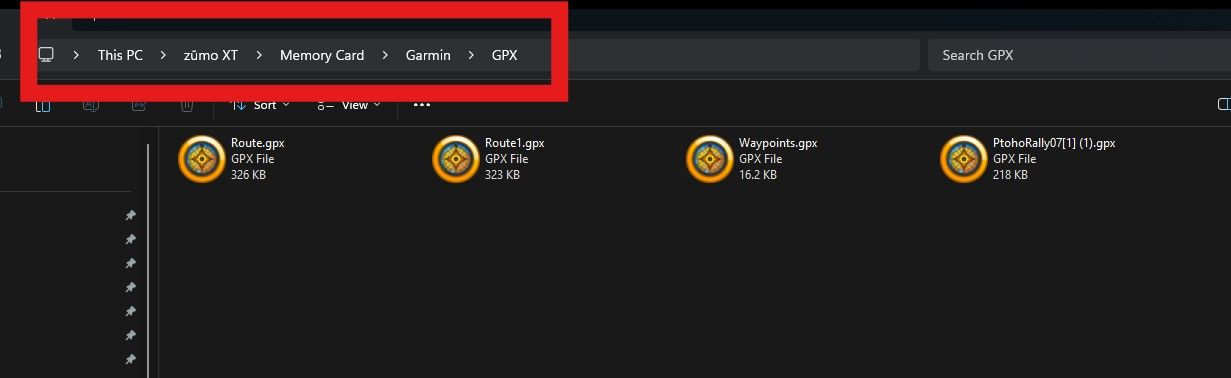
          I think it is you. I have used the exporter, directly transferring files to the Garmin>GPX folder on the sd card in the device and via Drive (my preferred method). All work fine. I use GPX 1.1 for various reasons.

          1 Reply Last reply
          0
          • D A Wakefieldundefined Offline
            D A Wakefieldundefined Offline
            D A Wakefield
            wrote last edited by
            #5

            So I connect my Garmin to my computer and it is visible in Windows Explorer and Garmin Connect. I pick the route in My-Route on my computer select export, pick any of the gpx formats and it always says device not found. What am I doing wrong?

            1 Reply Last reply
            0
            • Mzokkundefined Online
              Mzokkundefined Online
              Mzokk
              wrote last edited by
              #6

              Do you have any AV/malware software settings that might be preventing the exporter from working? If the Zumo XT is visible in Windows explorer why don't you just put the GPX files you want to save on the device in the GPX file on the unit or the Garmin>GPX folder on the SD card in the unit? (If you have an SD card.)

              1 Reply Last reply
              0
              • Mzokkundefined Online
                Mzokkundefined Online
                Mzokk
                wrote last edited by
                #7

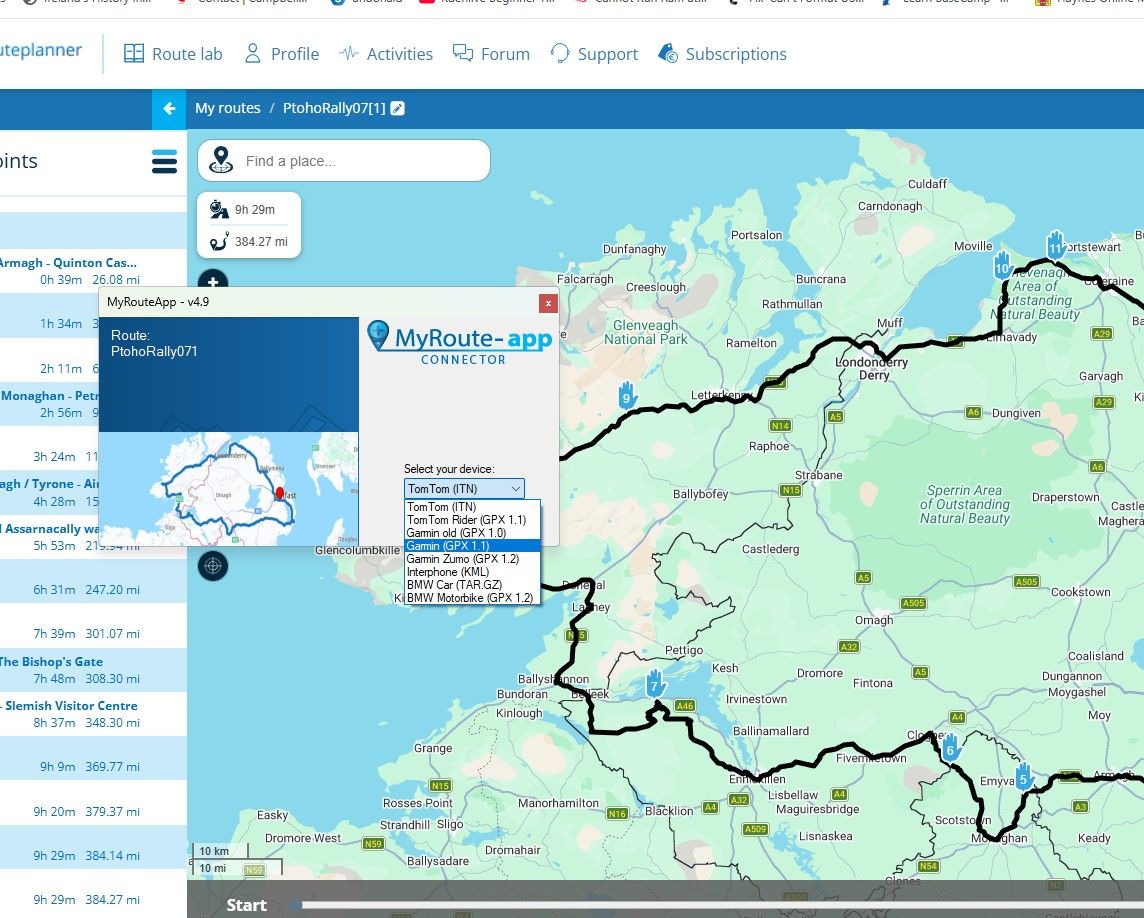
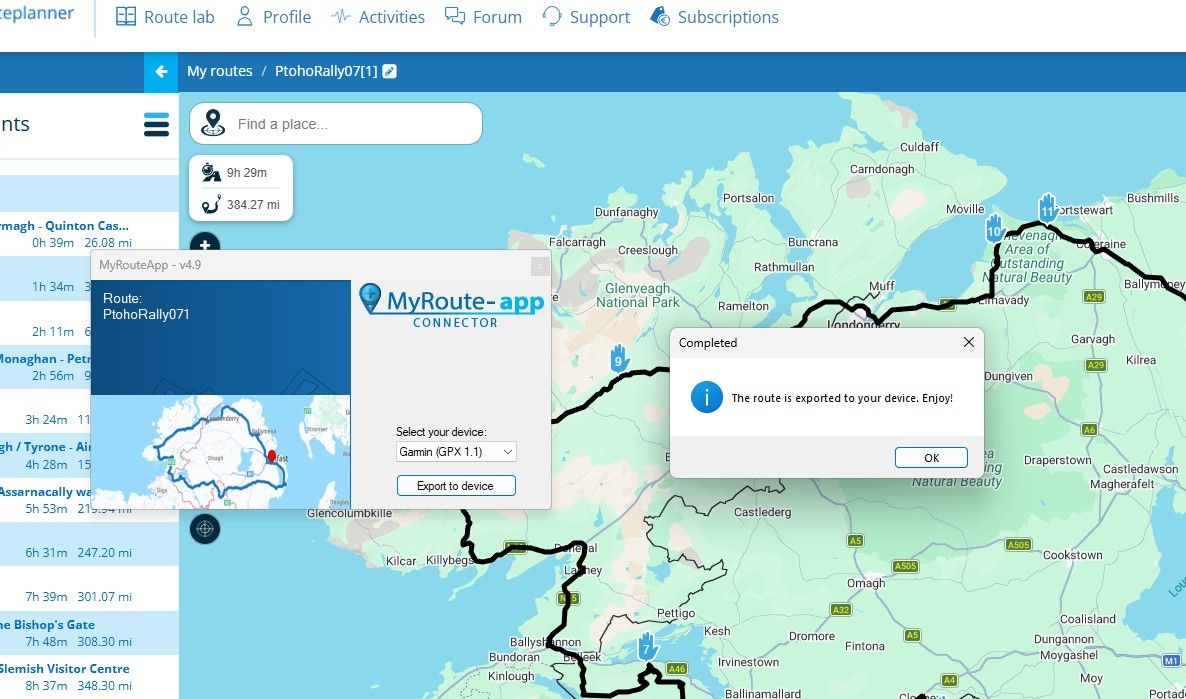
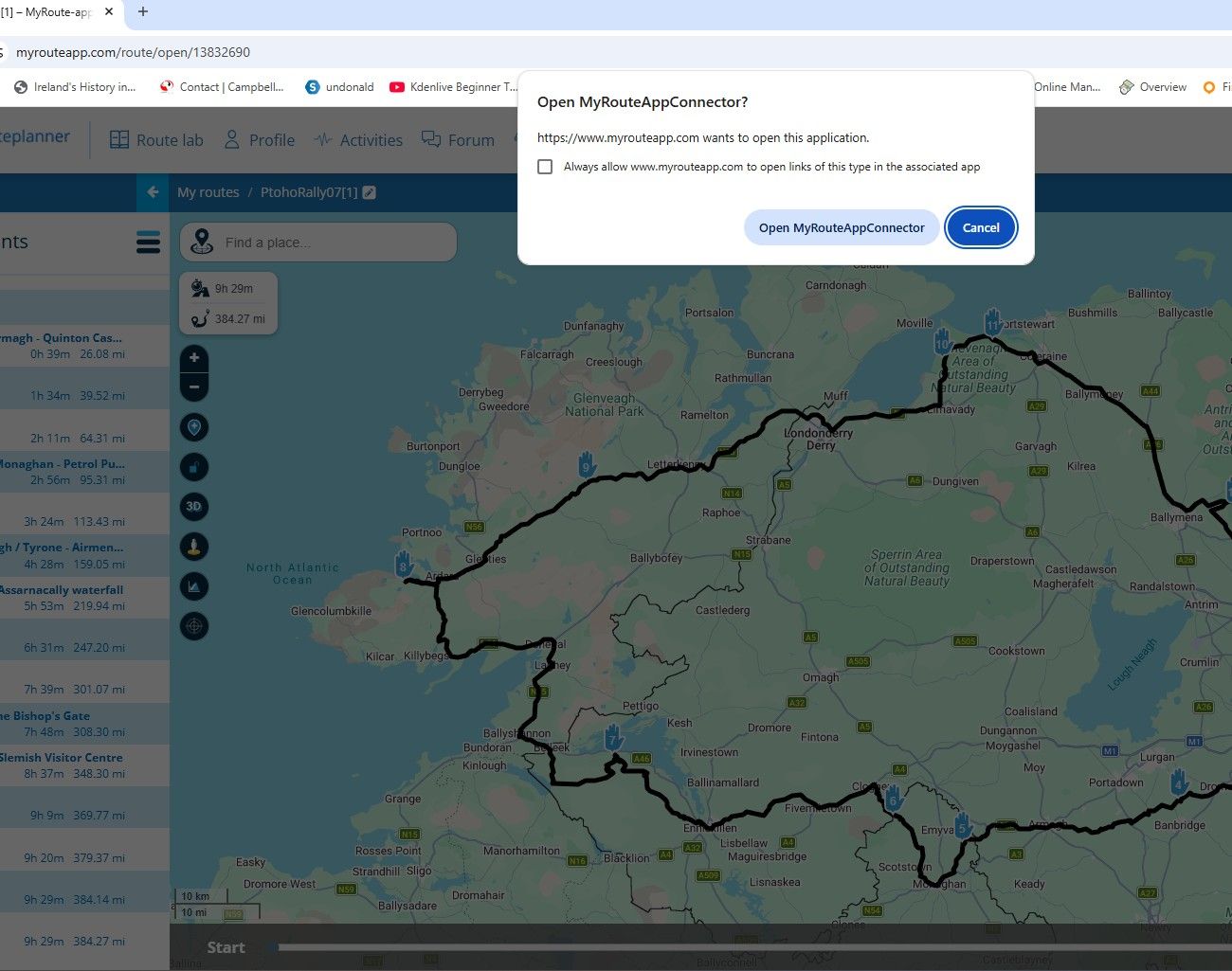
                This is what I get using Win 11 and the exporter this is not my preferred transfer route I use my phone and Garmin "Drive" usually and my "Daily" computer is Linux based so I just transfer files from MRA directly to the device.
                bc58f6a0-9930-4508-a20e-1b0a46f0ea8a-image.jpeg

                Click on open MyRouteAppConnector

                ea4e32db-39ff-4d12-a036-1306ccae6169-image.jpeg

                5b323f52-75c3-4b90-be7a-7b59e6fb7f3b-image.jpeg

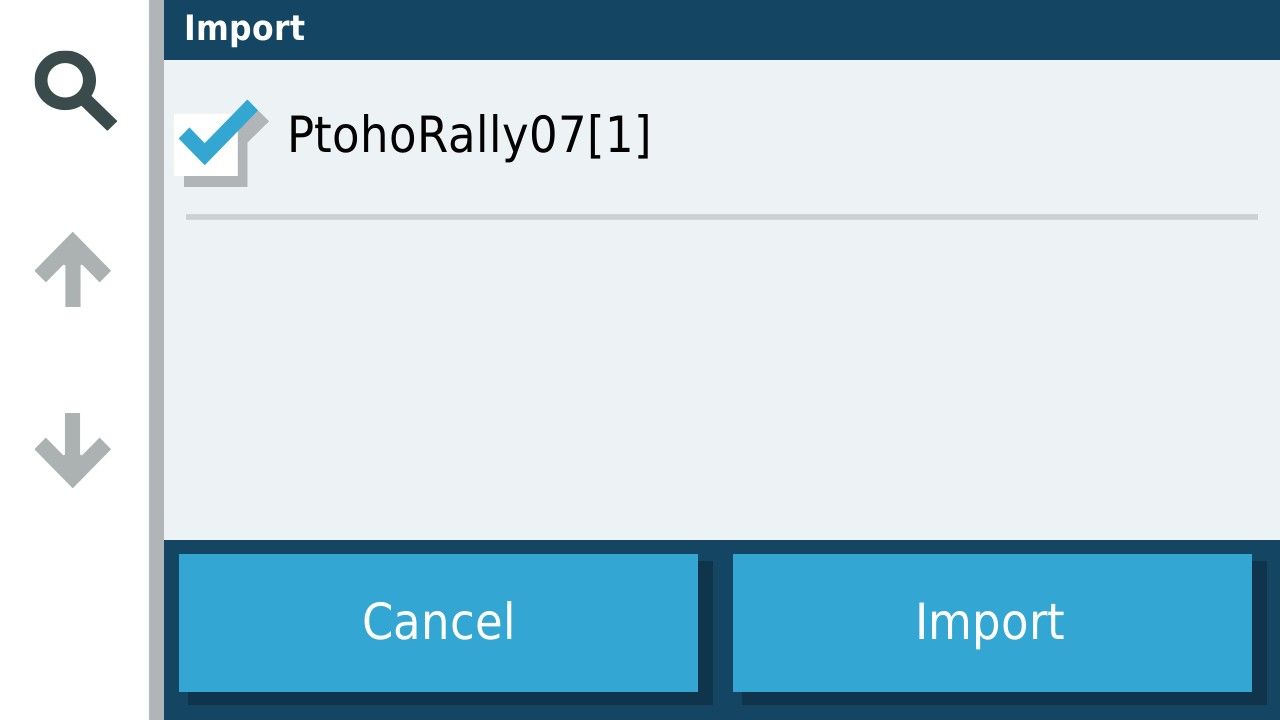
                In the unit when detached from the Computer you get this
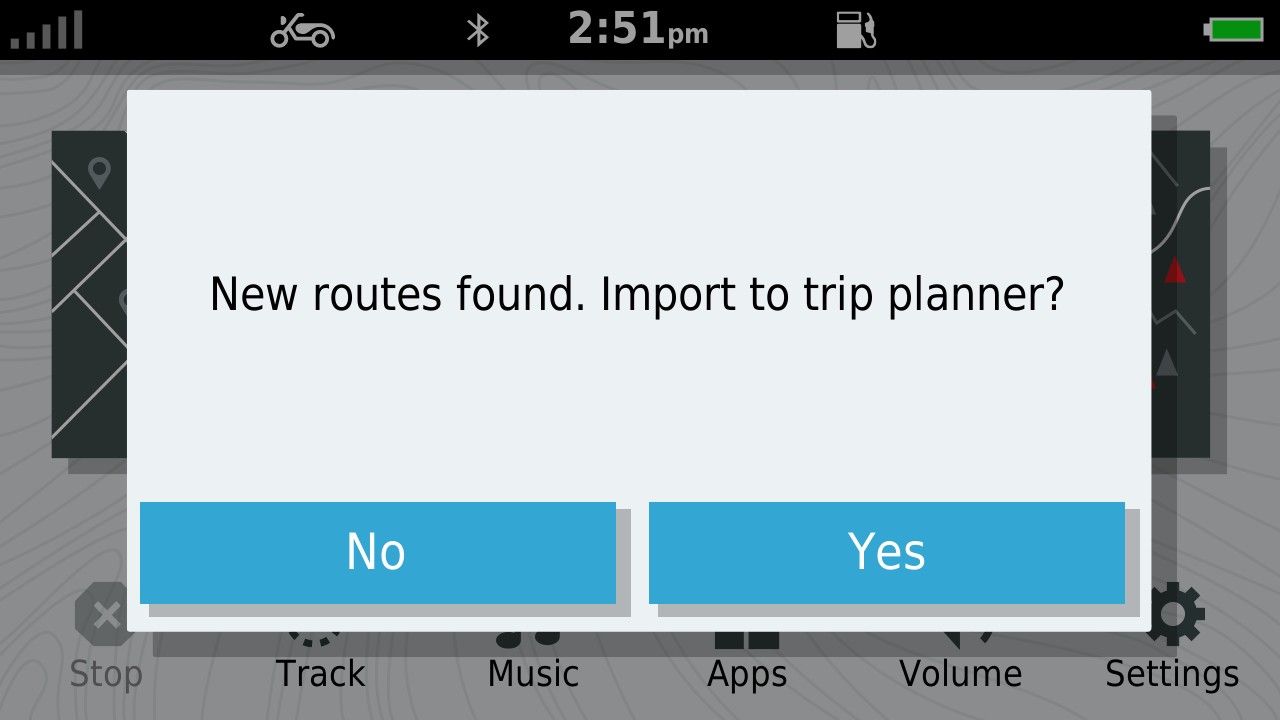
                6a1e2df5-606c-4d3b-95bf-509839ebcfe9-image.jpeg

                acb87575-c6e2-4f4c-b8ab-c8eb88b1f233-image.jpeg

                When imported (and calculated in the case of GPX1.1 you get this in Trip planner.
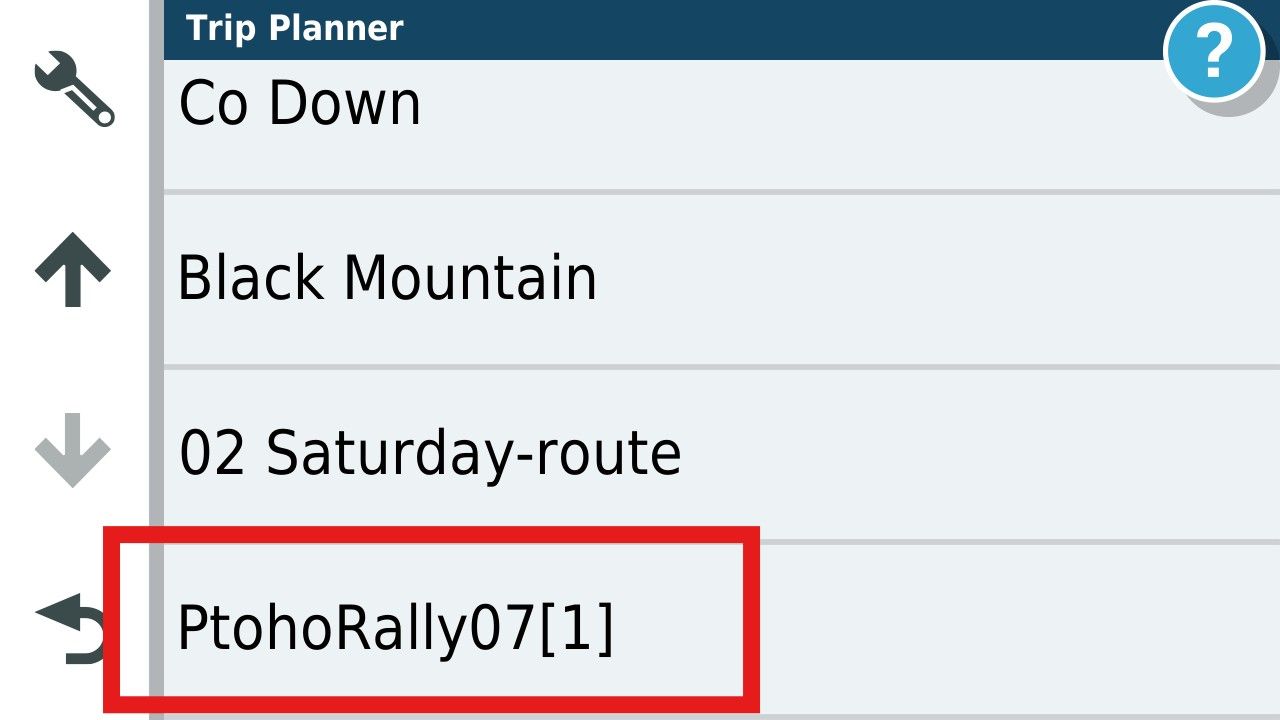
                605034dc-f972-4d78-a6b2-6b7af107d435-image.jpeg

                1 Reply Last reply
                0
                • Mzokkundefined Online
                  Mzokkundefined Online
                  Mzokk
                  wrote last edited by
                  #8

                  Alternately you can just plonk the downloaded GPX file directly on a SD card in the device and import the route and track. I always download the track for the ZumoXT and run the track under the route to see any discrepancies.

                  d4b5e478-892b-4712-8bf8-5f16e713a9c0-image.jpeg

                  1 Reply Last reply
                  0
                  • Mzokkundefined Online
                    Mzokkundefined Online
                    Mzokk
                    wrote last edited by
                    #9

                    The easiest way is to transfer the file from your phone.
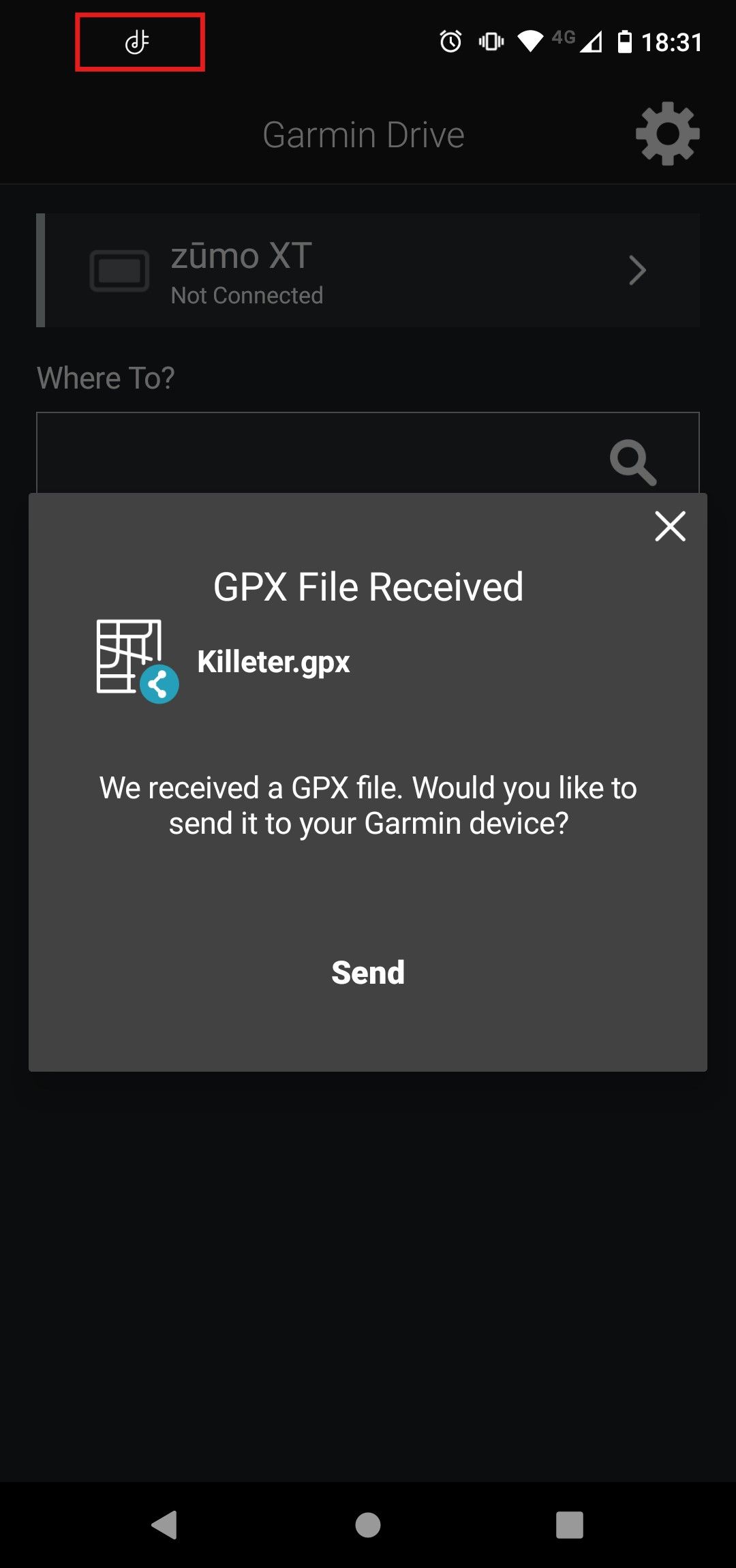
                    1c020f31-2176-440a-a6fc-41eb8362e3d9-image.jpeg

                    As long as the little Icon in the red square is highlighted your phone and device are connected and the file will send. For me this has been 100% reliable and a boon when using the XT and MyRoute app on tour. All that said I now navigate with MyRoute app and use my XT as a backup and to run tracks and proximity alerted POI's which I still have a use for and that MyRoute app is (understandably as its a niche requirement) not capable of.

                    Brian McGundefined 1 Reply Last reply
                    1
                    • Mzokkundefined Mzokk

                      The easiest way is to transfer the file from your phone.

                      1c020f31-2176-440a-a6fc-41eb8362e3d9-image.jpeg

                      As long as the little Icon in the red square is highlighted your phone and device are connected and the file will send. For me this has been 100% reliable and a boon when using the XT and MyRoute app on tour. All that said I now navigate with MyRoute app and use my XT as a backup and to run tracks and proximity alerted POI's which I still have a use for and that MyRoute app is (understandably as its a niche requirement) not capable of.

                      Brian McGundefined Away
                      Brian McGundefined Away
                      Brian McG
                      wrote last edited by
                      #10

                      as @Mzokk says the easiest way to transfer files to your XT is to open the MRA app on your phone & send the file to the Garmin Drive app,
                      it is simple & takes seconds & avoids any messing with cables or pc's

                      BlackView BV7100, Android 12
                      Navigate "Routes as Tracks" in Offline mode with Offline Maps
                      No Wifi, no internet, no interruptions, works well

                      1 Reply Last reply
                      0
                      • Mzokkundefined Mzokk referenced this topic
                      • Marinus van Deudekomundefined Offline
                        Marinus van Deudekomundefined Offline
                        Marinus van Deudekom
                        RouteXpert
                        wrote last edited by
                        #11

                        Maybe a dumb ass question but did you install the export function using MRA at least one time

                        Honda Goldwing GL1500,
                        Honda Silverwing GL 650
                        DMD2 T865X 8 inch Android tablet using MRA next for navigation
                        Garmin XT sold
                        Samsung S24FE mounted on a Quadlock and using Android Auto in my car

                        1 Reply Last reply
                        0

                        Hello! It looks like you're interested in this conversation, but you don't have an account yet.

                        Getting fed up of having to scroll through the same posts each visit? When you register for an account, you'll always come back to exactly where you were before, and choose to be notified of new replies (either via email, or push notification). You'll also be able to save bookmarks and upvote posts to show your appreciation to other community members.

                        With your input, this post could be even better 💗

                        Register Login
                        Reply
                        • Reply as topic
                        Log in to reply
                        • Oldest to Newest
                        • Newest to Oldest
                        • Most Votes


                        ACTIVE USERS
                        Brian McGundefined
                        Brian McG
                        Marinus van Deudekomundefined
                        Marinus van Deudekom
                        Mzokkundefined
                        Mzokk
                        nomkoundefined
                        nomko
                        D A Wakefieldundefined
                        D A Wakefield
                        POPULAR TOPICS
                        • Is It Me?
                          Marinus van Deudekomundefined
                          Marinus van Deudekom
                          0
                          11
                          131

                        • RX routes
                          Marinus van Deudekomundefined
                          Marinus van Deudekom
                          0
                          5
                          93

                        • Allowing Highways
                          Brian McGundefined
                          Brian McG
                          0
                          6
                          104

                        • Optie toevoegen om Autowegen te vermijden
                          Herman Veldhuizenundefined
                          Herman Veldhuizen
                          0
                          3
                          18

                        • Tablet screen lock
                          Nick Carthewundefined
                          Nick Carthew
                          0
                          8
                          308

                        • Most basic introduction for a newbie group
                          Marinus van Deudekomundefined
                          Marinus van Deudekom
                          0
                          2
                          45

                        • Can I Merge Multiple GPX Files into One Route?
                          Brian McGundefined
                          Brian McG
                          0
                          3
                          56

                        • Onbekende fout, 3 problemen
                          Herman Veldhuizenundefined
                          Herman Veldhuizen
                          0
                          14
                          259

                        MY GROUPS
                        • Login

                        • Login or register to search.
                        • First post
                          Last post
                        0
                        • Categories
                        • Recent
                        • Popular
                        • Support
                        • MyRoute-app