
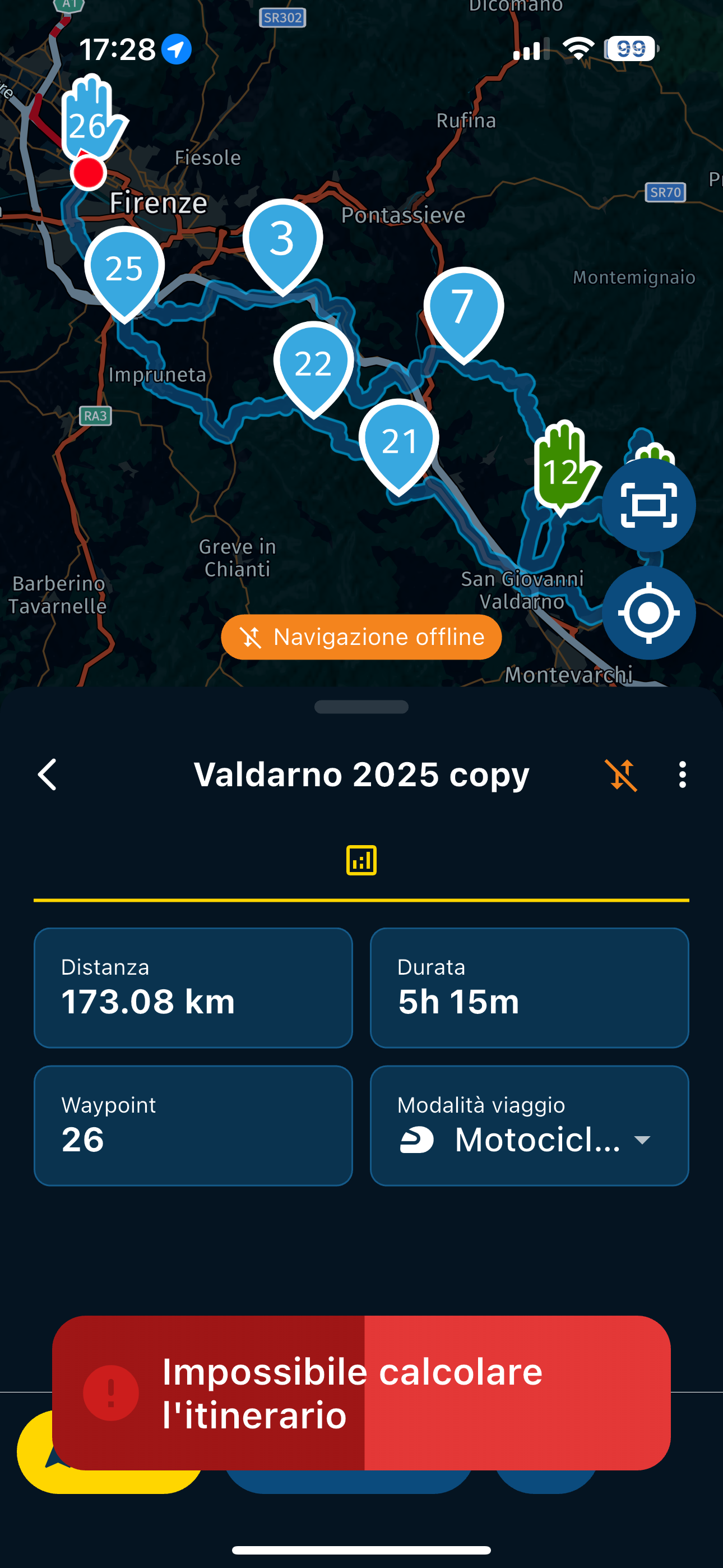
Unable to calculate route

-
Sto tornando qui perché è successo di nuovo oggi... cosa fai quando non c'è modo di far calcolare il percorso dall'app quando sei offline?
I have all the Italian maps downloaded, I was in an area where there was no signal and the app couldn't calculate the route... I checked all the waypoints before leaving and they were all positioned perfectly, despite all this, suddenly it decides to stop working... I tried it now at home and everything is fine... I don't know at this point if I'm incompetent or if there's some problem...
@Aiello-antonino, If you enable "Offline navigation" from the app's settings menu, does it calculate then? If it does not, I would update/redownload your maps. This message is a clear indications of missing (or corrupt) maps. Can you show us a screenshot of the downloaded Italian map segments?
-

Of course, and sorry for only replying at this hour, these are the maps. After what happened yesterday, I went to check the maps. The ones for the area I was in, namely Emilia Romagna and Tuscany, were checked. I noticed that 3 maps from northern Italy were missing, but I'm sure I downloaded them because I had downloaded all of Italy the first time I did it, so I don't know why they weren't checked with the flag, so I downloaded them all again...
I tried to enable offline browsing but it still doesn't work.
At home, trying to put it on airplane mode and trying to recreate the conditions, everything worked perfectly.

-
Yep, had this behaviour many times exactly as you have described it @Aiello-antonino with all of the pre-requisites done i.e. Maps updated, routes sync'd, off line mode activated.... I basically solved it by either riding until I got a signal or the app just seemingly sprang back into life.
@David-Rudgley Yes, I understand what you mean, but I take very complex routes, and I don't remember all the turns. Maybe I would start and, until I found the signal, I would have traveled many kilometers, maybe I would have had to turn back. Yesterday I was at the end of the tour in an area where there was no signal for perhaps more than 10 km, a really closed valley, I didn't even have a phone signal, not just an internet signal.
-
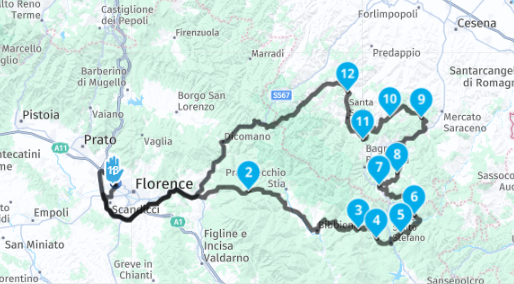
I'll also leave the link to the route if it's useful...
https://www.myrouteapp.com/it/social/route/12655724?mode=share -

Hi! What exactly is the problem? I've loaded the route in both the planner and the browser and it hasn't given me any problems.
Grettings!
Creator and administrator of the largest MRA groups.
- https://t.me/MRa_by_b0hd1
- https://www.myrouteapp.com/group/messages/7007
- YouTube: @demco17
- Ex-routexpert, current beta tester and MRA expert. Creator of tutorials, manuals, and MRA user trainer.
-
Of course, and sorry for only replying at this hour, these are the maps. After what happened yesterday, I went to check the maps. The ones for the area I was in, namely Emilia Romagna and Tuscany, were checked. I noticed that 3 maps from northern Italy were missing, but I'm sure I downloaded them because I had downloaded all of Italy the first time I did it, so I don't know why they weren't checked with the flag, so I downloaded them all again...
I tried to enable offline browsing but it still doesn't work.
At home, trying to put it on airplane mode and trying to recreate the conditions, everything worked perfectly.
@Aiello-antonino said in Unable to calculate route:
I noticed that 3 maps from northern Italy were missing, but I'm sure I downloaded them because I had downloaded all of Italy the first time I did it, so I don't know why they weren't checked with the flag
Yes that's exactly what I thought...
I have seen this often, and seems to be about interrupted map updates. Therefore I made it a habit of checking my maps after each update, to make sure all is checked. To be completely honest, the update mechanism could profit from some TLC. -

My experience is to set the whole thing to offline navigation in such regions!
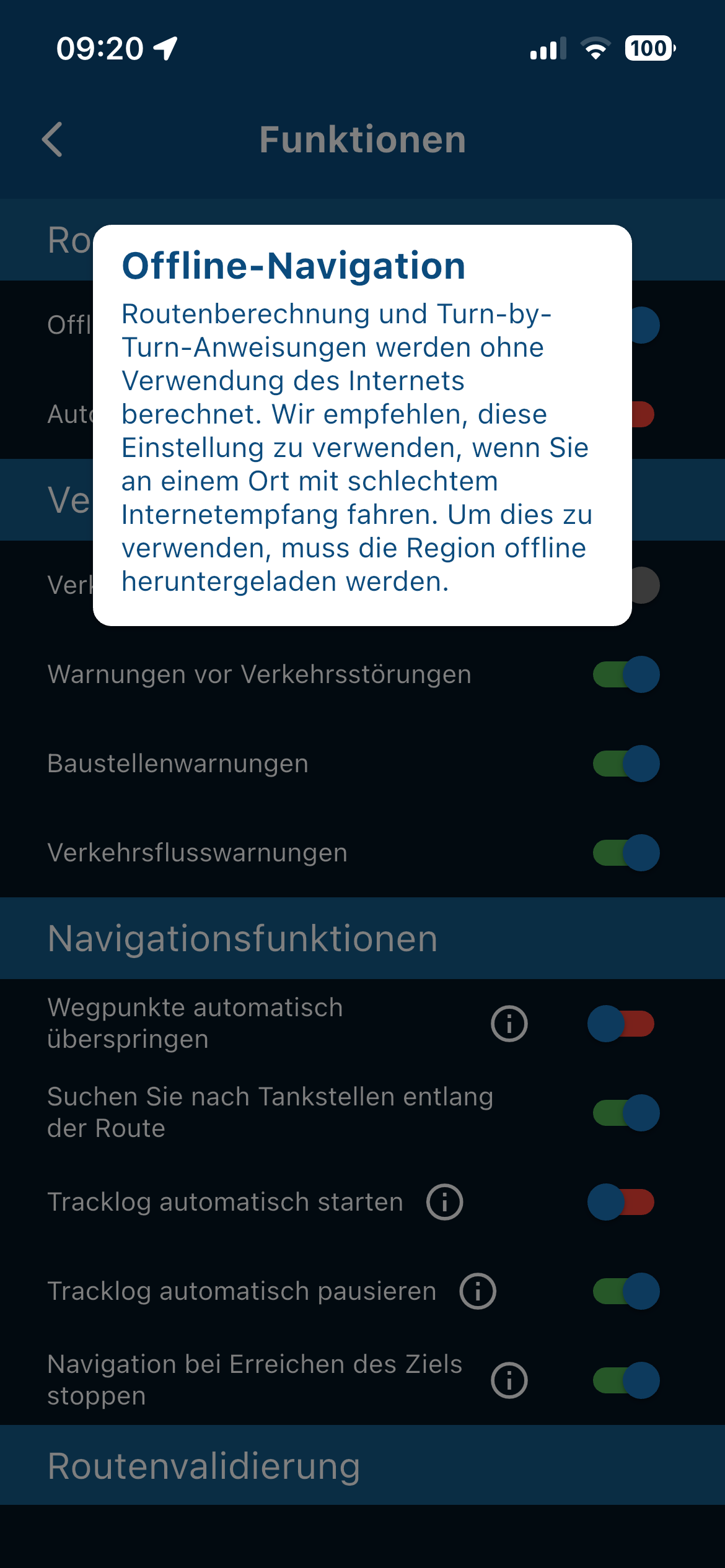
This is the translated text from the app and the picture to it ..
Offline navigation
Route calculation and turn-by-turn instructions are calculated without using the Internet. We recommend using this setting if you are driving in a place with poor internet reception. To use this, the region must be downloaded offline.
Route calculation and turn-by-turn instructions are calculated without using the Internet. We recommend using this setting if you are driving in a place with poor internet reception. To use this, the region must be downloaded offline.

-
For offline, of course, all maps for the region must be loaded, I always load all of Europe…

It is important not to interrupt the download, the screen of the store must be active all the time, which is very important, even if it takes longer.
-

Still the best is to check all your offline maps after the update!
I have encountered the issue a few times that one or more cards were still missing after the update. Please do not ask me why. -
@Con-Hennekens @white.mouse
Thanks for this info, I haven't had the problem so far,... -
@David-Rudgley Yes, I understand what you mean, but I take very complex routes, and I don't remember all the turns. Maybe I would start and, until I found the signal, I would have traveled many kilometers, maybe I would have had to turn back. Yesterday I was at the end of the tour in an area where there was no signal for perhaps more than 10 km, a really closed valley, I didn't even have a phone signal, not just an internet signal.

@Aiello-antonino Yes I appreciate I presented a simplistic solution but I too have had exactly the same experience where I leave a stop and the app has refused work as expected on a complex route through a city for example.
Another thing I try to do now is when I stop I look to see if there's WiFi available, I then connect, check that I'm synched and maps are all up to date, I start the route again in online mode, just before I set off I go into offline mode and it all works again.
-
@Aiello-antonino said in Unable to calculate route:
I noticed that 3 maps from northern Italy were missing, but I'm sure I downloaded them because I had downloaded all of Italy the first time I did it, so I don't know why they weren't checked with the flag
Yes that's exactly what I thought...
I have seen this often, and seems to be about interrupted map updates. Therefore I made it a habit of checking my maps after each update, to make sure all is checked. To be completely honest, the update mechanism could profit from some TLC.
@Con-Hennekens So, even if the missing maps weren't for the area I was in, could that have caused the problem?
-
Hi! What exactly is the problem? I've loaded the route in both the planner and the browser and it hasn't given me any problems.
Grettings!
@b0hd1 If you've read the discussion from the beginning, you understand what this is about: not being able to calculate the route when you have no data connection...
-
@b0hd1 If you've read the discussion from the beginning, you understand what this is about: not being able to calculate the route when you have no data connection...
@Aiello-antonino okk!!
-

I've been testing with two devices (iOS and Android), and I'd almost say it's a problem with using offline maps.
Make sure all the areas along the route are downloaded (just in case a small section of the route passes through an area you don't have). This is essential.
On the other hand, even with the areas downloaded, I've been getting errors when I use airplane mode. It was resolved when I activated offline navigation while still having an internet connection. It's as if the first time you use offline mode, it needs to be activated via an online connection.

Once you enter offline navigation (while still connected), you can exit and use it offline without any further problems.

It sounds strange, I know. But once I got past the error (with a connection and offline navigation enabled), the error doesn't recur even if I change routes. However, the map is still essential, or it will continue to malfunction.
-
I've been testing with two devices (iOS and Android), and I'd almost say it's a problem with using offline maps.
Make sure all the areas along the route are downloaded (just in case a small section of the route passes through an area you don't have). This is essential.
On the other hand, even with the areas downloaded, I've been getting errors when I use airplane mode. It was resolved when I activated offline navigation while still having an internet connection. It's as if the first time you use offline mode, it needs to be activated via an online connection.
Once you enter offline navigation (while still connected), you can exit and use it offline without any further problems.
It sounds strange, I know. But once I got past the error (with a connection and offline navigation enabled), the error doesn't recur even if I change routes. However, the map is still essential, or it will continue to malfunction.
@Lluis-Arasanz, the only thing I can think of looking a little bit what you describe, is when you disabled offline navigation. In that case you will get a massage asking you to go offline, since it cannot access a live connection. But that is not the same as "Cannot calculate". If you think it is different than this, could you place a screenshot?
I am just an enthusiastic MRA user, and hope you will be one too!
Most motorcycle problems are caused by the nut that connects the handlebar to the saddle.
Check out RideSleepRepeat.eu, a biker community for sharing stays across Europe
-
@Lluis-Arasanz, the only thing I can think of looking a little bit what you describe, is when you disabled offline navigation. In that case you will get a massage asking you to go offline, since it cannot access a live connection. But that is not the same as "Cannot calculate". If you think it is different than this, could you place a screenshot?
@Con-Hennekens
The message to return to "online navigation" is a different thing. This message is shown, yes, but after it, the error "cannot calculate route" appears again.
At this moment I can't reproduce it, because once I went to offline maps with internet connection, phone (or app) remembers this decision and works fine. Perhaps, in other moment I'll try with iPad that is not ever user to navigate any route (and even less, a offline one)
That's (sure) why you can't reproduce this behavior with your app, 'cause is already "in working state"
Regards
-
I've been testing with two devices (iOS and Android), and I'd almost say it's a problem with using offline maps.
Make sure all the areas along the route are downloaded (just in case a small section of the route passes through an area you don't have). This is essential.
On the other hand, even with the areas downloaded, I've been getting errors when I use airplane mode. It was resolved when I activated offline navigation while still having an internet connection. It's as if the first time you use offline mode, it needs to be activated via an online connection.
Once you enter offline navigation (while still connected), you can exit and use it offline without any further problems.
It sounds strange, I know. But once I got past the error (with a connection and offline navigation enabled), the error doesn't recur even if I change routes. However, the map is still essential, or it will continue to malfunction.
@Lluis-Arasanz I had downloaded all the maps, I had downloaded the whole of Italy, when it happened I checked all the maps, 3 did not have the flag, but they were still grayed out, as if they were physically on the phone, however they were regions distant from where I was, I was in Tuscany, while the missing maps were Trentino, Veneto and another one in the north that I don't remember... do you think it could have influenced the problem?
-
@Lluis-Arasanz I had downloaded all the maps, I had downloaded the whole of Italy, when it happened I checked all the maps, 3 did not have the flag, but they were still grayed out, as if they were physically on the phone, however they were regions distant from where I was, I was in Tuscany, while the missing maps were Trentino, Veneto and another one in the north that I don't remember... do you think it could have influenced the problem?
Not really. You only need t'he maps where the route is defined.
Have you tried to set “offline navigation” in settings while connected to internet before navigate?. If no, try it. The route must start with offline symbol on time pad.
After that, stop navigation and exit MRA. When done, set airplane mode and close WiFi. Open MRA again and start route.
Works?
-
When I got back I re-downloaded all the Italy maps, I did a few tests to recreate the situation that had happened, but it worked perfectly... so I don't know if at this point there was some corrupt map or something else, it seemed to work anyway.…

 ️
️ ️
️
Hello! It looks like you're interested in this conversation, but you don't have an account yet.
Getting fed up of having to scroll through the same posts each visit? When you register for an account, you'll always come back to exactly where you were before, and choose to be notified of new replies (either via email, or push notification). You'll also be able to save bookmarks and upvote posts to show your appreciation to other community members.
With your input, this post could be even better 💗
Register Login


-
 0742
0742
-
0524
-
 06220
06220
-
 06225
06225
-
04126
-
81354.8k
-
 17190
17190
-
0349