
Adding exist spots on map to route
-

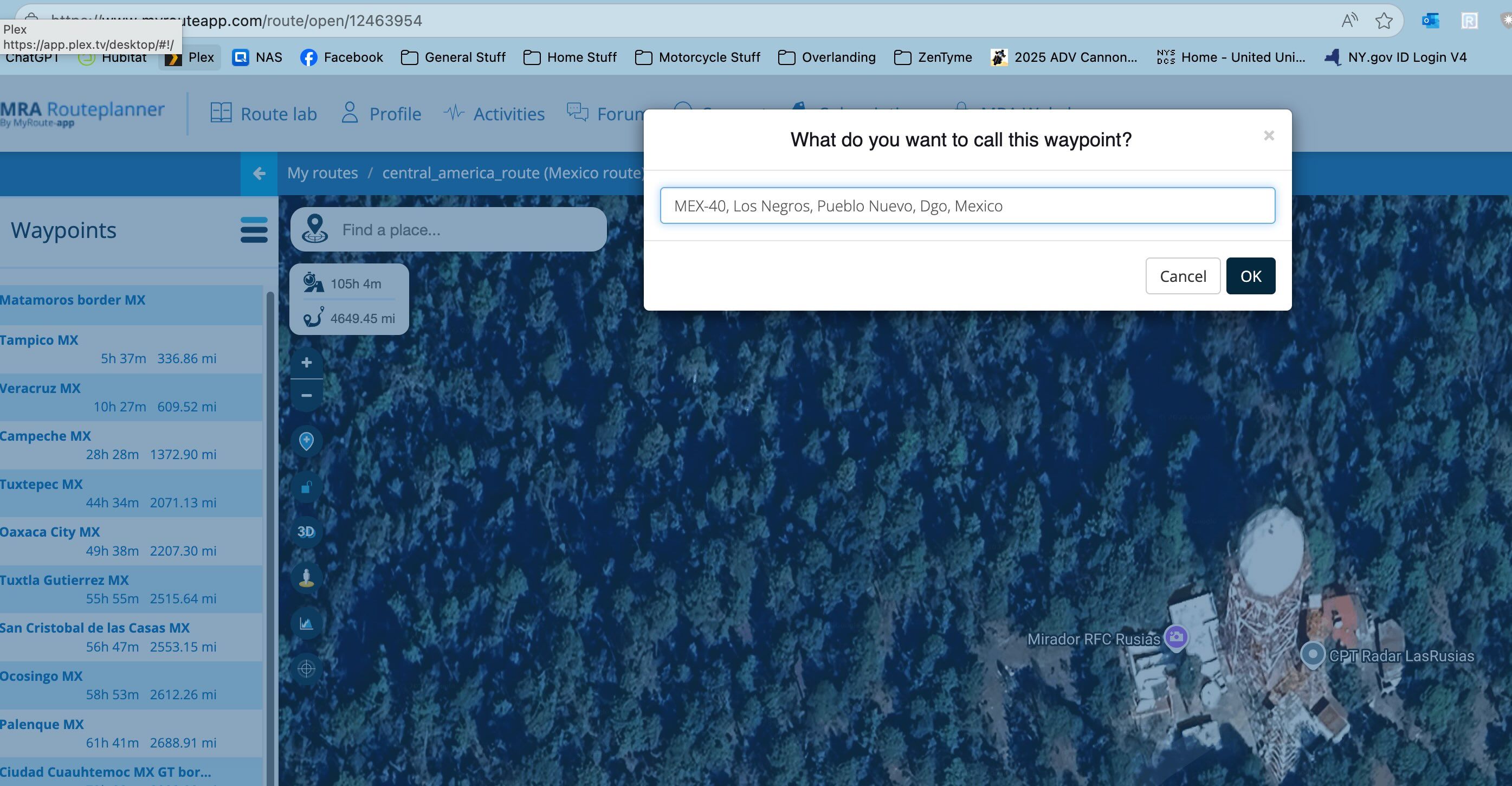
As I am building a route through Mexico, I am finding there are lots of interesting photo op locations marked on the map. Can I just add those directy to the route by clicking them somehow? When I try to click on the photo op location the route builder prompts me to add a name rather than use the existing one. Example here.
-
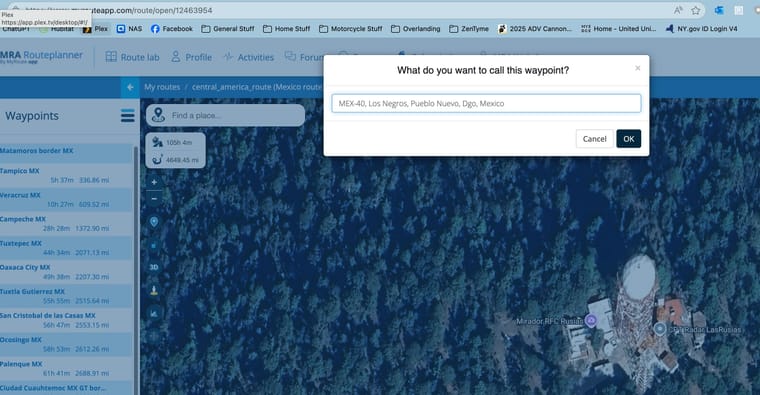
As I am building a route through Mexico, I am finding there are lots of interesting photo op locations marked on the map. Can I just add those directy to the route by clicking them somehow? When I try to click on the photo op location the route builder prompts me to add a name rather than use the existing one. Example here.

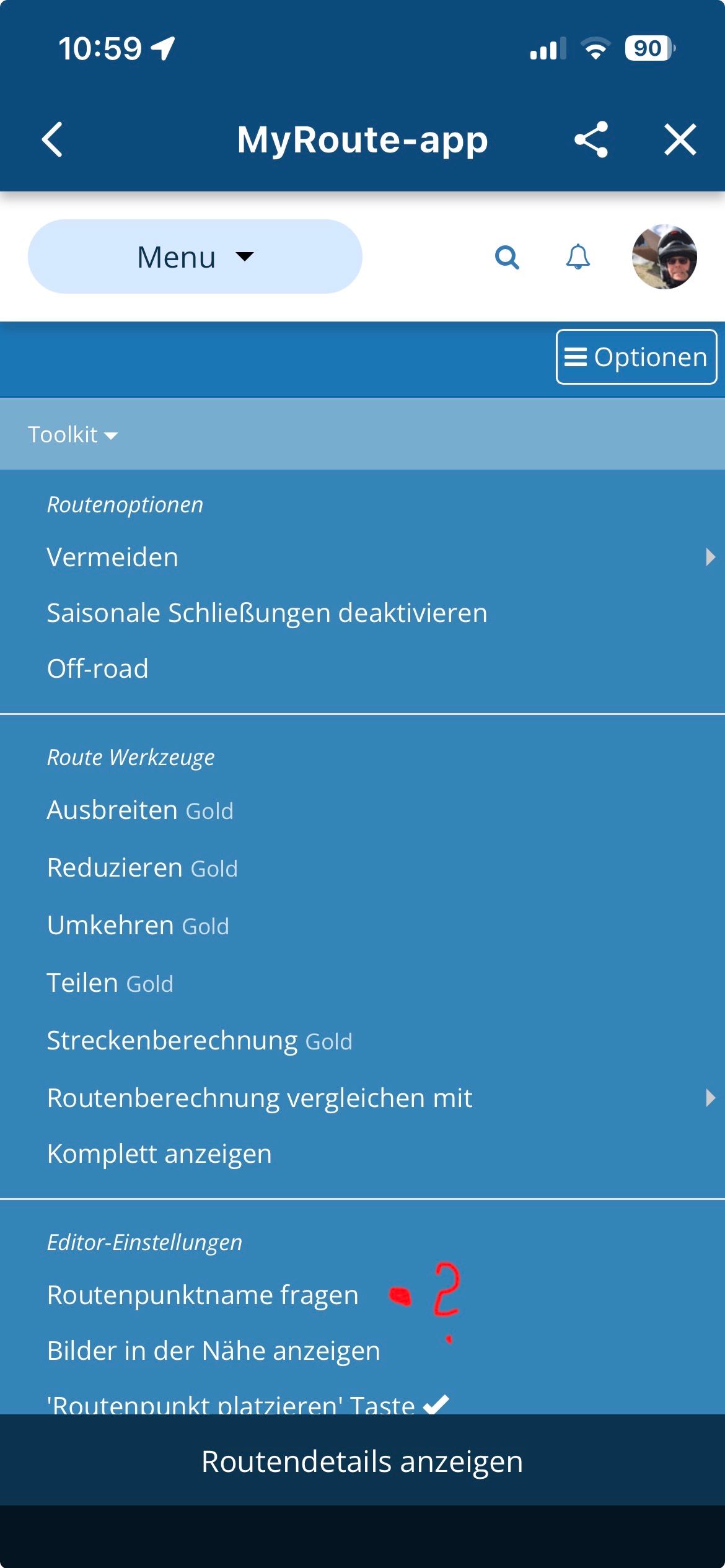
@Kerry-Lebel Because in the toolkit menu, under the option “Editor setting”, you have checked the menu option “ask for route point name.”
🏍️ BMW K1600GT-P (2013) | Nolan N100-5 with Sena 30K
📱 iOS on iPhone 13 & 16 (mounted on Quadlock or AliExpress extention on BMW-cradle)
🚙 Apple CarPlay in VW T-Roc
💻 Routelab on MacBook Air & iMac (Golden Gate & Ventura) -
@Kerry-Lebel Because in the toolkit menu, under the option “Editor setting”, you have checked the menu option “ask for route point name.”
@Kerry-Lebel Adding exist spots on map to route:
“ask for route point name.”
Must be: "Aks for waypoint name" in "Editor setting" of the Toolkit-menu.
-

-
Great. Thanks gents!
-
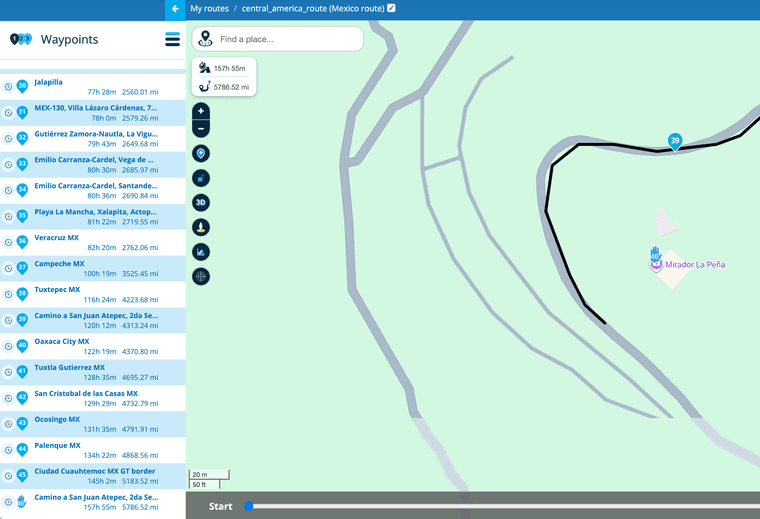
OK Guys, sorry but that didn't work. It didn't prompt me for a name, but it also didn't use the viewpoint name that was already on the map. It came up with its own name based on the physical location. In the screenshot you can see the name of stop 46 assigned by MRA, and you can see the name of the viewpoint on the map.
-
OK Guys, sorry but that didn't work. It didn't prompt me for a name, but it also didn't use the viewpoint name that was already on the map. It came up with its own name based on the physical location. In the screenshot you can see the name of stop 46 assigned by MRA, and you can see the name of the viewpoint on the map.
@Kerry-Lebel Yes, that's how it works. You can't select the name of the icon.
🏍️ BMW K1600GT-P (2013) | Nolan N100-5 with Sena 30K
📱 iOS on iPhone 13 & 16 (mounted on Quadlock or AliExpress extention on BMW-cradle)
🚙 Apple CarPlay in VW T-Roc
💻 Routelab on MacBook Air & iMac (Golden Gate & Ventura) -
@Kerry-Lebel Yes, that's how it works. You can't select the name of the icon.
@Rob-Verhoeff Got it. Thank you. Thats a bummer. It would have been awesome if it would use the actually map location name. I will just edit it manually for now.
-
@Rob-Verhoeff Got it. Thank you. Thats a bummer. It would have been awesome if it would use the actually map location name. I will just edit it manually for now.

@Kerry-Lebel I would also point out that it is not wise to position a route point on a point of interest. Only position route points on the black track line.
-
OK Guys, sorry but that didn't work. It didn't prompt me for a name, but it also didn't use the viewpoint name that was already on the map. It came up with its own name based on the physical location. In the screenshot you can see the name of stop 46 assigned by MRA, and you can see the name of the viewpoint on the map.

@Kerry-Lebel ...your mentioned point "Mirador la Peña" serms a so called view point. You can use it by a click as route point if:
- on your screen left side, there is the list of waypoints - but you need to switch to list of POI (click on "Hamburger-Menue, right side of word "Waypoint" to select it)
- in the list of POI, you need to select the category "viewpoints"
- with a little luck, the "Mirador la Peña" is well known and an icon becomes visible in map (by zooming in!)
- you can click on this icon and select, if you want it entered as always visible POI - or/and as route point. Mostly the icon has the name as in the map shown (but you can override).
Hello! It looks like you're interested in this conversation, but you don't have an account yet.
Getting fed up of having to scroll through the same posts each visit? When you register for an account, you'll always come back to exactly where you were before, and choose to be notified of new replies (either via email, or push notification). You'll also be able to save bookmarks and upvote posts to show your appreciation to other community members.
With your input, this post could be even better 💗
Register Login-
0724
-
0338
-
01087
-
0579
-
1833
-
16247
-
 014757
-
 0240
0240


