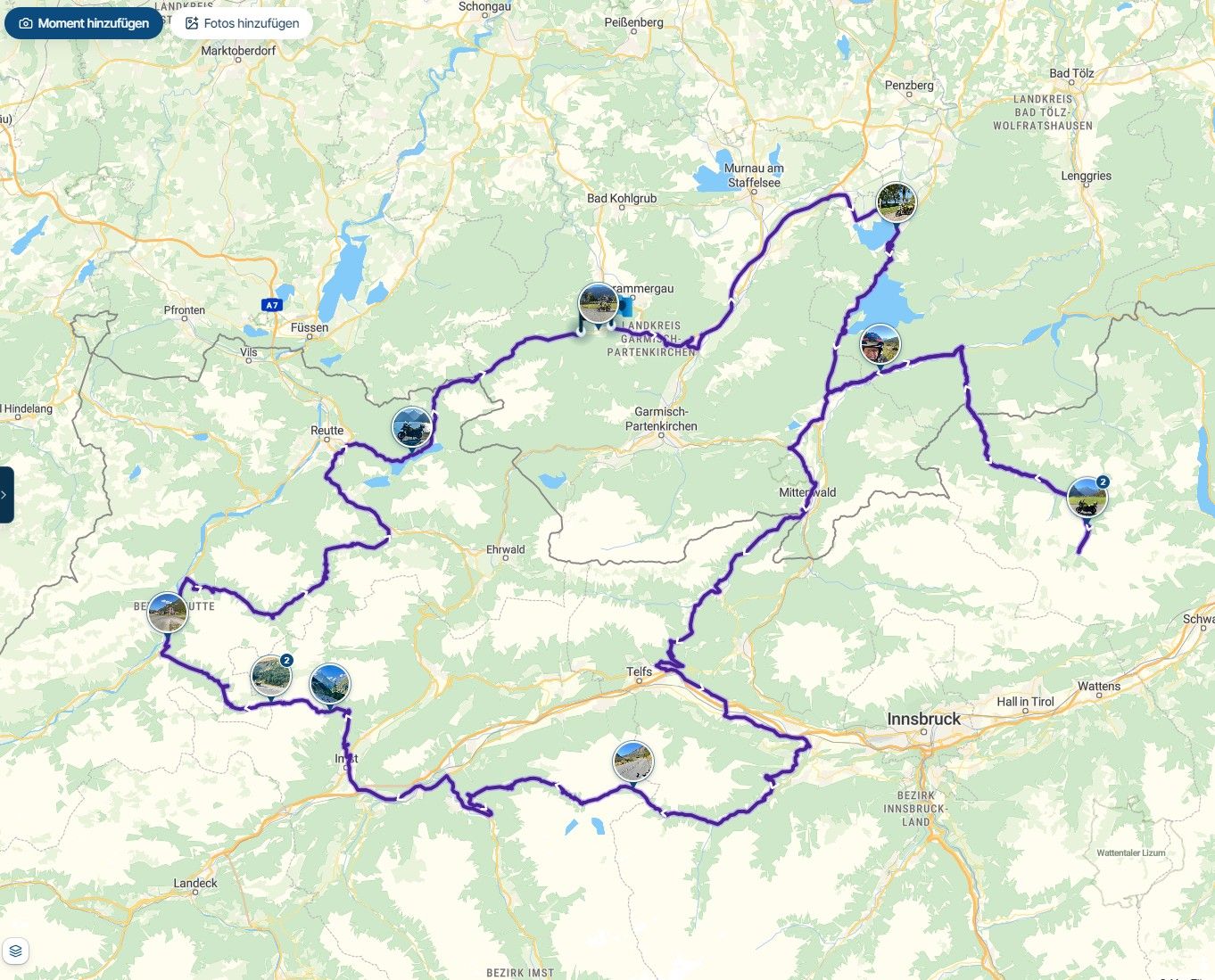
V5.0.0 : map remain on screen, hiding menu
-

Hi everybody.
First thing : english is not my mother language so ...Instead of a long text trying to describe the problem I have with 5.0 version I put a video.
https://youtube.com/shorts/nJGBJYLHWoM?feature=share
The problem I have is that the map remain visible even when I select a page with parameters (see video).
Moving my finger on the screen I can see some part of the texts/menus almost completely hiden my the map.
Am I alone with this problem ?
Help will be greatfully appreciated.
ChristianLG-H930
Android 9 -

That is a very clear video!
Never seen this issue, no clue what's going on
I'll discuss it internally and investigate what the cause could be.
-

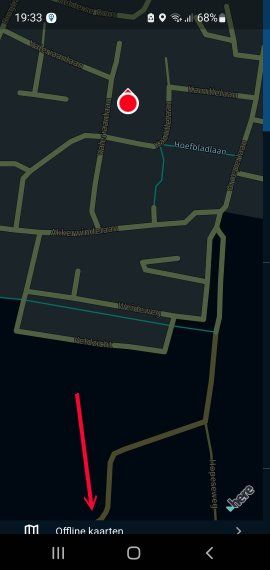
Yesterday, while updating the offline maps, I somehow ended up in this situation too. After many attempts, I managed to get back to the configuration screen by using the "back" button on the phone.
So you're not the only one! -
Hi everybody.
First thing : english is not my mother language so ...Instead of a long text trying to describe the problem I have with 5.0 version I put a video.
https://youtube.com/shorts/nJGBJYLHWoM?feature=share
The problem I have is that the map remain visible even when I select a page with parameters (see video).
Moving my finger on the screen I can see some part of the texts/menus almost completely hiden my the map.
Am I alone with this problem ?
Help will be greatfully appreciated.
ChristianLG-H930
Android 9
@Forest, is this easily repeatable? I have been moving menus a lot lately (
 ) but have not seen this at all. Can you please reboot your phone and see if it comes back? In the past, with earlier versions also, I have seen some quite strange things after updating a running app. This might be one like that perhaps.
 -
@ Con Hennekens, easily repeatable ? YES it comes each time I press the top left button (see video).
Of course several reboots of my phone have been done, same behaviour.
I also download MyRouteApp to the LG30 (also Android 9) of my wife, same reaction.
Not tested to deinstall ans reinstall the App from my phone but as I tested on my wife's one with no success, I think it is not a hope.
A suivreBMW R1200RT LC (K52) 2015
Samsung S24+
Android 16 -
@ Con Hennekens, easily repeatable ? YES it comes each time I press the top left button (see video).
Of course several reboots of my phone have been done, same behaviour.
I also download MyRouteApp to the LG30 (also Android 9) of my wife, same reaction.
Not tested to deinstall ans reinstall the App from my phone but as I tested on my wife's one with no success, I think it is not a hope.
A suivre
@Forest said in V5.0.0 : map remain on screen, hiding menu:
@ Con Hennekens, easily repeatable ? YES it comes each time I press the top left button (see video).
What happens when you use the "back" button on the bottom line right on you phone. In my case it brought me back to the correct screen! I tried to reproduce but did not succeed!
-

On my Blackview BV9600 Pro, which worked perfectly with the previous version, I'm experiencing the same issue as Forest. When I press my profile icon, the map always stays on top, obscuring the menus.
-
@white.house Same as you.
Pressing the "back" button bring me back to the menu I came from (map of current location, menu, choice of layout ... ).
When I press the 'menu' button (top right) the screen shows a map (that's wrong) but the list of options are valid under the map and sometime I can select an option (e.g location), option hiden by the map ! and go back with the 'back' button. -
On my Blackview BV9600 Pro, which worked perfectly with the previous version, I'm experiencing the same issue as Forest. When I press my profile icon, the map always stays on top, obscuring the menus.

@lluis-Castells I tried to recreate the issue on my blackview by7100 & could not get it to happen
as a matter of curiosity if you go into the android settings & turn off the "navigation" buttons, so remove the back/home button panel & enable gestures, what happens?
-
I took out an older phone with Android 10, and it seems to have a similar problem. One of the other Alpha testers experienced it also after pulling out an old phone with Android 9. So it seems to depend on older Android versions. I think action has already been taken by devs.
-
My Android version is 12 and my phone is a Samsung S10e!
-
We are indeed working on it
-
@lluis-Castells I tried to recreate the issue on my blackview by7100 & could not get it to happen
as a matter of curiosity if you go into the android settings & turn off the "navigation" buttons, so remove the back/home button panel & enable gestures, what happens?
Thanks for the suggestion. It does exactly the same thing.
-
Menu button (top right of the screen) is not the only choice to get this effect.
In the list at the bottom there are 7 possible choices but only one freezes the screen.
See new video : https://youtube.com/shorts/JIXdgY1VJ-Y?feature=share
If it can help. -
I am pretty sure this is has been resolved!
Update 5.0.1 will provide the solution.We will test it now internally and roll out a beta as soon as possible.
Also trying to resolve the "disappearing keyboard" issue -
Fixed in 5.0.1
Expecting release early next week.
In beta tomorrow probably. -
5.0.1 downloaded.
Seem (I am careful) to solve the issue.
I can finally access to the navigation.
Many thanks to everyone involved in the fix.
@Forest great!
Otherwise on the home screen tap the map layer icon > scroll all the way down > open the advanced settings.
You can then change the map configuration to help you in solving any issues. This setting is only available on older Androids.
-
Problem solved on my BV9600 Pro with update 5.0.1. Thanks
Hello! It looks like you're interested in this conversation, but you don't have an account yet.
Getting fed up of having to scroll through the same posts each visit? When you register for an account, you'll always come back to exactly where you were before, and choose to be notified of new replies (either via email, or push notification). You'll also be able to save bookmarks and upvote posts to show your appreciation to other community members.
With your input, this post could be even better 💗
Register Login-
 1833
1833
-
0619
-
 0577
0577
-
01080
-
0233
-
1212
-
 012505
-
08383