Broken road (in map only)
-

Hi,
I dont know if this was posted yet. I searched for it but couldn't find it.
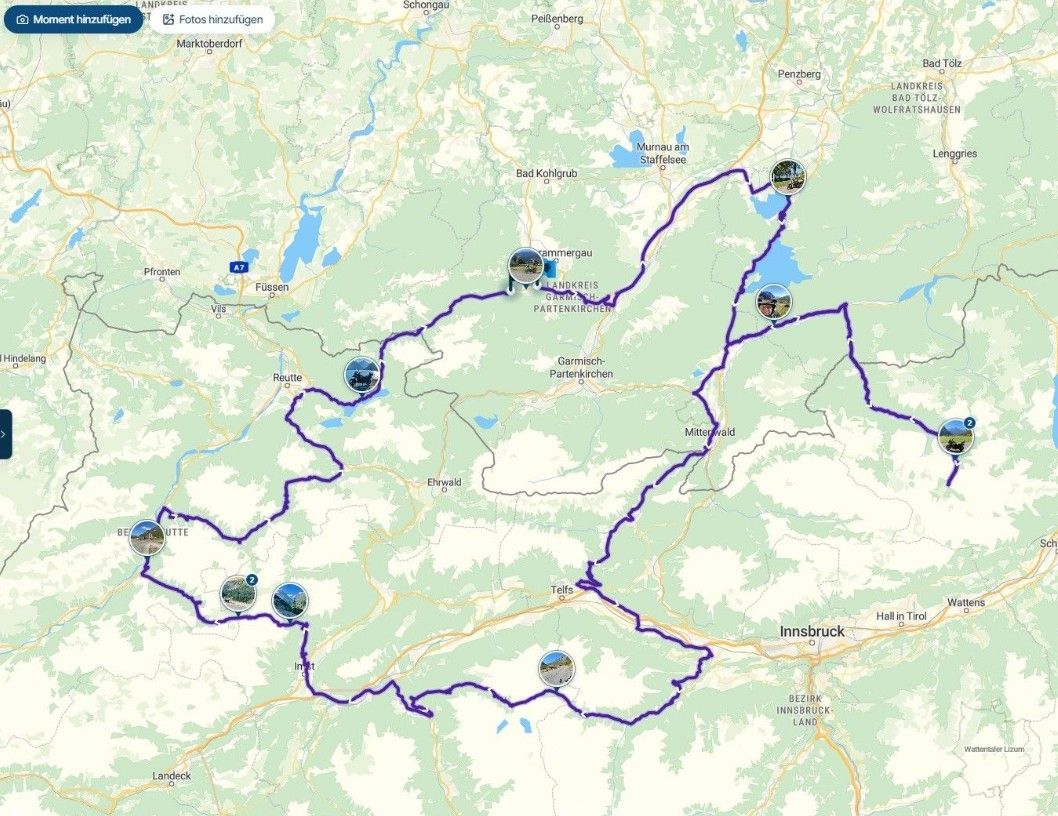
I have a route where a road appears incomplete on the map (HERE), and the planner makes me backtrack many kilometers to go to the same place and continue the route. If I try it with another map, it works fine, but when I transfer it to the Garmin XT2, since it has the same map, it recalculates and makes the same error. Is there any way to "cross" that point in a straight line?
I've attached an image.

Thank you very much. -

Bonsoir
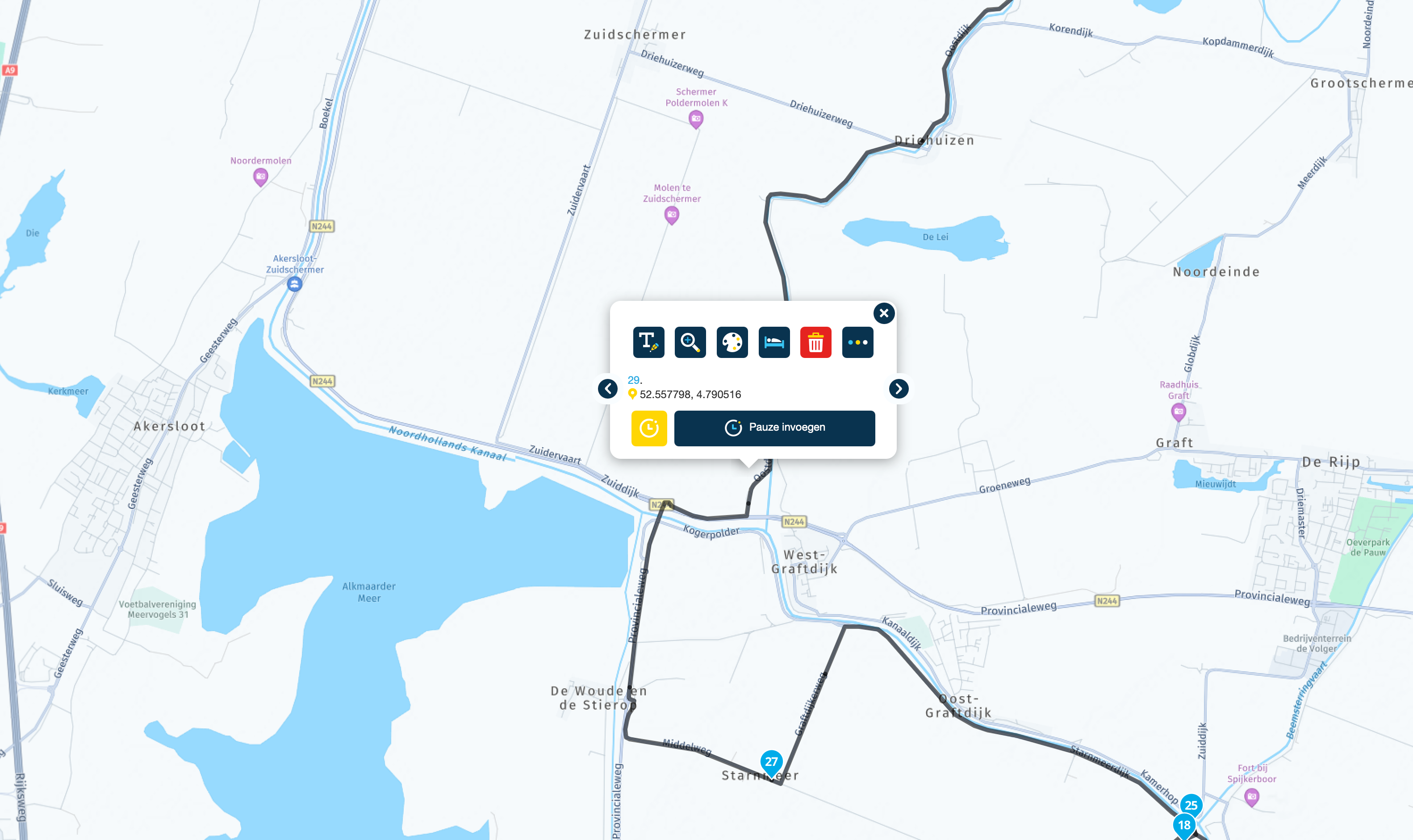
vous cliquez sur le WP4 la féntre s'ouvre , vous cliquez sur les 3 points à droite (plus d'option)
une deuxième ligne apparait vous cliquez sur le deuxième icone en partant de la droite ( voiture 4X4) et ça forcera la route vers le point 3 -
Hi,
I dont know if this was posted yet. I searched for it but couldn't find it.
I have a route where a road appears incomplete on the map (HERE), and the planner makes me backtrack many kilometers to go to the same place and continue the route. If I try it with another map, it works fine, but when I transfer it to the Garmin XT2, since it has the same map, it recalculates and makes the same error. Is there any way to "cross" that point in a straight line?
I've attached an image.
Thank you very much.
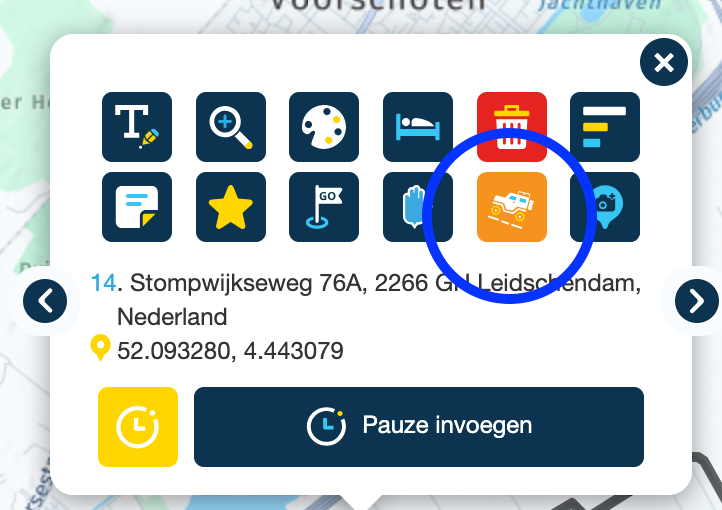
@Juan-Carlos-Garcia-Ojeda Open the shapingpoint context-menu for point 4. Klick the Landrover-button (blue circle) and a strait line wil connect the points 3 and 4.
-
Thank you so much for your reply.
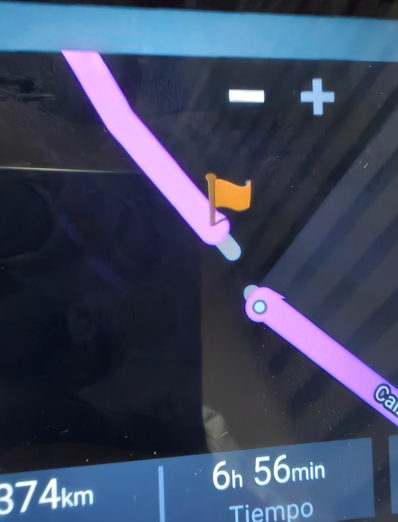
I already did this and it works in the route planner, but when I import it into the GPS, it does the same thing again and looks for another route (150km) to get to point four.
-
Thank you so much for your reply.
I already did this and it works in the route planner, but when I import it into the GPS, it does the same thing again and looks for another route (150km) to get to point four.

@Juan-Carlos-Garcia-Ojeda if it’s a map error, report it to Here. Like that it will be a solution for both MRA and your XT
-
Yes, I'll have to report it. I think it would be a good idea to be able to connect the points on the GPS as well.
Thanks -
Thank you so much for your reply.
I already did this and it works in the route planner, but when I import it into the GPS, it does the same thing again and looks for another route (150km) to get to point four.
@Juan-Carlos-Garcia-Ojeda That’s a bit dumb… 🫣 that’s what you get for only half-reading the text. Of course my solution doesn’t work if you export to another device. Better read more carefully next time…

-
Yes, I'll have to report it. I think it would be a good idea to be able to connect the points on the GPS as well.
Thanks
@Juan-Carlos-Garcia-Ojeda, it would, but that's up to Garmin I suppose
-
Thank you so much for your reply.
I already did this and it works in the route planner, but when I import it into the GPS, it does the same thing again and looks for another route (150km) to get to point four.

@Juan-Carlos-Garcia-Ojeda I've had this before on here maps in Spain (Picos)
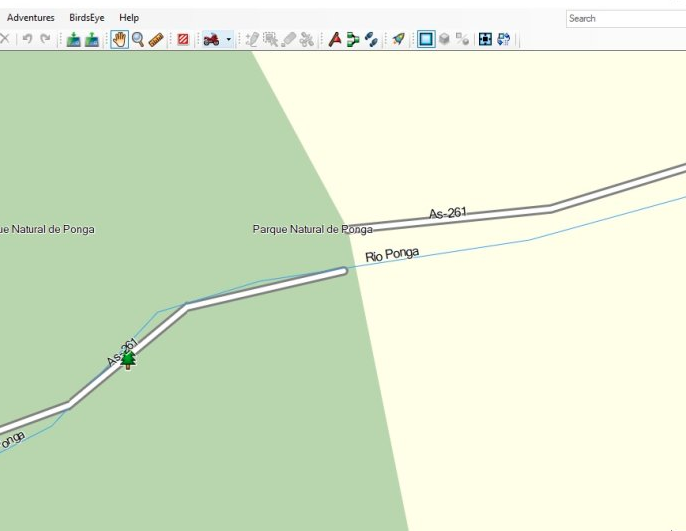
You can fix it in Basecamp by designating two waypoints as "Direct" across the gap.
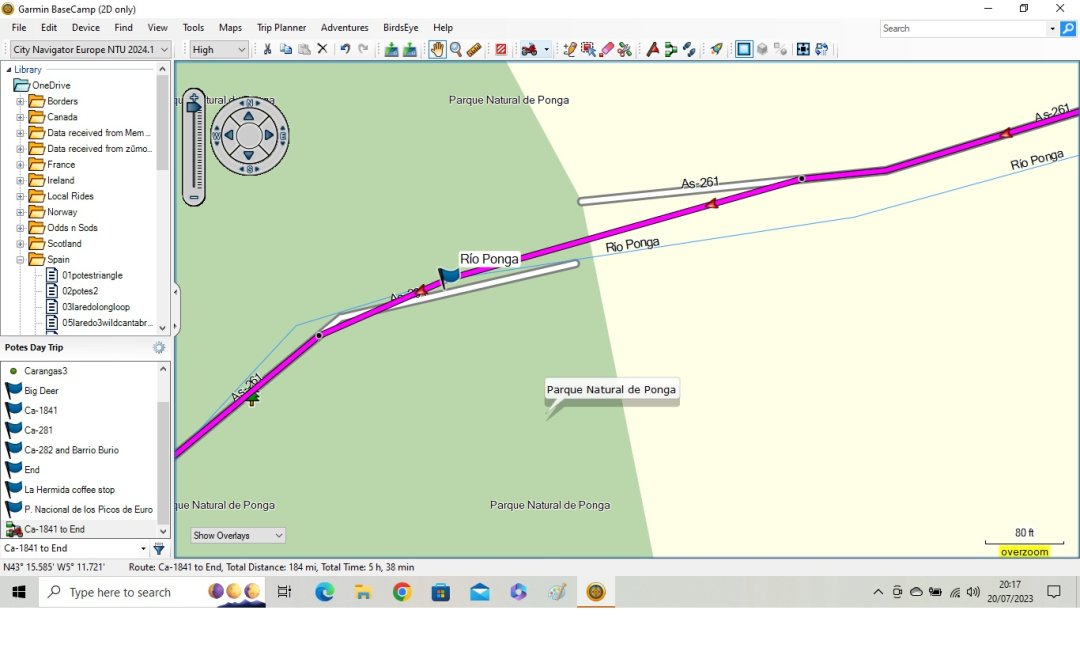
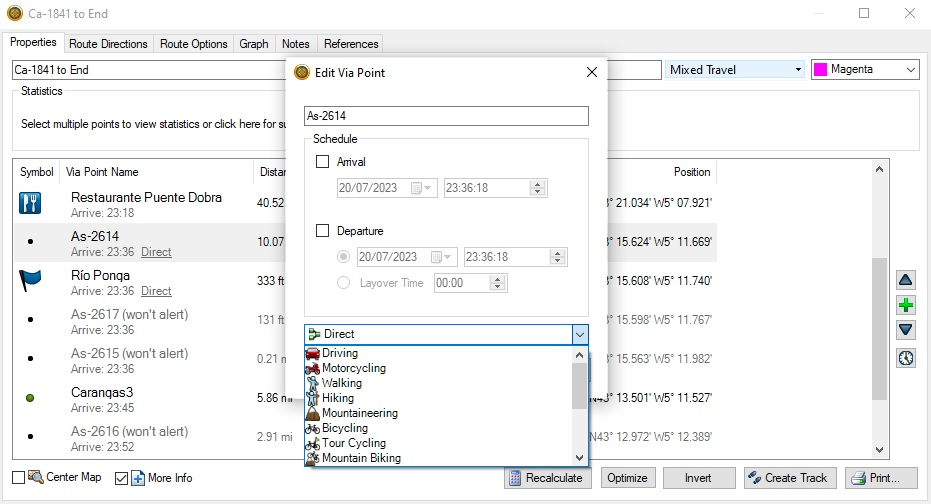
Change the point type to direct and calculate the route. Keep the rest with the motorcycling profile. I've tried this out and the route executes. If you make the points "don't alert" you don't notice the route has a patch/repair. Hopefully this is useful.
-
Hi
I did it in Basecamp and it seems to work
Thank for answer. -
Bonsoir
vous cliquez sur le WP4 la féntre s'ouvre , vous cliquez sur les 3 points à droite (plus d'option)
une deuxième ligne apparait vous cliquez sur le deuxième icone en partant de la droite ( voiture 4X4) et ça forcera la route vers le point 3
@LE-DIZES-Freddy said in Broken road (in map only):
Bonsoir
@LE-DIZES-Freddy Please next time if you want to help respond in English. Not everybody can read or understand French. Thanks!
-
@Juan-Carlos-Garcia-Ojeda Did you report it to HERE?
Link: https://mapfeedback.here.com/#/reportIf you report, you can add a screenshot from Google Maps to show that that the road is not interrupted at that location.
-
@LE-DIZES-Freddy said in Broken road (in map only):
Bonsoir
@LE-DIZES-Freddy Please next time if you want to help respond in English. Not everybody can read or understand French. Thanks!
@Nomko-Nomden hello You clic on th rignt button of your mouse and choose "translate" it so easy
-
 Corjan Meijerink locked this topic on
Hello! It looks like you're interested in this conversation, but you don't have an account yet.
Getting fed up of having to scroll through the same posts each visit? When you register for an account, you'll always come back to exactly where you were before, and choose to be notified of new replies (either via email, or push notification). You'll also be able to save bookmarks and upvote posts to show your appreciation to other community members.
With your input, this post could be even better 💗
Register Login-
 01048
01048
-
 016760
-
 418209
-
06197
-
1211.2k
-
0349
-
0471
-
 0351
0351