
Free ride not possible with new update
-

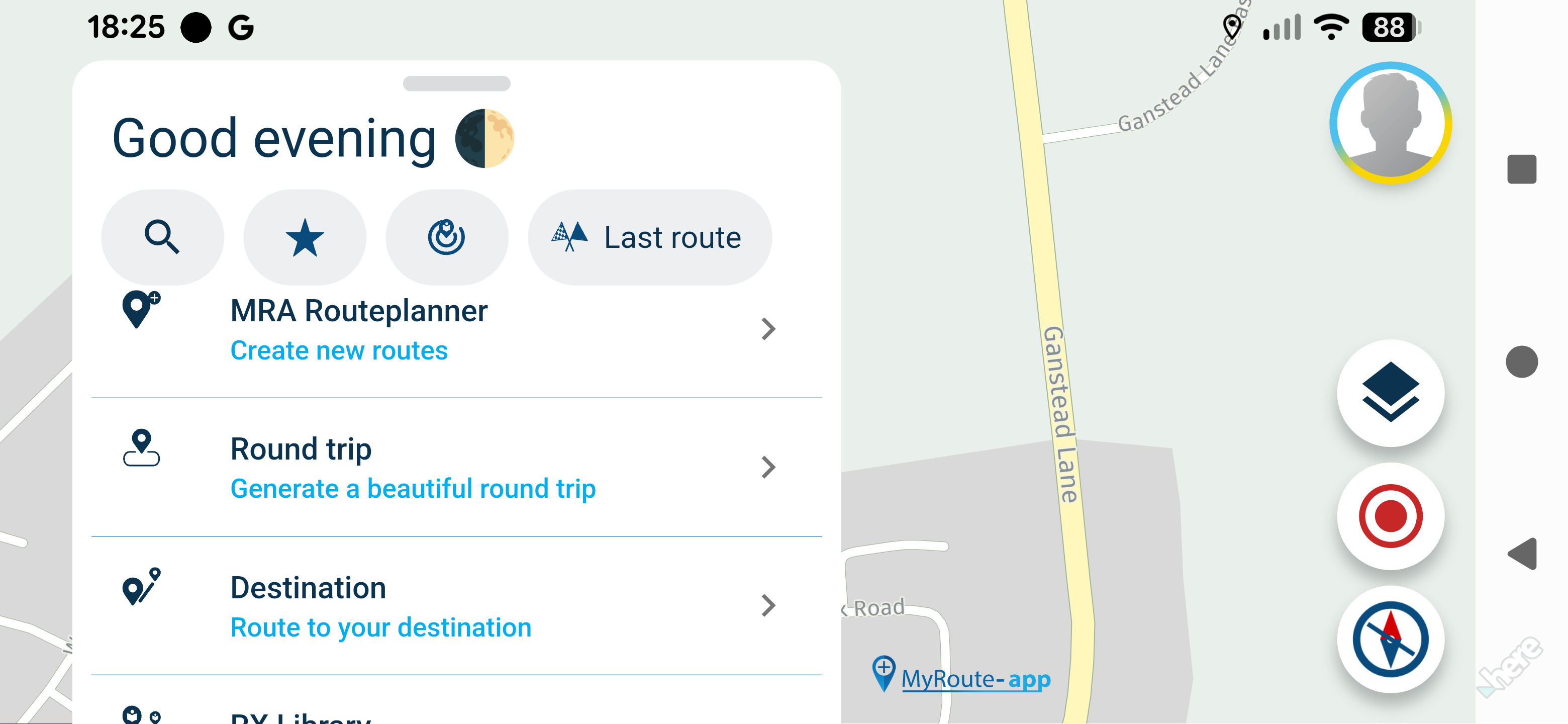
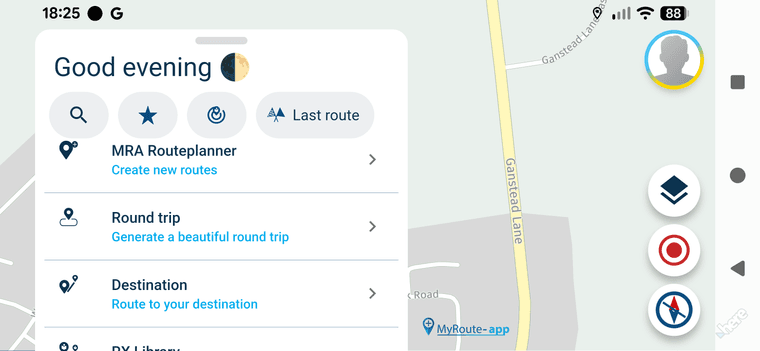
When in landscape mode with the new update you can't see the full map using free ride all you see is the menu and no way to hide it.
-

Correct, a dedicated free drive mode will be added later.
For now you could long press the navigate button on a route to enable a sort of free drive

This is default for walking / cycling.Note (hint): a route could just contain a random single waypoint
-
Thanks for that

-
Correct, a dedicated free drive mode will be added later.
For now you could long press the navigate button on a route to enable a sort of free drive
This is default for walking / cycling.Note (hint): a route could just contain a random single waypoint

@Corjan-Meijerink please what do you mean with "Navigation Button" at home screen?
I tried with an extra created route with only one route point in. By starting the navigation, I got the message "no route could be calculated".
If I switch before this to use offline maps - than it worked. -

@Guzzist see this video from me: https://www.facebook.com/groups/myrouteapp.de/posts/2277583002713813/?__cft__[0]=AZVWNuTt1vlpY9FbXU6jWR9YxxYRZPdEdWx2fjhp_oq0tQVSgHJbOzThTKOrb-Ejq_WwoEIOhLTZojR4NXupttyNJerPpDdk8hHuZDF5SPqR746WTYhTzK4OdNn0d_zZiedGfBqOdgIP4tZTOv7OS0hSTSZ5RA9cVcxqN4dGrdC1vAGK5MTXqyCTjLbqvA144x3Dt-UHC9kfSTg0MT_bVGlX&__tn__=%2CO%2CP-R
Hardware
iPhone 12 pro (iOS 26.2.1)
iPad (7.Gen.) 18.7.3
Oukitel RT3 Pro (Andr. 14)
Wireless CarPlay mit (Elebest C650)
Wired CarPlay (SEAT Arona - 2021)
MRA Workshops in Deutsch sind hier zu finden -
@Corjan-Meijerink please what do you mean with "Navigation Button" at home screen?
I tried with an extra created route with only one route point in. By starting the navigation, I got the message "no route could be calculated".
If I switch before this to use offline maps - than it worked.
@Guzzist, if you long-press the Navigate button when you start a route, it starts in "follow-the-line" mode. When you make a route with only one waypoint (eg your home address or whatever), you can start that route without a line in follow the line mode, and see the full map. It's a work-around until a real free-drive mode is available.
@Jörgen, that's a private group. If you want to share a video, please use a public option.
-
@Guzzist see this video from me: https://www.facebook.com/groups/myrouteapp.de/posts/2277583002713813/?__cft__[0]=AZVWNuTt1vlpY9FbXU6jWR9YxxYRZPdEdWx2fjhp_oq0tQVSgHJbOzThTKOrb-Ejq_WwoEIOhLTZojR4NXupttyNJerPpDdk8hHuZDF5SPqR746WTYhTzK4OdNn0d_zZiedGfBqOdgIP4tZTOv7OS0hSTSZ5RA9cVcxqN4dGrdC1vAGK5MTXqyCTjLbqvA144x3Dt-UHC9kfSTg0MT_bVGlX&__tn__=%2CO%2CP-R
@Jörgen thank you verry much for the linked video. But I'm sorry, I don't have Facebook.
@Con-Hennekens thank you verry much for the hint. I now understand, it's not beginning on the home screen, but by opening a route.
In meantime I figured out:
- if I create an extra created route with only one route point in (may my home base), and starting the navigation, I will get the message "no route could be calculated". So it doesn't work.
- if I select this extra created route, and open it for edit, and switch to use offline maps just before start navigation - then it works
- if I select this extra created route, and longpress button "Navigate" - then it workes too (in both modes: offline and online maps)
- if I'm at map on home screen and longpress icon "position indicator" on map - then I get the submenue with buttons "Navigate" and others. And if I press this button, I get a sub-submenue with button "Start". If I press this - it worked too - just responds: "reached your destination". But it worked then also as freeride mode.
As mentioned before, it's a workaround. For a real freeride mode, min. current speed limitations must be populated.
But Corjan has promised for later...
-
@Jörgen thank you verry much for the linked video. But I'm sorry, I don't have Facebook.
@Con-Hennekens thank you verry much for the hint. I now understand, it's not beginning on the home screen, but by opening a route.
In meantime I figured out:
- if I create an extra created route with only one route point in (may my home base), and starting the navigation, I will get the message "no route could be calculated". So it doesn't work.
- if I select this extra created route, and open it for edit, and switch to use offline maps just before start navigation - then it works
- if I select this extra created route, and longpress button "Navigate" - then it workes too (in both modes: offline and online maps)
- if I'm at map on home screen and longpress icon "position indicator" on map - then I get the submenue with buttons "Navigate" and others. And if I press this button, I get a sub-submenue with button "Start". If I press this - it worked too - just responds: "reached your destination". But it worked then also as freeride mode.
As mentioned before, it's a workaround. For a real freeride mode, min. current speed limitations must be populated.
But Corjan has promised for later...
@Guzzist said in Free ride not possible with new update:
if I select this extra created route, and longpress button "Navigate" - then it workes too (in both modes: offline and online maps)
Exactly, and that's what it's designed for.
Here the video: https://youtu.be/1RL0z0LxDew
-
@Jörgen thank you verry much for the linked video. But I'm sorry, I don't have Facebook.
@Con-Hennekens thank you verry much for the hint. I now understand, it's not beginning on the home screen, but by opening a route.
In meantime I figured out:
- if I create an extra created route with only one route point in (may my home base), and starting the navigation, I will get the message "no route could be calculated". So it doesn't work.
- if I select this extra created route, and open it for edit, and switch to use offline maps just before start navigation - then it works
- if I select this extra created route, and longpress button "Navigate" - then it workes too (in both modes: offline and online maps)
- if I'm at map on home screen and longpress icon "position indicator" on map - then I get the submenue with buttons "Navigate" and others. And if I press this button, I get a sub-submenue with button "Start". If I press this - it worked too - just responds: "reached your destination". But it worked then also as freeride mode.
As mentioned before, it's a workaround. For a real freeride mode, min. current speed limitations must be populated.
But Corjan has promised for later...
@Guzzist said in Free ride not possible with new update:
if I select this extra created route, and longpress button "Navigate" - then it workes too (in both modes: offline and online maps)
Is indeed, a route with a single waypoint makes no route, so it cannot be calculated, but following the map can be don by the long-press instead. It is what it is for now

Hello! It looks like you're interested in this conversation, but you don't have an account yet.
Getting fed up of having to scroll through the same posts each visit? When you register for an account, you'll always come back to exactly where you were before, and choose to be notified of new replies (either via email, or push notification). You'll also be able to save bookmarks and upvote posts to show your appreciation to other community members.
With your input, this post could be even better 💗
Register Login-
 0728
0728
-
0866
-
81655.4k
-
0344
-
01089
-
 0579
0579
-
1833
-
0239

