Route does not follow the actual Tom Tom map
-

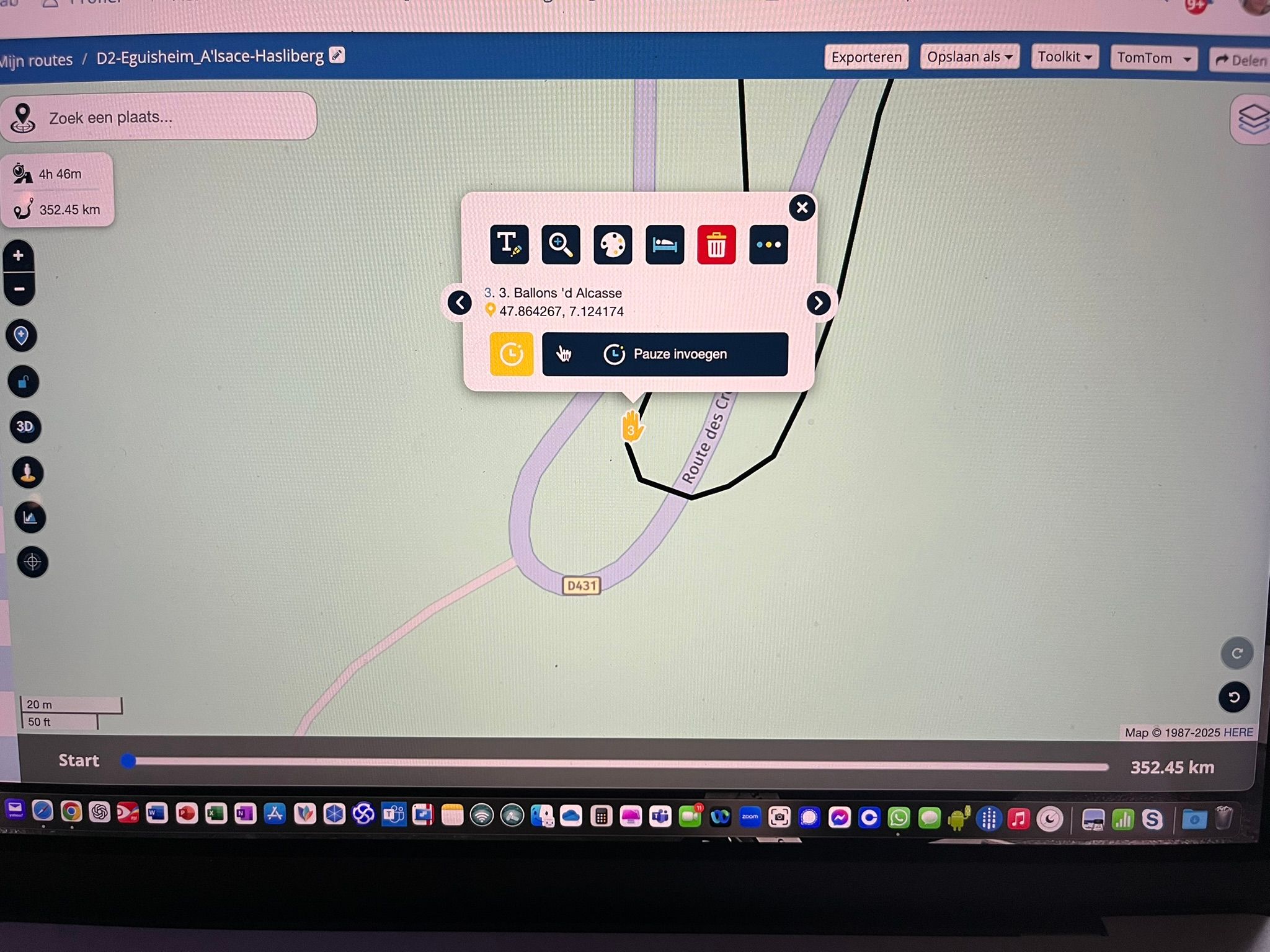
Hi, Ive generated a few routes for an upcoming road trip. I'm using the web routeplanner in an Chrome browser on my MacBook Pro. Im using the TomTom Maps since ill be using the route on my BMW Connected Ride Navigator. Now i've notisced that some parts of the route does not follow the actual TomTom map. The RP's are correct, if i create a RP on the actual map road, the name of the road is corect but the plotted line remains off.
Any ideas as to what is happening here? Thanks in advance!!
-
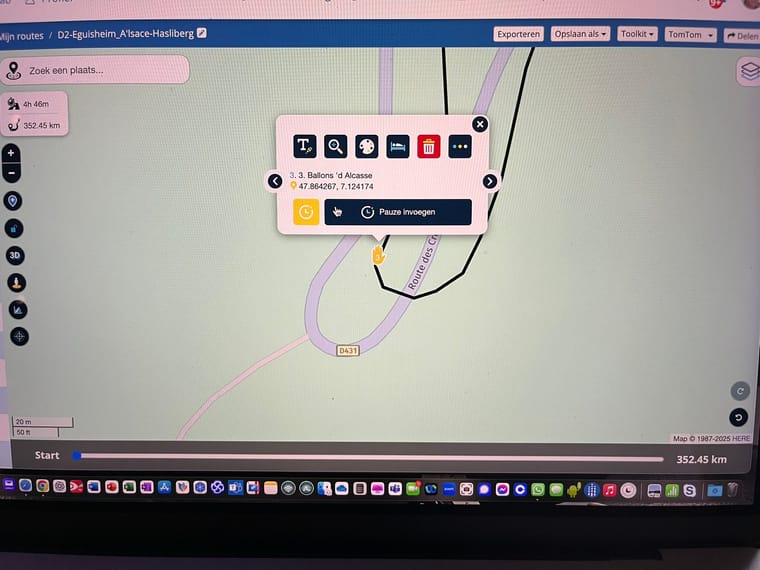
Hi, Ive generated a few routes for an upcoming road trip. I'm using the web routeplanner in an Chrome browser on my MacBook Pro. Im using the TomTom Maps since ill be using the route on my BMW Connected Ride Navigator. Now i've notisced that some parts of the route does not follow the actual TomTom map. The RP's are correct, if i create a RP on the actual map road, the name of the road is corect but the plotted line remains off.
Any ideas as to what is happening here? Thanks in advance!!

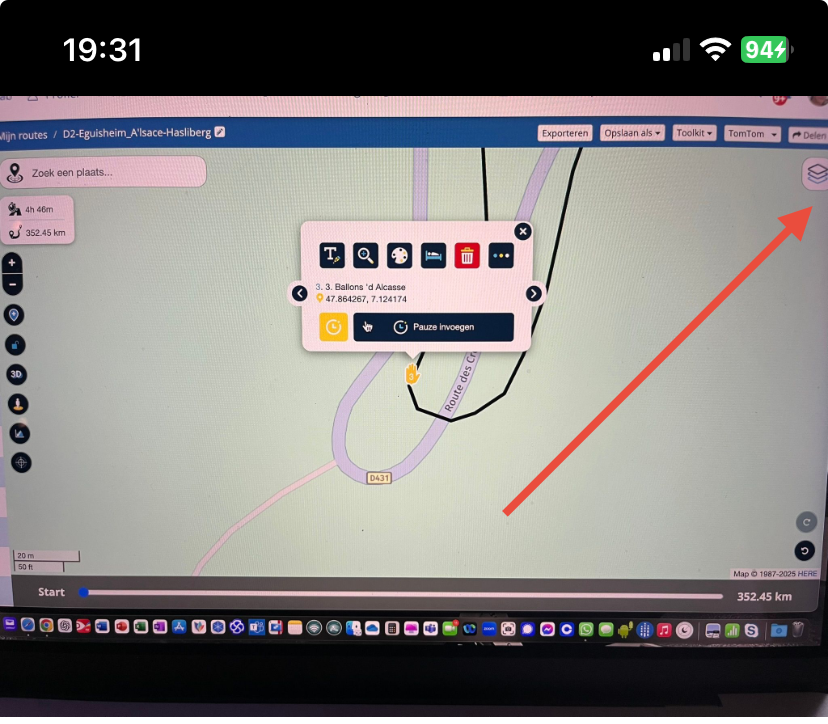
@Kenneth-de-Miranda if you select the TomTom overlay map you will see the route line follows the road.
-
@Nick-Carthew Thanks!! So now i feel a bitlike an idiot

But how come, when i created the route and used the TomTom map it appearenly kees using the Here map... o wait...maybe because thats my standard Map? You can change that to TomTom correct? But thanks mate!! -
@Nick-Carthew Thanks!! So now i feel a bitlike an idiot
But how come, when i created the route and used the TomTom map it appearenly kees using the Here map... o wait...maybe because thats my standard Map? You can change that to TomTom correct? But thanks mate!!
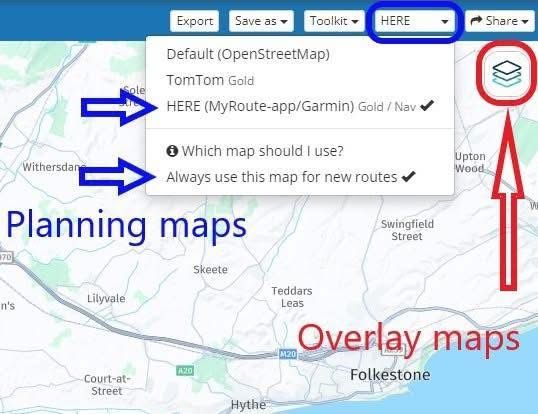
@Kenneth-de-Miranda Your planning map is the TomTom map. You can set that as your default planning map by clicking: Always use this map for new routes.
The planning map is the map that makes all of the calculations.The overlay maps do not affect any route calculations. Think of the overlay maps as clear sheet with extra information that you lay over the planning map.
The system will remember the last overlay maps as that you used. -
May be I have the same issue. I am planning all my routes in the route planner with TomTom maps as I am also using the CRN. Opening the Navigation map the route uses Here Maps …. where do I have to change this?
If you think everything is under control you are driving to slow!
-
May be I have the same issue. I am planning all my routes in the route planner with TomTom maps as I am also using the CRN. Opening the Navigation map the route uses Here Maps …. where do I have to change this?
The planning maps are in the blue menu bar, if you do not see the blue bar, all of the same options can be seen after clicking Page menu.
-
Hi Nick, thanks for your support. It seems that I had exactly this issue …. thanks!
-
I just understood that MRA Next has only Here maps to navigate. In case my routes are planned for BMW CRN the planning needs to be done with TomTom maps. If I want to use the Navigation App in parallel I would like to know how to handle this difference ? Thanks for the support.
-
I just understood that MRA Next has only Here maps to navigate. In case my routes are planned for BMW CRN the planning needs to be done with TomTom maps. If I want to use the Navigation App in parallel I would like to know how to handle this difference ? Thanks for the support.
@silberfuchs67 When planning your route using the planning map from TomTom, turn on the Compare route with HERE tool. This will show an additional green route line (the HERE route) place enough route points so that the green line from HERE follows the black TomTom line.
When you navigate this route with MRA Navigation Next, because it has not been planned on the HERE map, the app will navigate it as a track so you will need to be online. -
Hi @Nick-Carthew Thanks for explanation and your quick support!
-
I just understood that MRA Next has only Here maps to navigate. In case my routes are planned for BMW CRN the planning needs to be done with TomTom maps. If I want to use the Navigation App in parallel I would like to know how to handle this difference ? Thanks for the support.

@silberfuchs67, What @Nick-Carthew says
 . I just want to add, that after you equalled the routes with the compare tool, you can easily switch your route to the HERE map and navigate the route as rout (not as track). This makes no difference for TomTom users, since the routes are equal, and they usually import the route with a GPX.
I am just an enthusiastic MRA user, and hope you will be one too!
Most motorcycle problems are caused by the nut that connects the handlebar to the saddle.
Check out RideSleepRepeat.eu, a biker community for sharing stays across Europe
-
@silberfuchs67, What @Nick-Carthew says
. I just want to add, that after you equalled the routes with the compare tool, you can easily switch your route to the HERE map and navigate the route as rout (not as track). This makes no difference for TomTom users, since the routes are equal, and they usually import the route with a GPX.
@Con-Hennekens A good point well made


-
@Con-Hennekens Thanks for this great hint!
Hello! It looks like you're interested in this conversation, but you don't have an account yet.
Getting fed up of having to scroll through the same posts each visit? When you register for an account, you'll always come back to exactly where you were before, and choose to be notified of new replies (either via email, or push notification). You'll also be able to save bookmarks and upvote posts to show your appreciation to other community members.
With your input, this post could be even better 💗
Register Login-
 022122
-
 118148
-
015111
-
 01190
01190
-
0933
-
2874
-
-1866
-
0778