Skip to content
  • Categories
  • Recent
  • Popular
  • Support
  • MyRoute-app
Collapse
Brand Logo

MRA Community Forum

  1. Home
  2. Announcements
  3. Surprise launch: MRA Routeplanner 1.1. is now available for everyone

Surprise launch: MRA Routeplanner 1.1. is now available for everyone

Scheduled Pinned Locked Moved Announcements
34 Posts 11 Posters 16.5k Views 3 Watching
  • Oldest to Newest
  • Newest to Oldest
  • Most Votes
Reply
  • Reply as topic
Log in to reply
This topic has been deleted. Only users with topic management privileges can see it.
  • Ian Street Ian Street

    @Nick-Carthew Thank you for another valued reply with information we can all use, stay safe mate.

    Nick Carthew Offline
    Nick Carthew Offline
    Nick Carthew
    RouteXpert
    wrote on last edited by
    #20

    Thanks for your kind words @Ian-Street. You stay safe too buddy.

    Always willing to help if I can.
    Triumph Tiger 1200 XRT called Tina.
    MRA Navigation Next and SilverFox BJ8

    1 Reply Last reply
    1
    • Stefan Hummelink Offline
      Stefan Hummelink Offline
      Stefan Hummelink
      Alpha tester
      wrote on last edited by Stefan Hummelink
      #21

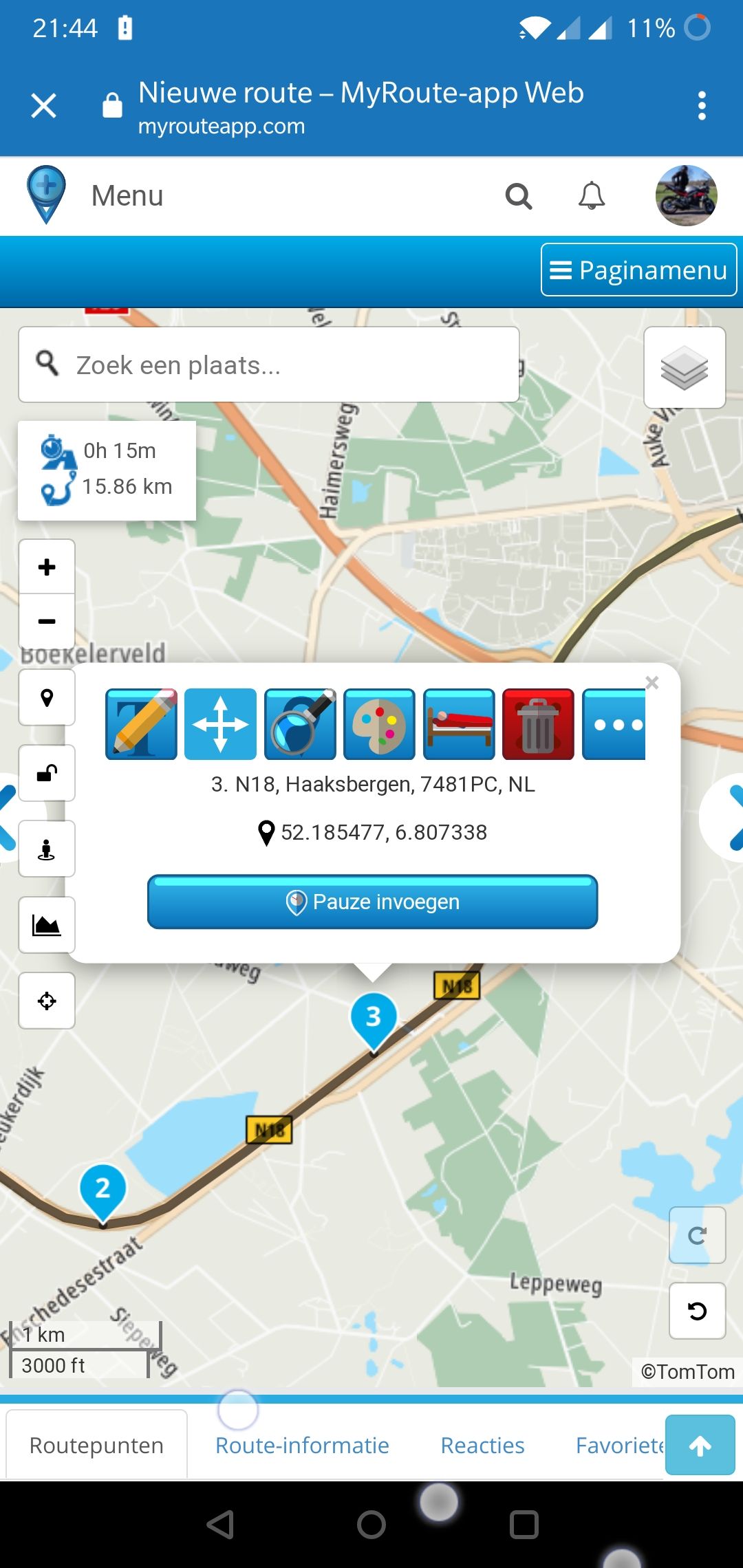
      Hmmm, I notice that in the mobile app, the new waypoint menu is too wide for my OnePlus 6, which is definitely not a small screen. The previous and next arrows of the menu are ending up behind the icons on the left and the arrows themselve are cut off.

      I do also notice that the improved "in-between" adding of waypoints is not implemented in the mobile app? I still have to press the screen onto the black route and hope for the best for the waypoint to be added as in-between. It would be nice to see the App automatically detect when hovering with the "crosshair" over the route, that a waypoint in between can be added by the same "add waypoint" button 😎.

      I think some fine-tuning must take place☺️.
      Screenshot_20201120-214421.jpg

      Manks bu'j te bange.

      Arno van Lochem - Senior RX 1 Reply Last reply
      0
      • speedup100 Offline
        speedup100 Offline
        speedup100
        wrote on last edited by
        #22

        I do like the calculator function, I organise rideouts and timing coffee breaks/lunch stops is important, I used to check the time elapsed by counting the incremental times in the waypoints list but this calculation tool is so much easier.

        1 Reply Last reply
        0
        • MyRoute-app community MyRoute-app community

          Attention Community,

          With great pride and on behalf of the entire MRA team we're hereby launching the first milestone on the MRA Routeplanner Roadmap. We've come a long way since the initial release of the MRA Routeplanner in 2013 and this release is imporant for several reasons. Not only does this update add loads of long requested features to MyRoute-app, it also signals the first step towards 2.0. and an important paradigm shift relating to how we work with the community.

          Now on to the juicy part. This update includes the release of the following 3 features:

          Shaping and via waypointsπŸ“
          Shaping and Via points are a familiar feature for BaseCamp users. These points allow users to define whether a route should always follow a waypoint or whether that waypoint may be ignored whilst travelling. This allows users to better shape their routes and provides flexibility on the road on Garmin navigation systems.

          Improved "inbetween" waypoints πŸ‘Ά
          In MRA Routeplanner, you can enter waypoints inbetween existing waypoints. However, many members of the community have pointed out that this functionality needs better visibility whilst creating a route. At this time, it happens too often that users at the end of their route and not inbetween waypoints. With the improved "inbetween" waypoint adding functionality users will be presented with a user-friendly an intuitive tool that creates clear opportunities to add waypoints inbetween other waypoints.

          Timed waypoints ⏰
          With timed waypoints you will be able to add lunch breaks, stops and other timed events to your route. Timed waypoints allow you to adjust the arrival and departure times on individual waypoints as well as observe the duration of groups of waypoints together. This allows greater control over the effective duration of a route, as well as time-management for professional tour organizers and driving instructors.

          More on the RoadMap:
          Check the RoadMap here
          Check the 1.1. update here
          Check the upcoming 1.2. update here

          1_1_launched.png

          Drabslab Offline
          Drabslab Offline
          Drabslab
          wrote on last edited by
          #23

          @Timo-Martosatiman-MRA Feature requests:

          • the ability to change the starting date and time that was set when creating the route
          • a button to store the adress of the waypoint in the waypoint note, before changing the name and this information is lost. It would even be better if this info would also be preserved when creating a favorite
          • for the web version, show all buttons on the pop up instead of having a button to hide/unhide
          • an option to have the calculator open (similar to the height graph) while building the route

          It is not difficult, it is easy, it's a hobby

          marty 3 1 Reply Last reply
          0
          • Neill DeVall Offline
            Neill DeVall Offline
            Neill DeVall
            wrote on last edited by
            #24

            Is there or will there be, a way to extend the bar on the left hand side of the map, to the right? Currently it isn't wide enough to show the pause time (shown in red) that I've entered for a waypoint. Thanks.

            1 Reply Last reply
            0
            • Rene NT Offline
              Rene NT Offline
              Rene NT
              wrote on last edited by
              #25

              De handjes vind ik onhandig en overbodig, de balon is beter te plaatsen. Het icoontje als je de route wilt verleggen is zeer onduidelijk door het zwart en je moet dus twee keer schuiven om de invoeging op zijn plaats te zetten. mag wat mij betreft gewoon een ouderwets punt bolletje zijn. zou ook handig zijn als je daar voor zelf kunt kiezen hoe je dit in wilt stellen. Ik zelf vind de kleine rondjes zoals je bij basecamp hebt bijvoorbeeld handig werken omdat je deze op de route kunt zetten en er als het ware doorheen kijkt. Verder blijft het een geweldig stukje software voor vele uren voorpret.

              1 Reply Last reply
              0
              • Stefan Hummelink Stefan Hummelink

                Hmmm, I notice that in the mobile app, the new waypoint menu is too wide for my OnePlus 6, which is definitely not a small screen. The previous and next arrows of the menu are ending up behind the icons on the left and the arrows themselve are cut off.

                I do also notice that the improved "in-between" adding of waypoints is not implemented in the mobile app? I still have to press the screen onto the black route and hope for the best for the waypoint to be added as in-between. It would be nice to see the App automatically detect when hovering with the "crosshair" over the route, that a waypoint in between can be added by the same "add waypoint" button 😎.

                I think some fine-tuning must take place☺️.
                Screenshot_20201120-214421.jpg

                Arno van Lochem - Senior RX Offline
                Arno van Lochem - Senior RX Offline
                Arno van Lochem - Senior RX
                RouteXpert
                wrote on last edited by
                #26

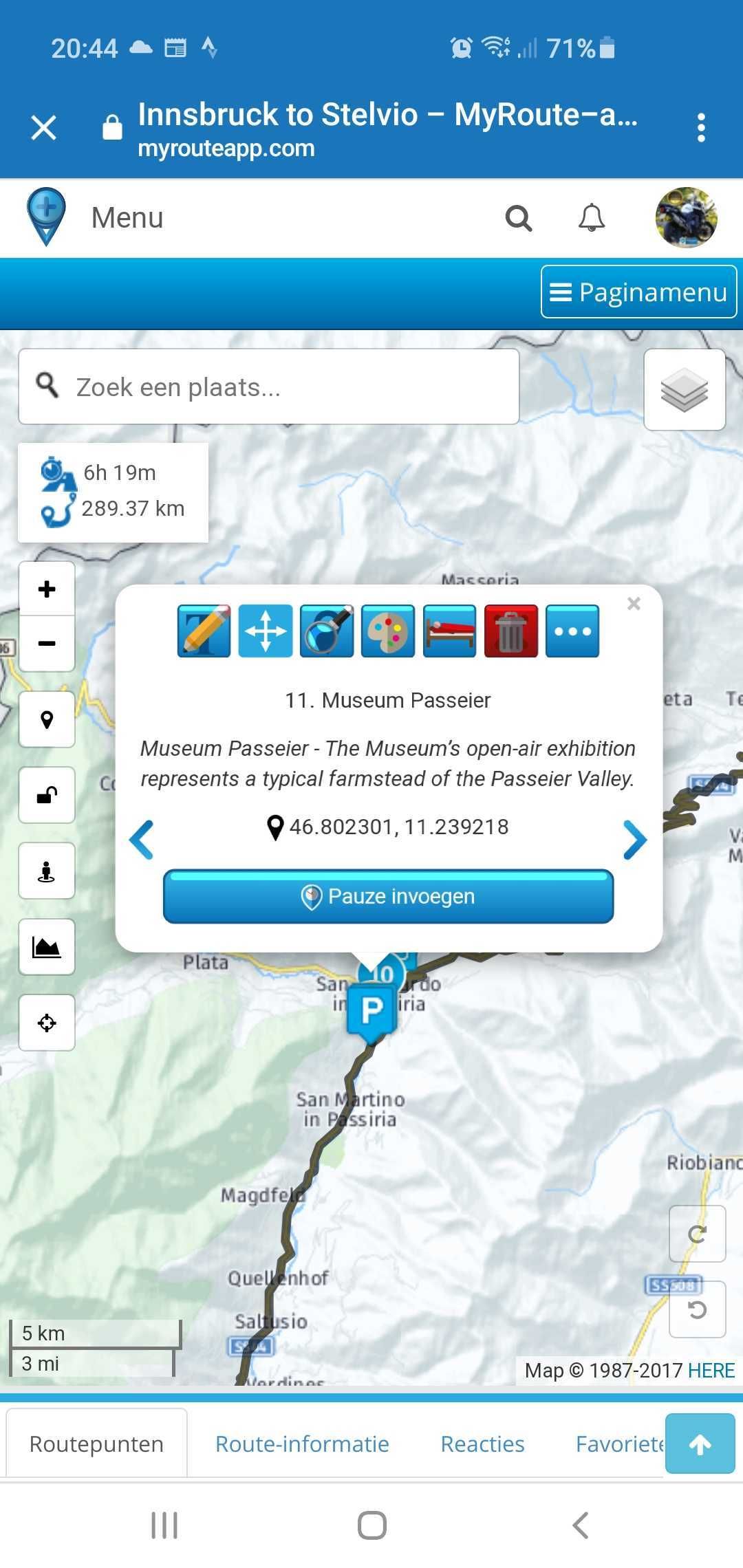
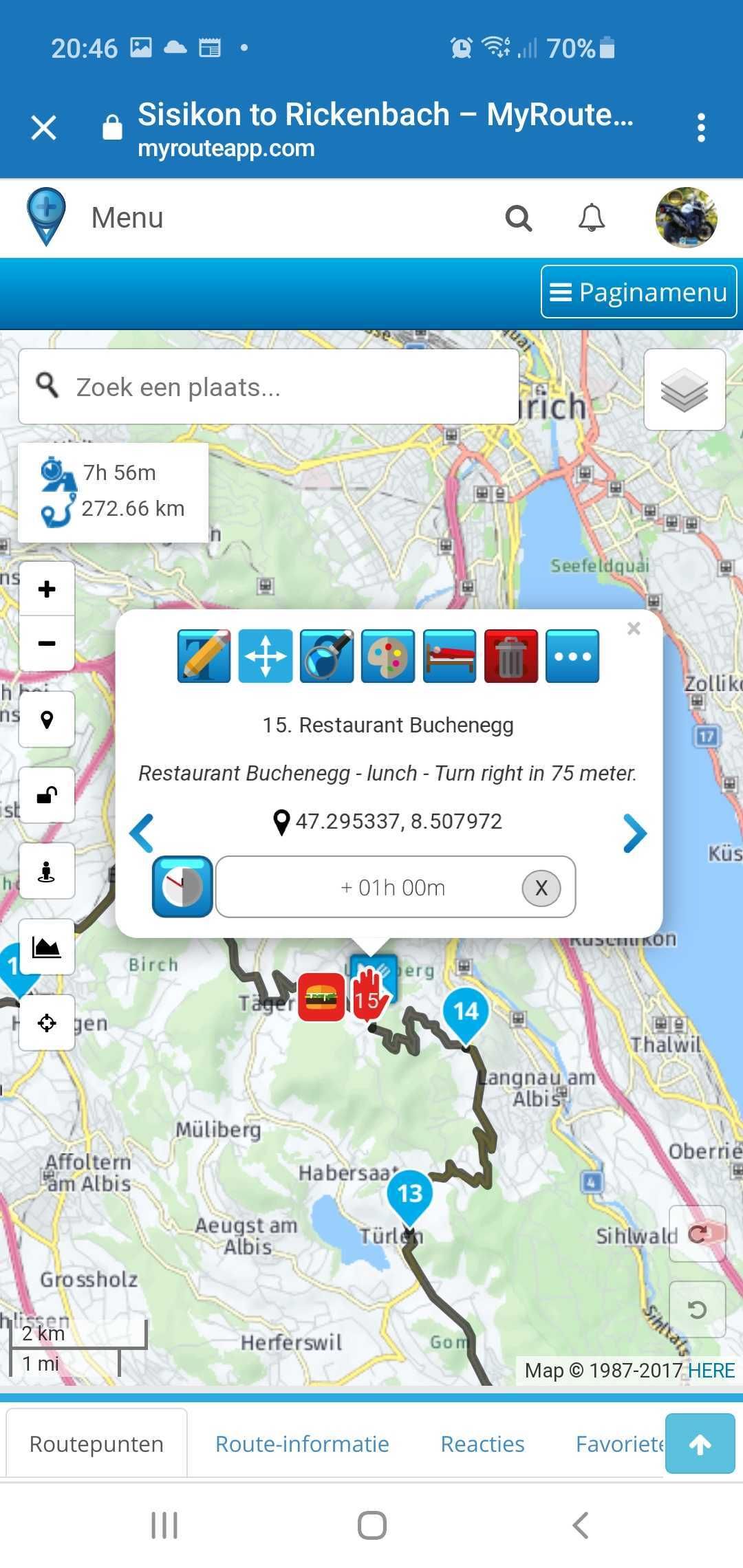
                @StefanHummelink Stefan, heb je gezien dat dit inmiddels is opgelost? De pijlen staan nu in het venster.Screenshot_20201124-204428_Chrome.jpg Screenshot_20201124-204616_Chrome.jpg

                Stefan Hummelink 1 Reply Last reply
                0
                • Arno van Lochem - Senior RX Arno van Lochem - Senior RX

                  @StefanHummelink Stefan, heb je gezien dat dit inmiddels is opgelost? De pijlen staan nu in het venster.Screenshot_20201124-204428_Chrome.jpg Screenshot_20201124-204616_Chrome.jpg

                  Stefan Hummelink Offline
                  Stefan Hummelink Offline
                  Stefan Hummelink
                  Alpha tester
                  wrote on last edited by Stefan Hummelink
                  #27

                  @Arno-van-Lochem Hoi Arno, nee dat had ik nog niet gezien;) Mijn motor staat inmiddels in de schuur te wachten op lente weer, dus MRA staat bij mij alleen nog open in het Forum haha! Goed om te zien dat ze snel dit soort tweaks kunnen doorvoeren. Top weer van MRA! πŸ™‚

                  Manks bu'j te bange.

                  1 Reply Last reply
                  1
                  • marty 3 Offline
                    marty 3 Offline
                    marty 3
                    wrote on last edited by
                    #28

                    hi guys, this is great update , well done ! Now, please can anybody explain to me what is this new "skip" button for ? When I choose some waypoint like say number 5, all of the sudden I have a straight line going from the previous point 4 to point 6. How does it affect export, re-calculation and guidance on garmin gps device? Thank you, Martin

                    Nick Carthew 1 Reply Last reply
                    0
                    • marty 3 marty 3

                      hi guys, this is great update , well done ! Now, please can anybody explain to me what is this new "skip" button for ? When I choose some waypoint like say number 5, all of the sudden I have a straight line going from the previous point 4 to point 6. How does it affect export, re-calculation and guidance on garmin gps device? Thank you, Martin

                      Nick Carthew Offline
                      Nick Carthew Offline
                      Nick Carthew
                      RouteXpert
                      wrote on last edited by
                      #29

                      Hi @marty-3. The skip button has always been there. You would use the skip function to temporarily disable navigation. For instance, you might want to catch a small ferry but the mapping doesn’t recognise that a ferry exists and wants to send you the long way around. Place a route point on the opposite bank and choose skip. You will then be able to carry on planning your route without the unwanted detour. Your Garmin will navigate again once you have reached the other side.

                      Always willing to help if I can.
                      Triumph Tiger 1200 XRT called Tina.
                      MRA Navigation Next and SilverFox BJ8

                      marty 3 1 Reply Last reply
                      0
                      • Nick Carthew Nick Carthew

                        Hi @marty-3. The skip button has always been there. You would use the skip function to temporarily disable navigation. For instance, you might want to catch a small ferry but the mapping doesn’t recognise that a ferry exists and wants to send you the long way around. Place a route point on the opposite bank and choose skip. You will then be able to carry on planning your route without the unwanted detour. Your Garmin will navigate again once you have reached the other side.

                        marty 3 Offline
                        marty 3 Offline
                        marty 3
                        wrote on last edited by
                        #30

                        @Nick-Carthew Perfect! Thank you very much, I have no idea where I was looking then coz I never saw it before LOL Your explanation makes perfect sense! Thank you! πŸ™‚

                        Nick Carthew 1 Reply Last reply
                        0
                        • marty 3 marty 3

                          @Nick-Carthew Perfect! Thank you very much, I have no idea where I was looking then coz I never saw it before LOL Your explanation makes perfect sense! Thank you! πŸ™‚

                          Nick Carthew Offline
                          Nick Carthew Offline
                          Nick Carthew
                          RouteXpert
                          wrote on last edited by
                          #31

                          @marty-3 You’re welcome.

                          Always willing to help if I can.
                          Triumph Tiger 1200 XRT called Tina.
                          MRA Navigation Next and SilverFox BJ8

                          1 Reply Last reply
                          0
                          • marty 3 Offline
                            marty 3 Offline
                            marty 3
                            wrote on last edited by
                            #32

                            Hi all,

                            So, I have just tested these new MRA's shaping points vs waypoints to see if there work the same as in old good basecamp. I am using bmw navigator V with the latest software/firmware.

                            I have created a route with mix of shaping points and waypoints in MRA and exported it as "BMW motorcycle GPX 1.1" from the export drop down menu. What I am seeing is that if I import the the route into my gps device all points between the start and the end are just shaping points (white dots) as it always been the case with MRA. To be honest, with this new MRA update I was expecting the same result as with basecamp where I would be given a flag or "announced" shaping point. Not a big deal as I always manually create my waypoints on gps device by editing points and changing them from shaping points to waypoints and vice-versa. Just wanted to check with you guys if you see the same thing.

                            If I export the route as gpx 1.0 then all points created in MRA are exported as waypoints (orange flags) on my details.

                            So I can't win here really πŸ™‚ LOL
                            Also I agree with @Drabslab above with those feature requests. It definitely needs a bit of TLC fine-tuning. Otherwise it is nice to see some progress on MRA πŸ™‚

                            1 Reply Last reply
                            0
                            • Drabslab Drabslab

                              @Timo-Martosatiman-MRA Feature requests:

                              • the ability to change the starting date and time that was set when creating the route
                              • a button to store the adress of the waypoint in the waypoint note, before changing the name and this information is lost. It would even be better if this info would also be preserved when creating a favorite
                              • for the web version, show all buttons on the pop up instead of having a button to hide/unhide
                              • an option to have the calculator open (similar to the height graph) while building the route
                              marty 3 Offline
                              marty 3 Offline
                              marty 3
                              wrote on last edited by
                              #33

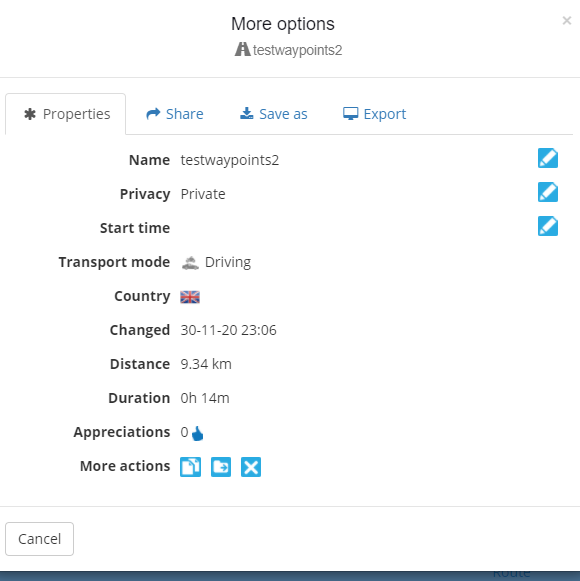
                              @Drabslab, Hi buddy, I have found out way how to change date/time for departure after creating the route. Click on the properties of the route (from the list of your routes, without actually opening the route). There you can see the option "Start time". See my screenshot below. Hope this helps.
                              87dfa43a-d8a8-4ac3-993a-280854035afc-image.png

                              Drabslab 1 Reply Last reply
                              0
                              • marty 3 marty 3

                                @Drabslab, Hi buddy, I have found out way how to change date/time for departure after creating the route. Click on the properties of the route (from the list of your routes, without actually opening the route). There you can see the option "Start time". See my screenshot below. Hope this helps.

                                87dfa43a-d8a8-4ac3-993a-280854035afc-image.png

                                Drabslab Offline
                                Drabslab Offline
                                Drabslab
                                wrote on last edited by
                                #34

                                @marty-3 You are a star!!!

                                Well done, admit it is quite well hidden πŸ™‚

                                It is not difficult, it is easy, it's a hobby

                                1 Reply Last reply
                                0

                                Hello! It looks like you're interested in this conversation, but you don't have an account yet.

                                Getting fed up of having to scroll through the same posts each visit? When you register for an account, you'll always come back to exactly where you were before, and choose to be notified of new replies (either via email, or push notification). You'll also be able to save bookmarks and upvote posts to show your appreciation to other community members.

                                With your input, this post could be even better πŸ’—

                                Register Login
                                Reply
                                • Reply as topic
                                Log in to reply
                                • Oldest to Newest
                                • Newest to Oldest
                                • Most Votes


                                • 1
                                • 2
                                ACTIVE USERS
                                Nick Carthew
                                Nick Carthew
                                Stefan Hummelink
                                Stefan Hummelink
                                Arno van Lochem - Senior RX
                                Arno van Lochem - Senior RX
                                Rene NT
                                Rene NT
                                Drabslab
                                Drabslab
                                Gary France
                                Gary France
                                Ian Street
                                Ian Street
                                MyRoute-app community
                                MyRoute-app community
                                speedup100
                                speedup100
                                marty 3
                                marty 3
                                Neill DeVall
                                Neill DeVall
                                POPULAR TOPICS
                                • App probleem scenic route niet mogelijk
                                  Philip Verbeek
                                  Philip Verbeek
                                  1
                                  14
                                  332

                                • The most important rule: all content is to be posted in English πŸ‡¬πŸ‡§ unless the post is made in the language specific area in the Self Support forum.
                                  Corjan Meijerink
                                  Corjan Meijerink
                                  2
                                  11
                                  234

                                • routes opening as tracks on iphone
                                  Guzzist
                                  Guzzist
                                  0
                                  5
                                  39

                                • Android auto loopt vast op Aoocci scherm
                                  paul69
                                  paul69
                                  0
                                  14
                                  847

                                • Rondrit maken lukt niet
                                  Rob Vonk
                                  Rob Vonk
                                  0
                                  20
                                  295

                                • One time glitch after lost gps signal
                                  CD130
                                  CD130
                                  0
                                  7
                                  134

                                • Is there a site to go to for getting custom POI symbols
                                  BertM
                                  BertM
                                  0
                                  2
                                  72

                                • Traffic Aware setting toggle greyed out
                                  Peter Burch 1 0
                                  Peter Burch 1 0
                                  0
                                  22
                                  791

                                MY GROUPS
                                • Login

                                • Login or register to search.
                                • First post
                                  Last post
                                0
                                • Categories
                                • Recent
                                • Popular
                                • Support
                                • MyRoute-app