Skip to content
  • Categories
  • Recent
  • Popular
  • Support
  • MyRoute-app
Collapse
Brand Logo

MRA Community Forum

  1. Home
  2. MyRoute-app Routeplanner
  3. [Web] Suggestions and Discussion
  4. Viewing multiple routes or tracks

Viewing multiple routes or tracks

Scheduled Pinned Locked Moved [Web] Suggestions and Discussion
9 Posts 3 Posters 2.8k Views 2 Watching
  • Oldest to Newest
  • Newest to Oldest
  • Most Votes
Reply
  • Reply as topic
Log in to reply
This topic has been deleted. Only users with topic management privileges can see it.
  • Richard Verity Offline
    Richard Verity Offline
    Richard Verity
    wrote on last edited by
    #1

    Basecamp allows you to view multiple routes and tracks while creating new routes / tracks.

    This is useful if you want create a new route / track which follows multiple routes / tracks already stored.

    Does Myroute app allow this option?

    Thanks

    Jack van Tilburg Rob Verhoeff 2 Replies Last reply
    1
    • Richard Verity Richard Verity

      Basecamp allows you to view multiple routes and tracks while creating new routes / tracks.

      This is useful if you want create a new route / track which follows multiple routes / tracks already stored.

      Does Myroute app allow this option?

      Thanks

      Jack van Tilburg Offline
      Jack van Tilburg Offline
      Jack van Tilburg
      wrote on last edited by Jack van Tilburg
      #2

      Welcome to the forum @Richard-Verity
      Please go to Support and use use the word <multiple> to search.

      new users corner.

      1 Reply Last reply
      0
      • Richard Verity Richard Verity

        Basecamp allows you to view multiple routes and tracks while creating new routes / tracks.

        This is useful if you want create a new route / track which follows multiple routes / tracks already stored.

        Does Myroute app allow this option?

        Thanks

        Rob Verhoeff Offline
        Rob Verhoeff Offline
        Rob Verhoeff
        Alpha tester
        wrote on last edited by Rob Verhoeff
        #3

        @Richard-Verity MRA doesn't have the look and feel (yet) of BC for showing routes while making an other route. The website has to be overhoald for that. This functionality is mentioned before and is on the wishlist of many users!

        🏍️ BMW K1600GT-P (2013) | Nolan N100-5 with Sena 30K
        📱 iOS on iPhone 13 & 16 (mounted on Quadlock or AliExpress extention on BMW-cradle)
        🚙 Apple CarPlay in VW T-Roc
        💻 Routelab on MacBook Air & iMac (Tahoe & Ventura)

        1 Reply Last reply
        1
        • Richard Verity Offline
          Richard Verity Offline
          Richard Verity
          wrote on last edited by
          #4

          Thanks. i'll check the new users corner in your link.

          Jack van Tilburg 1 Reply Last reply
          0
          • Richard Verity Richard Verity

            Thanks. i'll check the new users corner in your link.

            Jack van Tilburg Offline
            Jack van Tilburg Offline
            Jack van Tilburg
            wrote on last edited by Jack van Tilburg
            #5

            @Richard-Verity
            Okay but for your answer > please go to Support and use use the word <multiple> (click) to search. 👍

            Richard Verity 1 Reply Last reply
            0
            • Jack van Tilburg Jack van Tilburg

              @Richard-Verity
              Okay but for your answer > please go to Support and use use the word <multiple> (click) to search. 👍

              Richard Verity Offline
              Richard Verity Offline
              Richard Verity
              wrote on last edited by
              #6

              @Jack-van-Tilburg
              Thanks for your advice. I have worked out how to merge multiple routes.

              The main problem i'm having now is importing GPX files and being able to edit them easily.

              You can import a GPX file but the file needs to be converted to a route. The route doesn't match the actual GPX file, it creates its own waypoints.

              Komoot and Base camp allow you to edit the original GPX file and change each point. Komoot goes one step further and makes it possible to route the change via a track. i.e. if a GPX route is over a section of the map which is not on a track or road then you can move that point to a road and it will remap (or route) the change automatically.

              This is quite a powerful feature of both basecamp and komoot.

              Will my route app allow this in the future?

              Thanks.

              Jack van Tilburg 1 Reply Last reply
              0
              • Richard Verity Richard Verity

                @Jack-van-Tilburg
                Thanks for your advice. I have worked out how to merge multiple routes.

                The main problem i'm having now is importing GPX files and being able to edit them easily.

                You can import a GPX file but the file needs to be converted to a route. The route doesn't match the actual GPX file, it creates its own waypoints.

                Komoot and Base camp allow you to edit the original GPX file and change each point. Komoot goes one step further and makes it possible to route the change via a track. i.e. if a GPX route is over a section of the map which is not on a track or road then you can move that point to a road and it will remap (or route) the change automatically.

                This is quite a powerful feature of both basecamp and komoot.

                Will my route app allow this in the future?

                Thanks.

                Jack van Tilburg Offline
                Jack van Tilburg Offline
                Jack van Tilburg
                wrote on last edited by Jack van Tilburg
                #7

                @Richard-Verity
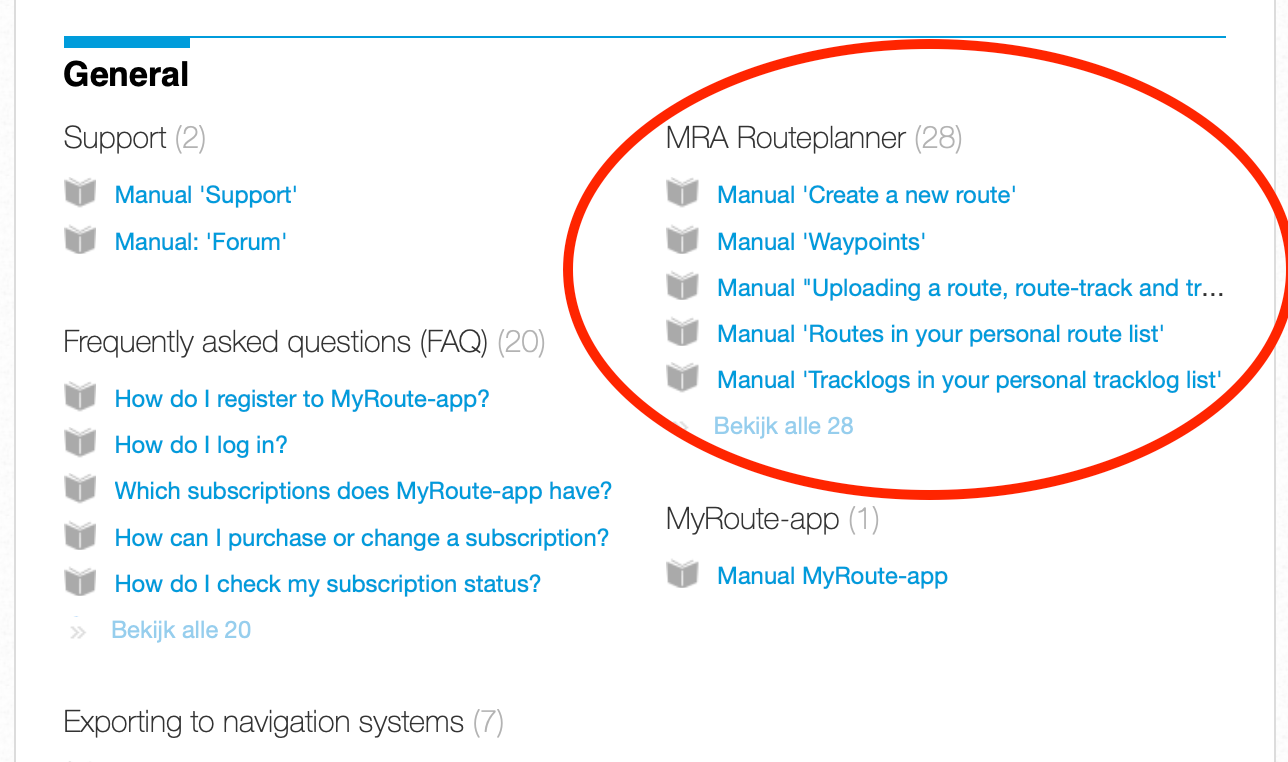
                You can upload your GPX file as both a Route and a Route-track.
                Then open the route from your personal library. Then add the track to your image in the <Route> menu and then edit the route. You then have the track in the background.
                These are basic actions within MRA Planner. The support articles that describe this can be found on the Support page.
                Scherm­afbeelding 2024-02-03 om 17.29.15.png

                Richard Verity 1 Reply Last reply
                0
                • Jack van Tilburg Jack van Tilburg

                  @Richard-Verity
                  You can upload your GPX file as both a Route and a Route-track.
                  Then open the route from your personal library. Then add the track to your image in the <Route> menu and then edit the route. You then have the track in the background.
                  These are basic actions within MRA Planner. The support articles that describe this can be found on the Support page.

                  Scherm­afbeelding 2024-02-03 om 17.29.15.png

                  Richard Verity Offline
                  Richard Verity Offline
                  Richard Verity
                  wrote on last edited by Richard Verity
                  #8

                  @Jack-van-Tilburg
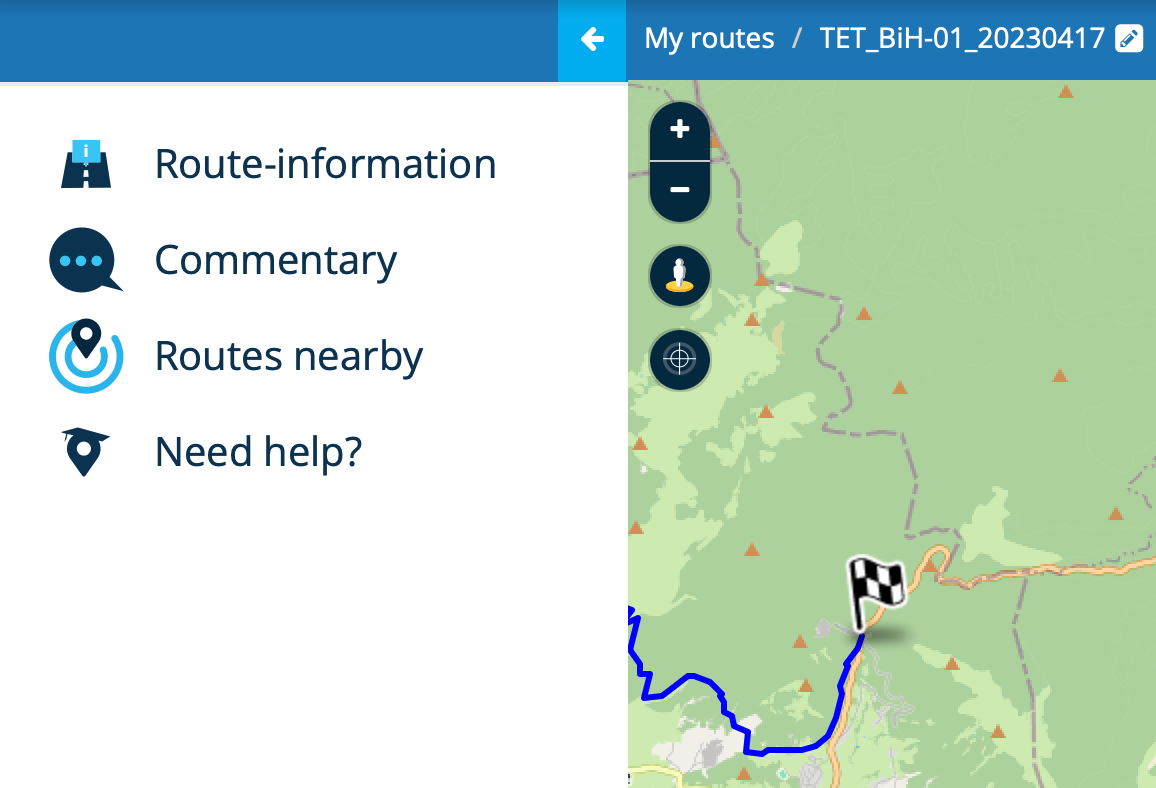
                  I guessed that might be the way to do it and it's what i need but it's read only when i import a GPX track using import route:
                  b2e94e17-2c2a-4b79-a91f-e3e89f59f988-image.png

                  You can see the GPX track on the picture above.

                  The only option i can find is edit route track which converts the track into a route and creates various waypoints which do not follow the track accurately as it's off road.

                  Unfortunately the track is not displayed so i can't update the waypoints / route to match the track:
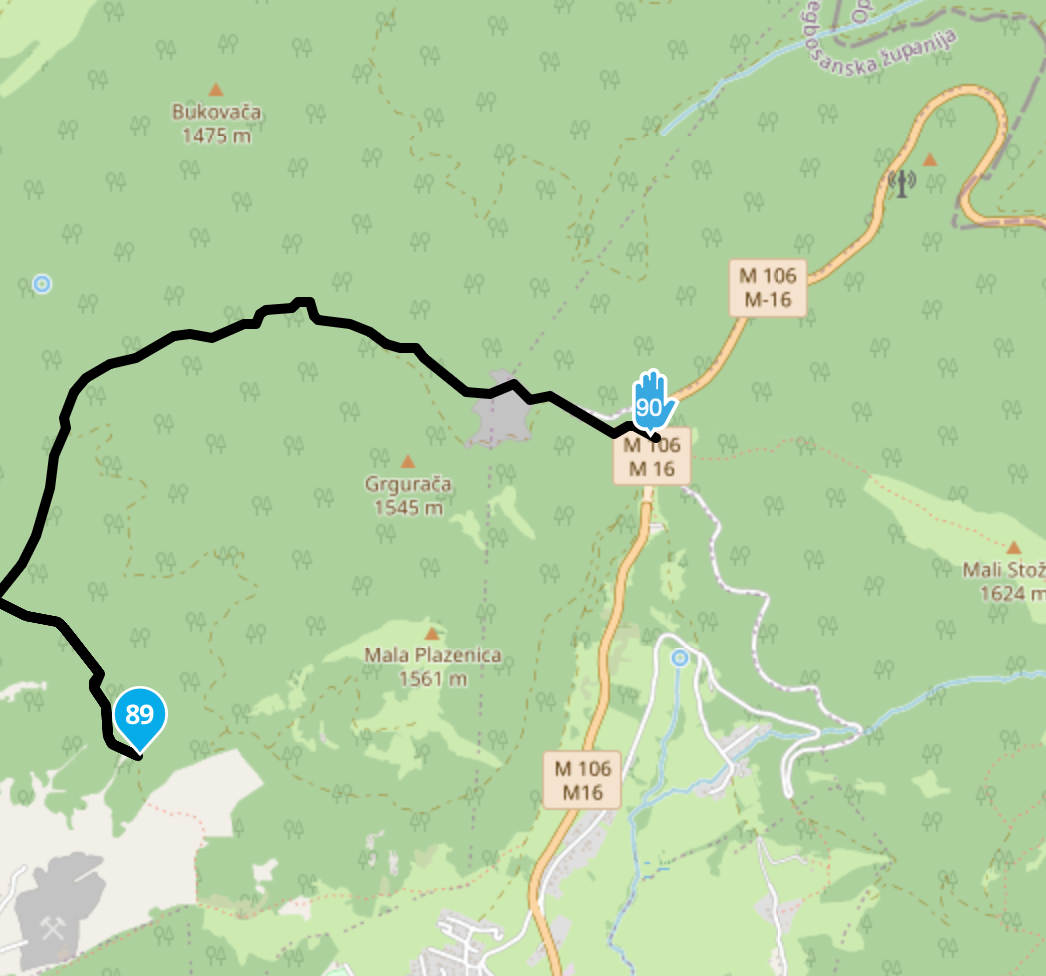
                  b3236761-76fe-45df-b66c-9a7564f3e566-image.png

                  As can see in the picture there is no track and the blue Track from the south is diverted along another road in the north incorrectly.

                  I need to see the original track from GPX so i can correct the route and make it match correctly. Your message indicates that's possible but i still cannot work out how to do it.

                  Thanks.

                  Jack van Tilburg 1 Reply Last reply
                  0
                  • Richard Verity Richard Verity

                    @Jack-van-Tilburg
                    I guessed that might be the way to do it and it's what i need but it's read only when i import a GPX track using import route:
                    b2e94e17-2c2a-4b79-a91f-e3e89f59f988-image.png

                    You can see the GPX track on the picture above.

                    The only option i can find is edit route track which converts the track into a route and creates various waypoints which do not follow the track accurately as it's off road.

                    Unfortunately the track is not displayed so i can't update the waypoints / route to match the track:

                    b3236761-76fe-45df-b66c-9a7564f3e566-image.png

                    As can see in the picture there is no track and the blue Track from the south is diverted along another road in the north incorrectly.

                    I need to see the original track from GPX so i can correct the route and make it match correctly. Your message indicates that's possible but i still cannot work out how to do it.

                    Thanks.

                    Jack van Tilburg Offline
                    Jack van Tilburg Offline
                    Jack van Tilburg
                    wrote on last edited by
                    #9

                    @Richard-Verity
                    First open the route you want to edit.
                    Secondly follow the actions as described in the support article
                    Manual 'Display and merge multiple routes'
                    You can now edit your route while you see your route-track.

                    1 Reply Last reply
                    0

                    Hello! It looks like you're interested in this conversation, but you don't have an account yet.

                    Getting fed up of having to scroll through the same posts each visit? When you register for an account, you'll always come back to exactly where you were before, and choose to be notified of new replies (either via email, or push notification). You'll also be able to save bookmarks and upvote posts to show your appreciation to other community members.

                    With your input, this post could be even better 💗

                    Register Login
                    Reply
                    • Reply as topic
                    Log in to reply
                    • Oldest to Newest
                    • Newest to Oldest
                    • Most Votes


                    ACTIVE USERS
                    Rob Verhoeff
                    Rob Verhoeff
                    Jack van Tilburg
                    Jack van Tilburg
                    Richard Verity
                    Richard Verity
                    POPULAR TOPICS
                    • The most important rule: all content is to be posted in English 🇬🇧 unless the post is made in the language specific area in the Self Support forum.
                      Corjan Meijerink
                      Corjan Meijerink
                      2
                      11
                      177

                    • One time glitch after lost gps signal
                      CD130
                      CD130
                      0
                      7
                      123

                    • Offline kaarten downloaden
                      Corjan Meijerink
                      Corjan Meijerink
                      0
                      5
                      80

                    • Android auto loopt vast op Aoocci scherm
                      Stevedo 6 0
                      Stevedo 6 0
                      0
                      13
                      778

                    • MRA V5.2.2 (489) POI Navigieren Kurvenreich ?
                      Hubert Thoring
                      Hubert Thoring
                      0
                      7
                      64

                    • App probleem scenic route niet mogelijk
                      Hubert Thoring
                      Hubert Thoring
                      1
                      7
                      281

                    • Routes en verblijf Zwitserland
                      Travellexxie
                      Travellexxie
                      0
                      18
                      587

                    • Questions and suggestions
                      Mike wiruth
                      Mike wiruth
                      0
                      5
                      134

                    MY GROUPS
                    • Login

                    • Login or register to search.
                    • First post
                      Last post
                    0
                    • Categories
                    • Recent
                    • Popular
                    • Support
                    • MyRoute-app