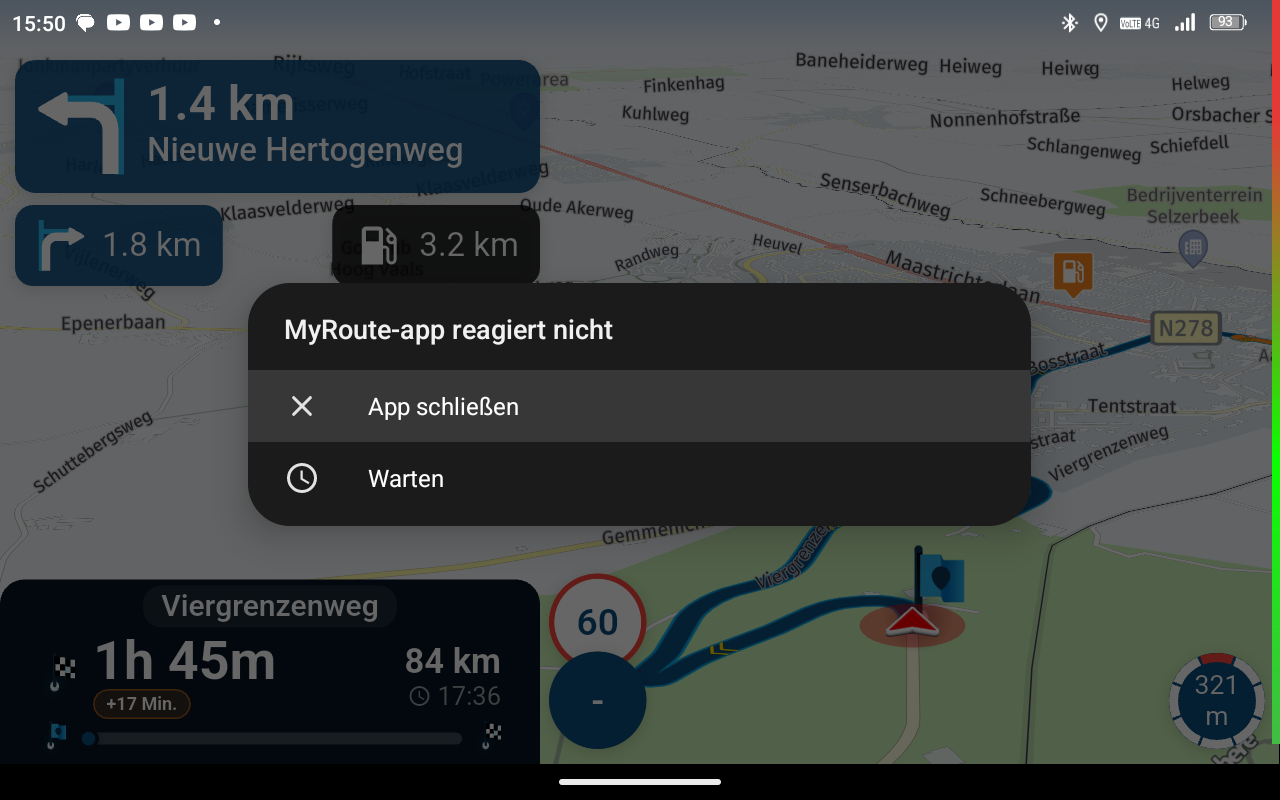
Skipping Waypoints....
-
When skipping waypoints, it would be better to see what the waypoint is called rather than just a number.
I rename most of my waypoints. It would be nice to also see what the name of the next approaching waypoint is rather than just a number.
@Simon-q I don’t have that need at all. Shaping points are only meant to shape your route so that you follow exactly the path that’s needed. If I ever wanted to rename a route point, it would always be a via point and never a shaping point.
-
@Simon-q I don’t have that need at all. Shaping points are only meant to shape your route so that you follow exactly the path that’s needed. If I ever wanted to rename a route point, it would always be a via point and never a shaping point.

@Rob-Verhoeff
@Rob-Verhoeff
I'm with Simon - I use via points more than shaping points as I find them a more reliable way to ensure I follow my chosen route, and I also use them to add notes/names, so that I know where I am! I would also find it very helpful to know the name of the 'via' point. (The terminology is always confusing - waypoints vs via points vs shaping
points) -
@Rob-Verhoeff
@Rob-Verhoeff
I'm with Simon - I use via points more than shaping points as I find them a more reliable way to ensure I follow my chosen route, and I also use them to add notes/names, so that I know where I am! I would also find it very helpful to know the name of the 'via' point. (The terminology is always confusing - waypoints vs via points vs shaping
points)
@Bikerlou said in Skipping Waypoints....:
The terminology is always confusing - waypoints vs via points vs shaping
pointsConfusing? What’s confusing about it then? The terms don’t seem open to multiple interpretations to me! A shaping point is used to shape your route, while a via point is a location you always want to visit along your route. What’s so difficult about that?
Furthermore, I really don’t understand you guys (no offense!). Besides, the space for that box is too limited to display a full name as you want, I think. But anyway, different people, different preferences...
-
@Bikerlou said in Skipping Waypoints....:
The terminology is always confusing - waypoints vs via points vs shaping
pointsConfusing? What’s confusing about it then? The terms don’t seem open to multiple interpretations to me! A shaping point is used to shape your route, while a via point is a location you always want to visit along your route. What’s so difficult about that?
Furthermore, I really don’t understand you guys (no offense!). Besides, the space for that box is too limited to display a full name as you want, I think. But anyway, different people, different preferences...

@Rob-Verhoeff
I do agree with Rob. The terminology is quite clear but not everyone has it in sharp focus. And as for skipping points; please let it remain numeric; Then it will continue to correspond to the numeric points as they appear on the map. And please let sit also remain numeric for clarity.Ik ben het wel met Rob eens. De terminologie is best duidelijk maar niet iedereen heeft deze scherp voor ogen.
En voor wat betreft het skippen van punten; laat het a.u.b. numeriek blijven; Dan blijft het overeen komen met de numerieke punten zoals deze op de kaart staan. En laat sit ook graag numeriek blijven voor de overzichtelijkheid. -
@Simon-q I don’t have that need at all. Shaping points are only meant to shape your route so that you follow exactly the path that’s needed. If I ever wanted to rename a route point, it would always be a via point and never a shaping point.

@Rob-Verhoeff, I can think of many reasons why I would rename a shaping point (I often do). I see no reason why to limit some functionality to shaping points. In fact I think it is more work to limit something, than to generally make it available. The sole difference between shaping points and via points is their auto-skip behavior (and please keep it like that!)

@Simon-q, to be honest, I think your suggestion is a bit stretching the screen estate in the app. Often WP names are really long, and in by far most cases senseless addresses. So generically showing all waypoint names is not a good idea I think.
Are you aware of the fact that, when a WP (Yes Rob, Shaping as well as via points!
) contains a note, the name and the note are displayed by a single tap on the waypoint?In my opinion your suggestion could lead to two (probably rather easy) improvements:
A)
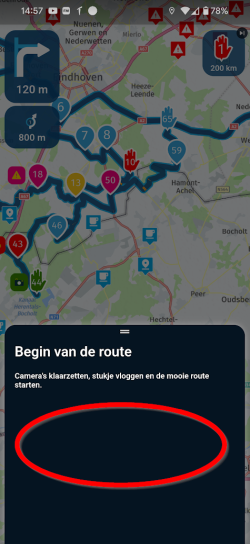
This picture shows a single tap on a waypoint with a note (or a picture). On this info field a button "continue from this waypoint" could be added. More than enough space!
B)
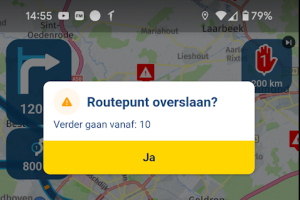
This picture shows a long press on a waypoint. The information about the waypoint could be completed with the name and the note of this waypoint.
Would that suffice in your view?
-
When skipping waypoints, it would be better to see what the waypoint is called rather than just a number.
I rename most of my waypoints. It would be nice to also see what the name of the next approaching waypoint is rather than just a number.
@Simon-q I agree with you. One can always give a point the name of the number if one wants too. So the user decide. For example : Point 3 can have the name "3".
-
@Bikerlou said in Skipping Waypoints....:
The terminology is always confusing - waypoints vs via points vs shaping
pointsConfusing? What’s confusing about it then? The terms don’t seem open to multiple interpretations to me! A shaping point is used to shape your route, while a via point is a location you always want to visit along your route. What’s so difficult about that?
Furthermore, I really don’t understand you guys (no offense!). Besides, the space for that box is too limited to display a full name as you want, I think. But anyway, different people, different preferences...
@Rob-Verhoeff said in Skipping Waypoints....:
@Bikerlou said in Skipping Waypoints....:
The terminology is always confusing - waypoints vs via points vs shaping
pointsConfusing? What’s confusing about it then? The terms don’t seem open to multiple interpretations to me! A shaping point is used to shape your route, while a via point is a location you always want to visit along your route. What’s so difficult about that?
I can see why some people get confused with terminology if they have used other apps in the past. Scenic uses the term “via” for what MRA calls a shaping point, and “stop” for what MRA calls “via”. Garmin themselves even used to have different terminology before they changed some years ago.
-
@Simon-q I don’t have that need at all. Shaping points are only meant to shape your route so that you follow exactly the path that’s needed. If I ever wanted to rename a route point, it would always be a via point and never a shaping point.
@Rob-Verhoeff said in Skipping Waypoints....:
@Simon-q I don’t have that need at all. Shaping points are only meant to shape your route so that you follow exactly the path that’s needed. If I ever wanted to rename a route point, it would always be a via point and never a shaping point.
I never mentioned shaping points....just waypoints. Sometimes you don't need to visit them.
-
@Simon-q I agree with you. One can always give a point the name of the number if one wants too. So the user decide. For example : Point 3 can have the name "3".
@Herman-Veldhuizen said in Skipping Waypoints....:
@Simon-q I agree with you. One can always give a point the name of the number if one wants too. So the user decide. For example : Point 3 can have the name "3".
That does not work for dynamic numbering of waypoints... What if you add a WP in between others? Waypoints will always have a number to define the order.
-
When skipping waypoints, it would be better to see what the waypoint is called rather than just a number.
I rename most of my waypoints. It would be nice to also see what the name of the next approaching waypoint is rather than just a number.
I tend to agree with @Simon-q having the point name in any popup/notification would be a lot more informative than just a number.
Distinguishing between via & shaping points in this regard is IMO a nonsense, they are all points & should be treated the same, making a distinction just adds useless complexity.What I also think would be useful & might make the numbers a bit more meaningful is if the option to "Show Next Waypoint Information" actually did what it says.

At present I believe this option only shows the point information when within a certain distance of the point.
If the point name was shown immediately after the previous point was passed, then the user would have time & maybe able to associate this point name with the number on the waypoint/skip button.If the user selects to see the next point name show it to them, don't hide it with some hidden filter. IMO this is a poor design choice.
Hello! It looks like you're interested in this conversation, but you don't have an account yet.
Getting fed up of having to scroll through the same posts each visit? When you register for an account, you'll always come back to exactly where you were before, and choose to be notified of new replies (either via email, or push notification). You'll also be able to save bookmarks and upvote posts to show your appreciation to other community members.
With your input, this post could be even better 💗
Register Login-
 17335.6k
-
 0773
0773
-
 0482
0482
-
 216135
-
 712127
-
0346
-
125288
-
 07206
07206