Skip to content
  • Categories
  • Recent
  • Popular
  • Support
  • MyRoute-app
Collapse
Brand Logo

MRA Community Forum

  1. Home
  2. [Beta] The MyRoute-app
  3. [Beta] Problems, Bugs and other Issues
  4. Some comments to V335

Some comments to V335

Scheduled Pinned Locked Moved [Beta] Problems, Bugs and other Issues
14 Posts 4 Posters 97 Views 2 Watching
  • Oldest to Newest
  • Newest to Oldest
  • Most Votes
Reply
  • Reply as topic
Log in to reply
This topic has been deleted. Only users with topic management privileges can see it.
  • Jörgen Jörgen

    Hi,
    maybe I missed something, but where is the new lock screen function (or button)? Not available in iOS?


    Maybe this one is not V335 related.

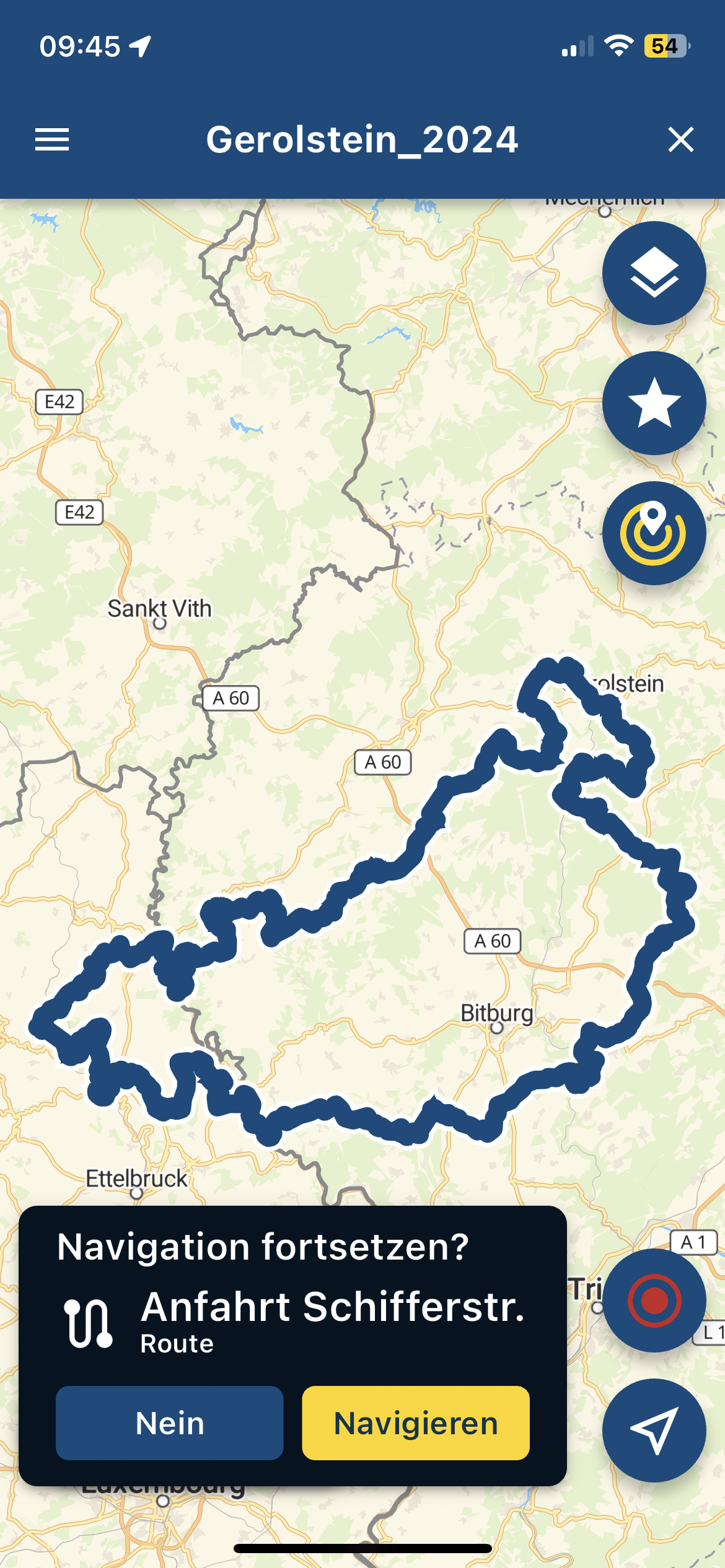
    I wanted to delete this download, it was not possible via the X.
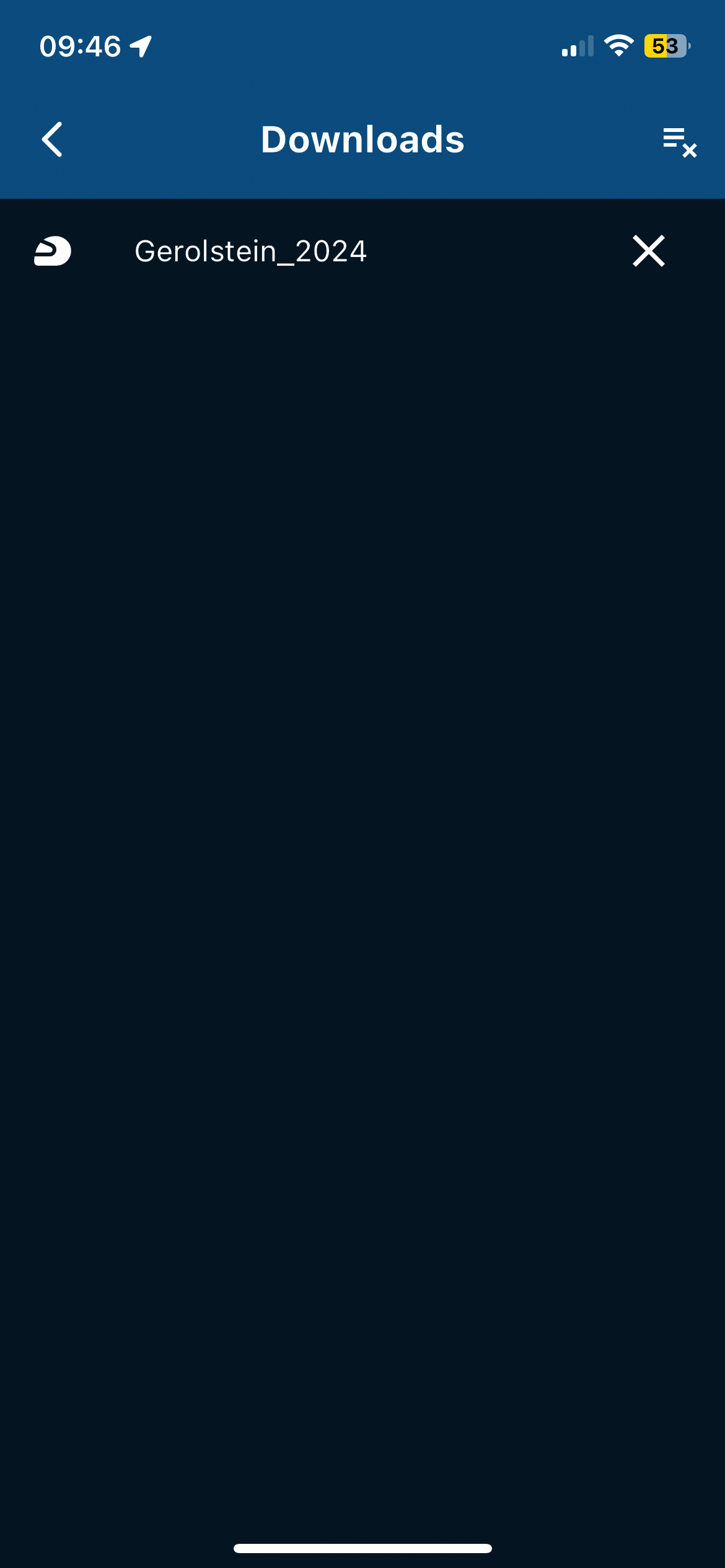
    IMG_6274.PNG

    I then tapped the file longer, and the route was opened.
    But with the question to start the last route.
    That confused me!
    IMG_6273.PNG

    After tapping the three _ with the x, I could delete it, but only ALL.


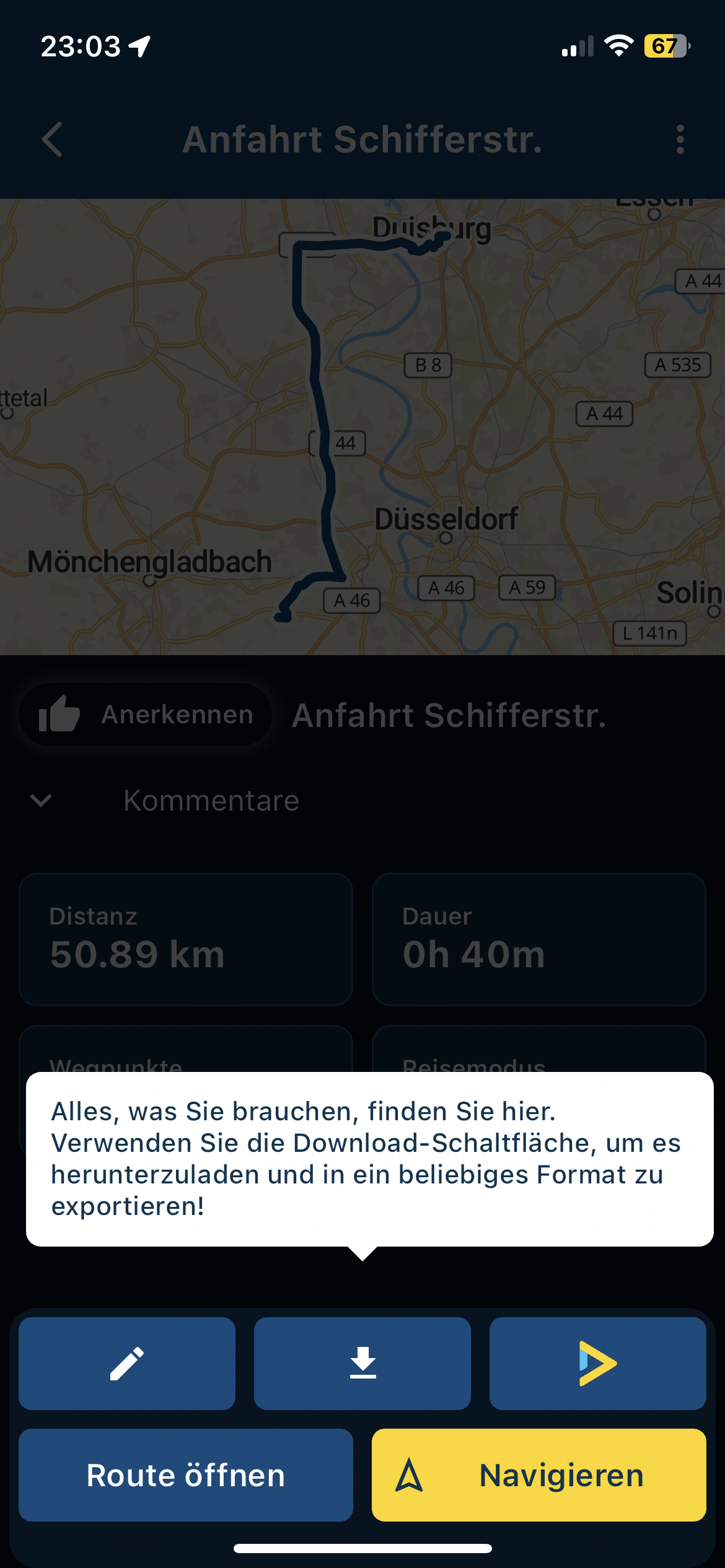
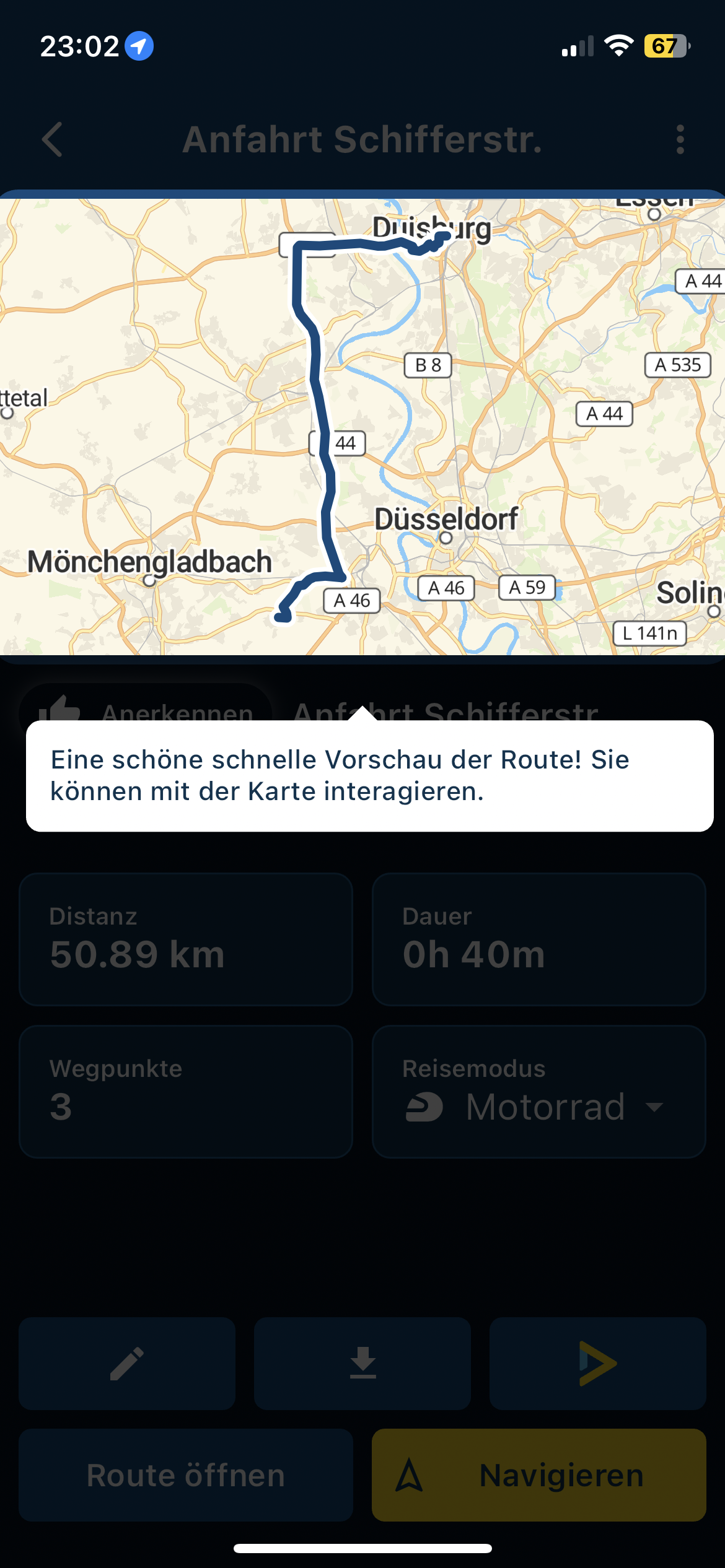
    Here are a few translations that are not pretty.
    What does it say in English?
    Then I might be able to make better suggestions.
    IMG_6270.PNG

    Interagieren?

    IMG_6271.PNG

    "es" ? What is meant route, track? I would change it into "um die Route herunterzuladen.
    IMG_6272.PNG

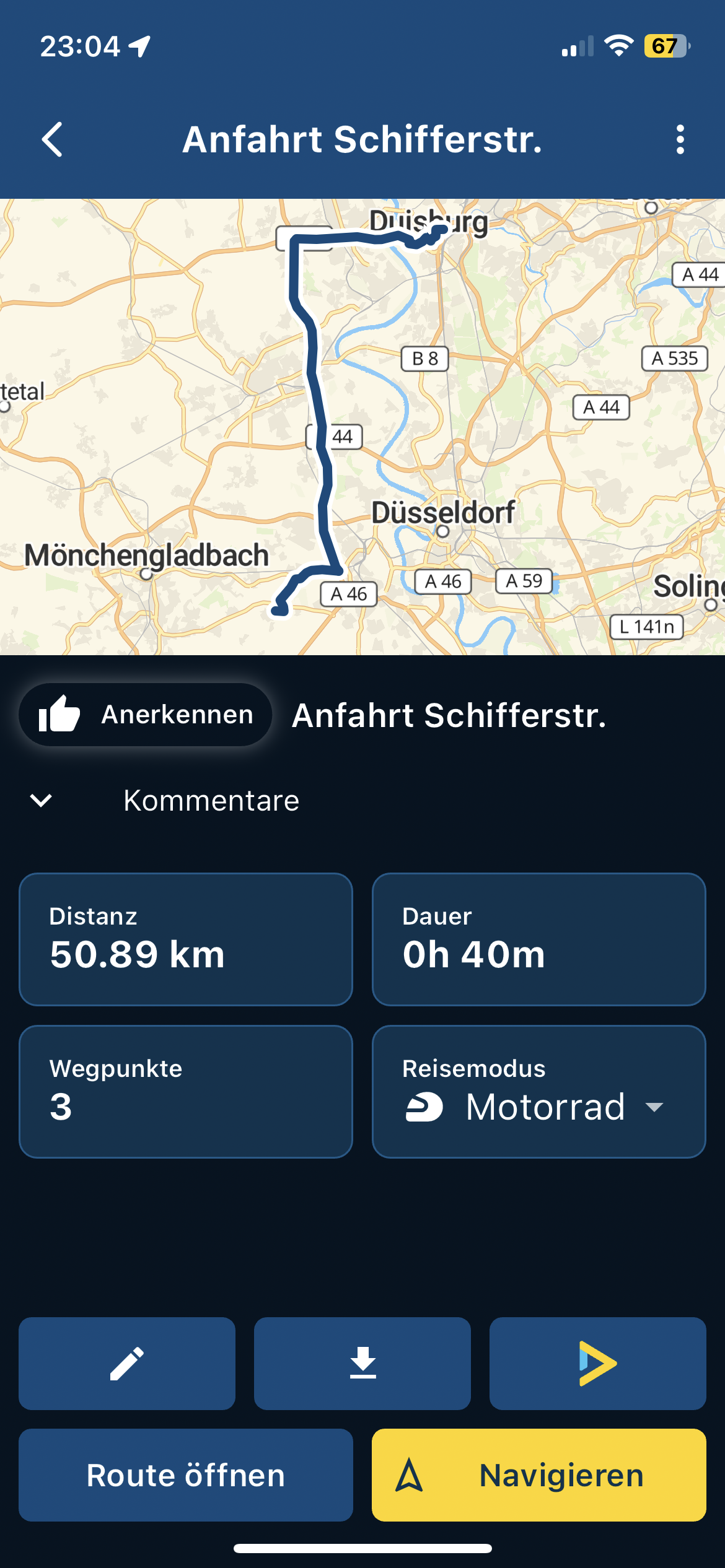
    "Anerkennen" Is not the right word for this. What was used in English?

    Jörgen Offline
    Jörgen Offline
    Jörgen
    Valued contributor
    wrote on last edited by
    #2

    May be "Likes" would be OK for "Anerkennen". I think it is used and understandable in German. Would German-speaking users agree?

    Nick Carthew 1 Reply Last reply
    0
    • Jörgen Jörgen

      Hi,
      maybe I missed something, but where is the new lock screen function (or button)? Not available in iOS?


      Maybe this one is not V335 related.

      I wanted to delete this download, it was not possible via the X.
      IMG_6274.PNG

      I then tapped the file longer, and the route was opened.
      But with the question to start the last route.
      That confused me!
      IMG_6273.PNG

      After tapping the three _ with the x, I could delete it, but only ALL.


      Here are a few translations that are not pretty.
      What does it say in English?
      Then I might be able to make better suggestions.

      IMG_6270.PNG

      Interagieren?

      IMG_6271.PNG

      "es" ? What is meant route, track? I would change it into "um die Route herunterzuladen.

      IMG_6272.PNG

      "Anerkennen" Is not the right word for this. What was used in English?

      Nick Carthew Online
      Nick Carthew Online
      Nick Carthew
      RouteXpert
      wrote on last edited by
      #3

      @Jörgen The Lock Screen option is in the navigation menu.

      Always willing to help if I can.
      Triumph Tiger 1200 XRT called Tina.
      MRA Navigation Next and SilverFox BJ8

      Jörgen 3 Replies Last reply
      0
      • Jörgen Jörgen

        May be "Likes" would be OK for "Anerkennen". I think it is used and understandable in German. Would German-speaking users agree?

        Nick Carthew Online
        Nick Carthew Online
        Nick Carthew
        RouteXpert
        wrote on last edited by
        #4

        @Jörgen Likes is used in the English version

        Always willing to help if I can.
        Triumph Tiger 1200 XRT called Tina.
        MRA Navigation Next and SilverFox BJ8

        Jörgen 1 Reply Last reply
        0
        • Nick Carthew Nick Carthew

          @Jörgen The Lock Screen option is in the navigation menu.

          Jörgen Offline
          Jörgen Offline
          Jörgen
          Valued contributor
          wrote on last edited by
          #5
          This post is deleted!
          Nick Carthew 1 Reply Last reply
          0
          • Nick Carthew Nick Carthew

            @Jörgen The Lock Screen option is in the navigation menu.

            Jörgen Offline
            Jörgen Offline
            Jörgen
            Valued contributor
            wrote on last edited by
            #6
            This post is deleted!
            1 Reply Last reply
            0
            • Jörgen Jörgen
              [[topic:post-is-deleted]]
              Nick Carthew Online
              Nick Carthew Online
              Nick Carthew
              RouteXpert
              wrote on last edited by
              #7

              @Jörgen said in Some comments to V335:

              @Nick-Carthew

              Ok, it should be here then?

              Yes, click the 3 dots to open the navigation menu.

              Always willing to help if I can.
              Triumph Tiger 1200 XRT called Tina.
              MRA Navigation Next and SilverFox BJ8

              1 Reply Last reply
              0
              • Nick Carthew Nick Carthew

                @Jörgen The Lock Screen option is in the navigation menu.

                Jörgen Offline
                Jörgen Offline
                Jörgen
                Valued contributor
                wrote on last edited by
                #8

                @Nick-Carthew said in Some comments to V335:

                @Jörgen The Lock Screen option is in the navigation menu.

                Ok, found it. Very well hidden. 😰

                Nick Carthew 1 Reply Last reply
                0
                • Jörgen Offline
                  Jörgen Offline
                  Jörgen
                  Valued contributor
                  wrote on last edited by
                  #9

                  I thought there was a fixed button on the screen with which you could switch this on/off. Thanks for the hint.

                  1 Reply Last reply
                  0
                  • Jörgen Jörgen

                    @Nick-Carthew said in Some comments to V335:

                    @Jörgen The Lock Screen option is in the navigation menu.

                    Ok, found it. Very well hidden. 😰

                    Nick Carthew Online
                    Nick Carthew Online
                    Nick Carthew
                    RouteXpert
                    wrote on last edited by
                    #10

                    @Jörgen said in Some comments to V335:

                    @Nick-Carthew said in Some comments to V335:

                    @Jörgen The Lock Screen option is in the navigation menu.

                    Ok, found it. Very well hidden. 😰

                    I don’t think it’s hidden, it’s in the navigation menu! Where else would be better?

                    Always willing to help if I can.
                    Triumph Tiger 1200 XRT called Tina.
                    MRA Navigation Next and SilverFox BJ8

                    Jörgen 1 Reply Last reply
                    0
                    • Nick Carthew Nick Carthew

                      @Jörgen Likes is used in the English version

                      Jörgen Offline
                      Jörgen Offline
                      Jörgen
                      Valued contributor
                      wrote on last edited by
                      #11

                      @Nick-Carthew said in Some comments to V335:

                      @Jörgen Likes is used in the English version

                      It can be used in German as well. It is common practice.

                      1 Reply Last reply
                      0
                      • Nick Carthew Nick Carthew

                        @Jörgen said in Some comments to V335:

                        @Nick-Carthew said in Some comments to V335:

                        @Jörgen The Lock Screen option is in the navigation menu.

                        Ok, found it. Very well hidden. 😰

                        I don’t think it’s hidden, it’s in the navigation menu! Where else would be better?

                        Jörgen Offline
                        Jörgen Offline
                        Jörgen
                        Valued contributor
                        wrote on last edited by
                        #12

                        @Nick-Carthew said in Some comments to V335:

                        @Jörgen said in Some comments to V335:

                        @Nick-Carthew said in Some comments to V335:

                        @Jörgen The Lock Screen option is in the navigation menu.

                        Ok, found it. Very well hidden. 😰

                        I don’t think it’s hidden, it’s in the navigation menu! Where else would be better?

                        Ok, hidden for the old blind man. 😉

                        Con Hennekens 1 Reply Last reply
                        0
                        • Jörgen Jörgen

                          @Nick-Carthew said in Some comments to V335:

                          @Jörgen said in Some comments to V335:

                          @Nick-Carthew said in Some comments to V335:

                          @Jörgen The Lock Screen option is in the navigation menu.

                          Ok, found it. Very well hidden. 😰

                          I don’t think it’s hidden, it’s in the navigation menu! Where else would be better?

                          Ok, hidden for the old blind man. 😉

                          Con Hennekens Offline
                          Con Hennekens Offline
                          Con Hennekens
                          Alpha tester
                          wrote on last edited by Con Hennekens
                          #13

                          @Jörgen, the disable lock screen button only comes on once you enable lock screen from the menu. It is intended only for navigation purposes, hence it is not available in other parts of the app.

                          Also keep in mind that it is no "real" screenlock like some specific screen lock apps do. Else the on-screen unlock button would be impossible 😉 . It is just that all other screen operation is suspended while the lockscreen layer is on top. Hence also the Android soft-buttons will not be locked and also the system gestures are not locked (they are not within reach of the app functions). But of course the risk of raindrops interfering with your navigation is really a lot less this way.

                          Personally I would prefer the lock function to appear higher in the menu though, so no scrolling is necessary. But yeah, there must be left something to desire 😉

                          I am just an enthusiastic MRA user, and hope you will be one too!

                          Most motorcycle problems are caused by the nut that connects the handlebar to the saddle.

                          Check out RideSleepRepeat.eu, a biker community for sharing stays across Europe

                          1 Reply Last reply
                          0
                          • Corjan Meijerink Online
                            Corjan Meijerink Online
                            Corjan Meijerink
                            Developer
                            wrote on last edited by
                            #14

                            Awkward translations are fixed in the release!

                            1 Reply Last reply
                            1

                            Hello! It looks like you're interested in this conversation, but you don't have an account yet.

                            Getting fed up of having to scroll through the same posts each visit? When you register for an account, you'll always come back to exactly where you were before, and choose to be notified of new replies (either via email, or push notification). You'll also be able to save bookmarks and upvote posts to show your appreciation to other community members.

                            With your input, this post could be even better 💗

                            Register Login
                            Reply
                            • Reply as topic
                            Log in to reply
                            • Oldest to Newest
                            • Newest to Oldest
                            • Most Votes


                            ACTIVE USERS
                            Con Hennekens
                            Con Hennekens
                            Nick Carthew
                            Nick Carthew
                            Jörgen
                            Jörgen
                            Corjan Meijerink
                            Corjan Meijerink
                            POPULAR TOPICS
                            • Route Breakdown
                              Marinus van Deudekom
                              Marinus van Deudekom
                              1
                              3
                              30

                            • The slow death of Zumo...
                              John S Parry
                              John S Parry
                              1
                              5
                              143

                            • transfer from phone to zoom xt
                              mark hooton
                              mark hooton
                              0
                              7
                              200

                            • Feature Request: Map Contrast & Road Visibility in Navigation⁠
                              Hubert Thoring
                              Hubert Thoring
                              4
                              7
                              400

                            • MRA Touring Romania Group
                              0
                              1
                              28

                            • I can't see Road Closures
                              Lary
                              Lary
                              0
                              8
                              310

                            • Schermresoluties, beeldverhoudingen en schermgroottes
                              M. Schrijver
                              M. Schrijver
                              0
                              3
                              124

                            • Verkeers Informatie Garmin en GPX 1.2
                              Carl Lee
                              Carl Lee
                              0
                              15
                              643

                            MY GROUPS
                            • Login

                            • Login or register to search.
                            • First post
                              Last post
                            0
                            • Categories
                            • Recent
                            • Popular
                            • Support
                            • MyRoute-app