Garmin Motorize App is altering the route I created
-

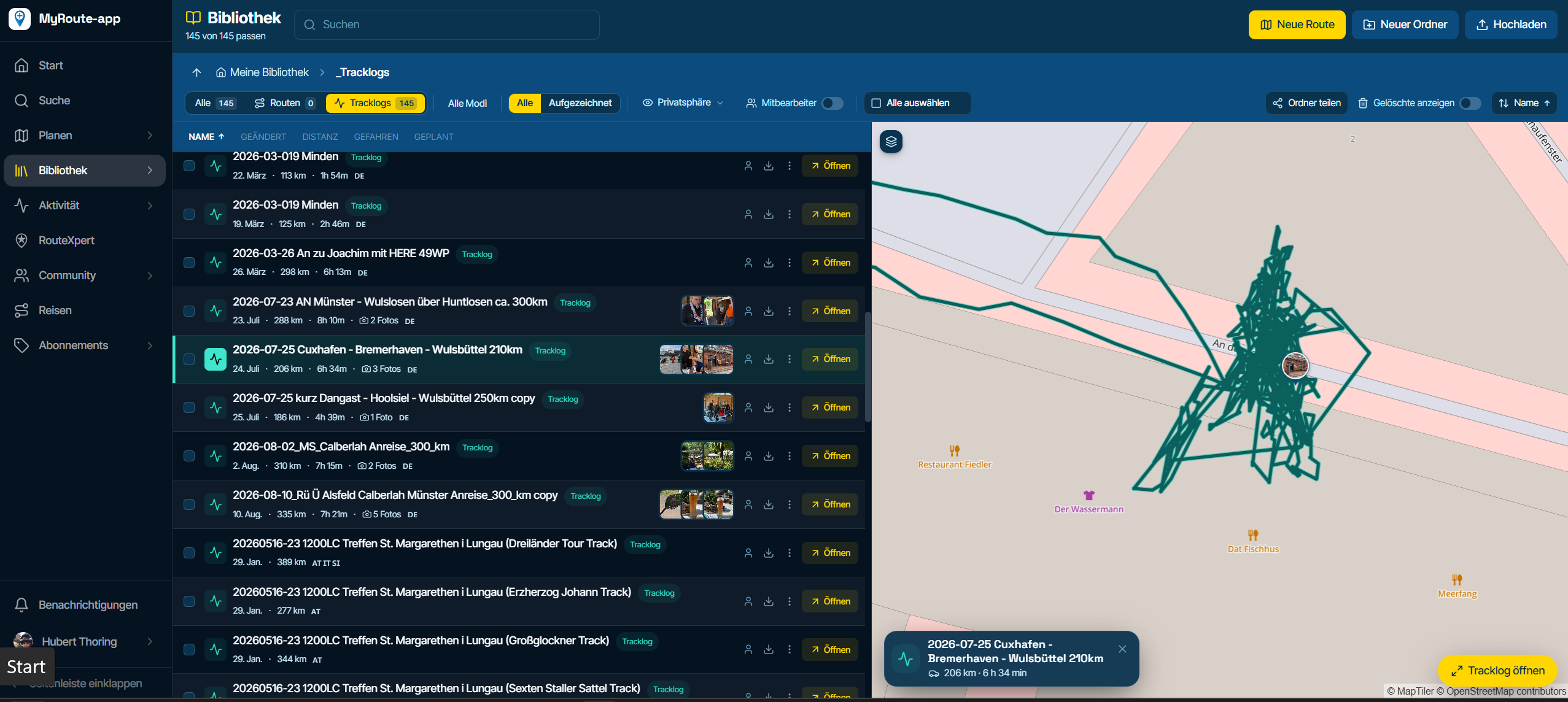
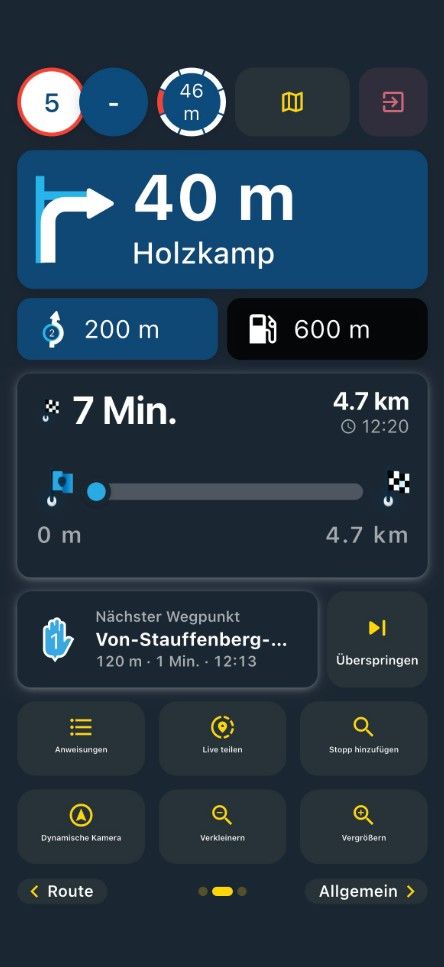
HI Guys, new member here. I use the Garmin Motorize app on my phone and I have created several routes which have transferred OK from the My Route app. However, when I load one particular route the Garmin app alters the route and puts totally random deviations in such as doing 360 degree circles around roundabouts or going off the main road into random side streets and re-joining the main road. I have tried everything to fix it without success. This route is a super run in the Pyrenees which I hope to be on in 4 weeks, But this problem is driving me nuts, Same thing happened on another route and I fixed it by adding more waypoints at the problem sections. That didn't work with this route, I'm really frustrated with it. so I wonder if any of you experienced folks have a suggestion or two?
-
HI Guys, new member here. I use the Garmin Motorize app on my phone and I have created several routes which have transferred OK from the My Route app. However, when I load one particular route the Garmin app alters the route and puts totally random deviations in such as doing 360 degree circles around roundabouts or going off the main road into random side streets and re-joining the main road. I have tried everything to fix it without success. This route is a super run in the Pyrenees which I hope to be on in 4 weeks, But this problem is driving me nuts, Same thing happened on another route and I fixed it by adding more waypoints at the problem sections. That didn't work with this route, I'm really frustrated with it. so I wonder if any of you experienced folks have a suggestion or two?

@Garnett-Wolseley
In the Garmin Motorize app, you should disable recalculation if possible. This way, the app won't use its own routing logic. Before I started using MRA, I always used a dedicated Garmin device. On that device, I could disable recalculation and set the route to "shortest route." Additionally, you could choose to avoid certain roads.If you have a subscription to MRA's navigation service, you can simply use MRA to navigate your routes. Much easier. Everything under one roof!
-
@Garnett-Wolseley
In the Garmin Motorize app, you should disable recalculation if possible. This way, the app won't use its own routing logic. Before I started using MRA, I always used a dedicated Garmin device. On that device, I could disable recalculation and set the route to "shortest route." Additionally, you could choose to avoid certain roads.If you have a subscription to MRA's navigation service, you can simply use MRA to navigate your routes. Much easier. Everything under one roof!
@Rob-Verhoeff Hi Rob - thanks for getting back to me. In the Motorize app in calculation mode I have 3 options, 1. Faster time, 2. Off road and 3. Shorter distance.
In off route recalculation I have 1.Automatic, 2. Off, and 3. Prompted.
If I turn off recalculation and get lost (or get diverted due to road works) surely I would then have no way to get back on track? -
@Garnett-Wolseley
In the Garmin Motorize app, you should disable recalculation if possible. This way, the app won't use its own routing logic. Before I started using MRA, I always used a dedicated Garmin device. On that device, I could disable recalculation and set the route to "shortest route." Additionally, you could choose to avoid certain roads.If you have a subscription to MRA's navigation service, you can simply use MRA to navigate your routes. Much easier. Everything under one roof!
@Rob-Verhoeff
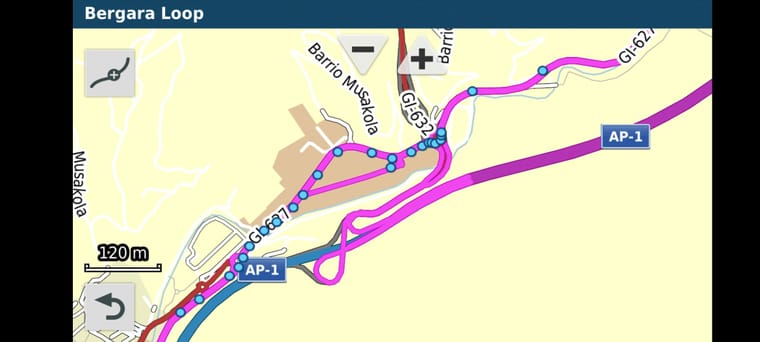
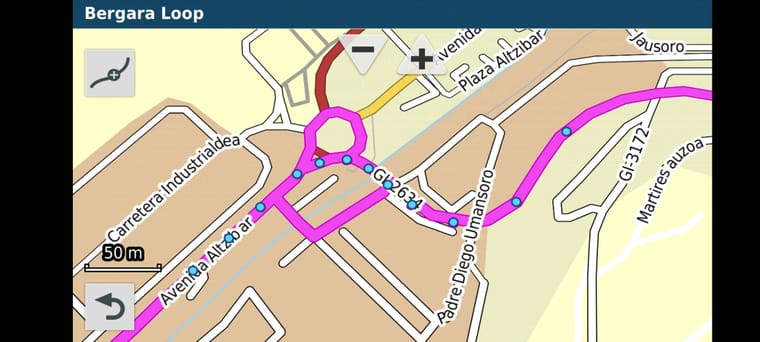
This is what I'm getting on the Motorize app - on MyRoute the black line follows where you can see the blur waypoint markers, these additional loops and deviations only appear after I upload the GPX file.
Hello! It looks like you're interested in this conversation, but you don't have an account yet.
Getting fed up of having to scroll through the same posts each visit? When you register for an account, you'll always come back to exactly where you were before, and choose to be notified of new replies (either via email, or push notification). You'll also be able to save bookmarks and upvote posts to show your appreciation to other community members.
With your input, this post could be even better 💗
Register Login-
 0728
0728
-
0866
-
 81655.4k
-
0344
-
01089
-
 0579
0579
-
1833
-
0239