Navigation Settings
-

Does anyone know how to check with version number I am using? I imagine the app updates all the time to the most recent version but I am editing navigation settings on 2 different iphones and I get a different menu on each phone eg on one phone I don't get the 'search for fuel stations along route' as an option to switch on or off. So I wonder if one iphone is using an older version of the navigation.
(I am a Gold member so I should have full functionality) -
Does anyone know how to check with version number I am using? I imagine the app updates all the time to the most recent version but I am editing navigation settings on 2 different iphones and I get a different menu on each phone eg on one phone I don't get the 'search for fuel stations along route' as an option to switch on or off. So I wonder if one iphone is using an older version of the navigation.
(I am a Gold member so I should have full functionality)
@Donald-4 Go to your account profile in the App and scroll up. At the end you find the version.
Hardware
iPhone 12 pro (iOS 26.2.1)
iPad (7.Gen.) 18.7.3
Oukitel RT3 Pro (Andr. 14)
Wireless CarPlay mit (Elebest C650)
Wired CarPlay (SEAT Arona - 2021)
MRA Workshops in Deutsch sind hier zu finden -
Does anyone know how to check with version number I am using? I imagine the app updates all the time to the most recent version but I am editing navigation settings on 2 different iphones and I get a different menu on each phone eg on one phone I don't get the 'search for fuel stations along route' as an option to switch on or off. So I wonder if one iphone is using an older version of the navigation.
(I am a Gold member so I should have full functionality)
-
Does anyone know how to check with version number I am using? I imagine the app updates all the time to the most recent version but I am editing navigation settings on 2 different iphones and I get a different menu on each phone eg on one phone I don't get the 'search for fuel stations along route' as an option to switch on or off. So I wonder if one iphone is using an older version of the navigation.
(I am a Gold member so I should have full functionality) -
@Donald-4 Go to your account profile in the App and scroll up. At the end you find the version.
@Jörgen Thank you very much for this.
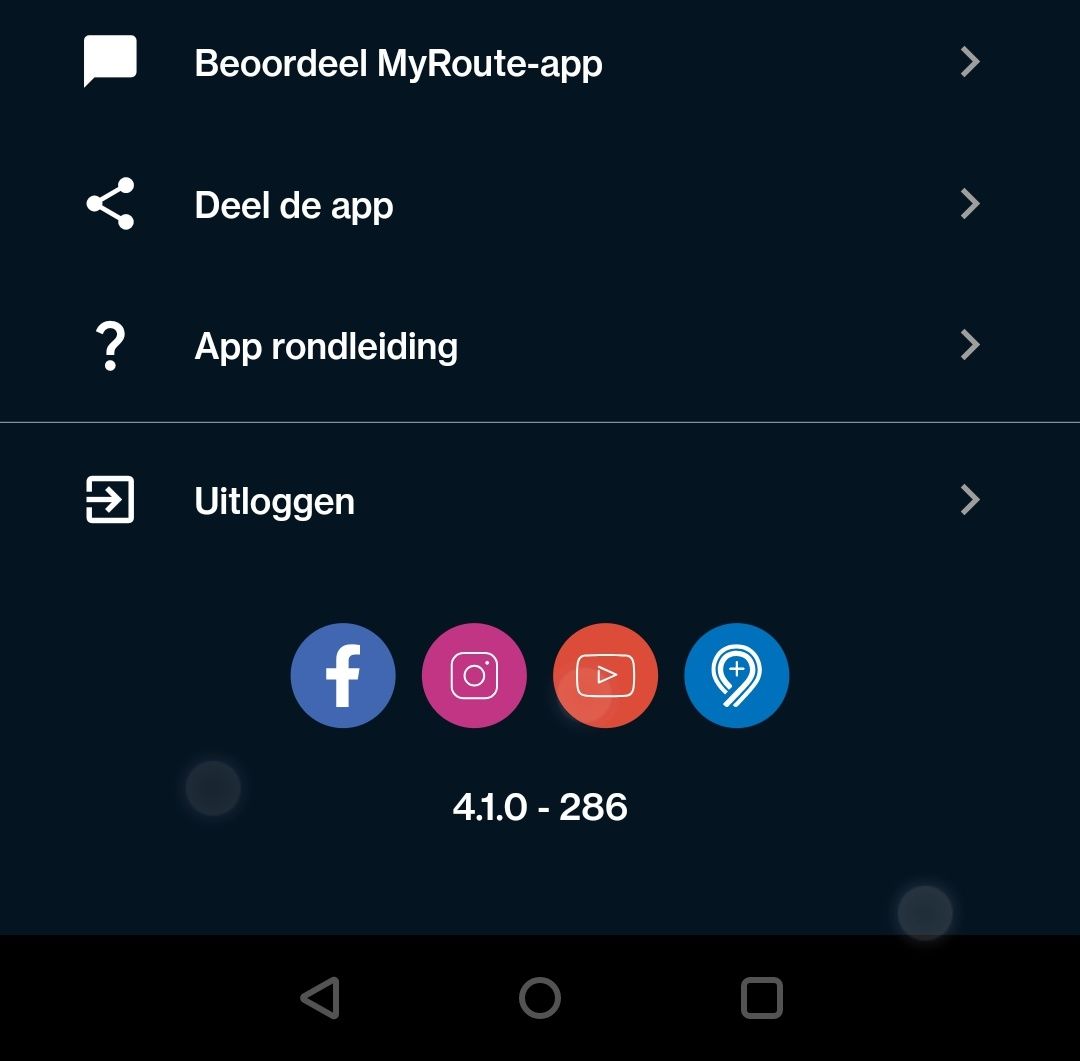
So one phone is showing version 4.1.0-286 and the other is showing 4.0.4-216. I imagine the 4.1.0 is the newer version so on the phone showing 4.0.4 I signed out of my account and signed back in but I still have the old version. Any idea how I upload the new version? -

@Donald-4 Depending on your device, visit here:
https://play.google.com/store/apps/details?id=com.cloudmax.myrouteapp
or here:
https://apps.apple.com/gb/app/myroute-app/id969030524You'll see an update option if there's one available.
It will depend on how old your device is, of course.
(As in older devices may not be able to upgrade any more.) -
@Jörgen Thank you very much for this.
So one phone is showing version 4.1.0-286 and the other is showing 4.0.4-216. I imagine the 4.1.0 is the newer version so on the phone showing 4.0.4 I signed out of my account and signed back in but I still have the old version. Any idea how I upload the new version?
@Donald-4 yes 4.1.0-286 is the latest.
Hardware
iPhone 12 pro (iOS 26.2.1)
iPad (7.Gen.) 18.7.3
Oukitel RT3 Pro (Andr. 14)
Wireless CarPlay mit (Elebest C650)
Wired CarPlay (SEAT Arona - 2021)
MRA Workshops in Deutsch sind hier zu finden
Hello! It looks like you're interested in this conversation, but you don't have an account yet.
Getting fed up of having to scroll through the same posts each visit? When you register for an account, you'll always come back to exactly where you were before, and choose to be notified of new replies (either via email, or push notification). You'll also be able to save bookmarks and upvote posts to show your appreciation to other community members.
With your input, this post could be even better 💗
Register Login-
012113
-
 1320185
-
 17363.5k
-
 0629
0629
-
 0639
0639
-
0520
-
 05130
05130
-
0542