Skip to content
  • Categories
  • Recent
  • Popular
  • Support
  • MyRoute-app
Collapse
Brand Logo

MRA Community Forum

  1. Home
  2. General Discussion
  3. Force route for a section of a planned ride

Force route for a section of a planned ride

Scheduled Pinned Locked Moved General Discussion
4 Posts 2 Posters 458 Views
  • Oldest to Newest
  • Newest to Oldest
  • Most Votes
Reply
  • Reply as topic
Log in to reply
This topic has been deleted. Only users with topic management privileges can see it.
  • Old Dog  - Arwonundefined Offline
    Old Dog  - Arwonundefined Offline
    Old Dog - Arwon
    wrote on last edited by
    #1

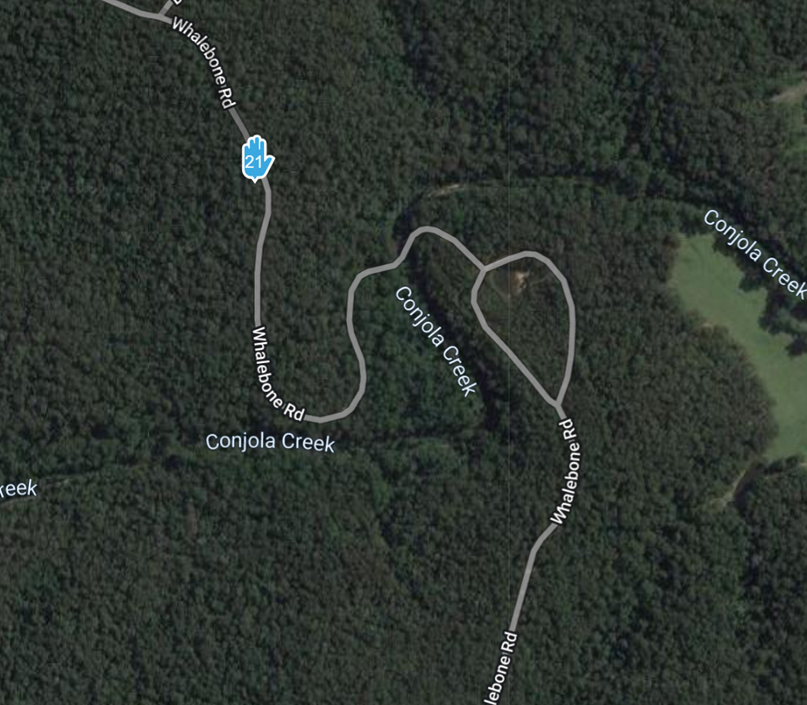
    Have searched and tried the past suggestions on how to force a route but without any luck.
    One map shows no road but others do and other riders have told me the road is there, so it it possible to force a route for a section of a planned ride?
    Have also tried to insert a secondary offroad mapping but I still cannot get it to work 😞
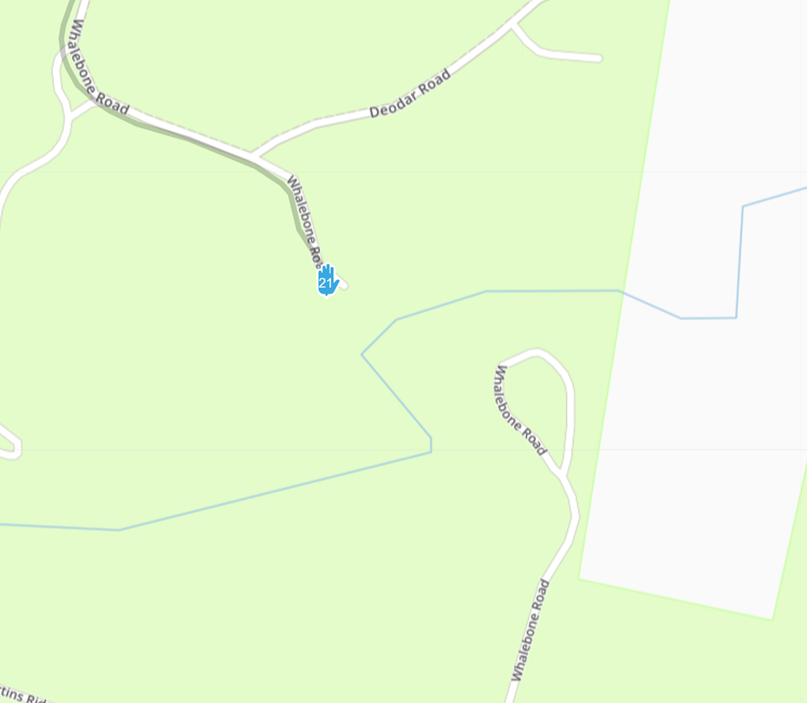
    02886889-42c5-4b51-b3bb-9f27b4130fc0-image.png
    e0e09c8d-0627-4009-9e2a-3c24a94c7fff-image.png

    Old enough to know better, too stubborn to change

    Jack van Tilburgundefined 1 Reply Last reply
    0
    • Old Dog  - Arwonundefined Old Dog - Arwon

      Have searched and tried the past suggestions on how to force a route but without any luck.
      One map shows no road but others do and other riders have told me the road is there, so it it possible to force a route for a section of a planned ride?
      Have also tried to insert a secondary offroad mapping but I still cannot get it to work 😞
      02886889-42c5-4b51-b3bb-9f27b4130fc0-image.png
      e0e09c8d-0627-4009-9e2a-3c24a94c7fff-image.png

      Jack van Tilburgundefined Offline
      Jack van Tilburgundefined Offline
      Jack van Tilburg
      wrote on last edited by Jack van Tilburg
      #2

      @Old-Dog-Arwon
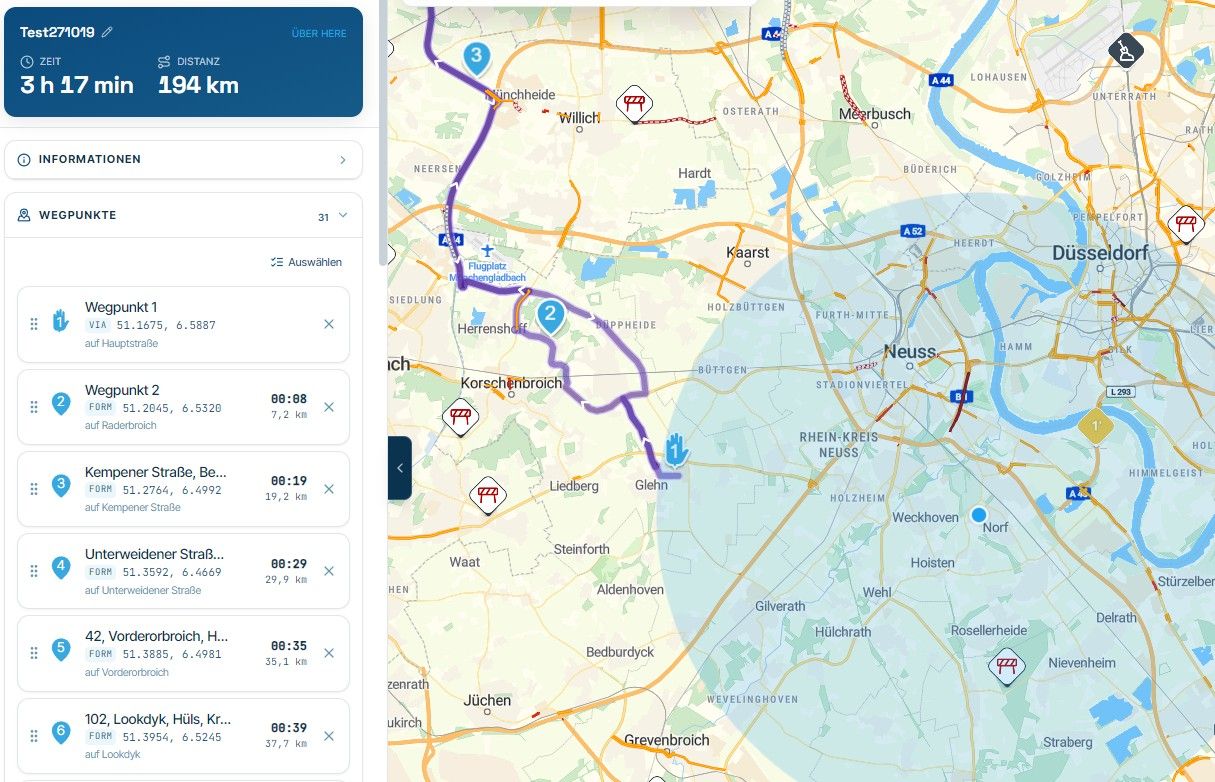
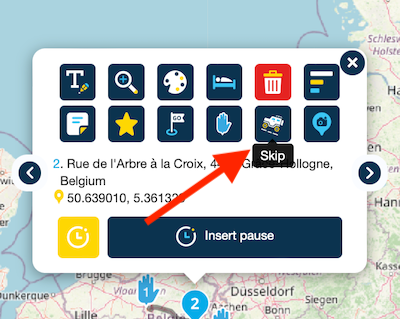
      The most obvious solution is to use the skip function per waypoint.
      So place a waypoint for the relevant road sections and another at the location where the road is known on the map. And enable the skip function in that waypoint.
      Scherm­afbeelding 2023-12-26 om 23.50.09.png

      Old Dog  - Arwonundefined 2 Replies Last reply
      0
      • Jack van Tilburgundefined Jack van Tilburg

        @Old-Dog-Arwon
        The most obvious solution is to use the skip function per waypoint.
        So place a waypoint for the relevant road sections and another at the location where the road is known on the map. And enable the skip function in that waypoint.

        Scherm­afbeelding 2023-12-26 om 23.50.09.png

        Old Dog  - Arwonundefined Offline
        Old Dog  - Arwonundefined Offline
        Old Dog - Arwon
        wrote on last edited by
        #3

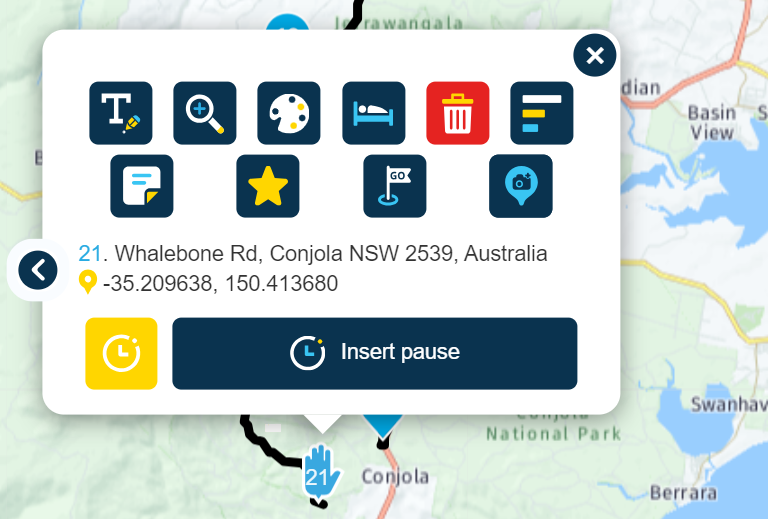
        @Jack-van-Tilburg Thanks, however when I click on the waypoint I do not see this "skip" icon, is there a setting I need to turn on?
        66415a84-a5d1-4780-a0cc-13b66c531186-image.png

        Old enough to know better, too stubborn to change

        1 Reply Last reply
        0
        • Jack van Tilburgundefined Jack van Tilburg

          @Old-Dog-Arwon
          The most obvious solution is to use the skip function per waypoint.
          So place a waypoint for the relevant road sections and another at the location where the road is known on the map. And enable the skip function in that waypoint.

          Scherm­afbeelding 2023-12-26 om 23.50.09.png

          Old Dog  - Arwonundefined Offline
          Old Dog  - Arwonundefined Offline
          Old Dog - Arwon
          wrote on last edited by
          #4

          @Jack-van-Tilburg Just realised I had it set as a Via point rather than a waypoint, have now fix at my end and your sugestion worked a treat. Many thanks for your help.

          Old enough to know better, too stubborn to change

          1 Reply Last reply
          1
          Reply
          • Reply as topic
          Log in to reply
          • Oldest to Newest
          • Newest to Oldest
          • Most Votes


          ACTIVE USERS
          Old Dog  - Arwonundefined
          Old Dog - Arwon
          Jack van Tilburgundefined
          Jack van Tilburg
          POPULAR TOPICS
          • Absurd detours on the highway maps HERE
            Aiello antoninoundefined
            Aiello antonino
            0
            13
            145

          • V5.0.0 : map remain on screen, hiding menu
            Nick Dawsonundefined
            Nick Dawson
            1
            26
            2.0k

          • Problem? Question? Read this first!
            Andree 1undefined
            Andree 1
            -2
            2
            3.3k

          • iPad - Changing Text for an Waypoint closes the Waypoints list.
            Big Al 1undefined
            Big Al 1
            0
            6
            366

          • Waypoint Ballons very Big and small Poi.
            M. Schrijverundefined
            M. Schrijver
            0
            6
            208
          MY GROUPS
          • Login

          • Login or register to search.
          • First post
            Last post
          0
          • Categories
          • Recent
          • Popular
          • Support
          • MyRoute-app